If you have tried to call a gRPC service from a browser, you already know the friction. Browsers cannot speak raw gRPC because they cannot control HTTP trailers, so you end up bolting on a proxy like Envoy just to translate traffic. ConnectRPC removes that step. It lets you build Protobuf-based APIs that a browser can call directly, that respond to a plain curl command, and that still interoperate with the wider gRPC ecosystem.
This guide explains what ConnectRPC is, the problem the Connect protocol solves, how Connect compares to gRPC, gRPC-Web, and REST, and what a Connect request looks like over HTTP. You will also see how to test and debug Connect and gRPC endpoints with a standard API client.
What ConnectRPC Is
ConnectRPC is a family of libraries for building browser-compatible and gRPC-compatible HTTP APIs from Protocol Buffers. You define your service in a .proto file, generate code, and implement your handlers. Connect takes care of routing, serialization, compression, and client generation.
The project was created by Buf, the company behind the buf build tooling for Protobuf, and it is now a Cloud Native Computing Foundation (CNCF) sandbox project. That lineage matters: Connect is designed to fit the same schema-first workflow that teams already use with buf and Protobuf.
A ConnectRPC server supports three protocols at once:
- gRPC: full compatibility, including streaming and trailers.
- gRPC-Web: direct support, with no separate proxy required.
- Connect: its own HTTP-based protocol, tuned for the web.
Because a single server speaks all three, a gRPC client can call a Connect server, and a Connect client can call any gRPC server. You pick the protocol per client, often with a single configuration change and no code rewrite.
The Problem Connect Solves
gRPC is fast and strongly typed, but it makes assumptions that the web does not honor. It relies on HTTP/2 and on HTTP trailers to carry status information. Browsers do not expose trailers to JavaScript, so a browser cannot act as a native gRPC client. The usual workaround is gRPC-Web plus a translating proxy such as Envoy that sits between the browser and your gRPC backend.
That works, but it adds moving parts. You now run and configure a proxy, and you debug an extra hop. For teams that want typed APIs and browser access without that overhead, the setup feels heavier than it should.
Connect takes a different route. Its own protocol runs over standard HTTP, so a browser can call it directly and you do not need a proxy for browser traffic. If you also need to serve existing gRPC clients, the same Connect server handles them too. You get one backend that answers browsers, command-line tools, and gRPC services alike.
Connect vs gRPC vs gRPC-Web vs REST
These four approaches overlap, so it helps to line them up.
gRPC uses Protobuf over HTTP/2 with binary framing and trailers. It is efficient and supports all four streaming modes, but it is awkward to call from a browser or with a shell. If you want a refresher on the transport layer, see how gRPC and HTTP/2 work together.
gRPC-Web is a browser-friendly variant of gRPC. It still centers on Protobuf and usually needs a proxy to bridge to a real gRPC backend. Our guide to what gRPC-Web is covers where it fits.
Connect keeps the Protobuf schema and the gRPC-style method model, but its protocol runs cleanly over HTTP/1.1, HTTP/2, and HTTP/3. Unary calls carry a plain JSON or Protobuf body with no gRPC binary framing, and responses use real HTTP status codes. That combination is what makes a Connect call as approachable as any REST call.
REST is resource-oriented and schema-optional. It is the most universally supported style, but it lacks the code generation and strict typing that Protobuf gives you. If you are weighing the tradeoffs, gRPC vs REST breaks down the differences.
The short version: Connect aims to give you the typing and tooling of gRPC with the reach and debuggability of REST. It leans on Protobuf and gRPC’s method model while dropping the parts that browsers and shells cannot handle.
A Connect Request Over HTTP
Here is what makes Connect approachable. A unary Connect call is an ordinary HTTP POST. The URL path comes straight from your Protobuf schema, and the body is JSON or binary Protobuf with no extra framing.
The path format is /<package>.<Service>/<Method>. So a Greet method on a GreetService in package greet.v1 lives at /greet.v1.GreetService/Greet.
You can call it with curl:
curl \
    --header "Content-Type: application/json" \
    --data '{"name": "Jane"}' \
    http://localhost:8080/greet.v1.GreetService/Greet
The response is plain JSON:
{"greeting": "Hello, Jane!"}
No custom client, no proxy, no binary decoding. That is the whole request. Because the body is real JSON and the status is a real HTTP status code, every tool that speaks HTTP can inspect the call. This is the property that separates the Connect protocol from raw gRPC, where the same request would be wrapped in binary framing and would carry its status in a trailer.
Connect supports two content types for unary requests:
application/jsonfor human-readable JSON payloads.application/protofor compact binary Protobuf.
You send binary Protobuf when you want the smaller wire size and JSON when you want readability during development. To send binary, switch the header and pass an encoded body:
curl \
    --header "Content-Type: application/proto" \
    --data-binary @request.bin \
    http://localhost:8080/greet.v1.GreetService/Greet
Streaming calls use a different content type (application/connect+proto or application/connect+json) and wrap each message in an envelope: one flags byte, a four-byte big-endian length, then the message. Unary calls skip that envelope entirely, which is why they map so cleanly onto a normal HTTP request. If you are choosing between wire formats for your payloads, Protobuf vs JSON covers the size and readability tradeoffs.
Language Support and buf Tooling
ConnectRPC ships implementations across several languages. Go and TypeScript (for both the browser and Node.js) are stable and production-ready. Swift is available for Apple platforms, with Kotlin for the JVM and Android, and Python in beta. That spread lets you share one Protobuf contract across a Go backend and a TypeScript frontend without hand-writing clients.
Code generation runs through the buf toolchain. You describe your service in a .proto file, then use buf plugins to generate messages and Connect handlers. A Go project uses two plugins: protoc-gen-go for the Protobuf messages and protoc-gen-connect-go for the Connect handlers and clients.
The plugins are listed in a buf.gen.yaml file, and you run generation with one command:
buf generate
That produces typed message structs plus the server and client code for your service. From there you implement the handler methods and register them on an HTTP server. Because the generated code targets the standard library’s net/http in Go, you do not pull in a separate server runtime; a Connect handler is a normal HTTP handler that you can mount alongside your existing routes.
Testing and Debugging Connect and gRPC Endpoints
Since Connect unary calls are plain HTTP with a JSON body, you can test them the same way you test any REST endpoint. That is a practical win: no special client is required to poke at your service during development.
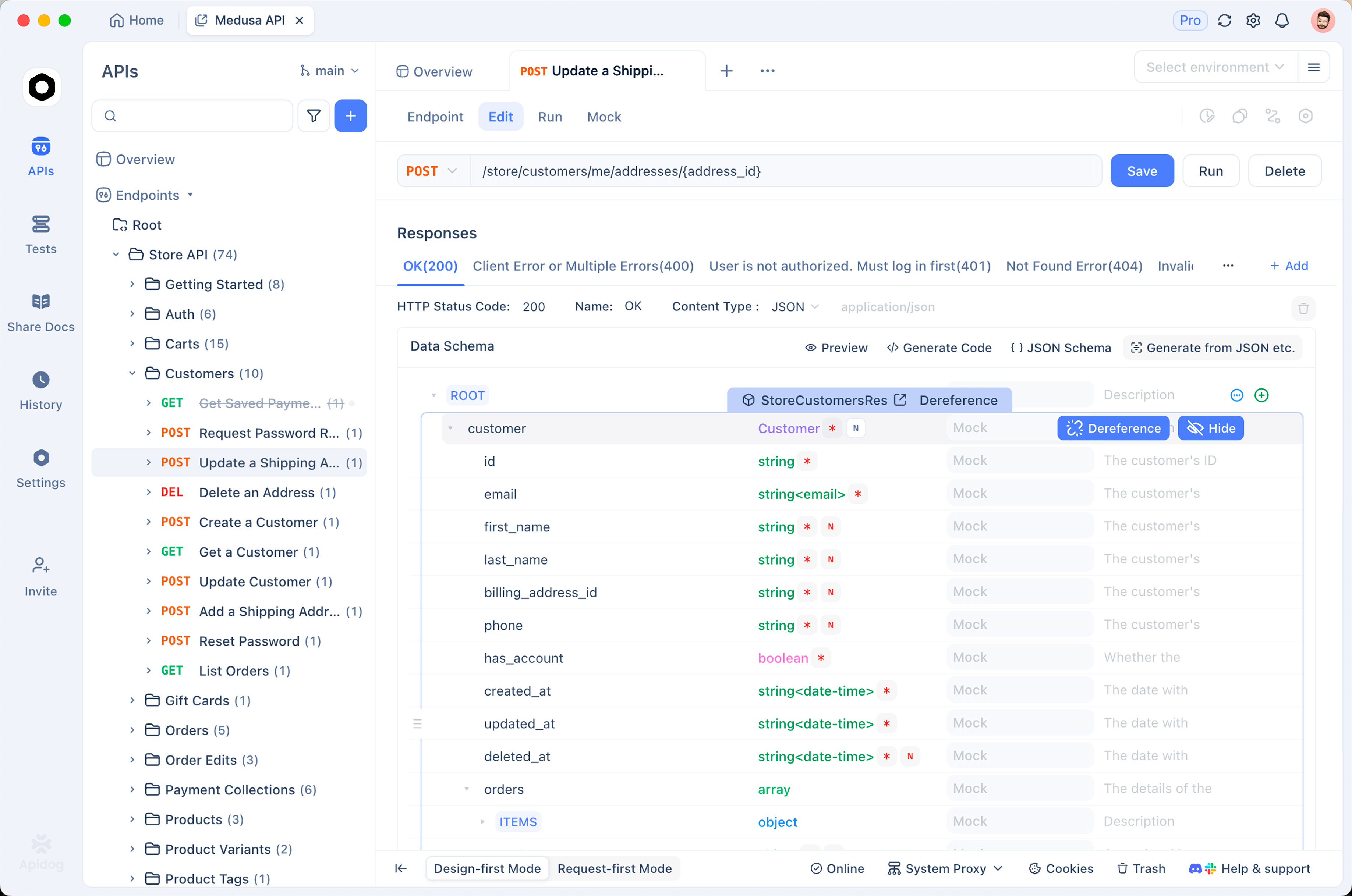
In Apidog, you send a Connect unary request as an HTTP request. Set the method to POST, use the schema-derived URL such as http://localhost:8080/greet.v1.GreetService/Greet, add the Content-Type: application/json header, and put your message in the JSON body:
{"name": "Jane"}
You get back the JSON response and a real HTTP status code, which you can assert on directly. Apidog is not a dedicated Connect client, but it does not need to be; you are exercising the HTTP surface that the Connect protocol exposes, exactly as curl does, with a UI, saved requests, and history on top. For a quick primer on the verbs involved, see what HTTP methods are.
Because a Connect server also speaks gRPC, the gRPC side of your service is testable too. Apidog supports gRPC endpoints, so you can import the same .proto file, browse the service methods, and call them with a typed request. That means one tool covers both faces of the server: the HTTP-friendly Connect protocol and the native gRPC protocol. If gRPC is your main concern, how to test gRPC APIs efficiently walks through the workflow.
Once your requests behave, you can move them into automated checks. Save your Connect and gRPC calls as test scenarios, then run them in CI with the Apidog CLI. Install it with Node:
npm install -g apidog-cli
Then run a saved scenario or suite, pointing at an environment and choosing report formats:
apidog run \
  --access-token "$APIDOG_ACCESS_TOKEN" \
  -t <scenarioOrSuiteId> \
  -e <environmentId> \
  -r cli,html,junit
The CLI is headless, so it drops into any CI step that can run Node. It runs saved test scenarios and suites rather than sending ad hoc requests, which makes it a fit for regression checks on your Connect and gRPC endpoints. For a full walkthrough, see the Apidog CLI tutorial for testing an API from the command line.
Frequently Asked Questions
Is ConnectRPC the same as gRPC? No. ConnectRPC is a framework that implements three protocols: gRPC, gRPC-Web, and its own Connect protocol. A Connect server interoperates with gRPC clients and servers, so it fits the gRPC ecosystem, but the Connect protocol itself is a separate HTTP-based design that browsers and shells can call directly.
Do I still need a proxy like Envoy to reach a browser? Not for the Connect protocol. Connect runs over standard HTTP, so a browser can call a Connect server without a translating proxy. You would only reach for a proxy such as Envoy when you need to bridge browser traffic to a backend that speaks native gRPC and nothing else.
Which languages does ConnectRPC support? Go and TypeScript (browser and Node.js) are the stable, production-ready implementations. Swift, Kotlin, and Python are also available, with Python in beta. All of them generate from the same Protobuf schema.
What is the relationship between Connect and buf? ConnectRPC was created by Buf and uses the buf toolchain for code generation. You run buf generate with plugins like protoc-gen-connect-go to produce handlers and clients from your .proto files.
Can I test a Connect endpoint with a normal API client? Yes. Connect unary calls are HTTP POST requests with a JSON or Protobuf body and a real HTTP status code. Any HTTP client, including curl and Apidog, can send one. Apidog can also call the gRPC side of the same server by importing the .proto file.