Best API Design Toolsin 2026 — Reviewed.
We evaluated 6 of the most widely used API design platforms — from OpenAPI editors to full-lifecycle design suites. Here is everything you need to pick the right tool for your team.
The 6 Best API Design Tools
In-depth reviews covering core design capabilities, collaboration features, real screenshots, pricing, and honest pros and cons.
Apidog
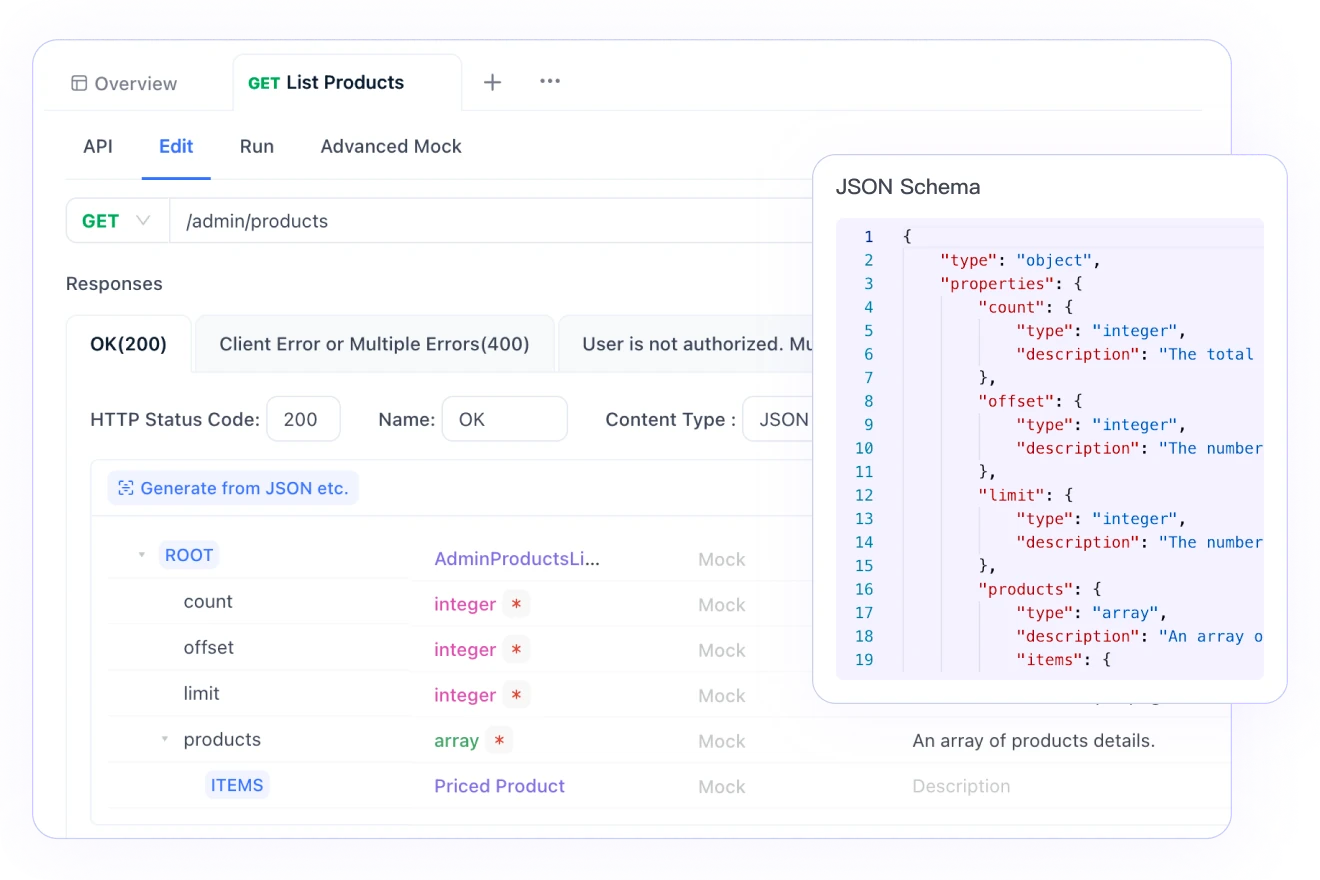
Apidog is a unified API development platform that treats design as the source of truth for your entire API lifecycle. You define your API spec visually or via OpenAPI, and Apidog automatically propagates those definitions to your test cases, mock server, and documentation — no manual syncing required. Unlike standalone editors like SwaggerHub or Stoplight, Apidog gives teams a single workspace where they design, debug, test, mock, and publish without switching tools. The result is faster iteration, fewer spec-reality gaps, and dramatically less toolchain overhead.
Pros
- Visual API designer — no raw YAML/JSON editing required
- Design auto-syncs to test cases, mock server, and docs
- Full OpenAPI 3.0/3.1 and GraphQL support
- Real-time team collaboration with branch-based workflows
- Free plan supports up to 4 users
- On-premises and EU-hosted deployment available
Cons
- Newer brand — smaller community than Swagger/Postman
- Advanced schema features may require learning Apidog's data model
Postman
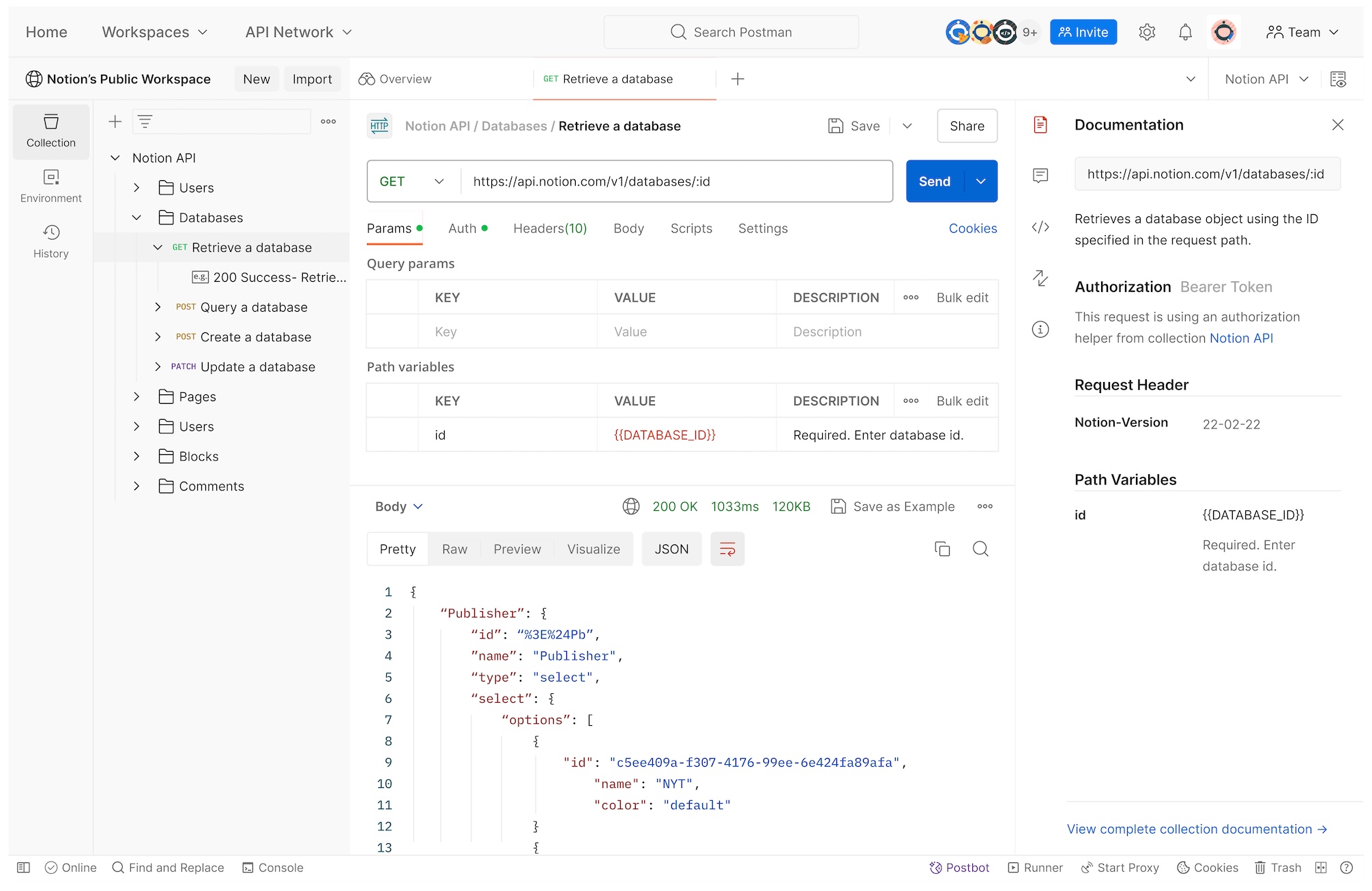
Postman is the world's most widely used API platform, and it supports OpenAPI import/export and a basic API schema editor. However, Postman was built around the concept of request collections, not API-first design. Its schema editor is functional but limited compared to dedicated design tools — it lacks visual form-based editing, advanced schema inheritance, and design-to-test synchronization. Teams that need to collaboratively own and evolve an OpenAPI specification will quickly find Postman's design capabilities insufficient and reach for a specialized tool.
Pros
- Massive community and ecosystem
- Import/export OpenAPI specs
- Familiar interface for most API developers
- Good for individual design + quick testing
Cons
- Schema editor is not visual — requires direct YAML/JSON editing
- No design-to-test synchronization
- Free plan limited to 1 user
- Not built for API-first collaborative workflows
SwaggerHub
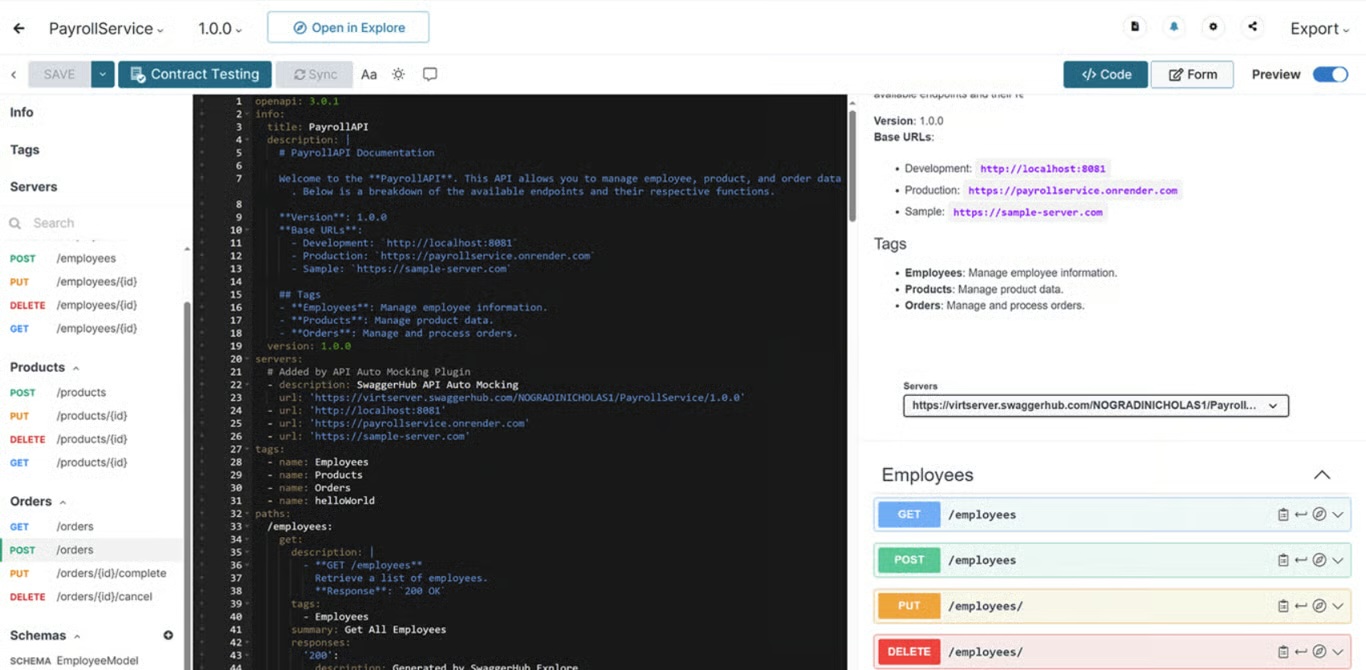
SwaggerHub (by SmartBear) is one of the oldest and most established API design platforms, built specifically for managing OpenAPI specifications. It provides a YAML/JSON editor with inline validation, auto-generated Swagger UI docs, team collaboration, and API versioning. SwaggerHub is strong in enterprise environments where OpenAPI governance and spec registry management are priorities. Its weaknesses are a dated user interface, lack of native testing or mocking, and pricing that can become significant at scale — it requires pairing with SoapUI or ReadyAPI for testing.
Pros
- Industry-standard OpenAPI editor with inline validation
- API versioning and spec registry
- Auto-generated Swagger UI documentation
- Enterprise governance and access control
Cons
- YAML/JSON editor only — no visual form-based design
- No built-in testing or mock server
- Dated UI compared to modern alternatives
- Requires separate SmartBear tools for testing
Stoplight
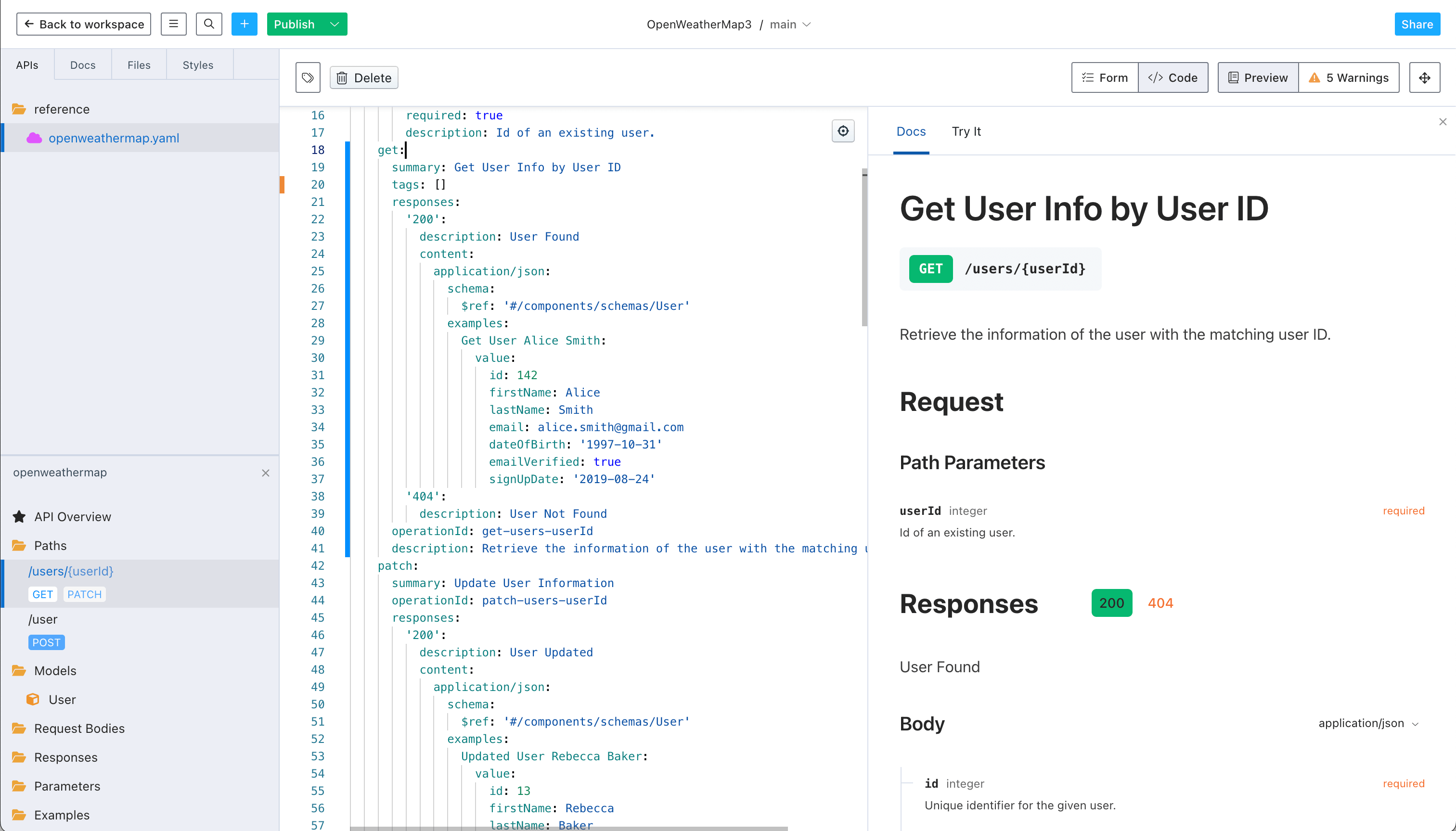
Stoplight is a design-first API platform that provides a visual form editor for building OpenAPI specs, an API style guide system (Spectral), and hosted documentation via Stoplight Docs. It's particularly strong for teams that want to enforce consistent API design standards across the organization. Stoplight's Git-based workflow integrates well with GitHub/GitLab, making it a natural fit for engineering teams. However, it does not include built-in API testing or a mock server — teams need to supplement it with a testing tool like Apidog or Postman.
Pros
- Visual form editor — no raw YAML required
- Spectral-based API style guide and linting
- Git-based workflow (GitHub, GitLab, Bitbucket)
- Clean hosted documentation
Cons
- No built-in API testing
- No mock server in free/team tiers
- Hosted docs require Stoplight's own CDN
- Pricing jumps significantly for enterprise features
Insomnia
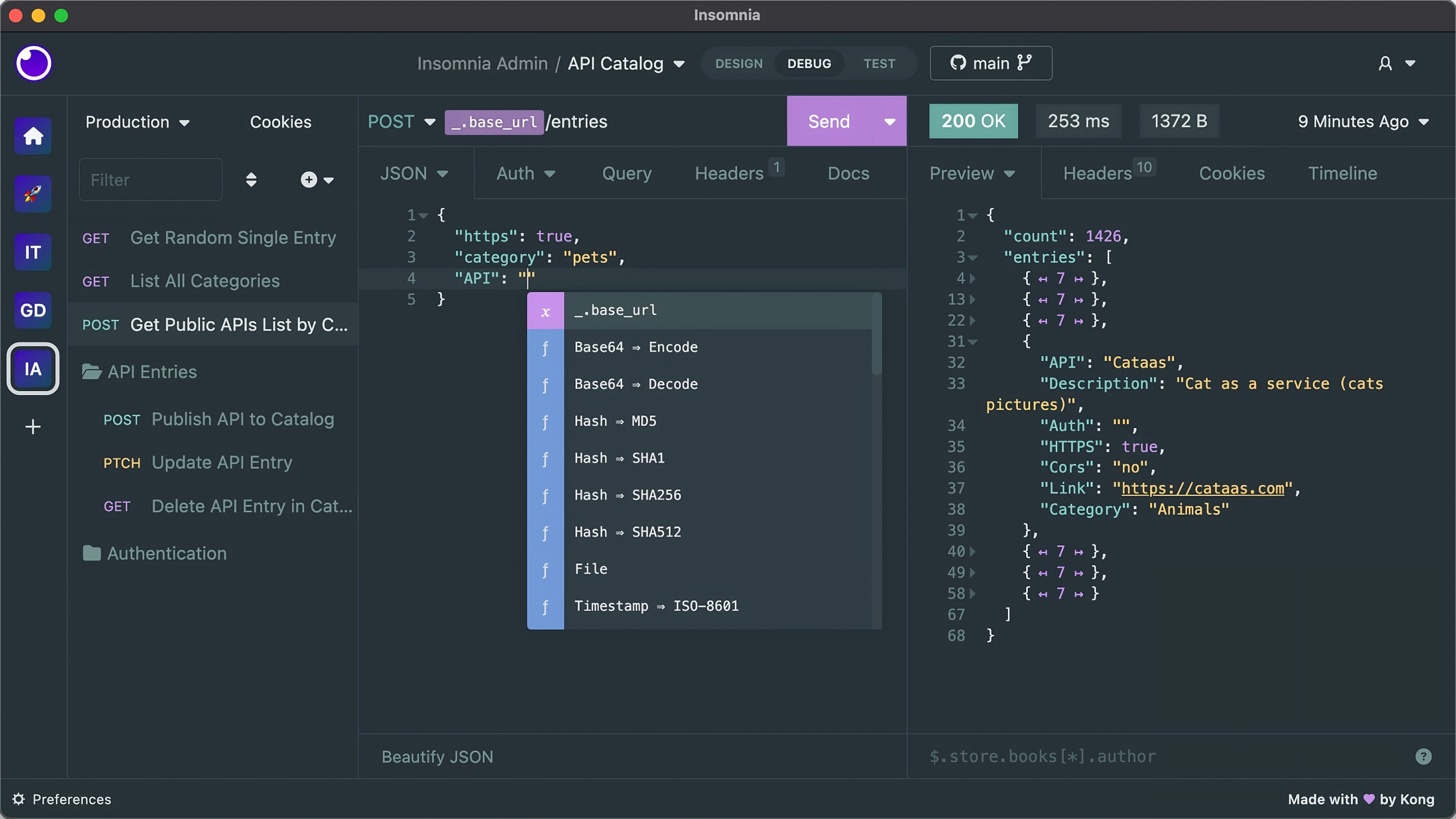
Insomnia (by Kong) is a popular open-source API client that also supports OpenAPI design through its Design mode. Developers can create or import an OpenAPI specification and switch between design view and request debugging. Insomnia's design capabilities are basic — it's primarily a debugging and testing tool that added design support, not the other way around. For teams that need robust collaborative API design, version control, or advanced schema management, Insomnia's design features will feel limited. It shines as a lightweight free alternative for individual developers.
Pros
- Open source and free to self-host
- Supports OpenAPI import and basic design editing
- Good GraphQL and gRPC support
- Lightweight and fast for local development
Cons
- Design features are basic — built around testing, not design
- No visual API builder
- Limited team collaboration without paid plan
- No auto-generated public documentation
Redocly
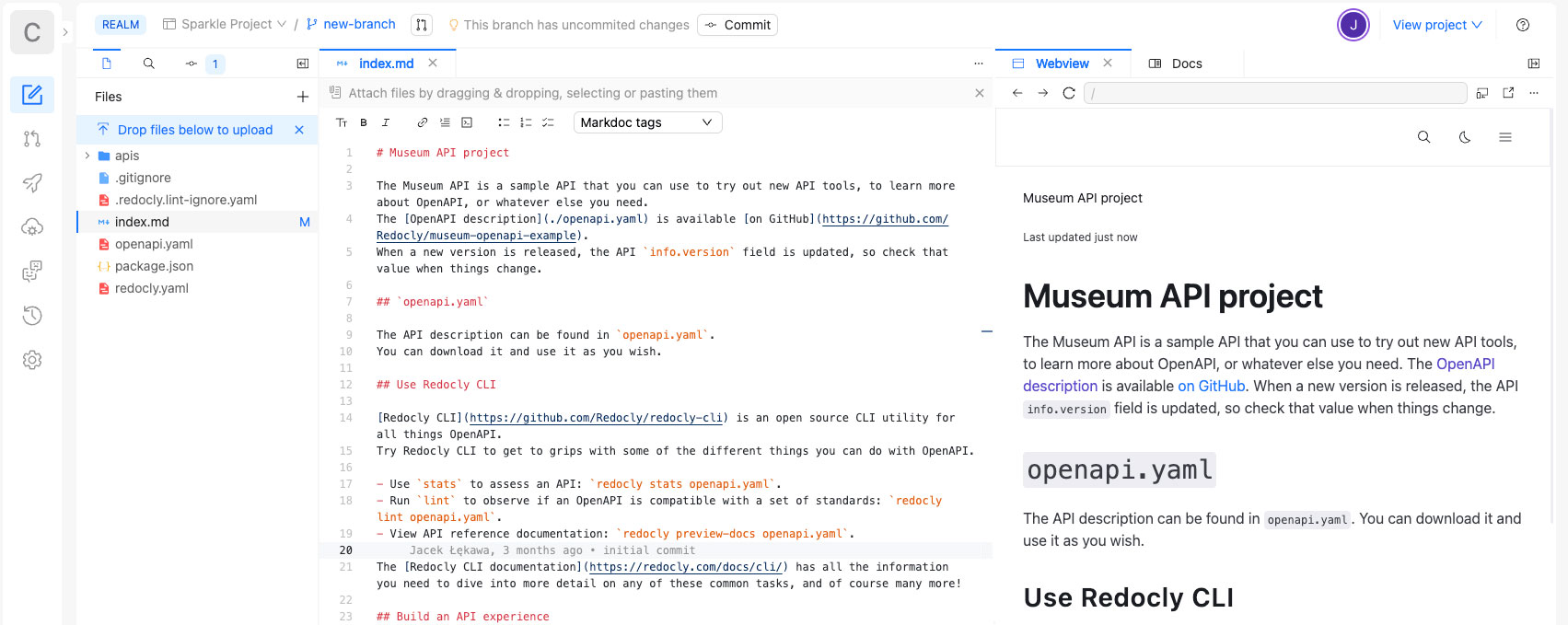
Redocly is a developer-centric API platform built around Git-native workflows and enterprise-grade OpenAPI governance. Teams push OpenAPI spec changes to a repository, and Redocly automatically lints the spec against configurable style rules, generates preview documentation for each pull request, and publishes updates live on merge. Redocly's documentation renderer (Redoc) is widely regarded as the cleanest OpenAPI renderer available. Its strengths are deep linting, CI/CD integration, and polished hosted docs — but it has no visual form editor, no built-in testing, and no free commercial tier, making it better suited for mature engineering teams than for those just starting with API design.
Pros
- Best-in-class OpenAPI linting with enterprise style guides
- Git-native workflow with per-PR documentation previews
- Redoc renderer produces exceptionally clean API docs
- Supports OpenAPI 3.2, 3.1, 3.0, Swagger 2.0, AsyncAPI
Cons
- No visual form editor — requires writing YAML directly
- No built-in API testing or mock server
- No free commercial tier (30-day trial only)
- Steeper setup for teams without Git workflow experience
Feature Comparison: 6 API Design Tools
A side-by-side feature matrix to help you evaluate which tool fits your team's API design workflow.
| Features | Postman | SwaggerHub | Stoplight | Insomnia | Redocly | |
|---|---|---|---|---|---|---|
| API Design Capabilities | ||||||
| OpenAPI 3.x support | ||||||
| GraphQL schema design | ||||||
| Visual form editor (no YAML) | ||||||
| Reusable components / $ref | ||||||
| API versioning | ||||||
| Collaboration & Governance | ||||||
| Team collaboration | Limited | |||||
| Git-based version control | ||||||
| Review / approval workflow | ||||||
| API style guide / linting | ||||||
| Documentation | ||||||
| Auto-generated documentation | ||||||
| Interactive docs (Try It) | Paid only | |||||
| Custom branding | ||||||
| Developer portal | ||||||
| Testing & Mocking | ||||||
| Integrated API testing | Limited | |||||
| Mock server | ||||||
| Auto-sync design ↔ tests | Partial | |||||
| Pricing & Deployment | ||||||
| Free plan | Up to 4 Users | 1 User | Limited | 1 Project | Open Source | Trial only |
| On-Premises / Self-hosted | ||||||
Why Engineering Teams Choose Apidog for API Design
Apidog is the only API design tool where your spec is always in sync with your tests, mocks, and documentation — in a single workspace.
Design Once, Sync Everywhere
When you define an API endpoint in Apidog's designer, your test cases, mock server responses, and documentation update automatically. No more drift between your spec and reality.
Visual Editor — No YAML Required
Build OpenAPI 3.x specs using a form-based visual editor. Set request parameters, response schemas, and authentication without touching a single line of YAML or JSON.
Real-Time Team Collaboration
Multiple team members can edit the same API spec simultaneously. Branch-based workflows, merge requests, and change history keep large teams coordinated without overwriting each other's work.
Instant Mock Server from Your Spec
Apidog generates a smart mock server the moment you save an endpoint definition. Frontend teams can start building against realistic mock responses before the backend is complete.
API Style Guide & Validation
Define naming conventions, required fields, and schema patterns at the organization level. Apidog validates every endpoint against your rules in real time, preventing inconsistencies before they ship.
From Design to Published Docs in One Click
Publish beautiful, interactive API documentation directly from your spec — no copy-pasting or manual formatting. Hosted on Apidog's CDN or self-hosted on your own infrastructure.
#1 Easiest to Use API Development Software
Ranked by real users on G2, the world's #1 B2B software review platform.

Frequently Asked Questions
Design Better APIs, Faster
Join 1 million+ developers using Apidog to design, test, mock, and document APIs in one unified workspace.