Best API Documentation Toolsin 2026 — Reviewed.
We tested 8 of the most popular API documentation tools — from spec-based generators to general documentation platforms. Here is everything you need to pick the right tool for your API docs.
The 8 Best API Documentation Tools
In-depth reviews covering documentation generation, design capabilities, collaboration features, real screenshots, pricing, and honest pros and cons.
Apidog

Apidog is a unified API development platform that auto-generates interactive API documentation directly from your OpenAPI specification. Unlike standalone documentation tools, Apidog keeps your docs synchronized with your API requests, test cases, mock server, and spec — when you update your spec, your docs update automatically. With interactive 'Try It' functionality, code snippets in 20+ languages, custom branding, and team collaboration, Apidog eliminates manual documentation work while ensuring accuracy. Teams can debug endpoints in the docs and see real responses without switching tools.
Pros
- Docs auto-sync with spec, requests, tests, and mocks
- Interactive 'Try It' with real API responses
- Code snippets in 20+ languages automatically
- Custom branding, themes, and multi-version docs
- Free plan supports up to 4 users with unlimited docs
- Debug endpoints directly from documentation interface
Cons
- Newer brand — smaller community than SwaggerHub
- Best for teams using Apidog's full platform, not standalone docs
Postman
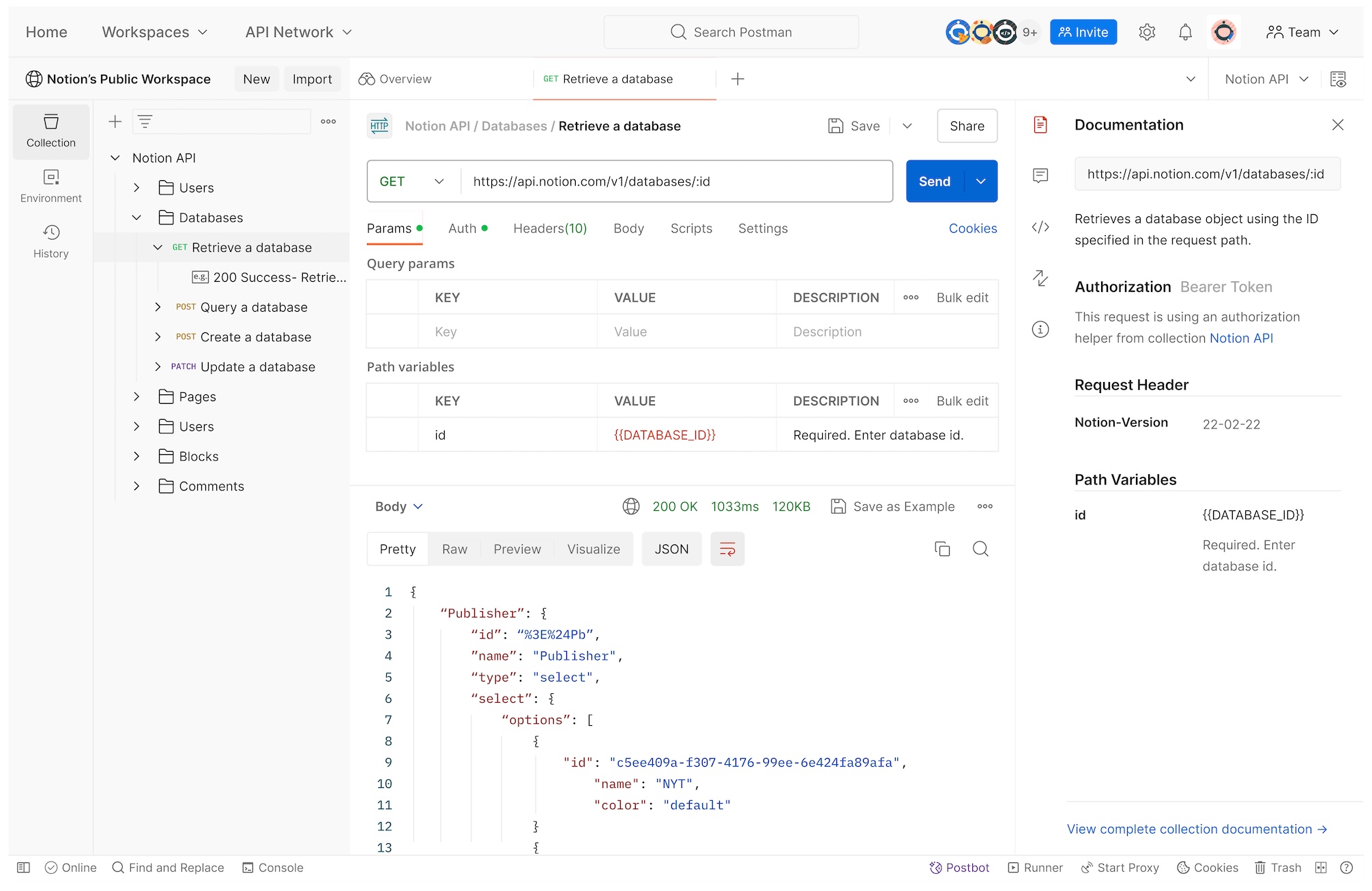
Postman allows you to publish API documentation from your Postman collections, with basic code snippets and a simple 'Run in Postman' button. It's convenient if your team already uses Postman for debugging, but documentation is a secondary feature, not a primary focus. Postman docs lack visual editors for OpenAPI specs, advanced customization, and don't integrate with testing or mock servers. The free plan limits documentation to a single user, making team collaboration expensive. For teams already in Postman's ecosystem, it's adequate, but for dedicated API documentation workflows, specialized tools offer better features.
Pros
- Convenient if already using Postman for debugging
- Run in Postman button for quick testing
- Basic code snippets in popular languages
- Public API network for discoverability
Cons
- Docs disconnected from OpenAPI spec (collection-based)
- No visual spec editor or advanced customization
- Free plan limited to 1 user
- No sync with testing, mocking, or API design
- Limited branding and theme options
SwaggerHub
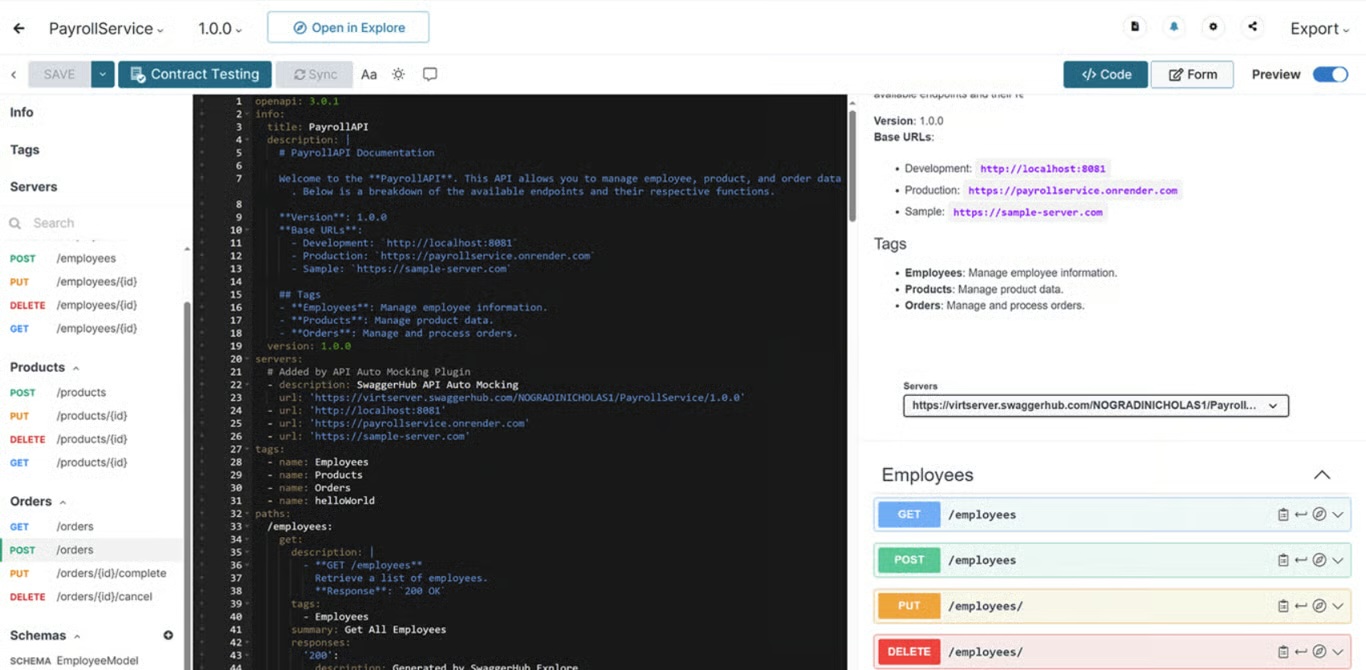
SwaggerHub (by SmartBear) is the official platform for designing and documenting APIs using the OpenAPI Specification (Swagger). It provides a centralized hub for teams to create, edit, and publish API docs with standard Swagger UI. SwaggerHub excels at OpenAPI compliance and enterprise governance, offering version control, API registry, and integrations with CI/CD. However, SwaggerHub's documentation is static and lacks interactive 'Try It' features for debugging real endpoints. It's also expensive, starting at $90/month for teams, making it less accessible for smaller teams or startups.
Pros
- Official OpenAPI (Swagger) platform
- Centralized API registry and version control
- Enterprise governance and compliance features
- Integrates with CI/CD and API testing tools
- Open source Swagger UI available
Cons
- Static docs — no interactive debugging
- Expensive: $90/month for basic team plan
- UI is dated compared to modern tools
- No sync with API client or testing workflows
- Limited customization and branding options
Stoplight
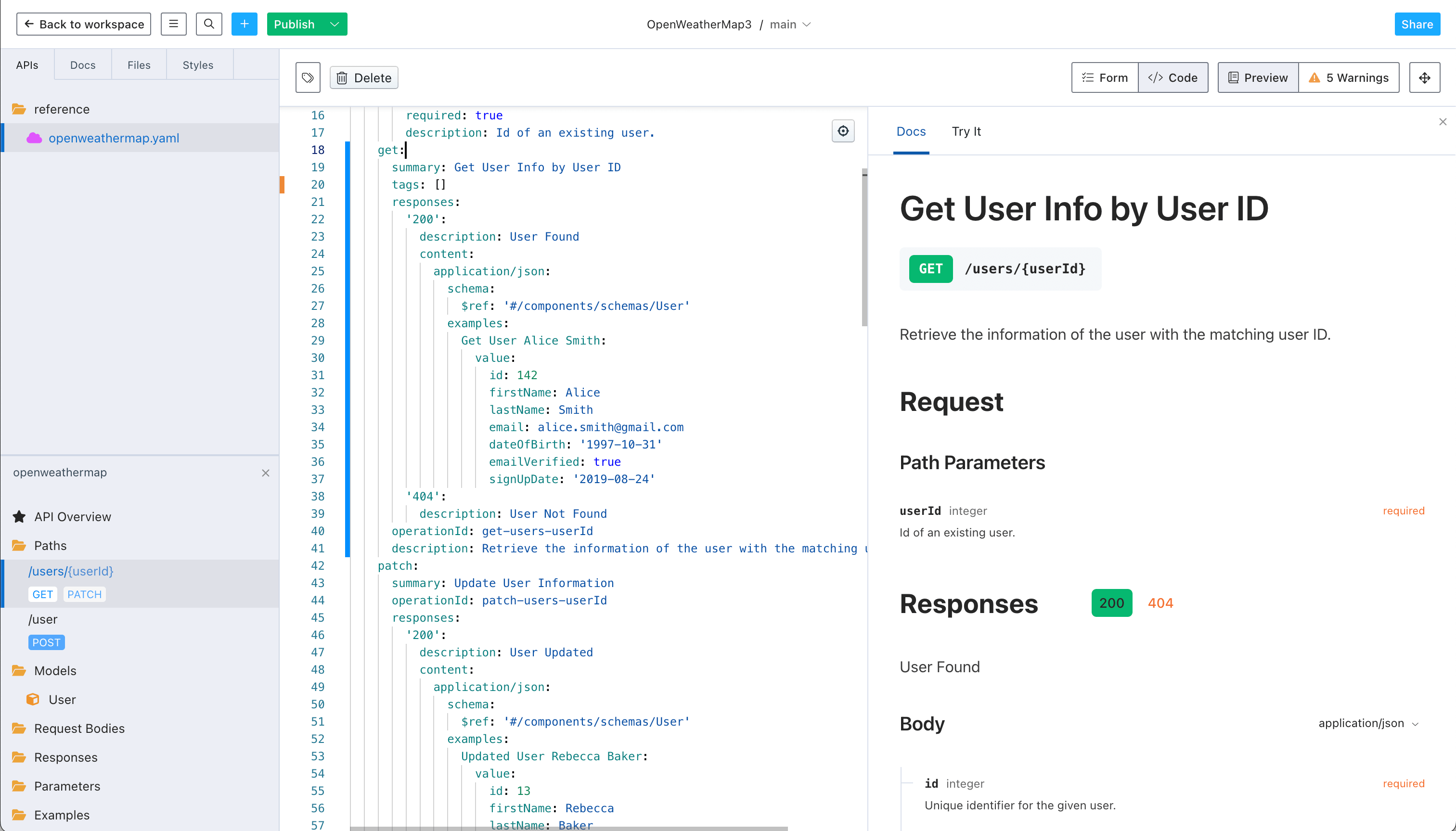
Stoplight is a visual API design platform that generates beautiful, interactive documentation from your OpenAPI specs. It offers a drag-and-drop visual editor for creating specs, automatic documentation with 'Try It' functionality, and custom branding. Stoplight excels at design workflows with mocking and PR reviews for specs. However, documentation is separate from testing and debugging — you can't sync docs with your test cases or debug real endpoints. It's best for teams focused on API design governance, but lacks the integrated lifecycle management of Apidog.
Pros
- Beautiful, modern documentation UI
- Visual drag-and-drop spec editor
- Interactive 'Try It' with mock responses
- Custom branding and themes
- Git-based version control for specs
- Free tier for small teams
Cons
- Docs disconnected from testing and debugging workflows
- No real API debugging in docs (mock responses only)
- Focused on design, not full API lifecycle
- Pricing tiers can be confusing
- Limited integration with existing API clients
ReadMe
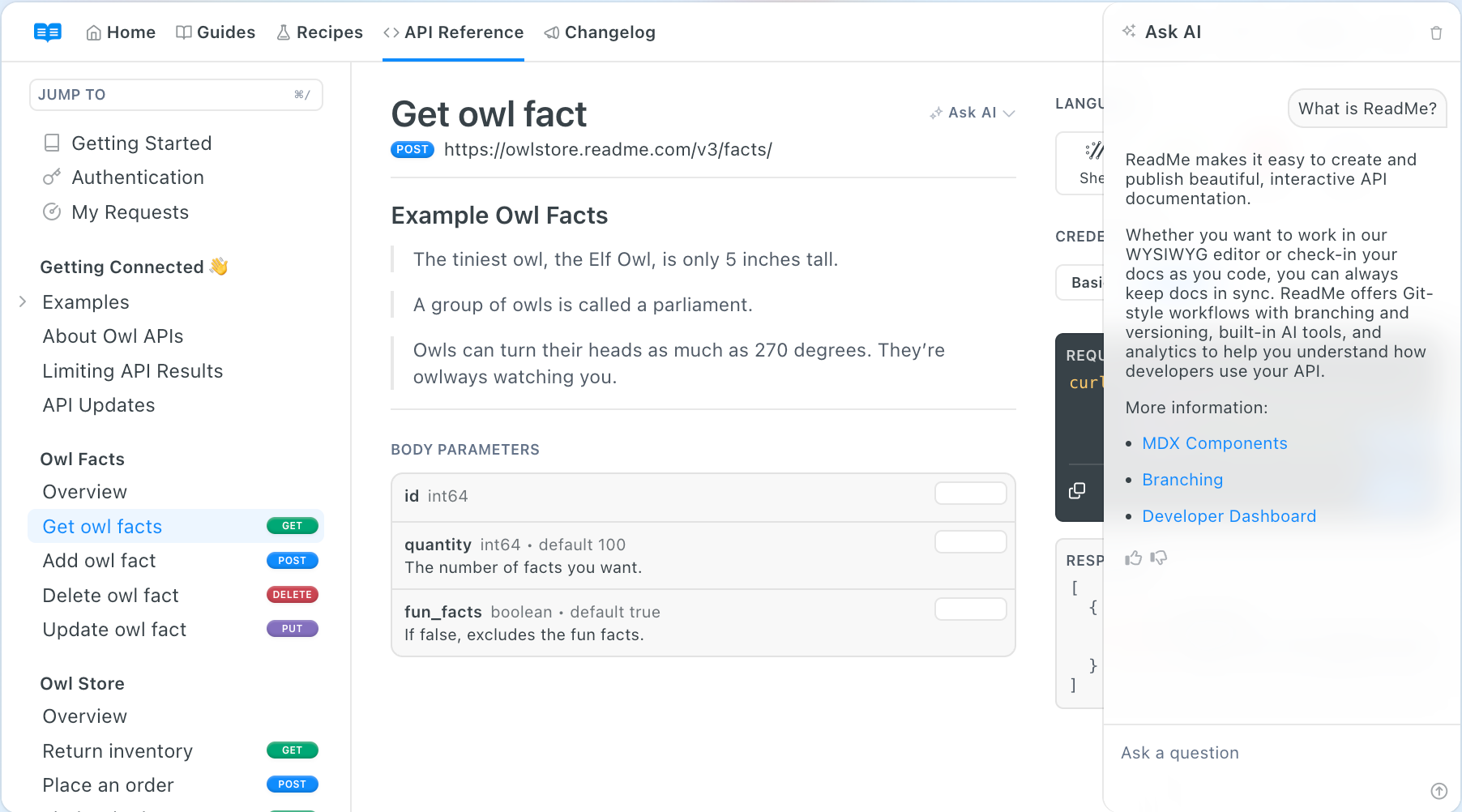
ReadMe is a dedicated documentation platform designed for developer docs, including API documentation. It offers an API Explorer with interactive endpoints, code snippets, and beautiful customization. ReadMe provides analytics to track which endpoints are most used, and supports multi-version docs. However, ReadMe requires manual setup of API endpoints — it doesn't auto-generate docs from your OpenAPI spec or sync with your testing workflows. It's a general docs platform, not specialized for API lifecycle management, making it best for teams with existing APIs needing polished docs.
Pros
- Beautiful, polished documentation design
- Interactive API Explorer with code snippets
- Analytics to track endpoint usage
- Multi-version documentation support
- Custom branding and theme options
- Great for general developer documentation
Cons
- Manual setup — doesn't auto-generate from OpenAPI
- No sync with API testing or debugging workflows
- Pricing based on endpoints can get expensive
- Not specialized for OpenAPI lifecycle
- Requires manual updates when API changes
Redoc
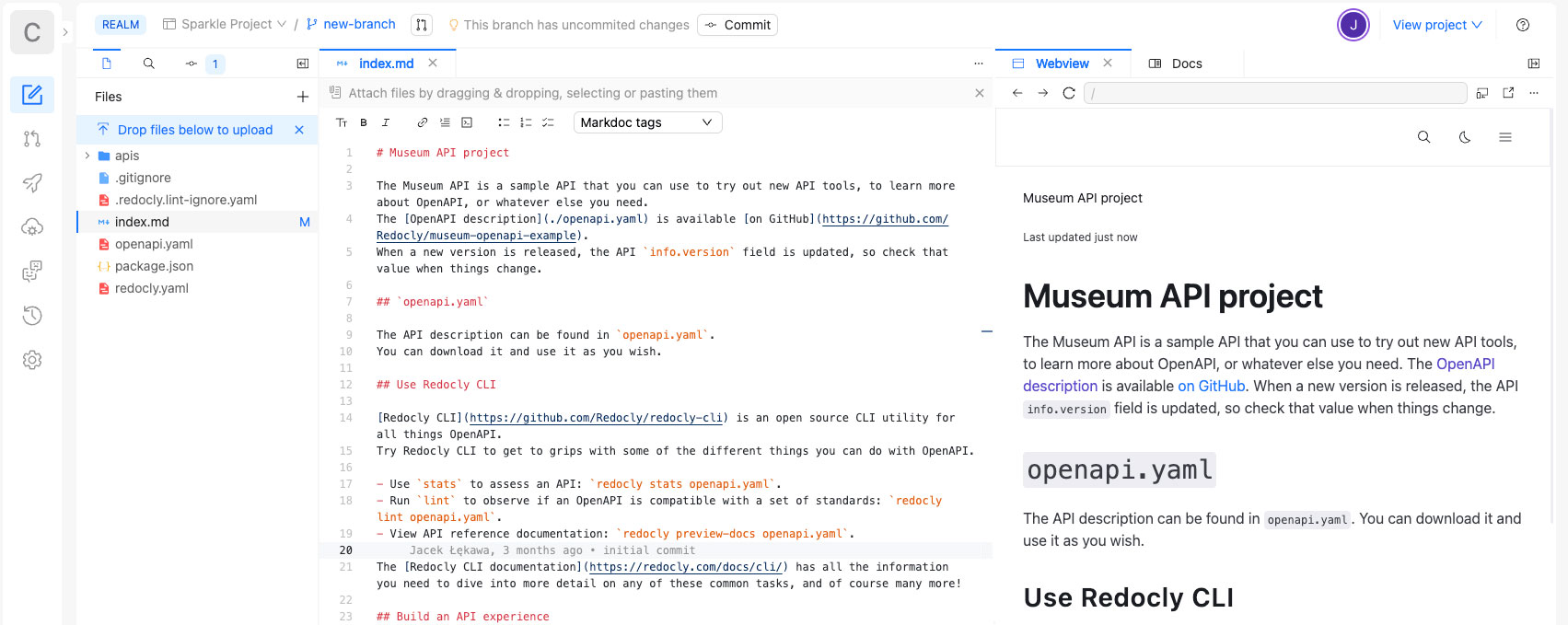
Redoc is an open-source tool that renders beautiful, responsive API documentation from OpenAPI 3.0 specs. It's a static documentation generator — you provide an OpenAPI spec, and Redoc produces a polished, three-panel documentation layout with code examples. Redoc is free, self-hostable, and highly customizable via React components. However, Redoc is purely a renderer — it has no editing, testing, or collaboration features. You must maintain your OpenAPI spec separately, and docs are static without interactive 'Try It' functionality. It's best for teams wanting beautiful docs from existing specs without ongoing costs.
Pros
- Free and open source
- Beautiful, responsive three-panel layout
- Self-hostable with full customization
- Works with any OpenAPI 3.0 spec
- No ongoing costs or vendor lock-in
- Highly customizable via React components
Cons
- Static docs — no interactive debugging
- No visual spec editor or collaboration
- Must maintain OpenAPI spec separately
- No sync with testing, mocking, or API client
- Requires technical setup and hosting
Mintlify
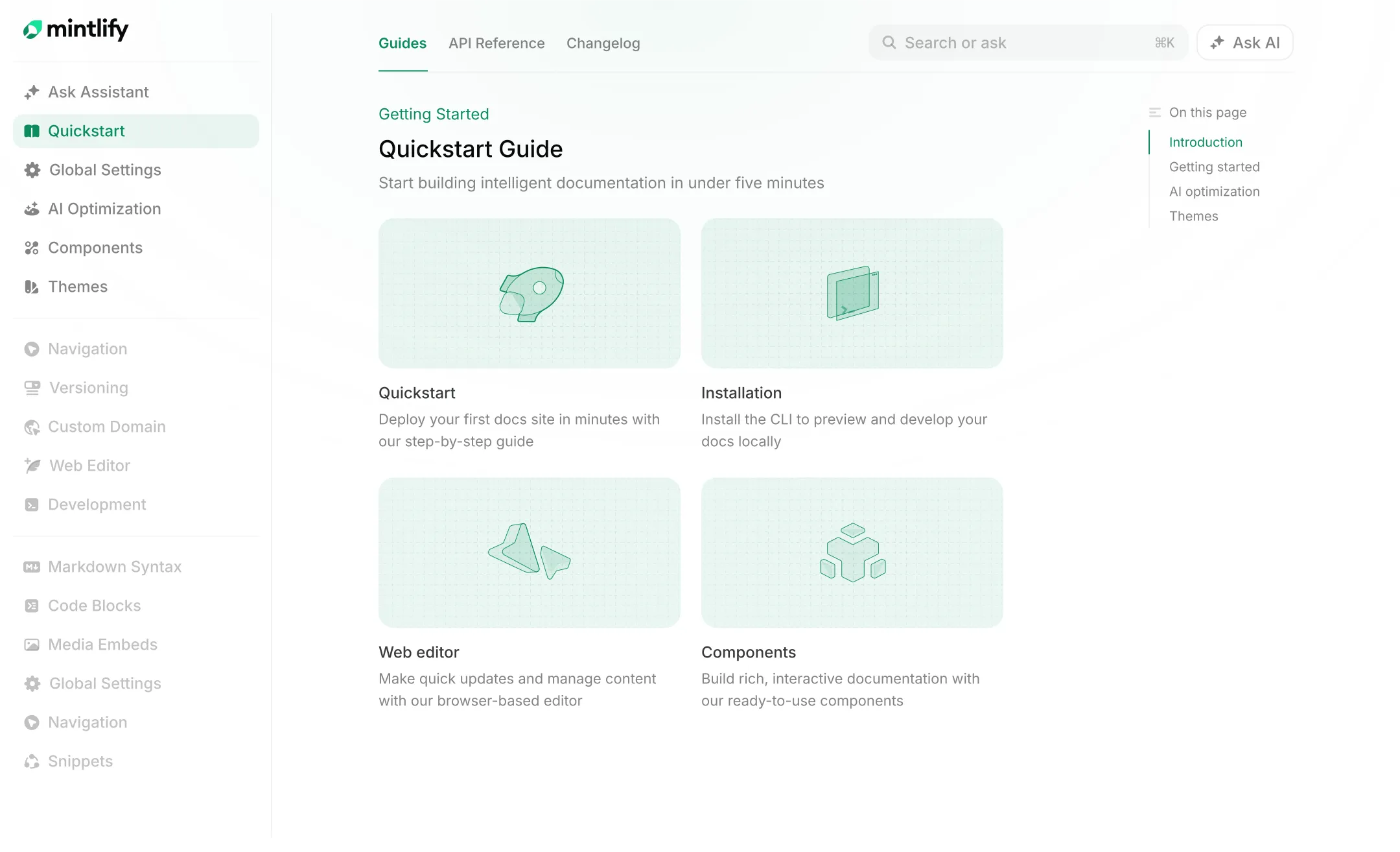
Mintlify is a modern documentation platform designed specifically for developer docs and APIs. It offers beautiful, interactive API documentation with automatic generation from OpenAPI specs, code snippets, and a clean developer experience. Mintlify provides SDK generation, versioning, and analytics to track API usage. However, Mintlify is primarily a documentation publishing platform — it doesn't integrate with API testing, mocking, or debugging workflows. Teams need to maintain their specs separately and sync docs manually when APIs change. It's best for teams wanting polished, modern docs without lifecycle integration.
Pros
- Beautiful, modern documentation design
- Auto-generates docs from OpenAPI specs
- Interactive API playground with code snippets
- SDK generation for multiple languages
- Analytics and versioning support
- Git-based version control and collaboration
Cons
- Docs disconnected from testing and debugging workflows
- No real API debugging in docs (playground is limited)
- Focused on docs publishing, not full API lifecycle
- Requires manual spec maintenance
- Pricing can be expensive for larger teams
Scalar
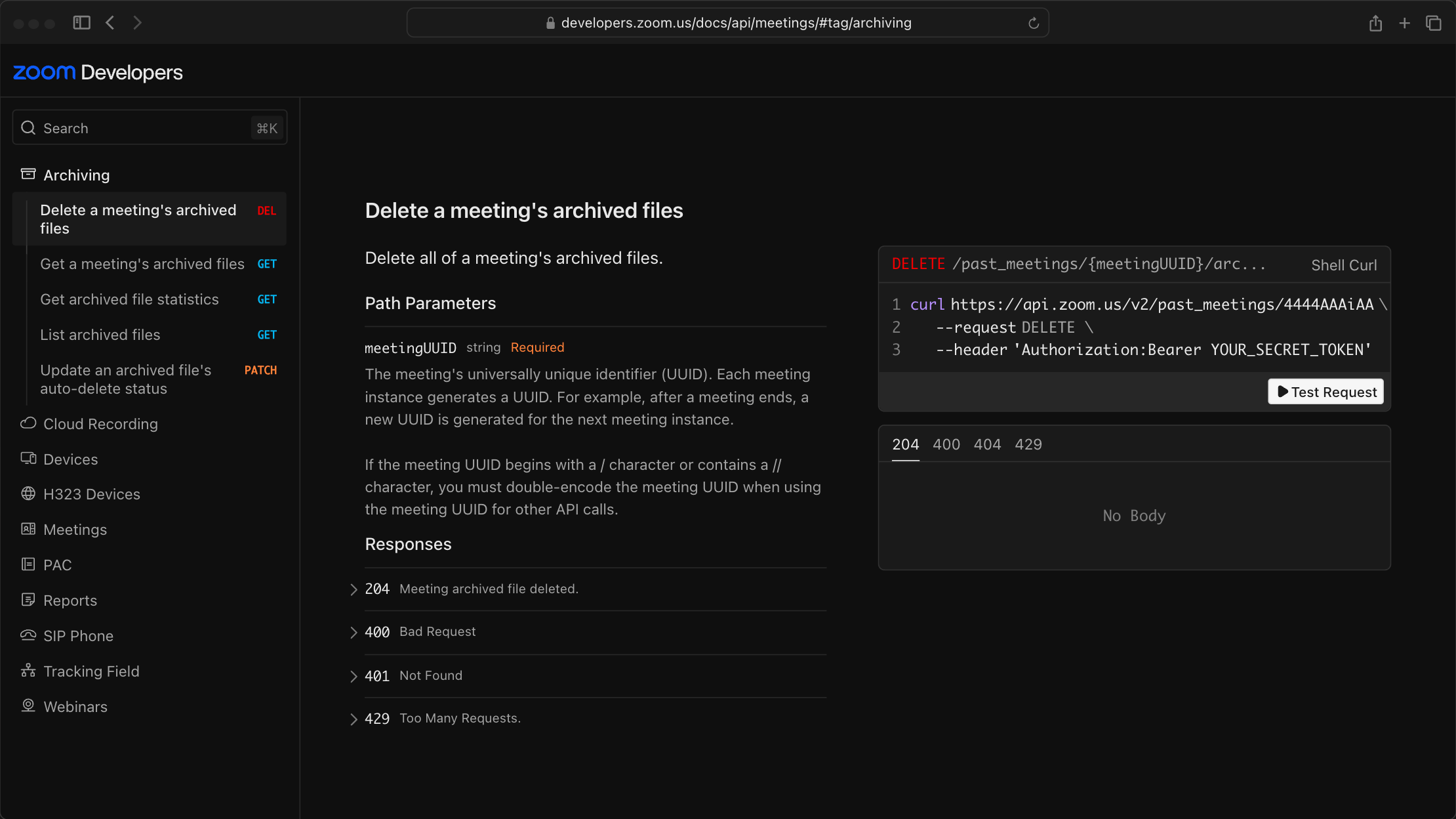
Scalar is an open-source API documentation renderer that produces beautiful, interactive documentation from OpenAPI specifications. It's designed as a modern alternative to Swagger UI with better UX, faster performance, and responsive design. Scalar offers interactive 'Try It' functionality, automatic code generation, and can be self-hosted or embedded in any web application. Being open-source, it's free with no vendor lock-in. However, Scalar is purely a documentation renderer — it has no editing, testing, or collaboration features. You must maintain your OpenAPI spec separately, and docs don't sync with API lifecycle tools. It's ideal for teams wanting free, beautiful docs from existing specs.
Pros
- Free and open source
- Beautiful, modern UI — better than Swagger UI
- Interactive 'Try It' with real API requests
- Auto code snippets in multiple languages
- Self-hostable with no vendor lock-in
- Fast, responsive, and developer-friendly
Cons
- Purely a renderer — no visual editor or collaboration
- Must maintain OpenAPI spec separately
- No sync with testing, mocking, or API client
- Limited customization compared to paid tools
- Requires technical setup and hosting
Feature Comparison: 8 API Documentation Tools
A side-by-side feature matrix to help you evaluate which documentation tool fits your workflow.
| Features | Postman | SwaggerHub | Stoplight | ReadMe | Redoc | Mintlify | Scalar | |
|---|---|---|---|---|---|---|---|---|
| Documentation Generation | ||||||||
| Auto-generated from OpenAPI spec | ||||||||
| Interactive examples (Try It) | ||||||||
| Code snippets in multiple languages | ||||||||
| Real API debugging in docs | ||||||||
| Design & Customization | ||||||||
| Visual spec editor | ||||||||
| Full OpenAPI 3.x support | ||||||||
| Custom branding & themes | Basic | Limited | ||||||
| Multi-version documentation | ||||||||
| API Lifecycle Integration | ||||||||
| Syncs with API client | ||||||||
| Syncs with testing automation | Basic | |||||||
| Syncs with mock server | ||||||||
| CI/CD integration | ||||||||
| Collaboration & Publishing | ||||||||
| Team workspaces | ||||||||
| Public documentation hosting | ||||||||
| Access control & permissions | ||||||||
| Documentation analytics | ||||||||
| Pricing & Deployment | ||||||||
| Free plan | Up to 4 Users | 1 User | Open Source | Free Tier | Limited | Open Source | Free Tier | Open Source |
| Self-hosted / on-premises | ||||||||
Why Teams Choose Apidog for API Documentation
Apidog is the only platform where your docs stay synchronized with your spec, requests, tests, and mocks — automatically.
Docs Auto-Sync with Your API Spec
When you update your OpenAPI spec in Apidog, your documentation updates automatically. No manual regeneration, no copy-pasting response examples. Your docs are always accurate and up-to-date.
Debug Real Endpoints in Documentation
Apidog's 'Try It' feature lets you debug real API endpoints directly from the documentation interface. No mock responses — execute actual requests and see real data, with full authentication support.
Docs Connected to Testing & Mocking
Documentation in Apidog is part of the full API lifecycle. When you create a test case or mock response, it's linked to your docs. Update one, and all stay synchronized.
20+ Language Code Snippets
Apidog automatically generates code snippets in JavaScript, Python, Go, Java, PHP, cURL, and 20+ more languages. Developers can copy working code directly from your docs.
Custom Branding & Multi-Version Docs
Publish documentation with your logo, colors, and domain. Maintain multiple API versions simultaneously, with clear navigation and version history for your users.
Free for Teams (Up to 4 Users)
Apidog offers the most generous free plan for documentation — unlimited docs, projects, and collaboration for teams of up to 4 users. Most tools charge immediately for team features.
#1 Highest Rated API Documentation Management Software
Ranked by real users on G2, the world's #1 B2B software review platform.

Frequently Asked Questions
Create Beautiful API Docs in Minutes
Join 1 million+ developers using Apidog to auto-generate interactive, accurate API documentation from their OpenAPI specs.