Best API Clientsin 2026 — Reviewed.
We tested 8 of the most popular API clients — from lightweight debugging tools to full-lifecycle platforms. Here is everything you need to pick the right client for your workflow.
The 8 Best API Clients
In-depth reviews covering request capabilities, debugging features, collaboration, real screenshots, pricing, and honest pros and cons.
Apidog

Apidog is a unified API development platform that combines a powerful API client with design, testing, mocking, and documentation capabilities. Unlike standalone API clients, Apidog keeps your requests automatically synchronized with your API specification — so when you save a request, it updates your OpenAPI spec, test cases, mock server, and docs simultaneously. With support for REST, GraphQL, gRPC, and WebSocket, plus a generous free tier for teams, Apidog eliminates the need for separate tools while providing the richest debugging experience available.
Pros
- Requests auto-sync to API spec, tests, mocks, and docs
- Supports REST, GraphQL, gRPC, WebSocket, and more
- Visual request builder with no manual JSON/YAML editing
- Real-time team collaboration with shared workspaces
- Free plan supports up to 4 users with unlimited requests
- On-premises and EU-hosted deployment available
Cons
- Newer brand — smaller community than Postman
- Advanced features may require learning Apidog's interface
Postman
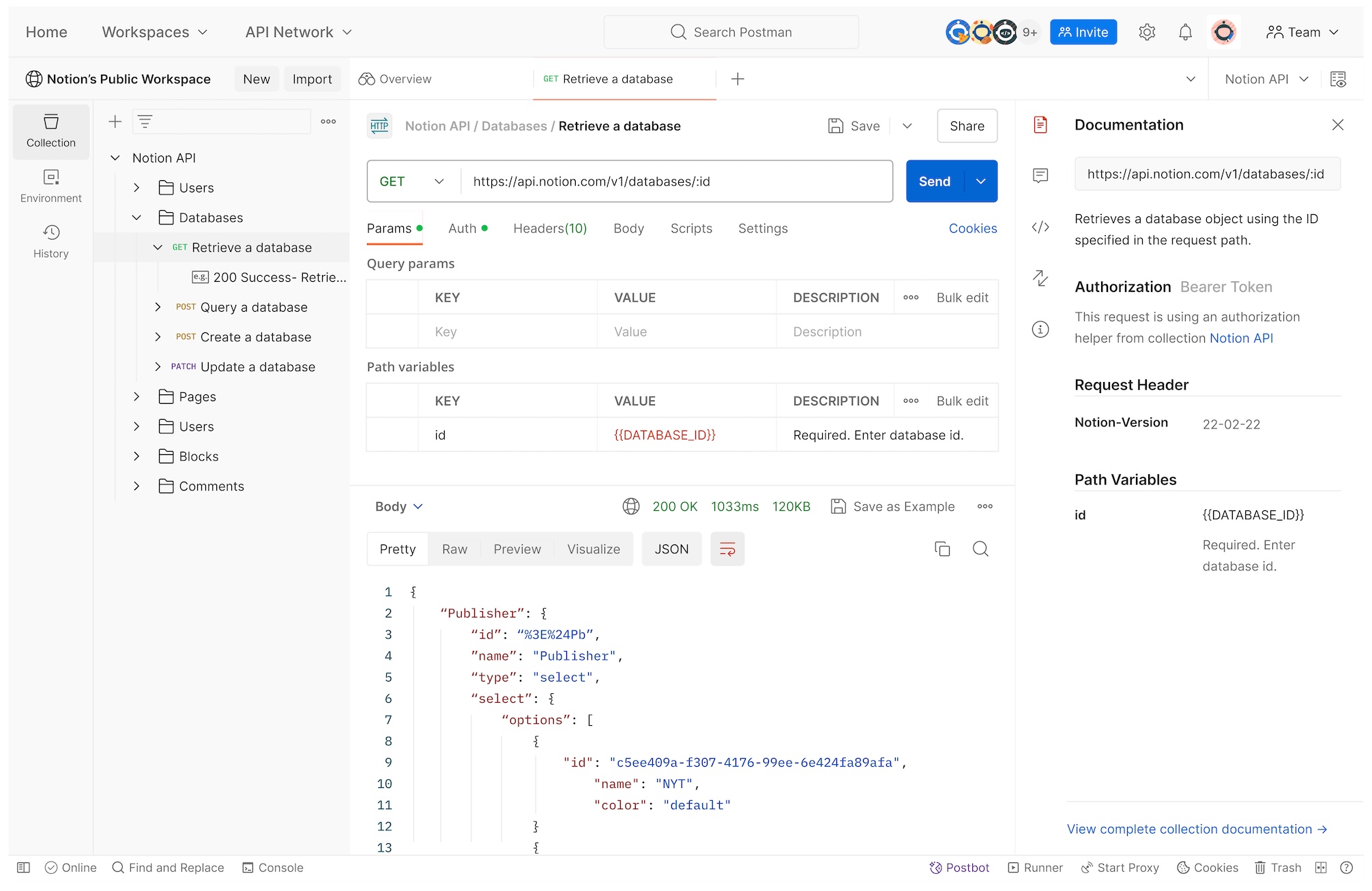
Postman is the most widely used API client in the world, known for its intuitive request builder, environment variables, and collection-based organization. Millions of developers rely on Postman for debugging REST APIs, and its extensive ecosystem includes integrations, scripts, and a public API network. However, Postman's free plan is now limited to a single user, making team collaboration expensive at $14/user/month. It also lacks API design-test synchronization, meaning requests are disconnected from any underlying API specification.
Pros
- Massive community and public API network
- Intuitive request builder with environments
- Collection-based organization and sharing
- Scriptable with pre/post-request JavaScript
Cons
- Free plan limited to 1 user (no team collaboration)
- Requests disconnected from API specifications
- No GraphQL or gRPC native support (requires plugins)
- Expensive at scale: $14/user/mo for basic team features
Insomnia
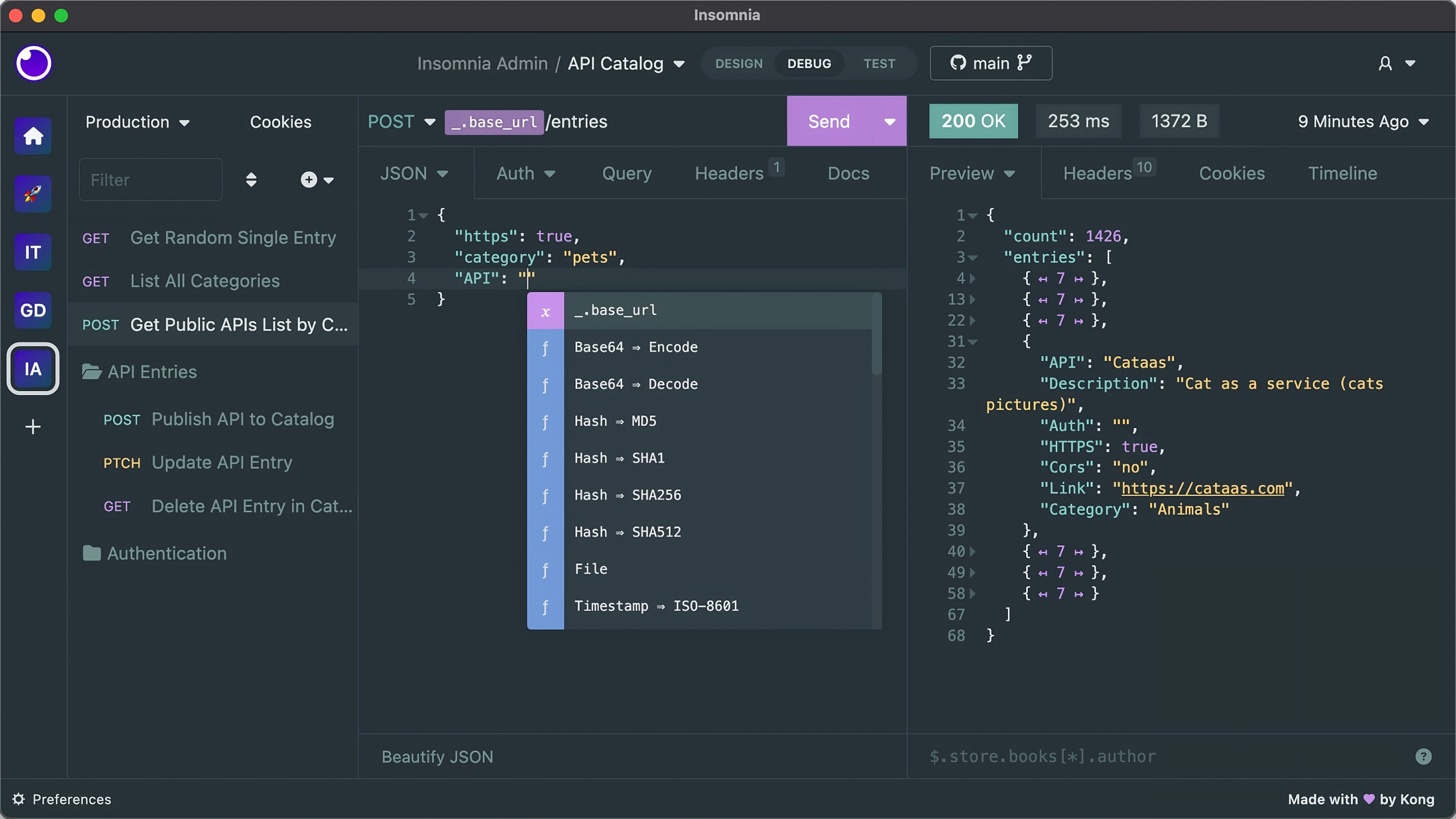
Insomnia (by Kong) is a popular open-source API client that natively supports both REST and GraphQL, making it a favorite among developers working with modern APIs. Its clean interface, environment management, and plugin system provide a lightweight alternative to Postman. Insomnia's design mode allows basic OpenAPI spec creation, though it lacks visual form-based editing. While excellent for individual developers, its free tier limits team collaboration, and it doesn't offer integrated testing, mocking, or documentation generation.
Pros
- Open source and free to self-host
- Native GraphQL and gRPC support
- Clean, lightweight interface
- Plugin ecosystem for extensibility
Cons
- Free plan limits team collaboration features
- No visual API spec builder
- No integrated testing or mock server
- No auto-generated documentation
Paw (Rapid API)
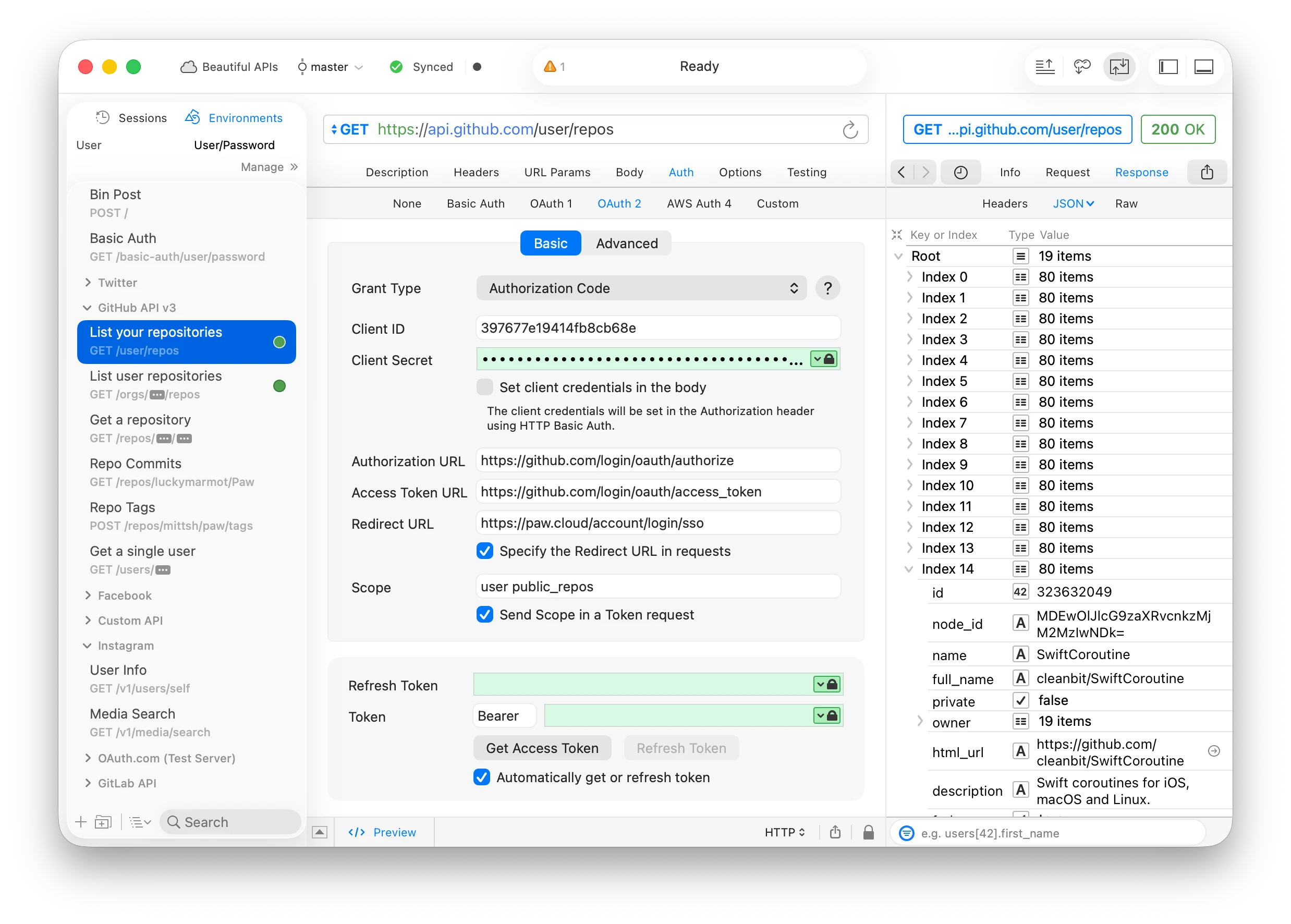
Paw (now owned by RapidAPI) is a macOS-exclusive API client known for its powerful dynamic value system and native Mac user experience. It allows developers to chain requests, extract data from responses, and build complex workflows using a visual interface. Paw supports environments, OAuth flows, and extensions. However, being Mac-only limits its adoption for cross-platform teams, and it lacks built-in API design, testing automation, or documentation capabilities. Teams working exclusively on macOS with simple debugging needs may find Paw elegant, but it's not suitable for collaborative API development.
Pros
- Beautiful native Mac interface
- Dynamic values for request chaining
- Excellent OAuth and authentication support
- Extension ecosystem for custom workflows
Cons
- Mac-only — no Windows or Linux support
- No team collaboration or shared workspaces
- No API design, testing automation, or docs
- Limited to individual debugging workflows
HTTPie
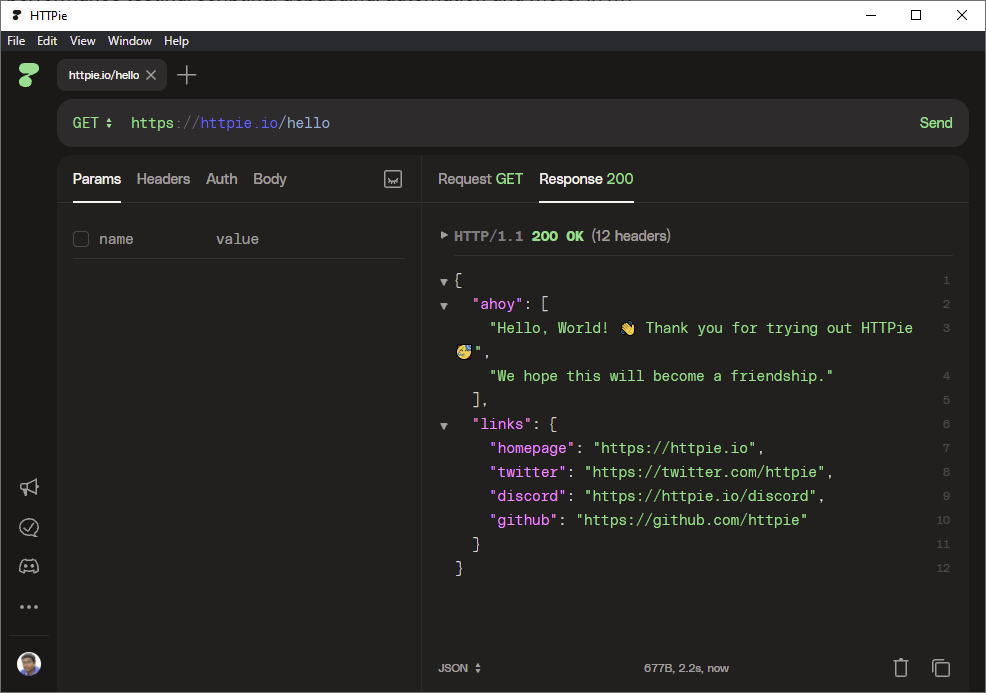
HTTPie is a command-line HTTP client designed for human-friendly interaction with APIs. Its intuitive syntax makes HTTP requests readable and easy to type, with automatic JSON formatting, colored output, and sensible defaults. HTTPie is ideal for developers who prefer terminal-based workflows and quick API debugging without a GUI. However, it lacks team collaboration, request collections, environments, and any form of API lifecycle management. It's a specialist tool for individual CLI users, not a replacement for a full API client platform.
Pros
- Intuitive CLI syntax for fast HTTP requests
- Automatic JSON formatting and colored output
- Cross-platform (Python-based)
- Free and open source
Cons
- No GUI — command-line only
- No request collections or team collaboration
- No environments or saved requests
- No API design, testing, or documentation features
Bruno
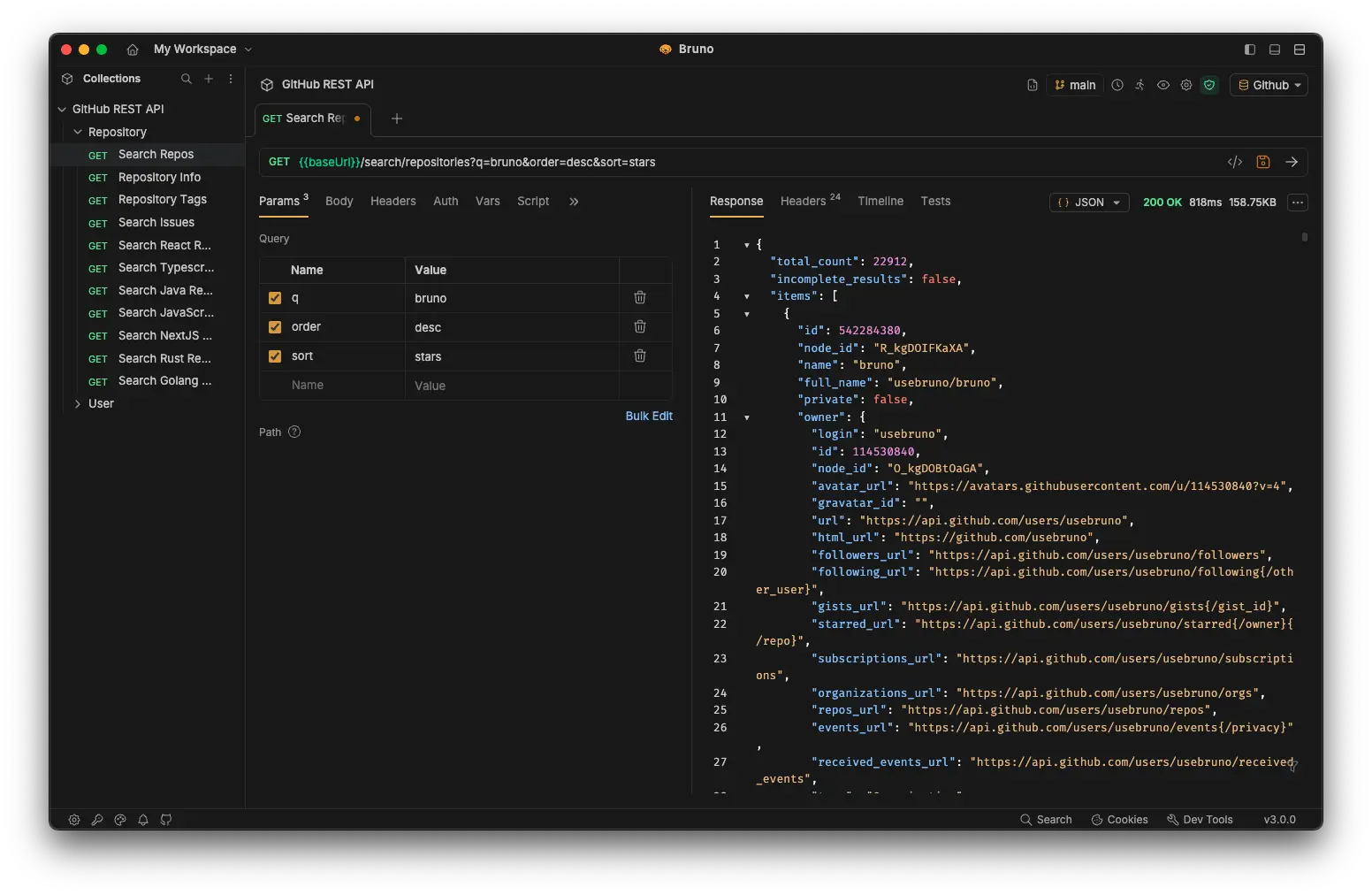
Bruno is a new open-source API client that stores all requests as plain markdown files in a Git repository, enabling version control and collaboration without a cloud backend. It supports REST and GraphQL, environments, and scriptable requests. Bruno's philosophy is offline-first and local-file-based, making it attractive for teams that prioritize data privacy and Git-native workflows. However, Bruno is still early in development, lacks the maturity and feature depth of Postman or Apidog, and doesn't offer integrated API design, testing automation, or documentation publishing.
Pros
- Offline-first — all data stored locally
- Git-based version control for requests
- Free and open source
- No cloud dependency or vendor lock-in
Cons
- Early-stage tool — limited features and maturity
- No visual request builder or API design
- No integrated testing or mock server
- No auto-generated documentation
Hoppscotch
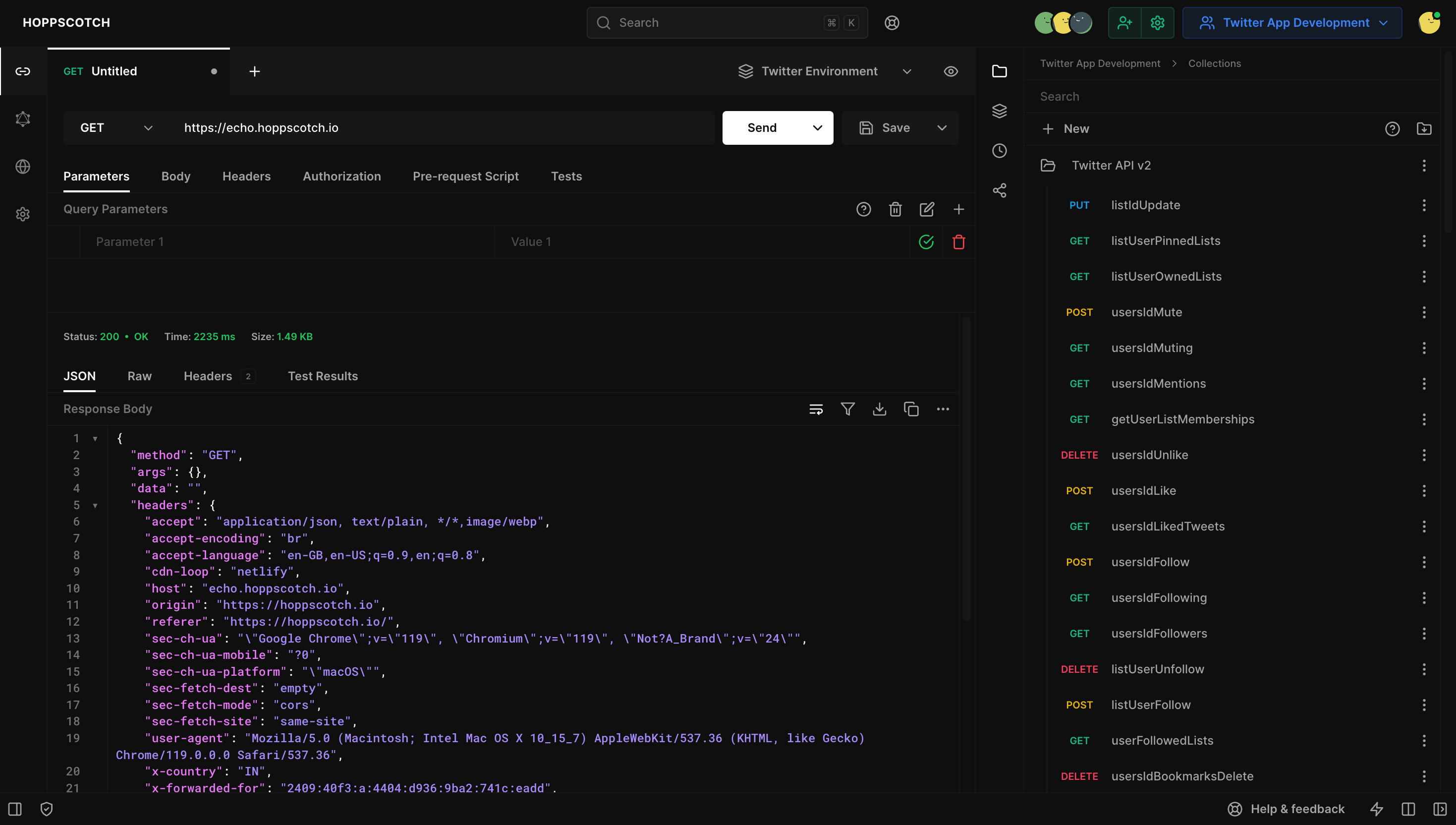
Hoppscotch (formerly Postwoman) is a free, open-source, web-based API client that provides a lightweight alternative to Postman without requiring installation. It runs entirely in the browser and supports REST, GraphQL, WebSocket, and SSE (Server-Sent Events). Hoppscotch offers a clean interface, environment variables, collections, and basic scripting. Being browser-based makes it instantly accessible from any device, but it lacks advanced features like visual API design, integrated testing automation, mock server, and documentation generation. It's best for quick, ad-hoc API debugging when you don't want to install a desktop client.
Pros
- Free and open source
- No installation — runs in browser
- Supports REST, GraphQL, WebSocket, SSE
- Lightweight and fast
- Self-hostable for data privacy
Cons
- Limited features — no visual builder or advanced automation
- No API design, mock server, or documentation
- Browser-based limits offline capabilities
- Smaller community and ecosystem
SoapUI
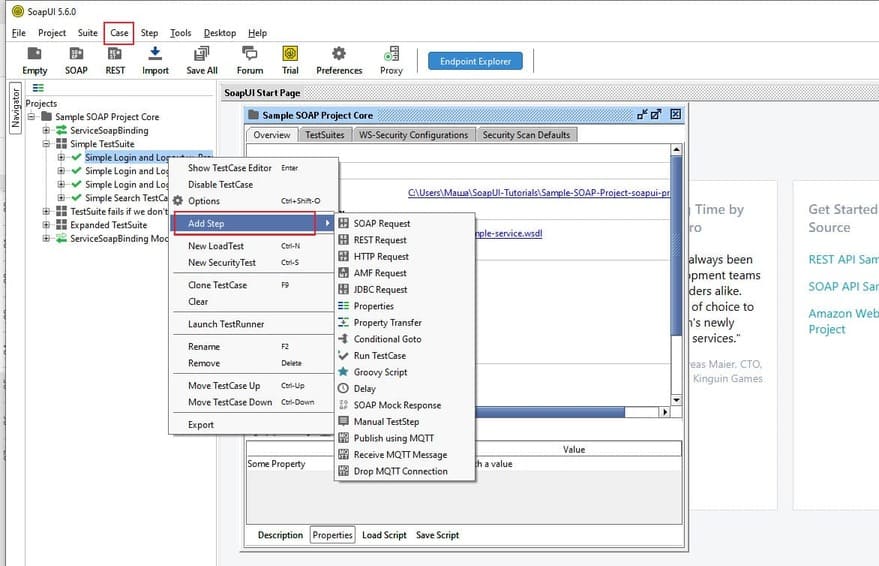
SoapUI (by SmartBear) is a veteran API testing tool originally built for SOAP/XML web services, now also supporting REST APIs. It offers comprehensive functional testing, security testing, and load testing capabilities. SoapUI is widely used in enterprise environments with legacy SOAP APIs and complex testing requirements. However, SoapUI's interface is dated and complex, focused on testing rather than simple request debugging. It's overkill for developers who just need a lightweight client for quick API calls, and its heavy testing focus makes it less suitable as a day-to-day debugging tool compared to modern clients like Apidog or Postman.
Pros
- Comprehensive SOAP and REST testing
- Functional, security, and load testing
- Enterprise-grade features
- Open source version available
Cons
- Dated, complex UI — steep learning curve
- Focused on testing, not simple debugging
- Heavy and slow compared to modern clients
- Overkill for lightweight API debugging workflows
Feature Comparison: 8 API Clients
A side-by-side feature matrix to help you evaluate which client fits your debugging and development workflow.
| Features | Postman | Insomnia | Paw | HTTPie | Bruno | Hoppscotch | SoapUI | |
|---|---|---|---|---|---|---|---|---|
| Supported Protocols | ||||||||
| HTTP / REST | ||||||||
| GraphQL | ||||||||
| gRPC | ||||||||
| WebSocket | ||||||||
| SOAP / XML | ||||||||
| Request Building & Debugging | ||||||||
| Visual request builder | ||||||||
| Environment variables | ||||||||
| Pre/post-request scripts | ||||||||
| Plugin / extension system | ||||||||
| Collaboration & Organization | ||||||||
| Team collaboration | Paid | Git-based | ||||||
| Shared workspaces | Paid | |||||||
| Git-based version control | ||||||||
| Request collections | ||||||||
| API Lifecycle Integration | ||||||||
| API design & spec (OpenAPI) | Basic | Basic | ||||||
| Integrated testing automation | Basic | |||||||
| Mock server | ||||||||
| Auto-generated documentation | ||||||||
| Auto-sync request ↔ spec | ||||||||
| Pricing & Deployment | ||||||||
| Free plan | Up to 4 Users | 1 User | Open Source | Paid only | Open Source | Open Source | Open Source | Open Source |
| Cross-platform | ||||||||
| On-Premises / Self-hosted | ||||||||
Why Engineering Teams Choose Apidog as Their API Client
Apidog is the only API client where your requests are always in sync with your API spec, tests, mocks, and documentation — in a single workspace.
Requests Auto-Sync to Your API Spec
When you save a request in Apidog, it automatically updates your OpenAPI specification. No manual copy-pasting between your client and your API design. This keeps your spec accurate and your team aligned.
Multi-Protocol Support: REST, GraphQL, gRPC, WebSocket
Apidog natively supports all modern API protocols in one interface. Debug GraphQL mutations, test gRPC streaming, or validate WebSocket messages without switching tools.
Real-Time Team Collaboration
Multiple team members can work on the same API workspace simultaneously. Shared requests, environments, and collections sync instantly, eliminating the 'export/import JSON file' workflow of Postman.
Debug → Mock → Test in One Flow
After debugging a request in Apidog, instantly generate a mock response for frontend teams, or convert it into an automated test case. No separate mock server or testing tool required.
Generous Free Plan for Teams
Up to 4 team members can collaborate with unlimited requests, environments, and projects — for free. Postman restricts its free plan to a single user, forcing teams to pay immediately.
From Request to Published Docs in One Click
Publish beautiful, interactive API documentation directly from your requests and spec. No manual documentation writing or copy-pasting response examples.
#1 Easiest to Use API Development Software
Ranked by real users on G2, the world's #1 B2B software review platform.

Frequently Asked Questions
Debug APIs Faster, Build Better
Join 1 million+ developers using Apidog to design, debug, test, mock, and document APIs in one unified workspace.