Best API Testing Toolsin 2026 — Reviewed.
We tested 6 of the most popular API testing platforms so you don't have to. From simple functional testing to enterprise load testing, here is everything you need to pick the right tool.
The 6 Best API Testing Tools
In-depth reviews of each platform — covering core capabilities, real screenshots, pricing, and honest pros and cons.
Apidog
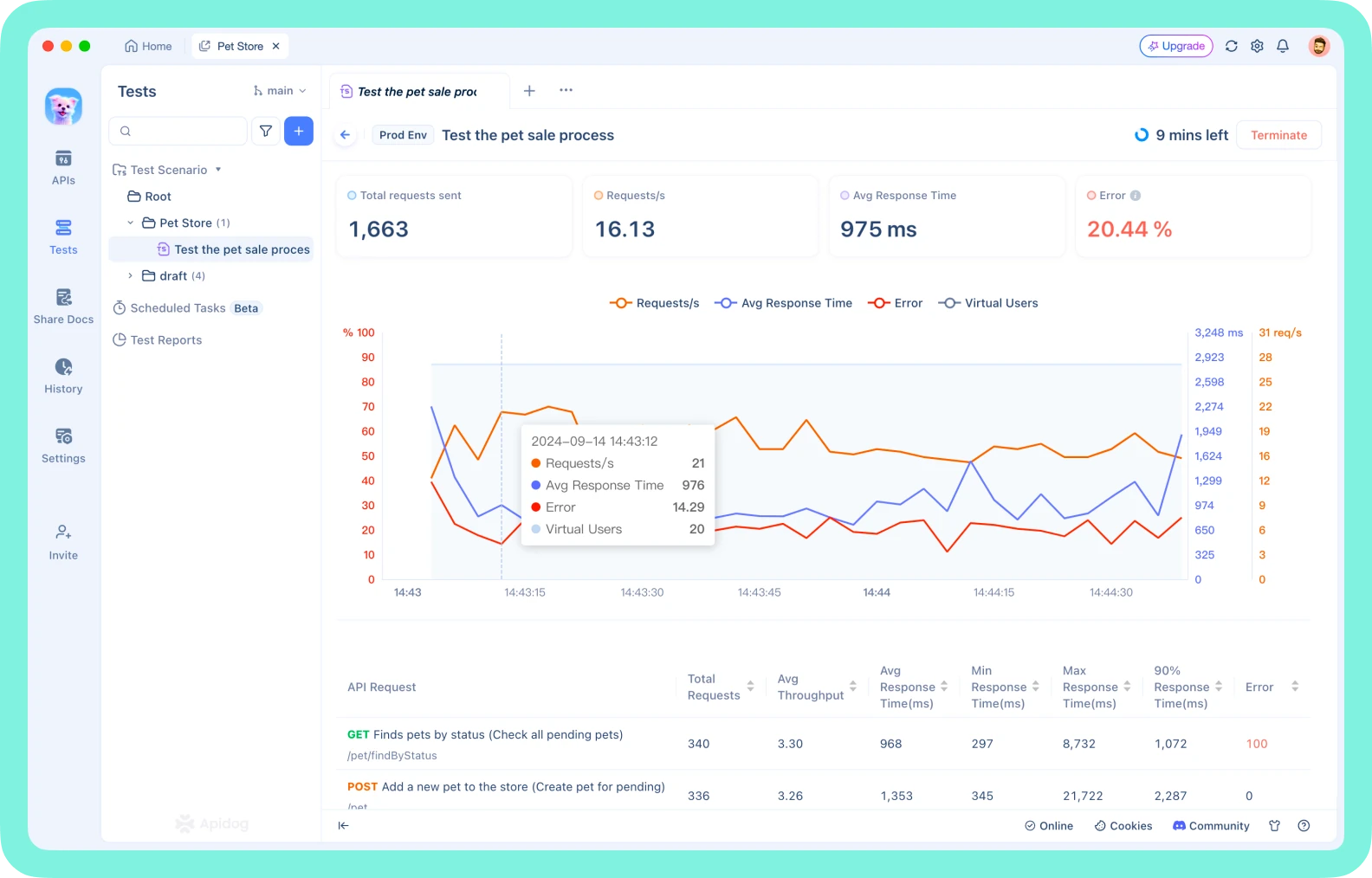
Apidog is a unified API development platform that covers design, debugging, testing, mocking, and documentation in a single workspace. Unlike standalone testing tools, Apidog keeps your test cases automatically synchronized with your API specification — so when you update an endpoint, your tests stay valid without manual effort. With a visual test builder, built-in performance testing, and a generous free tier for teams, Apidog is the only tool in this list that eliminates the need for a separate API client, mock server, and documentation generator.
Pros
- Test cases auto-sync when API spec changes
- Visual test orchestration — no scripting required
- Built-in performance (load) testing
- Generous free plan: up to 4 users, unlimited runs
- On-premises and EU-hosted deployment options
- API design, mocking, and docs all in one tool
Cons
- Newer brand — smaller community than Postman
- Advanced scripting requires learning Apidog's JS API
Postman
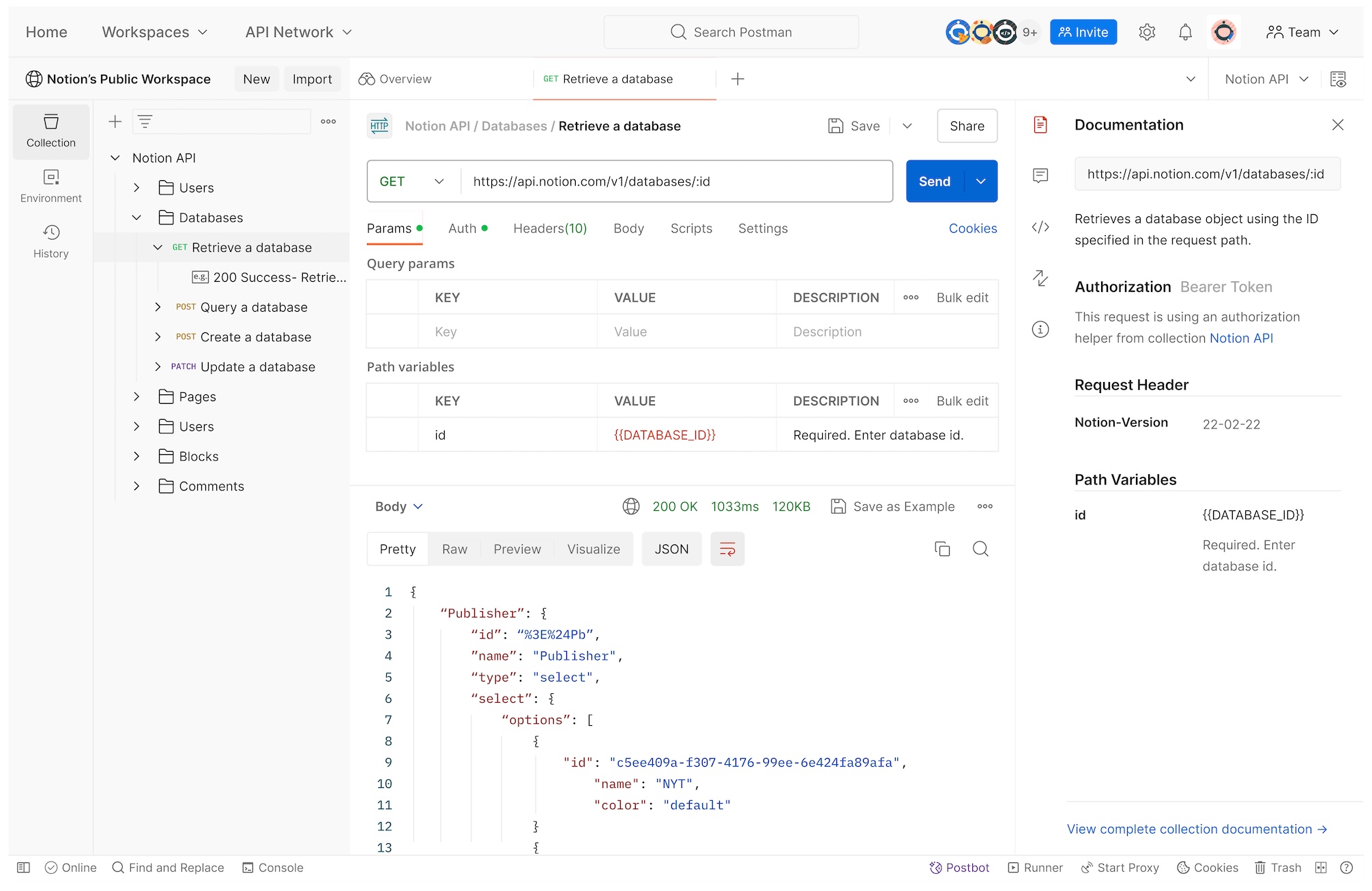
Postman is the most recognized API tool in the world, used by millions of developers for sending requests and running collection-based tests. Its Newman CLI enables basic CI/CD integration. However, Postman's testing capabilities are primarily script-based (JavaScript), and it lacks visual test builders, native API design-test synchronization, and built-in performance testing. At scale, its pricing becomes a significant concern — team collaboration requires a paid plan, and enterprise features are considerably more expensive than newer alternatives.
Pros
- Massive community and ecosystem
- Extensive third-party integrations
- Newman CLI for CI/CD pipelines
- Familiar interface for most API developers
Cons
- No visual test builder — scripting knowledge required
- Free plan limited to 1 user (no team collaboration)
- No built-in API design or performance testing
- Expensive at scale: $14/user/mo for basic team features
ReadyAPI
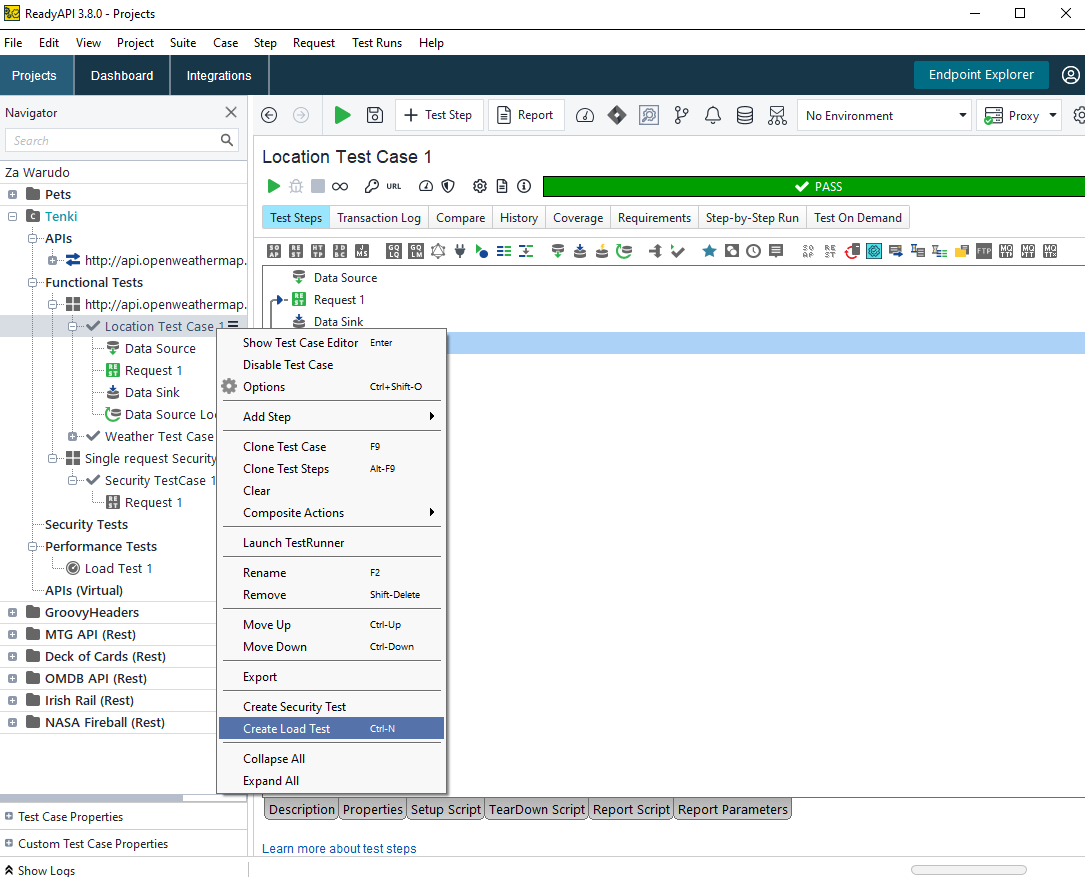
ReadyAPI (formerly SoapUI Pro) is SmartBear's enterprise API testing platform. It supports a wide range of protocols including SOAP, REST, and GraphQL, and offers advanced features like data-driven testing, security scanning, and load testing through its integrated LoadUI component. ReadyAPI excels in compliance-driven enterprise environments where comprehensive test reporting and audit trails are required. The trade-off is a steep learning curve, an outdated user interface, and pricing that is among the highest in the category — making it a poor fit for modern agile teams.
Pros
- Comprehensive enterprise testing feature set
- Strong SOAP and XML testing support
- Integrated load testing via LoadUI
- Detailed test reports for compliance/audit
Cons
- Very expensive: ~$1,170+/user/year
- Dated UI with a steep learning curve
- Overkill for REST/GraphQL-only workflows
- Requires significant setup and configuration
Katalon
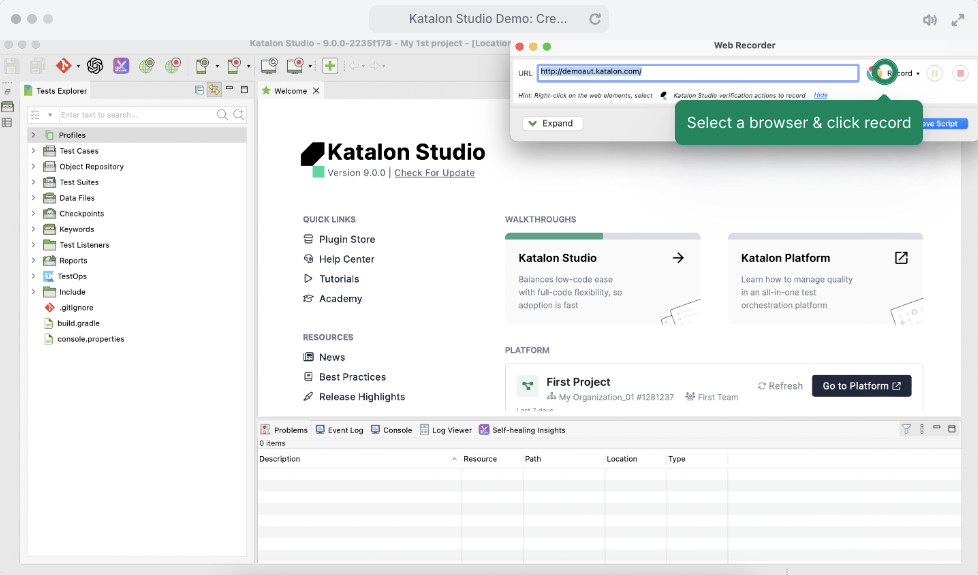
Katalon is a dedicated test automation platform that handles both API and web/mobile UI testing within a single tool. It features a codeless test builder for QA teams that prefer point-and-click test creation, as well as script-based testing for advanced users. Katalon integrates with popular CI/CD systems and supports BDD (Gherkin syntax). While it's a strong choice for teams that test both APIs and user interfaces, it introduces significant overhead for teams that only need API testing — and its free tier has meaningful limitations on usage.
Pros
- Combines API and UI (web/mobile) test automation
- Codeless test creation for non-developers
- BDD/Gherkin support out of the box
- Good CI/CD and JIRA integrations
Cons
- Heavy platform — complex setup for API-only use cases
- Free tier limited to basic features and run minutes
- Slower to run than dedicated API testing tools
- UI-focused heritage can feel like overhead for API teams
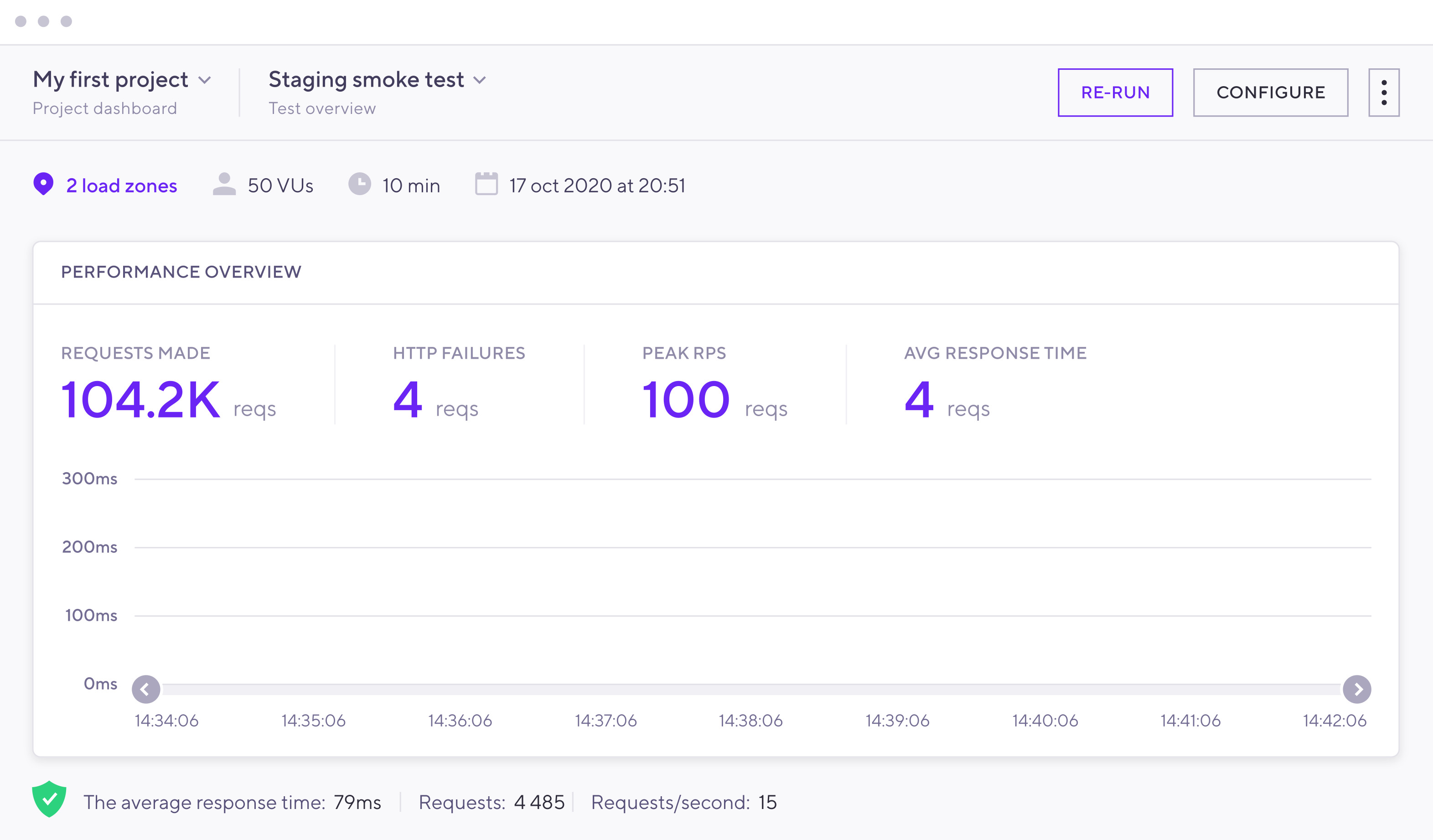
k6 (by Grafana) is an open-source performance and load testing tool that uses a clean JavaScript scripting API. It is designed for developers who want to write performance tests as code and integrate them directly into CI/CD pipelines. k6 excels at simulating high concurrent user loads, measuring response times, and detecting performance regressions. However, it is a specialist tool focused exclusively on performance — it has no GUI, no functional assertion builder, and no API design capabilities. Teams needing both functional and performance testing will need to combine k6 with another tool.
Pros
- Excellent performance and load testing capabilities
- Clean JavaScript API — easy for developers to adopt
- Open source and free to self-host
- Integrates natively with Grafana dashboards
Cons
- Code-only — no visual GUI for test creation
- No functional API testing features (assertions, mocking)
- No API design or collaboration workspace
- Cloud execution is usage-based and can get expensive
Apache JMeter
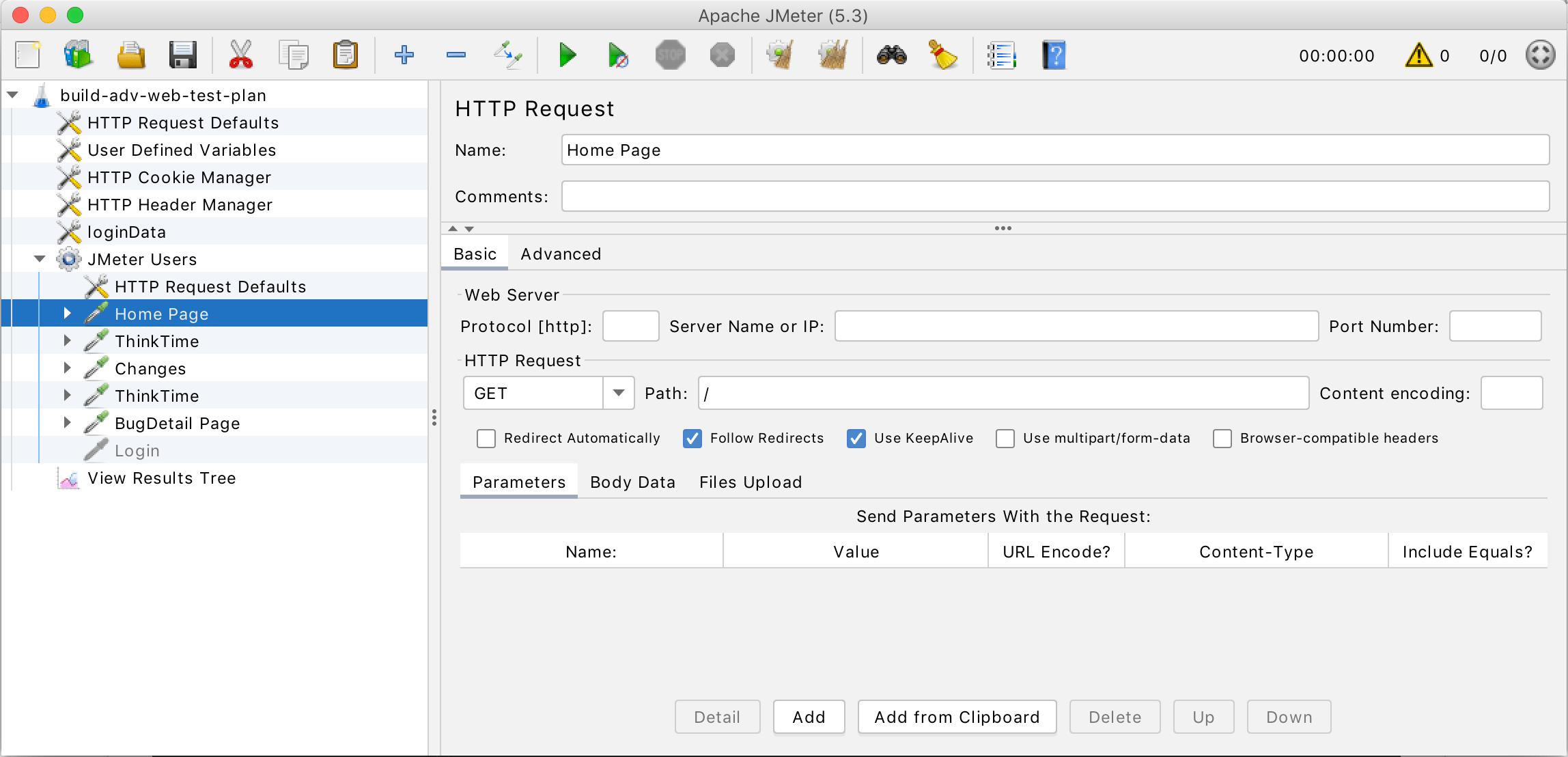
Apache JMeter is a decades-old, open-source tool originally designed for load testing web applications and APIs. It supports a wide range of protocols (HTTP, SOAP, FTP, JDBC, and more) and has a massive plugin ecosystem. JMeter is free and highly extensible, making it a popular choice for teams with budget constraints. However, its dated XML-based configuration model, complex GUI, and lack of modern developer ergonomics make it difficult to adopt for new teams. JMeter tests (JMX files) are notoriously hard to version control and maintain.
Pros
- Completely free and open source
- Very mature with extensive plugin ecosystem
- Supports many protocols beyond HTTP
- Strong load and stress testing capabilities
Cons
- Outdated, complex XML-based configuration
- Steep learning curve for new users
- No API design, mocking, or documentation features
- JMX test files are difficult to version-control and review
Feature Comparison: 6 API Testing Tools
A side-by-side feature matrix to help you evaluate which tool fits your workflow.
| Features | Postman | ReadyAPI | Katalon | k6 | JMeter | |
|---|---|---|---|---|---|---|
| Supported Protocols & Test Types | ||||||
| HTTP / REST | ||||||
| GraphQL | Partial | Partial | ||||
| gRPC | ||||||
| WebSocket | ||||||
| SOAP / XML | ||||||
| Test Automation | ||||||
| Visual test builder (no-code) | ||||||
| Data-driven testing | ||||||
| CI/CD integration | ||||||
| Scheduled test runs | ||||||
| Self-hosted runner | ||||||
| Assertions & Reporting | ||||||
| Visual assertions (no-code) | ||||||
| Script-based assertions | Limited | |||||
| Schema / JSON validation | ||||||
| Online test reports | Plugin | Plugin | ||||
| Performance Testing | ||||||
| Load testing | ||||||
| Concurrent user simulation | ||||||
| API Design & Mocking | ||||||
| API design & spec (OpenAPI) | ||||||
| Mock server | ||||||
| Auto-sync spec ↔ test cases | Partial | |||||
| Pricing & Deployment | ||||||
| Free plan | Up to 4 Users | 1 User | Trial Only | Limited | Open Source | Open Source |
| On-Premises / Self-hosted | CLI Only | N/A | ||||
Why Engineering Teams Choose Apidog
Apidog is the only API testing tool that connects every phase of the API lifecycle — design, test, mock, and document — in a single synchronized workspace.
Tests Stay in Sync with Your API Spec
When you update an API endpoint in Apidog, your test cases automatically reflect the change. No more broken tests after a refactor. No other tool in this list offers this.
Visual Test Builder — No Scripting Required
Build complex multi-step test scenarios with assertions, data extraction, and conditional logic using a drag-and-drop interface. Ship quality faster without writing test code.
Performance Testing Built In
Run load tests with configurable concurrent users directly from your existing API collections. No separate k6 scripts or JMeter plans to maintain.
Generous Free Tier for Teams
Up to 4 team members can collaborate with unlimited API calls, collection runs, and projects — for free. Postman restricts free plans to a single user.
CI/CD with a Self-Hosted Runner
Run your Apidog test suites in any CI/CD pipeline (GitHub Actions, Jenkins, GitLab CI) using the CLI or self-hosted runner. No cloud data residency concerns.
Mock, Design, and Test in One Tab
Stop switching between Postman, Stoplight, and a separate mocking tool. Apidog provides smart mock servers, visual API design, and automated testing all in one platform.
#1 Easiest to Use API Development Software
Ranked by real users on G2, the world's #1 B2B software review platform.
Frequently Asked Questions
Ready to Test APIs the Right Way?
Join 1 million+ developers using Apidog for design, testing, mocking, and documentation.