
TL;DR
Nano Banana 2 is Google's latest AI image generation model, offering high-quality text-to-image creation with exceptional prompt fidelity and fast generation speeds. You can access it completely free through Google's Gemini web interface, mobile app, or third-party platforms like GenAIntel and Nano2Image. This guide covers all free access methods, step-by-step usage instructions, and pro tips to maximize your free credits.
Introduction
AI image generation has transformed creative workflows, and Google's latest entry into this space is making waves. Nano Banana 2, released by Google DeepMind in late 2025, has quickly become a favorite among designers, content creators, and hobbyists alike—thanks to its exceptional text rendering capabilities and lightning-fast generation speeds.
But here's the best part: you don't need to pay a dime to start creating stunning images. Nano Banana 2 offers multiple free access points that let you explore its capabilities without opening your wallet.
What is Nano Banana 2?
Nano Banana 2 is Google DeepMind's second-generation AI image generation model, succeeding the original Nano Banana released earlier in 2025. Despite its playful name (a nod to Google's internal codenames), this is a serious piece of AI technology that competes directly with DALL-E, Midjourney, and Stable Diffusion.
Key Capabilities
| Feature | Description |
|---|---|
| Text Rendering | Industry-leading accuracy for including text in images |
| Generation Speed | Produces images in 3-5 seconds |
| Prompt Fidelity | Follows complex prompts with high accuracy |
| Style Versatility | Supports photorealistic, illustration, 3D render, anime, and more |
| Image Editing | Natural language editing without specialized tools |
| Resolution | Generates up to 2048x2048 pixels |
The model excels at understanding nuanced prompts, maintaining consistency across multiple generations, and handling complex compositions that would stump other generators. It's particularly praised for its ability to render readable text, a historically difficult challenge for AI image generators.
How to Access Nano Banana 2 for Free
You have several options to access Nano Banana 2 without paying. Here's a complete breakdown of each method:
Method 1: Google Gemini (Recommended)
The most straightforward way to use Nano Banana 2 for free is through Google's own Gemini platform.
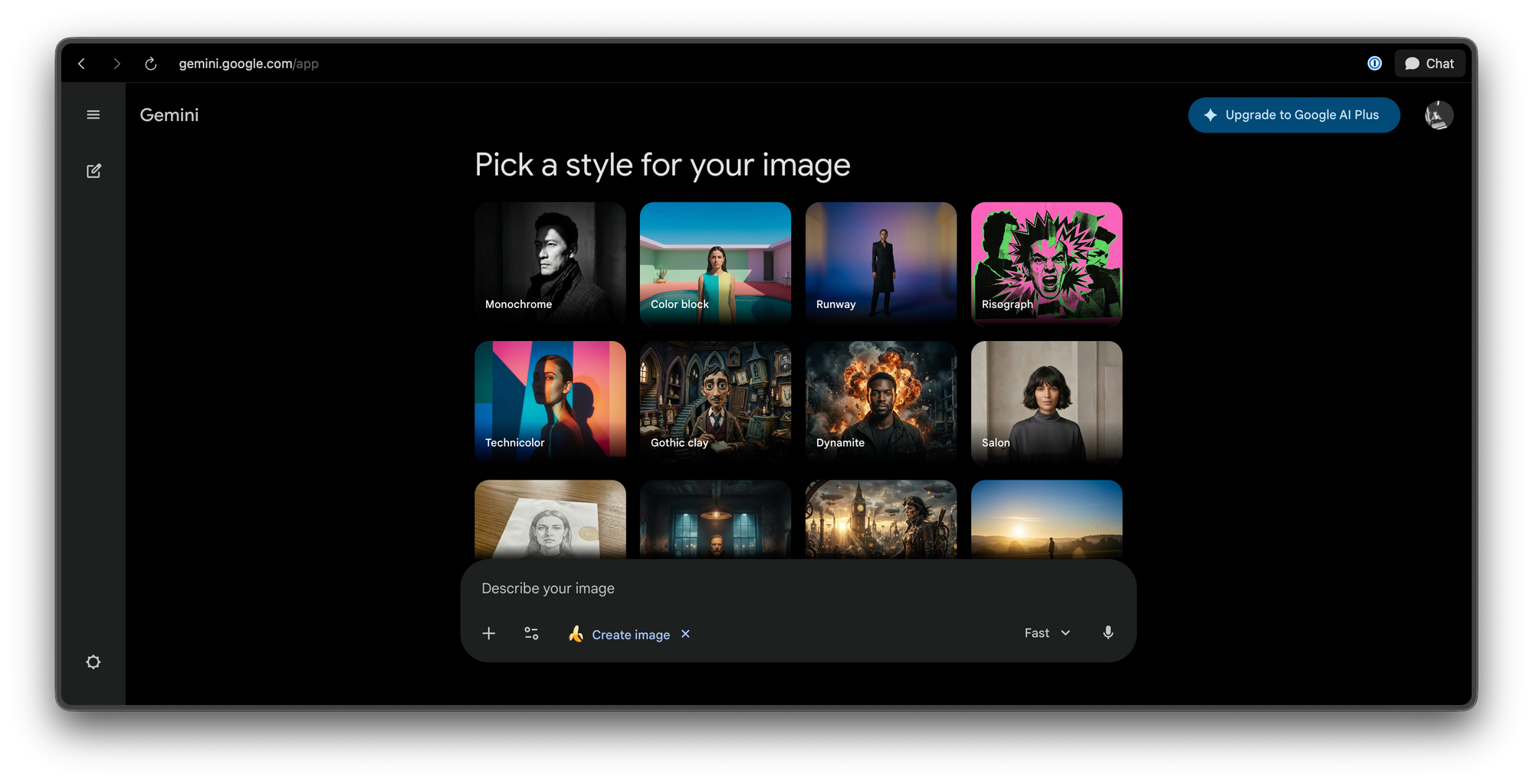
Access Points:
- Web: gemini.google.com
- Mobile App: iOS and Android app stores
Free Limits:
- Gemini free tier users get 15 free generations per day
- No credit card required
- Uses Google's cloud infrastructure for fast processing
How to Access:
- Visit gemini.google.com or open the Gemini app
- Click the "Tools" button in the chat interface
- Select "Create Images" (represented by a banana icon)
- Nano Banana 2 is automatically selected as the default model
This is the official and most reliable free option, backed by Google's infrastructure.
Method 2: GenAIntel
GenAIntel offers a dedicated Nano Banana 2 experience with additional features and tutorials.
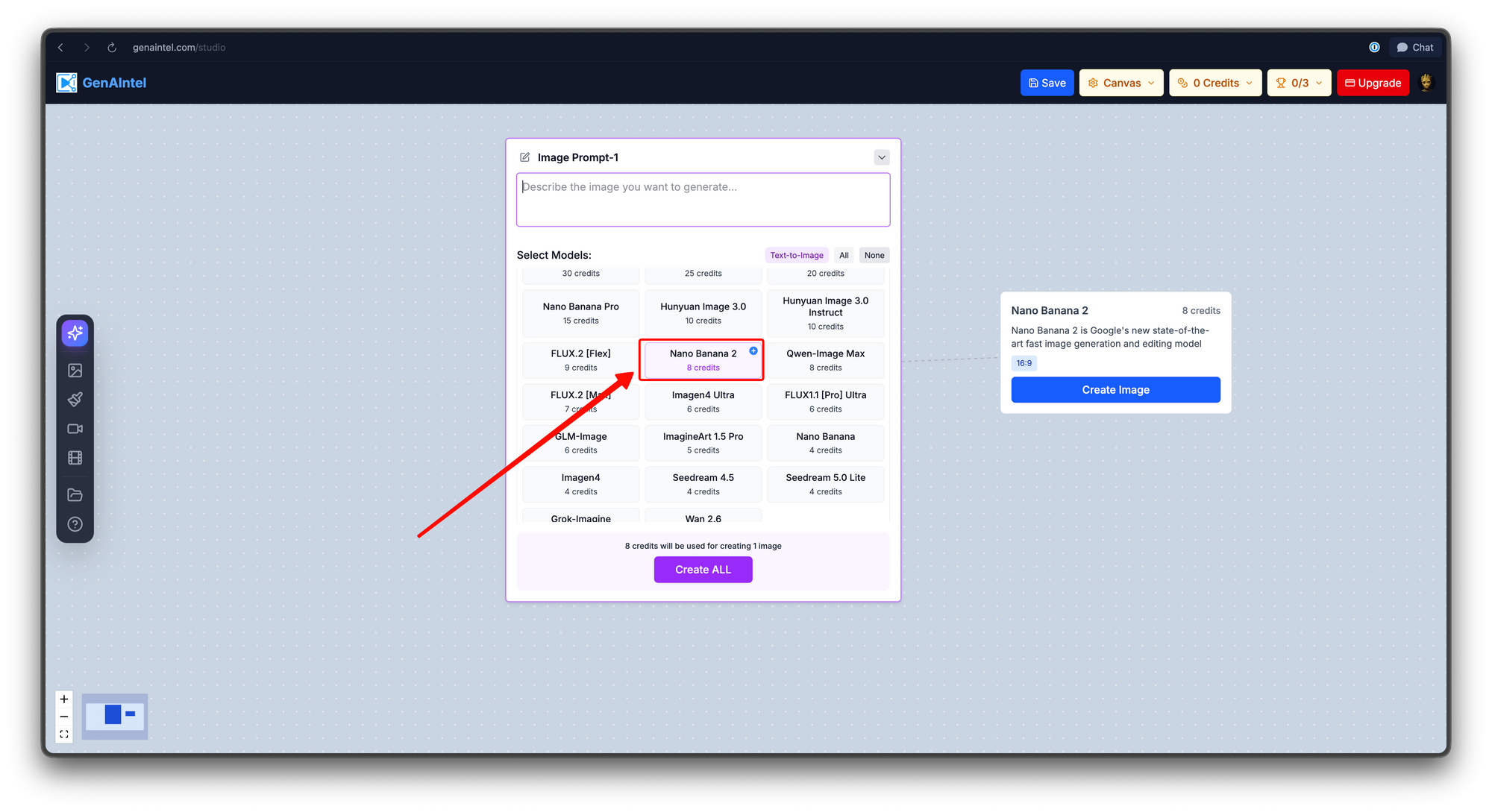
Free Access:
- Initial Credits: 100 free credits upon account creation
- Additional Free Credits: Weekly bonus credits (typically 20-50)
- No Credit Card: Registration only requires email
How to Sign Up:
- Visit genaintel.com
- Click "Sign Up" and register with your email
- Verify your email address
- Navigate to the Nano Banana 2 model in the model selector
- Start generating
GenAIntel also provides helpful tutorials and prompt suggestions directly in their interface, making it excellent for beginners.
Method 3: Lovart
Lovart integrates Nano Banana 2 with additional creative tools and community features.
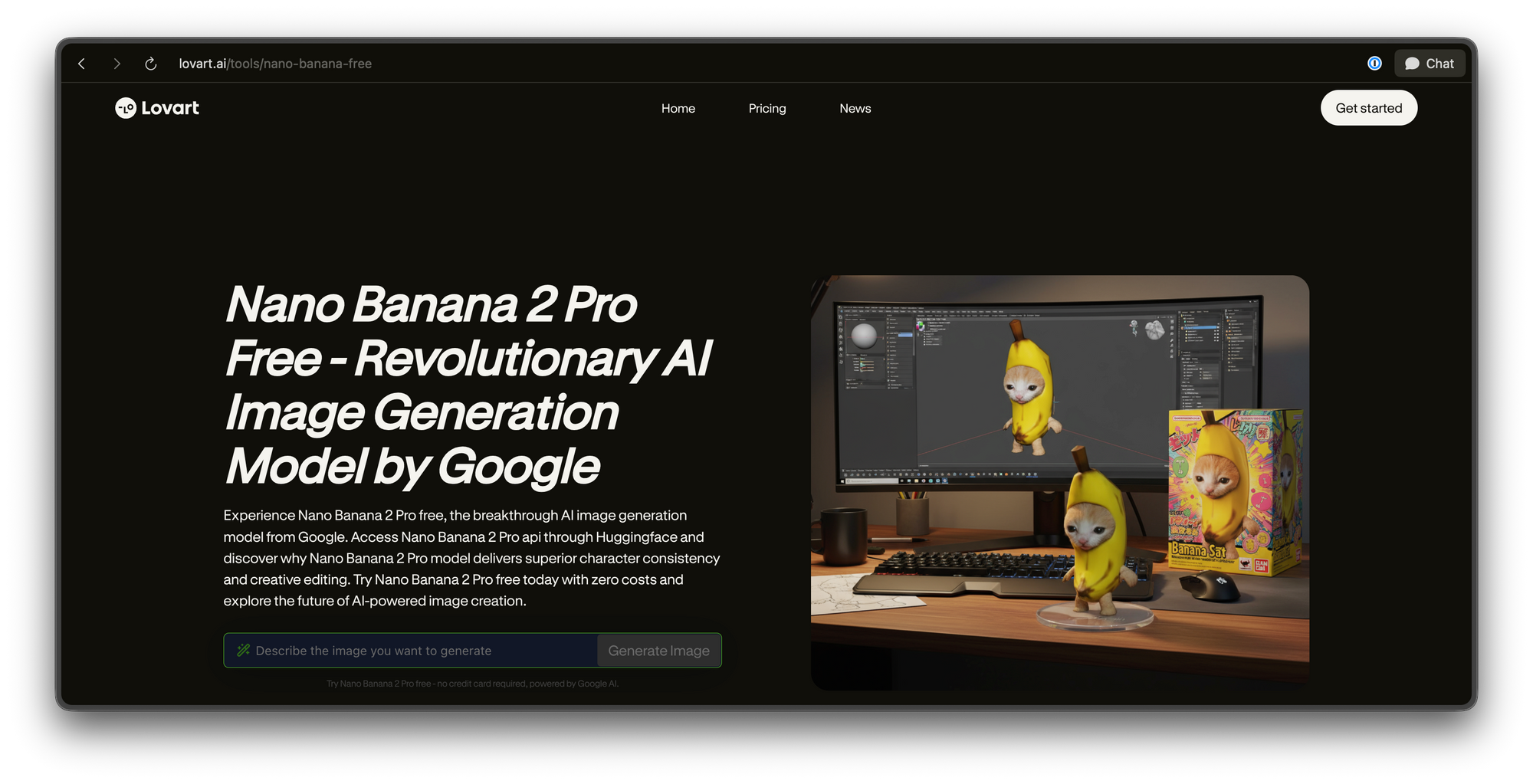
Free Access:
- Free account creation
- No credit card required
- Includes access to other AI tools alongside Nano Banana 2
How to Access:
- Go to lovart.ai/tools/nano-banana-free
- Create a free account
- Select Nano Banana 2 from the available models
- Start creating
Step-by-Step Guide to Using Nano Banana 2
Now that you know where to access Nano Banana 2 for free, let's walk through the actual usage process. I'll use the Google Gemini interface as the primary example, but the general workflow applies to all platforms.
Step 1: Choose Your Generation Mode
Nano Banana 2 supports two primary modes:
Text-to-Image (Default)
- Create images from scratch using text prompts
- Best for: Conceptual illustrations, product shots, artistic creations
- Start here if you're new to AI image generation
Image-to-Image (Advanced)
- Upload an existing image and transform it
- Best for: Photo editing, style transfers, refinements
- Useful when you have a base image you want to modify
Step 2: Craft Your Prompt
Your prompt is the instructions you give to Nano Banana 2. The quality of your output directly correlates with the clarity of your input.
Basic Prompt Structure:
[Subject] + [Context/Setting] + [Style] + [Lighting] + [Quality Modifiers]
Example Prompt:
A cozy coffee shop interior with warm wooden furniture, large windows showing rainy streets, vintage posters on walls, cinematic lighting, 4K, highly detailed
Step 3: Generate Your Image
- Enter your prompt in the text input field
- Select your preferred style (optional):
- Photorealistic
- Illustration
- 3D Render
- Anime/Animation
- Watercolor
- Choose aspect ratio:
- Square (1:1) - Ideal for social media
- Landscape (16:9) - Great for backgrounds
- Portrait (9:16) - Perfect for mobile content
- Click "Generate" or press Enter
- Wait 3-5 seconds for processing
Step 4: Review and Refine
After generation, you'll see four image variations. Here's what you can do:
Download: Save your favorite to your device
Iterate: Click "Modify" and provide feedback like:
- "Make the lighting more dramatic"
- "Change the background to a forest"
- "Add more saturation"
- "Make the subject smile"
This conversational editing is one of Nano Banana 2's strongest features—describe what you want changed in plain English, and the AI understands and implements your feedback.
Step 5: Upscale and Enhance (Optional)
For higher resolution or quality improvements:
- Select your preferred image
- Click "Upscale" for higher resolution (up to 4K)
- Use "Enhance" to improve details and reduce artifacts
Testing the Nano Banana API with Apidog
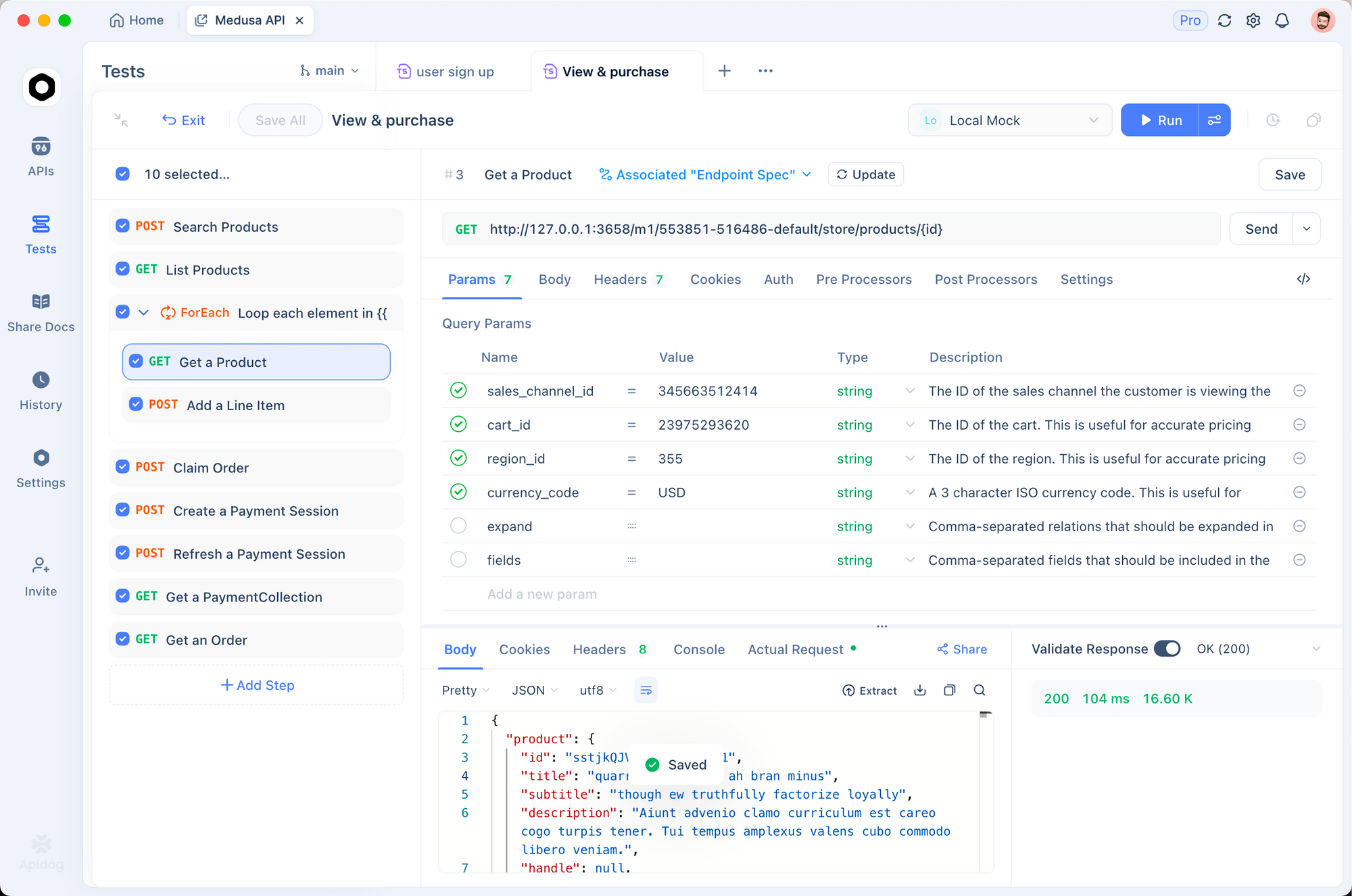
Once you're ready to build applications using Nano Banana 2's image generation capabilities, you'll need to work with the API directly. Here's where Apidog comes in handy.
Why Use Apidog for API Testing?
If you're integrating Nano Banana 2 into your workflow—whether for batch image generation, building a design automation tool, or creating AI-powered features in your app—you'll spend significant time testing and debugging API calls. Apidog streamlines this process by offering:
- Visual Request Builder: No need to manually construct cURL commands or write boilerplate code to test endpoints
- Environment Variables: Securely store your API keys and switch between development/production environments
- Automated Testing: Create test scripts that verify response status codes, image URLs, and error handling
- Request History: Keep track of all your test requests and responses for debugging
- Multi-Protocol Support: Works with REST, WebSocket, and GraphQL APIs
Free vs Paid: What's the Difference?
Understanding the limitations of free access helps you plan your usage:
| Feature | Free Tier | Paid Plans |
|---|---|---|
| Daily Generations | 10-15 | Unlimited |
| Resolution | Up to 1024x1024 | Up to 2048x2048 |
| Commercial Rights | Personal use only | Full commercial license |
| Priority Processing | No | Yes (faster during peak times) |
| Upscaling | Limited | Unlimited |
| API Access | No | Yes |
If you're a developer looking to integrate Nano Banana 2's image generation capabilities into your applications, you'll need the paid API access. Once you have your API key, testing and debugging your API requests becomes crucial. Apidog is an excellent tool for this purpose—it provides a visual interface to test REST APIs, manage environment variables for your API keys, and automate test scripts that validate image generation responses.
Maximizing Free Access
To get the most from your free allocations:
- Use all platforms: Register on multiple free platforms to stack your credits
- Batch your generations: Plan several images in one session rather than sporadic use
- Iterate strategically: Make the most of each generation by iterating in the same session
- Time your usage: Free tiers often have faster response times during off-peak hours (late night/early morning)
- Save your best results: Download and back up images you want to keep
Conclusion
Nano Banana 2 represents a significant leap in accessible AI image generation, and the best part is you don't need to spend a penny to start creating. Whether you use Google's official Gemini interface or explore third-party platforms, the quality of results rivals paid alternatives.
Key Takeaways:
- Access Nano Banana 2 for free via Google Gemini, GenAIntel, Nano2Image, or Lovart
- The free daily limit on Gemini is approximately 15 generations
- Craft detailed prompts with subject, style, lighting, and quality modifiers
- Use conversational editing to refine results without starting over
- Register on multiple platforms to maximize your free credits
Next Steps:
- Visit gemini.google.com and start generating
- Practice prompt engineering with the tips in this guide
- Explore different styles and techniques
- Consider paid plans only if you need commercial rights or higher volumes
The barrier to entry for professional-quality AI image generation has never been lower. Start creating today—your next stunning image is just a prompt away.


