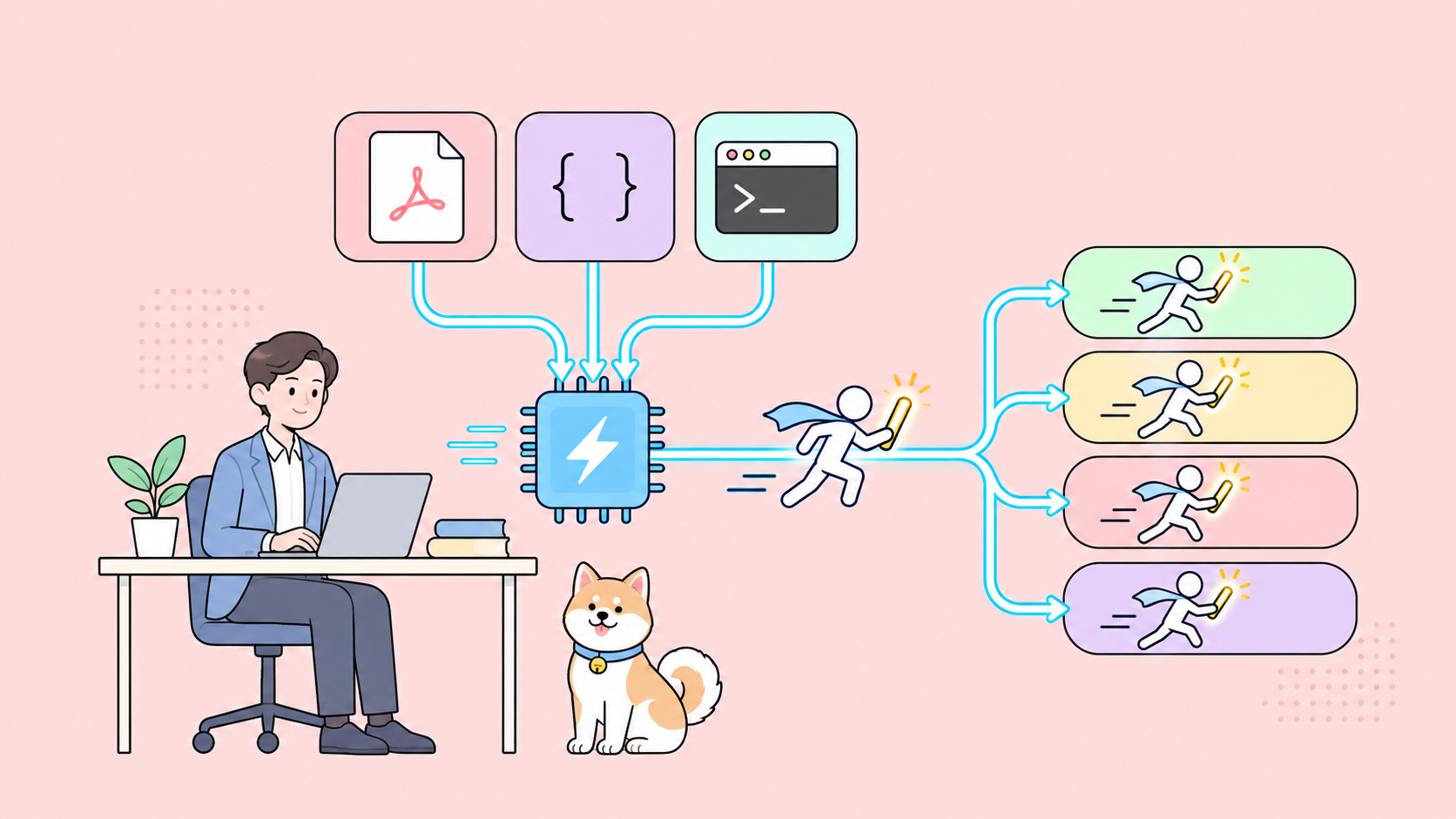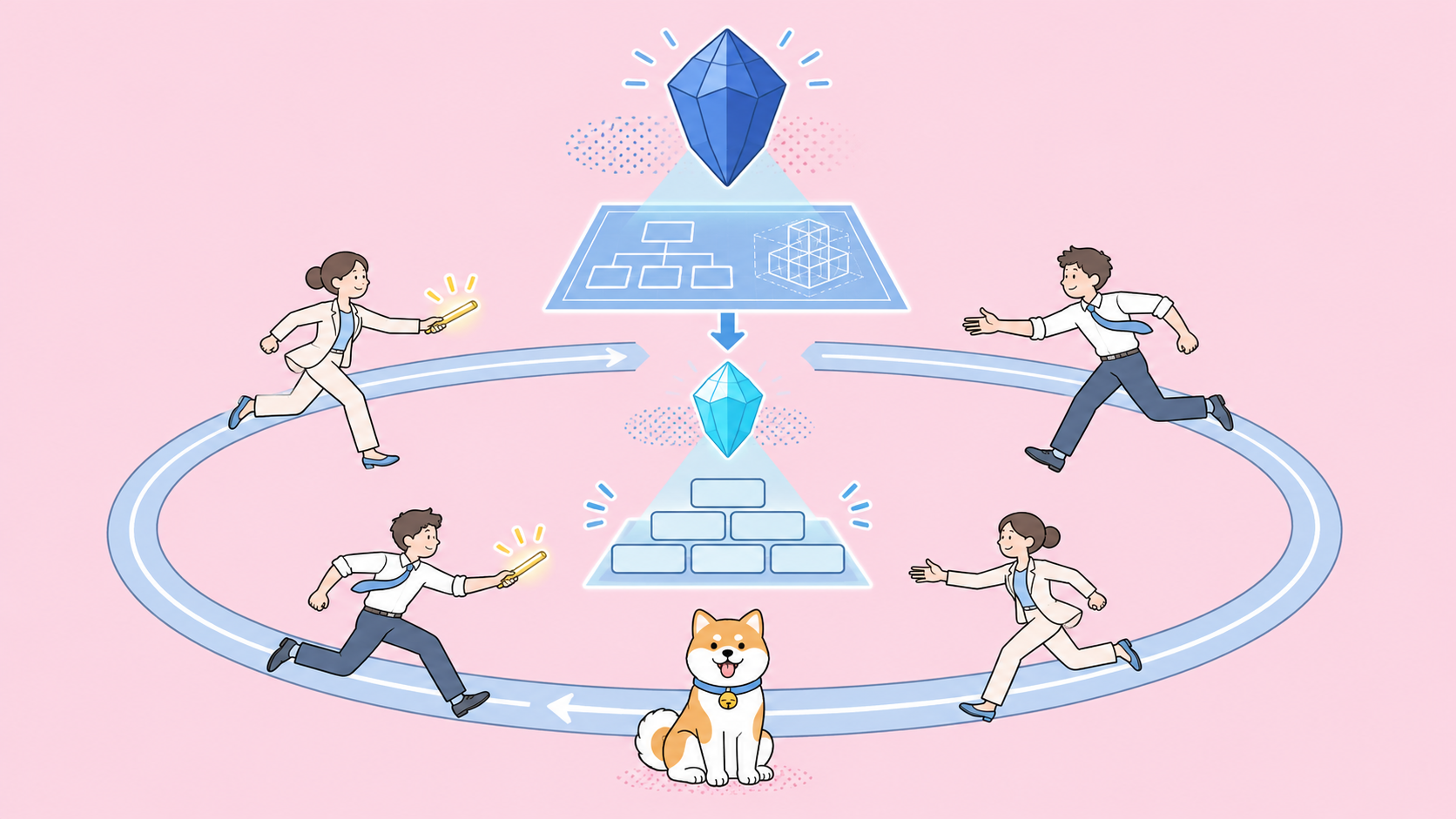
Gemini 4 Hydrogen Orchestrator is a model option in Google Antigravity that pairs a planner (Gemini 4 Carbon or Argon) with Gemini 4 Hydrogen inside one task. The planner explores and writes the plan, Hydrogen edits code and runs tests, and control passes back to the planner whenever Hydrogen hits friction. Google says it reaches near-Carbon success with 24% less quota.
Below: how the hand-off loop works, what the 24% and 19% numbers mean, which plans get it, and how to build the same split with the Gemini API. For the model basics, read what Gemini 4 Hydrogen is.
What is Gemini 4 Hydrogen Orchestrator?
Orchestrator is an entry in Antigravity’s model selector, not a separate model. Pick Orchestrator (Carbon) and Gemini 4 Carbon plans while Gemini 4 Hydrogen implements. Pick Orchestrator (Argon) and Gemini 4 Argon plans instead. Switches happen automatically within each response, inside one conversation.
Google launched it on November 12, 2026. The Antigravity announcement names the problem: running a frontier reasoning model on “every step of every routine task slows down your loop and burns frontier quota.”
Three facts to keep straight:
- It’s Antigravity only. There’s no Orchestrator endpoint in the Gemini API.
- It has a fixed configuration. You can’t set a thinking level on it.
- It’s one agent, not a swarm. For parallel agents, Antigravity points you to subagents,
/swarm, Boost or Teamwork.
How does Orchestrator hand work between Carbon and Hydrogen?
The Antigravity models docs describe four moves that repeat inside each turn:
- The planner plans. Every message you send starts with a read-only phase. The planner explores the codebase, resolves ambiguities and writes a concrete implementation plan, including the conditions that should trigger re-planning. Plain questions get answered directly.
- Hydrogen does the work. It applies file edits, writes code, runs builds and tests, and checks results against the plan.
- Control returns on friction. If a verification step fails twice, an interface behaves differently than expected, or the plan didn’t settle a design choice, Hydrogen hands control back. The planner inspects the conversation state, repairs the plan and hands execution back.
- The planner reviews progress. On longer tasks, and whenever you send a message mid-run, Hydrogen reports progress. The planner checks it against the plan, then wraps up, continues or updates the plan.
The design choice worth copying is in step 1: the planner writes its own re-planning triggers. Hydrogen gets a written list of conditions that mean “stop and ask.”
Why does Google say static model routers break on long agent runs?
A static router reads your first prompt, guesses how hard the task is, and sends the whole job to the cheapest model it thinks can finish. That fails when difficulty changes mid-task, which is normal for agents.
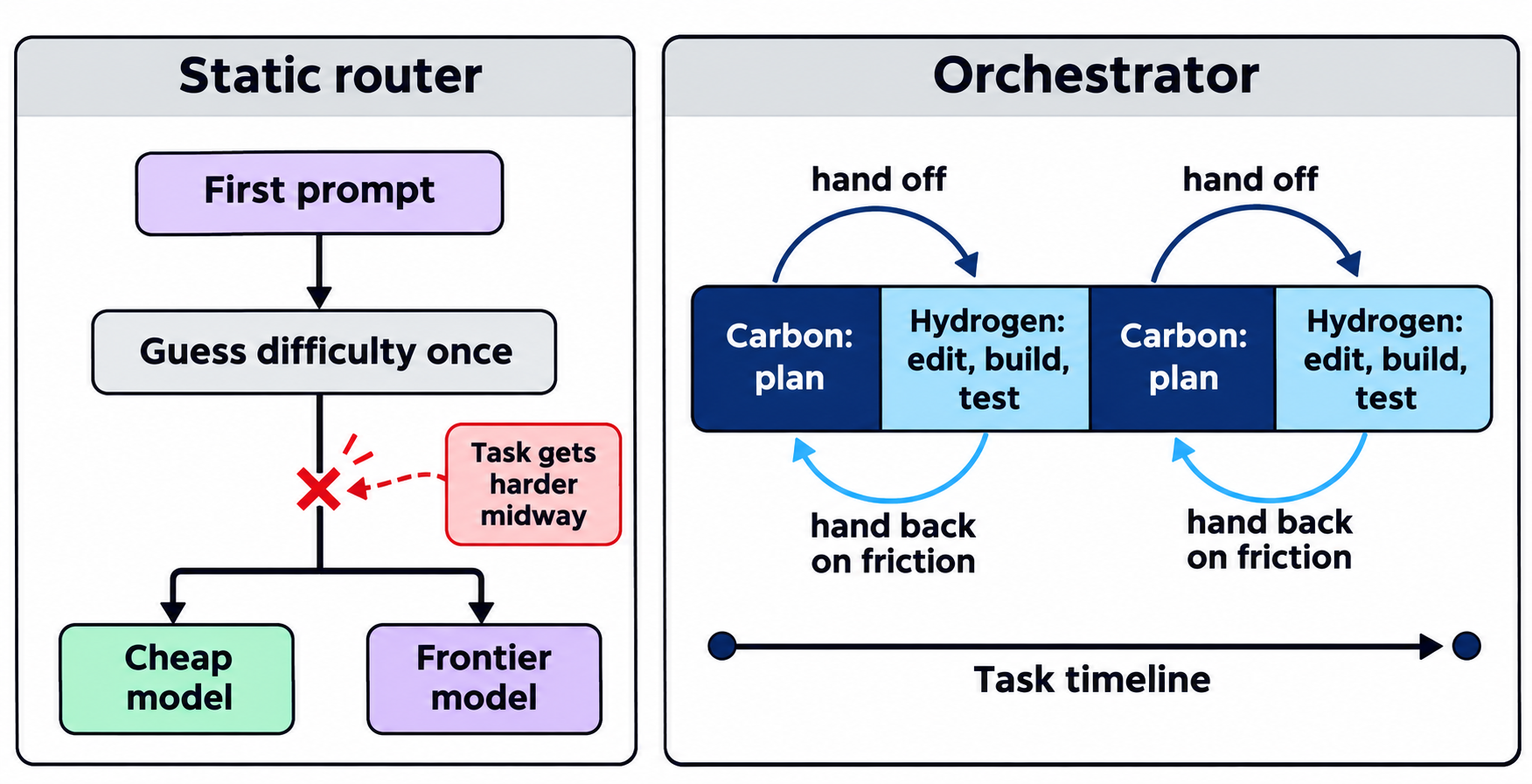
Google’s words: routers “start breaking down as agents become longer running, requiring different levels of complexity at different stages, often discovered as the task evolves.” A dependency upgrade can look trivial until a breaking API change surfaces in step 7. A router that picked the cheap model has no way back; one that picked the frontier model pays frontier prices for every test rerun. Orchestrator decides per stage, in both directions.
What do the 24% quota and 19% speed numbers mean?
Google reports that on Terminal-Bench, Orchestrator “reached near-Carbon task success rates while, on average, consuming 24% less quota and completing 19% faster.” Read that with four caveats:
| Claim | What it says | What it doesn’t say |
|---|---|---|
| Near-Carbon success | Close to Carbon running alone | No exact success rate published in either post |
| 24% less quota | Antigravity plan quota, averaged | Not a token count or a dollar figure |
| 19% faster | Average task completion time | Not per-request latency |
| Benchmark version | Terminal-Bench 4.0 in Google’s launch post, 4.1 in the Antigravity post | Which version is correct |
These are Google’s numbers on Google’s runs, a signal rather than a forecast for your repo. Planning-heavy tasks save little; execution-heavy ones (bumping 40 packages and fixing tests) should save more.
The dollar logic is easier to see on the API. Gemini 4 Hydrogen costs $1.50 per 1M input tokens and $7.50 per 1M output tokens. Carbon is $2.00/$10.00 until November 30, then $4.00/$20.00 from December 1, per the Gemini 4 Carbon pricing guide. Thinking tokens bill as output, so every execution turn you move from Carbon to Hydrogen cuts that turn’s output rate by 62.5% at December prices.
Who can use Orchestrator, and on which plans?
Orchestrator ships in Antigravity only, and the planner you get depends on your Google AI plan. From the Antigravity docs, read November 13, 2026:
| Option | Planner | Executor | Plans |
|---|---|---|---|
| Orchestrator (Carbon) | Gemini 4 Carbon | Gemini 4 Hydrogen | Google AI Ultra |
| Orchestrator (Argon) | Gemini 4 Argon | Gemini 4 Hydrogen | Google AI Ultra; paid Google AI Pro (or trials on eligible premium devices) |
Free and Google AI Plus users get standalone Hydrogen but no Orchestrator. For Enterprise, the docs’ table and the Antigravity announcement disagree, so check your own model selector.
In the Antigravity CLI, pass the option name in quotes:
agy --model "Orchestrator (Carbon)"
agy -p "Add input validation to the signup form and run the tests." --model "Orchestrator (Argon)"
Choosing between planners? Our Gemini 4 Carbon vs Argon comparison covers the trade-off.
When should you pick Orchestrator over a single model?
Google’s docs call Orchestrator the “recommended default” for day-to-day work:
- Orchestrator: feature work, bug fixes, refactoring and multi-file debugging.
- Carbon or Argon alone: work where every step needs maximum depth, such as designing distributed systems, chasing race conditions or multi-repo migrations.
- Hydrogen alone: package upgrades, deduplication, boilerplate, unit tests for well-defined functions, docs and quick scripts.
Rule of thumb: if you’d write a plan before starting, use Orchestrator. If you’d just start typing, use Hydrogen.
How do you build the same plan/execute split with the Gemini API?
Outside Antigravity, you build Orchestrator’s loop yourself. Google’s What’s new in Gemini 4 Hydrogen guide describes the mechanism: “Route planning turns to gemini-4-carbon and execution turns to gemini-4-hydrogen in one multi-turn session using previous_interaction_id.” No request schema changes are needed between the two models.
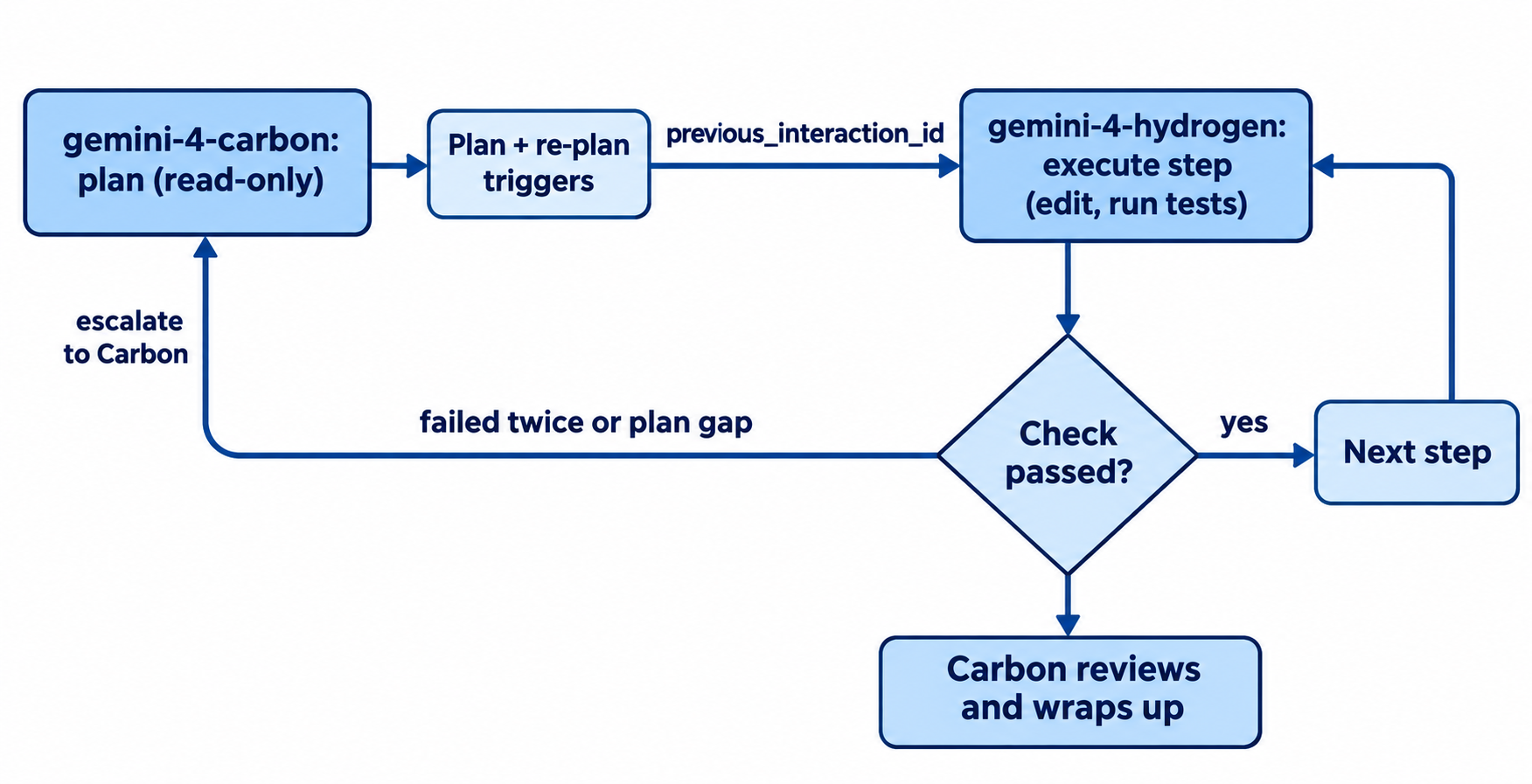
A minimal Python version that copies the “fails twice, hand back” rule:
from google import genai

client = genai.Client()  # reads GEMINI_API_KEY

def ask(model, prompt, prev=None, level="high"):
    return client.interactions.create(
        model=model,
        input=prompt,
        previous_interaction_id=prev,
        generation_config={"thinking_level": level},
    )

# 1. Carbon plans (read-only) and writes its own re-plan triggers
plan = ask("gemini-4-carbon",
    "Plan this task as numbered steps. For each step, list the check "
    "that proves it worked and the conditions that require re-planning. "
    "Do not write code yet. Task: " + task)
last = plan.id

for step in parse_steps(plan.output_text):
    failures = 0
    while True:
        # 2. Hydrogen executes the step
        run = ask("gemini-4-hydrogen", f"Implement step: {step}", prev=last)
        last = run.id
        ok, log = apply_and_test(run.output_text)  # your patch + test runner
        if ok:
            break
        failures += 1
        if failures >= 2:
            # 3. Escalate to Carbon to repair the plan
            fix = ask("gemini-4-carbon",
                f"Step failed twice. Test log:\n{log}\nRepair the plan for this step.",
                prev=last)
            last = fix.id
            step, failures = fix.output_text, 0

# 4. Carbon reviews the finished work
review = ask("gemini-4-carbon", "Review the completed work against the plan.", prev=last)
parse_steps and apply_and_test hold your repo’s build and test logic. Four things to get right:
- Set thinking levels per role. Carbon defaults to
mediumand caps athigh. Hydrogen defaults tohighand addsxhigh. - Keep state on the server.
previous_interaction_idcarries history between models, and implicit caching discounts repeated input by 95%.store=falseblocks it. - Make escalation explicit. Copy Orchestrator’s triggers into the planner prompt.
- Log tokens per turn. The
usageobject reportstotal_thought_tokensseparately, so you can see which role is spending.
Request formats and auth are in our Gemini 4 Hydrogen API guide.
If you’d rather not hand-roll the loop, Google says the Antigravity SDK lets you wire Hydrogen and Carbon agents together with programmatic control over roles. In its demo, Hydrogen agents triage issues and code while a Carbon agent takes refactors and security checks.
Test the Carbon-to-Hydrogen hand-off with Apidog CLI
A DIY orchestrator breaks at the hand-off: a wrong model ID, a dropped previous_interaction_id, or a thinking level Carbon rejects. Let your coding agent (Claude Code, Codex, Cursor) build a two-step test with Apidog CLI and run it.
Set it up once:
npm install -g apidog-cli@latest
apidog login --with-token <YOUR_TOKEN>
npx -y skills add https://apidog.com   # pick your agent when prompted
Then give your agent one prompt:
In Apidog project <projectId>, create an environment "gemini" with base URL
https://generativelanguage.googleapis.com and a secret variable GEMINI_API_KEY.
Build a test scenario with two steps against POST /v1beta/interactions,
both sending the x-goog-api-key header:
1. Planner: model "gemini-4-carbon", thinking_level "high", input asks for a
   3-step plan. Assert status 200, status "completed", non-empty output and a
   usage object. Extract $.id into plannerId.
2. Executor: model "gemini-4-hydrogen", thinking_level "medium",
   previous_interaction_id {{plannerId}}, input "Do step 1 of the plan".
   Assert the same checks. Log total_input_tokens, total_thought_tokens and
   total_output_tokens for both steps. Run it and summarize failures.
The agent reads the schema, validates its payload, writes the scenario and runs it:
apidog environment create gemini --project <projectId> \
  --base-url https://generativelanguage.googleapis.com
apidog cli-schema get test-scenario-update
apidog cli-schema validate test-scenario-update --file scenario.json
apidog test-scenario create --project <projectId> --name "carbon-to-hydrogen"
apidog test-scenario update <scenarioId> --project <projectId> --file scenario.json
apidog test-scenario run <scenarioId> --project <projectId> -e <envId> \
  -r cli,json --out-file handoff-{GENERATE_TIME}
The JSON report shows each role’s token spend side by side. Add -r junit and the same run goes into CI, so a model ID change or a broken hand-off fails the build; the Apidog CLI CI/CD guide shows the pipeline, and Apidog CLI in Claude Code covers the agent setup. Apidog’s Free plan covers up to 4 users.
FAQ
Is Gemini 4 Hydrogen Orchestrator available in the Gemini API? No. It’s a model selector option in Google Antigravity. In the API, you switch between gemini-4-carbon and gemini-4-hydrogen yourself with previous_interaction_id.
Can I set a thinking level for Orchestrator? No. It runs with a fixed configuration. Select Carbon, Argon or Hydrogen directly if you need a specific level.
Do I need Google AI Ultra? For Orchestrator (Carbon), yes. Paid Google AI Pro subscribers get Orchestrator (Argon). Free users can use Hydrogen on its own; see our Gemini 4 Hydrogen free guide.
Does Orchestrator save money on the API? The same split does: execution turns bill at Hydrogen’s $7.50 per 1M output instead of Carbon’s. The Gemini 4 Hydrogen pricing guide has the full table.