
If you live in the terminal but find curl’s syntax fiddly and its raw output hard to read, curlie is worth knowing. It’s a small command-line HTTP client that wraps curl and borrows the friendlier syntax and colorized output of HTTPie, so you get readable responses without giving up curl’s power. This guide explains what curlie is, how to install and use it, how it relates to curl and HTTPie, and when to graduate from ad-hoc terminal calls to a saved, repeatable workflow.
What curlie actually is
curlie is a frontend for curl. It doesn’t reimplement HTTP. It parses a simpler, HTTPie-style command, builds the equivalent curl invocation, and hands the actual request off to the curl binary on your machine. The result comes back with syntax highlighting and pretty-printed JSON.
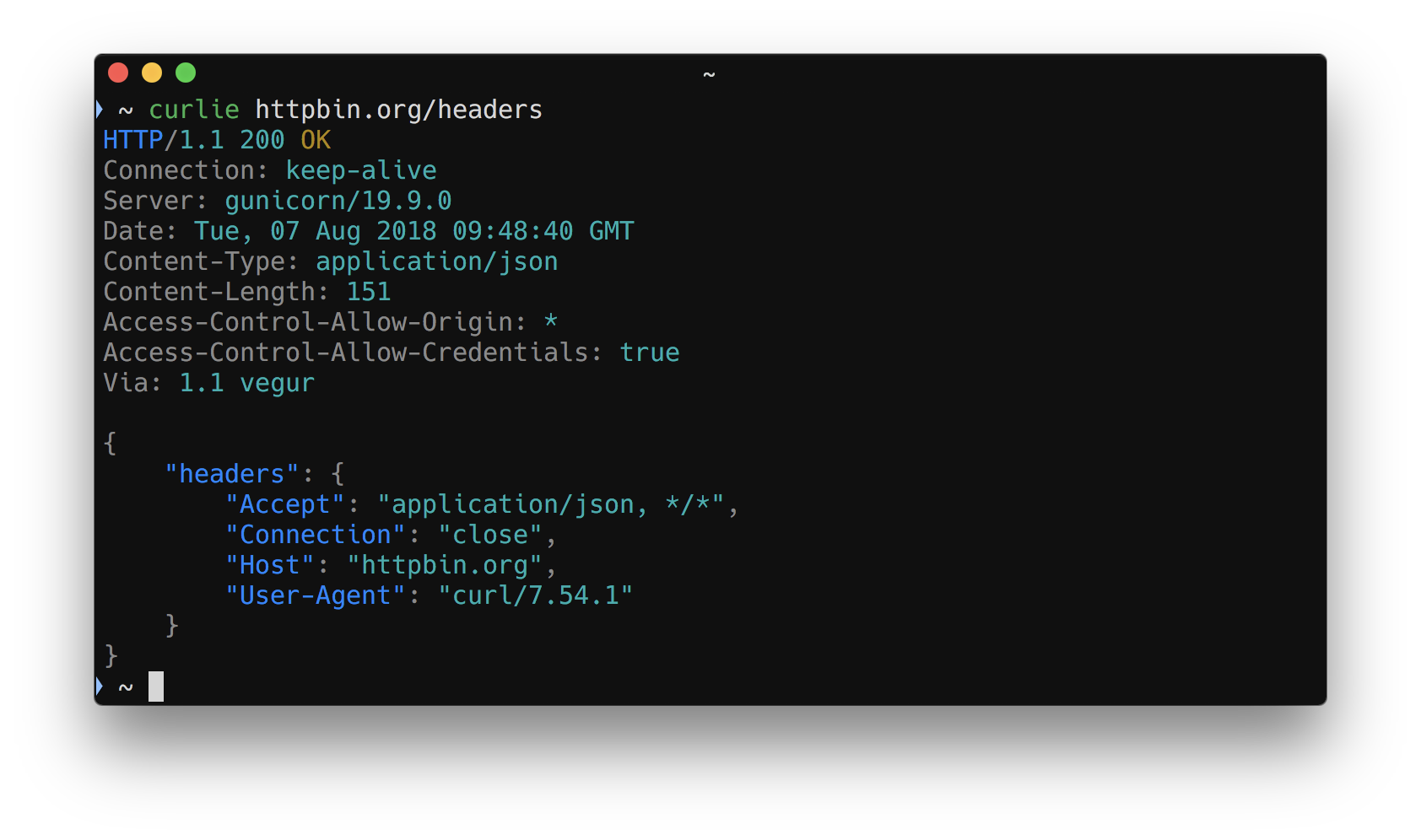
That design choice matters. Because curl does the networking, curlie inherits curl’s protocol support, TLS handling, proxy behavior, and the flags you already know. You can pass any native curl flag straight through. curlie just makes the common case, sending a request and reading the response, far less painful.
The project ships as a single Go binary maintained on GitHub. There’s no runtime to install, no Python environment, no plugins. You drop the binary on your PATH and you’re done.
In plain terms: curlie is an interactive, ad-hoc HTTP client for the terminal. You reach for it when you want to poke at an endpoint, inspect a response, and move on. It is not a test runner, and it doesn’t try to be one.
Why people use it
curl is everywhere, but its output dumps raw bytes to your screen. JSON arrives as a single unformatted line. Headers and body blur together unless you add flags. HTTPie fixed the readability problem with a clean syntax and colored output, but it’s a separate Python tool with its own behavior and dependencies.
curlie sits between the two. You get HTTPie’s ergonomics with curl’s engine underneath. A few reasons developers like it:
- Readable by default. Responses come back colorized, with JSON pretty-printed and headers clearly separated.
- Familiar syntax. Setting headers, query params, and JSON fields uses the compact HTTPie style instead of stacked
-Hand-dflags. - curl underneath. Any curl flag works. If you know curl, you already know most of curlie.
- Zero dependencies. One static binary. Nothing to keep updated except the binary itself.
- Verbose mode shows the curl call. Run with
-vand you can see the headers and the underlying request, which makes it a decent teaching tool too.
Installing curlie
curlie is distributed as a prebuilt binary and through common package managers. The exact commands change over time, so check the GitHub releases page for the current method, but the typical paths look like this.
On macOS with Homebrew:
brew install curlie
With Go installed:
go install github.com/rs/curlie@latest
Or download the binary for your platform from the releases page and move it onto your PATH:
# example: place the downloaded binary somewhere on PATH
mv curlie /usr/local/bin/
curlie --version
You need curl available on the system, since curlie calls it. On macOS and most Linux distributions curl is already there.
Basic usage
The syntax will feel familiar if you’ve used HTTPie. A GET request is as short as the URL:
curlie httpbin.org/get
curlie assumes GET when you don’t name a method, and it fills in http:// if you omit the scheme. The response prints with colored headers and formatted JSON.
To send JSON, use key=value pairs. curlie sets the Content-Type: application/json header and builds the body for you:
curlie POST httpbin.org/post name=apidog role=platform
That sends {"name": "apidog", "role": "platform"} as the request body. Add a header with the Header:value form and a query parameter with param==value:
curlie GET httpbin.org/get \
  Authorization:"Bearer token123" \
  search==apidog
Because curl runs underneath, you can mix in native flags any time the short syntax isn’t enough:
curlie -v --max-time 5 httpbin.org/get
The -v flag is worth a habit. It prints the request and response headers, so you can confirm exactly what went over the wire. If you want a deeper refresher on the underlying tool, the curl REST API guide covers the raw flags curlie is wrapping.
curlie vs curl vs HTTPie
All three send HTTP requests from the terminal. The difference is in syntax, output, and what’s running under the hood.
| Aspect | curl | HTTPie | curlie |
|---|---|---|---|
| Engine | libcurl | Python (requests-style) | curl (wraps it) |
| Syntax | Flag-heavy (-X, -H, -d) |
Compact (key=value) |
Compact, HTTPie-style |
| Output | Raw, unformatted | Colorized, pretty JSON | Colorized, pretty JSON |
| Install | Preinstalled almost everywhere | Python package | Single Go binary |
| Native curl flags | Yes | No | Yes (pass-through) |
| Dependencies | None | Python runtime | curl binary |
| Built for | Scripting and ad-hoc calls | Friendly ad-hoc calls | Friendly ad-hoc calls |
The honest summary: HTTPie and curlie solve the same readability and ergonomics problem in different ways. HTTPie is a full reimplementation in Python with its own feature set. curlie is a thin wrapper that keeps you on curl. If your team standardizes on curl flags or you want pass-through access to every curl option, curlie fits cleanly. If you prefer HTTPie’s broader feature surface and don’t mind the Python dependency, HTTPie is a fine pick. Our HTTPie tutorial walks through that tool in depth, and if you’re weighing one against the other, the curl-to-HTTPie comparison maps the syntax across both.
For a wider look at terminal and GUI options beyond these three, see our roundup of curl alternatives for REST API testing.
When curlie is the right tool, and when it isn’t
curlie shines for quick, interactive work:
- Checking whether an endpoint is up and returning the shape you expect.
- Eyeballing a JSON response without piping through
jqto read it. - Debugging headers and auth during development.
- Teaching or demoing HTTP, since
-vshows the real request.
Where it stops helping is anything that needs to be repeated, shared, or verified automatically. curlie has no concept of saved requests. There are no environments to swap between staging and production. There are no assertions to check that a status code is 200 or that a field equals an expected value. There’s no report when something breaks at 3 a.m. in your pipeline.
That’s not a knock on curlie. It’s an ad-hoc tool doing ad-hoc work well. But the moment you find yourself pasting the same curlie command into a doc, or copying it into a shell script with hand-written grep checks, you’ve outgrown what an interactive client is meant to do.
The upgrade path: from one-off calls to a saved, repeatable workflow
This is where the workflow naturally splits. Keep using curlie for exploration. When a request needs to live somewhere, get reused, or run in CI, move it into a platform built for that.
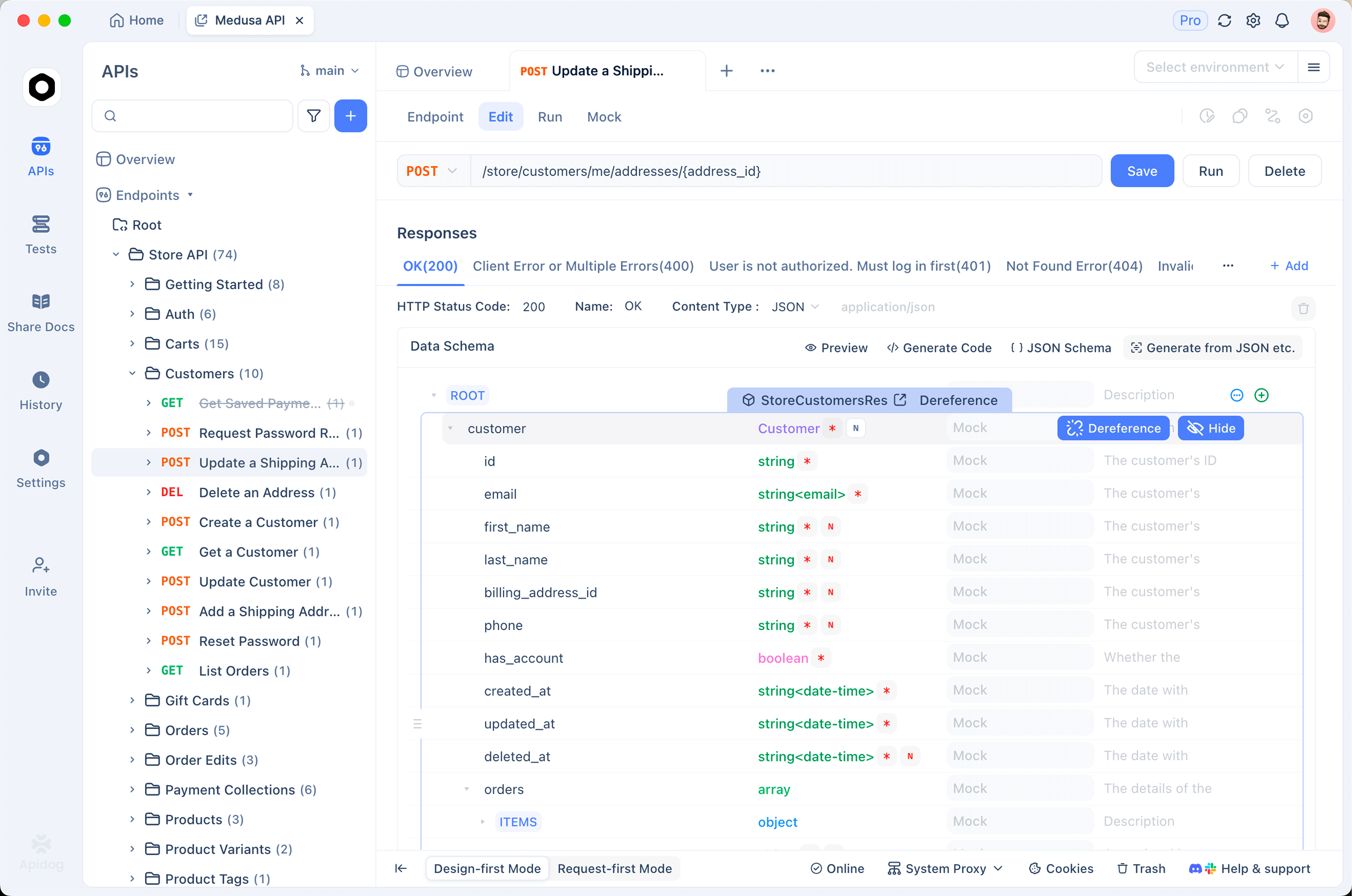
Apidog is the persistence and collaboration layer for exactly this transition. It is not a drop-in terminal replacement for curlie; it’s the next step after the terminal. With Apidog you can:
- Save requests into organized collections instead of re-typing or hunting through shell history.
- Manage environments so the same request runs against local, staging, and production by switching a variable.
- Add assertions that check status codes, response fields, and schema, turning a manual eyeball check into an automatic one.
- Run tests in CI with
apidog run, the command-line runner that executes your saved test scenarios in a pipeline and reports pass or fail. - Share with your team through a collaborative workspace, so a request you debugged once becomes something everyone can reuse.
A practical pattern: explore an endpoint with curlie until you understand it, then recreate it as a saved request in Apidog with assertions attached. The exploration stays fast and disposable. The verification becomes durable and automated. If you’re formalizing how your team validates endpoints, the API testing guide covers the concepts behind assertions and test scenarios.
Frequently asked questions
Is curlie a replacement for curl?
Not exactly. curlie runs on top of curl, so it’s more of a friendlier front door than a replacement. It translates a compact syntax into curl calls and formats the output. curl itself stays the engine, and every native curl flag still works through curlie.
Does curlie work in CI/CD pipelines?
You can call curlie in a script, but it isn’t built for automated testing. It has no assertions, no saved test scenarios, and no structured reports. For pipeline work you want a runner that checks responses and fails the build when something’s wrong. Apidog’s apidog run command fills that role, and our list of top API testing clients covers other options for repeatable, CI-friendly testing.
How is curlie different from HTTPie?
They feel similar because curlie copies HTTPie’s syntax and colorized output. The difference is the engine. HTTPie is a standalone Python tool with its own implementation. curlie is a thin Go wrapper around curl, so it inherits curl’s behavior and accepts curl flags directly. Pick curlie if you want to stay on curl; pick HTTPie if you prefer its standalone feature set.
Can I see the actual curl command curlie runs?
Yes. Run curlie with the -v (verbose) flag and it prints the request and response headers along with the underlying request details. It’s a handy way to learn curl flags or to confirm precisely what got sent.
Conclusion
curlie is a smart little tool: HTTPie’s readable syntax and colored output, with curl doing the real work underneath. For poking at endpoints, reading JSON responses, and debugging auth in the terminal, it’s a genuine quality-of-life upgrade over raw curl. Just remember what it is. It’s an interactive client, not a test runner.
When your requests need to be saved, shared, asserted, and run in CI, that’s the signal to move up a layer. Download Apidog to turn the endpoints you explore in the terminal into saved requests, environments, and automated tests your whole team can rely on. Keep curlie for the quick stuff, and let Apidog handle the work that has to repeat.