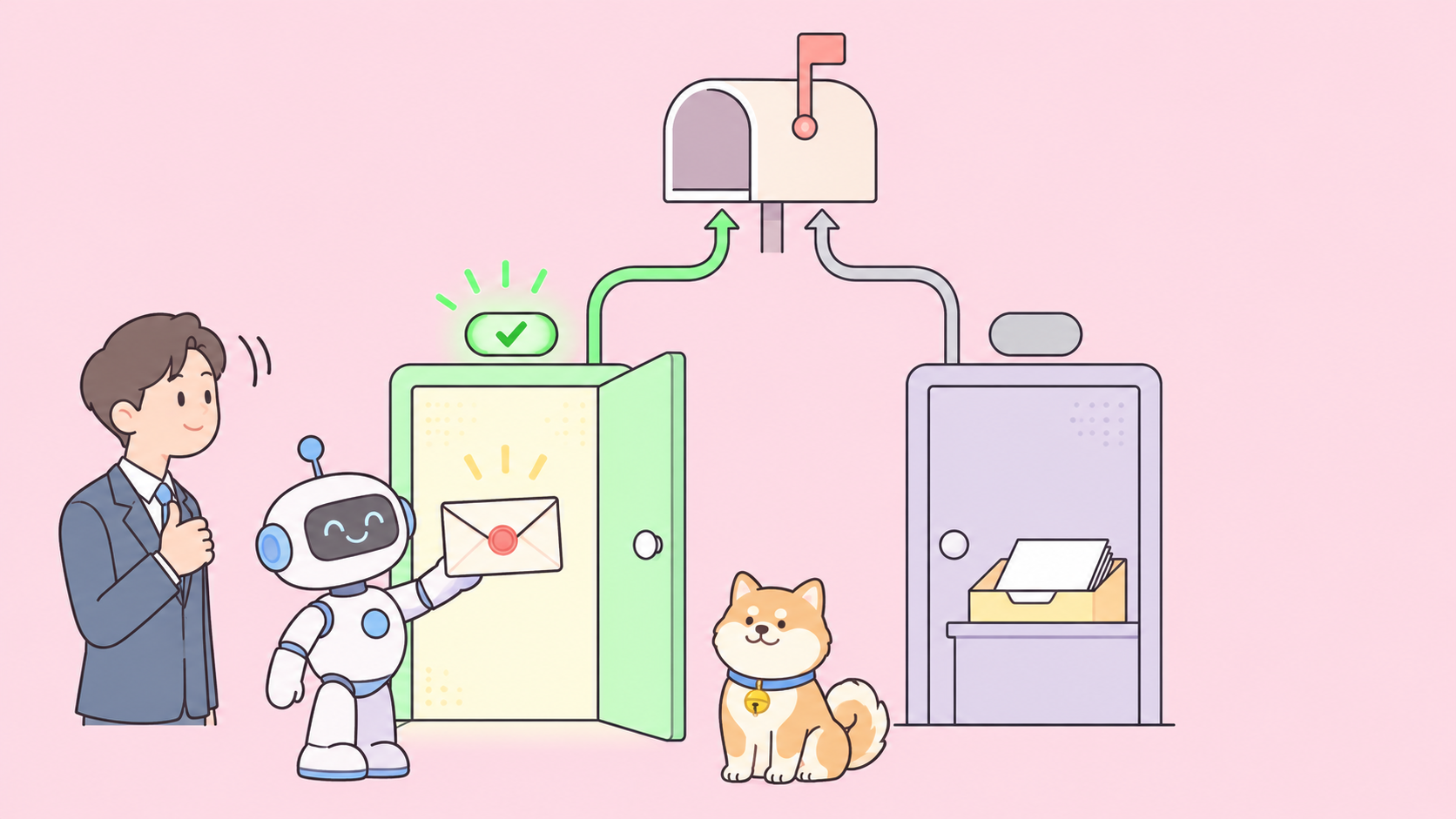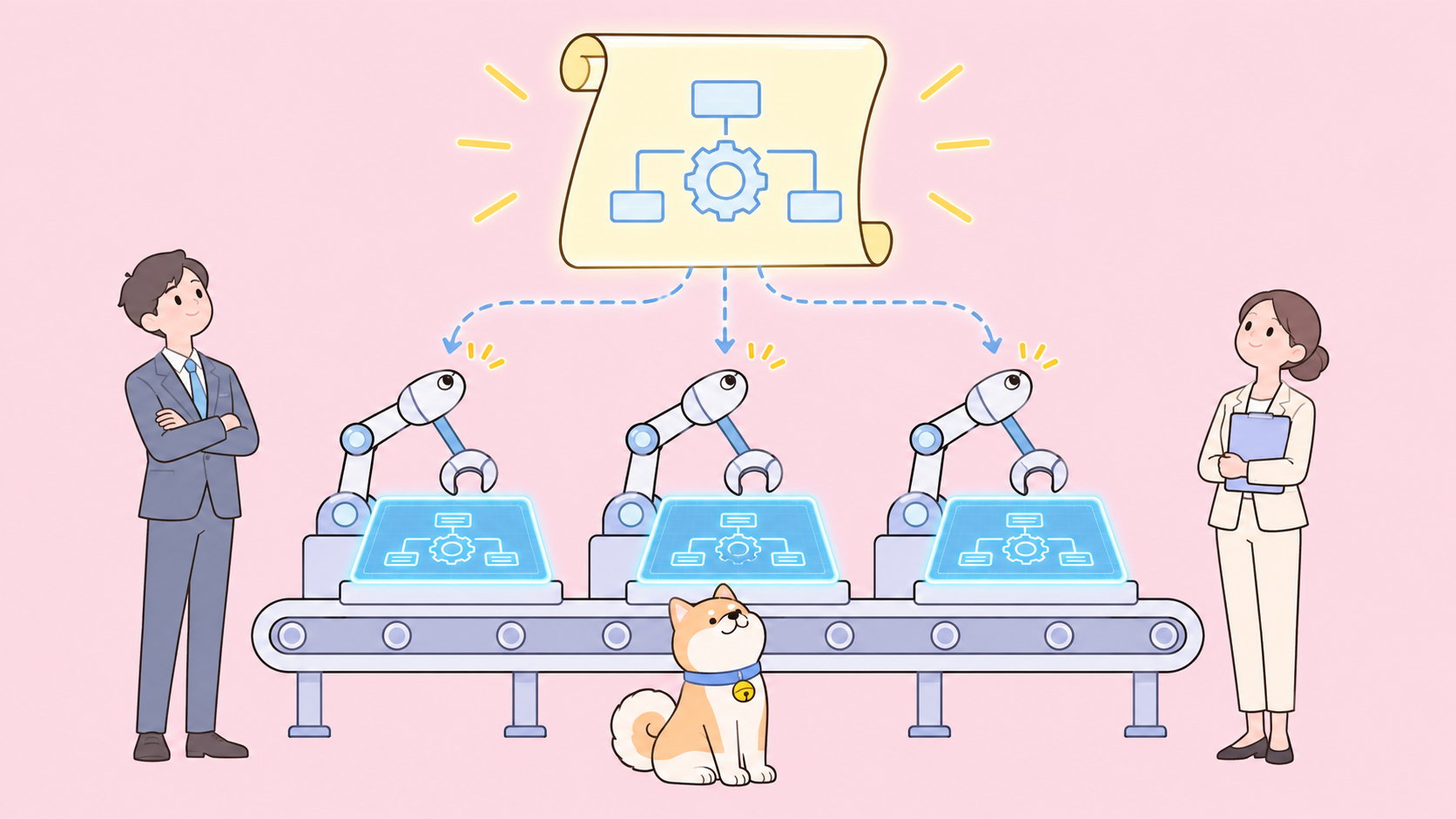
An agentic SDLC is a software development lifecycle where coding agents do most of the design, build and test work, and people review the handoffs between phases. The spec-driven version adds one rule: the OpenAPI spec is the source of truth at every step. The agent designs the contract first, builds against a mock of it, and a separate run verifies the result and keeps the reports as evidence.
Left alone, an agent will invent an endpoint, rename a field, or write tests that confirm its own mistakes. A reviewed spec gives every phase one contract to check against. This guide walks through the three phases and ends with the Apidog CLI commands your agent runs.
What is an agentic SDLC?
An agentic SDLC (agentic software development lifecycle) is a way of shipping software where AI coding agents such as Claude Code or Codex plan, write, and test changes inside defined phases. Each phase produces an artifact the next one reads. Humans approve those artifacts instead of typing the code themselves.
Postman Engineering published a three-part Agentic SDLC series on November 23 to 25, 2026, following one healthcare check-in feature through design, development and testing with Claude. This post gives you a vendor-neutral, spec-first version for any coding agent. New to spec-first? Start with what spec-first API development is.
Why the spec has to be the source of truth
Spec, code and tests always drift apart. With agents, the drift happens in minutes. An agent writing a handler will “fix” a schema to match its code. An agent writing tests will read the code it just wrote and assert whatever it does.
A spec breaks that loop. It’s reviewed before any code exists, so it records what the team agreed, not what the agent produced.
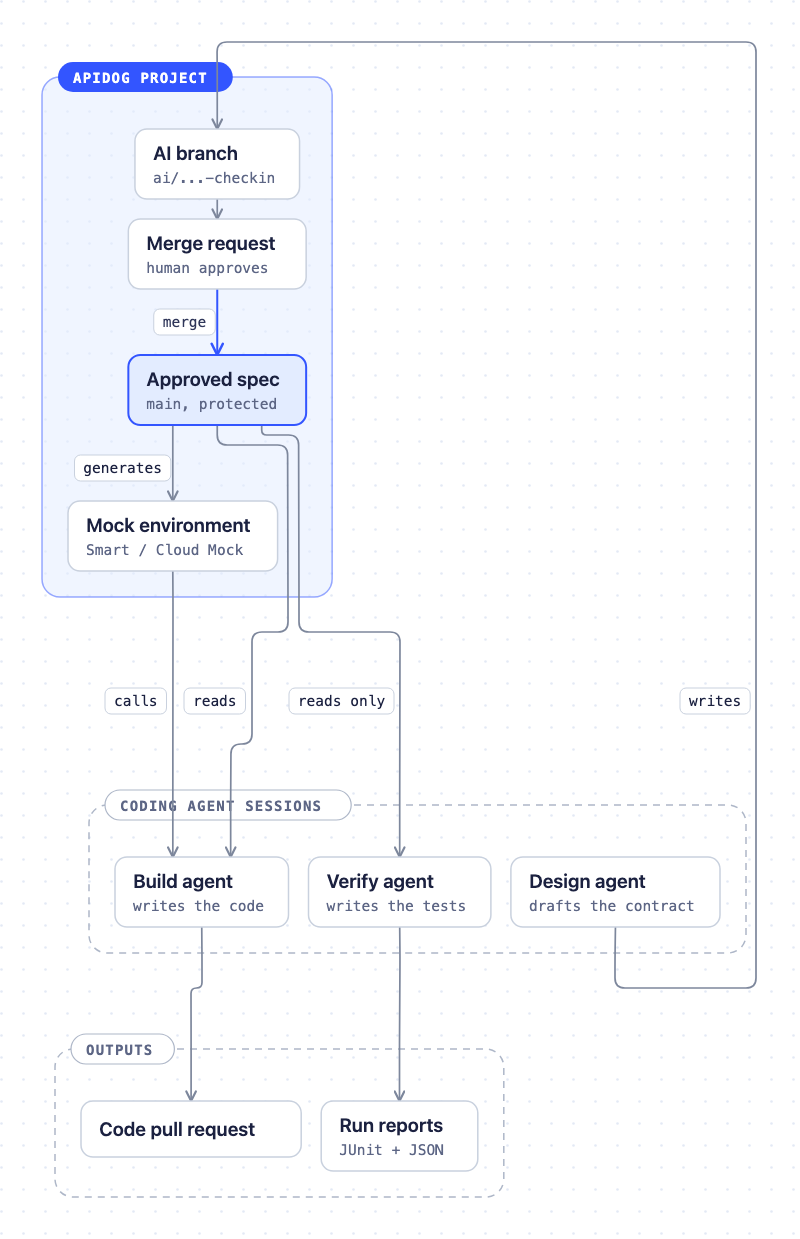
Here is what each phase reads and writes when the spec sits in the middle:
| Phase | The agent reads | The agent writes | A human approves |
|---|---|---|---|
| Design | Feature request, existing spec | Spec changes on an isolated branch | The merge request into main |
| Build | Approved spec, mock server | Implementation code, unit tests | The code pull request |
| Verify | Approved spec only | Test cases, run reports | Pass or fail, from the report |
The verifier reads the spec, not the code. That keeps the testing independent.
Phase 1: Design the contract before any code
The design phase ends with a reviewed OpenAPI document for the change. Ask your agent for the contract, not the implementation:
- Describe the feature in plain language. Include business rules and failure cases, such as “check-in leaves the status unchanged if the eligibility check times out”.
- Let the agent draft the spec change. Paths, schemas, error codes and examples, reusing existing schemas instead of near-duplicates.
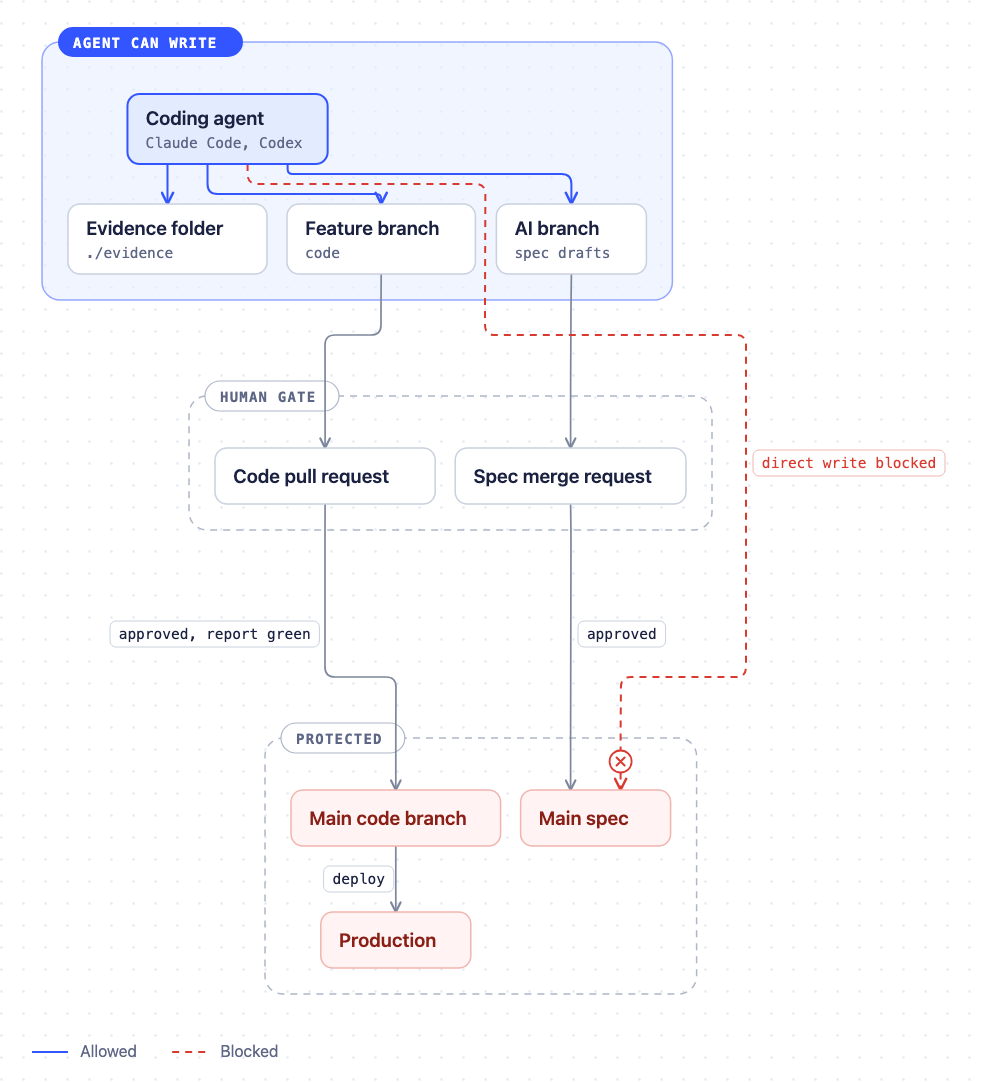
- Keep the draft isolated. The agent writes to a branch, never straight to the main spec.
- Review it as a contract. Check names, required fields and status codes. A design mistake is cheapest to fix here.
- Merge, then freeze. Once approved, the spec becomes read-only input for the next two phases.
The OpenAPI 3.1 specification gives you everything the later phases need: schemas for validation, examples for mocks, and response definitions for assertions. If you want your design to suit agent consumers too, designing an agent-ready API covers the naming and error conventions.
Phase 2: Build against a mock of the spec
The build agent starts with the approved spec and a mock server generated from it, so it can wire up integrations before any dependency is real.
Give the build agent three explicit instructions:
- Implement the contract as written. If the agent thinks the spec is wrong, it stops and says so; spec changes go back to Phase 1.
- Call dependencies through the mock first. Apidog’s Smart Mock generates realistic responses from your schemas, and its Cloud Mock runs on Apidog’s servers, so it stays reachable when your laptop is closed.
- Run the contract tests locally before opening a pull request. The Phase 3 test cases can run against the mock now.
The output is code plus a pull request. The reviewer doesn’t re-check field names by hand; Phase 3 does that.
Phase 3: Verify behavior and keep the evidence
If the agent that wrote the code also decides whether the code is correct, every wrong assumption passes straight through.
So run verification separately. The verify agent gets the approved spec and the environment URL, nothing else, and writes test cases from the spec.
Good verification covers four things:
| What to check | Example assertion |
|---|---|
| Schema conformance | Response body matches the 200 schema exactly |
| Error contract | Inactive insurance coverage returns 409 with the documented error code |
| Business rules | Status stays scheduled when eligibility fails |
| Performance budget | p95 response time stays under your threshold |
Then keep the evidence: a run with no report is a claim, not proof. Save a report for CI and one for the reviewer. JUnit XML is the format most CI systems read, so with a required CI check, a failed contract test blocks the merge like any other failing test.
Run the spec-driven agentic SDLC with Apidog CLI
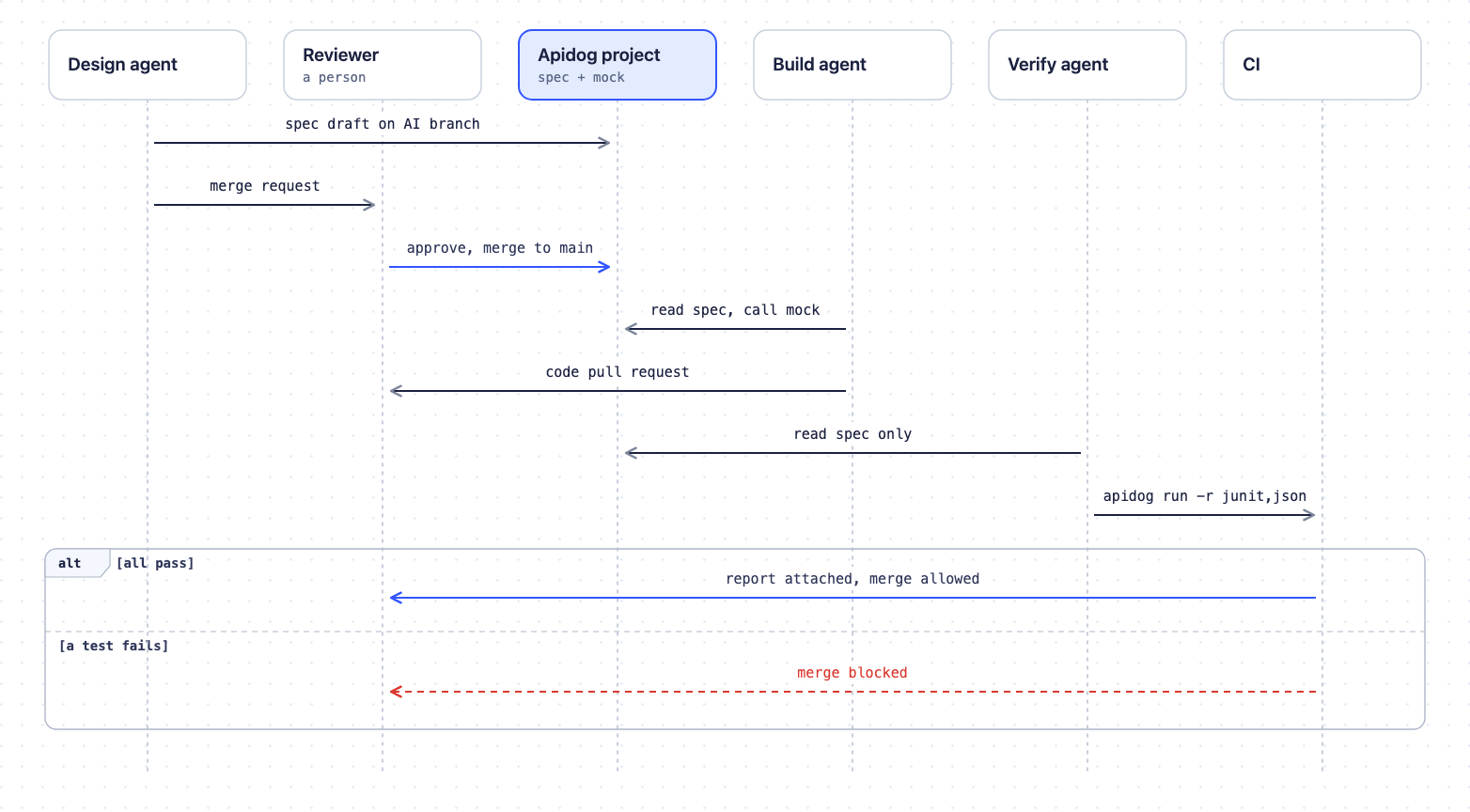
Your coding agent can drive Apidog CLI for all three phases: an AI branch for the design draft, a mock environment for the build, and apidog run for verification with reports it saves to disk. Every command returns JSON with next-step hints.
Set it up once:
npm install -g apidog-cli@latest
apidog login --with-token <YOUR_TOKEN>
npx -y skills add https://apidog.com   # pick your agent when prompted
Then give your agent one prompt:
In Apidog project <id>, create an AI branch from main for the appointment
check-in feature. Import ./openapi.yaml into that branch and open a merge
request to main for me to review. After I approve it, write a test case for
POST /appointments/{id}/check-in from the spec (200 schema, 409 error code,
status unchanged on failure), run it against the mock environment, then
against staging, and save JUnit and JSON reports in ./evidence.
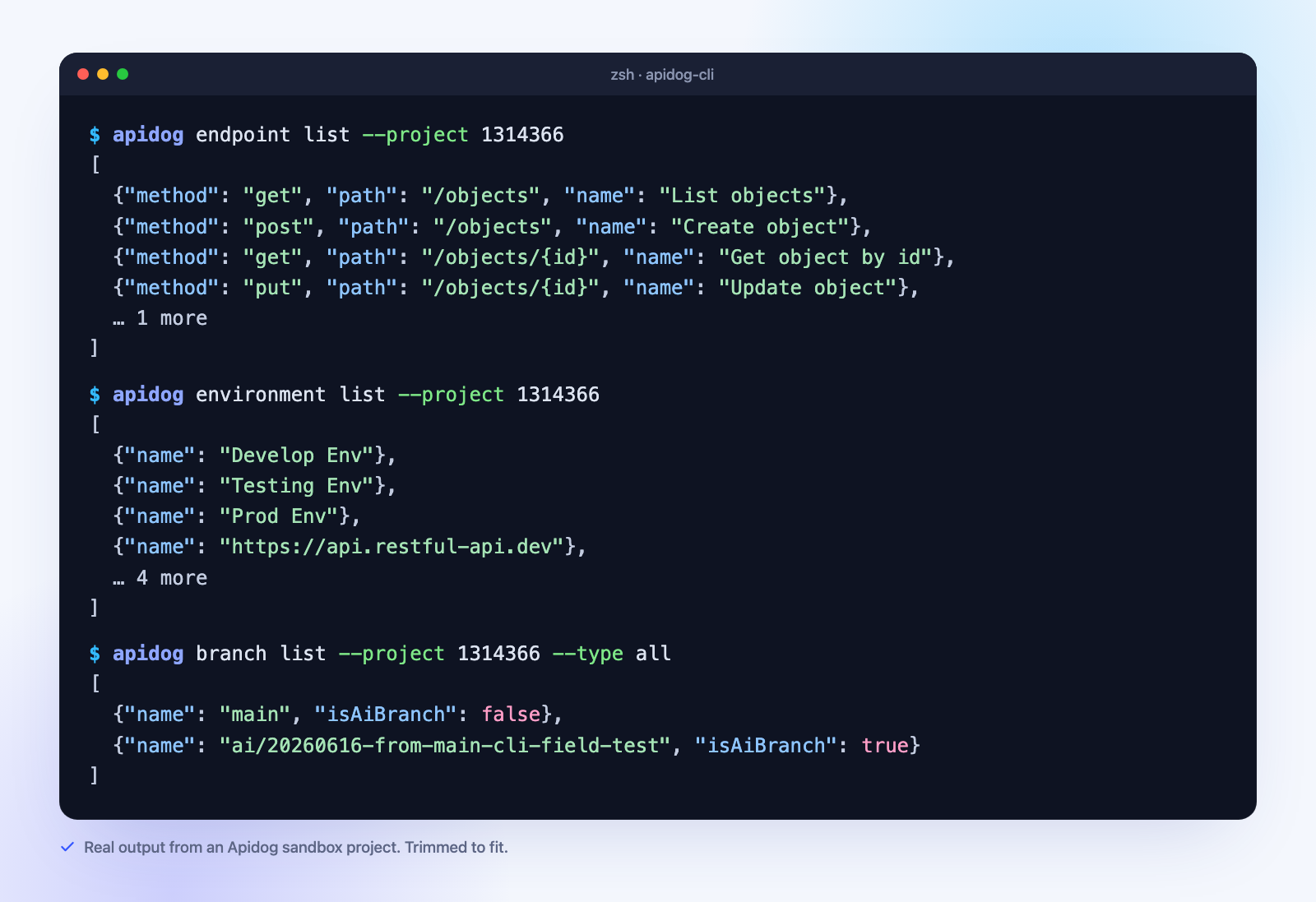
The agent finds the project’s endpoints, environments and branches first:
apidog endpoint list --project <id>
apidog environment list --project <id>
apidog branch list --project <id> --type all
Then it runs the design phase on an isolated AI branch and asks you to review:
apidog branch create --project <id> --type ai --name "ai/20261127-from-main-checkin" --from main
apidog import --project <id> --branch "ai/20261127-from-main-checkin" --format openapi --file ./openapi.yaml --overwrite-mode merge
apidog merge-request create --project <id> --from "ai/20261127-from-main-checkin" --to main --reviewer-ids <yourUserId> --description "Appointment check-in contract"
An AI branch never writes back on its own; on a protected main, the merge request waits for you. After you approve, the agent writes and validates the test case, then runs it twice:
apidog cli-schema get test-case-create
apidog cli-schema validate test-case-create --file case.json
apidog test-case create --project <id> --file case.json
apidog run --test-case <caseId> --project <id> -e <mockEnvId> -r cli
apidog run --test-case <caseId> --project <id> -e <stagingEnvId> -r cli,junit,json --out-dir ./evidence --upload-report
--out-dir keeps the JUnit and JSON files next to the code, and --upload-report puts a run overview in the Apidog app. To pull an older run as evidence, the agent uses apidog test-report download <reportId> --project <id> --format json --output ./evidence/report.json. The same apidog run line drops into a pipeline; the Apidog CLI CI/CD guide shows the GitHub Actions setup, and Apidog CLI in Claude Code covers the agent side.
Once a team runs this loop on more than one feature at a time, Sharkly helps you hand the design, build and verify runs out as tasks on a board, with each coding agent (Claude Code, Codex, Gemini CLI or OpenCode) running on your team’s own computers, and lets you review what they ship before it merges. It’s free to start.
Agentic SDLC guardrails that keep agents honest
The phases only work if the agent can’t skip them:
- Protect the main spec. Agents write to AI branches only. A person merges. GitHub’s protected branches do the same job for the code repository.
- Split the roles. Verify in a different session or agent than you build in.
- Never let a test change the spec. A failing contract test never means “update the assertion”.
- Keep secrets out of saved files. Pass tokens at run time with
--env-varinstead of writing them into environments or test cases. - Make the report the gate. No JUnit file, no merge.
Changing a live spec later? Letting an AI agent update your API spec covers that smaller loop.
FAQ
What is the difference between an agentic SDLC and spec-driven development?
An agentic SDLC describes who does the work: coding agents run the phases and people approve the handoffs. Spec-driven development describes what drives the work: a written spec comes first and everything else follows it. A spec-driven agentic SDLC combines both, so agents always work from an approved contract.
Can one coding agent run all three phases?
Yes, but use separate sessions with separate briefs. The design session drafts the spec, the build session sees the approved spec and a mock, and the verify session sees only the spec and the environment.
Do I need OpenAPI for this workflow?
You need a machine-readable contract, and OpenAPI is the most common one for HTTP APIs. Apidog CLI also imports Postman collections, HAR files, Insomnia exports and several other formats, so you can start from what you have and export OpenAPI later.
Where do humans stay in the loop?
At three gates: approving the spec merge request, reviewing the code pull request, and reading the verification report.
How do I stop an agent from editing the main spec directly?
Keep the main branch protected and have the agent write to an AI branch. Changes only reach main through a merge request a person approves. Apidog also lets you control external AI edit permissions per branch type in project settings.