This guide walks you through using the OpenAI Responses API end to end: by the time you finish, you’ll be able to send a request to POST /v1/responses, read the nested output it returns, turn on built-in tools, carry conversation state across calls, and verify the whole contract inside Apidog. The Responses API is OpenAI’s newer interface for generating model output, and the official Responses guide explains why OpenAI now points new projects toward it. If you already test the older endpoint, you can reuse most of that setup, much like the workflow in our ChatGPT API testing guide.
What you need first
Before sending a request, make sure you have a few things in place:
- An OpenAI API key with access to a current general-purpose model. Keep the key in an environment variable, not pasted into a command or a shared file.
- A model name your account can actually call. Rather than hardcode one, check the model list in your OpenAI dashboard and confirm it against the endpoint.
- A way to send raw HTTP requests and inspect the JSON that comes back. A terminal with
curlworks for a first call, and Apidog is what you’ll use to assert on and mock the response later.
It also helps to know what the endpoint does before you call it. The Responses API exposes a single endpoint, POST /v1/responses. You send a model name and an input, and you get back a response object that can contain plain text, function calls, and the results of OpenAI-hosted tools like web search or file search. One call can run a whole multi-step turn: the model decides to search the web, reads the results, then writes an answer, and the response records each step it took.
Two things set it apart from a plain text endpoint. First, it can run built-in tools server-side, so you don’t have to wire up your own search or sandbox. Second, it’s stateful by default. Every response gets an id, and you can hand that id to the next request so OpenAI keeps the conversation history for you. OpenAI describes the Responses API as the evolution of Chat Completions and recommends it for new projects, rolling in lessons from the Assistants API beta. So instead of three mental models, you get one.
Know how it differs from Chat Completions
If you’ve used POST /v1/chat/completions, the shift is mostly in shape and state. Chat Completions takes a messages array and returns choices. You manage the full transcript yourself, resending every prior turn on each call. Tools are something you implement on your side.
The Responses API takes an input (a string or a list of typed items) and returns an output (a list of typed items). It can store the turn for you and run hosted tools without extra plumbing.
Here’s the practical comparison:
| Aspect | Chat Completions | Responses API |
|---|---|---|
| Endpoint | POST /v1/chat/completions |
POST /v1/responses |
| Request body | messages array |
input (string or items) + instructions |
| Output shape | choices[].message |
output list of typed items |
| Conversation state | You resend full history | store + previous_response_id |
| Built-in tools | You build them | web_search, file_search, code_interpreter, and more |
| Status | Supported, no deprecation announced | Recommended for new projects |
Chat Completions isn’t going away. OpenAI says it stays supported, and you can migrate one user flow at a time rather than rewriting everything at once. The Assistants API is the one on a clock: OpenAI deprecated it on August 26, 2025, with a stated sunset of August 26, 2026, so new agent work should start on Responses.
Make your first request
Here’s a minimal call. Swap the model name for whatever your account has access to, and keep your key out of the command itself.
curl https://api.openai.com/v1/responses \
  -H "Authorization: Bearer $OPENAI_API_KEY" \
  -H "Content-Type: application/json" \
  -d '{
    "model": "gpt-5.5",
    "input": "Write one sentence describing what an API mock server does.",
    "instructions": "You are a concise technical writer. No marketing language.",
    "store": true
  }'
You pass three things that matter here: the model, the input (your prompt), and instructions (the system-level steer). Setting store to true tells OpenAI to save the response so you can continue the thread later.
Read the response
A trimmed response looks like this:
{
  "id": "resp_abc123",
  "object": "response",
  "status": "completed",
  "model": "gpt-5.5",
  "output": [
    {
      "type": "message",
      "role": "assistant",
      "content": [
        {
          "type": "output_text",
          "text": "A mock server returns predefined API responses so clients can be developed and tested before the real backend exists."
        }
      ]
    }
  ],
  "usage": {
    "input_tokens": 28,
    "output_tokens": 24,
    "total_tokens": 52
  }
}
Note the structure, because it’s the part that trips people up. The text you want lives at output[0].content[0].text, not at a top-level field. The official SDKs add an output_text convenience accessor that aggregates all text items into one string, but that property is an SDK helper, not part of the raw HTTP JSON. When you call the endpoint directly, you read the nested path. The top-level id is what you’ll reuse for state, and usage.total_tokens tells you what the call cost.
Add built-in tools
The headline feature is that OpenAI runs certain tools for you. You list them in a tools array and the model decides when to call them. The verified built-in types include:
web_searchfor live internet lookups with citations (the olderweb_search_previewstill works for legacy integrations but lacks newer controls).file_searchfor retrieval across files you’ve uploaded.code_interpreterfor running and analyzing code in a sandbox.computer_usefor driving a computer interface.image_generationfor producing images inline.
Turning one on is a small addition to the body:
{
  "model": "gpt-5.5",
  "input": "What changed in the latest OpenAPI release? Cite sources.",
  "tools": [{ "type": "web_search" }]
}
When the model uses a tool, the output array gains entries that document the step, such as a web_search_call item alongside the final message. That’s useful later: you can check that a tool actually fired, not just that text came back.
Continue the conversation across calls
State works through two parameters. store defaults to true, which means OpenAI saves the response object (retained for 30 days by default) and returns an id. Pass that id as previous_response_id on your next call and the model continues the thread without you resending the transcript:
{
  "model": "gpt-5.5",
  "input": "Now rewrite that for a non-technical audience.",
  "previous_response_id": "resp_abc123"
}
If you’d rather keep things stateless, or you have a zero-data-retention requirement, set store to false and manage context yourself. For real-time, low-latency voice and audio flows, OpenAI uses a different surface; our GPT realtime API guide covers that case. And if you’re orchestrating multi-step agents on top of all this, the patterns line up with the OpenAI Agents SDK.
How to test it in Apidog
Apidog is an API testing, design, and mock platform. It isn’t an OpenAI SDK or a code library, so you won’t write Python against it. What you do instead: build the raw HTTP request to /v1/responses, send it, and write assertions on the JSON that comes back. That’s exactly the kind of contract check that catches a broken integration before your users do.
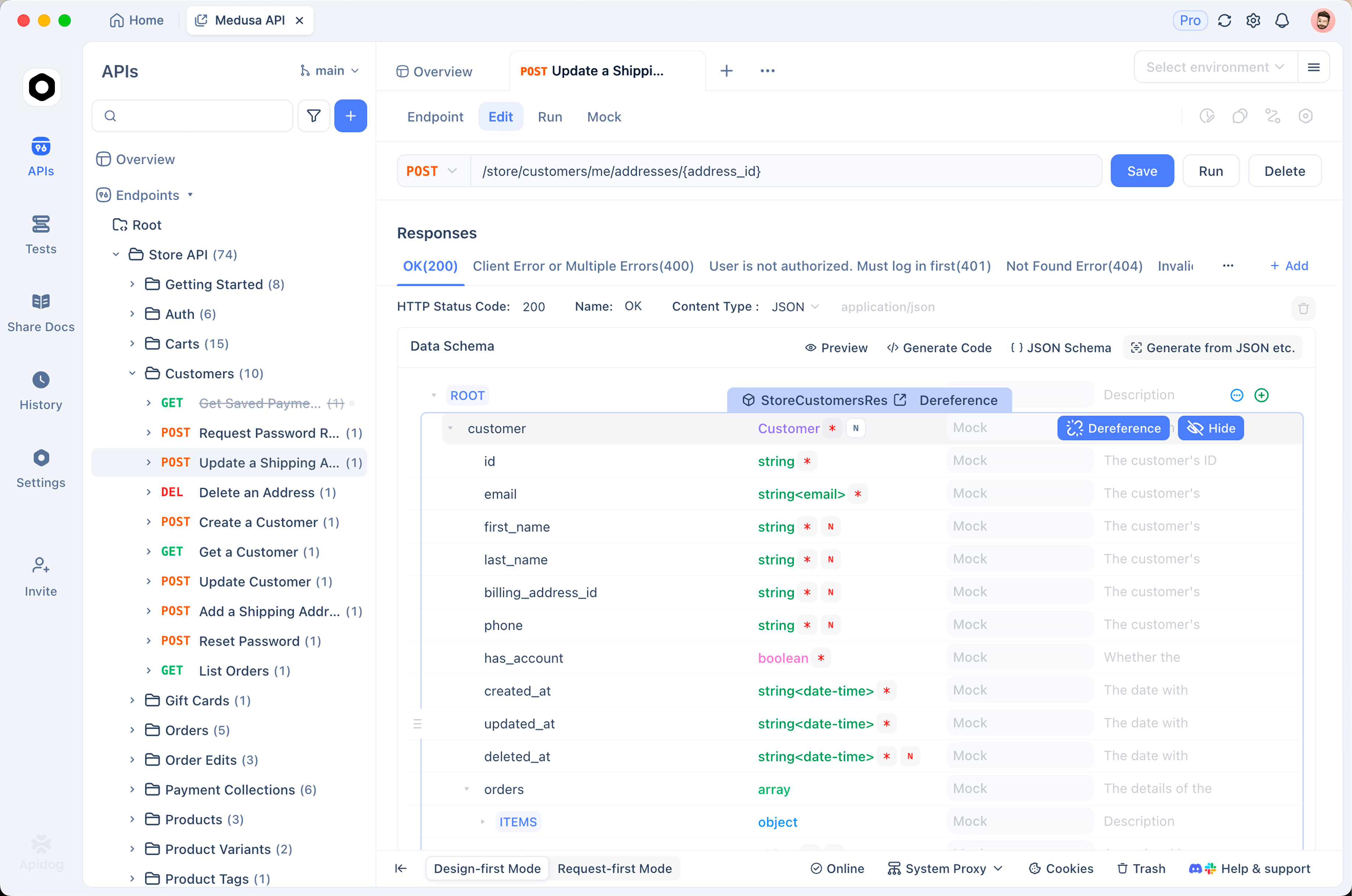
Here’s the setup, step by step.
Store the key in an environment variable
In Apidog, create an environment (say, “OpenAI Prod”) and add a variable like OPENAI_API_KEY. Keep the value in the environment, not in the request, so the secret never gets committed into a shared collection. Then build a new POST request to https://api.openai.com/v1/responses and add the header Authorization: Bearer {{OPENAI_API_KEY}}. Apidog substitutes the variable at send time.
Set the body to JSON and paste the request from earlier. Hit send. You’ll see the full response object, formatted, with the nested output array.
Assert on the response fields
A successful 200 isn’t proof the response is shaped the way your app expects. Add assertions so a regression fails loudly. Useful checks against a /v1/responses reply:
statusequalscompleted.output[0].content[0].textexists and isn’t empty.usage.total_tokensis greater than 0.- When you send
tools, an item inoutputhastypeequal toweb_search_call.
Apidog’s visual assertion builder lets you target those JSON paths without writing test scripts, and our API test case template shows how to structure checks like these. Save the request into a collection and it becomes a repeatable test you can run in CI.
Mock the response for offline development
OpenAI calls cost money and need network access, which is awkward when you’re building the UI that consumes the response or running tests in a pipeline that shouldn’t hit a paid API. Apidog’s mock feature solves that. Save a representative /v1/responses payload as a mock, point your app at the Apidog mock URL, and your frontend gets the right JSON shape with zero token spend. When the real endpoint changes, you update one mock instead of chasing failures across every test. Our mock API explainer walks through the general approach.
This split matters. You test against the live endpoint to verify OpenAI’s contract, and you mock it for fast, offline, deterministic development. Both run from the same Apidog project.
Frequently asked questions
Is the Responses API replacing Chat Completions?
Not by force. OpenAI calls Responses the evolution of Chat Completions and recommends it for new projects, but Chat Completions remains supported with no deprecation date announced. You can migrate one flow at a time. The Assistants API is the one being retired, with a sunset date in 2026.
What’s the difference between store and previous_response_id?
store controls whether OpenAI saves the response object at all (it defaults to true and retains for 30 days). previous_response_id is how you link a new request to a stored one so the model continues the conversation server-side. You use them together for stateful threads, and turn store off when you want stateless behavior.
Which models support the Responses API?
OpenAI’s current general-purpose models are designed to work with the Responses API, but availability depends on your account and the model you choose. Rather than hardcode a model name, check the model list in your OpenAI dashboard, then confirm it against the endpoint. Sending a quick request through Apidog and reading the model field in the response is a fast way to verify what your key can actually call.
Can I test the built-in tools without writing code?
Yes. Add a tools array to the JSON body in Apidog, send the request, and assert that the matching tool-call item (like web_search_call) shows up in the output array. You’re checking OpenAI’s behavior over HTTP, so no SDK is required. For testing agent tool calls more broadly, see how to generate API test collections from OpenAPI specs.
Wrapping up
You now have the full loop: one endpoint, POST /v1/responses, that handles text, hosted tools, and server-side conversation state. Send a request, read the nested output, add a tools array when you need search or code execution, and chain previous_response_id to keep a thread going. Because the shape is different from Chat Completions, the safest move is to verify the contract yourself rather than trust your memory of the older API.
That’s where Apidog fits. Build the request, store your key as an environment variable, assert on the nested output fields, and mock the response for offline work, all in one project. Download Apidog and point a test at /v1/responses to see exactly what your integration receives. You can do the whole setup in Apidog without writing a single line of test code.