Transcribing a one-hour recording with NVIDIA’s new Nemotron 3.5 Transcribe API costs 12 cents. That’s DeepInfra’s price of $0.002 per minute for the top open-weight model on the Hugging Face Open ASR Leaderboard, a model that also returns word timestamps, speaker labels and the detected language in the same call.
This guide shows how to get an API key, send your first request, read the response, write prompts for speaker labels and jargon, and keep costs predictable. Everything below was checked on October 29, 2026 against the DeepInfra model page, the OpenRouter listing and the official model card.
Looking for a $0 route instead? Read how to use Nemotron 3.5 Transcribe for free.
What the Nemotron 3.5 Transcribe API gives you
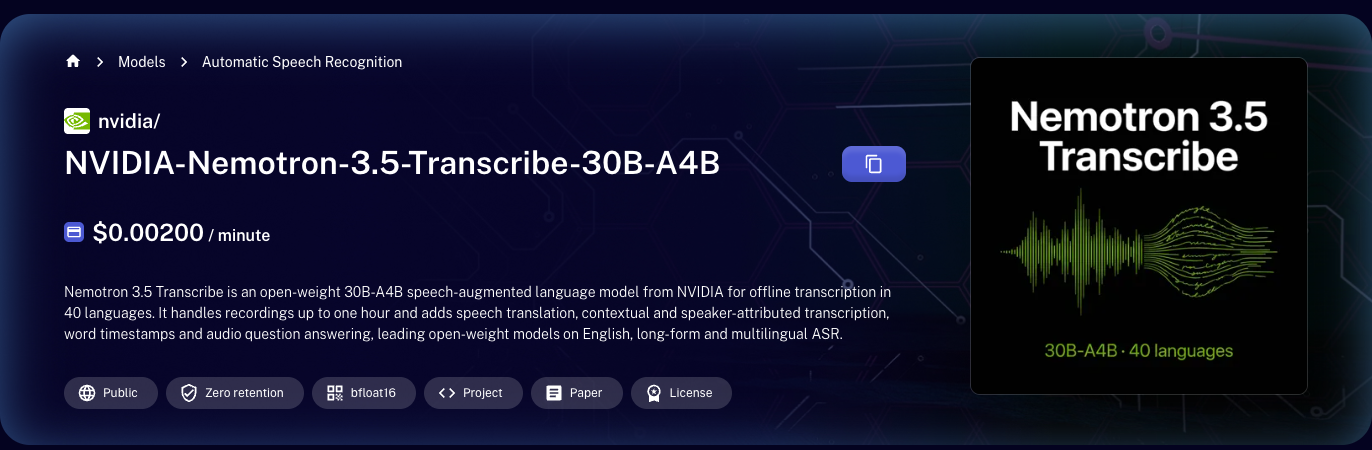
NVIDIA released Nemotron 3.5 Transcribe (NVIDIA-Nemotron-3.5-Transcribe-30B-A4B) on October 28, 2026. It’s an open-weight speech model with 34B total parameters and about 4.3B active, built on a hybrid Mamba-2 and Transformer mixture-of-experts language model with an ASR encoder and a speaker encoder bolted on.
From one endpoint you get:
- Transcription in 40 languages
- Files up to one hour long
- Word timestamps and segment timestamps
- Speaker-attributed transcripts with up to eight speakers
- Speech translation across 31 languages to and from English
- Context prompting for names, products and jargon
- Language identification
On the Open ASR Leaderboard (updated October 28, 2026) it averages 5.33% WER, 9th of 61 models and first among models with public weights. The eight models above it are closed commercial APIs.
It’s an offline model. Send recorded files, not a live stream.
Where to call it, and what it costs
At these rates, 1,000 hours of audio costs about $120. For comparison, the OpenAI Whisper API has historically charged $0.006 per minute, three times DeepInfra’s price, and whisper-large-v3 ranks 41st on the same leaderboard at 7.16% WER.
Step 1: get a DeepInfra API key
- Create an account at deepinfra.com.
- Open the dashboard and create an API key.
- Add a payment method or credits. The model page requires a login even for the browser demo.
- Export the key in your shell:
export DEEPINFRA_API_KEY="your_key_here"
Keep the key out of source control. If you work through a coding agent, put it in the agent’s environment, not in a prompt.
Step 2: transcribe your first file
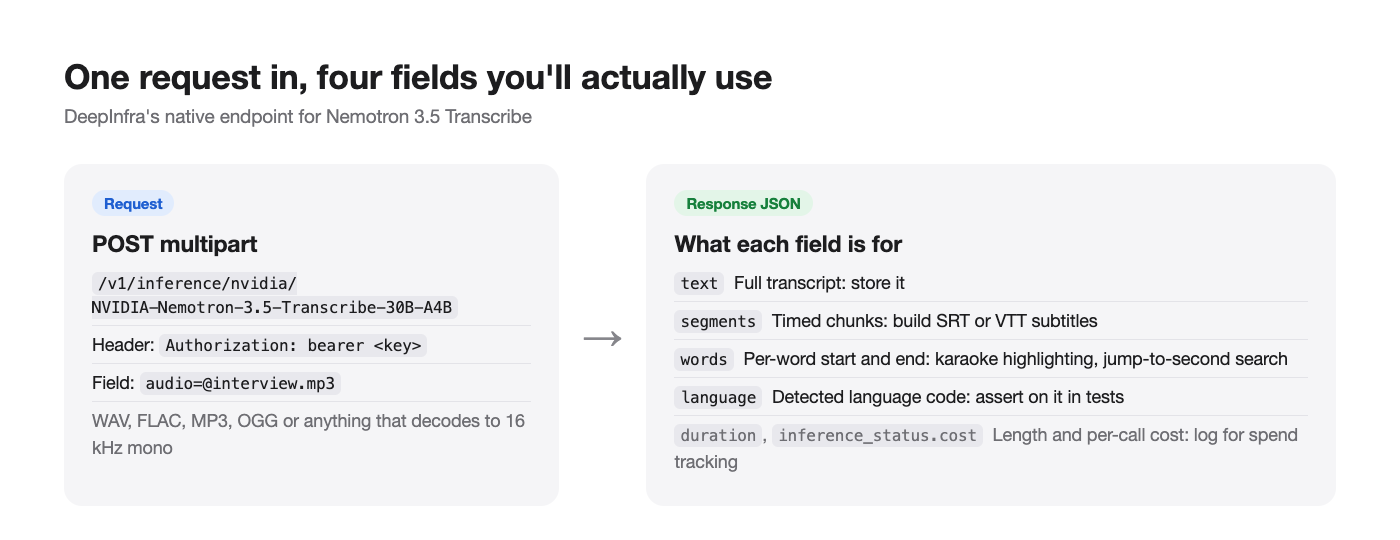
DeepInfra’s native inference endpoint takes a multipart upload with an audio field. This is the exact request shape from its API page:
curl -X POST \
  -H "Authorization: bearer $DEEPINFRA_API_KEY" \
  -F audio=@interview.mp3 \
  'https://api.deepinfra.com/v1/inference/nvidia/NVIDIA-Nemotron-3.5-Transcribe-30B-A4B'
The model accepts WAV, FLAC, MP3, OGG or any format that decodes to 16 kHz mono PCM. If you have M4A or video files, convert them with FFmpeg first:
ffmpeg -i call.m4a -ar 16000 -ac 1 call.wav
Step 3: read the response
DeepInfra documents this response shape (values below are illustrative):
{
  "text": "Hello World",
  "segments": [
    { "id": 0, "start": 0.0, "end": 1.0, "text": "Hello" },
    { "id": 1, "start": 4.0, "end": 5.0, "text": "World" }
  ],
  "language": "en",
  "words": [
    { "start": 0.0, "end": 1.0, "text": "Hello" },
    { "start": 4.0, "end": 5.0, "text": "World" }
  ],
  "duration": 5.0,
  "inference_status": { "status": "succeeded", "runtime_ms": 0, "cost": 0.0 }
}
What each field is for:
textis the full transcript. Store this.segmentsgives timed chunks. Use them for subtitles (SRT or VTT).wordsgives per-word timing. Use it for karaoke-style highlighting or search that jumps to the exact second.languageis the detected language code. Assert on it in tests; a wrong language is a common failure on short clips.inference_status.costreports what the call cost. Log it to track spend per file.
Step 4: call it from Python
import os
import requests

URL = "https://api.deepinfra.com/v1/inference/nvidia/NVIDIA-Nemotron-3.5-Transcribe-30B-A4B"

def transcribe(path: str) -> dict:
    with open(path, "rb") as f:
        r = requests.post(
            URL,
            headers={"Authorization": f"bearer {os.environ['DEEPINFRA_API_KEY']}"},
            files={"audio": f},
            timeout=600,
        )
    r.raise_for_status()
    return r.json()

result = transcribe("interview.mp3")
print(result["language"], len(result["words"]), "words")
print(result["text"][:500])
Set a long timeout. A full hour of dense speech can generate around 20,000 output tokens, and the model card warns long jobs take time.
DeepInfra also lists an “OpenAI Speech-to-Text” tab for the model, so OpenAI SDK code that calls audio.transcriptions can likely point at DeepInfra’s OpenAI-compatible base URL. Check that tab for the exact base URL before switching production code.
Prompts: verbatim, clean, speakers, jargon
What sets Nemotron 3.5 Transcribe apart from older ASR APIs is that it takes instructions. NVIDIA’s recommended prompts, as listed on the DeepInfra page:
| You want | Instruction |
|---|---|
| Verbatim words | Audio transcription. Language: as spoken. Wording: verbatim, including fillers and repetitions. Formatting: punctuation and capitalization. Output: transcript only. |
| Readable text | Audio transcription. Language: as spoken. Wording: omit fillers and accidental repetitions; keep the remaining spoken wording unchanged. Formatting: punctuation and capitalization. Output: transcript only. |
| Domain vocabulary | Transcribe with punctuation and capitalization. Context terms: <names and terms>. |
| Who said what | Transcribe verbatim, including fillers. ... Start every speaker turn with <spk:0>, <spk:1>, etc. Keep one stable tag per speaker. |
| Translation | Please translate the given speech to <target language>. |
Use temperature 0 with reasoning off for transcription, translation and language ID, and keep the system prompt empty.
Context terms pay off. NVIDIA reports ContextASR-Bench WER falling from 3.33% with no context to 1.71% with fine-grained context, and contextual Earnings22 from 12.54% to 9.58%. For an earnings call, pass the company names, tickers and executives’ names.
Check DeepInfra’s input schema tab for the field that carries the instruction on the native endpoint. On a self-hosted server the instruction goes in the chat message next to the audio, as shown in our local setup guide.
Using OpenRouter instead
If you already use OpenRouter for LLMs, you can keep one key and one bill. The model ID is nvidia/nemotron-3.5-transcribe, priced at $0.000033 per second, with DeepInfra as the only provider listed on October 29, 2026 (100% uptime, about one second of latency at that time). Copy the request format from the model’s API tab on OpenRouter, since audio endpoints differ from chat completions.
The trade-off: OpenRouter adds a network hop, and today there’s no provider failover because only one provider serves the model.
Keep costs predictable
- Trim silence first. You pay per minute of audio, not per minute of speech. Cutting dead air from recordings cuts the bill.
- Downmix and resample. 16 kHz mono is what the model uses anyway; sending stereo 48 kHz only adds upload time.
- Batch by file, not by chunk. The model handles an hour in one request. Splitting a file into 30-second pieces breaks speaker labels and context.
- Log
inference_status.cost. Sum it per customer or per job. - Self-host above steady volume. NVIDIA’s optimized NIM processes up to 2,238 seconds of audio per second on one RTX PRO 6000 Blackwell. If you transcribe thousands of hours a month, one rented GPU beats per-minute pricing. Note that the open-source vLLM path is expected to be about two times slower than that NIM figure.
Let your coding agent test it with Apidog CLI
Transcription APIs fail quietly: a 200 with an empty text, a Spanish clip detected as Portuguese, or words missing after a provider update. Instead of checking JSON by hand, let your coding agent write and run the checks with Apidog CLI.
npm install -g apidog-cli@latest
apidog login --with-token <YOUR_TOKEN>
npx -y skills add https://apidog.com   # pick your agent when prompted
Then give your agent one prompt:
In Apidog project <id>, add the DeepInfra endpoint POST
https://api.deepinfra.com/v1/inference/nvidia/NVIDIA-Nemotron-3.5-Transcribe-30B-A4B
with a multipart "audio" field and a bearer token from {{DEEPINFRA_API_KEY}}.
Create a test case per file in samples/ (en.mp3, es.mp3, two-speakers.wav) asserting
status 200, non-empty "text", the expected "language", and "words" length > 0.
Run them against the prod environment and report failures with the response body.
The agent reads the schema, validates its payload, writes the cases and runs them:
apidog cli-schema get test-case-create
apidog cli-schema validate test-case-create --file case.json
apidog test-case create --project <id> --file case.json
apidog run --test-case <caseId> --project <id> -e <envId> -r cli,json
Add -r junit and the same command becomes a CI gate. See Apidog CLI in a CI/CD pipeline and Apidog CLI in Claude Code for the full setup.
FAQ
What’s the Nemotron 3.5 Transcribe API price? $0.002 per minute on DeepInfra and $0.000033 per second on OpenRouter, as of October 29, 2026. That’s about $0.12 per hour of audio on either.
Is there a free API key? We didn’t find one. The model isn’t on build.nvidia.com yet. The free routes are NVIDIA’s demo Space and self-hosting; see the free guide.
What’s the maximum file length? One hour per request, with a 65,536-token context.
Does the API stream results? No. It’s an offline model that returns the transcript when the file is done.
Which languages are supported? 40, rated in three tiers. The 13 “leading” languages include English, Spanish, French, German, Italian, Portuguese, Hindi, Korean, Russian and Polish. Japanese, Turkish and Ukrainian are “production-ready.” Chinese Mandarin and Arabic are “supported.”
How does it compare with other speech APIs? See our best open-source speech-to-text models ranking and the older top text-to-speech and speech-to-text APIs roundup.
Start transcribing
Get a DeepInfra key, send one curl with an MP3, and you’ll have timed, language-tagged text back for $0.002 a minute. Add context terms for your domain, use the speaker prompt for meetings, and have your agent run Apidog checks on every release so a silent regression never ships.