Quick answer: Claude Code phone control is free with Pinky, an open-source desktop app (Apache-2.0, no account) that exposes a real iPhone or Android phone to Claude Code as an MCP server. Install Pinky, plug in the phone, turn on USB debugging (Android) or Developer Mode (iPhone), add Pinky to Claude Code with one command, and ask it to do something on the phone. Risky taps wait for your click.
The tools cost $0. Claude Code itself does not: on claude.com/pricing (checked 2026-11-09), Claude Code is listed as “No” on the Free plan and included in every paid plan, with Pro at $17 a month billed annually or $20 monthly. If you already pay for Claude, giving it your phone adds nothing. If you don’t, our guide to using Claude Code for free covers the routes that exist.
Below: Pinky end to end, then a comparison with Poki, an iPhone-only alternative.
What it means to let Claude Code control your phone
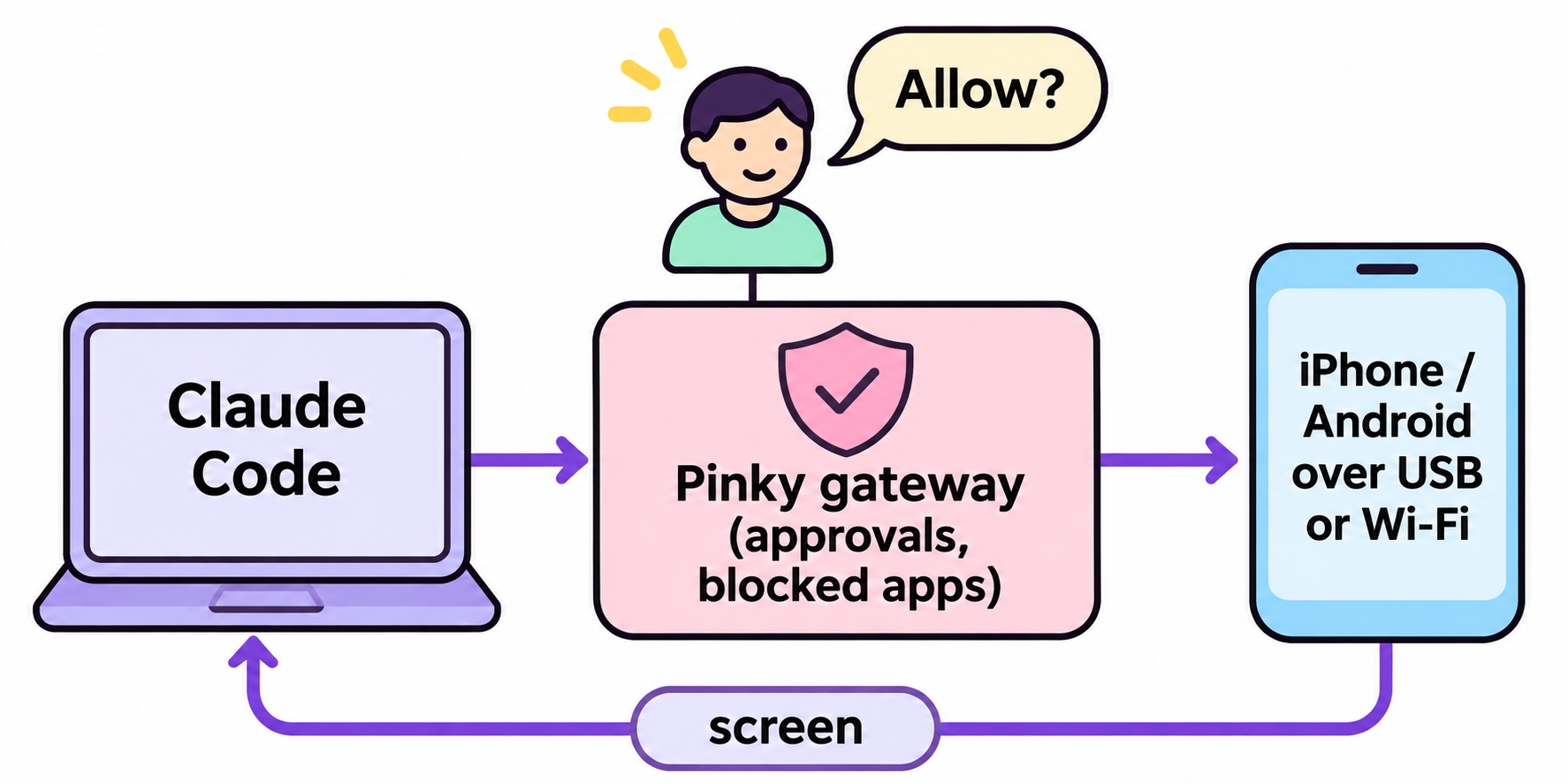
Letting Claude Code control your phone means connecting an MCP server that turns phone actions into tools the agent can call: read the screen, tap, type, swipe, open an app. The agent plans each step, the server performs it on the real device over USB or Wi-Fi, and you watch in a mirror window on your computer.
That’s the reverse of sending prompts from your phone to a laptop session, which we cover in 3 ways to use Claude Code on mobile.
Two projects made this practical in early November 2026:
- Pinky by DIYgod: iPhone and Android, desktop app for macOS, Windows and Linux, 1,183 GitHub stars on 2026-11-09.
- Poki by Joseph Zhou: iPhone only, a local MCP server plus its own agent, 636 stars on the same day.
Both speak the Model Context Protocol, so any MCP client can use them.
What you need before you start
Pinky’s requirements, from its README on 2026-11-09:
| Part | Requirement |
|---|---|
| Mac | macOS 13 or later, Apple silicon or Intel |
| Windows | Windows 10 or 11, 64-bit |
| Linux | 64-bit Ubuntu 20.04, Debian 11 or newer (glibc 2.29+), GTK 3 |
| Android phone | Android 10 to 17 and a USB cable |
| iPhone or iPad | iOS 17.4 or later, a USB cable for setup (Wi-Fi works afterwards) |
| iOS 17.4 to 26 | A WebDriverAgent helper app, built once from Xcode with your Apple ID |
| Agent | Claude Code, Claude Desktop, Codex, Cursor or any MCP client |
On iOS 27 and later nothing gets installed on the phone: Pinky mounts Apple’s developer disk image, which comes with Xcode (a free download). On iOS 17.4 to 26, a helper signed with a free Apple ID expires every 7 days, and Pinky reminds you two days before.
Pinky calls itself pre-alpha. Its README says Claude Code has used an Android phone over USB and an iPhone on iOS 27 end to end; iPhones below iOS 27 haven’t been tried on real hardware yet.
How to set up Pinky with Claude Code, step by step
Step 1: Install Pinky
Download the build for your system from the latest release (v2026.1109.13 on 2026-11-09). On a Mac, pinky-<version>-arm64.dmg is for Apple silicon and amd64.dmg for Intel. Homebrew users can run:
brew install --cask diygod/tap/pinky
On Windows, run pinky-setup-<version>-amd64.exe. It isn’t signed yet, so SmartScreen may warn you: choose More info, then Run anyway. On Debian or Ubuntu, install the .deb with apt. The download is 16 to 22 MB.
Step 2: Connect an Android phone
- Open Settings › About phone and tap Build number 7 times to unlock Developer options.
- Turn on USB debugging in Settings › System › Developer options.
- Plug the phone in and tap Allow when it asks about USB debugging.
- In Pinky, choose Add phone › Android and accept Pinky Companion, which reads the screen in about 70 ms instead of 2 s.
Pinky ships its own adb, so you don’t need Android Studio. On Android 11 and later you can pair over Wi-Fi instead of the cable.
Step 3: Or connect an iPhone
- Plug the iPhone in, unlock it, tap Trust and enter the passcode.
- Turn on Developer Mode in Settings › Privacy & Security. The phone restarts; tap Turn On.
- On a Mac, install Xcode once and open it, so Pinky can use its developer disk image. Pinky then lists the phone as ready.
- On iOS 17.4 to 26, install the WebDriverAgent helper from Xcode. Without it Pinky can show and read the screen, but can’t tap, swipe or type.
Step 4: Add Pinky to Claude Code
Click Settings › Agents › Connect next to Claude Code, and Pinky registers itself and installs its agent guide as a skill. By hand, it’s one line:
claude mcp add --scope user pinky -- pinkyctl mcp
The command is pinkyctl because many systems already have a program called pinky. Claude Code’s MCP docs explain scopes.
Step 5: Give Claude Code a task
Start Claude Code and ask in plain words:
Open Messages on my phone and tell Sam I'm running late.
The first time, Pinky asks whether to allow the new agent and what it may do. Claude Code then calls tools such as phone_connect, phone_observe, phone_tap and phone_type. When a step needs you, the call returns approval_pending and nothing happens until you click Allow. No answer within 60 seconds counts as no.
No phone handy? Relaunch Pinky with --fake for two scripted demo phones.
How Pinky keeps the agent in check
The safety rules live in Pinky’s gateway, between the agent and the phone, not in the prompt, so text on screen can’t talk the agent into approving itself. On by default:
- Payments, trades and transfers wait for your click. Settings › Safety can add sends, deletions, installs or every step.
- Banking, wallet and password-manager apps are invisible, and agents can’t type into password or one-time-code fields.
- You can take over any time. Click the mirror and the agent pauses.
- Every run is recorded with steps, screenshots and a screen recording, kept on your computer.
One caveat from Pinky’s own FAQ: an agent that can run shell commands could reach an Android phone through adb and skip the gateway. If that worries you, sandbox the agent and connect it to Pinky over HTTP.
Pinky vs Poki: which free option fits
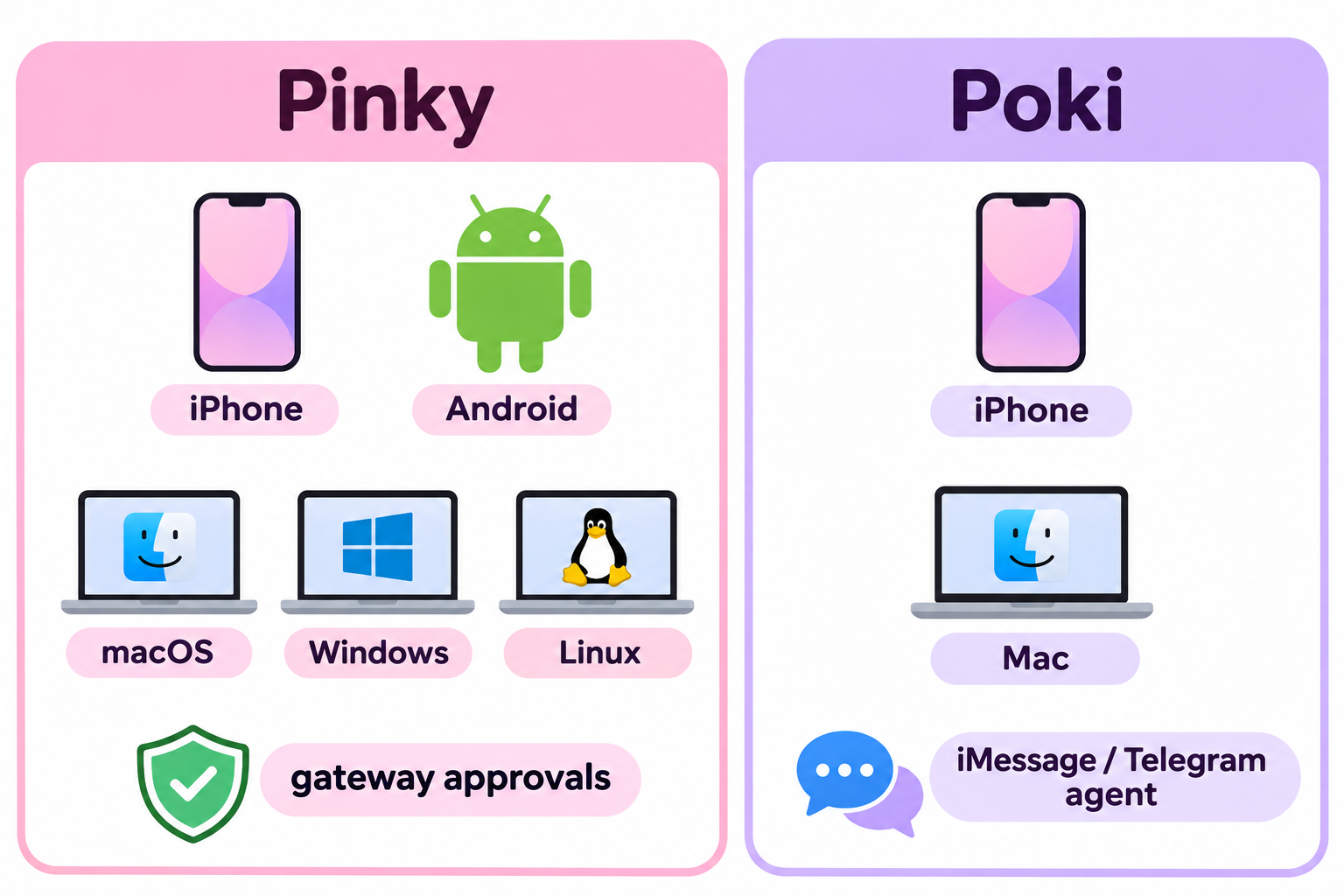
| Pinky | Poki | |
|---|---|---|
| License | Apache-2.0 | AGPL-3.0 |
| Phones | iPhone (iOS 17.4+) and Android 10 to 17 | iPhone only (iOS 18+ for the Poki app route) |
| Computer | macOS 13+, Windows, Linux | macOS (14+ for setup, 15+ for the MCP server); community ports for Linux and Windows |
| Extra installs | Xcode for the disk image on a Mac; helper on iOS 17.4 to 26 | Full Xcode, Rust, Node.js 24+ and ffmpeg for the MCP server |
| Apple Account | Free account works; helper re-signs every 7 days | Free account works; signing lasts 7 days |
| Approvals | Enforced by the gateway, outside the agent | README warns it will send messages or pay if you ask |
| Own agent | No, your agent does the thinking | Yes, Poki Agent (defaults to GPT-6.1 Terra), plus iMessage and Telegram channels |
Pick Pinky if you have an Android phone, work on Windows or Linux, or want approvals that don’t depend on the agent.
Pick Poki if you’re on a Mac with Xcode and want an iPhone agent you can message from Telegram or iMessage. Its quick start is agent-driven: you ask Claude Code to install Poki from its repo, and it stops when iOS needs you. The app route also needs a VPN or proxy app on the iPhone, such as Karing or Shadowrocket, that routes 10.7.0.1 back to the Mac [VERIFY: whether that app is free on the App Store in your region].
Poki’s README says physical iPhones are verified in portrait orientation only so far. Both projects are days old, so expect breaking changes. For emulators and test devices, see our Mobile Next MCP server guide.
Let Claude Code check the APIs behind each screen with Apidog CLI
Every screen your agent taps through calls a backend: a login, a cart, an order. When a screen shows the wrong thing, you need to know whether the UI or the API broke. Your agent can answer that with Apidog CLI while Pinky handles the phone.
Set it up once:
npm install -g apidog-cli@latest
apidog auth login --with-token <YOUR_TOKEN>
apidog skill install
Then give Claude Code one prompt:
Import ./openapi.json into Apidog project <projectId>. Create a test case for
POST /auth/login, GET /cart and POST /orders that checks status codes and the
fields each screen shows. Then use Pinky to log in on my phone, add one item
and place a test order. After each screen, run the matching Apidog test case
against the staging environment and tell me whether the app or the API failed.
The agent imports the spec, validates its payloads and creates the cases before it touches the phone:
apidog import --project <projectId> --format openapi --file ./openapi.json
apidog cli-schema get test-case-create
apidog cli-schema validate test-case-create --file login-case.json
apidog test-case create --project <projectId> --file login-case.json
apidog test-case list --project <projectId>
After each phone step, it runs the case for that screen and reads the result:
apidog run --test-case <caseId> --project <projectId> -e <envId> -r cli,json
Add --upload-report to see the run in the Apidog app. The same command with -r junit goes into CI; our Apidog CLI CI/CD guide shows the pipeline. For the agent side, see Apidog CLI in Claude Code. Apidog’s Free plan covers up to 4 users.
Troubleshooting common setup problems
- Phone not listed: open its Checkup in Pinky’s ··· menu, which names the missing switch.
- Wi-Fi pairing never finishes: guest and office networks often isolate devices. Pair with a code, or use the cable.
- iPhone taps do nothing on iOS 26 or lower: the WebDriverAgent helper is missing or its 7-day signature ran out. Reinstall it from Xcode.
FAQ
Is it really free to let Claude Code control my phone? Pinky and Poki are free and open source, and a free Apple Account works. Claude Code needs a paid Claude plan, from $17 a month billed annually.
Do I need to jailbreak or root my phone? No. Pinky uses Android’s USB debugging and Apple’s Developer Mode with the developer disk image. Poki also says no jailbreak is needed.
Does Pinky work with Codex or Cursor too? Yes. Settings › Agents connects Claude Code, Codex, Cursor, Gemini CLI and others, and any MCP client can run pinkyctl mcp.
Does my phone’s screen go to the cloud? Not through Pinky: recordings stay on your computer. What the agent reads goes to your model provider, as with any tool.
Can the agent spend my money? With Pinky, payments wait for your click and banking apps are hidden. Poki’s README warns it will pay if you ask, so keep tasks narrow.