You can build a 2.5D motion studio with Opus 5.5 in one Claude Code session: a single HTML file that stacks flat layers at different depths, moves a keyframed camera through them with easing, and a 25-line Playwright script that captures every frame and pipes it into ffmpeg. Our build rendered a 6-second 720p MP4 (180 frames) in about 20 seconds on a laptop.
This guide shows the prompts, the code the agent wrote, the bugs it hit, and how to check the Opus 5.5 API calls behind a “describe a shot” feature with Apidog CLI.
What is a 2.5D motion studio?
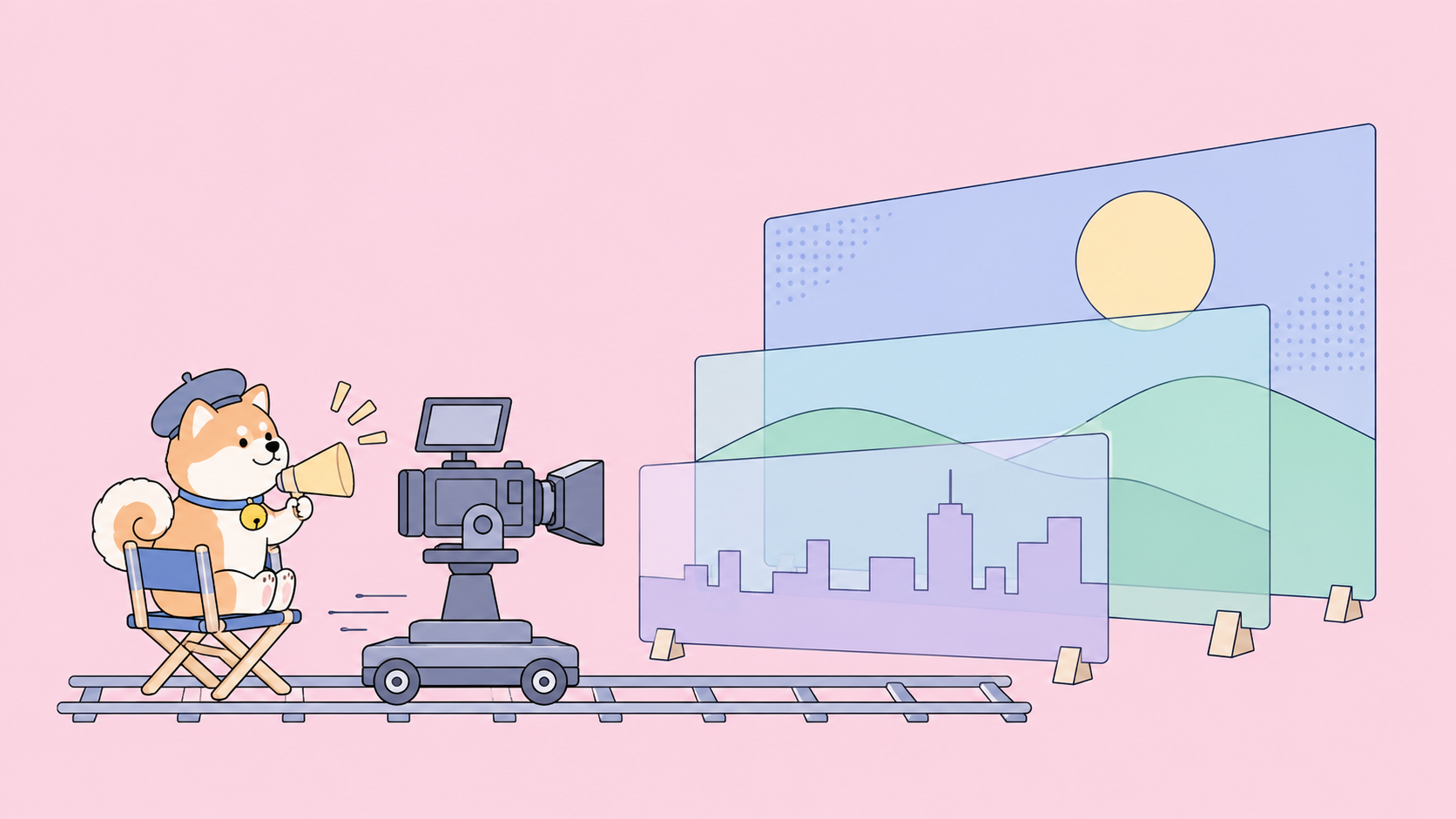
A 2.5D motion studio is an animation tool that places flat 2D layers (sky, hills, a city, a title card, foreground foliage) at different depths in a 3D space, then moves a virtual camera through them. Layers closer to the camera slide faster than distant ones, which produces parallax and a sense of depth without any 3D models.
Three parts make it a studio rather than a one-off animation:
- A scene graph: layers with a
zdepth, size, position and HTML content. - A timeline: keyframes for the camera (dolly, truck, orbit) and for each layer (opacity, scale, position), each with an easing curve.
- A deterministic renderer: a
renderAt(t)function that draws the exact frame for any timet, so export never depends on how fast the machine plays it back.
That third point is the one most tutorials skip, and it decides whether your MP4 stutters.
Set up Claude Code on Opus 5.5
Opus 5.5 is the model to start with for this kind of job. Anthropic’s models overview describes it as “for long-running agentic coding and knowledge work”, with a 1M-token context window, 128K max output, and $4 / $20 per million input / output tokens.
Pin the model so an alias change doesn’t swap it mid-project:
claude --model claude-opus-5-5 --effort high
Opus 5.5 defaults to medium effort, according to the effort docs. Raise it to high for the first build, when the agent has to get the projection math right. Drop back to medium for small tweaks to keyframes and colors. If you want the model background first, read what Claude Opus 5.5 is and how prompt caching changes its cost.
The prompt that builds the studio
One specific prompt beats five vague ones. Here is our build spec, written as a single prompt:
Build a 2.5D motion studio as one file, studio.html, with no dependencies.
- Scene: 6 layers (sky, moon, hills, city skyline, a title card "Ship it.",
  foreground foliage), each at its own z depth, using CSS perspective and
  preserve-3d.
- Camera: keyframes for x, y, z (dolly) and yaw (orbit around the card).
- Per-layer tracks: opacity, scale, y. Easings: linear, easeInOutCubic,
  easeInOutSine, easeOutBack.
- A timeline bar with keyframe markers, a playhead, click to scrub,
  space to play or pause.
- renderAt(t) must be pure in t. Expose window.__seek(t) that resolves after
  the frame paints, and a ?capture mode that hides the UI.
Then write export.mjs: Playwright opens ?capture, seeks every frame at 30 fps,
screenshots it and pipes PNGs to ffmpeg as H.264.
The last two lines matter most: they make export part of the design, not an add-on.
The code the agent wrote
The studio is about 150 lines. Three pieces matter.
Keyframes and easing
Each track is a sorted list of keyframes. sample() finds the two keys around t, applies the outgoing key’s easing, and interpolates every numeric field:
function sample(keys, t) {
  if (t <= keys[0].t) return keys[0];
  for (let i = 0; i < keys.length - 1; i++) {
    const a = keys[i], b = keys[i + 1];
    if (t <= b.t) {
      const p = (easings[a.ease] || easings.linear)((t - a.t) / (b.t - a.t));
      const out = {};
      for (const k in b) if (typeof b[k] === 'number' && k !== 't') out[k] = a[k] + (b[k] - a[k]) * p;
      return out;
    }
  }
  return keys[keys.length - 1];
}
The depth trick
The camera never moves. The world moves the opposite way. Every layer then gets a translate in z plus a compensation scale:
const PERSPECTIVE = 1200; // must match #viewport perspective
world.style.transform =
  `translate3d(${-cam.x}px, ${-cam.y}px, ${cam.z}px) rotateY(${-cam.yaw}deg)`;
const comp = 1 - L.z / PERSPECTIVE;
el.style.transform = `translate(-50%,-50%) ` +
  `translate3d(${x * comp}px, ${y * comp}px, ${L.z}px) scale(${comp * s})`;
With CSS perspective set to 1200px, a layer at z = -900 renders at 1200 / 2100, or 57% of its size. Multiplying its scale and its x/y offset by 1 + 900/1200 = 1.75 cancels that out. Every layer appears at the size and position you authored when the camera rests, and still moves at its own speed when the camera moves. That is the whole illusion.
The bug worth knowing about
The first version scaled each layer but not its offset, so the hills rose to cover two thirds of the sky. The fix: multiply x and y by comp too. We caught it from one rendered frame, not from reading the code, so ask your agent to render stills at the start, middle and end before you trust any camera move.
Export the timeline to MP4
Real-time playback uses requestAnimationFrame, which drops frames when the machine is busy. Export can’t. So the exporter drives time from the frame index and waits for each frame to paint before it takes a Playwright screenshot:
import { chromium } from 'playwright';
import { spawn } from 'node:child_process';
import { pathToFileURL } from 'node:url';

const out = process.argv[2] || 'out.mp4';
const browser = await chromium.launch();
const page = await browser.newPage({ viewport: { width: 1280, height: 720 } });
await page.goto(pathToFileURL('studio.html').href + '?capture');

const { duration, fps } = await page.evaluate(() => window.__scene);
const ffmpeg = spawn('ffmpeg', ['-y', '-f', 'image2pipe', '-framerate', String(fps),
  '-i', '-', '-c:v', 'libx264', '-pix_fmt', 'yuv420p', '-crf', '18', out],
  { stdio: ['pipe', 'ignore', 'inherit'] });

const frames = Math.round(duration * fps);
for (let i = 0; i < frames; i++) {
  await page.evaluate(t => window.__seek(t), i / fps);
  ffmpeg.stdin.write(await page.screenshot({ type: 'png' }));
}
ffmpeg.stdin.end();
await new Promise(r => ffmpeg.on('close', r));
await browser.close();
window.__seek(t) resolves after two animation frames, so each screenshot sees the new transforms. image2pipe (see the ffmpeg formats docs) reads PNGs from stdin, and yuv420p keeps the file playable in browsers.
Our run: 180 frames, 1280x720, 30 fps, 6.0 seconds, a 420 KB MP4, in 20 seconds of wall time. Run npx playwright install chromium once if Playwright has no browser yet.

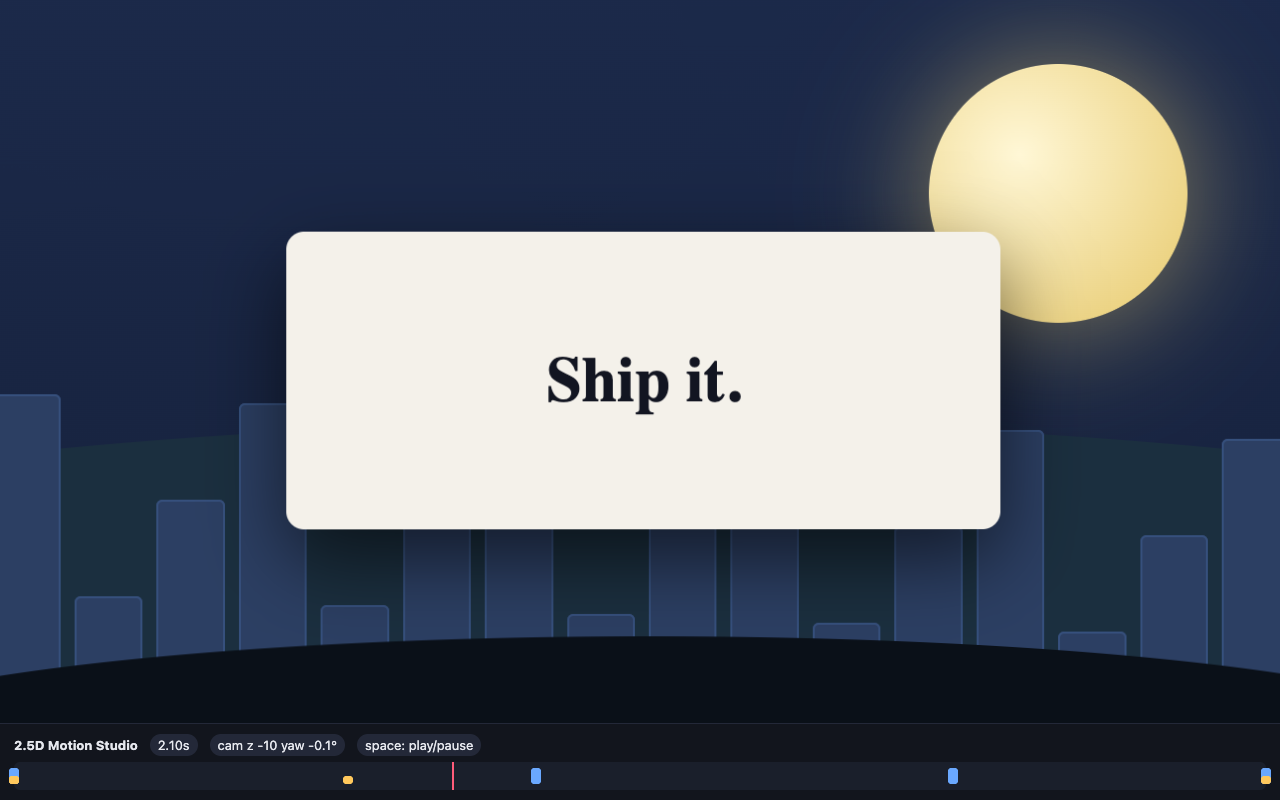
The city towers shift less than the dark foreground hill, which leaves the frame entirely. That is parallax.
Add a “describe a shot” feature with the Opus 5.5 API
Next, let a writer type a shot description and get keyframes back. The studio calls the Messages API directly:
curl https://api.anthropic.com/v1/messages \
  -H "x-api-key: $ANTHROPIC_API_KEY" \
  -H "anthropic-version: 2026-10-21" \
  -H "content-type: application/json" \
  -d '{
    "model": "claude-opus-5-5",
    "max_tokens": 4096,
    "output_config": { "effort": "low" },
    "system": "Return only JSON: {\"camera\": [{\"t\",\"x\",\"y\",\"z\",\"yaw\",\"ease\"}], \"tracks\": {}}. Times in seconds, 0 to 6.",
    "messages": [{ "role": "user", "content": "Slow push-in, slight orbit right, title fades up in the first second." }]
  }'
Two details from the effort docs matter here. output_config.effort is where the effort level goes in a Messages API request. And Opus 5.5 always uses adaptive thinking (a request with thinking: {"type": "disabled"} returns a 400), so thinking tokens count toward max_tokens. Set it too low and the JSON gets cut off mid-array with stop_reason: "max_tokens". A shot list is a small, well-specified task, so low effort is a sensible first setting; run your own comparison before you settle on it.
Let Claude Code test the API call with Apidog CLI
A truncated or chatty reply breaks sample() at render time, so this call needs a contract test. The same Claude Code session can write and run it with Apidog CLI.
Install and log in once:
npm install -g apidog-cli@latest
apidog auth login --with-token <YOUR_TOKEN>
apidog skill install
Then give the agent one prompt:
In Apidog project <projectId>, create an endpoint for POST /v1/messages and a
test case that sends the "describe a shot" request above with model
claude-opus-5-5. Assert: status 200, body.model is "claude-opus-5-5",
stop_reason is not "max_tokens", and content[0].text parses as JSON with a
non-empty camera array whose t values rise from 0 to 6. Use an environment
with base URL https://api.anthropic.com and the key in a variable. Run it and
summarize failures.
The agent reads the payload schemas instead of guessing them, validates its files, then creates and runs everything:
apidog cli-schema get endpoint-create
apidog cli-schema get test-case-create
apidog cli-schema validate test-case-create --file case.json
apidog environment create anthropic --project <projectId> --base-url https://api.anthropic.com
apidog endpoint create --project <projectId> --file endpoint.json
apidog test-case create --project <projectId> --file case.json
apidog run --test-case <caseId> --project <projectId> -e <envId> -r cli,json
Pass the key at run time with --env-var "api_key=$ANTHROPIC_API_KEY" so it never sits in the project. Run the case again when you change the system prompt or the effort level, since both change what comes back. The same apidog run with -r junit drops into CI; see the Apidog CLI CI/CD guide and Apidog CLI in Claude Code. Apidog’s Free plan covers up to 4 users.
Where to take the studio next
- More layers, same math. Add rain, a second title or a logo; give each a
zand the compensation handles the rest. - Swap the renderer. If you’d rather write scenes as React components, Claude Code with Remotion covers that route. The single-file approach here has no build step. The Claude Code overview explains sessions and permissions.
FAQ
What does 2.5D mean in motion graphics? It means flat 2D artwork placed at different depths and filmed by a moving camera. You get parallax and depth cues without 3D models, lighting or a 3D engine.
Why use Opus 5.5 instead of a smaller model for this build? The first build mixes projection math, a keyframe engine and a capture pipeline in one pass. Anthropic positions Opus 5.5 for long-running agentic coding, and our session got a working studio from one prompt plus one round of fixes. For small edits afterwards, a lower effort level is enough.
Why not record the screen instead of capturing frames? Screen recording follows real time, so any slow frame becomes a dropped or doubled frame. Seeking to i / fps and capturing each frame makes the output identical on every machine.
Can I use the “describe a shot” feature without an API key? No. The feature calls the Messages API, which needs your own Anthropic API key. The rest of the studio and the MP4 export run locally with no key.
Which effort level should the shot-list call use? Start at low, since the task is short and the output schema is fixed. Raise it only if your Apidog test shows malformed or off-brief keyframes.