

The only confirmed way to get access to Sakana Fugu is to sign in at console.sakana.ai with a Google account or email, then find your API keys, model list, and pricing inside. There is no separate waitlist form on the official release page, and there is no standalone free tier today. If you want a trial-like entry, the reported “free second month” launch promo is the closest thing, and the cheapest paid entry is the lowest subscription tier. This guide walks the decision tree, covers beta-versus-general-availability status, and gives you an honest answer on cost. For a deeper API walkthrough, see our companion guide on how to use the Sakana Fugu API.
What Fugu is before you sign up
Fugu is not a single language model in the usual sense. Sakana ships it as a multi-agent orchestration system presented as one foundation model behind one OpenAI-compatible API. The release headline is “One Model to Command Them All.” Under the hood, Fugu is a trained model that specializes in delegation, agent communication, and synthesizing work. It coordinates multiple LLMs dynamically, including recursive instances of itself.
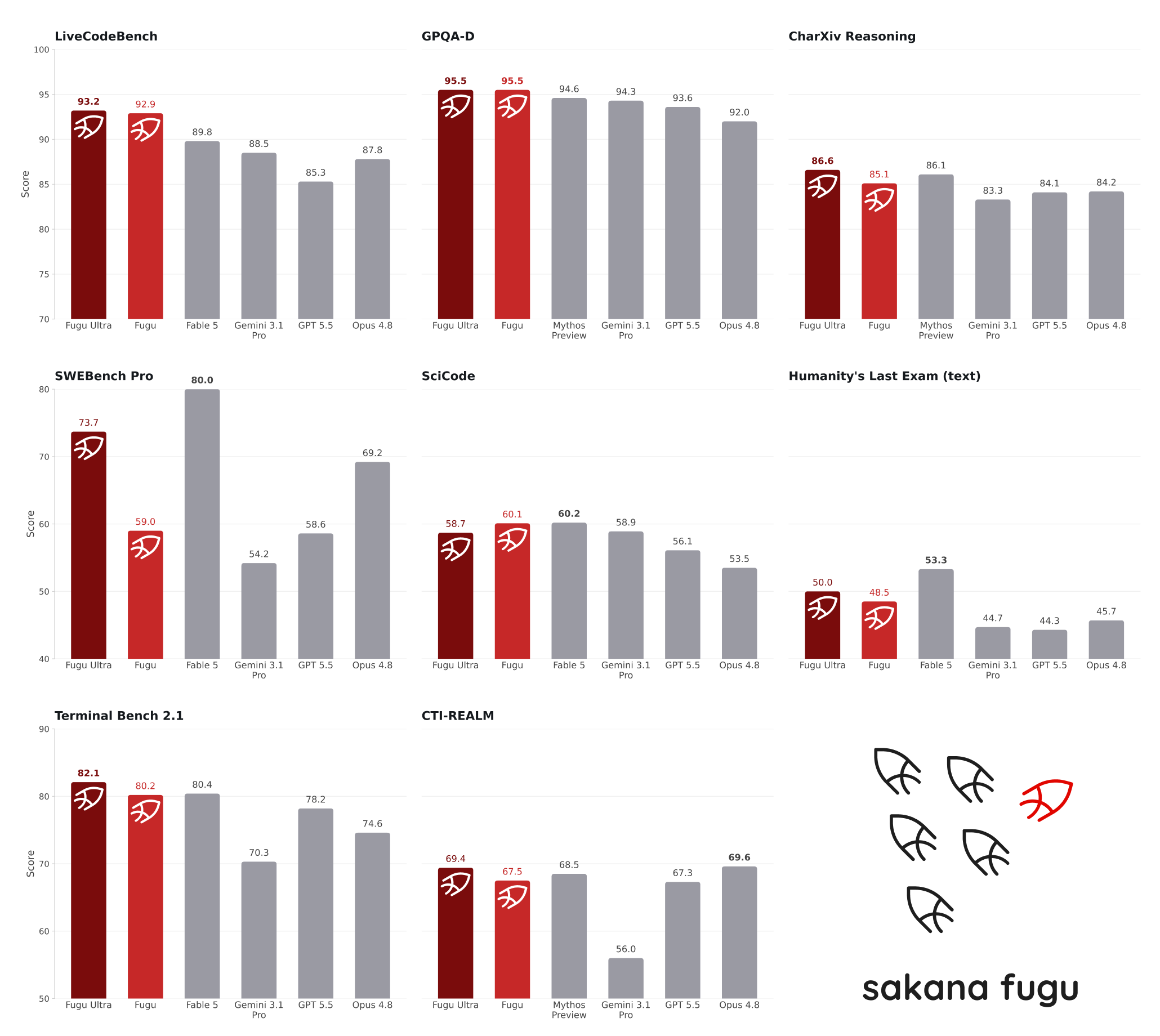
There are two variants. “Fugu” is the balanced, low-latency option built for everyday work, coding, code review, chatbots, and interactive services. “Fugu Ultra” targets maximum answer quality for AI research, paper reproduction, cybersecurity analysis, and literature or patent investigation. The beta and most early press called the smaller variant “Fugu Mini,” so you will still see that name floating around. Lead with “Fugu” and “Fugu Ultra” when you go looking inside the console.
This matters for access because both variants live behind the same login and the same endpoint. You do not pick a separate plan per model. You authenticate once, get a key, and the model decides whether to answer directly or assemble a team.
The only confirmed path: sign in at the console
Here is the decision tree, kept short.
- Go to console.sakana.ai. This is the login wall.
- Sign in with Google or with an email address. Those are the two reported auth methods.
- Once you are in, look for the keys, models, and pricing sections inside the dashboard.
- Copy your API key and your base URL from the console. Do not guess the host. The base URL is not published on any public page as of 2026-06-22, so the console is the source of truth.
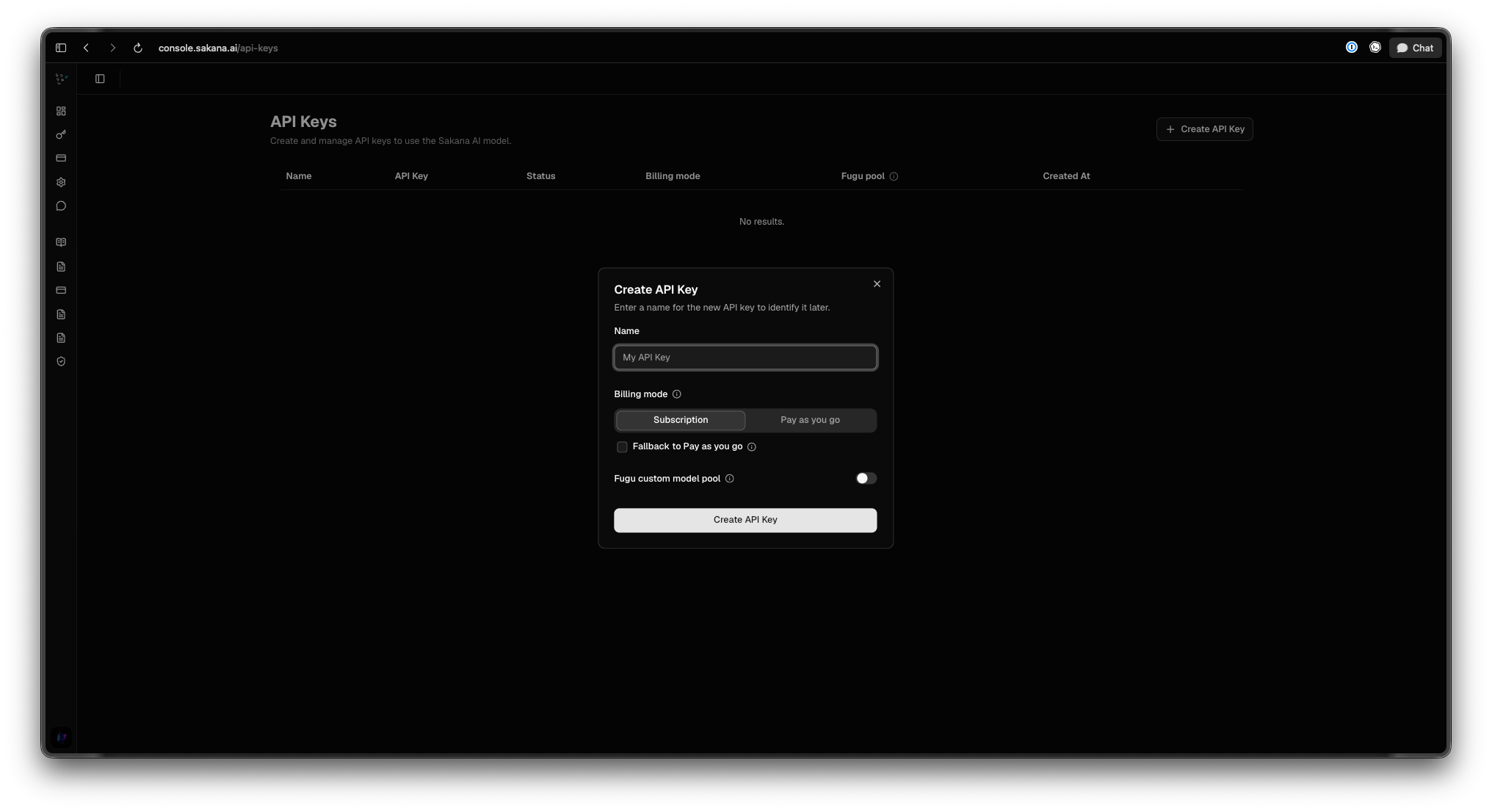
That last point is worth repeating. Sakana has not posted the API host anywhere public. When you wire up a client, you paste the real base URL from your console. Treat any blog or forum that prints a hardcoded host with suspicion until you confirm it yourself.
If you have used other gated model previews, this flow will feel familiar. It mirrors how you get into other frontier providers, similar in spirit to our walkthrough on how to access Claude Fable 5. Sign in, find keys, start calling.
Beta versus general availability
Fugu ran a closed beta of roughly 500 users that opened around April 24 to 25, 2026. That was an invite-style cohort, not open self-serve.
The June 22 release introduces self-serve subscription tiers and a pay-as-you-go plan. Self-serve pricing usually signals general availability, where anyone can sign up and pay without an invite. That is the reasonable read here. We have not independently confirmed that the sign-up flow is fully open versus still gated for some accounts or regions, so verify this live when you try to register. [VERIFY 2026-06-22: whether GA self-serve sign-up is open to all, or still gated.]
If the console lets you create an account and reach a billing screen, you are in. If it parks you on a waitlist or an “access pending” state, the gate is still up for your account. Either way, the console tells you the truth faster than any third-party page.
A note on availability by region
There are reports of an EU and EEA availability restriction at launch. We have not confirmed this against an official statement, so do not treat it as settled. [VERIFY 2026-06-22: reported EU/EEA availability restriction.] If you are in the EU or EEA and the console blocks sign-up or billing, that restriction is the likely cause. Check Sakana’s terms and the console’s region handling before you plan a production rollout.
Is Sakana Fugu free? The honest answer
No. There is no standalone free tier today.
The release page confirms the pricing structure in concept: subscription tiers for everyday use, plus a pay-as-you-go plan for heavier and enterprise workloads. The specific dollar figures circulating come from JS-rendered or secondary sources, not the release page itself, so treat every number as reported and unverified until you see it in your own console.
Reported pricing, verify live as of 2026-06-22. Secondary sources cite three subscription tiers at $20, $100, and $200 per month covering both models, a launch promo offering a free second month if you subscribe before the end of July 2026, and pay-as-you-go rates around $5 input, $30 output, and $0.50 cached per 1M tokens, with a surcharge above 272K context. The base “Fugu” variant is reportedly passthrough-billed at the standard rate of the underlying model it calls. None of these figures appear on the official release page. Confirm them inside console.sakana.ai before budgeting.
The closest thing to a trial is that reported “free second month” promo, not a free tier. If it holds, you subscribe to the lowest tier, get your first month at the listed price, and your second month comes free if you signed up before the cutoff. That is a discount on a paid plan, not free access. For the full cost breakdown and how the tiers compare to pay-as-you-go, see our dedicated Sakana Fugu pricing guide.
If your real goal is “use this model cheaply for free,” the practical answer today is the lowest subscription tier or the promo, both verified live. People who want genuinely free model access often end up comparing providers, and our roundup of the best OpenRouter alternatives covers where free and low-cost tiers exist across the market. The pattern of hunting for a no-cost path is the same one we cover in how to use Claude Fable 5 for free, where the honest takeaways look similar: trials and promos, not perpetual free tiers.
What you get once you are in
After sign-in, you get one OpenAI-compatible endpoint. You point an existing OpenAI client at it with your key and your base URL, and no SDK migration is required. Both variants run through that single endpoint. The model ids reported in early coverage are “fugu” and “fugu-ultra,” and you may see a dated id like “fugu-ultra-20260615.” Confirm the exact strings in your console rather than copying them from a post.
Here is a minimal Python call using the OpenAI SDK, with the base URL pulled from your console as a placeholder:
from openai import OpenAI

client = OpenAI(
    api_key="YOUR_SAKANA_API_KEY",
    base_url="<YOUR_FUGU_BASE_URL_FROM_CONSOLE>",
)

response = client.chat.completions.create(
    model="fugu",  # verify the exact id in your console
    messages=[
        {"role": "user", "content": "Summarize the tradeoffs of multi-agent orchestration."}
    ],
)

print(response.choices[0].message.content)
Swap model="fugu" for model="fugu-ultra" when you want maximum answer quality. The same call shape works because the endpoint follows the OpenAI chat completions format. The only Fugu-specific steps are pasting your real base URL and confirming the model id string.
One governance detail worth knowing before you build: Sakana says agents in the pool are swappable, teams can opt specific agents out for data or compliance reasons, and Fugu dynamically routes around provider restrictions. If you operate under strict data rules, that opt-out capability is part of why you might choose this orchestrator over a plain router.
How this fits your Apidog workflow
Once you have a key and a base URL, you still need to test calls, inspect responses, and keep your team aligned on the request shape. That is where Apidog fits. Because Fugu speaks the OpenAI-compatible format, you can create a request in Apidog, point it at your console base URL, add your bearer key, and send. You get a saved, shareable request instead of a one-off curl line.
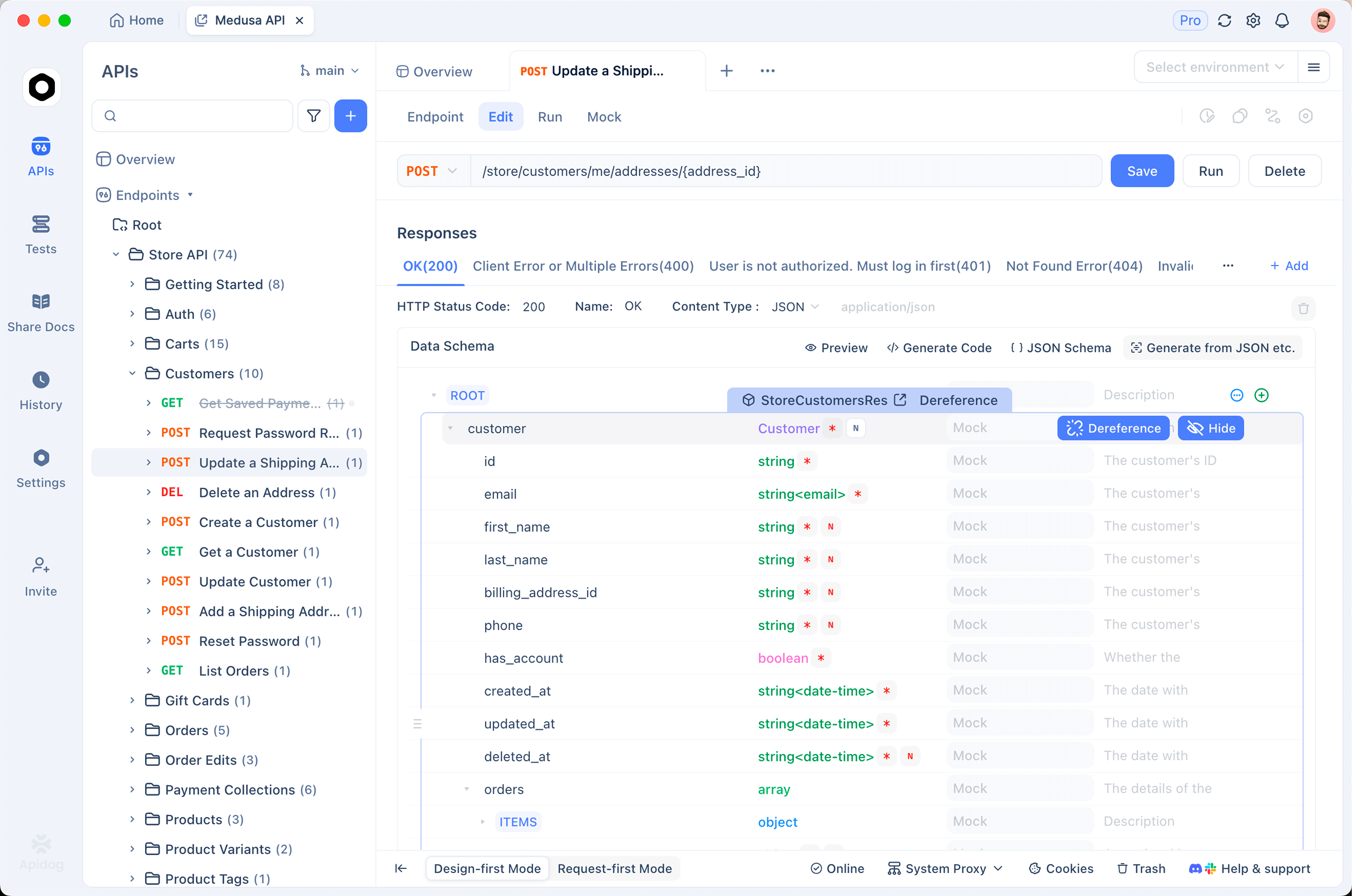
Apidog also lets you mock the endpoint while you wait for access to clear, document the request and response schema for your team, and run the same call across environments without rewriting code. If you are evaluating Fugu against other models, keeping each provider as a saved request in one workspace makes the comparison clean. Download Apidog and set up a Fugu request the moment your console key is live.
Frequently asked questions
Where do I sign up for Sakana Fugu?
You sign up at console.sakana.ai using a Google account or email. There is no separate waitlist form linked from the official release page as of 2026-06-22. After you sign in, your keys, the model list, and pricing all live inside the console dashboard.
Is Sakana Fugu free to use?
No. There is no standalone free tier today. The cheapest entry is the lowest reported subscription tier, and the closest thing to a trial is the reported “free second month” launch promo. Confirm every price in the console, since the figures come from secondary sources. Our Sakana Fugu pricing guide tracks the details.
Is the beta still running, or is this generally available now?
The closed beta ran with roughly 500 users starting around late April 2026. The June 22 release adds self-serve subscription tiers, which usually means general availability. We have not confirmed that sign-up is fully open versus still gated, so check the console directly. [VERIFY 2026-06-22.]
Can I use Fugu from the EU?
There are reports of an EU and EEA availability restriction at launch, but we have not confirmed this against an official statement. If you are in those regions and the console blocks you, that restriction is the likely reason. Verify Sakana’s terms and the console behavior before planning a rollout.
Do I need a special SDK to call Fugu?
No. Fugu exposes one OpenAI-compatible endpoint, so you point an existing OpenAI client at it with your key and the base URL from your console. No SDK migration is needed. See how to use the Sakana Fugu API for the full setup.
What is the difference between Fugu and Fugu Ultra at sign-up?
Both variants live behind the same login and the same endpoint, so you do not buy them separately at the account level. You choose between them per request by setting the model id. “Fugu” is balanced and low-latency; “Fugu Ultra” targets maximum answer quality. The variant once called “Fugu Mini” in beta maps to today’s “Fugu.”
Getting in is a short path: sign in at the console, grab your key and base URL, and start calling. The cost question has a clear answer too: no free tier, only a paid plan or the promo, both worth verifying the moment you reach the billing screen. When your key is live, set up your first Fugu request in Apidog so testing and documentation start the same day access does.


