A true “Grok video no restrictions” mode doesn’t exist. Every Grok Imagine video, in the app or through the xAI API, passes moderation, and xAI’s acceptable use policy bans sexual depictions of real people and any attempt to get around its safeguards. What you can control is everything else: clip length (1 to 15 seconds on the API), resolution up to 1080p, image to video, and how you write prompts so safe creative work stops getting refused by mistake.
This guide covers Grok video only. For Grok Imagine images and the general rules, read our Grok Imagine no restrictions guide. For still-image tools with looser defaults, see AI image generators with no restrictions.
Does Grok video have no restrictions?
No. People searching this usually want longer clips and fewer refusals. Grok Imagine runs moderation on every video request. xAI’s API reports a moderation result on each finished clip, and blocked requests fail with an error you can catch. You can reduce false positives; you can’t switch moderation off.
xAI’s acceptable use policy (effective August 14, 2026) tells users not to circumvent safeguards unless they’re on an official red team or have written consent.
Most refusals that frustrate creators are false positives on harmless prompts, such as a stage fight or a medical animation. Those you can fix.
Grok video limits at a glance
Here’s what xAI’s video generation docs and pricing page listed on November 13, 2026:
| Setting | grok-imagine-video-1.5 | grok-imagine-video-1.5-lite | grok-imagine-video |
|---|---|---|---|
| Inputs | Text, image, audio | Text, image | Text, image, video |
| Max resolution | 1080p native (720p for reference-to-video) | 1080p (upscaled from 720p) | 720p |
| Clip length | 1 to 15 s, default 8 | 1 to 15 s, default 8 | 1 to 15 s, default 8 |
| Price, 480p | $0.08 per second | $0.02 per second | $0.05 per second |
| Price, 720p | $0.14 per second | $0.03 per second | $0.07 per second |
A few more limits that matter for planning:
- Reference-to-video on grok-imagine-video caps clips at 10 seconds.
- Video editing keeps the source clip’s length (capped at 8.7 seconds) and output tops out at 720p.
- Aspect ratios include 1:1, 16:9, 9:16, 4:3, 3:4, 3:2, 2:3, 21:9 and 5:2. The default is 16:9.
- Audio is on by default, with lip-synced speech on the 1.5 models. Pass
generate_audio: falsefor a silent clip. - Output URLs are temporary. Download the MP4 promptly if you want to keep it.
Grok image to video: what you can and can’t control
Image to video turns a still into the first frame of a clip, and the prompt describes the motion. On grok-imagine-video-1.5 it supports native 1080p. You can send the source image as a public URL, a base64 data URI or a file ID from the Files API, according to xAI’s image-to-video guide.
Two behaviors surprise people:
- The output aspect ratio always matches your image. The
aspect_ratioparameter is ignored in this mode, so crop the still to 9:16 first if you want a vertical clip. - The image is moderated too. A harmless prompt paired with an image of a real, identifiable person can be refused, because the policy concern is the likeness, not the words.
The fix: use images you own or have permission to animate.
For the full request and polling code, see our Grok image to video API guide and the Grok text to video API guide.
What gets moderated, and where Grok refuses
The acceptable use policy lists the content xAI refuses. For video, the categories that matter most are:
- Undressing or nudifying real people, or altering someone’s likeness to show them in an intimate or sexual context
- Depicting anyone’s likeness in a pornographic way
- Any sexual or exploitative content involving minors
- Attempts to bypass the safeguards themselves
xAI doesn’t publish its filter thresholds, so borderline themes such as cinematic violence are the hardest to predict.
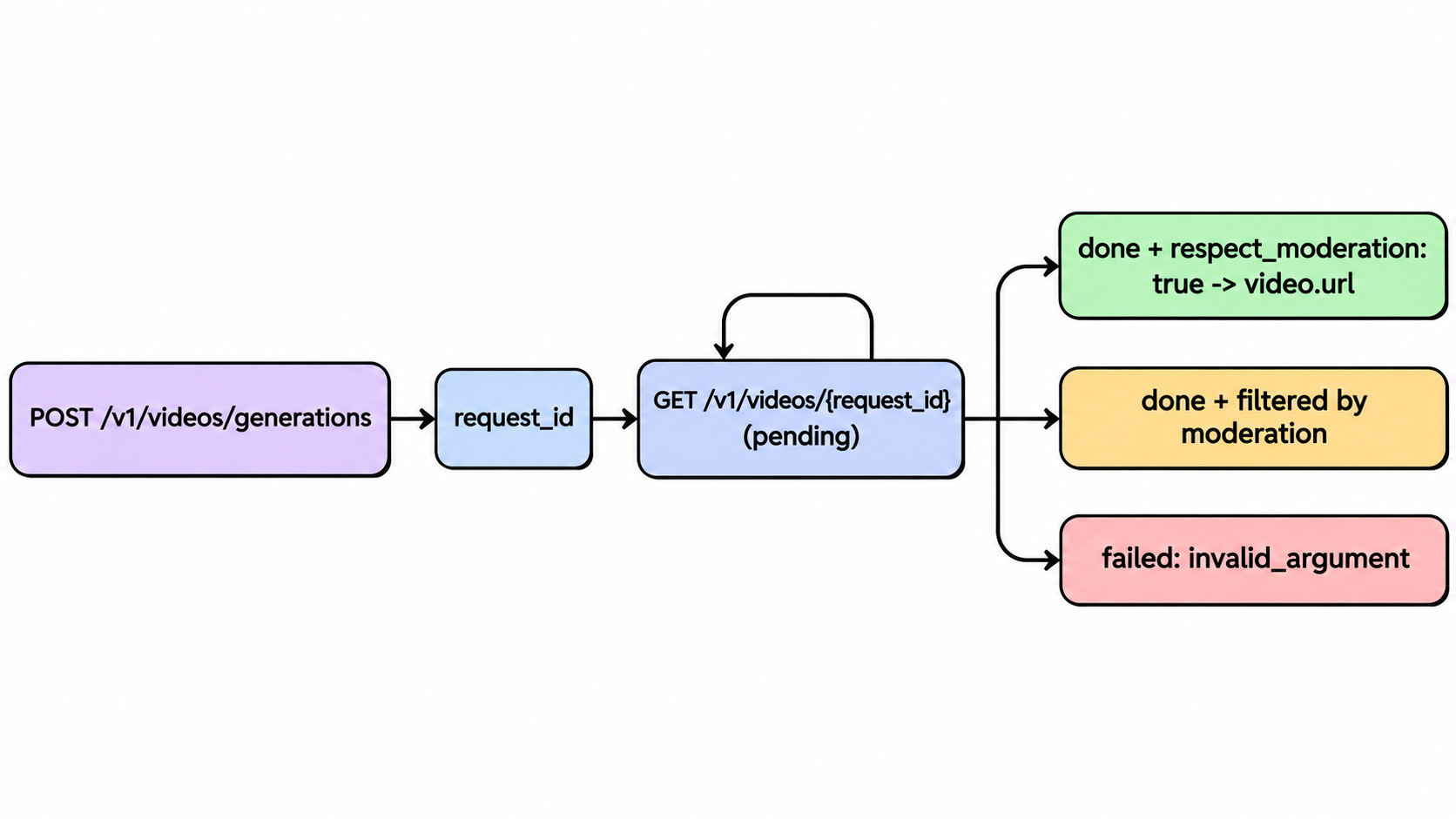
On the API, a refusal shows up in one of two places:
- The job fails. Polling
GET /v1/videos/{request_id}returnsstatus: "failed"witherror.code: "invalid_argument". xAI’s docs list “content blocked by moderation” as one cause of that code, next to bad durations and invalid inputs. - The job finishes but is filtered. The finished video object carries a
respect_moderationfield. xAI’s SDK example prints the URL when it’strueand “Video filtered by moderation” otherwise.
Handle both, or a moderated request looks like a silent failure to your users.
Why safe prompts get refused, and how to cut false positives
Moderation reads intent from the whole request: words, image and context. These habits reduce false refusals without trying to trick anything:
- Describe motion, not bodies. “Camera slowly pushes in as she turns toward the window” beats a prompt focused on physical detail.
- State the genre and purpose. “Stylized stage combat for a fantasy short, no blood” tells the model what you mean.
- Drop real names. Don’t name celebrities or public figures. Describe a character instead.
- Use your own source images. Animating your own photo, an illustration or a licensed asset avoids most likeness flags.
- Use clinical language for clinical topics. A medical or anatomy animation reads better with textbook terms.
- Shorten the prompt. xAI lists “a prompt that is too long” as another cause of
invalid_argument, which can look like a moderation refusal.
If a prompt is refused after all six, take it as a policy answer, not a puzzle to solve. Rewording the same request to slip past the filter is exactly what the policy prohibits.
Grok video alternatives with fewer false refusals
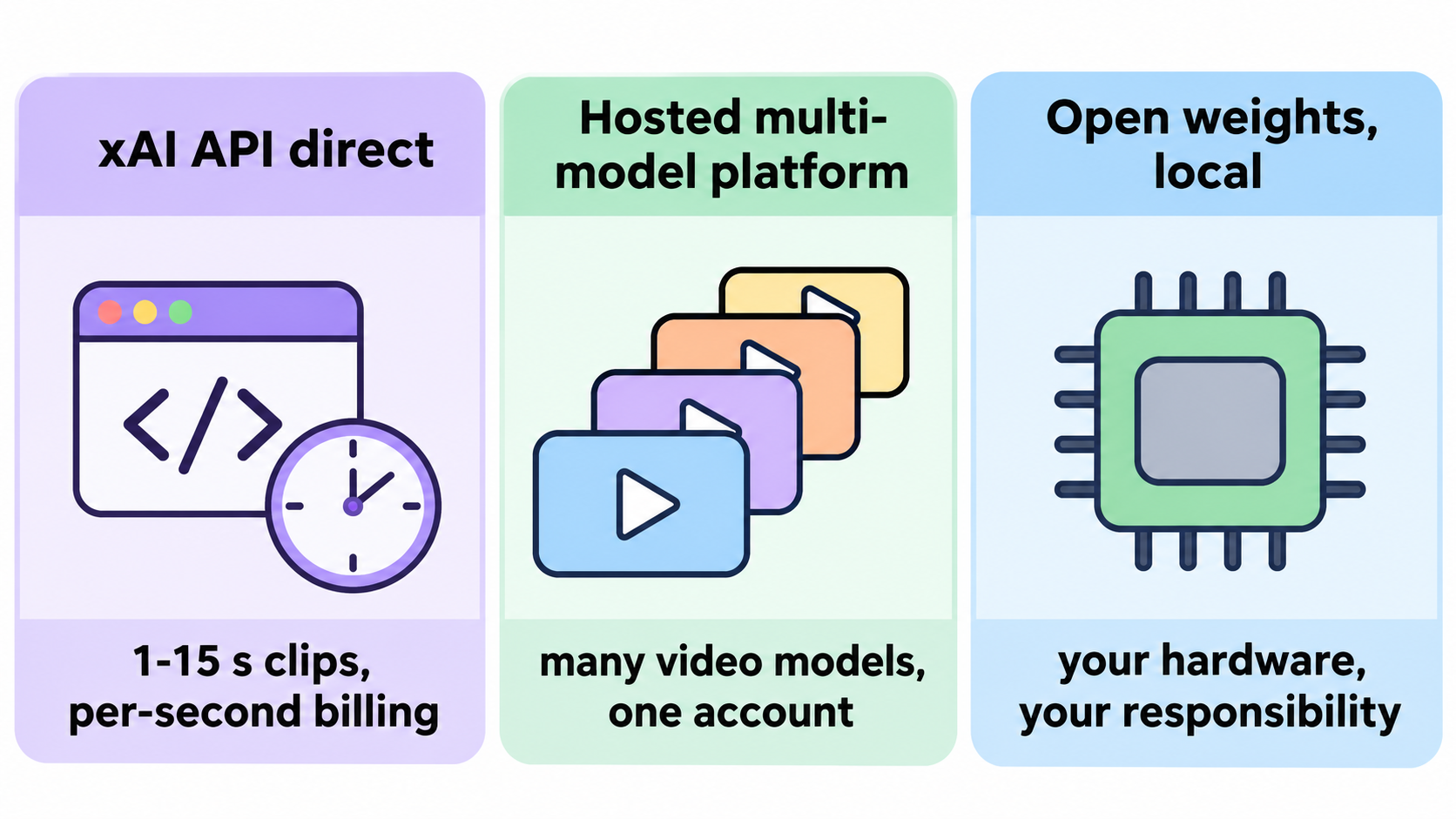
If Grok keeps blocking legitimate work, you have three routes. None of them makes illegal or non-consensual content acceptable.
A2E: Grok Imagine and other video models in one place
A2E is an all-in-one AI image and video platform. It hosts Grok Imagine next to Kling, Seedance, Wan, Veo 3.1 and Sora 2, so if one model declines a harmless prompt, you can try another on the same account.
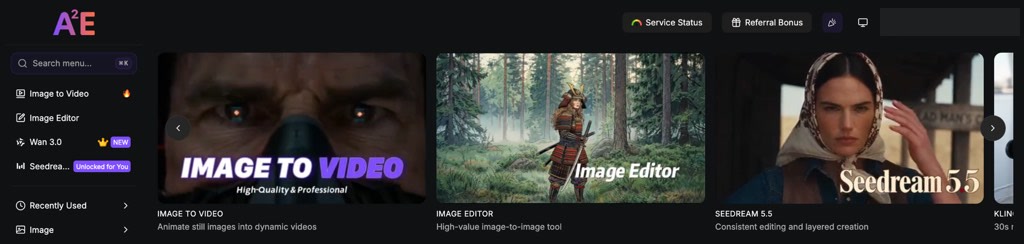
The A2E dashboard: one account for every model.
In our free-account test on November 13, 2026, Grok Imagine was paid only, and the web Style menu offered Fun and Normal. The API (POST /v1/grokVideo/start) adds 6, 10 or 15 second clips and a spicy mode. New accounts get 100 free credits, and Pro costs $14.90 for one month with 1,500 credits.
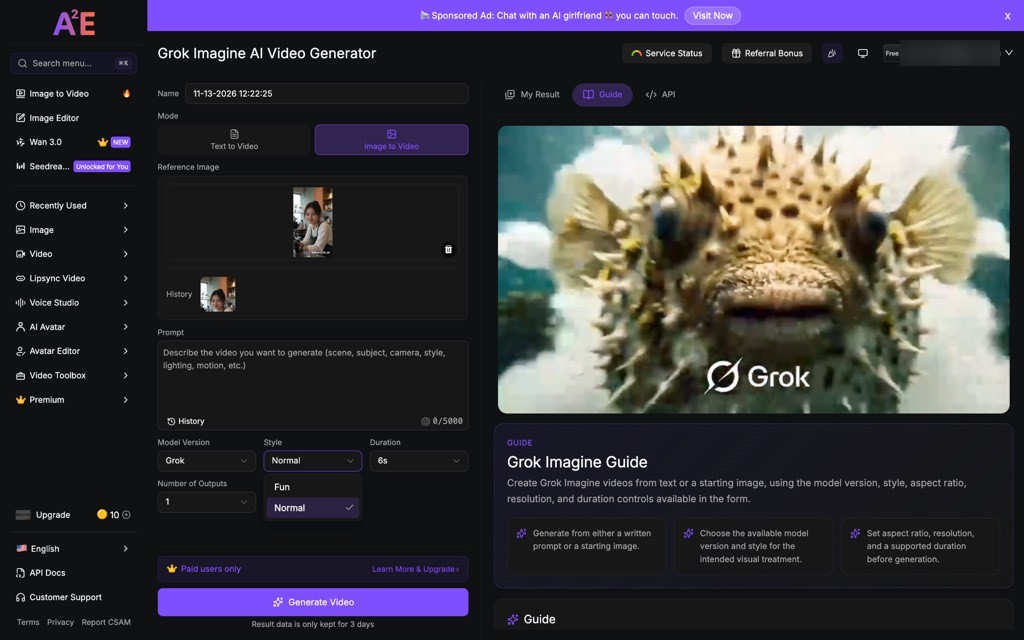
A2E’s Grok Imagine form on a free account: paid users only, Fun and Normal styles.
A2E’s terms still ban sexually explicit content and non-consensual imagery, and require consent from anyone shown in media you upload.
The xAI API directly
Going straight to xAI gives you every setting in the limits table above: three models, clips of 1 to 15 seconds, native 1080p on grok-imagine-video-1.5, and per-second billing from $0.02 (1.5-lite at 480p) to $0.14 (1.5 at 720p). Moderation is the same as in the Grok app, so it won’t refuse less, but each job reports its own status, so you can see a filtered result and retry with a reworded prompt. It’s the best route if you’re building a product on Grok video.
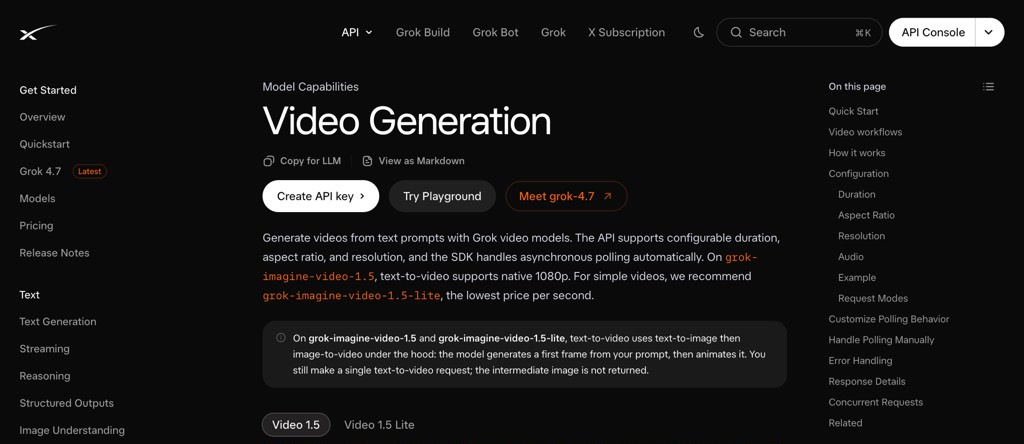
xAI’s video generation docs.
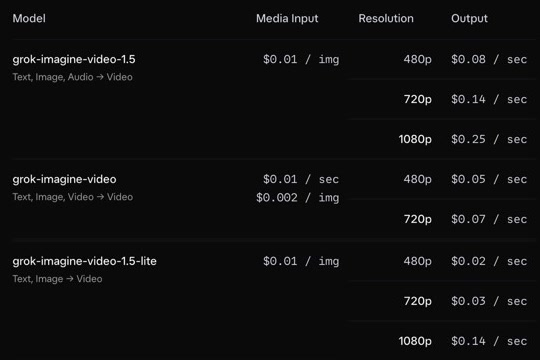
xAI’s per-second prices for the three video models.
Open-weight models run locally
Wan 2.2 image-to-video weights are on Hugging Face under the Apache 2.0 license (Wan2.2-I2V-A14B). Running a model yourself removes the provider-side filter, which makes it the only setup that truly has no hosted restrictions. The cost is hardware and setup time: you need a capable GPU. You’re also responsible for following the law and getting consent for any real person you animate.
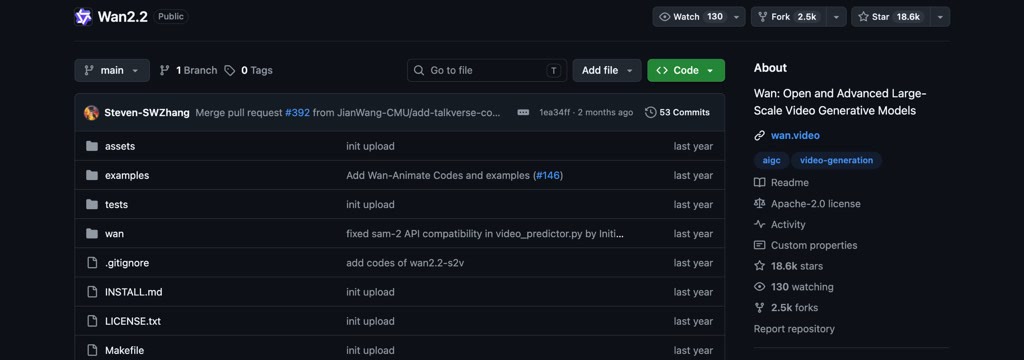
Wan2.2 on GitHub, Apache 2.0.
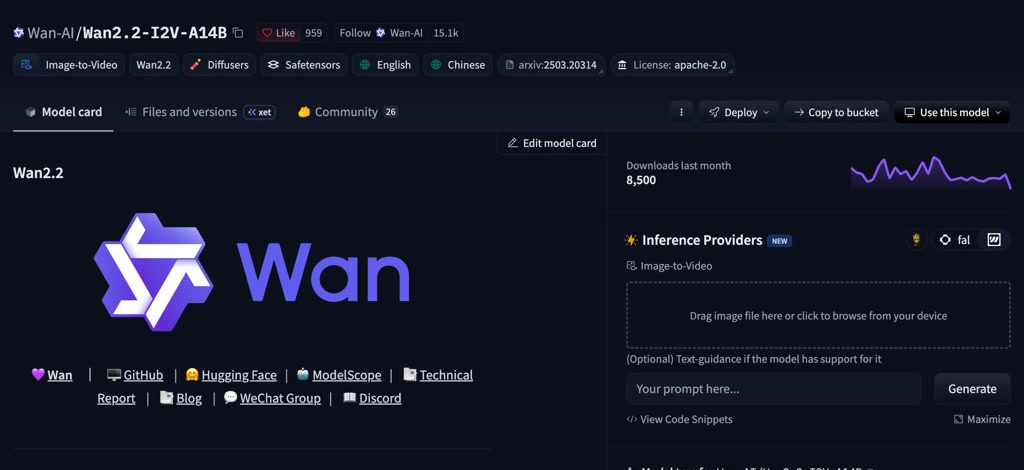
The image-to-video weights on Hugging Face.
For a quality comparison across models, see Grok Imagine Video vs Sora 2, Veo 3, Seedance, WAN and Vidu.
Let Claude Code test your Grok video pipeline with Apidog CLI
If you call the Grok video API from your app, the risky part is the async loop: a pending job, a moderated clip, a failed job with invalid_argument, or a 15-second cap your form doesn’t enforce. Let your coding agent write and run those tests with Apidog CLI so every case runs on each change.
Set it up once:
npm install -g apidog-cli@latest
apidog login --with-token <YOUR_TOKEN>
npx -y skills add https://apidog.com   # pick your agent when prompted
Then give Claude Code one prompt:
In Apidog project <id>, create a test scenario for the xAI video API:
POST /v1/videos/generations with model grok-imagine-video-1.5 and
duration 8, extract request_id, then poll GET /v1/videos/{request_id}
until status is done or failed. Assert that a done job has video.url
and a respect_moderation field, and that a request with duration 20
is rejected. Run it against the staging environment and summarize failures.
The agent checks the payload shape before it writes anything, then runs the scenario:
apidog cli-schema get test-scenario-create
apidog cli-schema validate test-scenario-create --file scenario.json
apidog test-scenario create --project <id> --file scenario.json
apidog test-scenario run <scenarioId> --project <id> -e <envId> -r cli,json
Point staging at a mock server for the moderation cases so you don’t pay for clips you expect to fail. The Apidog CLI in Claude Code guide walks through the setup.
Apidog’s Free plan covers teams of up to 4 users.
FAQ
Is there a way to turn off Grok video moderation? No. Moderation runs on every Grok Imagine video request in the app and the API. xAI’s acceptable use policy also prohibits trying to circumvent its safeguards. You can only reduce false refusals with clearer prompts and your own source images.
How long can a Grok video be? On the xAI API, 1 to 15 seconds, with a default of 8. Reference-to-video on grok-imagine-video stops at 10 seconds, and edited clips keep the source length, capped at 8.7 seconds. A2E’s Grok Video API accepts 6, 10 or 15 seconds.
Why did Grok refuse my image to video request when the prompt was harmless? The source image is moderated along with the prompt. An image of a real, identifiable person often triggers a refusal even with a neutral prompt. Use images you own or have permission to animate.
How do I know a Grok video was blocked by moderation through the API? Check two things when you poll the job. A failed job returns error.code: "invalid_argument", which includes moderation blocks. A finished job includes a respect_moderation field that tells you whether the clip passed.
Can I use Grok Imagine on A2E for free? Not in our test. A2E’s Grok Imagine video form showed “Paid users only” on a free account on November 13, 2026. The 100 free sign-up credits did cover other tools, such as a 5 second image-to-video clip on A2E’s own model for 40 credits, with a watermark.