Bringing the power of visual debugging to the Model Context Protocol.
The Integration Gap in the AI Era
Over the past year, we've witnessed a fundamental shift in AI development. As large language models (LLMs) evolve from simple chatbots into task-executing "Agents," the need for standardized data interaction has become critical. The Model Context Protocol (MCP) emerged to address this—an open standard for connecting LLMs to external data sources and tools that's rapidly becoming the foundation for building AI applications.
However, while the protocol itself solves the "connection" problem, building and debugging MCP Servers remains a significant burden for developers.
Currently, testing an MCP Server often means working through complex command lines and writing scripts to validate functionality. Developers must handle low-level JSON-RPC messages while switching debugging logic between local processes (STDIO) and remote servers (HTTP). While you can use AI IDEs like Claude Code or Cursor for end-to-end testing, they focus more on "using" rather than "diagnosing." This opaque "black box" debugging experience significantly slows down AI product delivery.
Introducing Apidog MCP Client
To solve this challenge, we're officially introducing MCP Client in Apidog.
The core vision of Apidog MCP Client is simple: enable developers to debug AI agent backends as easily as debugging traditional APIs.
No more writing test scripts. No more guessing parameters while staring at a black terminal. Apidog provides a built-in visual client that interacts directly with your MCP Server through a graphical user interface (GUI). Whether it's a tool running locally or a resource deployed remotely, Apidog simplifies the complex integration process into a "one-stop" debugging experience. Now you can connect and start testing in just seconds.
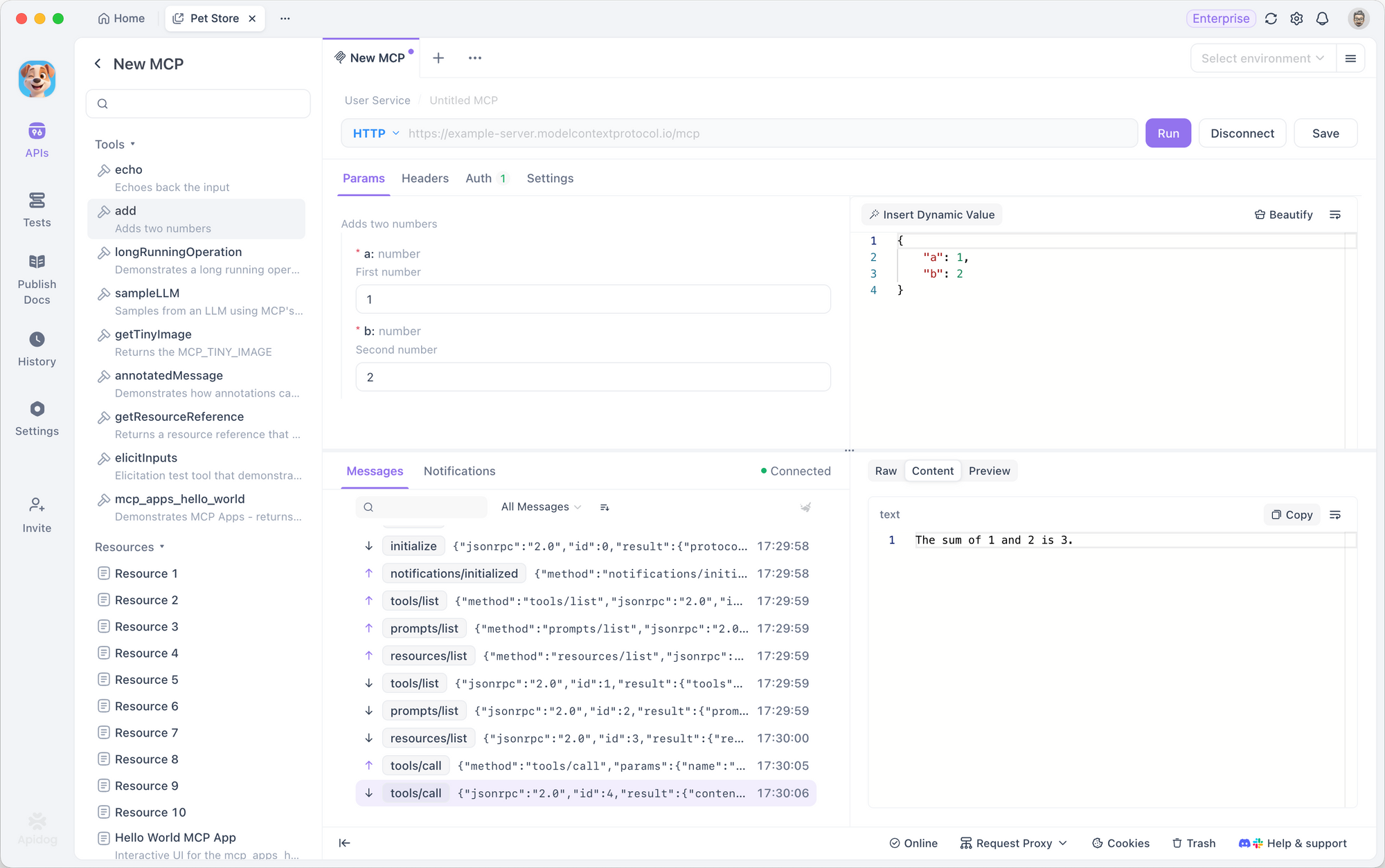
Works with Your Architecture via STDIO and HTTP
Just as REST and GraphQL defined the standards for the previous generation of APIs, MCP is defining the communication standard for the AI era. Apidog has always been committed to providing cutting-edge toolchains for API developers, and supporting MCP is an important step in our integration with the AI developer ecosystem.
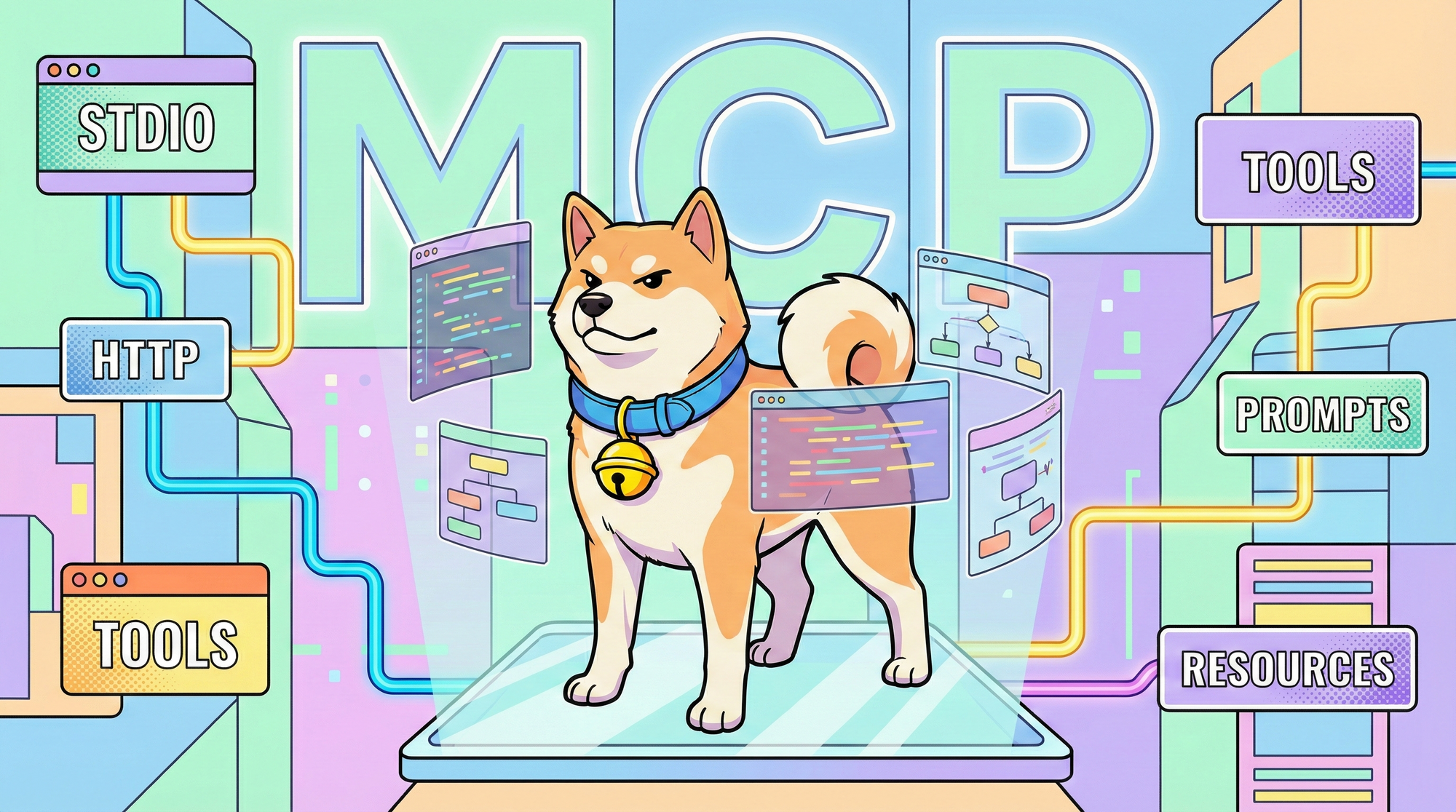
By supporting both STDIO (local processes) and Streamable HTTP (remote services) transport methods, Apidog MCP Client ensures seamless integration regardless of your architecture—whether you're running lightweight services with npx, uvx, or pip commands locally, or enterprise-grade services protected by OAuth 2.0 deployed in the cloud. This compatibility means teams can reuse existing Apidog project structures and incorporate AI interface management into standardized development workflows.
A Complete Toolkit for Tools, Prompts, and Resources
To give developers complete control over AI backends, we've broken down MCP Client functionality into three core dimensions, corresponding to the three pillars of the MCP protocol, supplemented by powerful configuration capabilities:
Dimension 1: Seamless Connection & Auto-Configuration
One of the pain points in debugging MCP is tedious configuration. Apidog supports intelligent auto-parsing:
- Smart Recognition: Whether you paste a local terminal command (like
npx -y @modelcontextprotocol/server-everything) or a remote URL, Apidog automatically switches protocols (STDIO/HTTP). - Config File Import: Simply paste your MCP Server's JSON configuration file, and Apidog will automatically extract server name, address, environment variables, and other information.
Dimension 2: Visual Interaction with Three Core Capabilities
MCP's core consists of Tools, Prompts, and Resources. Apidog transforms these into an intuitive directory tree:
- Tools: Server-side functions are no longer abstract code. In Apidog, you can input parameters like filling out a form (Form or JSON), click run, and view the actual return results when AI calls that tool. Since Content is the most critical part of MCP responses, Apidog provides dedicated Content and Preview views that support direct preview of text, images, Markdown, and more.
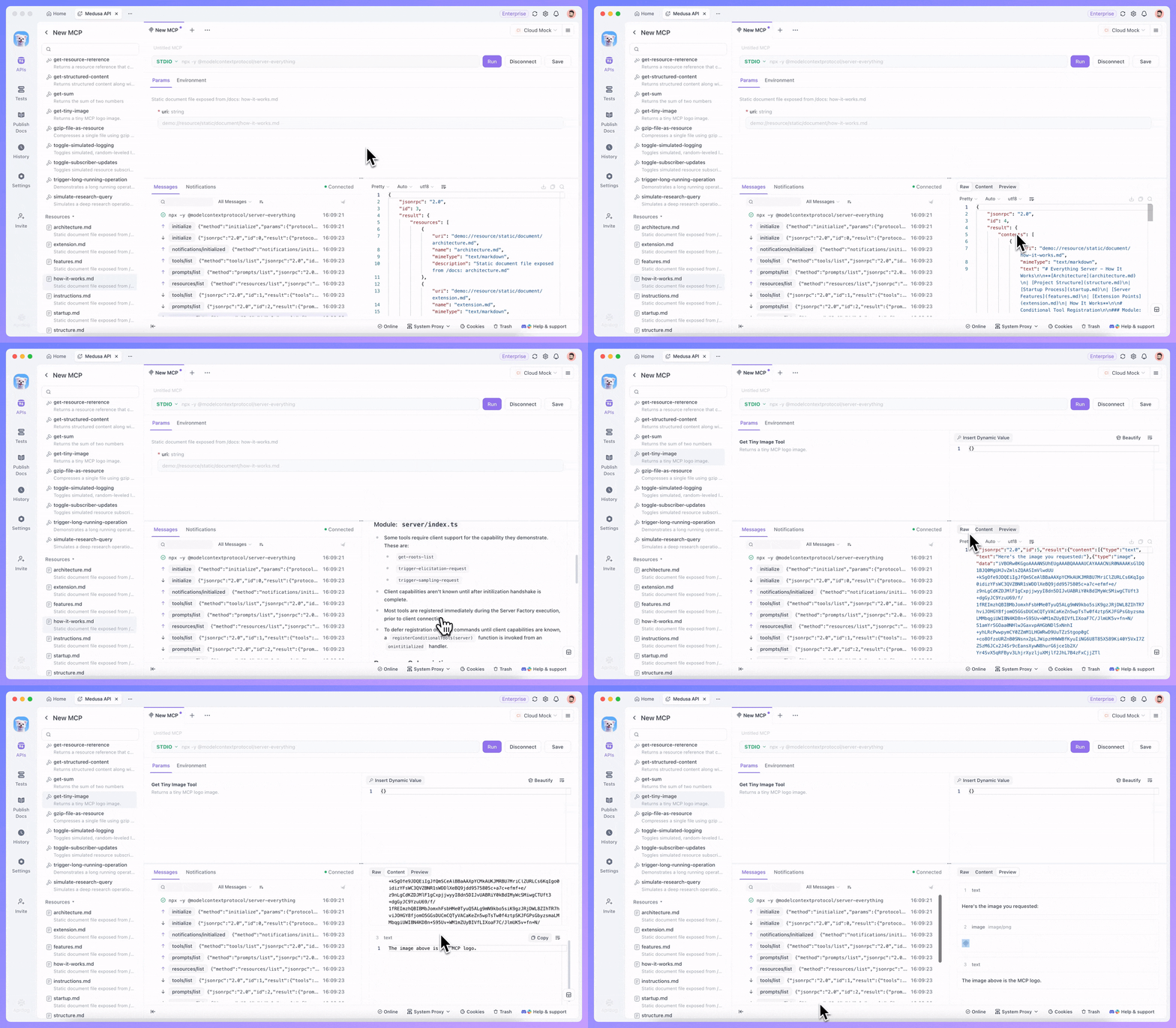
"When debugging MCP servers with Apidog, you can now directly view the Content field in responses. No more digging through JSON — see what your server actually returns, and quickly copy any field you need."
— @ApidogHQ
Images in MCP responses? Apidog MCP Client supports direct preview of multiple formats including PNG, JPEG, and SVG — see the results instantly without leaving the debugger.
"Supports multiple formats (PNG, JPEG, SVG...) — whether you're building vision tools or returning generated images, see the results instantly in Apidog MCP Client."
— @ApidogHQ
- Prompts: Debugging predefined Prompt templates has never been easier. Select a template, fill in parameters, and preview the generated prompt content instantly.
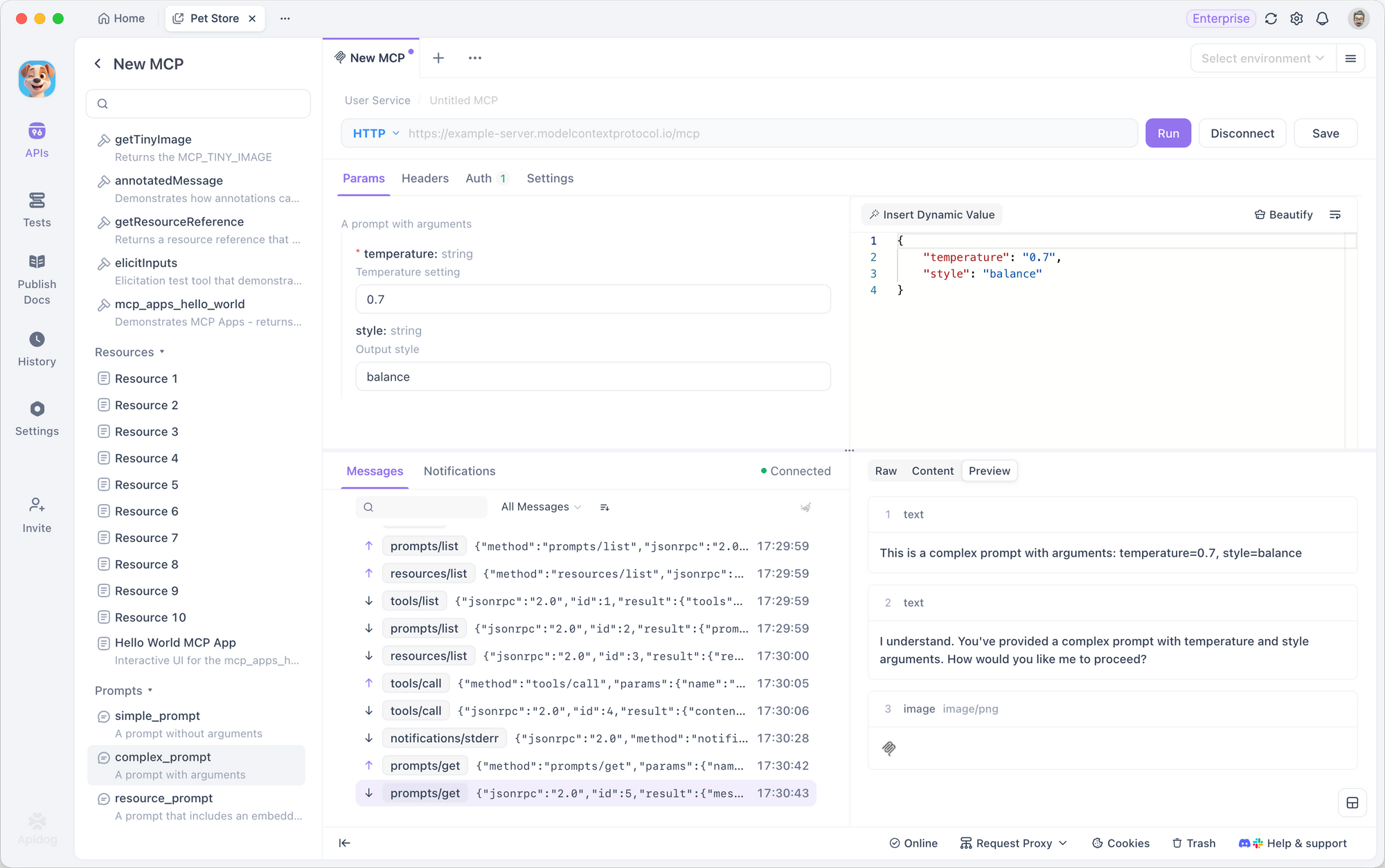
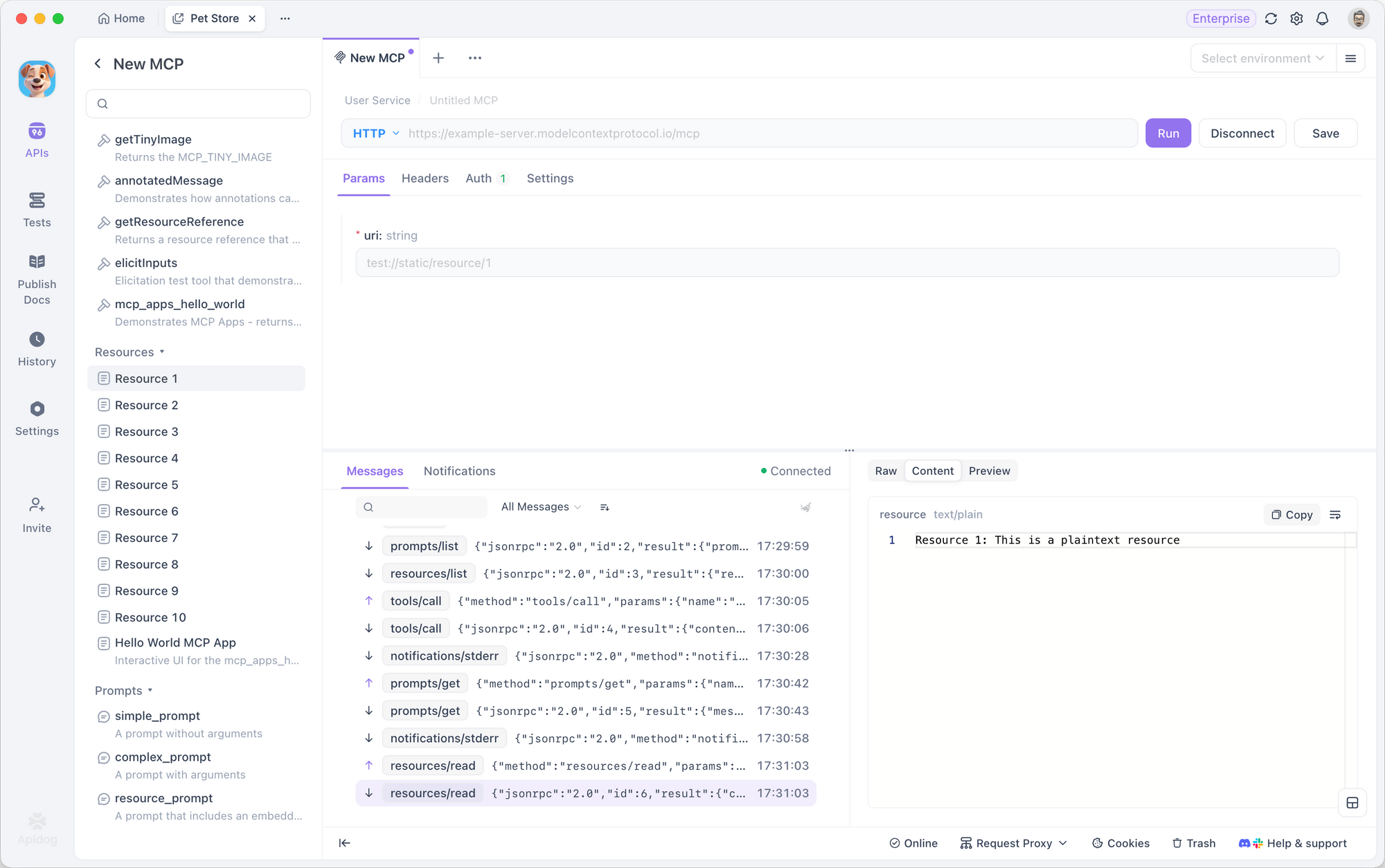
- Resources: Directly read and verify data resources provided by the server to ensure the context LLM receives is accurate.
Dimension 3: Complete Control & Visibility
Traditional AI debugging often overlooks security and low-level details. Apidog fills this gap:
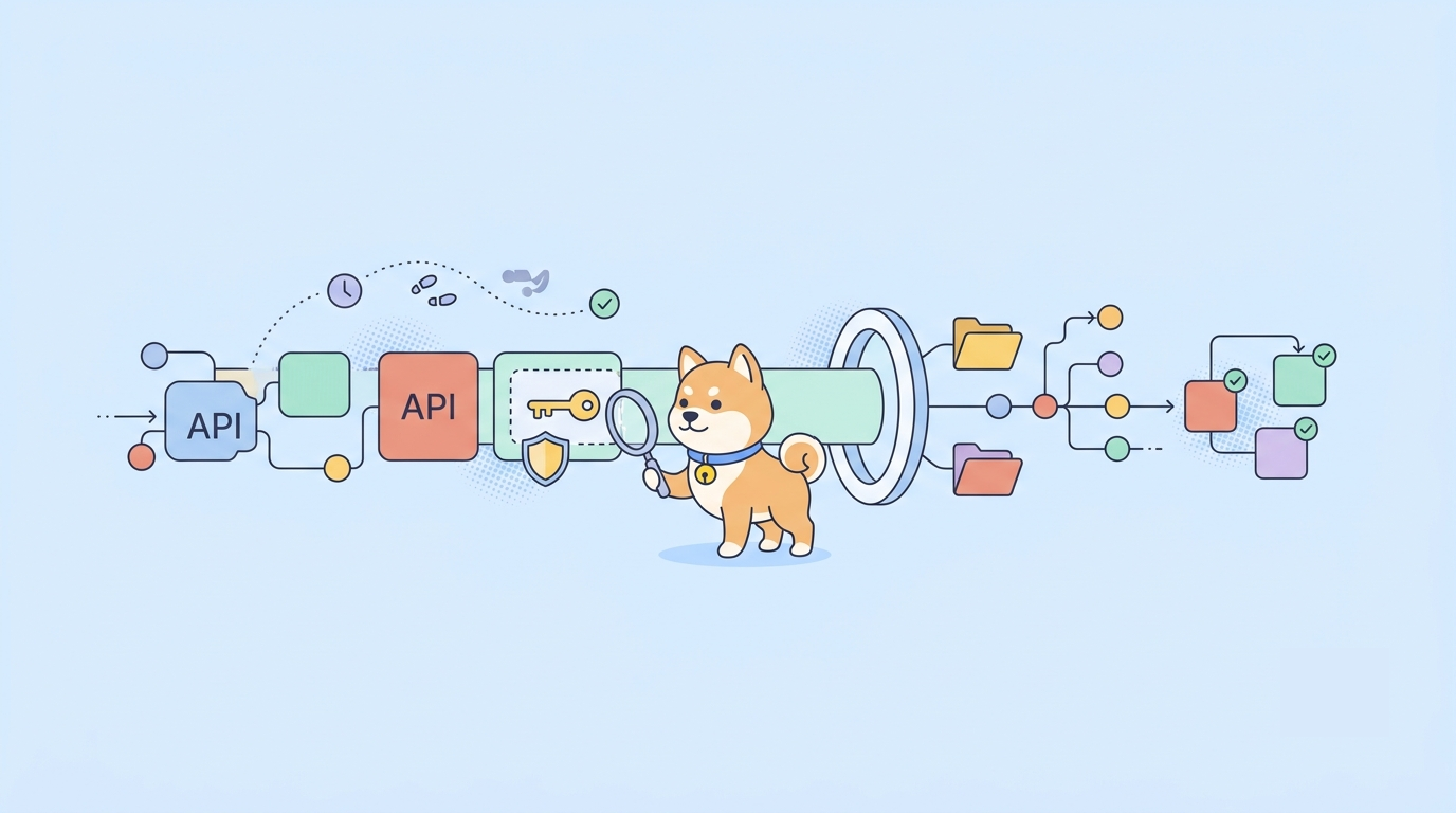
- Security Authentication: For HTTP connections, Apidog supports not only Bearer Token and API Key but can also automatically retrieve OAuth 2.0 configurations and pop up authentication windows - no manual setup needed. The client handles the entire OAuth dance for you, so you can jump straight into debugging secured MCP servers.
"Apidog MCP Client now auto-configures OAuth 2.0 authentication flows. No manual setup needed — the client handles the entire OAuth dance for you. Just connect and start debugging your secured MCP servers."
— @ApidogHQ
- Environment Variables: In STDIO mode, you can easily configure
NODE_ENVorACCESS_TOKENto simulate different runtime environments. - Under-the-Hood Visibility: Through the "Messages" and "Notifications" panels, you can view every connection, disconnection, and the complete JSON-RPC data structure. It's like installing an "X-ray machine" for AI communication—any parameter type errors or timing issues are immediately visible.
The same MCP pattern extends beyond REST debugging —connecting WhatsApp to your AI agent stack follows an identical setup and opens a direct messaging channel for automated notifications or user interactions.
Start Debugging Your Agents Today
The launch of Apidog MCP Client aims to eliminate uncertainty when building AI infrastructure. We hope that by providing the best debugging tools, developers can focus on building more powerful AI agents rather than being troubled by communication protocols.
This feature is now available in the latest version of Apidog.
- View Documentation: Learn how to configure your first MCP Service.
- Try It Out: Open Apidog, create a new endpoint in an HTTP project, select MCP, and start your AI debugging journey in seconds.