Across Apidog 2.8.41–2.8.44, this month’s updates make enterprise API work easier to govern and easier to run—from GitHub Enterprise Cloud data residency and SSO-driven project access to faster debugging and safer administration.
This release cycle brings practical improvements for enterprise administrators, API developers, and collaboration teams. Below is a quick overview of what changed, followed by the details and scope for each update.
At a glance:
- GitHub Enterprise Cloud: Connect Apidog to data-residency deployments on dedicated
*.ghe.comdomains. - SSO governance and project access: Keep enterprise sessions focused on organization work and turn team membership into predictable project access.
- Administration APIs and audit coverage: Retrieve richer member data, automate protected team onboarding, and bring supported external admin actions into the audit trail.
The sections below highlight the updates most likely to affect daily work. For item-by-item release notes, see the Apidog Changelog at the end of this post.
Also new: Faster API debugging with visibility into the actual request sent and field-level control over request parameters.
☁️ GitHub Enterprise Cloud for Data-Residency Workflows
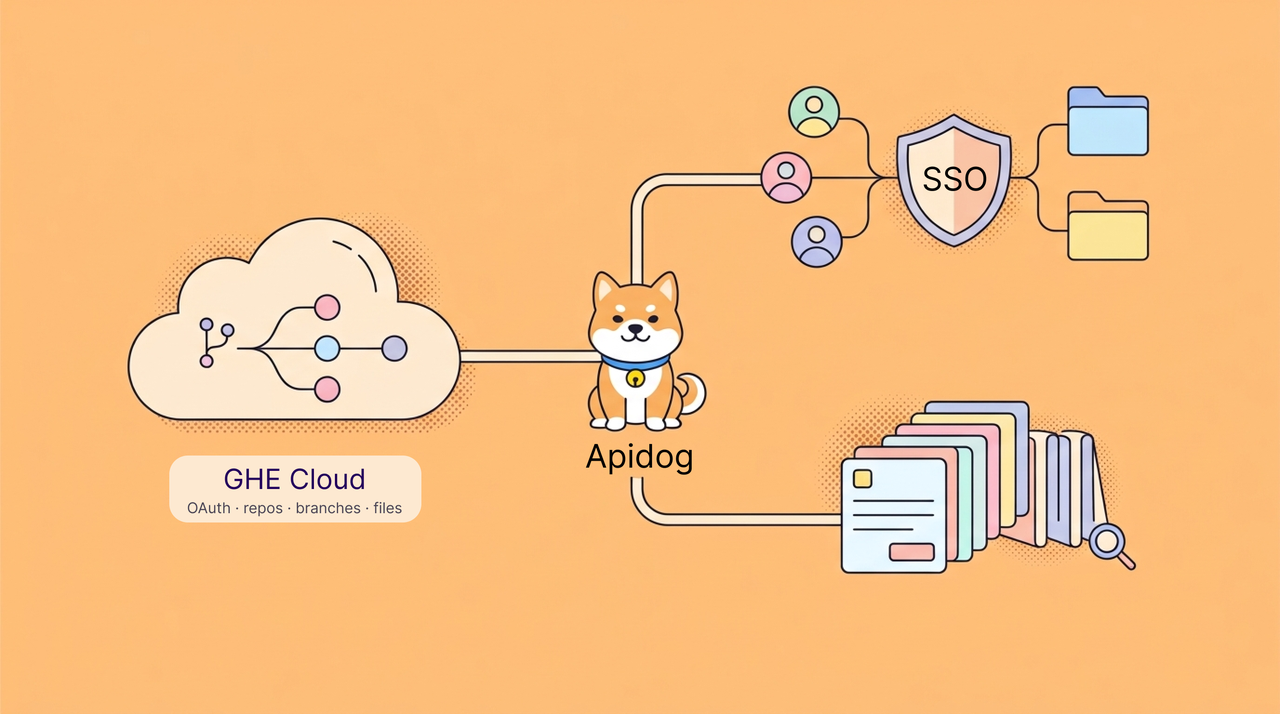
Teams using GitHub Enterprise Cloud data residency can now connect repositories hosted on dedicated *.ghe.com domains to Apidog. This keeps governed repositories in the organization’s existing GitHub environment while supporting Git-based API collaboration.
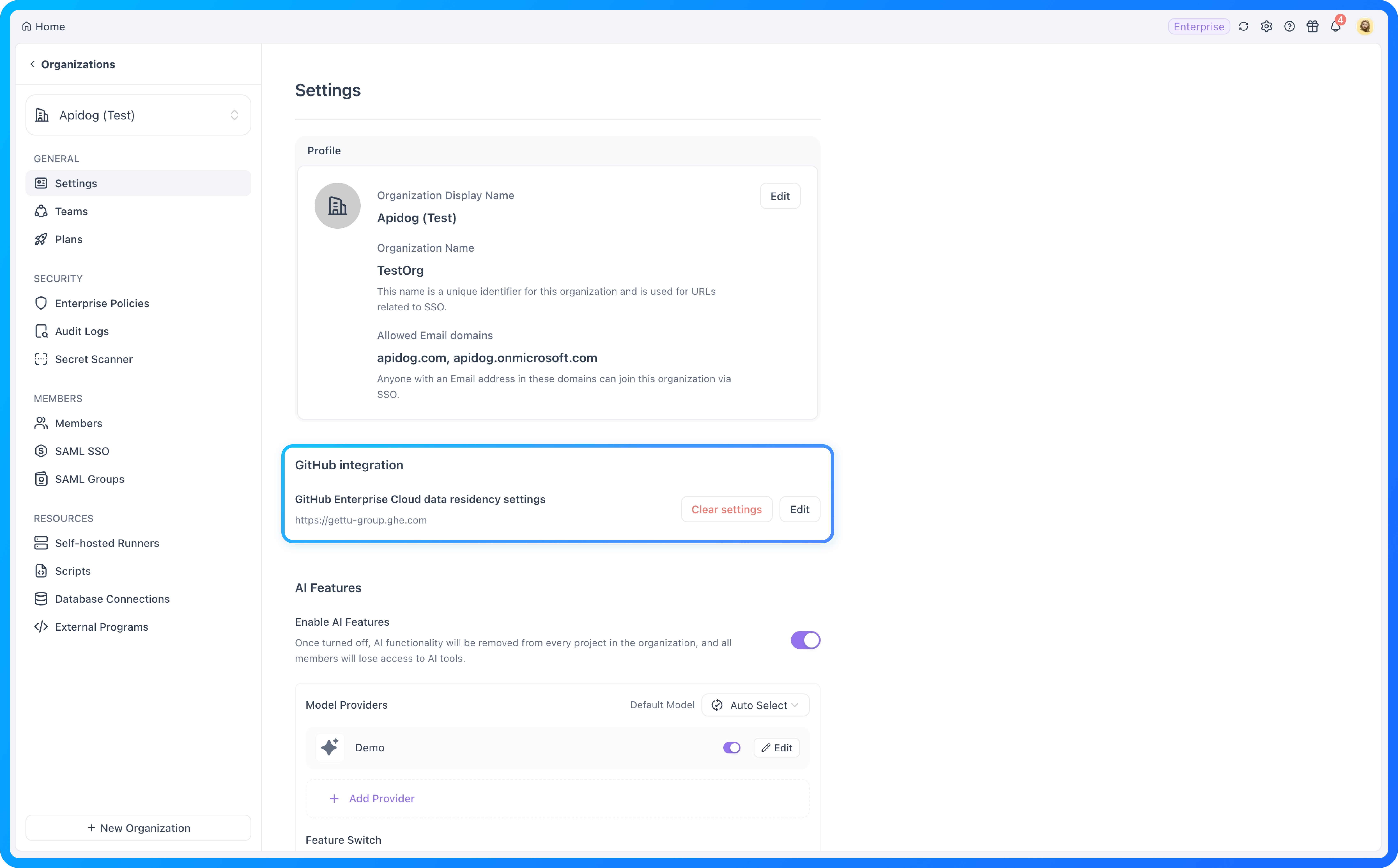
Connect your organization’s *.ghe.com host
Organization administrators can configure the enterprise host together with the OAuth App Client ID and Client Secret. Apidog then uses that host during authorization to access the organizations, repositories, branches, and files required by supported Git workflows.
Use the connection for:
- Git Connection: Work with API definitions through the repository and branch controlled by your organization.
- Repository import: Import OpenAPI or Swagger files from an enterprise repository into Apidog.
- OpenAPI backup: Back up API definitions to the enterprise repository and branch selected by the team.
Teams can keep their existing repository governance and data-residency model while using Apidog for Git Connection, repository import, and OpenAPI backup.
Scope: This update is limited to GitHub Enterprise Cloud data-residency deployments on dedicated *.ghe.com SaaS domains. It does not add general support for self-hosted GitHub Enterprise Server domains.⚡️ Faster API Debugging
Several updates make it easier to understand what a request is doing and adjust it without repeated trial and error.
See the actual request when a call fails
When a request fails, Apidog now shows the actual URL, parameters, headers, and body that were sent. You can quickly check the effect of environments, scripts, and request settings before retrying.
Control which parameter fields are sent
Object parameters and child fields from referenced data models can now be enabled or disabled individually. This gives you finer control when debugging complex request bodies or sending only the fields an endpoint needs.
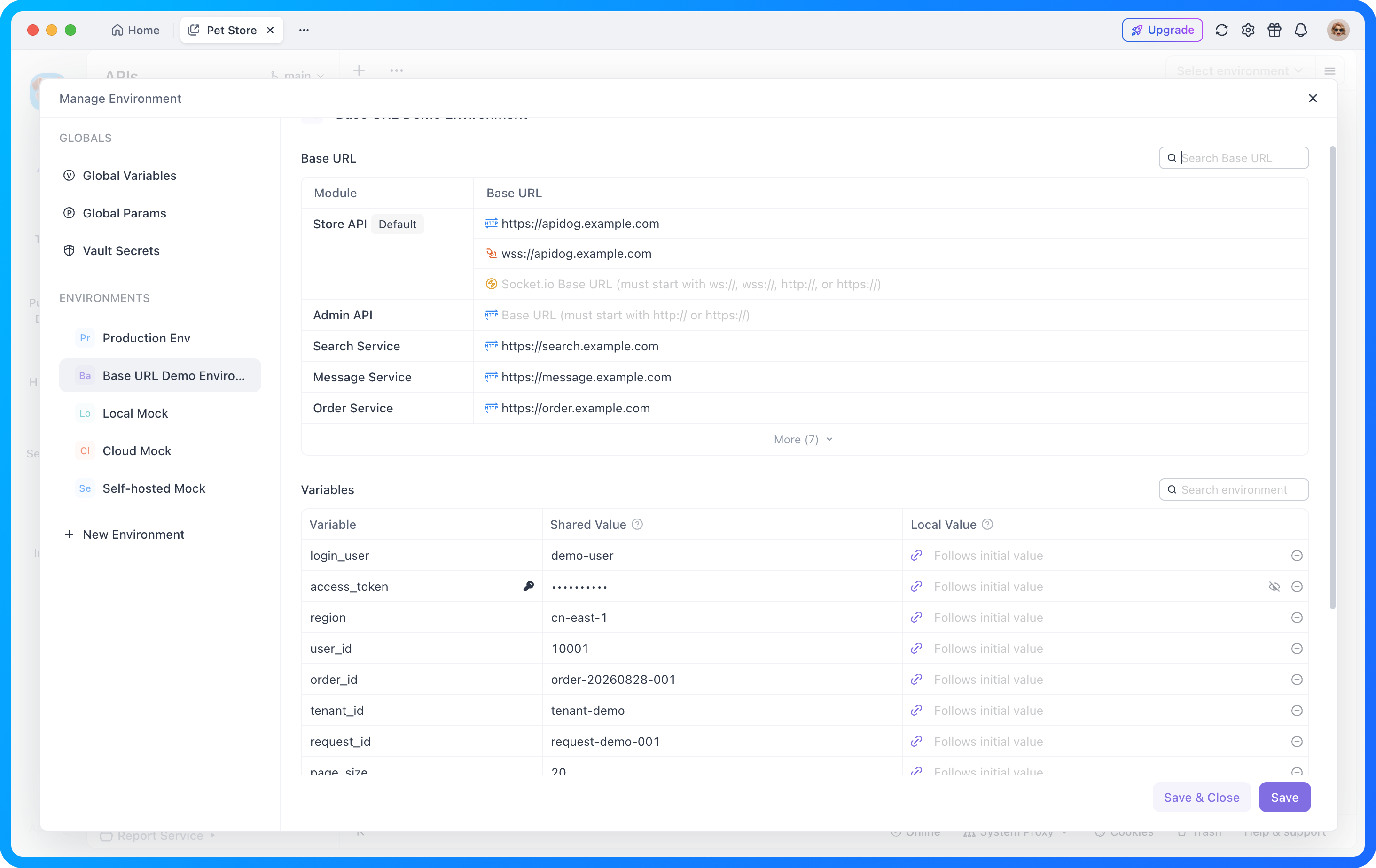
Find module Base URLs and variables faster
When a project contains more than five module Base URLs, the list collapses automatically and supports search, making it easier to locate the service configuration you need.
🛡️ Stronger SSO Governance and Project Access
SSO should do more than authenticate users: it should keep them in the organization workspace and turn identity-provider membership into predictable project access.
Keep enterprise SSO sessions focused on organization work
When SSO session isolation is enabled, Apidog keeps users focused on the organization and team associated with their SSO session. It also limits selected actions that could move, copy, or clone organization work into personal spaces.
Organizations that do not enable SSO session isolation continue to use the existing experience.
Carry team membership into project-level access
SAML Group Mapping now initializes project access for synchronized teams. The initial role mapping is:
| Synchronized team role | Initial access to projects under the team |
|---|---|
| Team Admin | Editor |
| Other Team Member | Read-Only |
When a mapped user leaves the team, Apidog updates the related project membership as well. This keeps identity-provider groups, team roles, and project access aligned during onboarding and offboarding.
Why it matters: Administrators spend less time repairing project membership, while users enter team projects with a clear and consistent starting level of access.
📋 More Complete and Auditable Enterprise Administration APIs
Enterprise administrators can now retrieve more useful member data, automate team onboarding with explicit project-access behavior, and see supported external admin actions in the audit trail.
Get richer organization member data
The Organization Members API now returns email addresses and more reliable names alongside existing membership information:
GET /v1/organizations/{organizationId}/membersWhen a member has not set a nickname, Apidog can use other available profile information for the returned name. Members without an available email address, including applicable pending or provisioned records, return an explicit null value instead of an ambiguous missing field.
This is useful for member inventory, automated synchronization, and access reviews.
- Member inventory: Identify organization members with the information administrators commonly need for review.
- Automated synchronization: Use stable member data in external identity and administration workflows.
- Access review: Compare membership records without depending on a separate manual CSV export for basic details.
Automate team roles and project access
Add a user to a team by email and assign a supported built-in team role through:
POST /v1/team-access-grantsEach request explicitly selects the team role—Admin, Member, or Guest—and how project access should be initialized. With mapped, Apidog initializes missing access according to the selected team role while preserving existing valid project roles. With none, the user joins the team without project-member permissions, so access can be assigned separately.
The endpoint also supports invitations for users who have not yet joined the organization and restoring members who previously left the team. Existing active or pending team members and Team Owners are protected from unintended changes, making repeated calls safer for automated onboarding.
Scope: Project-access initialization applies only to projects that already exist under the team when a user first joins or is restored. It does not continuously synchronize permissions or apply automatically to future projects, and the endpoint does not assign Team Owner, Billing Manager, or custom Team Roles.
Bring supported admin API actions into the audit trail
Supported external administrative API operations that map to existing audit events are now recorded in the audit trail, giving governance teams a more complete view across interface actions and automation.
Together, these changes make administration easier to automate and easier to review.
Scope: Audit coverage applies to supported external API operations associated with existing audit events. It should not be interpreted as universal logging of every API request or management endpoint.
✨ More Improvements
The release also includes smaller improvements across enterprise management, collaboration, environment configuration, project setup, imports, and specifications.
Enterprise, collaboration, and environment management
- Organization membership policy: Enterprise administrators can restrict organization membership to members with specified email addresses, helping keep access aligned with approved identity rules.
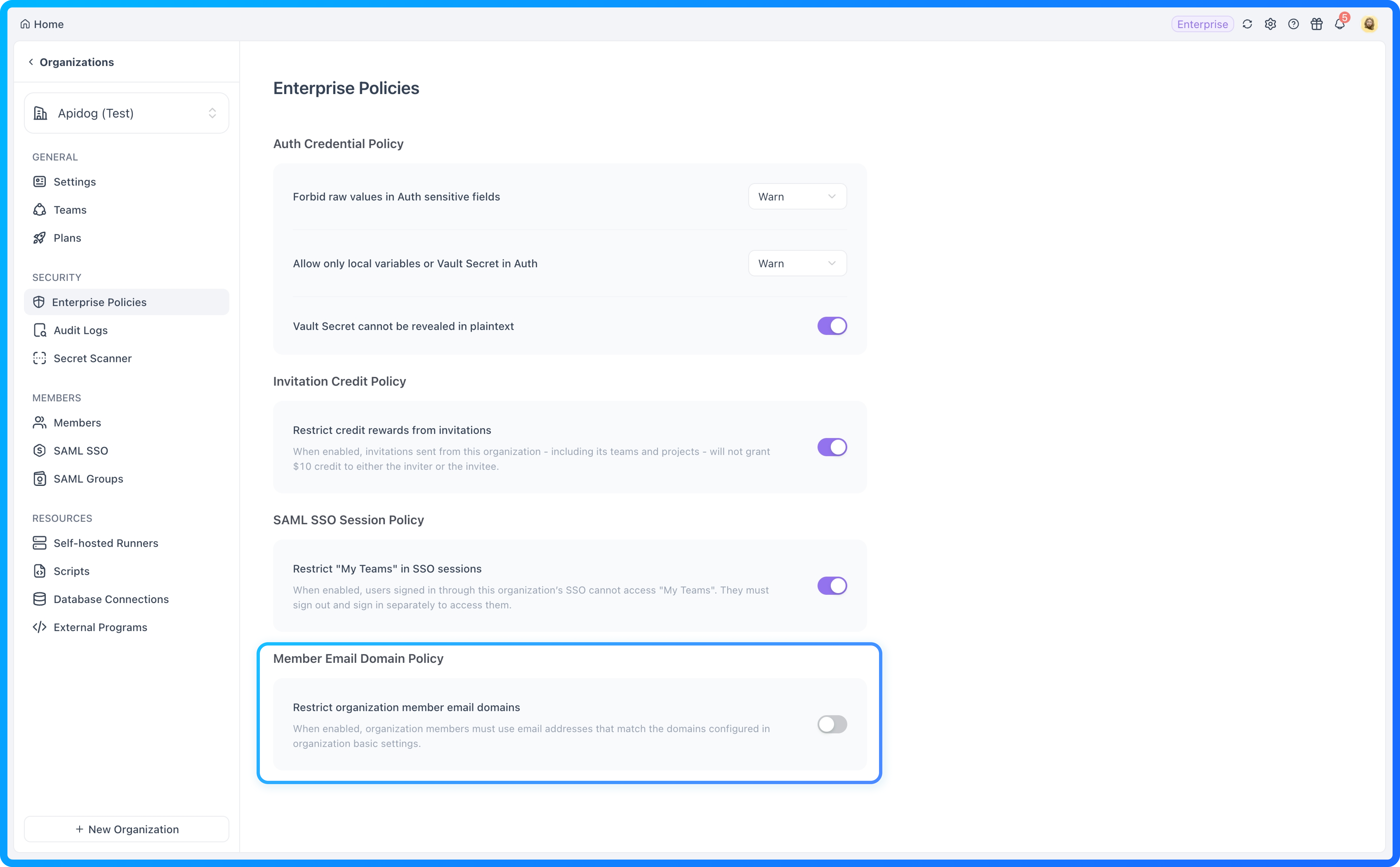
- Invitation Reward Policy: Organizations can disable Credit rewards and related emails for invitations sent from the organization and its teams or projects.
- Localized system emails: Apidog system emails now follow the recipient’s selected language, with English used when an Apidog language preference is unavailable.
- More manageable organization-owned teams: Organization Owners and Admins can view each Team Owner and owner status, search or filter teams by those fields, and transfer ownership for one or multiple teams. This makes organization-managed personal workspaces easier to identify and hand over when ownership changes.
- Clearer project-member management: Bulk member editing, member-detail dialogs, and permission settings are easier to work with, while Team Owner roles are protected from unsupported changes.
- Refined Enterprise administration pages: More consistent layouts, help links, and upgrade presentation improve navigation across Enterprise settings, policies, Audit Logs, Secret Scanner, and SAML SSO pages without changing existing permission logic.
Project setup, imports, and specifications
- Safer mode switching during project creation: Information already entered in the project-creation form is retained when switching between General Mode and Spec Mode.
- Improved Postman file imports: Imports now support global variables and handle spaces in variable names automatically, reducing cleanup after migration.
- Better cross-file
$refsupport in Spec Mode: Endpoint previews can resolve supported request bodies, schemas, and responses stored in separate OpenAPI files. Spectral lint across referenced files, full endpoint references, and Form Mode cross-file references remain outside this scope.
Together, these improvements reduce setup and administration friction across common enterprise and project workflows.
Additional collaboration improvements: Users can search for teams from the home page, while built-in team roles can be copied into custom roles and deletion guidance is clearer when a role is still in use.
🛠️ Notable Bug Fixes
This release cycle also improves reliability across branches, imports and exports, documentation, CLI workflows, and test execution. The fixes below highlight the issues with the broadest user impact.
Branches, imports, exports, and code generation
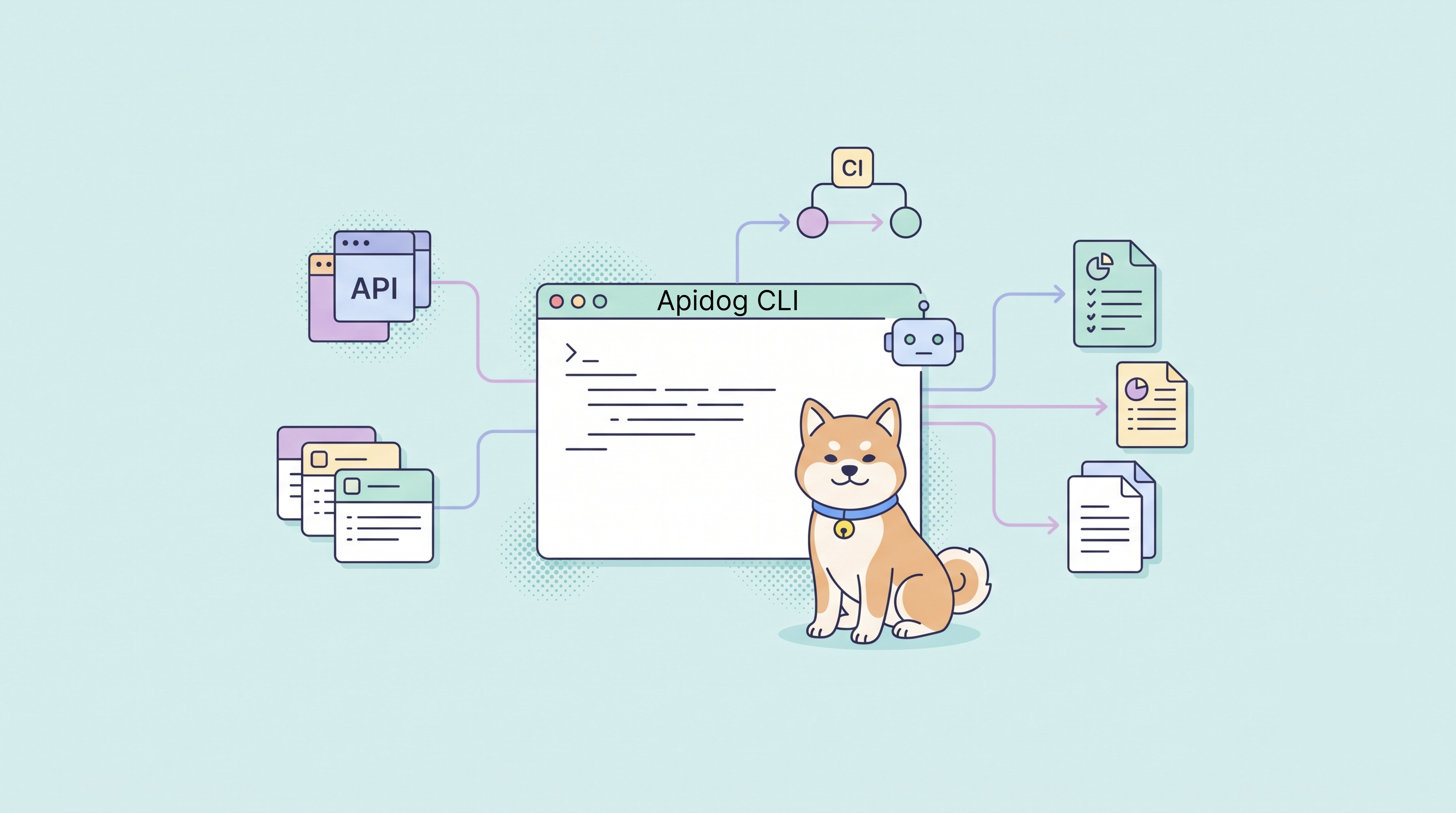
- Apidog CLI OpenAPI imports now write to the branch selected by the user instead of incorrectly writing to the main branch.
- Release-document exports from sub-branches no longer include endpoints from unrelated modules or empty folders.
- Multi-branch merges more reliably carry endpoints, test scenarios, and other resources into the target branch.
- The Create Git Repository Connection action responds correctly during OpenAPI import.
- OpenAPI and CLI exports now respect selected modules, tags, and folders instead of unintentionally including a broader endpoint set.
- Schemas referenced across modules are preserved more reliably during code generation.
- AND-related Security Schemes are exported correctly instead of being merged into an inaccurate internal representation.
Validation and shared documentation
- Strict-mode response validation now handles schemas composed with
allOfcorrectly. - Schemas referenced through
Additional propertiesappear correctly in shared API documentation. - Default examples are displayed correctly in shared documentation.
- Markdown document tabs render completely when signed-out users visit public projects.
CLI data and test execution
- Global variables created through AI or Apidog CLI no longer produce empty client-side variable names.
- Invalid tag values created by Apidog CLI no longer cause frontend access errors.
- Project-level test data created without
--scenarioremains visible in the data list. - Pre- and post-processor execution details appear in the console while an SSE request is running, rather than only after the request finishes.
- Dataset names remain visible when test runs use long-text dataset variables.
These fixes reduce the chance that a correct workflow produces the wrong branch destination, an incomplete export, missing documentation, or misleading test feedback.
🌟 In Brief
This month’s release aligns repository governance, identity-based access, debugging, and administration so enterprise API teams can move from setup to execution with less manual repair.
💬 Keep in Touch
Have feedback or questions? Connect with fellow API engineers and the Apidog team:
- Join our Discord community for real-time discussions and support.
- Participate in our Slack community for technical conversations.
- Follow us on X (Twitter) and LinkedIn for the latest updates.
Ready to explore the details? Read the Apidog Changelog for versions 2.8.41, 2.8.42, 2.8.43, and 2.8.44. Visit the relevant docs linked above for setup guidance, then update to the latest version to try these improvements.
Best regards,
The Apidog Team