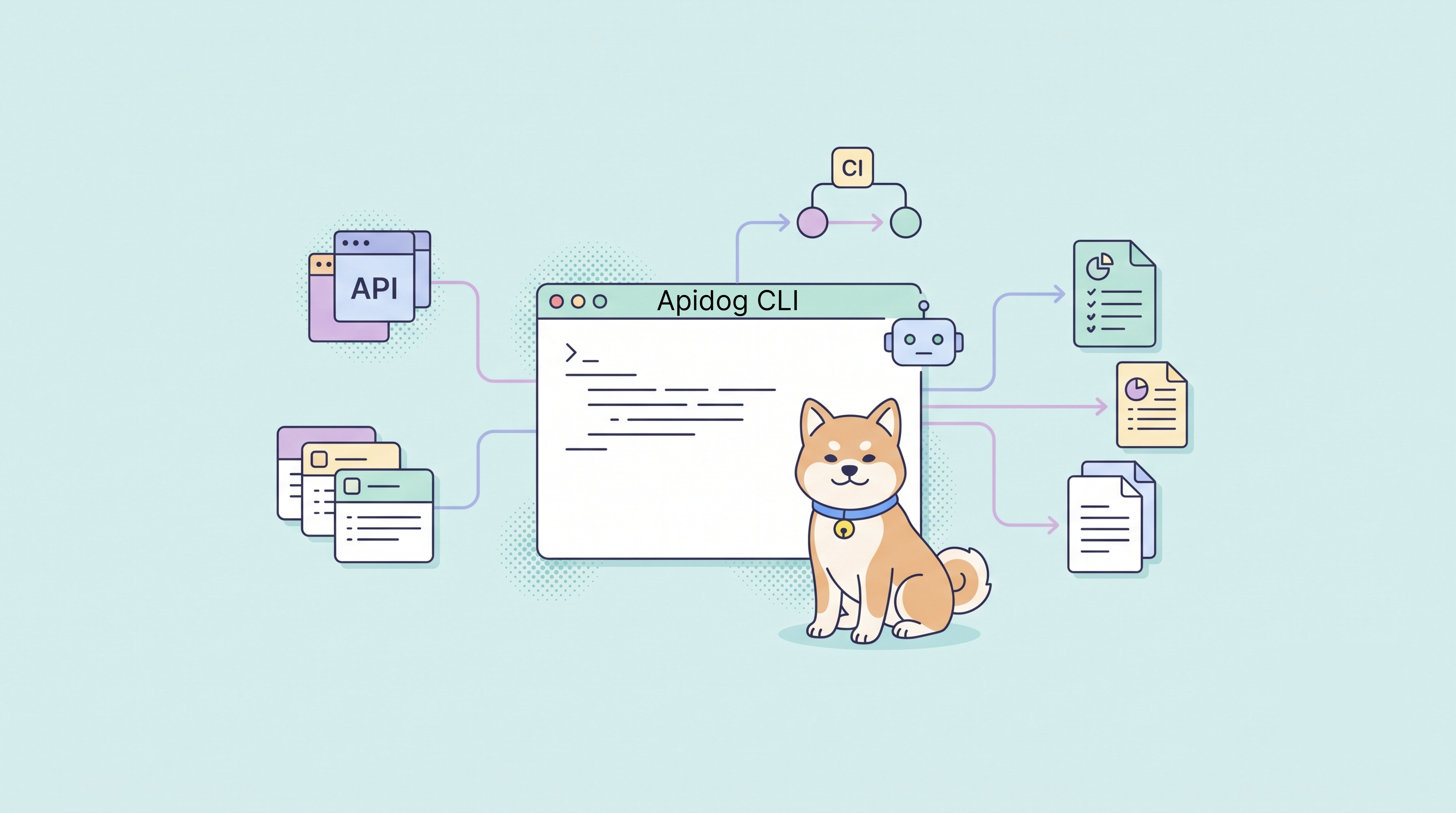
Apidog CLI has long been the command-line entry point for running API tests from a terminal, CI pipeline, automation workflow, or external system.
apidog run --project <projectId> --test-scenario <scenarioId> --environment <environmentId>That foundation still matters. Teams still need a reliable way to run API tests, generate reports, and keep quality gates inside CI. But API development is changing. AI Agents are now participating in API design, test generation, debugging, migration, and maintenance.
For those workflows, a CLI cannot only be the last step that runs existing tests. It also needs to give Agents a stable way to read API assets, create or update test assets, validate structured changes, write them back, and verify the result.
The upgraded Apidog CLI keeps the original test-running foundation and expands it into a workflow layer for developers, scripts, and AI Agents. This article explains why CLI matters more in the AI Agent era, what changed in Apidog CLI, and how teams can start using it for API testing automation.
Why CLI matters more in the AI Agent era
Graphical interfaces are designed for people. They are visual, flexible, and useful for exploration. AI Agents, however, work best with structured commands, predictable inputs, predictable outputs, and clear validation steps.
That is where the CLI becomes important. A CLI gives Agents and scripts a repeatable interface to the same resources that developers manage in Apidog: APIs, environments, variables, test cases, test scenarios, test suites, reports, import/export data, and more.
In practice, this means Apidog can serve both human users and automated workflows. People continue to design, debug, review, and collaborate in the product interface. Agents and automation can use the CLI to perform controlled operations around those same assets.
From apidog run to full API and testing workflows
The previous CLI experience centered mainly on test execution. That made apidog run useful as a CI quality gate, but it also meant the CLI usually appeared near the end of the workflow. The upgraded CLI expands coverage across more core Apidog resources, so automation can participate earlier: reading project context, preparing test assets, validating structured changes, and then running verification.
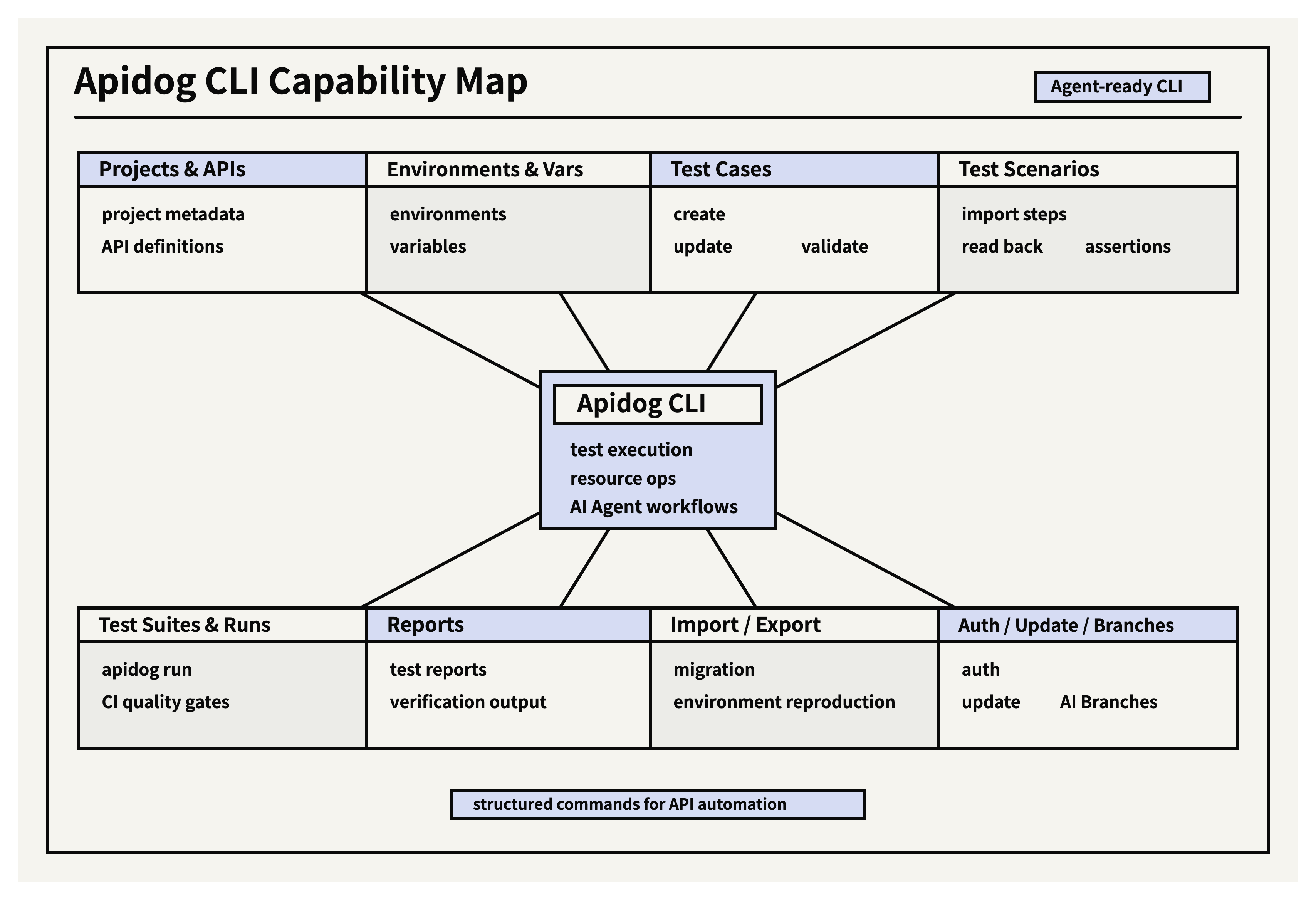
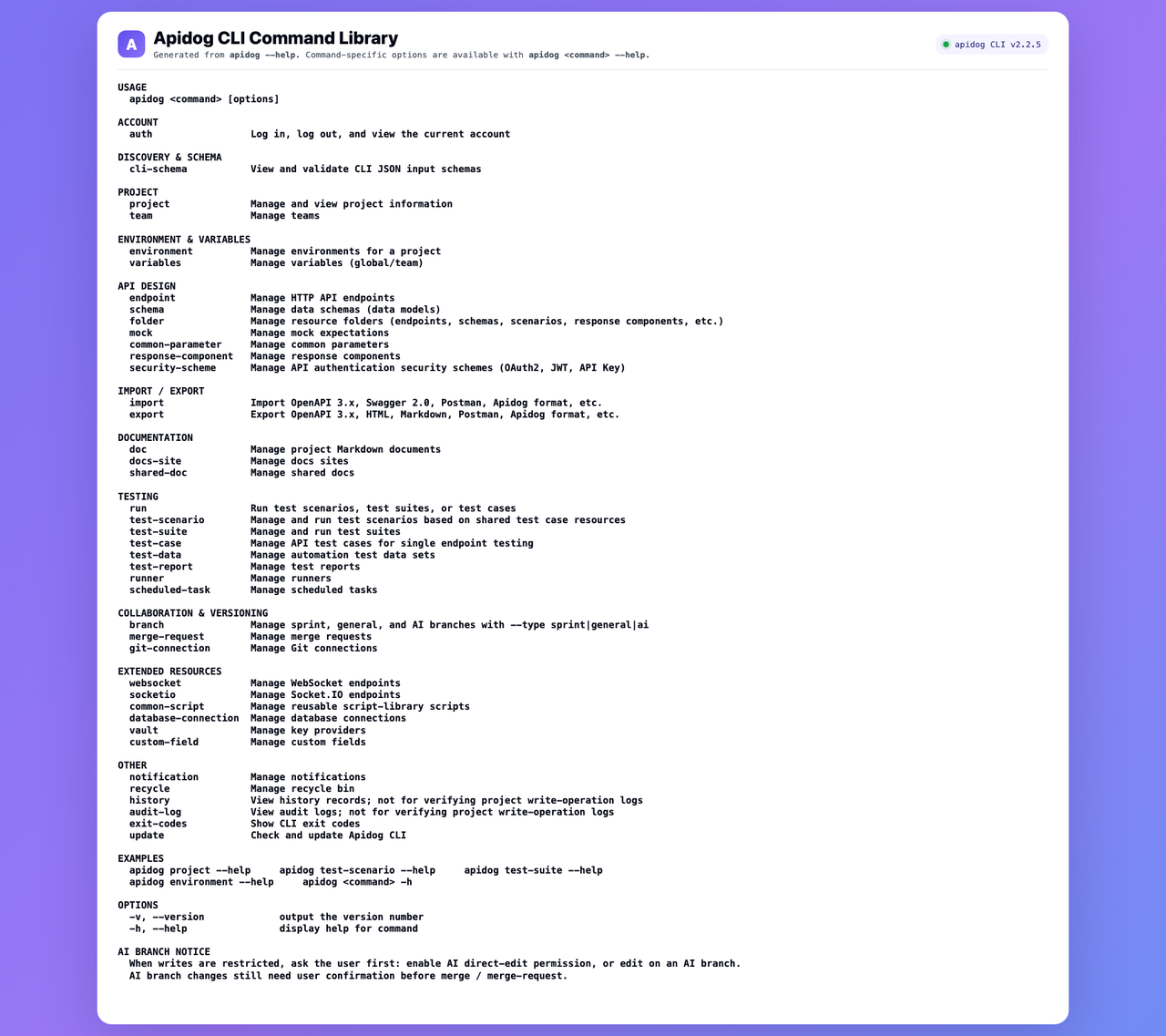
With the upgraded CLI, users and Agents can work with resources such as:
- Projects and project metadata
- APIs and API definitions
- Environments and variables
- Test cases
- Test scenarios
- Test suites
- Reports
- Import and export workflows
- Accounts, branches, runners, and related project resources
This changes the role of Apidog CLI. It is not simply a way to execute tests after everything else is done. It can now participate earlier in the development loop, where an Agent needs to understand the project, generate or update test assets, validate changes, and then run verification.
A safer loop for Agent-driven testing
When an AI Agent helps with API development or testing, the risky part is not just generating content. The risky part is writing generated content into a real project without enough structure or verification.
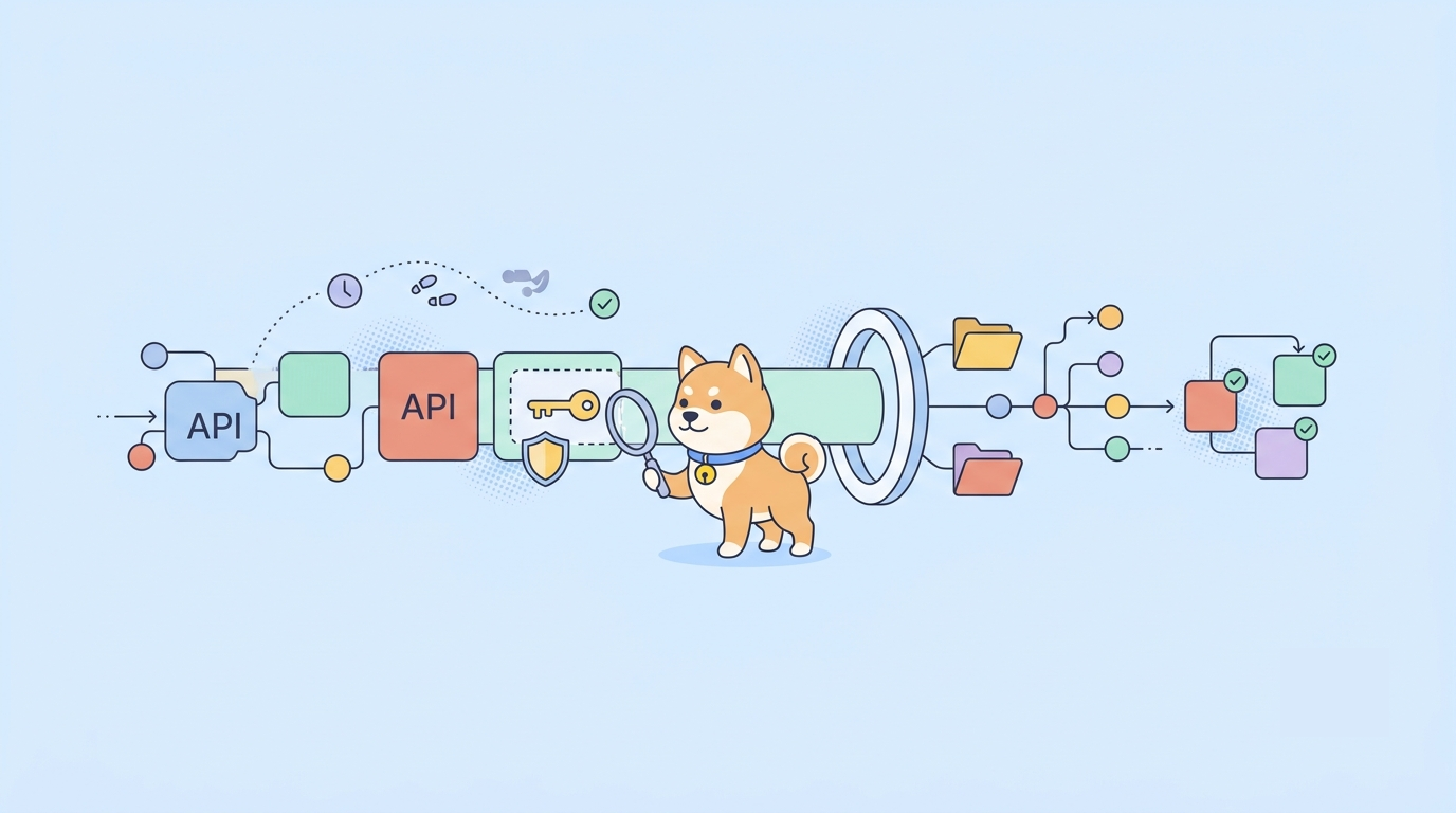
The upgraded CLI makes a safer loop possible:
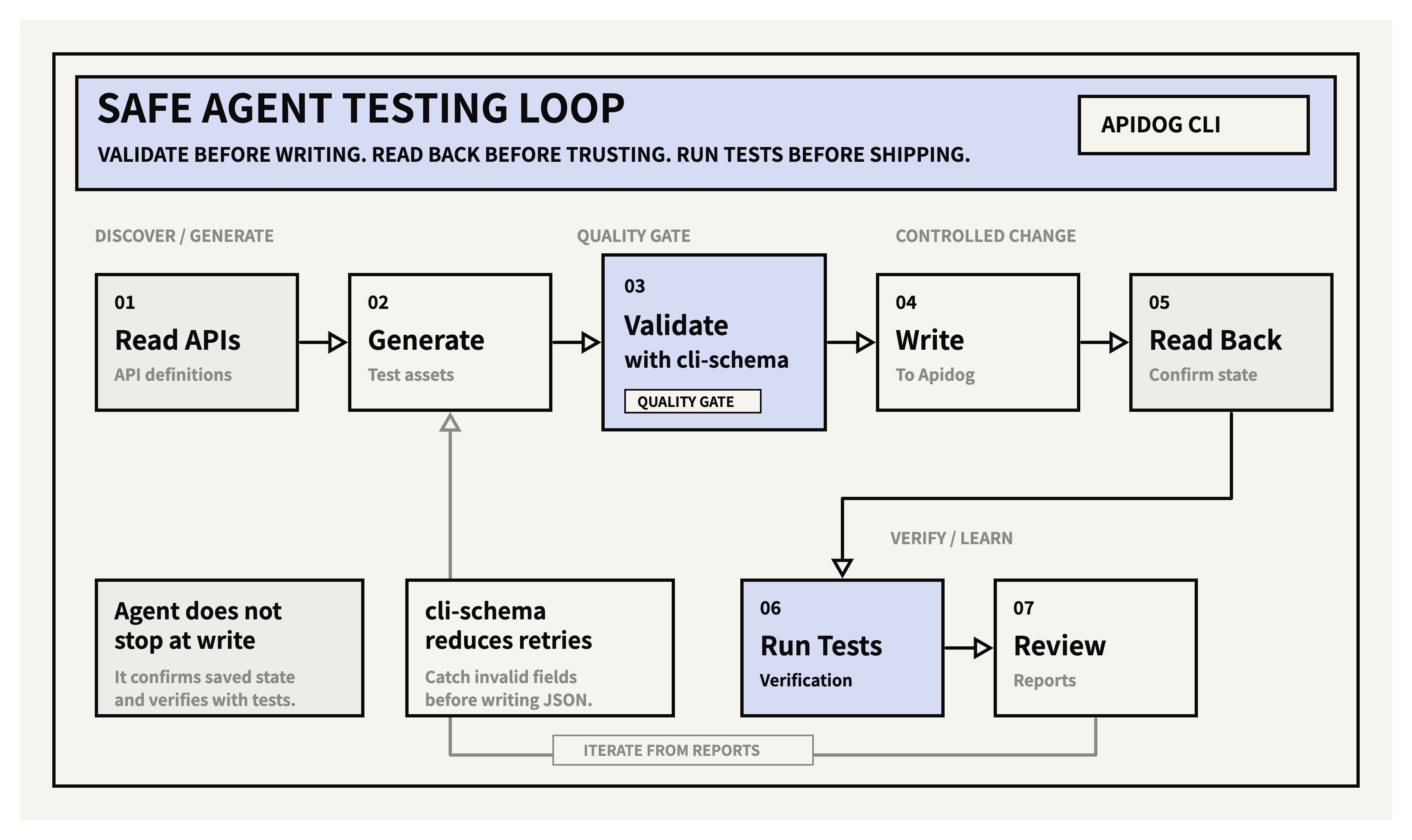
This loop matters because many Apidog resources are structured. Test cases and test scenarios can include request data, assertions, variable extraction, pre-processors, post-processors, step order, references to environments, and other details. If an Agent guesses the structure, small mistakes can cause failed writes, incomplete display in the UI, or tests that do not behave as expected.
That is why cli-schema is an important part of the upgrade. Before writing a complex JSON file into Apidog, an Agent can ask the CLI to validate whether the fields and structure match the expected schema.
apidog cli-schema validate test-case-create --file ./test-case-create.json
apidog cli-schema validate test-scenario-update --file ./scenario-update.json
In short: let the Agent generate, but let the CLI validate before the write happens.
The CLI can also provide Agent-oriented hints in command output. After a resource is created or updated, the next step is often not “stop.” A more reliable Agent should read the saved resource back, confirm the structure, and run tests when appropriate. These hints help Agents move through the workflow with fewer blind spots.
Skills give Agents operating judgment
CLI commands give an Agent execution power. Skills give an Agent operating judgment.
A SKILL is not just a command reference. It is closer to an operating guide written for AI Agents: when to use a command, which command should come first, what fields should not be guessed, when to validate, when to read back, and when to run tests.
For example, a reliable Agent should not always hand-write a large test scenario from scratch. A safer pattern is often:
- Create the basic scenario.
- Import steps from APIs or existing test cases.
- Read back the full scenario structure.
- Update assertions, variable extraction, or processors in smaller steps.
- Validate and run the scenario.
Skills make these patterns explicit. They help Agents avoid common mistakes such as using the wrong field name, choosing the wrong enum value, skipping schema validation, or assuming a successful write means the final resource is already correct.
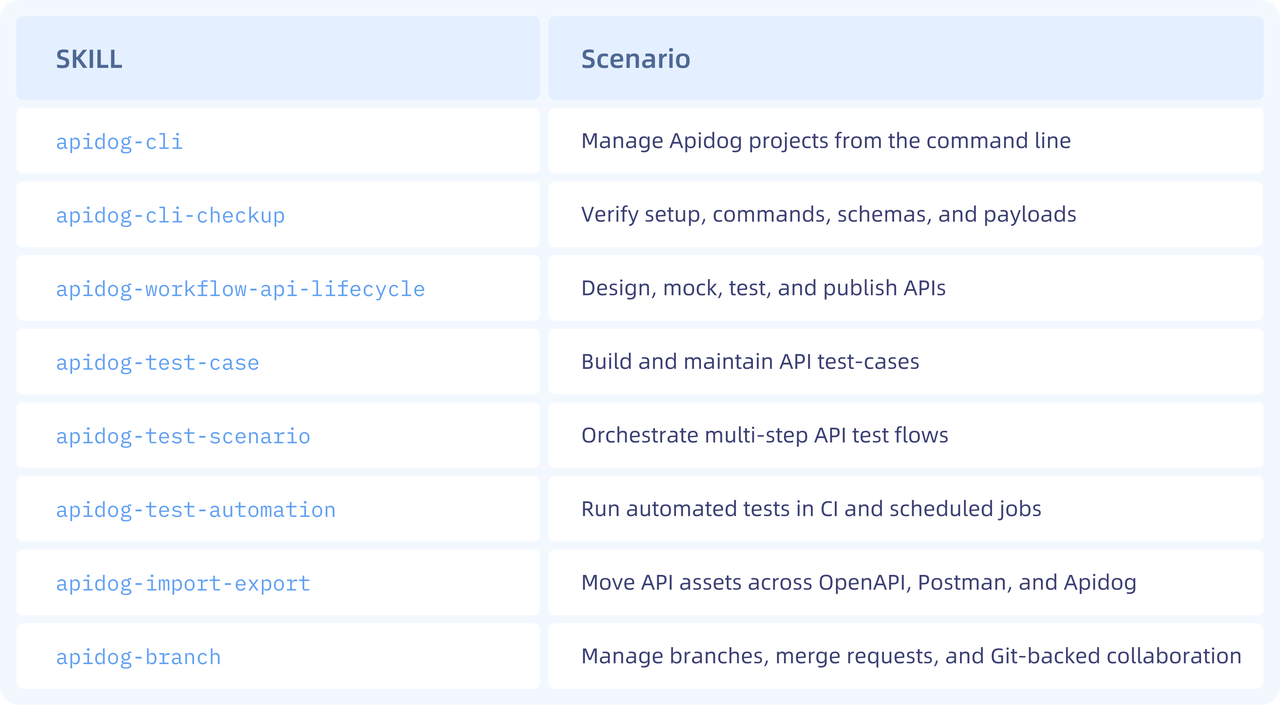
Apidog provides 8 companion Skills to help Agents understand CLI commands, resource structures, and task workflows. Together, the CLI and Skills make Apidog more practical for AI-assisted API development and testing.
Safer project changes with AI Branches
When an Agent modifies project resources, safety and reviewability matter. For that reason, the upgraded CLI can also be used together with AI Branches.
The Agent can make changes in an isolated branch first. The team can review the differences, confirm the result, and then merge into the target branch. This helps prevent automated changes from directly affecting the main branch or a shared collaboration branch.
What this unlocks in real workflows
The value of the upgraded CLI is easiest to see in concrete workflows.
Generate tests from API definitions
An Agent can read API definitions from a project, generate test cases, validate the generated JSON with cli-schema, write the test cases into Apidog, read them back, and run verification. This turns test generation from a one-off suggestion into a controlled workflow.
Maintain complex test scenarios
For multi-step scenarios, the Agent can import steps from APIs or existing test cases first, then update assertions, variables, or processors after reading back the complete structure. This reduces the risk of building a large scenario incorrectly in one pass.
apidog test-scenario import-steps <scenarioId> --project <projectId> --source endpoint --ids <endpointIds> --sync manual
apidog test-scenario get <scenarioId> --project <projectId> --with-case-detail
Move and reproduce project assets
The upgraded CLI also improves import and export workflows for Apidog native data. This is useful for project migration, reproducing customer environments, copying test setups, or moving APIs, schemas, test cases, and scenarios across projects.
apidog export --project <projectId> --format apidog --output ./project.apidog.json
apidog import --project <projectId> --format apidog --file ./project.apidog.json
Keep CI quality gates
The new Agent-ready capabilities do not replace CI. They complement it. Teams can still use apidog run as the core entry point for automated test execution and reports.
apidog run --project <projectId> --test-scenario <scenarioId> --environment <environmentId> -r "cli,html,junit" --out-dir ./apidog-reportsGetting started
If you already have Apidog CLI installed, check your current version first:
apidog -vIf your Apidog CLI version is earlier than 2.2.5, update the CLI before using the new capabilities. This version number refers to Apidog CLI, not the Apidog app.
You can ask the AI Agent you are using to install both Apidog CLI and the companion Skills by copying this prompt:
Read the instructions and help me install Apidog CLI:
https://apidog.com/apidog-cli-installation-guide.md
If you prefer to install or update it manually, run:
npm install -g apidog-cli@latestFor the full command reference, see Apidog CLI Options.
Try your first Agent task
After the CLI and Skills are installed, the easiest way to start is to give your Agent one small, low-risk API task. For example, ask it to create a simple health check endpoint in an Apidog project, then read it back to confirm the result.
Copy this prompt into your AI Agent:
Use Apidog CLI to help me create my first API endpoint in Apidog. First, check my Apidog CLI setup and list the projects I can access. Ask me which project to use. After I confirm, create a simple GET /health endpoint named Health Check with a 200 response example. Validate any structured input before writing, then read the endpoint back and summarize what was created.This gives new users a concrete starting point: the Agent checks the setup, asks before writing to a project, creates a small API definition, and confirms the saved result.
Next steps:
- Download Apidog to design, debug, test, and document APIs in one workspace.
- Learn more about Apidog CLI for command-line API testing, CI automation, and AI Agent workflows.
FAQ
What is Apidog CLI?
Apidog CLI is a command-line tool for running API tests, working with Apidog project resources, and connecting Apidog API and testing assets to automation workflows.
Can Apidog CLI run API tests in CI?
Yes. Teams can use apidog run in CI pipelines to run API tests, generate reports, and keep automated quality gates in their testing workflows.
How does Apidog CLI help AI Agents?
Apidog CLI gives AI Agents a structured way to read API information, generate or update test assets, validate changes, write them into Apidog, read back the result, and run tests for verification.
What is cli-schema in Apidog CLI?
cli-schema helps validate complex JSON files before they are written into Apidog. This reduces failed writes, invalid fields, and unnecessary retry loops when Agents create or update test cases and test scenarios.
How do I install Apidog CLI?
You can ask an AI Agent to follow the Apidog CLI installation guide and install both the CLI and companion Skills, or install it manually with npm install -g apidog-cli@latest.