
Claude Opus 5 shipped on July 24, 2026, and Anthropic now points developers at it first: the docs say that if you are unsure which model to use, start with Claude Opus 5. The API model ID is the exact string claude-opus-5, with no date suffix.
This guide walks through the whole path: getting a key, sending a first request, streaming, tool use, adaptive thinking, the effort parameter, and reading the usage object to confirm your prompt cache is working. Every request here is plain HTTP with JSON in and JSON out, so you can build and debug it in Apidog before you wire it into application code.
Two changes from Opus 4.8 will bite you on the very first call, so they come before anything else. If you are migrating an existing service rather than starting fresh, read the full Opus 4.8 to Opus 5 migration guide alongside this one.
Before your first call: two breaking changes
1. Thinking is on by default. On Opus 4.8, a request with no thinking field ran without thinking at all. On Opus 5, that same request runs with adaptive thinking. max_tokens is still a hard cap on thinking tokens plus response tokens together, so a request body you copied from a working 4.8 integration can now truncate mid-answer. If your max_tokens was tuned tightly around expected output length, raise it.
2. Disabling thinking caps your effort level. Sending thinking: {"type": "disabled"} together with an effort of xhigh or max returns a 400. Anthropic enforces this per request, so it fails immediately rather than degrading quietly. The fix is to pick one: keep thinking on and lower effort to control cost, or keep thinking disabled and cap effort at high.
Anthropic’s own advice is the first option. With thinking disabled, Opus 5 occasionally writes tool calls out as plain text (they never execute, and the leaked text pollutes later turns in an agent loop) and sometimes leaks <thinking> tags into visible output. Keeping thinking on and dialing effort down avoids both.
Both changes are documented in Anthropic’s model migration guide.
Step 1: Get an API key
Sign in to the Claude Developer Platform, open the API keys section of your organization settings, and create a key. Copy it once; you cannot read it back later.
Store it in an environment variable rather than pasting it into code:
export ANTHROPIC_API_KEY="sk-ant-..."
If you are testing in a GUI client, put the key in an environment variable there too. In Apidog that means creating an environment (Local, Staging, Production) with an ANTHROPIC_API_KEY variable, then referencing {{ANTHROPIC_API_KEY}} in the header. Your saved requests stay shareable with the team and the secret never lands in a collection export.
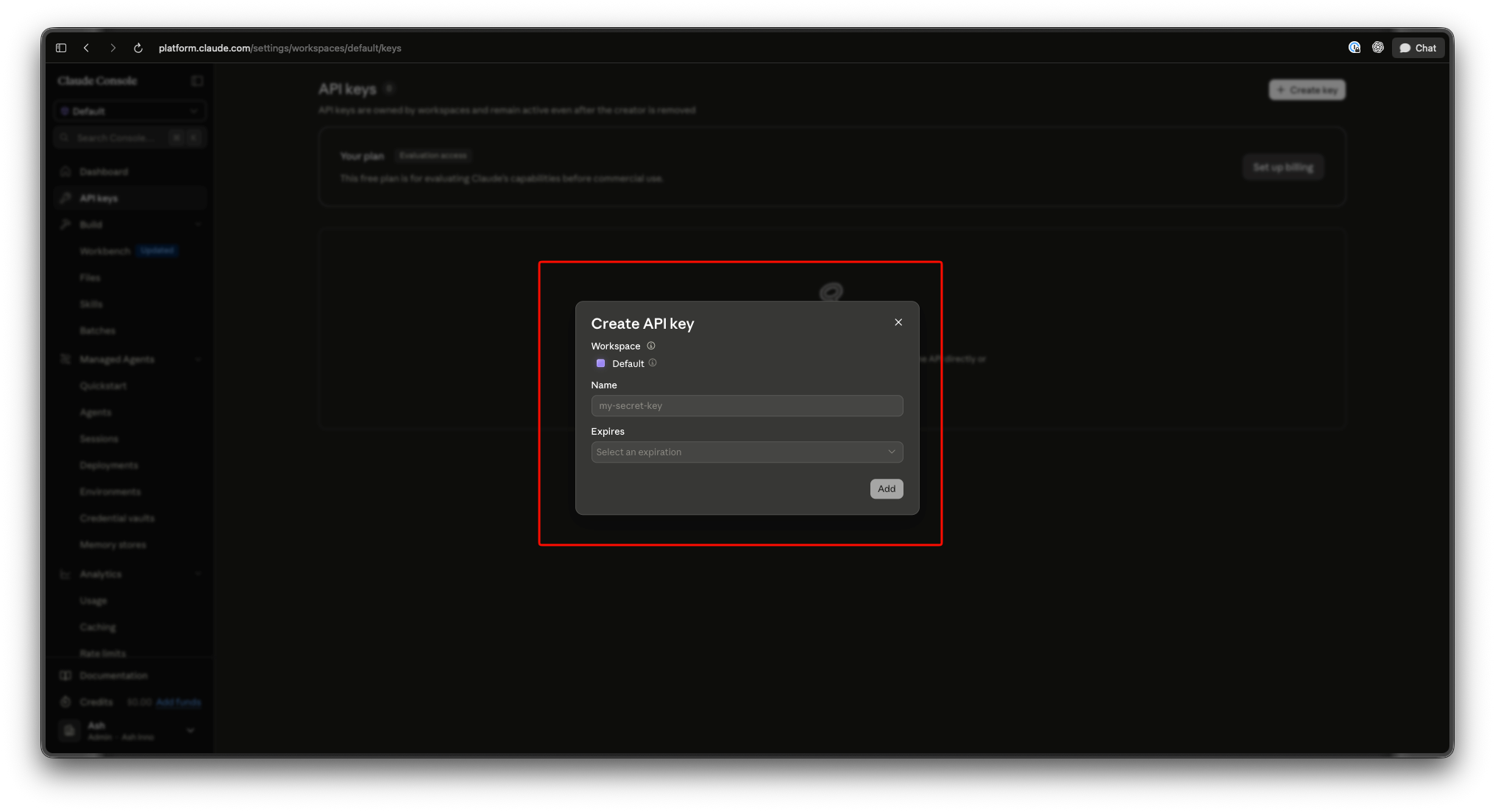
You also need to add billing credits before requests will succeed. Rates for Opus 5 are $5 per million input tokens and $25 per million output tokens, the same as Opus 4.8, and the full pricing breakdown covers caching, batch, and fast-mode rates.
Step 2: Send your first request
The endpoint is POST https://api.anthropic.com/v1/messages. Three headers matter: your key, the API version, and the content type.
curl https://api.anthropic.com/v1/messages \
  --header "x-api-key: $ANTHROPIC_API_KEY" \
  --header "anthropic-version: 2023-06-01" \
  --header "content-type: application/json" \
  --data '{
    "model": "claude-opus-5",
    "max_tokens": 4096,
    "messages": [
      {"role": "user", "content": "Explain the difference between a 429 and a 529 from an API perspective."}
    ]
  }'
Note the max_tokens value. 4096 is a deliberate step up from the 1024 you see in most starter snippets, because thinking tokens now come out of the same budget.
The Python equivalent through the official SDK:
import os
from anthropic import Anthropic

client = Anthropic(api_key=os.environ["ANTHROPIC_API_KEY"])

message = client.messages.create(
    model="claude-opus-5",
    max_tokens=4096,
    messages=[
        {"role": "user", "content": "Explain the difference between a 429 and a 529 from an API perspective."}
    ],
)

for block in message.content:
    if block.type == "text":
        print(block.text)
That loop over message.content is not decoration. The response content is an array of typed blocks, and with thinking on you will now see a thinking block before the text block. Code that assumed content[0].text was the answer breaks on Opus 5. This is the single most common upgrade failure, and it is easy to miss because the request still returns a 200.
A few specs worth having in front of you while you build: Opus 5 has a 1M token context window as both the default and the maximum (no beta header, no long-context price premium), a 128k max output on the Messages API, and a May 2026 knowledge cutoff. The models overview has the full table, and our Opus 5 explainer covers the rest of the spec sheet.
Step 3: Work with adaptive thinking
Adaptive thinking means the model decides how much internal reasoning a request deserves. You do not set a token budget. You steer it with effort, which is covered in the next step.
What you need to handle in code:
- Parse blocks by type. Filter on
block.type == "text"for the visible answer andblock.type == "thinking"if you want to log the reasoning. - Send thinking blocks back unchanged. In multi-turn and tool-use loops, append the assistant’s full content array to your message history rather than reconstructing it from the text. Stripping blocks out mid-conversation degrades the loop.
- Budget
max_tokensfor both. Thinking plus response share the cap. Truncation shows up asstop_reason: "max_tokens", so assert on that field in your tests.
To turn thinking off entirely:
{
  "model": "claude-opus-5",
  "max_tokens": 4096,
  "thinking": {"type": "disabled"},
  "output_config": {"effort": "high"},
  "messages": [{"role": "user", "content": "Return only the HTTP status code."}]
}
Effort is capped at high in that request on purpose. Bump it to xhigh and you get the 400 described above.
Step 4: Control cost with output_config.effort
The effort field lives under output_config and takes low, medium, high, xhigh, or max. It defaults to high. This is the parameter that mainstream coverage described as a toggle between cost and capability; on the API it is one string in your request body.
curl https://api.anthropic.com/v1/messages \
  --header "x-api-key: $ANTHROPIC_API_KEY" \
  --header "anthropic-version: 2023-06-01" \
  --header "content-type: application/json" \
  --data '{
    "model": "claude-opus-5",
    "max_tokens": 65536,
    "output_config": {"effort": "xhigh"},
    "messages": [
      {"role": "user", "content": "Refactor this handler to stream responses and keep backpressure."}
    ]
  }'
Three things to know before you tune it.
The levels are recalibrated. Anthropic says explicitly not to carry your Opus 4.8 effort settings across. low and medium are meaningfully stronger on Opus 5 than on earlier Opus models, which means workloads you previously ran at high may now be fine cheaper. Run a fresh sweep against your own evals rather than trusting a mapping.
xhigh is still the recommended starting point for coding and agentic work. It is also where max_tokens matters most. Give it room; 64k is a sane starting cap for long agentic turns, which is why the snippet above uses 65536.
Lower effort cuts thinking, not visible length. Opus 5’s default responses and written deliverables run longer than Opus 4.8’s. If you want shorter output, ask for it in the prompt. Dropping to low will not do it for you. The effort parameter deep dive walks through a full sweep methodology.
Step 5: Stream the response
Add "stream": true and the endpoint returns server-sent events instead of one JSON body.
with client.messages.stream(
    model="claude-opus-5",
    max_tokens=4096,
    messages=[{"role": "user", "content": "Draft a retry policy for a flaky upstream."}],
) as stream:
    for text in stream.text_stream:
        print(text, end="", flush=True)

    final = stream.get_final_message()
    print("\n\nusage:", final.usage)
The raw SSE sequence is message_start, then content_block_start / content_block_delta / content_block_stop per block, then message_delta carrying stop_reason and the final output token count, then message_stop.
With thinking on you get two content blocks streaming in order: a thinking block whose deltas arrive as thinking_delta, then the text block with text_delta. A UI that renders every delta into the same buffer will print the model’s reasoning to your users. Route them separately from the start.
Streaming is also where a GUI client earns its place, because reading raw SSE in a terminal is miserable. Apidog renders the event stream as it arrives, so you can watch block boundaries and confirm your parsing assumptions before writing a single line of handler code.
Step 6: Add tool use
Tool definitions go in a tools array. The model replies with stop_reason: "tool_use" and a tool_use content block; you execute the tool and send the result back as a tool_result block in a new user message.
tools = [
    {
        "name": "get_order_status",
        "description": "Look up the current status of a customer order by ID.",
        "input_schema": {
            "type": "object",
            "properties": {
                "order_id": {"type": "string", "description": "The order ID, e.g. A-10293"}
            },
            "required": ["order_id"],
        },
    }
]

message = client.messages.create(
    model="claude-opus-5",
    max_tokens=4096,
    tools=tools,
    messages=[{"role": "user", "content": "What's the status of order A-10293?"}],
)

if message.stop_reason == "tool_use":
    call = next(b for b in message.content if b.type == "tool_use")
    result = get_order_status(**call.input)

    follow_up = client.messages.create(
        model="claude-opus-5",
        max_tokens=4096,
        tools=tools,
        messages=[
            {"role": "user", "content": "What's the status of order A-10293?"},
            {"role": "assistant", "content": message.content},
            {"role": "user", "content": [
                {"type": "tool_result", "tool_use_id": call.id, "content": result}
            ]},
        ],
    )
Passing message.content straight through as the assistant turn is what preserves the thinking block. Do not rebuild that turn by hand.
Two Opus 5 details that matter for agents. Tool-use system prompt overhead is lower than on Opus 4.8: 286 tokens with tool_choice set to auto or none, against 290 on 4.8 and 675 on Opus 4.7. Small per request, real across a million agent turns. And there is a beta header, mid-conversation-tool-changes-2026-07-01, that lets you add or remove tools between turns without invalidating the prompt cache.
Opus 5 also delegates to subagents more readily than 4.8 did. On cost-sensitive workloads, scope that explicitly in your system prompt rather than discovering it on the invoice.
Step 7: Read the usage object for cache hits
Every response carries a usage object. It is the only honest way to confirm your prompt caching is doing anything.
"usage": {
  "input_tokens": 84,
  "cache_creation_input_tokens": 6421,
  "cache_read_input_tokens": 0,
  "output_tokens": 913
}
To cache a block, mark it with cache_control:
{
  "model": "claude-opus-5",
  "max_tokens": 4096,
  "system": [
    {
      "type": "text",
      "text": "<your long, stable instructions and reference material>",
      "cache_control": {"type": "ephemeral"}
    }
  ],
  "messages": [{"role": "user", "content": "Question one."}]
}
First call: cache_creation_input_tokens is nonzero and cache_read_input_tokens is 0. Second call with the same prefix: those flip. If they never flip, your prefix is not byte-identical or it is below the minimum.
That minimum is the good news on Opus 5. Prompt caching now kicks in at 512 tokens, down from 1,024 on Opus 4.8. Prompts that were too short to cache before now cache with no code change at all, and cache reads bill at $0.50 per million tokens against a $5 base input rate. Assert on cache_read_input_tokens in your test suite so a prompt edit that silently busts the cache shows up as a failing test rather than a bill. For more levers, see our guide on cutting your Claude API bill.
Test and debug the whole flow in Apidog
Everything above is an HTTP request with auth headers, a JSON body, an SSE stream, and a response you need to assert against. Apidog is an all-in-one API development platform, and this is squarely the kind of endpoint it handles: it sends the request, stores the key, renders the stream, and tests the response. It does not run inference or route models; the call still goes to Anthropic.
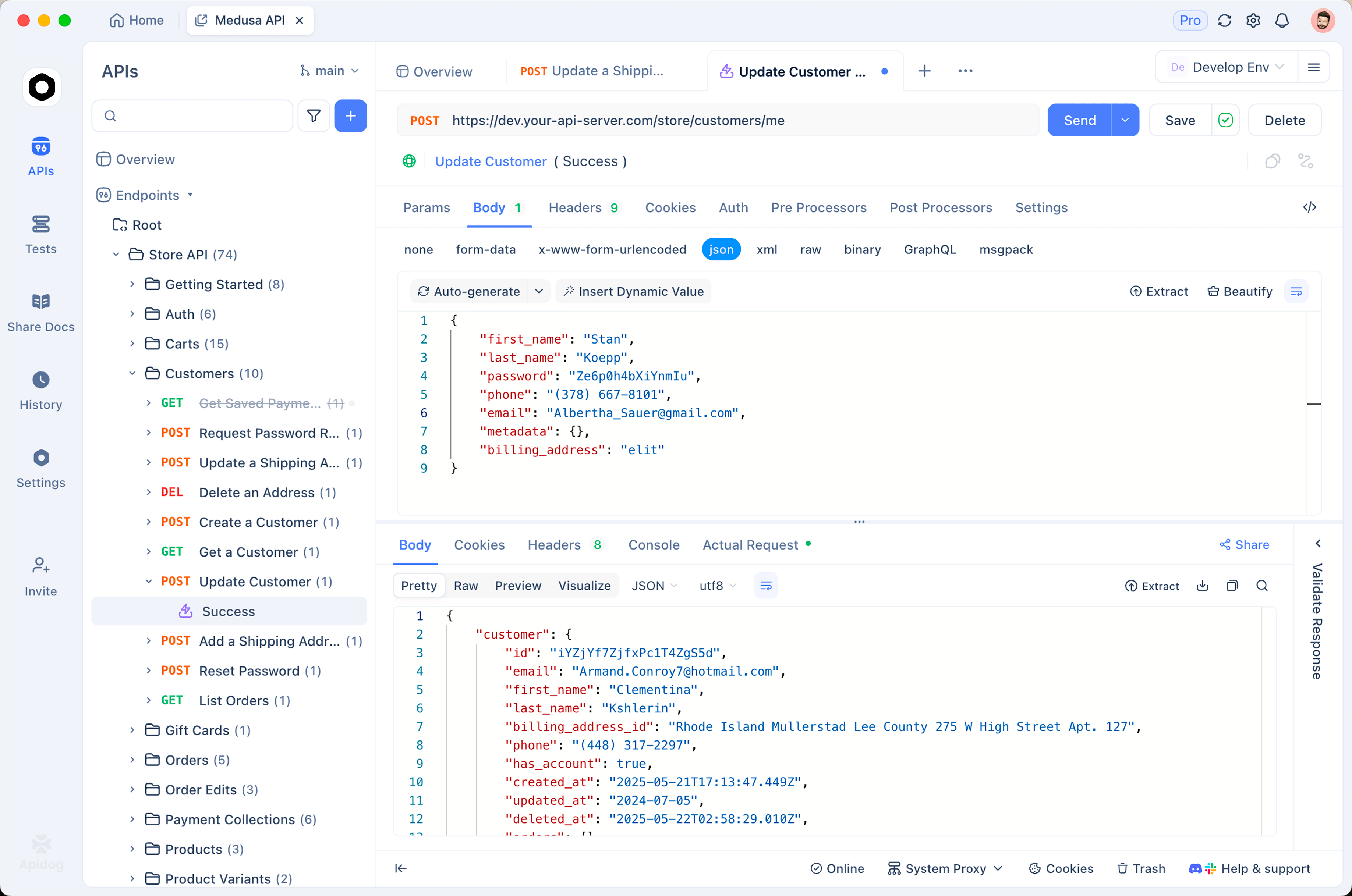
A setup that pays for itself on day one:
- Create the request.
POST https://api.anthropic.com/v1/messageswith the three headers, and the key pulled from an environment variable instead of pasted inline. - Save it to a collection. Your team reuses one known-good request shape rather than each person rebuilding it from a blog snippet.
- Fork it per effort level. Duplicate the request with
output_config.effortset tolow,medium,high, andxhigh, fire the same prompt at each, and compare output quality, latency, and token counts side by side. This is the effort sweep Anthropic asks you to run, done without writing a harness. - Watch the SSE stream. Turn on
"stream": trueand read the events as they arrive to confirm you handle thinking blocks and text blocks separately. - Inspect tool-call payloads. When
stop_reasoncomes back astool_use, the exactinputobject the model produced is right there, which is how you find out yourinput_schemawas too loose. - Assert on the response. Add checks that
stop_reasonis notmax_tokens(your truncation canary) and thatcache_read_input_tokensis above zero on repeat calls (your caching canary).
Download Apidog if you want to follow along. The same collection pattern works against any Claude model, so you can point it at Sonnet 5 or your existing Opus 4.8 requests and diff the behavior.
Errors and gotchas you will actually hit
- 400 on
thinking: disabledplus effortxhighormax. Covered above. Lower effort tohighor re-enable thinking. - 400 on sampling parameters.
temperature,top_p, andtop_kat non-default values still return a 400, unchanged from Opus 4.8. Steer through the system prompt instead. - Truncated answers.
stop_reason: "max_tokens"with thinking on means the cap swallowed your response. Raisemax_tokens. - Priority Tier is not supported on Opus 5. Opus 4.8 keeps it. If your enterprise capacity planning depends on it, that is a real blocker to sort out before you cut traffic over.
- Mid-conversation system messages now work. A
role: "system"entry insidemessagesis accepted on Opus 5, where Opus 4.8 returned a 400. Useful, and worth knowing so you do not keep working around it. - Over-verification. Opus 5 verifies its own work unprompted. If you carried over a “double-check your answer before responding” instruction from 4.8, delete it. It now buys you nothing and costs thinking tokens.
The honest ceiling
Opus 5 is not the top of the Claude stack, and it is worth saying plainly. Fable 5 still holds Anthropic’s “most capable widely released” designation, at $10 per million input and $50 per million output. Opus 5 also trails Mythos 5 on cybersecurity exploitation and autonomous biology research, which Anthropic states itself.
The launch benchmark claims (roughly double Opus 4.8 on Frontier-Bench v0.1, about 3x the next-best model on ARC-AGI 3, within 0.5% of Fable 5 on CursorBench 3.2) are all Anthropic’s own numbers and have not been independently reproduced as of July 25, 2026. Read them as vendor-run results, then run your own evals. The Opus 5 versus Fable 5 comparison works through where the price gap is worth it and where it is not, and Anthropic’s launch post is the primary source for the claims themselves.
FAQ
What is the model ID for Claude Opus 5? claude-opus-5, exactly, with no date suffix. On Amazon Bedrock it is anthropic.claude-opus-5; Google Cloud and the Claude Platform on AWS use the first-party ID.
Why did my working Opus 4.8 request start truncating on Opus 5? Thinking is on by default now. max_tokens caps thinking tokens and response tokens together, so a budget that fit your answer on 4.8 may not fit reasoning plus answer on Opus 5. Raise max_tokens and check for stop_reason: "max_tokens".
Why am I getting a 400 when I disable thinking? You almost certainly paired thinking: {"type": "disabled"} with output_config.effort set to xhigh or max. That combination is rejected per request. Cap effort at high, or keep thinking enabled and lower effort instead.
Do I need a beta header for the 1M context window? No. On Opus 5, 1M tokens is both the default and the maximum, with no beta header and no long-context price premium. You do need the output-300k-2026-03-24 beta header to reach 300k output on the Batch API; the Messages API caps output at 128k.
Can I reuse my Opus 4.8 effort settings? Anthropic says no. The levels were recalibrated, and low and medium are meaningfully stronger on Opus 5. Run a fresh sweep against your own evaluation set.
Does Apidog run the model? No. Apidog sends, inspects, and tests the HTTP request; inference happens on Anthropic’s side. It handles keys, streaming, tool-call payloads, and response assertions around the call.