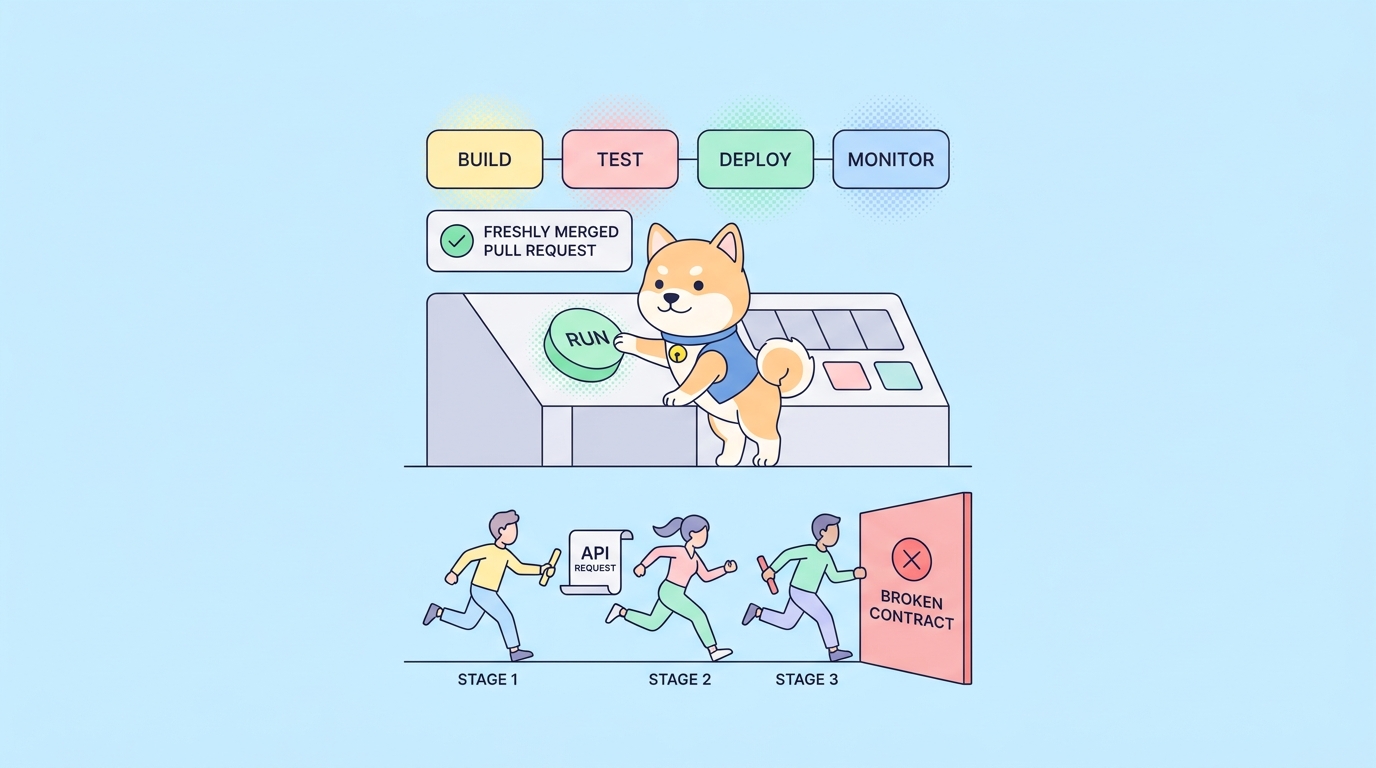
A broken API rarely announces itself. The endpoint still returns a 200, the deploy goes green, and three days later a downstream team files a ticket because a field quietly changed type or an auth header started getting rejected. By then the change is buried under forty commits, and you’re bisecting your way back through a week of work to find the line that did it.
Continuous integration exists to catch that line at the moment it lands. Every push runs your build, your tests, and your checks, so a regression fails the pipeline instead of failing a customer. For API teams the stakes are higher than for most code, because an API is a contract. When the contract drifts, every client that depends on it drifts with it. The right continuous integration tools turn that risk into a red check on a pull request, where it’s cheap to fix.
This guide compares 15 continuous integration tools that API teams use in 2026, from heavyweight self-hosted servers to cloud-native runners you configure in a single YAML file. It also walks through the part most CI comparisons skip: the API testing layer that runs inside the pipeline. That’s where Apidog fits, and we’ll show exactly how its command-line runner slots into any of these platforms so your contract tests, schema checks, and end-to-end scenarios run on every commit. If you’ve ever shipped a breaking change you didn’t mean to, this is the workflow that stops it.
TL;DR
- Continuous integration tools automate the build-test-merge loop so regressions fail a pipeline instead of reaching production.
- For API teams, the CI platform is only half the story. What runs inside it (the API tests) is what actually catches contract breaks.
- GitHub Actions and GitLab CI/CD are the default picks for most teams because the CI lives next to the code.
- Jenkins still rules self-hosted and air-gapped environments; CircleCI, Buildkite, and TeamCity win on speed, control, or hybrid setups.
- Whatever platform you pick, run your API tests with the Apidog CLI so design, testing, and CI stay in one source of truth. Download Apidog to set it up.
What continuous integration actually does for an API team
Continuous integration is the practice of merging code into a shared branch often (many times a day) and verifying each merge automatically. A CI server watches your repository, and on every push it spins up a clean environment, installs dependencies, builds the project, and runs your checks. If anything fails, the pipeline goes red and the merge is blocked.
That definition sounds generic until you apply it to an API. A typical API CI run does more than compile and unit test:
- Lint the spec. Validate the OpenAPI document against the spec, your style guide, and naming rules before anyone reviews the PR.
- Run contract tests. Confirm that responses still match the schema clients expect: right status codes, right field types, required fields present.
- Run functional and end-to-end tests. Hit real endpoints in a test environment, chain requests, assert on the responses.
- Check for breaking changes. Diff the new spec against the previous version and fail if a field was removed or a type narrowed.
- Publish artifacts. Generate fresh docs, push a versioned spec, or build a client SDK.
The CI platform handles orchestration: triggers, runners, caching, secrets, parallelism. The API testing layer handles the part that actually understands HTTP. A lot of teams get the first half right and skip the second, which is how a pipeline can be green while the API is broken. We’ll come back to that. For a deeper background on how the pieces relate, the difference between continuous integration, continuous delivery, and continuous deployment is worth a quick read before you commit to a tool.
How to choose a CI tool for APIs
Before the list, here’s the lens to read it through. The platforms below are all capable; the right one depends on a handful of trade-offs.
- Where it runs. SaaS (someone else hosts the runners) versus self-hosted (you do). SaaS is faster to start and scales without ops work. Self-hosted gives you full control over the environment, the network, and the data, which matters in regulated or air-gapped shops.
- Where the config lives. Almost everything now is config-as-code: a YAML or DSL file in the repo. Pipelines live next to the code they build, get reviewed in PRs, and roll back with a revert.
- How it bills. Per-minute compute, per-seat, per-concurrent-job, or free for open source. Build minutes add up fast once you parallelize, so model your real workload, not the marketing tier.
- What it integrates with. Git provider, container registry, secret manager, cloud, notifications. The fewer glue scripts you write, the better.
- How API tests run inside it. This is the one most lists ignore. Can you run your full API test suite from the command line, in headless mode, with environment variables injected for each stage? If the answer is awkward, your API coverage in CI will stay thin.
Keep that last point in mind. A CI platform is plumbing. The water you push through it is your tests.
The 15 best continuous integration tools for API teams
1. GitHub Actions
If your code is on GitHub, Actions is the path of least resistance and, for most teams, the right answer. Workflows are YAML files in .github/workflows/, triggered by pushes, pull requests, schedules, or manual dispatch. There’s no separate server to provision; GitHub runs hosted runners on Linux, Windows, and macOS, and you can register your own for special hardware or private networks.
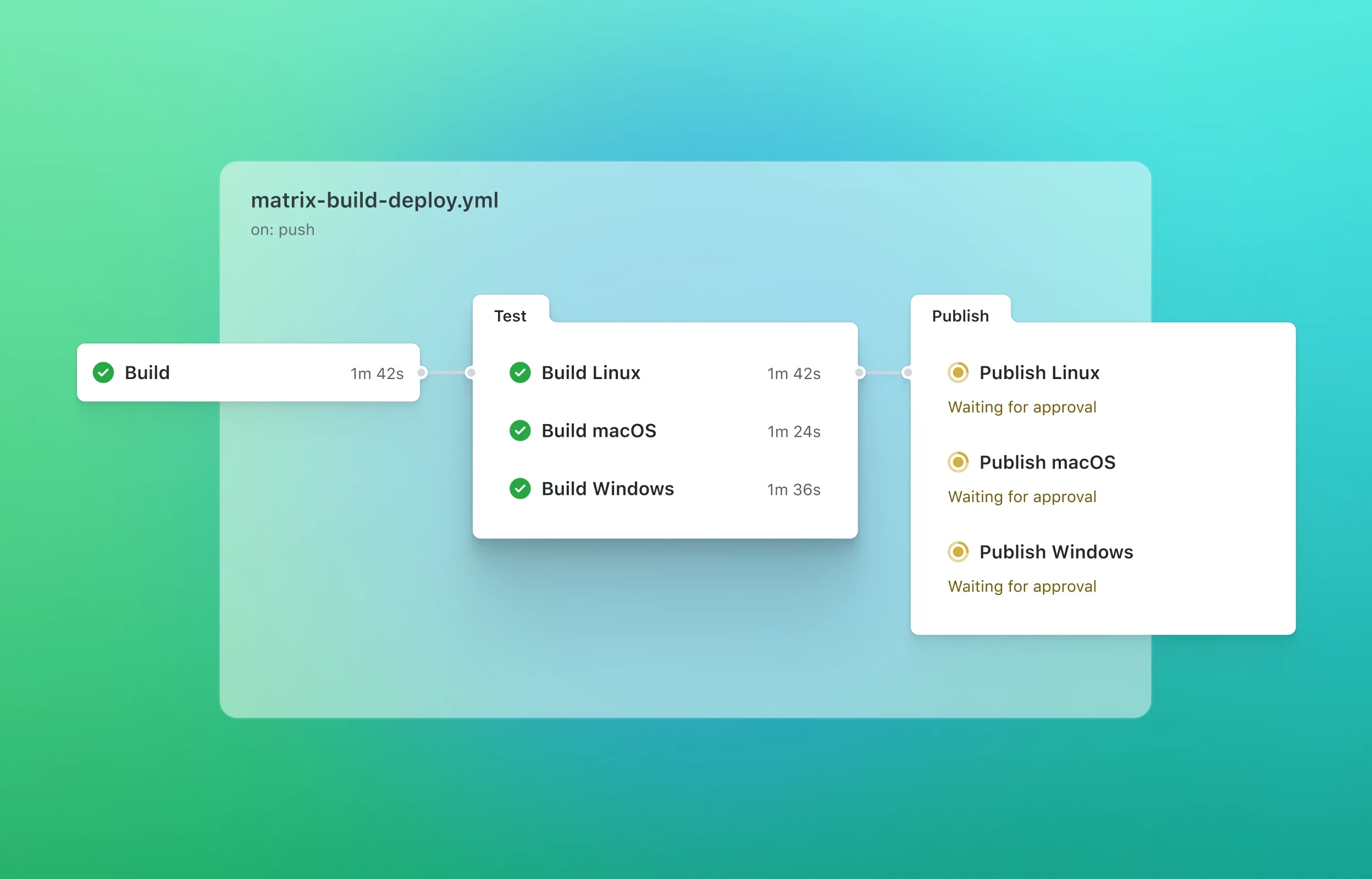
The marketplace is the real advantage. Thousands of prebuilt actions cover everything from actions/checkout to cloud deploys, so most pipelines are composition, not scripting. For API teams, you typically check out the repo, spin up the service (often in a container), then run your test suite against it.
A minimal API test job looks like this:
name: api-tests
on: [push, pull_request]

jobs:
 test:
 runs-on: ubuntu-latest
 steps:
 - uses: actions/checkout@v4
 - name: Install Apidog CLI
 run: npm install -g apidog-cli
 - name: Run API test scenarios
 run: apidog run -t ${{ secrets.APIDOG_TOKEN }} ./test-scenario.json
Best for: teams already on GitHub that want CI without standing up infrastructure. Watch out for: hosted-runner minutes on private repos can climb once you parallelize heavily. If you’re already running tests here, our walkthrough on automating API tests in GitHub Actions covers the full setup.
2. GitLab CI/CD
GitLab CI/CD is built into GitLab, so the pipeline, the repo, the registry, and the issue tracker share one home. You define stages and jobs in a .gitlab-ci.yml at the repo root, and GitLab Runners pick up the work. You can use GitLab’s shared runners or host your own, which makes it a comfortable middle ground between pure SaaS and pure self-managed.
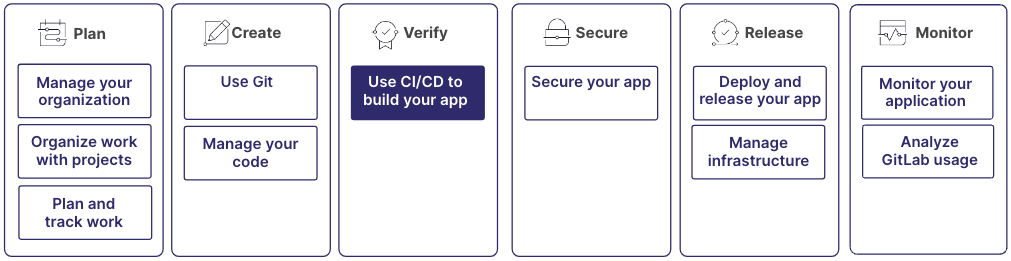
The stage model is clean: build, test, deploy, run in order, jobs within a stage run in parallel. For APIs that maps neatly onto lint the spec, run contract tests, run E2E, then deploy. Built-in container registry and environments mean fewer external moving parts.
stages:
 - test

api_tests:
 stage: test
 image: node:20
 script:
 - npm install -g apidog-cli
 - apidog run -t "$APIDOG_TOKEN" ./test-scenario.json
Best for: teams that want repo, CI, and registry under one roof, or who need flexible self-hosting. Watch out for: the self-managed instance is powerful but adds operational weight you’ll own.
3. Jenkins
Jenkins is the elder statesman of CI, and it’s still everywhere for one reason: it runs anywhere and bends to anything. It’s open source, self-hosted, and backed by a plugin ecosystem with well over a thousand entries. If you have a strange build, a strange network, or a strange compliance requirement, Jenkins probably has a plugin or a Groovy hook for it.

Pipelines are defined in a Jenkinsfile using declarative or scripted syntax. The cost is ownership: you patch it, secure it, scale the agents, and manage the plugins. For air-gapped or heavily regulated environments where data can’t leave the building, that ownership is the point.
pipeline {
 agent any
 stages {
 stage('API Tests') {
 steps {
 sh 'npm install -g apidog-cli'
 sh 'apidog run -t $APIDOG_TOKEN ./test-scenario.json'
 }
 }
 }
}
Best for: self-hosted, air-gapped, or highly customized pipelines where control beats convenience. Watch out for: maintenance overhead and plugin sprawl. For a concrete API setup, see how to integrate Apidog automated tests with Jenkins for CI/CD. It also helps to understand how Jenkins compares to neighbors like GitLab and CircleCI before you commit.
4. CircleCI
CircleCI is a cloud-first platform known for fast feedback and granular control over execution. Config lives in .circleci/config.yml, and the standout has are first-class Docker support, configurable resource classes (pick the CPU and memory per job), and aggressive caching and parallelism that keep runs short.
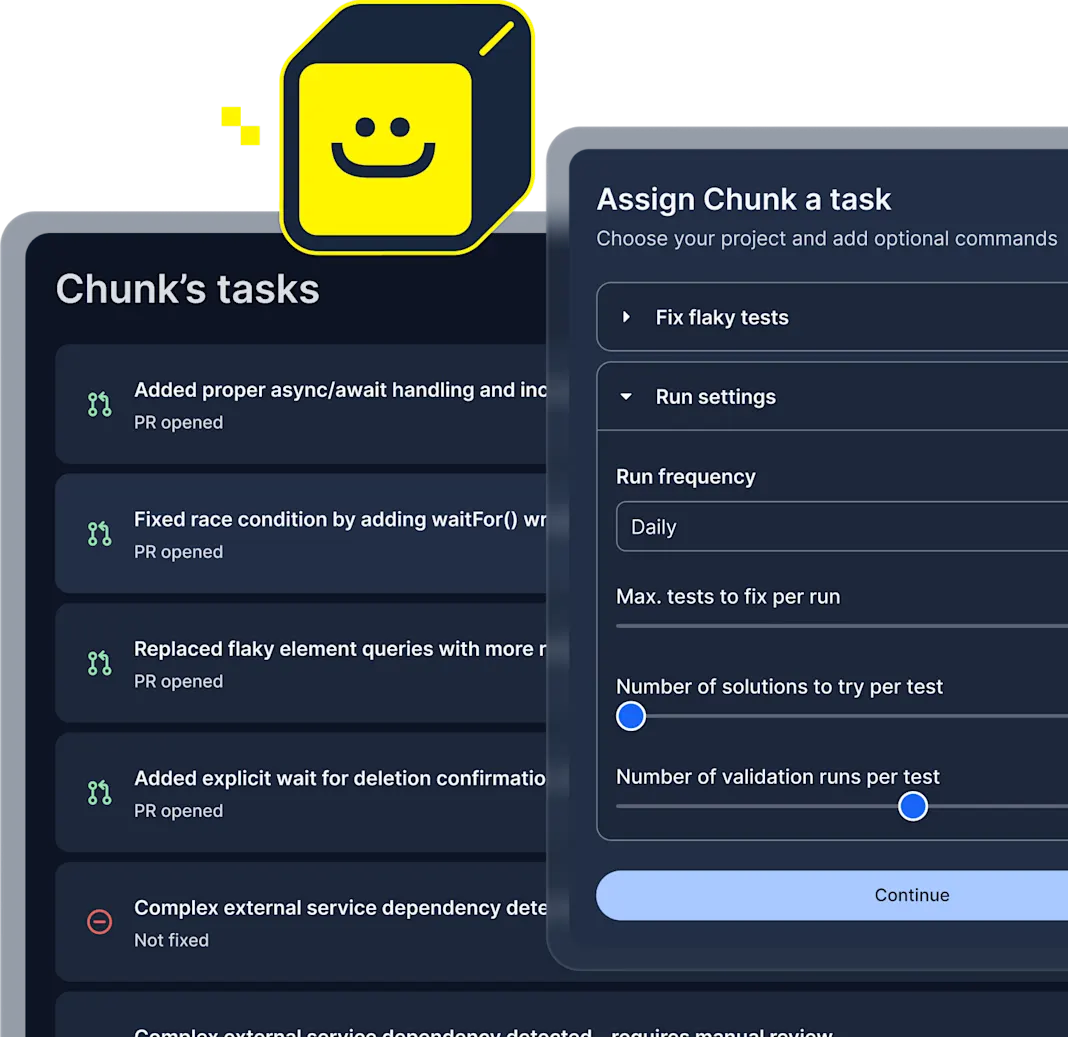
Orbs (reusable config packages) play a similar role to GitHub’s actions, letting you drop in common steps without rewriting them. For API teams that care about pipeline speed and want to tune compute per job, CircleCI is a strong fit. It has both cloud and a self-hosted server edition.
Best for: teams that want fast, tunable cloud pipelines with fine-grained compute control. Watch out for: credit-based pricing rewards optimization; an unoptimized pipeline burns through it.
5. Travis CI
Travis CI helped popularize the YAML-in-the-repo model and remains a simple, approachable choice, especially for open source. A .travis.yml file describes the build matrix, and Travis handles the rest across a range of languages and operating systems. The build-matrix support is genuinely useful for APIs: run the same test suite against multiple runtime versions or against several environments in one pass.
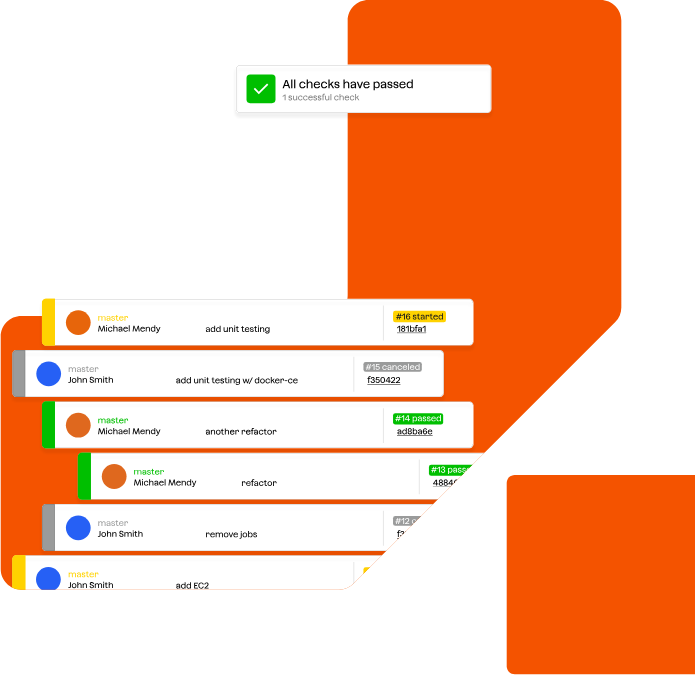
Best for: open-source projects and teams that want a low-ceremony, matrix-friendly setup. Watch out for: evaluate current pricing and platform support against newer SaaS options before standardizing on it.
6. Azure DevOps Pipelines
Azure Pipelines is part of the Azure DevOps suite and a natural fit for organizations in the Microsoft ecosystem, though it’s not Microsoft-only; it builds and deploys to Linux, macOS, and Windows, and works with GitHub and other Git hosts too. Pipelines are YAML (or a classic visual editor), with generous free minutes and tight integration into Azure boards, repos, and artifacts.
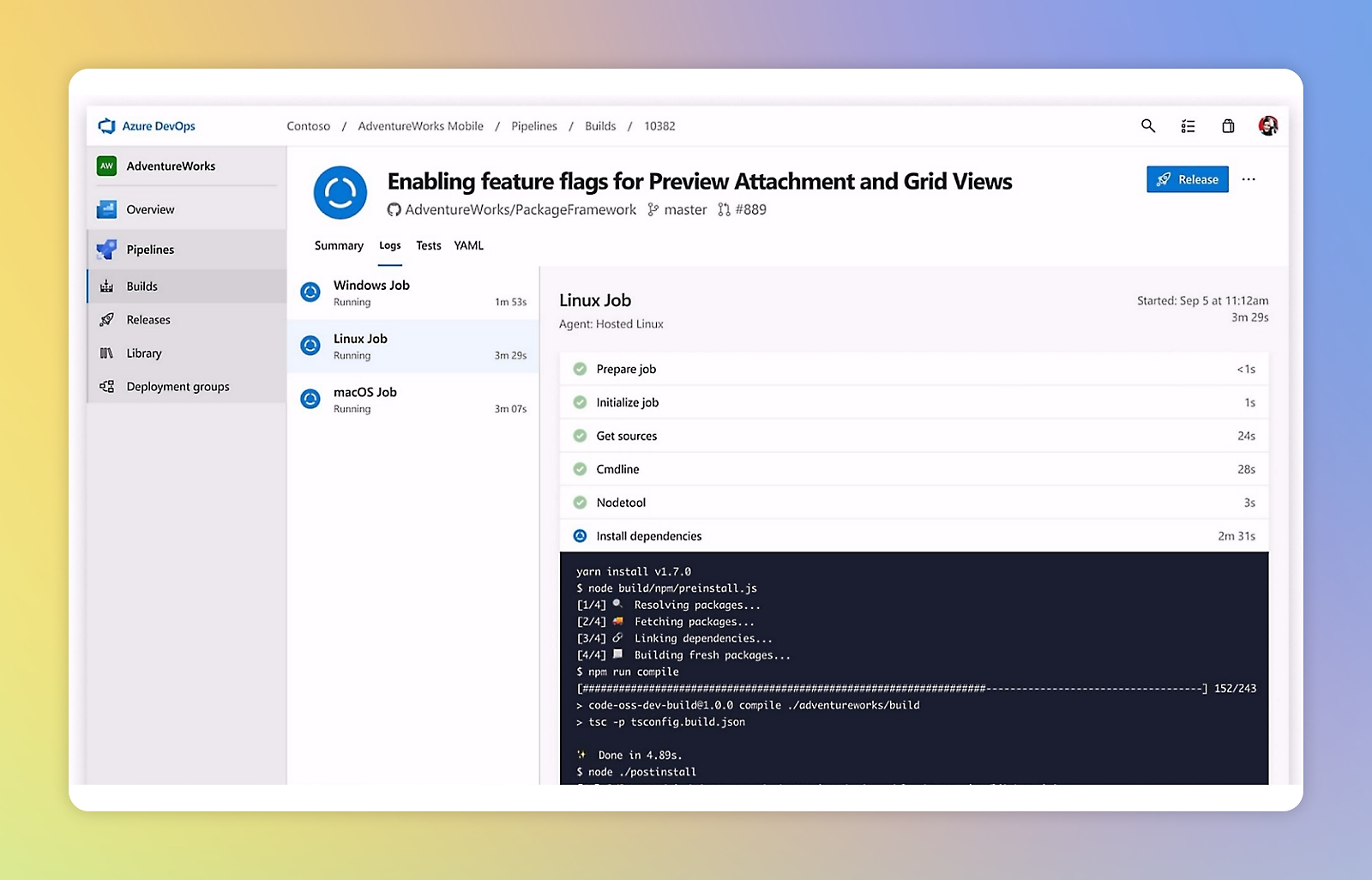
For enterprise API teams already standardized on Azure, it consolidates work tracking, source, CI, and release into one product. The deployment and approval gates are mature, which matters when API releases need sign-off.
Best for: enterprises in the Microsoft/Azure stack that want CI and release management together. Watch out for: the breadth of the suite can feel heavy if all you need is a test runner.
7. Bitbucket Pipelines
If your repos live in Bitbucket, Pipelines is the built-in option: a bitbucket-pipelines.yml at the repo root, no separate CI server. It’s container-based by default, so every step runs in a Docker image you specify, which keeps environments reproducible. Tight Jira integration appeals to teams already in the Atlassian world.
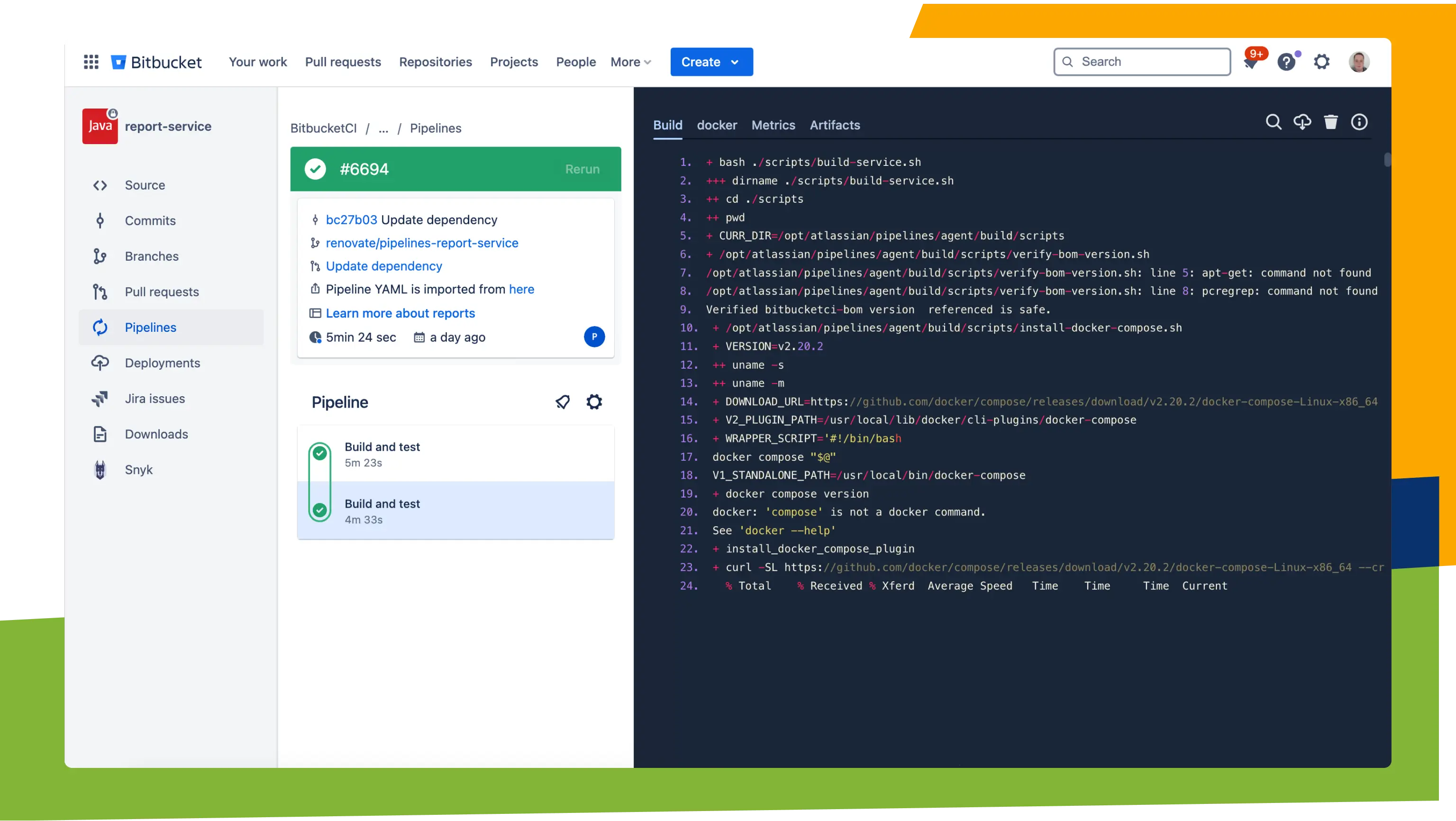
Best for: Atlassian/Bitbucket shops that want CI without leaving the suite. Watch out for: build-minute caps on lower tiers can pinch larger test suites.
8. TeamCity
TeamCity, from JetBrains, is a self-hosted (and cloud) CI server aimed at teams that want a polished UI and serious build intelligence. It does build chains, smart test reordering (it runs likely-to-fail tests first), and detailed reporting out of the box. Configuration can be done through the UI or as versioned Kotlin DSL, so you get the approachability of a UI with the auditability of config-as-code.
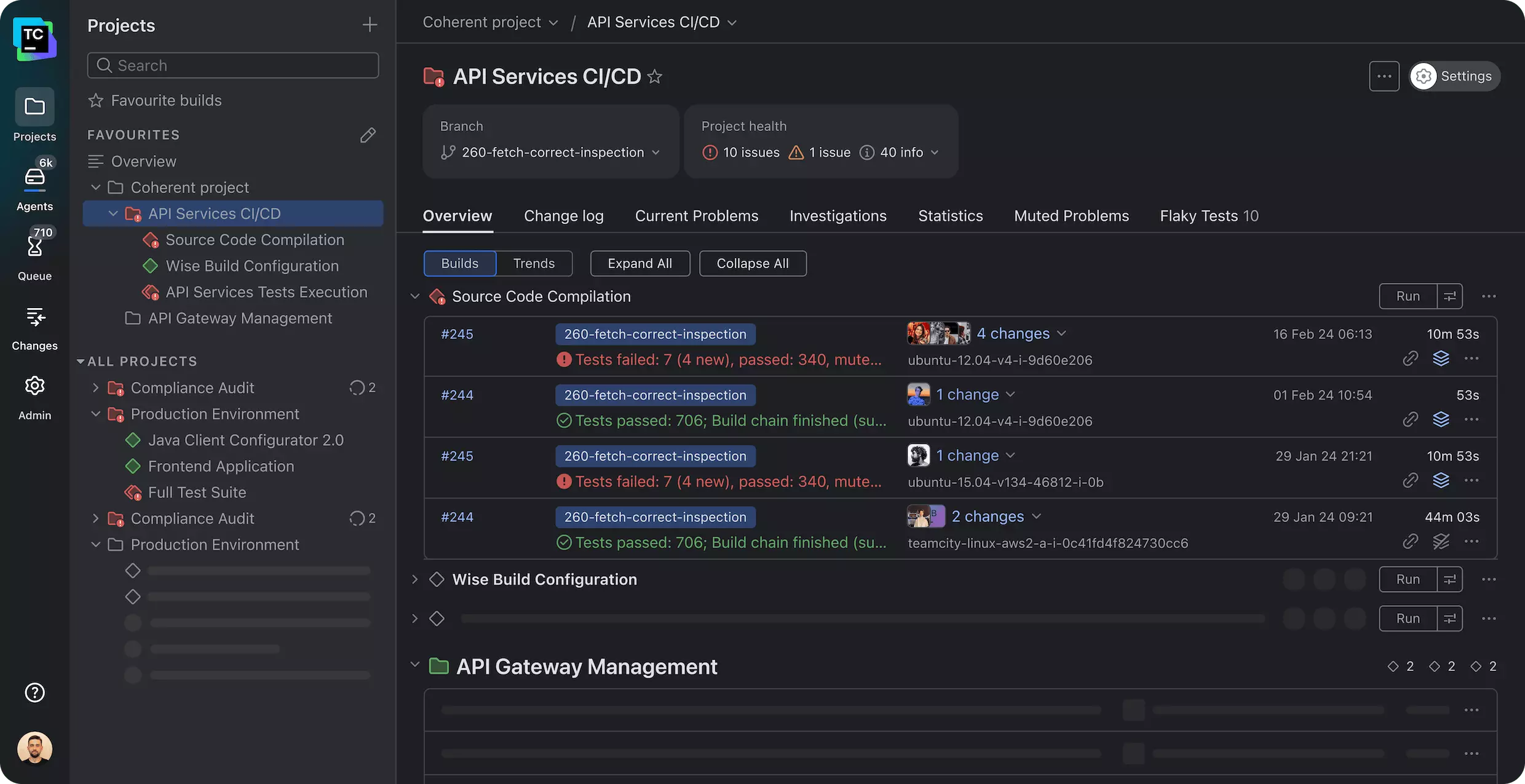
For API teams with complex multi-stage builds and a taste for strong test reporting, TeamCity earns its keep. Tfree tier that covers small teams.
Best for: teams that want a refined self-hosted server with strong test analytics. Watch out for: like any self-hosted server, you own the upgrades and the agent fleet.
9. Buildkite
Buildkite has a hybrid model that’s unusual and powerful: the orchestration and UI run in Buildkite’s cloud, but the agents run on your own infrastructure. You get a managed control plane and full ownership of where builds execute, which is ideal when tests need access to private resources, special hardware, or data that can’t leave your network.
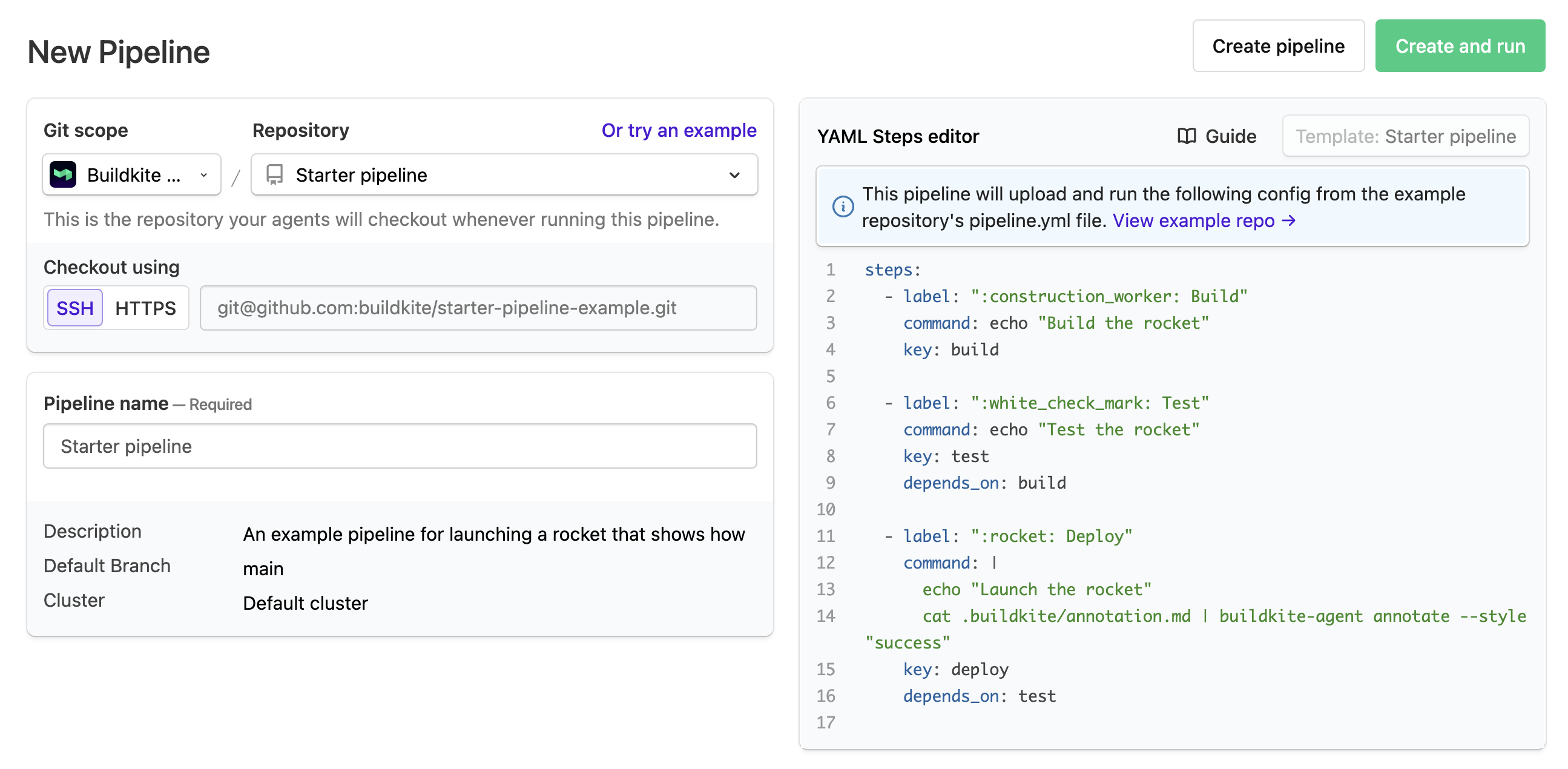
Pipelines are defined in YAML and can be generated dynamically at runtime, which suits large monorepos and teams that want to compute their pipeline based on what changed. For security-conscious API teams that still want a clean SaaS dashboard, the split is a sweet spot.
Best for: teams that want SaaS orchestration but self-hosted, secure build agents. Watch out for: you still operate the agents, so some ops work remains.
10. Drone CI
Drone is a container-native, open-source CI platform where every pipeline step runs inside a Docker container. The config is a compact .drone.yml, and the container-first design makes builds reproducible and easy to reason about. It’s lightweight to self-host and pairs well with teams that already think in containers.

Best for: container-native teams that want a simple, self-hostable, open-source CI. Watch out for: the ecosystem is smaller than Jenkins or GitHub Actions, so you may write more glue yourself.
11. Argo CD (with Argo Workflows)
Argo lives in the Kubernetes world. Argo Workflows runs container-native CI pipelines as Kubernetes resources, and Argo CD handles GitOps-style continuous delivery, syncing your cluster to the state declared in Git. For API teams shipping services onto Kubernetes, running CI and CD as native cluster objects keeps everything in one declarative model.
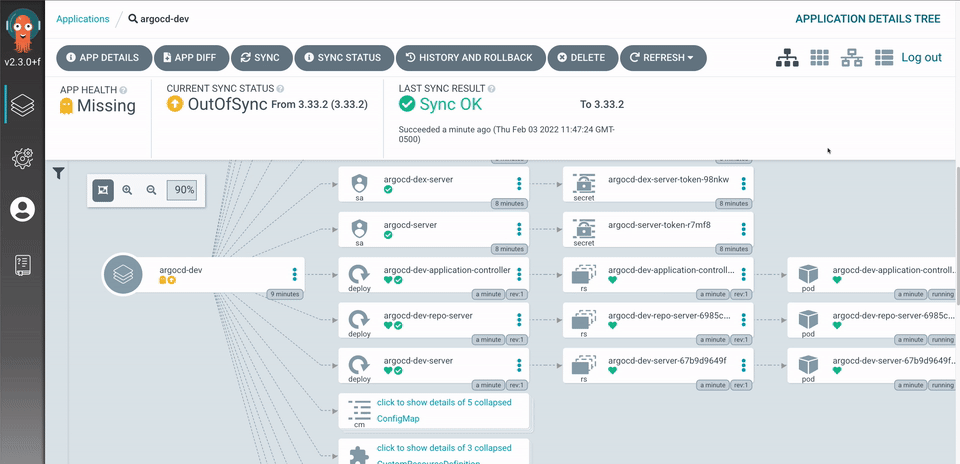
It’s not a general-purpose CI server; it’s a Kubernetes-native toolset. If your APIs already run on k8s, that’s a has, not a limitation.
Best for: Kubernetes-native teams that want GitOps delivery and in-cluster pipelines. Watch out for: it assumes Kubernetes fluency; outside that context it’s overkill.
12. Codefresh
Codefresh is a CI/CD platform built around containers and Kubernetes, with GitOps baked in (it’s built on Argo under the hood). It targets cloud-native teams that want a managed experience for pipelines, delivery, and deployment visibility without assembling the Argo stack themselves.
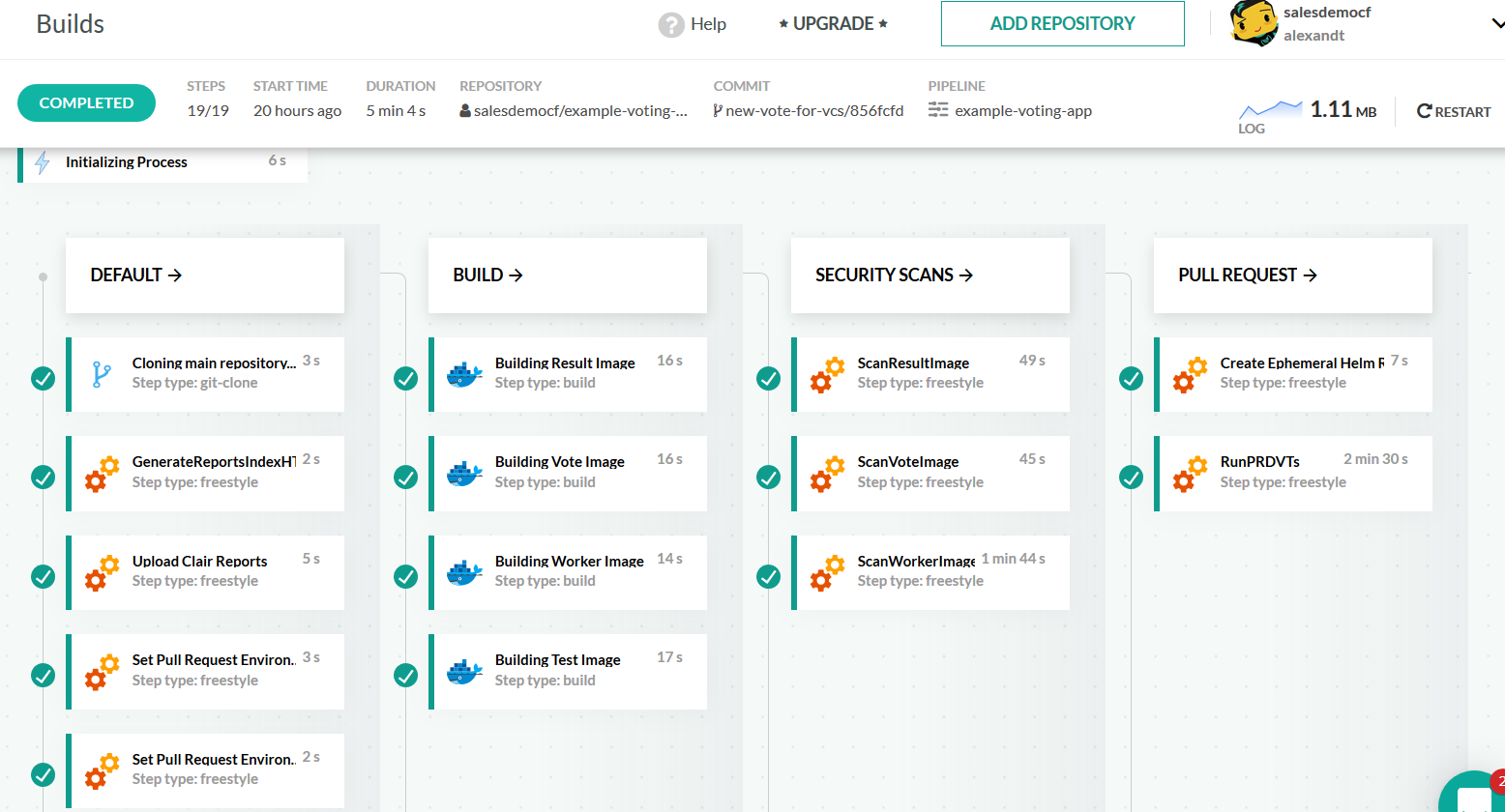
Best for: cloud-native teams that want managed GitOps and Kubernetes delivery. Watch out for: the value is highest when you’re all-in on containers and k8s.
13. Semaphore
Semaphore is a SaaS CI/CD platform that competes on raw speed and a straightforward pricing model. It has fast machines, clean parallelism, and a simple YAML config, with a focus on keeping feedback loops short. For API teams that want quick runs without tuning a credit budget, it’s a clean option.
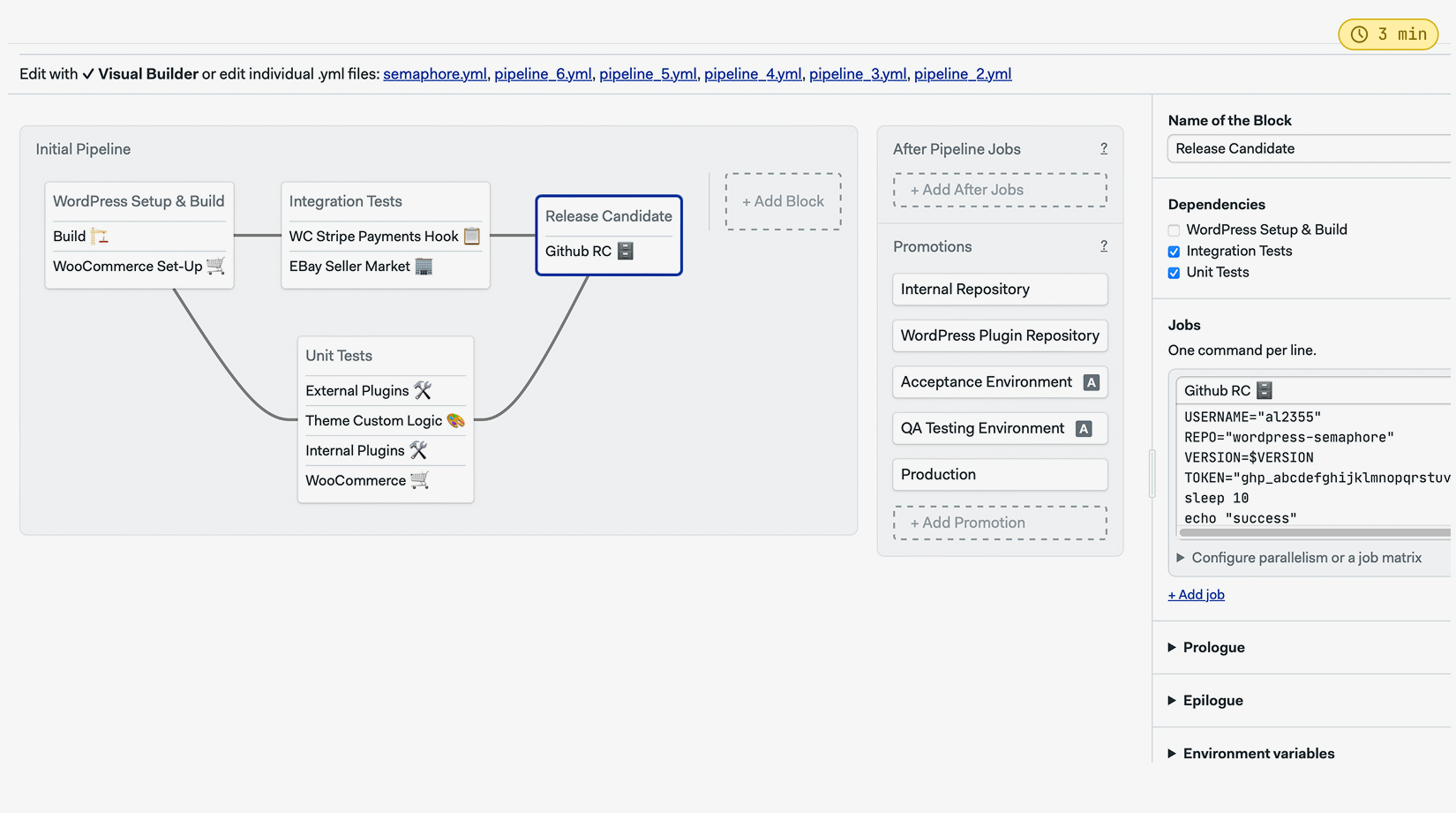
Best for: teams that prioritize fast pipelines and predictable, usage-based pricing. Watch out for: a smaller marketplace than the giants, so expect to script some integrations.
14. AWS CodePipeline (with CodeBuild)
CodePipeline orchestrates release pipelines on AWS, and CodeBuild runs the build and test steps. For teams deep in AWS, the appeal is staying inside the account boundary: IAM for permissions, CloudWatch for logs, native hooks into ECS, Lambda, and the rest. You define build steps in a buildspec.yml, and CodeBuild executes them in managed containers.
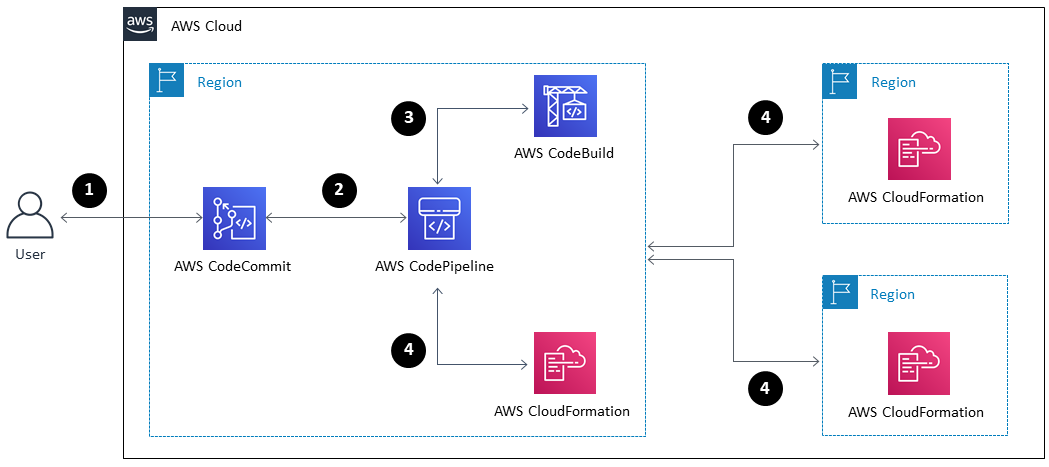
Best for: AWS-native teams that want CI/CD inside their existing account and IAM model. Watch out for: the pieces are powerful but assembling a full pipeline takes more configuration than a single-file SaaS tool.
15. Apidog (the API testing layer for any pipeline)
Here’s the tool that completes the picture, and the reason the rest of this list matters. Apidog isn’t a general-purpose CI server; it’s the API testing layer that runs inside whichever platform you picked above. That’s a deliberate distinction. The 14 tools handle orchestration. Apidog handles the part that actually understands your API.
In Apidog you design the API, write functional and end-to-end test scenarios visually (chain requests, pass data between steps, assert on status, body, schema, and response time), and organize them into reusable suites. Because the tests live in the same workspace as the API design, they don’t drift from the spec the way a separate, hand-maintained test repo does. When the design changes, the tests are right there next to it.
The Apidog CLI is what bridges that work into CI. You install it on the runner, point it at a test scenario or suite, inject the right environment, and it runs headless and returns a proper exit code. A non-zero exit fails the pipeline, exactly as CI expects:
# Works the same in GitHub Actions, GitLab CI, Jenkins, CircleCI, and the rest
steps:
 - name: Install Apidog CLI
 run: npm install -g apidog-cli
 - name: Run API test suite against staging
 run: apidog run -t $APIDOG_TOKEN -e staging ./checkout-flow.json
Because the same scenarios run locally during development and in CI on every push, you get one source of truth for what “the API works” means. No translating Postman collections into Newman runs, no maintaining a parallel test codebase, no green pipeline hiding a broken contract. If you’re coming from a Postman-centric flow, the practical differences are laid out in our Apidog vs Postman comparison, and you can download Apidog and have it running in a CI job the same afternoon.
Best for: any team on any CI platform that wants real API testing (contract, functional, E2E) running on every commit. Watch out for: it’s the testing layer, not the orchestrator; you still pick one of the 14 above to run it.
Quick comparison table
| Tool | Hosting | Config | Best for | API testing fit |
|---|---|---|---|---|
| GitHub Actions | SaaS + self-hosted runners | YAML | GitHub-based teams | Run Apidog CLI in a step |
| GitLab CI/CD | SaaS + self-managed | YAML | All-in-one Git + CI | Run Apidog CLI in a job |
| Jenkins | Self-hosted | Groovy (Jenkinsfile) | Air-gapped, custom | Native Jenkins integration |
| CircleCI | SaaS + server | YAML | Fast, tunable pipelines | CLI step |
| Travis CI | SaaS | YAML | Open source, build matrix | CLI step |
| Azure Pipelines | SaaS + self-hosted | YAML / visual | Microsoft/Azure stack | CLI task |
| Bitbucket Pipelines | SaaS | YAML | Atlassian shops | CLI step |
| TeamCity | Self-hosted + cloud | UI / Kotlin DSL | Build analytics | CLI build step |
| Buildkite | Hybrid (SaaS + own agents) | YAML | Secure, self-run agents | CLI step on agent |
| Drone CI | Self-hosted | YAML | Container-native | Container step |
| Argo | Kubernetes-native | Kubernetes CRDs | GitOps on k8s | Container step |
| Codefresh | SaaS | YAML | Managed GitOps | Container step |
| Semaphore | SaaS | YAML | Speed + simple pricing | CLI step |
| AWS CodePipeline | SaaS (AWS) | buildspec.yml | AWS-native teams | CodeBuild step |
| Apidog | Cross-platform CLI | Scenario / suite | API testing in any CI | The testing layer itself |
Putting it together: a real API CI pipeline
A list of tools doesn’t tell you how the pieces fit. Here’s the shape of a pipeline most API teams converge on, regardless of which platform runs it.
Stage 1: Validate the spec. On every pull request, lint the OpenAPI document and check it against your style guide. Catch naming inconsistencies and malformed schemas before a human reviews the PR. This is fast and stops a whole class of nitpicks from ever reaching review.
Stage 2: Run contract tests. Confirm responses still match the schema clients depend on. This is the layer that catches the silent breakage from the intro: a field that changed type, a required property that went missing, a status code that flipped. Tools like Apidog assert directly against the schema, so a drift fails the build. Our guide to API contract testing goes deeper on what to assert and why.
Stage 3: Run functional and end-to-end tests. Deploy to a staging or ephemeral environment and run real scenarios against live endpoints. Chain a login, a create, a read, and a delete; assert on each response. Organizing these into reusable test suites keeps a growing pipeline maintainable instead of a wall of copy-pasted requests.
Stage 4: Check for breaking changes. Diff the new spec against the last published version. If a consumer-facing field disappeared or narrowed, fail the build and force a conversation about versioning.
Stage 5: Publish. On merge to main, regenerate docs, push the versioned spec, and deploy. The same test suite that gated the PR now gates the release.
The platforms in this list run those stages. Apidog supplies stages 2 and 3 (and feeds stage 4). That division is the whole point: pick the orchestrator that fits your stack, and let a tool that understands HTTP own the testing.
Common mistakes API teams make with CI
A few patterns show up again and again, and they all share a root cause: treating CI as a build-and-deploy machine instead of a quality gate.
- Green pipeline, broken API. The build compiles, unit tests pass, deploy succeeds, and the API still returns the wrong shape. This happens when there are no real API tests in CI, only unit tests that mock the network. The fix is contract and E2E tests that hit actual endpoints.
- Tests that drift from the spec. A separate, hand-maintained test repo slowly diverges from the API it’s supposed to verify. Keeping tests in the same source of truth as the design (as Apidog does) removes the drift.
- Secrets hardcoded in config. API keys and tokens checked into the pipeline file. Use your platform’s secret store and inject them as environment variables at runtime, never in the YAML.
- No environment separation. Running tests against production because staging was “too much setup.” Define per-environment configs and point each CI stage at the right one.
- Slow pipelines nobody waits for. When a run takes 40 minutes, people stop watching it and start merging on faith. Parallelize, cache dependencies, and split fast checks from slow ones so feedback stays quick. For a wider catalog of pitfalls, see common API testing mistakes to avoid.
Frequently asked questions
What’s the difference between continuous integration and continuous delivery? Continuous integration is about merging and verifying code often: every push triggers an automated build and test run. Continuous delivery extends that by keeping every passing build in a deployable state, ready to ship at the push of a button. Continuous deployment goes one step further and ships every passing build automatically. The full breakdown is in our CI vs CD vs CD explainer.
Do I need a CI tool if I already have an API testing tool? They solve different problems. A CI tool orchestrates when things run (on push, on PR, on schedule) and where (which runner, with which secrets). An API testing tool defines what runs and how the API is verified. You want both: a CI platform from this list, plus a testing layer like Apidog that the platform invokes on every commit.
Can I run API tests in CI without writing scripts? Yes. With Apidog you build test scenarios visually (no code), then trigger them in CI with a single CLI command. The runner injects the environment, executes the suite headless, and returns an exit code that passes or fails the pipeline. You get no-code test authoring and proper CI integration at the same time.
Which CI tool is best for a small team? If your code is on GitHub, GitHub Actions is usually the fastest start: nothing to host, generous free minutes, and a huge marketplace. GitLab CI/CD is the equivalent default if you’re on GitLab. Both let you add API tests with a few lines of YAML.
Is Jenkins still worth using in 2026? For self-hosted, air-gapped, or heavily customized environments, yes. Jenkins runs anywhere and bends to almost any requirement through plugins. The trade-off is that you own the maintenance. If you don’t have a hard reason to self-host, a SaaS platform will get you running faster.
How do API contract tests fit into CI? Contract tests assert that your API’s responses match the agreed schema: correct status codes, field types, required properties. Running them in CI on every push means a breaking change to the contract fails the pipeline before it merges, instead of surfacing as a downstream incident days later.
The bottom line
The CI platform you pick matters less than people think. GitHub Actions, GitLab CI/CD, Jenkins, CircleCI, and the rest are all capable of running a solid pipeline; the right one mostly comes down to where your code lives and how much infrastructure you want to own. Pick the one that fits your stack and move on.
What matters more is what runs inside that pipeline. For an API team, a green build means nothing if no real API tests ran. That’s the gap Apidog closes: design, test, and CLI-based test execution in one workspace, so your contract and end-to-end tests run on every commit and a broken contract fails the build instead of a customer. Pick your CI platform from this list, then download Apidog and wire its CLI into the pipeline. The next breaking change you’d have shipped becomes a red check on a pull request, which is exactly where you want it.