
⭐ May is a practical release focused on reducing setup work after migration, strengthening enterprise authentication security, and making everyday API debugging outputs more complete.
When teams move API work between tools, the hard part is rarely just importing files. The real friction shows up after import: base URLs need to be fixed, environments need to be wired up, generated code needs authentication, and CI runners need to fit into stricter infrastructure rules.
This month, Apidog improves those parts of the workflow. Postman imports now include smarter Base URL mapping, Enterprise Policies starts with Auth Security controls, Spec-First Mode can be tried without binding Git first, Runner can run without root privileges, generated request code can include authentication information, and several request sharing, test synchronization, and Mock data generation issues have been cleaned up.
Here is what changed this month:
⭐ New Updates
📦 Import Postman Data with Smarter Base URL Mapping
When Apidog can reliably detect a shared Base URL during Postman import, it can help place that value in the Base URL field for the matching module across your environments.
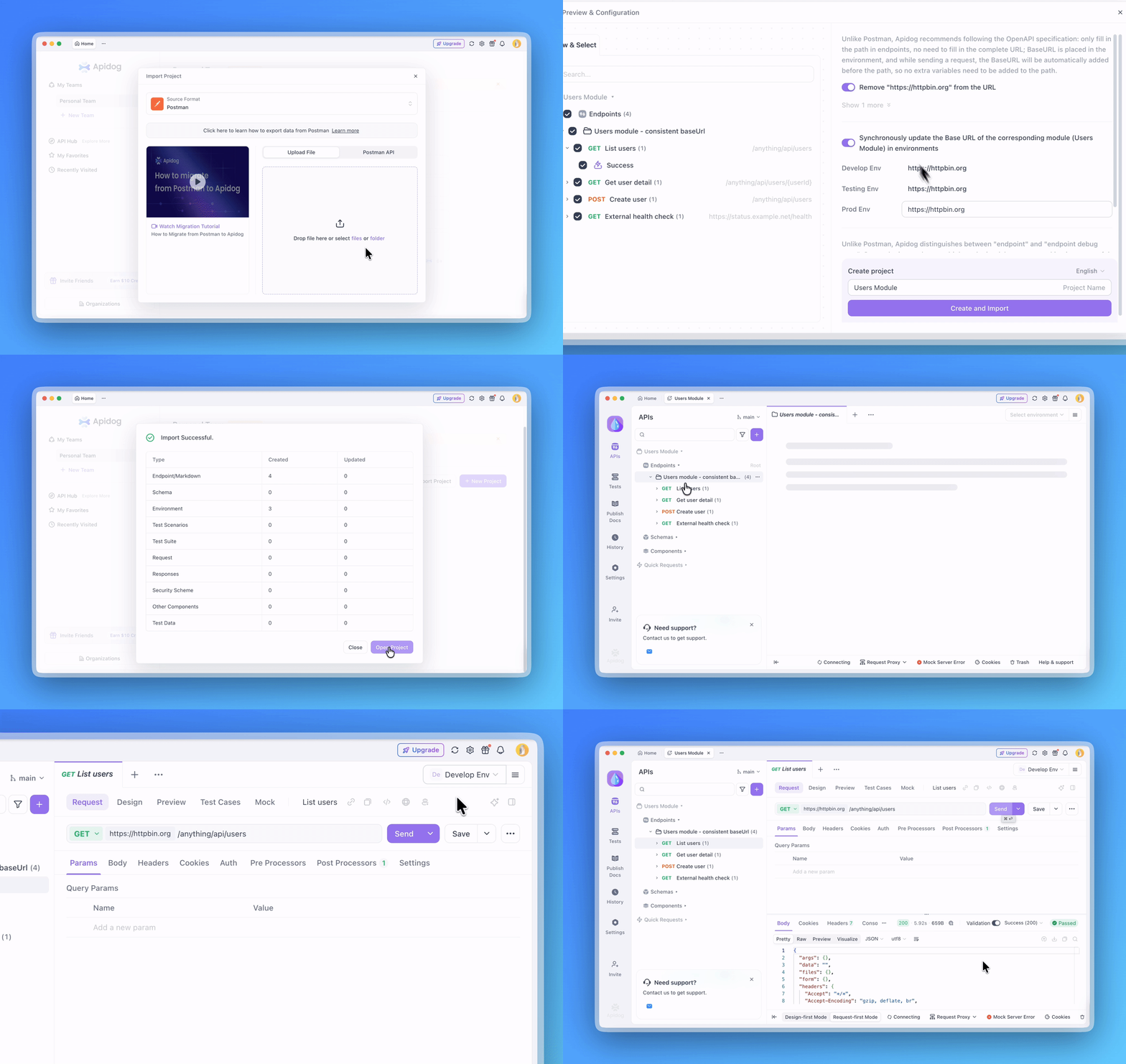
For teams migrating from Postman, this reduces a common cleanup step. After import, requests are more likely to be ready to send without manually checking imported URLs and filling in module Base URLs environment by environment.
| Before | Now |
|---|---|
|
|
This improvement supports both local Postman file import and importing through the Postman API. When request URLs contain a clear shared address or recognizable variable, Apidog will try to extract the usable Base URL and place it where the module's Base URL is configured in the relevant environments.
🛡️ Enterprise Policies Starts with Auth Security Controls
Apidog is introducing Enterprise Policies as a governance framework for organization-level security controls, starting with Auth Security.
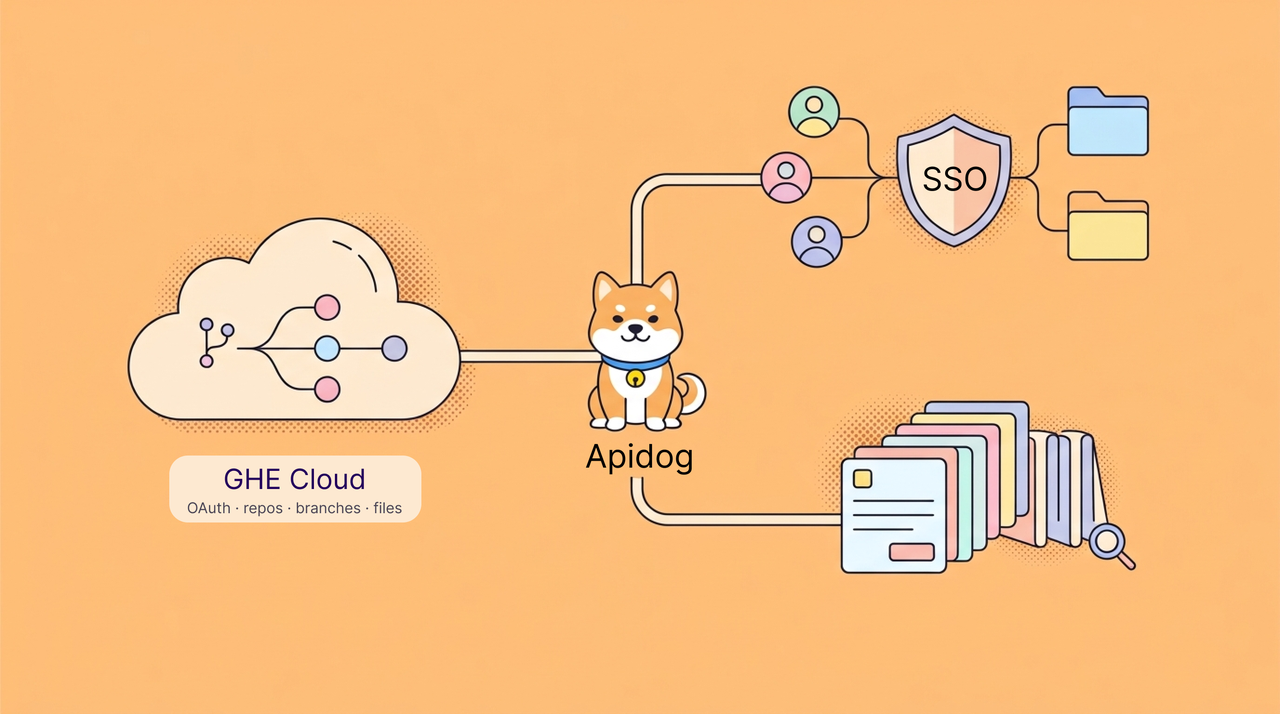
Auth Security focuses on reducing credential exposure in authentication configuration. Organization admins can define rules for sensitive Auth fields, such as encouraging or requiring credentials to be stored as variables or Vault Secrets instead of raw values.
For Vault Secrets, teams can also prevent plain-text reveal in the UI. Members can still reference the secret for request execution, but the value is not casually exposed through an eye icon or screen sharing.
🔒 This gives enterprise teams a clearer way to govern authentication credentials without turning API debugging into a separate security process.
📝 Spec-First Mode No Longer Requires Git Setup First
Spec-First Mode is now easier to try. You can create a Spec-First project without binding a Git repository first, then add or import an OpenAPI file when you are ready.
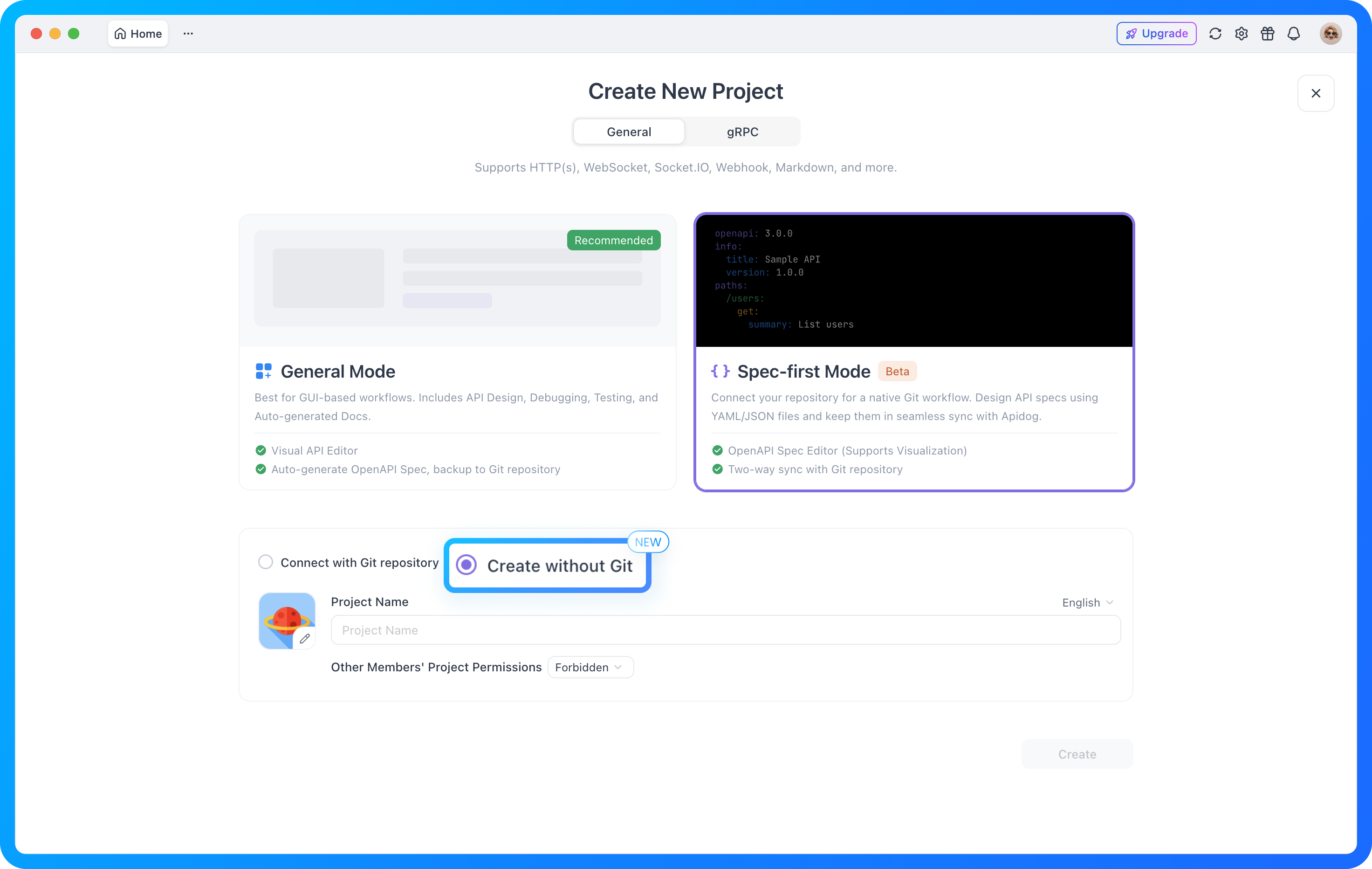
This lowers the barrier for teams that want to explore a file-friendly, OpenAPI-centered workflow in Apidog before committing to a full Git-based setup.
ℹ️ This is especially useful for teams evaluating Spec-First workflows or collecting early feedback before standardizing repository structure.
🔒 Runner Can Now Run as a Non-Root User
Runner now supports running as a non-root user.
This is especially useful in stricter server, container, and CI/CD environments where running processes as root is discouraged or blocked by policy. Teams can deploy Runner with a smaller permission footprint while still fitting into existing automation workflows.
✅ This update helps teams align Runner deployment with internal security requirements without changing the overall testing workflow.
🔐 Generated Request Code Can Include Authentication Information
When generating request code from an API request, Apidog can now include the authentication information that has already been configured.
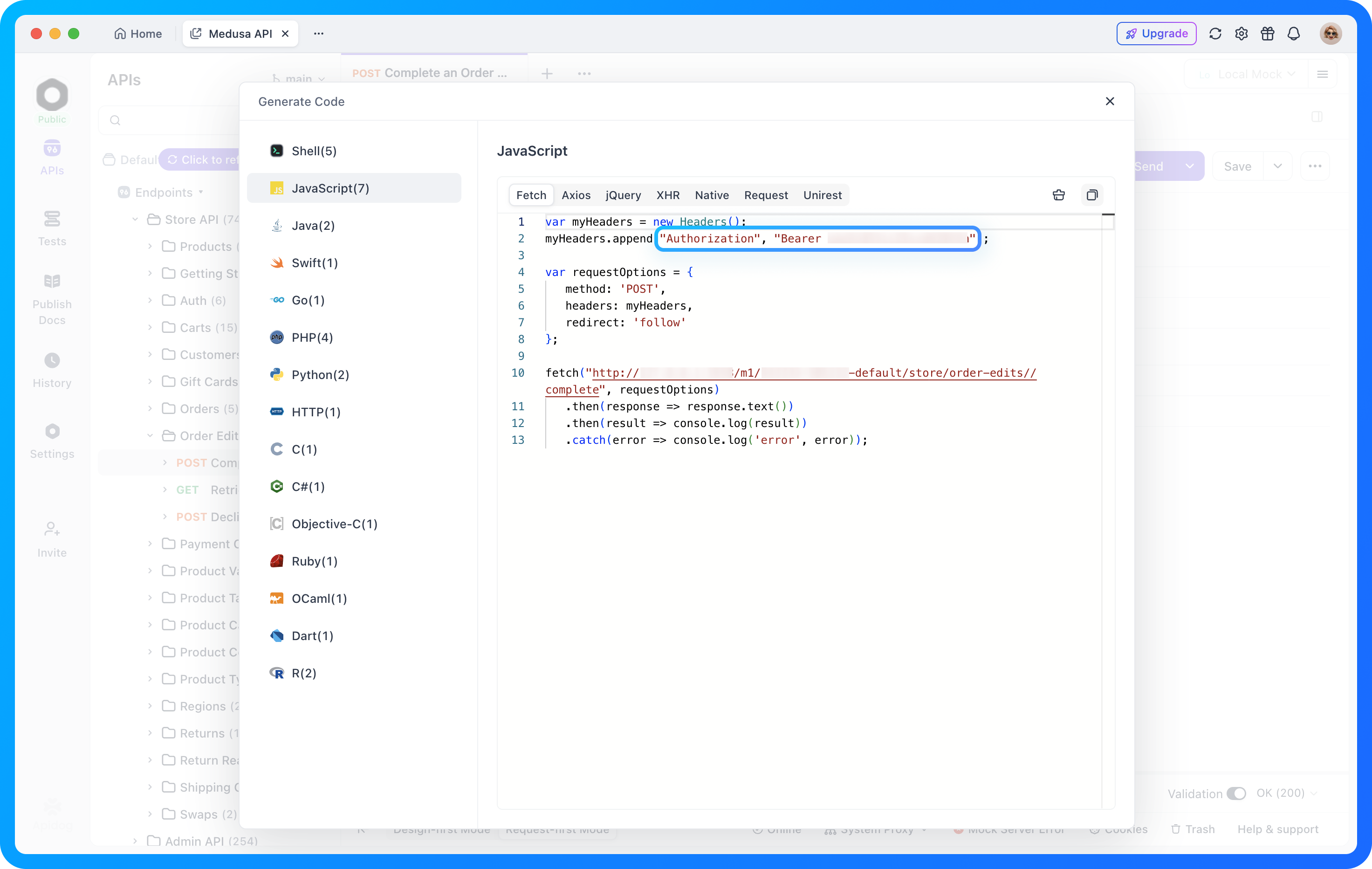
That means generated snippets are closer to something you can run directly. Instead of manually adding tokens, headers, or other authentication parameters after export, developers can get a more complete example from the start.
This is useful when you need to quickly verify an API call, share a runnable example with teammates, or paste a request into another debugging context.
✅ Optimizations
🧩 CLI Script Execution Is Now More Restricted
To reduce script execution risk, the CLI now only allows scripts from the “External Programs” directory to be called.
If your team uses CLI scripts in automation flows, it is worth checking whether existing script paths match the new execution rule. This tighter boundary helps reduce accidental or overly broad script execution while keeping intended external-program workflows available.
📋 Copied cURL Commands Include More Request Configuration
When copying cURL from Apidog, the generated command now includes configured Header and Body parameters more reliably.
This makes copied cURL commands closer to the actual request you configured in the app. Whether you are debugging in the terminal, sharing a reproducible request, or adding a command to troubleshooting notes, there is less manual cleanup needed.
🧪 Automated Test Steps Stay in Sync After Method Changes
When an endpoint request method changes from GET to POST, PUT, or another method, related automated test steps now synchronize the updated configuration more accurately.
This reduces test mismatches caused by stale request method information and makes automated test results easier to trust after endpoint updates.
🎲 More Reliable Mock Data Generation
This release fixes several Mock data generation issues, including multiplier rules, arrayElements expressions, and batch generation problems when JavaScript generation and Mock generation are used together.
For frontend-backend integration, bulk test data generation, and automated testing, Mock output should now be more stable and closer to the rules you configured.
🐞 Bug Fixes and Smaller Improvements
We also shipped a set of fixes and quality-of-life improvements this month, including:
- Fixed an issue where shared documentation request parameters did not show default examples.
- Fixed an issue where exporting a project with only Markdown documents and no endpoints could fail.
- Fixed several Mock data generation issues, including batch generation when JavaScript generation and Mock generation were both used, number multiplier rules, and
arrayElementsmin and max expressions. - Fixed an issue where project overview fixed links could return a 500 error after opening links from different projects in sequence.
- Fixed an issue where the interface could show
Error: Cannot read properties of null (reading 'nullable')in some cases. - Fixed a contrast issue where selected example names in shared documentation could be hard to read in light theme.
- Fixed an issue where Windows users could not use AI Agent Debugger normally.
- Fixed an issue where a form-data body field with multiple uploaded files would show only one file after opening batch edit and saving.
🌟 What This Means
May is about removing small but expensive sources of friction from API workflows.
| Area | What improves | Why it matters |
|---|---|---|
| Postman migration | Shared Base URLs are mapped when Apidog can reliably detect them. | Less manual cleanup after importing collections and configuring environments. |
| Runner deployment | Runner can run as a non-root user. | Better fit for stricter server, container, and CI/CD policies. |
| Enterprise security | Enterprise Policies starts with Auth Security controls. | Admins can reduce raw credential exposure in authentication workflows. |
| Spec-first workflows | Spec-First projects no longer require Git binding before use. | Teams can try OpenAPI-centered work before setting up a repository workflow. |
| Request sharing | Generated code and cURL outputs include more of the configured request. | Examples are easier to run, reproduce, and share. |
| Testing and Mocking | Test steps synchronize more accurately and Mock generation is more stable. | Teams spend less time chasing configuration drift and unexpected test data. |
None of these updates are about adding complexity. They are about making the work after setup feel less fragile: fewer manual fixes, safer defaults, and outputs that better match what you already configured.
💬 Join the Conversation
Connect with fellow API engineers and the Apidog team:
- Join our Discord community for real-time discussions and support.
- Participate in our Slack community for technical conversations.
- Follow us on X (Twitter) for the latest updates.
P.S. For the full details on all updates, check the Apidog Changelog!
Best Regards,
The Apidog Team