
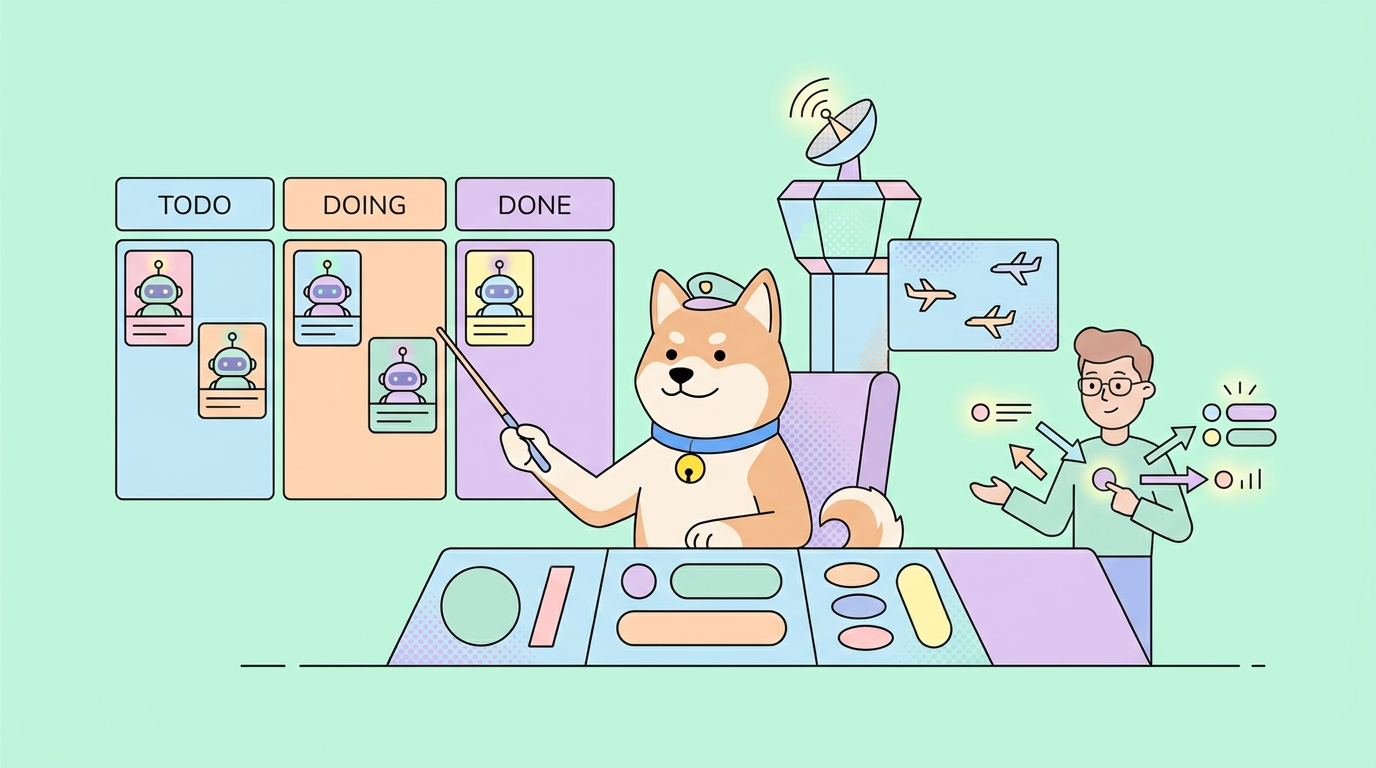
Cognition just rebranded its Windsurf editor as Devin Desktop and shipped a stack of new features with it. The Devin download page now calls Devin “the command center for managing all your agents,” and the official announcement frames Devin Desktop as “a full IDE with an agent manager built in, not the other way around.”
That last line is the whole story. Devin used to be one thing: an autonomous cloud agent you delegated tasks to. Now it’s one brand across four surfaces; Devin Desktop (the editor), Devin Cloud (the autonomous agent), Devin CLI, and Devin Review. This post tours every new feature, then shows how the new Devin stacks up against Cursor. Whichever coding tool you run, the APIs it writes still need testing; that’s where Apidog fits, covered at the end. If you want the editor-side context first, our guide to building APIs with Cursor Composer 2.5 pairs well here.
The big change: Windsurf is now Devin Desktop
If you used Windsurf, you already have Devin Desktop. Cognition shipped it as a standard over-the-air update, and plans, pricing, settings, and extensions carry over unchanged. There’s no migration to run.
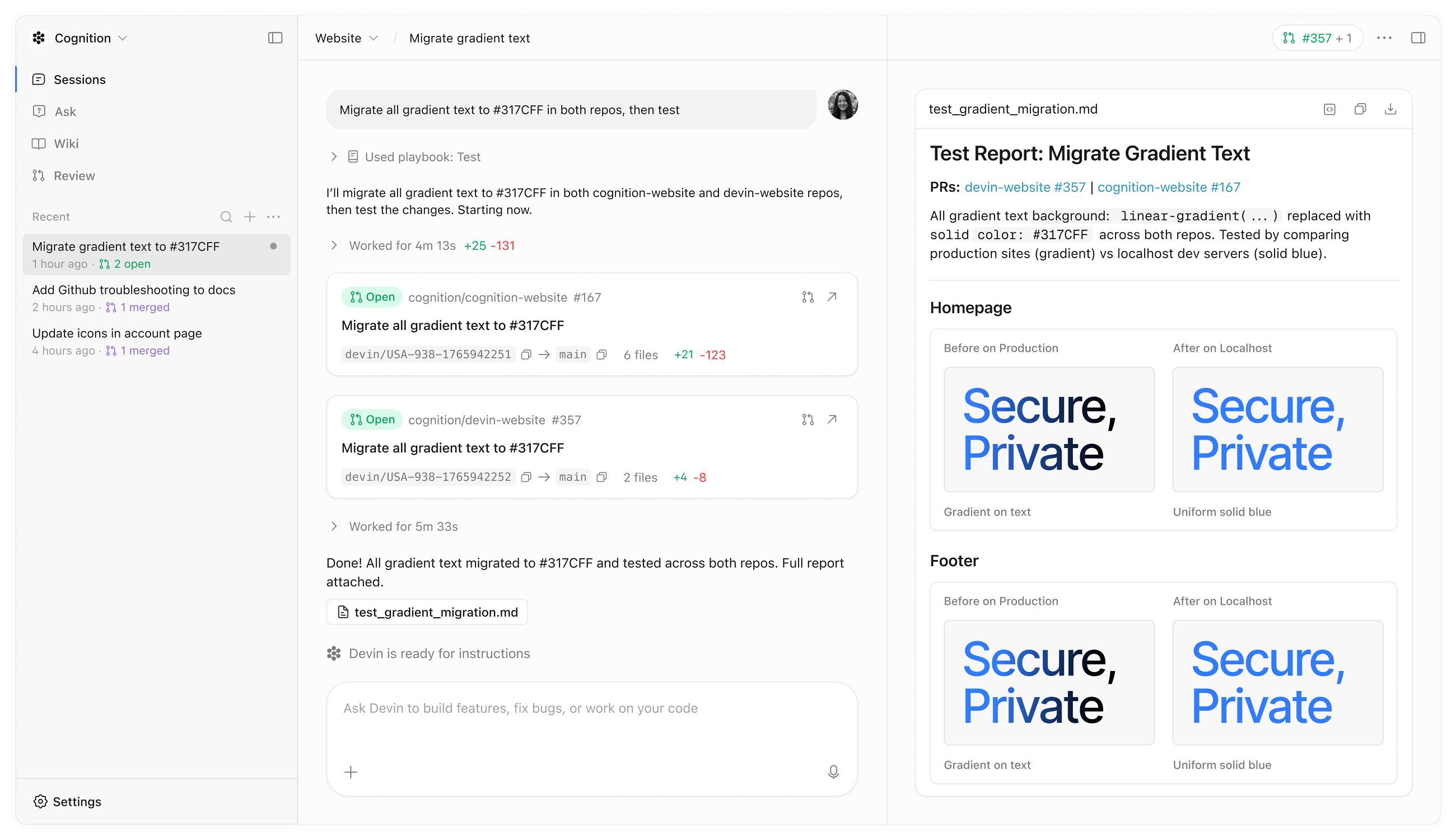
What changed is the framing. Windsurf was an editor with AI bolted on. Devin Desktop is an agent manager wrapped in a full IDE, and the new default screen makes that obvious.
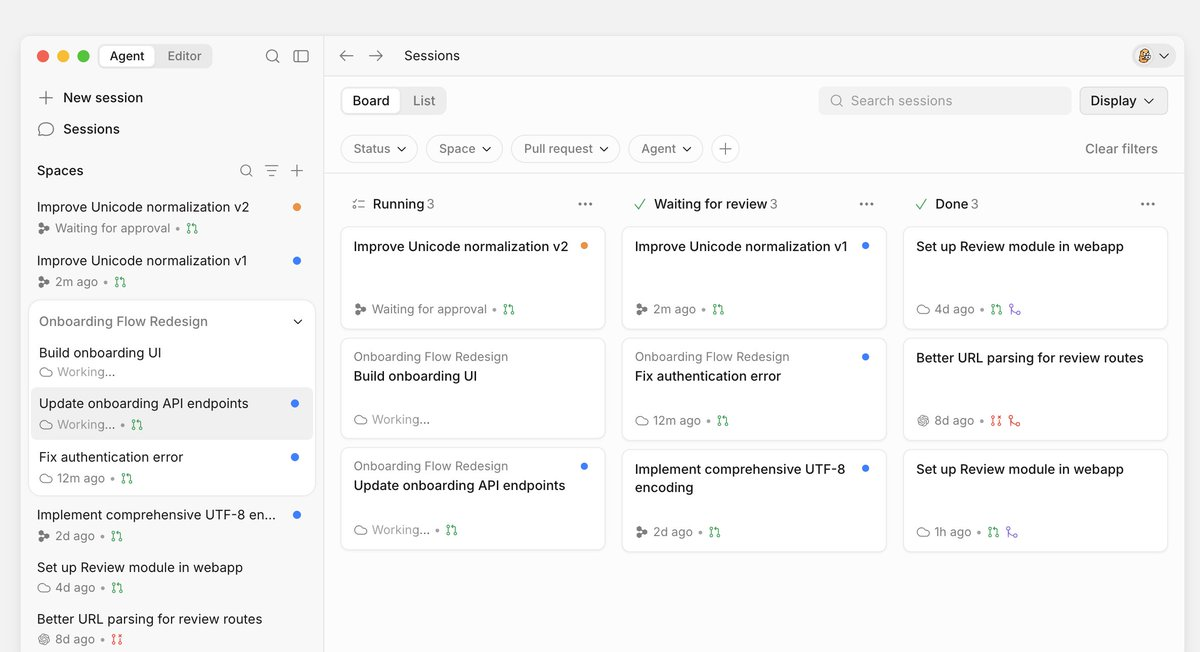
The Agent Command Center
Open Devin Desktop and the first thing you see is the Agent Command Center. It’s a Kanban board of every agent you’re running, local and cloud, sorted by status: in progress, blocked, ready for review. You can have one agent refactoring an API, another writing unit tests, and a third prototyping UI, all visible at once.
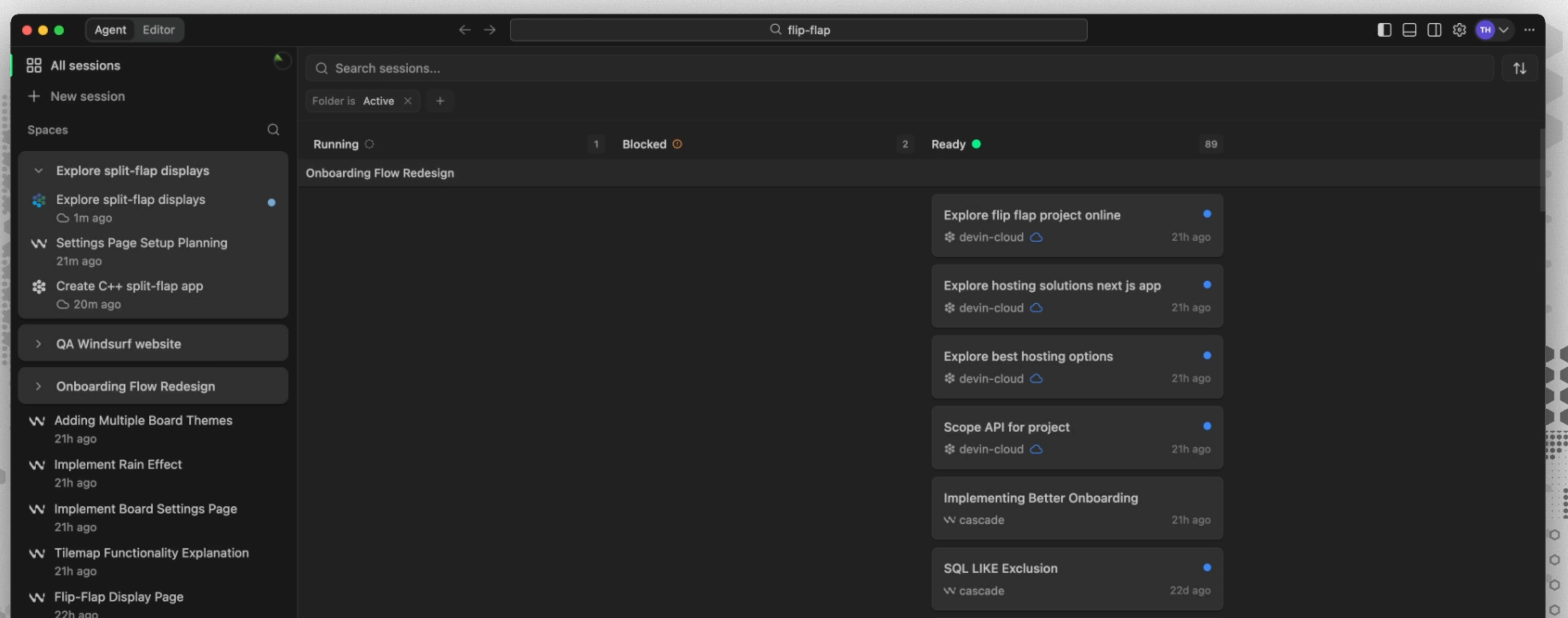
Cognition’s own line for it is blunt: the engineer’s job shifts from writing code to directing work. The Command Center is the cockpit for that shift. If you’ve read our notes on agentic workflow wiring patterns and pitfalls, this is the same problem, solved at the product level; keep many agents in view so none of them silently stall.
Spaces
Spaces are how you organize work in the Command Center. A Space groups everything tied to a task or project into one view: agent sessions, pull requests, files, and context. Start a new session inside a Space and it inherits everything the Space already knows. Leave and come back, and the view is exactly as you left it.
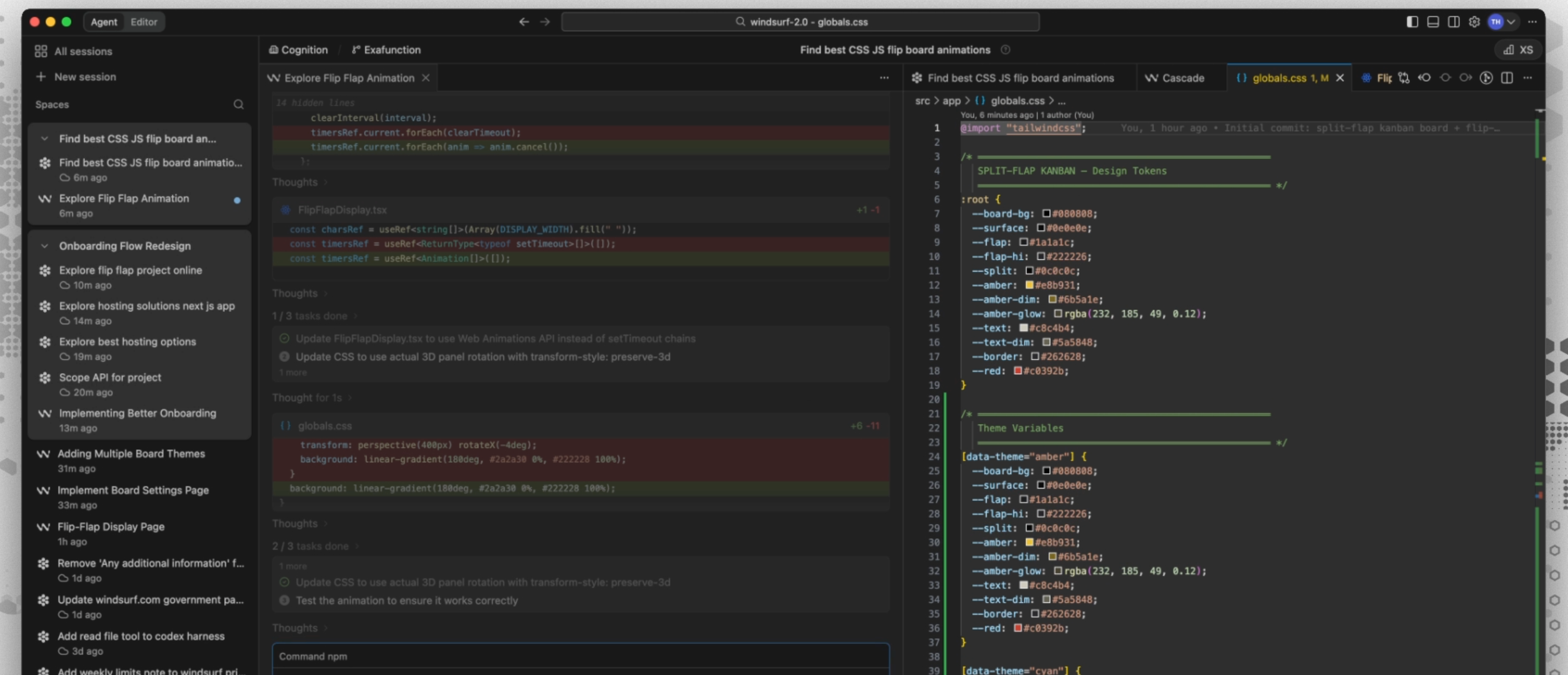
The practical win is shared context between agents. Instead of re-explaining the codebase to every new session, you point agents at a Space and they pick up the project’s context automatically.
Parallel agents
The Command Center and Spaces exist because of how Cognition expects you to work now: dozens of agents in parallel, across cloud and local environments, on different parts of the same project. One engineer can fan out work that used to need a team, then review the results as they land. This is the core bet behind the whole redesign.
Devin Local replaces Cascade
Cascade, the local interactive agent Windsurf shipped with, is now legacy. Its successor is Devin Local, rewritten from scratch in Rust. Cognition says it’s up to 30% more token-efficient and adds support for subagents, so a single local agent can spin up helpers for subtasks.
Token efficiency is not a cosmetic detail. Agent runs bill on tokens, and a 30% cut compounds fast across a day of work; our guide on reducing agent token costs from the CLI explains why that math matters. You can keep using the legacy Cascade agent through July 1, after which Devin Local is the default.
Devin Cloud
Devin Cloud is the autonomous agent, now wired directly into the editor. Hand it a task and it spins up its own isolated VM with a browser, shell, and editor, then handles the work end to end; debugging, deployment, and testing included. It runs independently while you do something else and returns a pull request when it’s done.
The handoff is the point. You plan a change locally, dispatch the implementation to Devin Cloud with a click, and pick up the result later as a reviewable PR.
Devin Review
Devin Review closes the loop. You review the cloud agent’s pull requests inside Devin, hand it back to your local agent for touch-ups, and approve. GitHub auto-merge is built in, so once checks pass, an approved PR lands without a separate trip to GitHub. Review, fix, and merge happen in one place.
Agent Client Protocol: run Codex, Claude, or OpenCode inside Devin
This is the feature most people miss, and it kills the old “Devin locks you into one vendor” critique. Devin Desktop ships with the Agent Client Protocol (ACP), an open-source standard that lets any compatible agent run inside any ACP-compatible editor. Devin launches with support for Codex, Claude Agent, OpenCode, and custom in-house agents.
So Devin isn’t only Cognition’s agent anymore. You can run OpenAI’s Codex or Anthropic’s Claude Agent in the same editor, side by side in the Command Center. For background on how these agent runtimes are built, our breakdown of coding-agent harness architecture is a good companion read.
SWE-1.6, Cognition’s in-house model
Devin still gives you frontier models from OpenAI, Anthropic, and Google, but it also ships Cognition’s own SWE-1.6, free to use on paid plans. The SWE family is built for speed; the prior SWE-1.5 ran at roughly 950 tokens per second, which is what makes fast inline edits and Tab completion feel instant. For everyday agentic edits, a fast house model that doesn’t burn your frontier-model quota is a real cost lever.
DeepWiki and code search
Devin auto-indexes your repositories and generates a wiki for each one through DeepWiki: architecture diagrams, summaries of the codebase, and links back to the source. New agents read that index instead of crawling the repo cold, which is part of why sessions in a Space start with useful context instead of a blank slate.
Integrations, the Sessions API, and Auto-Triage
Devin now starts work from wherever your team already lives. You can spawn sessions from Slack, Jira, Linear, GitHub, and Teams, and Devin tracks which surface each session came from. A few specifics worth calling out:
- Sessions API: fetch a session by ID, send messages to an active session, and filter sessions by origin (webapp, Slack, Teams, API, Linear, Jira). You can pass session-scoped secrets when creating a session, so automated runs get credentials without anyone pasting keys into a prompt. Our guide on scoped secret access for coding agents covers why that matters.
- MCP support: Devin honors your default platform across every session-creation method, and its MCP OAuth flow now forwards the RFC 8707 resource parameter, which fixes auth for servers like Snowflake that require resource indicators.
- Auto-Triage: Devin can pick up incoming issues and triage them automatically, turning a tracker ticket into a started session without a human kicking it off.
- Slack control: type
!channel #nameto redirect where Devin posts its response thread for a session.
Devin CLI, JetBrains, and desktop apps
Beyond the editor, Devin reaches the rest of your setup:
- Devin CLI: terminal access, installed with
curl -fsSL https://cli.devin.ai/install.sh | bash. - JetBrains plugin: brings agent editing to IntelliJ, PyCharm, WebStorm, GoLand, RubyMine, Rider, and other JetBrains IDEs.
- Desktop apps: native builds for macOS (Apple Silicon and Intel), Windows 10 64-bit, and Linux.
- Devin Next (Beta): an early-adopter track if you want the newest changes first.
How the new Devin compares to Cursor
Here’s where the rebrand matters for the Devin vs Cursor question. The old split was clean: Cursor was the editor you drive, Devin was the agent you delegate to. Now both are editors, and both run multiple model vendors. So the comparison comes down to posture and range.
| Cursor | Devin | |
|---|---|---|
| Default posture | You drive; AI assists inline | You drive locally, then delegate to the cloud |
| Human in the loop | Continuous | Intermittent; checkpoints and PR review |
| Multi-agent view | Limited | Agent Command Center, dozens in parallel |
| Autonomous cloud agent | Not bundled | Devin Cloud, isolated VM, returns PRs |
| Open agent protocol | Cursor-native | ACP; Codex, Claude Agent, OpenCode, custom |
| Best for | Exploration, UI iteration, evolving tasks | Well-defined, parallelizable, long-running work |
Their pricing ladders now look almost identical, too:
| Tier | Devin | Cursor |
|---|---|---|
| Free | Free; unlimited Tab and inline edits | Hobby; free, limited usage |
| Entry paid | Pro, $20/mo; cloud agent access | Pro, $20/mo |
| Power user | Max, $200/mo | Ultra, $200/mo |
| Teams | $80/mo + $40/seat | $40/user/mo |
| Enterprise | Custom | Custom |
One caveat: both meter heavy usage. Devin Cloud’s autonomous runs are the expensive part, so model your consumption before committing; check Devin’s pricing and Cursor’s pricing docs for current numbers.
On raw benchmarks, be careful with head-to-head claims. Cursor reports Composer 2.5 at 79.8% on SWE-bench Multilingual, while Devin’s autonomous mode has been measured around 45.8% on the stricter SWE-bench Verified. Those are different suites with different rules, so it isn’t a clean scoreboard; see SWE-bench for what each tests. Since both editors run the same frontier models anyway, the deciding factor is workflow, not score. For a pure model read, our Composer 2.5 vs Opus 4.7 vs GPT-5.5 comparison and the Composer 2.5 guide cover the editor side.
The honest summary: Cursor is tighter and more focused for a developer who wants to stay in the editor and drive. Devin now covers more ground; the same editor experience, plus an autonomous cloud layer, a multi-agent cockpit, and an open protocol for running other vendors’ agents.
Where Apidog fits
None of these features design your API contract or test the endpoints your agents ship. Devin Cloud can open a PR full of new routes overnight, and Devin Local can scaffold a service in minutes, but neither one validates the responses, mocks the dependencies your frontend needs, or debugs the call that returns a 500 in staging.
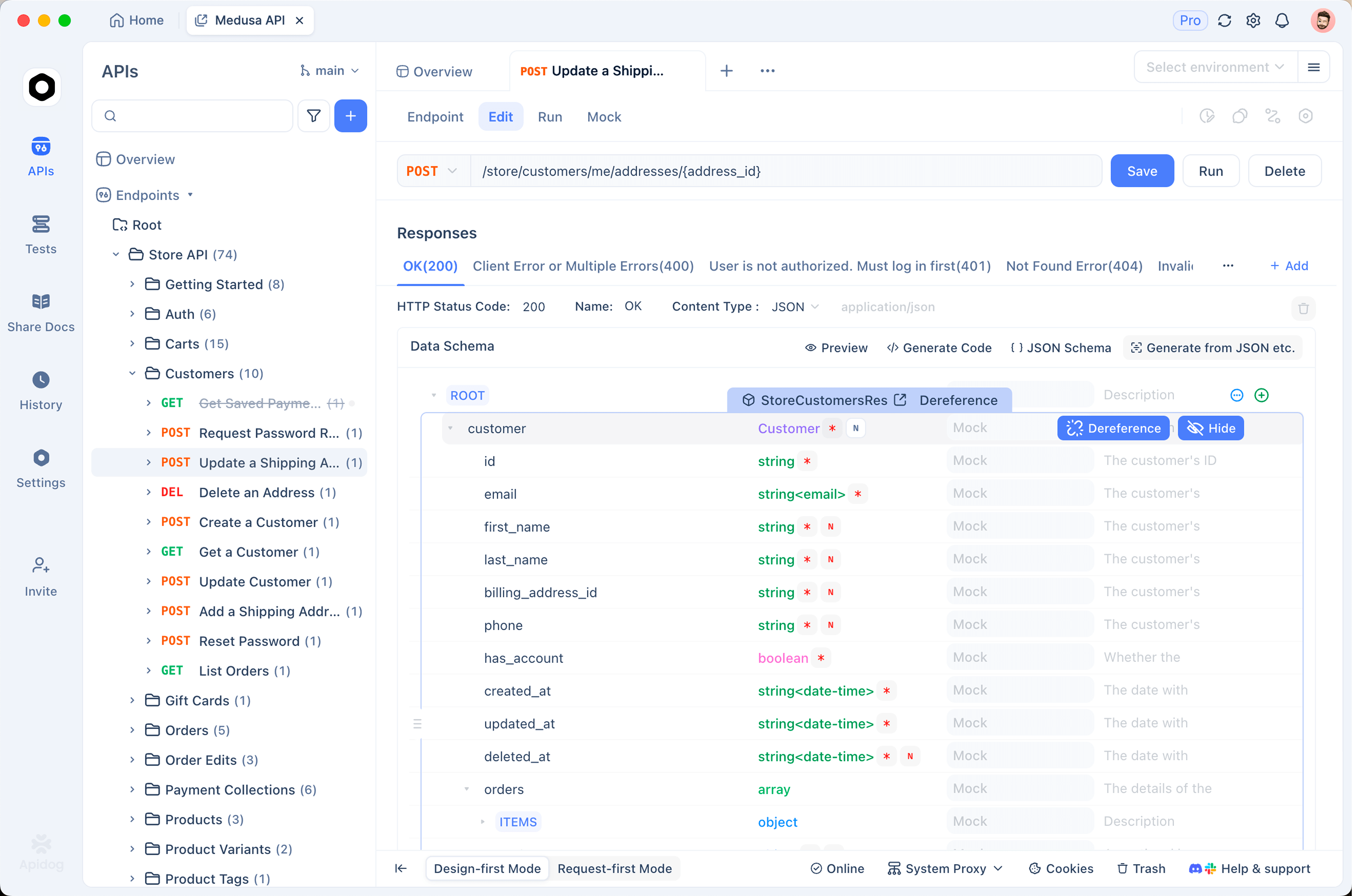
Apidog handles that layer. Design the contract first in the visual designer, hand the agent an unambiguous OpenAPI spec to build against, then test and mock the endpoints it produces. Spec-first pairs especially well with autonomous agents, because a clear contract is a precise target and vague specs are exactly where agents flail. Our Apidog spec-first mode guide walks through that handoff, and what a design.md does for coding agents explains why a written contract changes agent output. When you need to see what an agent’s calls actually send and receive, Apidog’s AI agent debugger inspects the traffic.
FAQ
Is Windsurf discontinued? No. Windsurf is now Devin Desktop. You get it as an over-the-air update, and your plan, settings, and extensions carry over unchanged.
What happened to Cascade? Cascade is now legacy. Its successor, Devin Local, is rewritten in Rust, up to 30% more token-efficient, and supports subagents. You can keep using Cascade through July 1.
Can Devin run Claude or Codex instead of its own model? Yes. Through the Agent Client Protocol, Devin Desktop runs Codex, Claude Agent, OpenCode, and custom agents alongside Cognition’s SWE-1.6 and other frontier models.
Is Devin free? There’s a free tier with unlimited Tab completions and inline edits. Access to Devin Cloud’s autonomous agents starts on the $20 Pro plan.
Is Devin better than Cursor? They’re different. Cursor is tighter for hands-on, in-editor work. Devin covers more: the same editor plus an autonomous cloud agent, a multi-agent Command Center, and the open ACP protocol. Pick based on how much you want to delegate.
How do I install Devin? Grab the desktop build from the download page, add the JetBrains plugin, or install the CLI with curl -fsSL https://cli.devin.ai/install.sh | bash.
There is a third path between Devin's cloud agents and Cursor's editor: keep the runtimes on your own machines and add the management layer separately. Sharkly covers the Command Center part, tasks assigned to agents or crews with run logs and output stored on the task, while Codex, Claude Code, OpenCode, or a custom ACP runtime execute on Computers you connect and bill through the subscriptions you already hold. It is worth pricing against a Devin seat before you decide.
The bottom line
The Windsurf rebrand isn’t cosmetic. Devin is now a full IDE, an autonomous cloud agent, a CLI, and a review surface, tied together by the Agent Command Center and an open protocol that runs other vendors’ agents too. The job it’s built for is directing work, not typing every line.
Whichever way you go, keep the API contract honest. Design it, test it, and mock it in Apidog so the code your agents ship actually holds up in production.


