
Restfox is a free, open-source HTTP client for testing APIs. It runs on the desktop, in the browser, and offline. If you have looked for a lightweight tool to send requests without signing up for an account, Restfox sits high on the shortlist.
This guide explains what Restfox is, how it works, and where it fits in your stack. You will learn its install paths, its import support, its plugin model, and its honest limits. By the end, you will know whether Restfox matches your workflow or whether you need a heavier platform.
What is Restfox?
Restfox is an offline-first HTTP and Socket testing client for the web and desktop. The tool is built with Vue. That choice keeps the interface fast and the codebase approachable. The most recent release is v0.40.0, published in mid-2025, so the project is active and maintained.
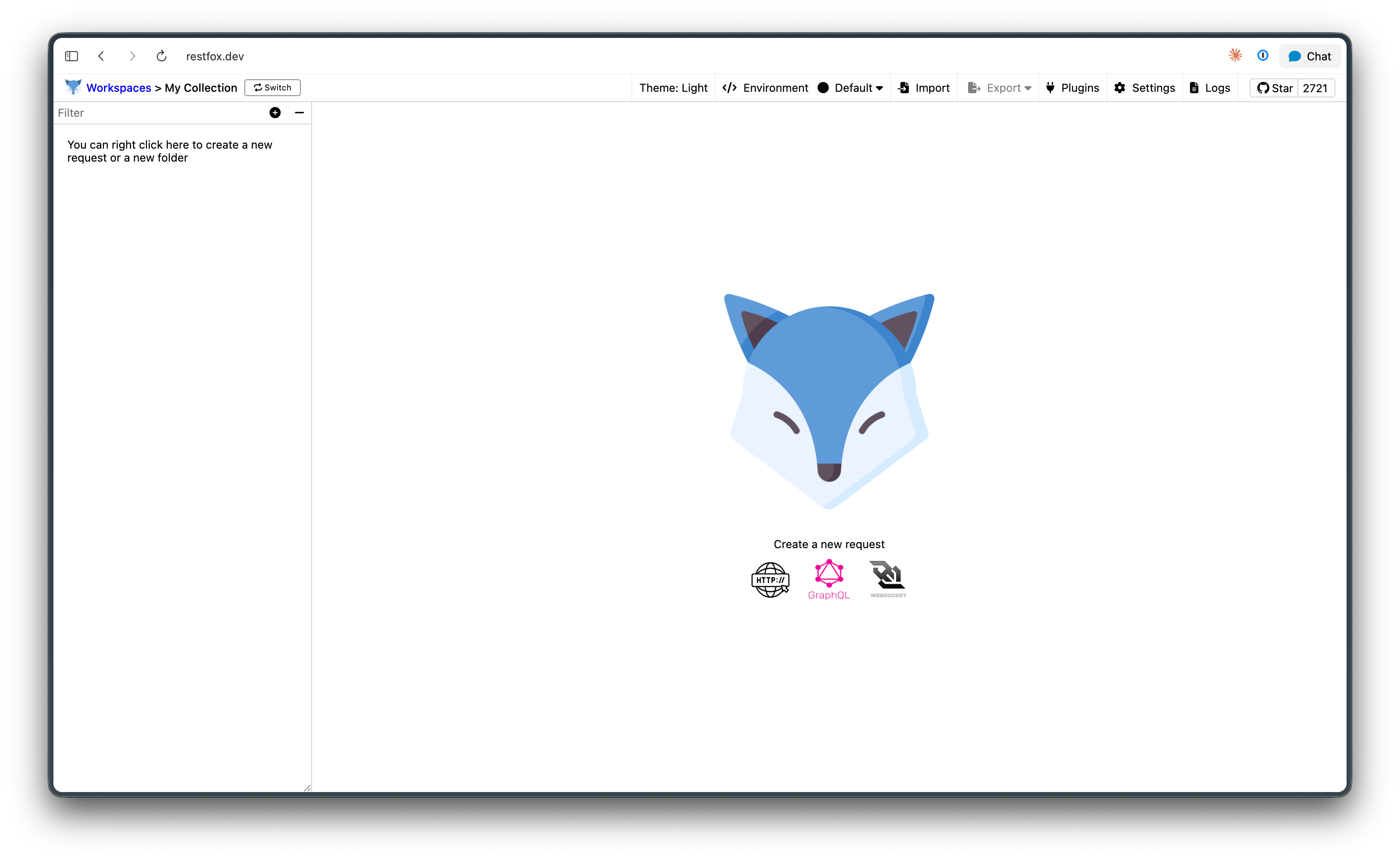
Restfox grew out of a simple frustration. Many API clients are heavy, account-gated, or push your data to a cloud you did not ask for. Restfox flips that. It works without an account, stores everything on your machine, and stays out of your way. It draws clear inspiration from Insomnia and Postman, but it strips the experience down to the parts you use most.
You build requests, group them into collections, swap variables through environments, and read responses. That is the core loop. No telemetry pop-ups, no forced login.
Offline-first and open source by design
Two ideas shape Restfox: it works offline, and it is open source. Both matter more than they sound.
Offline-first means the app does its job without a network connection to a vendor. Your collections, your request history, and your environments live locally. You can open the desktop app on a plane and keep testing. You can run the browser version as a Progressive Web App (PWA) and your data still stays in the browser. Nothing routes through a third-party server unless you send a request to one yourself.
This appeals to teams with strict data rules. If your requests carry tokens, internal hostnames, or customer data, you may not want that flowing through someone else’s cloud. Restfox keeps that surface small. For a wider look at this category, see our roundup of the best offline API client options.
Open source means you can read the code, fork it, and self-host it. The MIT license is permissive, so you can run Restfox inside your own infrastructure without legal friction. That transparency is a real benefit when you need to trust the tool that handles your credentials.
Restfox is also genuinely free. There is no paid tier hiding the features you actually need. If a free API client is the only requirement, Restfox clears the bar with room to spare.
Core features
Restfox covers the everyday work of an API developer. Here is what you get.
Request builder
The request builder handles the standard HTTP methods. You set the URL, pick the method, add headers, attach a body, and send. Restfox supports HTTP and HTTPS out of the box. It also handles WebSocket connections and GraphQL queries, which covers most modern API styles in one window.
Collections
Collections let you organize requests into folders. You can nest them, reorder them, and keep related endpoints together. This structure scales from a single test to a full API surface. For more on this style of tool, our guide to REST API clients walks through the shared patterns.
Environments
Environments hold variables you reuse across requests. You define a base URL, an API key, or a token once, then reference it everywhere. Switching from staging to production becomes a single dropdown change. This is standard in serious API tools, and Restfox implements it cleanly.
Response history
Restfox tracks the responses you receive. You can look back at earlier results without re-sending a request. That history stays local, in line with the offline-first design.
Web and desktop parity
You run the same Restfox whether you choose the desktop app or the browser PWA. The interface and the data model match. That parity means you can start in the browser and move to the desktop without relearning anything. If you switch machines often, read our notes on running an API client on Mac and Windows.
Installation paths
Restfox gives you several ways to install, which is one of its quiet strengths. Pick the one that fits your platform.
- macOS:
brew install restfox - Linux:
sudo snap install restfox - Windows:
scoop install restfox - Docker: pull the prebuilt image and run it on your own infrastructure
- Browser: open the PWA at restfox.dev and install it like any web app
The Docker path deserves a note. It lets a team host a shared Restfox instance behind their own firewall. You keep full control over data and access, which extends the offline-first promise to a self-hosted, browser-reachable setup. Restfox also publishes RPM, DEB, and other binaries for direct download if a package manager is not your style.
For a broader survey of this delivery model, our piece on web-based API clients explains the tradeoffs of running a client in the browser.
Import support
You rarely start from zero. Most developers already have requests sitting in another tool. Restfox handles that migration.
Restfox imports collections from Postman and Insomnia. It also reads OpenAPI specifications. So if you maintain a Postman collection or an OpenAPI document, you can pull it into Restfox and keep working without rebuilding every request by hand.
This import path lowers the cost of trying Restfox. You are not locked out by your past tooling. It also makes Restfox a reasonable landing spot if you are moving off a heavier client. Our list of Postman alternatives covers the wider field if you are weighing several options.
The plugin model
Restfox ships with a plugin system, and this is where it gets flexible.
Plugins are written in JavaScript. They run against requests and responses, so you can transform data as it moves through the client. The documented capabilities include reading and setting environment variables from response data, testing response content, decoding JWT tokens, using the crypto-js library, handling GZIP compression, and making HTTP requests from inside a plugin.
In practice, this means you can script behavior that the base app does not include. Need to sign a request with a custom scheme? Write a plugin. Need to extract a token from one response and inject it into the next? A plugin handles that. The model keeps the core app small while letting power users extend it.
This scripting layer is what separates Restfox from the most basic request senders. It is not a full automation framework, but it covers a lot of real testing needs.
Honest limitations
Restfox is good at what it does. It is also deliberately narrow. Knowing the edges helps you decide.
There is no CLI runner. Restfox is a GUI tool. You cannot run your saved Restfox collections from a command line or wire them into a CI pipeline as a native step. If you need automated test runs in CI, Restfox alone does not cover that.
There is no built-in mock server. Restfox sends requests; it does not stand up fake endpoints for you to develop against.
There is no API design layer. Restfox does not give you a visual editor for authoring an OpenAPI spec from scratch. It imports specs, but it is a client, not a design tool.
There is no documentation generator. Restfox will not publish interactive API docs for your team or your users.
None of this is a flaw. Restfox is a lightweight client by design, and it stays focused. The point is to match the tool to the job. If your job is sending and inspecting requests, Restfox fits well. If your job spans the full API lifecycle, you will reach for more.
When you outgrow a lightweight client
A request client solves one stage of API work. As a project grows, the other stages start to demand attention. You need to design the contract, mock it before the backend exists, run automated tests in CI, and publish docs your consumers can read.
That is where an all-in-one platform like Apidog comes in. Apidog covers the full API lifecycle in one place: a visual OpenAPI designer for spec-first work, automated test scenarios with visual assertions, smart no-code mocking, auto-generated interactive documentation, and shared team workspaces with real-time sync. It runs as a desktop app on Windows, Mac, and Linux, as a web app, and as a CLI for CI.
The CLI matters here, because it is the piece Restfox lacks. The Apidog CLI runs your saved test scenarios in a pipeline with reporters for CLI, HTML, JSON, and JUnit output. Note the boundary, though. The Apidog CLI runs saved suites; it is not an interactive terminal request tool. For ad-hoc command-line requests you would still use something like curl or HTTPie.
Apidog also supports REST, GraphQL, gRPC, WebSocket, SOAP, and Socket.IO, which is a wider protocol range than most lightweight clients. If you are comparing options, our writeups on Apidog vs Insomnia and Apidog vs Bruno lay out the tradeoffs.
Restfox and Apidog are not rivals. Restfox is a fast, free, offline client for sending requests. Apidog is a platform for teams who need to design, test, mock, and document the whole contract. Many developers use a tool like Restfox for quick checks and a platform like Apidog for the project work. Pick the one that matches the stage you are in.
FAQ
Is Restfox free?
Yes. Restfox is free and open source under the MIT license. There is no paid tier and no account requirement.
Does Restfox work offline?
Yes. Restfox is offline-first. Your collections, environments, and request history stay on your machine, and the app works without a connection to any vendor server.
Can Restfox import Postman collections?
Yes. Restfox imports collections from Postman and Insomnia, and it reads OpenAPI specifications. You can migrate existing requests without rebuilding them.
Does Restfox have a CLI?
No. Restfox is a GUI client with no command-line runner. If you need to run saved API tests in CI, you will need a tool that ships a CLI, such as Apidog.
What protocols does Restfox support?
Restfox supports HTTP and HTTPS requests, WebSocket connections, and GraphQL queries.
How do I install Restfox?
Use brew install restfox on macOS, sudo snap install restfox on Linux, or scoop install restfox on Windows. You can also run it via Docker or as a browser PWA at restfox.dev.
Conclusion
Restfox is a clean, free, open-source HTTP client that respects your data and your time. It works offline, installs almost anywhere, imports your existing collections, and extends through JavaScript plugins. For sending and inspecting requests, it is a strong, lightweight choice.
Its limits are clear and intentional. No CLI runner, no mocking, no design layer, no docs generator. When your work grows past sending requests into designing, testing, and documenting the full contract, a platform like Apidog picks up where a lightweight client stops. Choose Restfox for fast, local request work. Reach for more when the project demands it.