Modern applications rarely operate in isolation.
Whether it is a weather application displaying real-time forecasts, an e-commerce platform showing product availability, a financial dashboard tracking market data, or an AI application retrieving external information, many of today’s digital experiences depend on accessing data from external sources.
This is where Web Data APIs become essential.
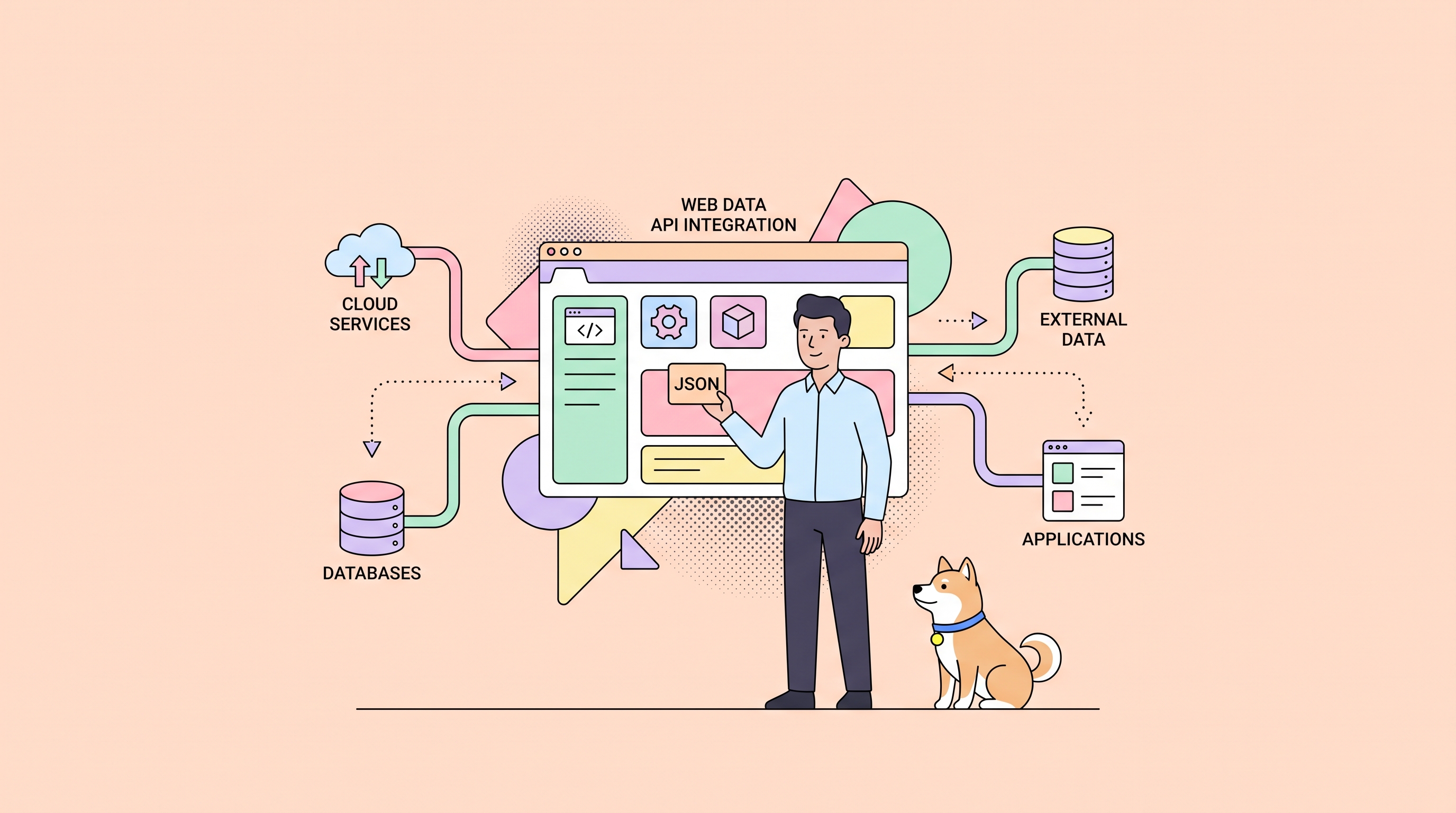
Web Data APIs provide a structured way for applications to communicate with external systems and retrieve the information they need. Instead of manually collecting data from different sources, developers can use APIs to request, process, and integrate data directly into their applications.
However, building applications that depend on external APIs comes with challenges. Developers need to handle authentication, changing data structures, API reliability, testing, documentation, and automation.
As API workflows become more complex, having the right tools to design, test, and maintain API integrations becomes increasingly important.
In this guide, we will explore what Web Data APIs are, how they work, common use cases, best practices, and how developers can use tools like Apidog CLI to automate API testing and management workflows.
What Is a Web Data API?
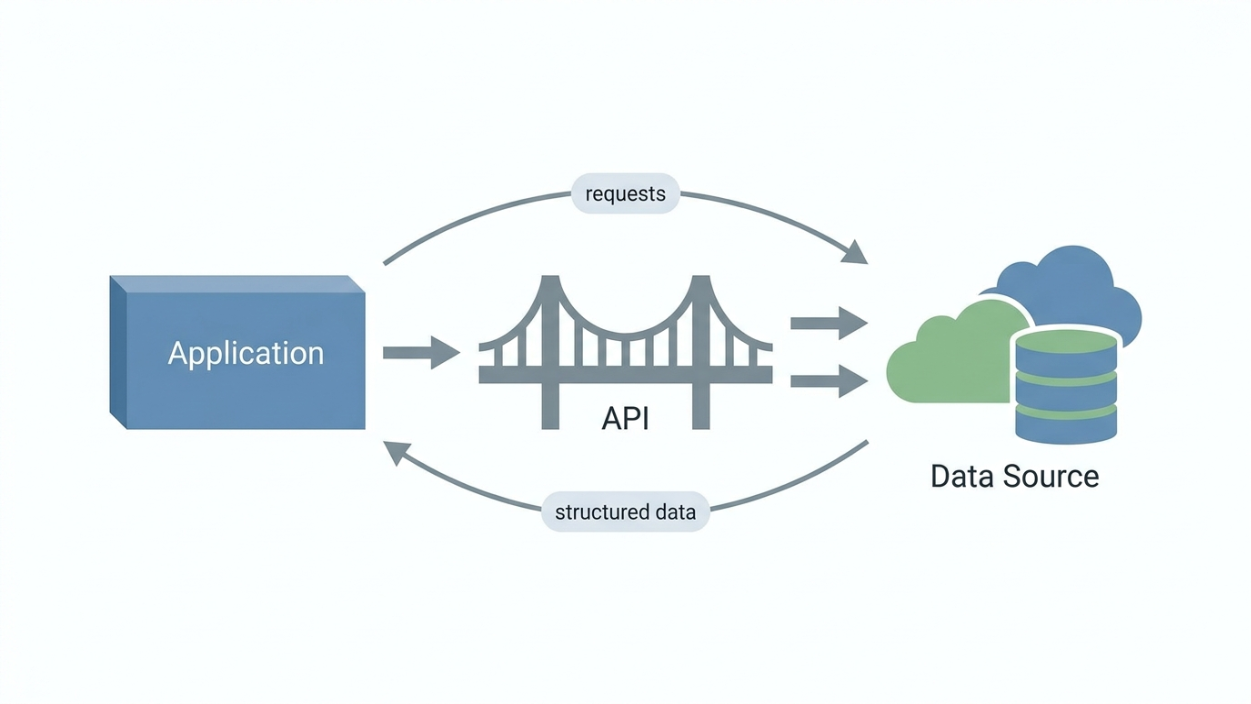
A Web Data API is an interface that allows applications to access and exchange data over the internet.
Instead of an application directly accessing another system’s database, the API acts as a controlled communication layer between the client and the data source.
A typical Web Data API workflow looks like this:
Application
      |
      |
      v
 Web Data API
      |
      |
      v
External Data Source
For example, a weather application does not need to maintain its own global weather database. Instead, it can request weather information from a weather API.
The application sends a request:
GET /weather?city=London
The API processes the request and returns structured data:
{
  "city": "London",
  "temperature": 22,
  "condition": "Cloudy"
}
The application then uses this data to display information to users.
How Do Web Data APIs Work?
Most Web Data APIs follow a request and response model based on HTTP.
The process usually involves three main steps.
1. Client Sends a Request
The client application sends a request to an API endpoint.
A request usually contains:
- HTTP method
- Endpoint URL
- Headers
- Authentication information
- Query parameters
- Request body
Example:
GET <https://api.example.com/products>
Authorization: Bearer token123
2. API Processes the Request
The API receives the request and performs several operations:
- Validates authentication
- Checks permissions
- Processes parameters
- Retrieves required data
- Applies business logic
3. API Returns a Response
The API returns the requested data, usually in JSON format.
Example:
{
  "product": "Laptop",
  "price": 1200,
  "availability": true
}
The application then processes this response and displays or uses the data.
Common Types of Web Data APIs
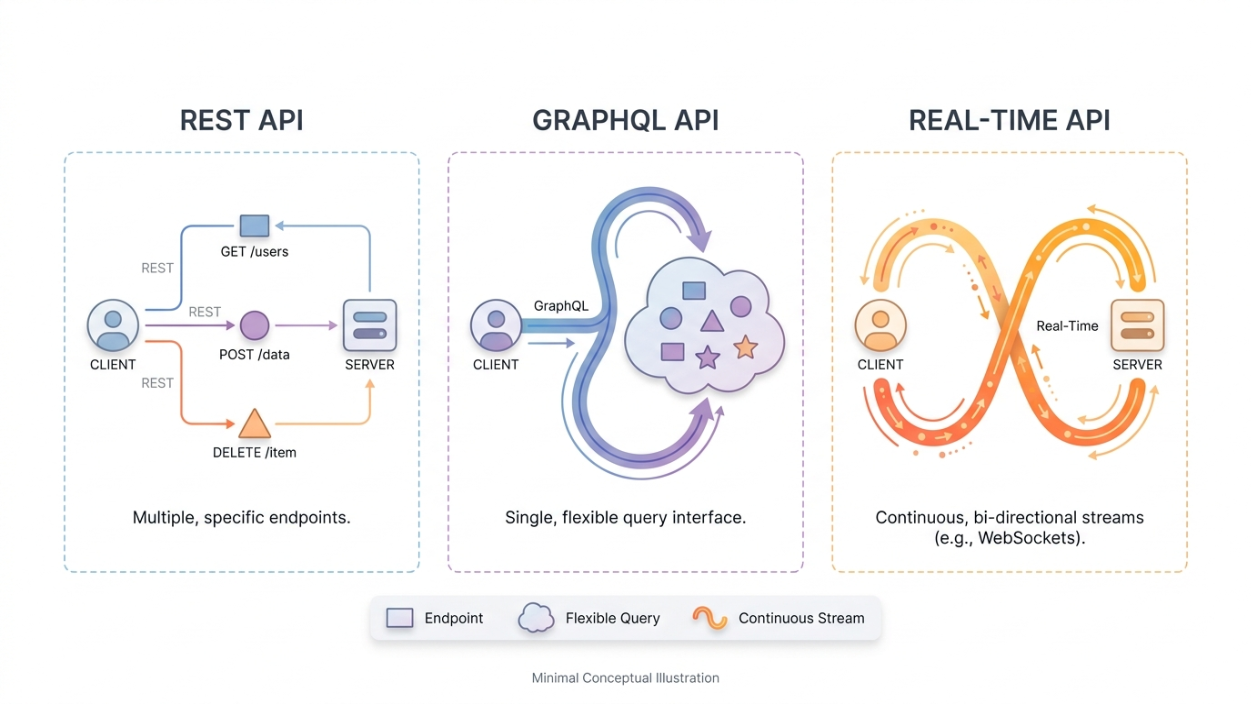
Developers commonly work with several API styles.
REST APIs
REST APIs are the most widely used type of Web Data API.
They use standard HTTP methods such as:
- GET
- POST
- PUT
- DELETE
Example:
GET /users
POST /orders
DELETE /products/123
REST APIs typically return JSON responses and are commonly used in web and mobile applications.
GraphQL APIs
GraphQL allows clients to request exactly the data they need.
Instead of multiple endpoints, GraphQL usually exposes a single endpoint where developers define their data requirements.
Example:
{
  user {
    name
    email
  }
}
GraphQL is popular for applications that need flexible data retrieval.
Web APIs for Real-Time Data
Some applications require continuously updated information.
Examples include:
- Stock prices
- Cryptocurrency prices
- Sports scores
- Live notifications
These APIs may use technologies such as WebSockets or streaming connections.
Common Applications of Web Data APIs
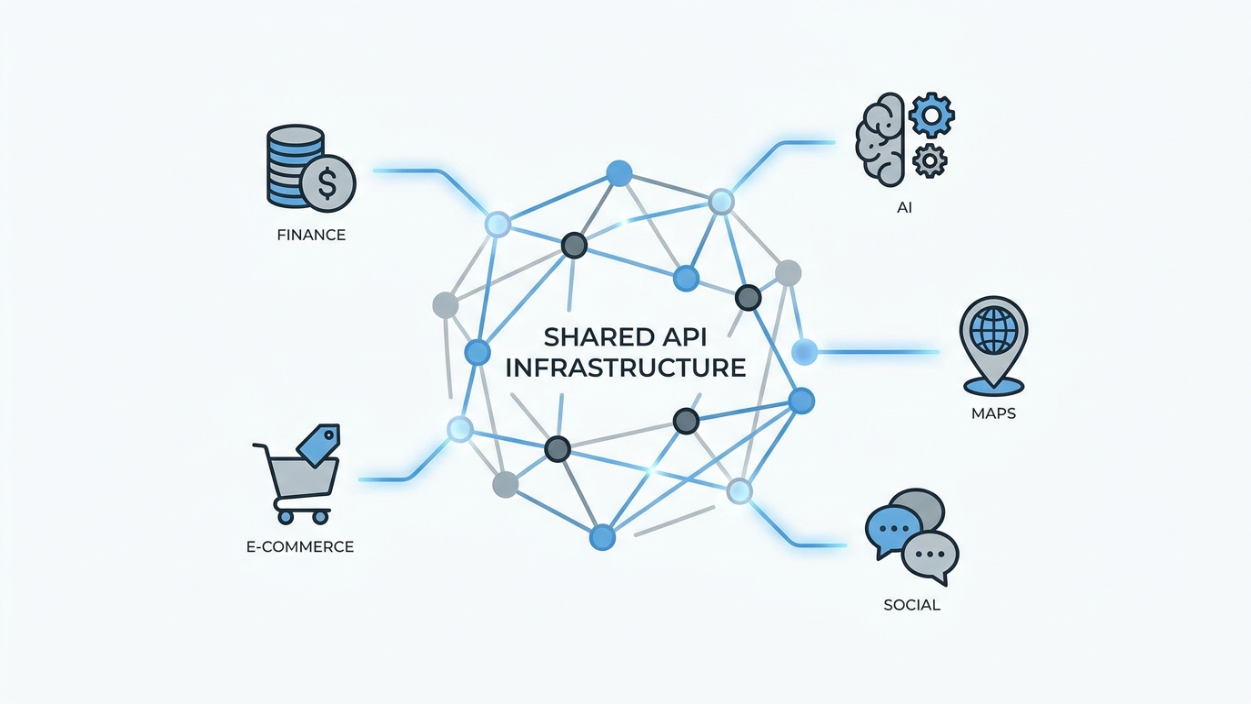
Web Data APIs power many of the applications developers use every day.
Financial Applications
Financial platforms use APIs to access:
- Stock market data
- Currency exchange rates
- Payment processing
- Banking information
For example, a finance dashboard can retrieve live market data without maintaining its own financial database.
E-commerce Platforms
Online stores rely on APIs for:
- Product information
- Inventory management
- Payment processing
- Shipping updates
APIs allow different systems to communicate efficiently.
Artificial Intelligence Applications
Many AI applications depend on APIs for:
- AI model access
- Data retrieval
- Search capabilities
- External knowledge sources
As AI applications become more connected, reliable API integrations become increasingly important.
Location and Mapping Services
Navigation applications use APIs for:
- Maps
- Geolocation
- Directions
- Distance calculations
Social Platforms
Social media APIs allow applications to access:
- User profiles
- Posts
- Analytics
- Content management features
Challenges Developers Face When Working With Web Data APIs
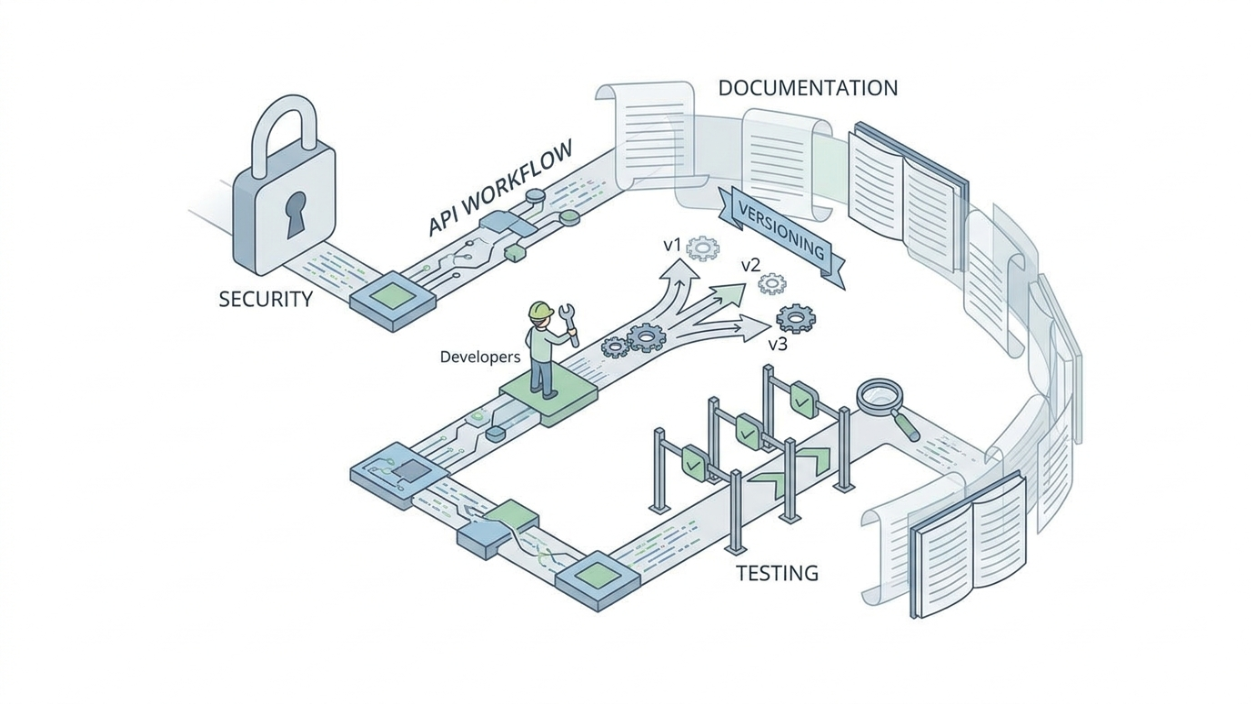
While APIs make data integration easier, they also introduce several challenges.
Authentication and Security
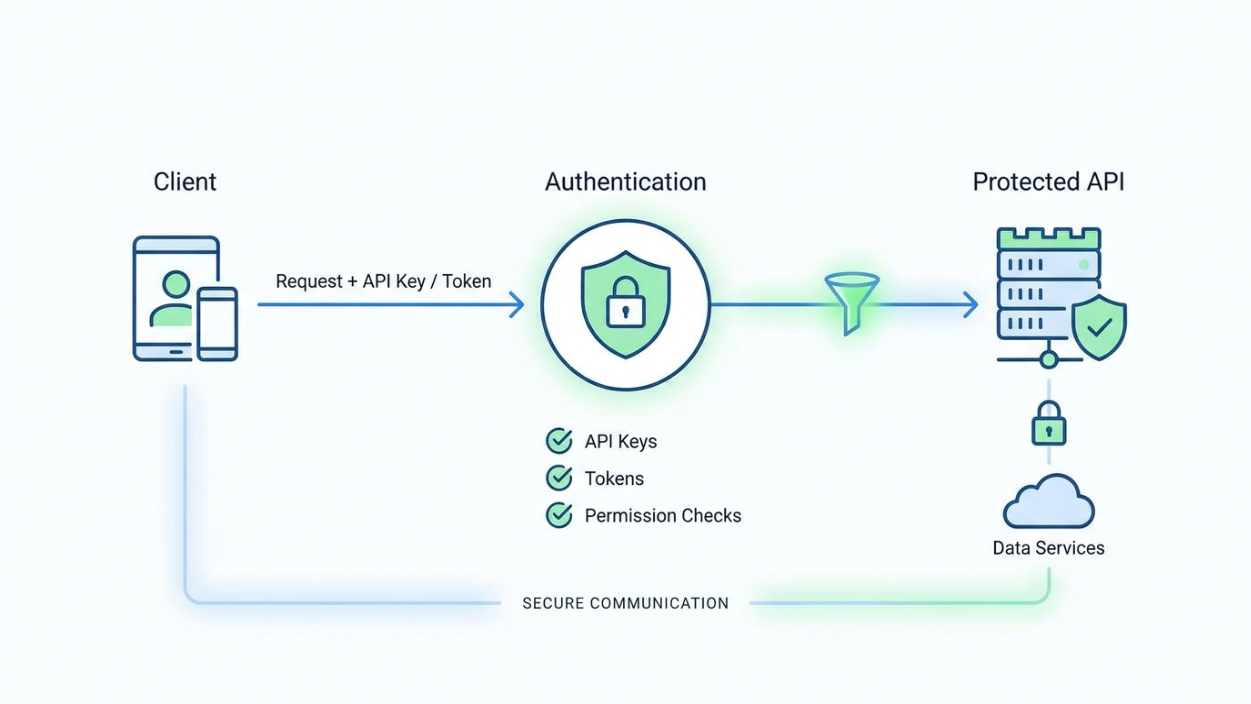
Most APIs require authentication.
Common authentication methods include:
- API keys
- OAuth tokens
- JWT authentication
- Access tokens
Developers need to securely manage credentials and avoid exposing sensitive information.
API Changes and Versioning
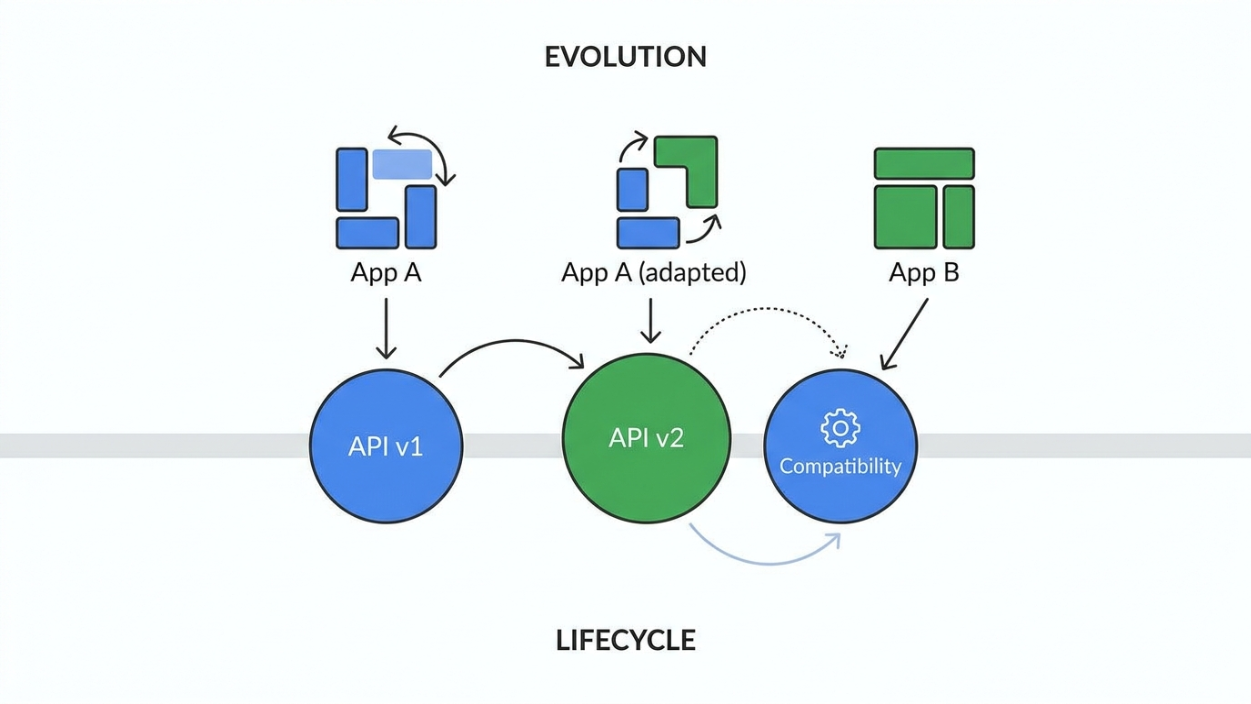
External APIs can change over time.
A small response structure change can break an application.
For example, an API response changing from:
{
  "username": "developer"
}
to:
{
  "user_name": "developer"
}
may cause unexpected issues if applications are not prepared.
Testing API Reliability
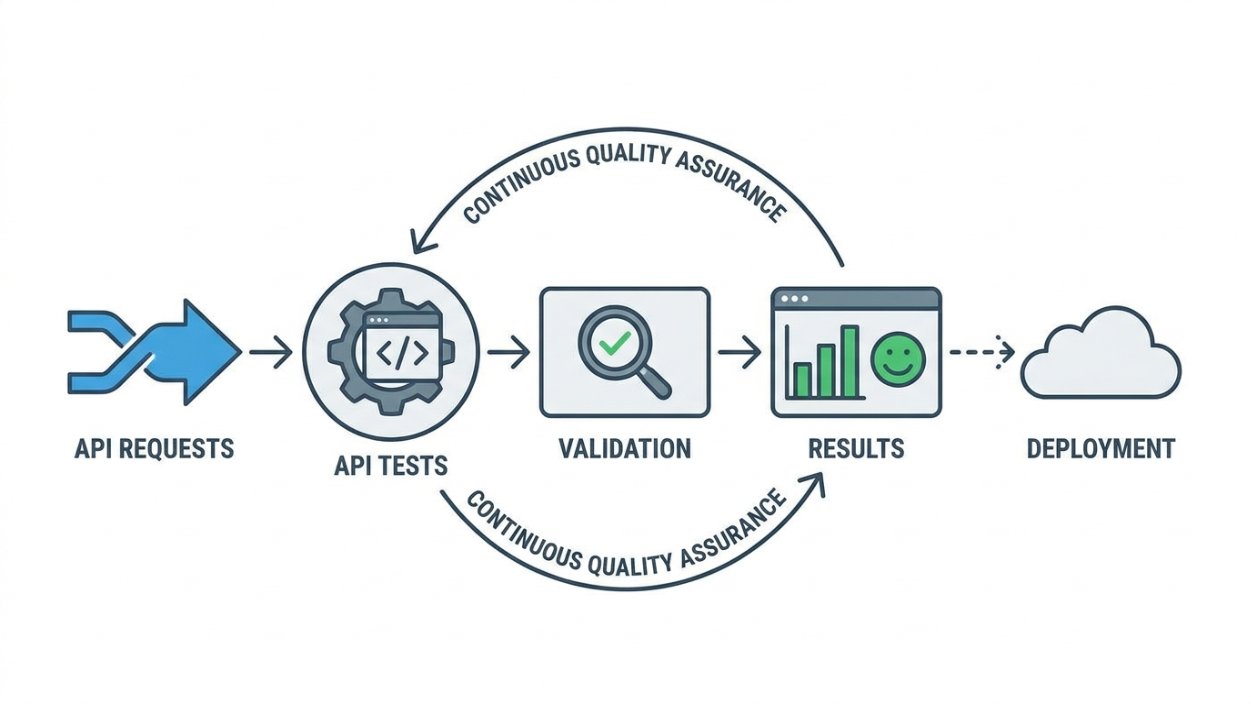
Manually testing every API request does not scale.
Developers need automated testing to verify:
- Responses are correct
- Authentication works
- Data structures remain consistent
- API changes do not introduce problems
Documentation Management
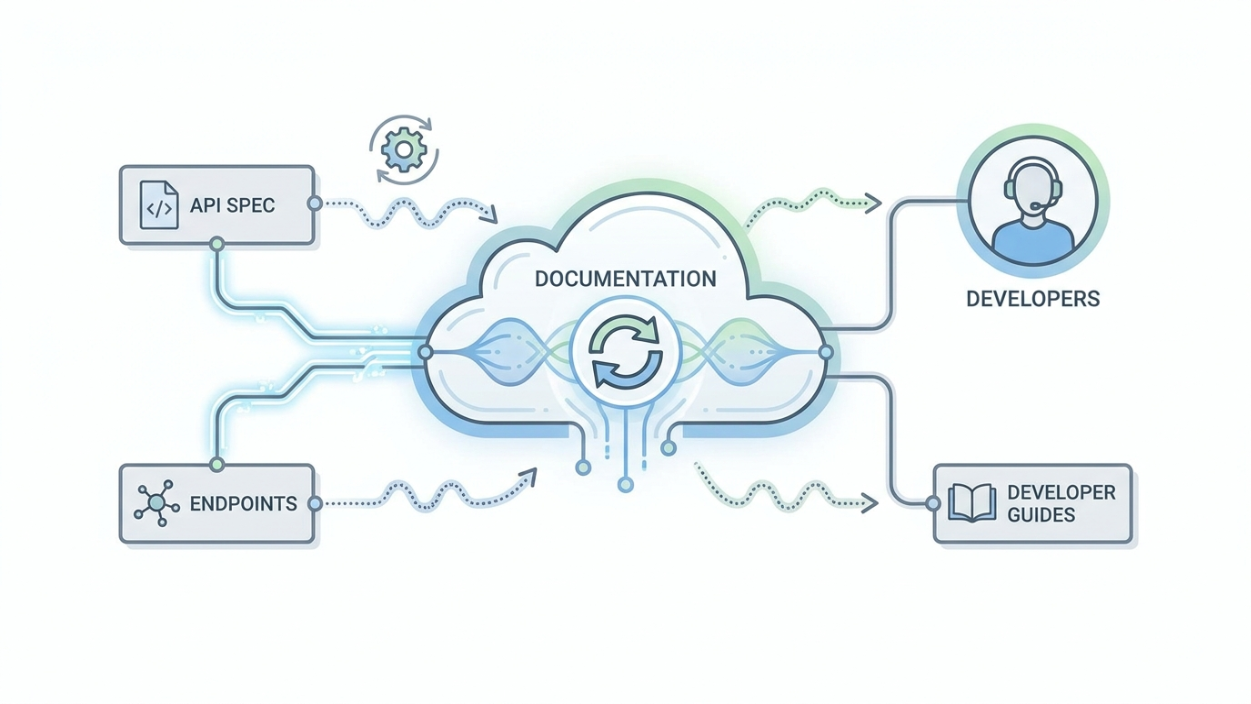
Good documentation is critical when working with APIs.
Developers need clear information about:
- Available endpoints
- Required parameters
- Authentication methods
- Response formats
- Error handling
Best Practices for Working With Web Data APIs
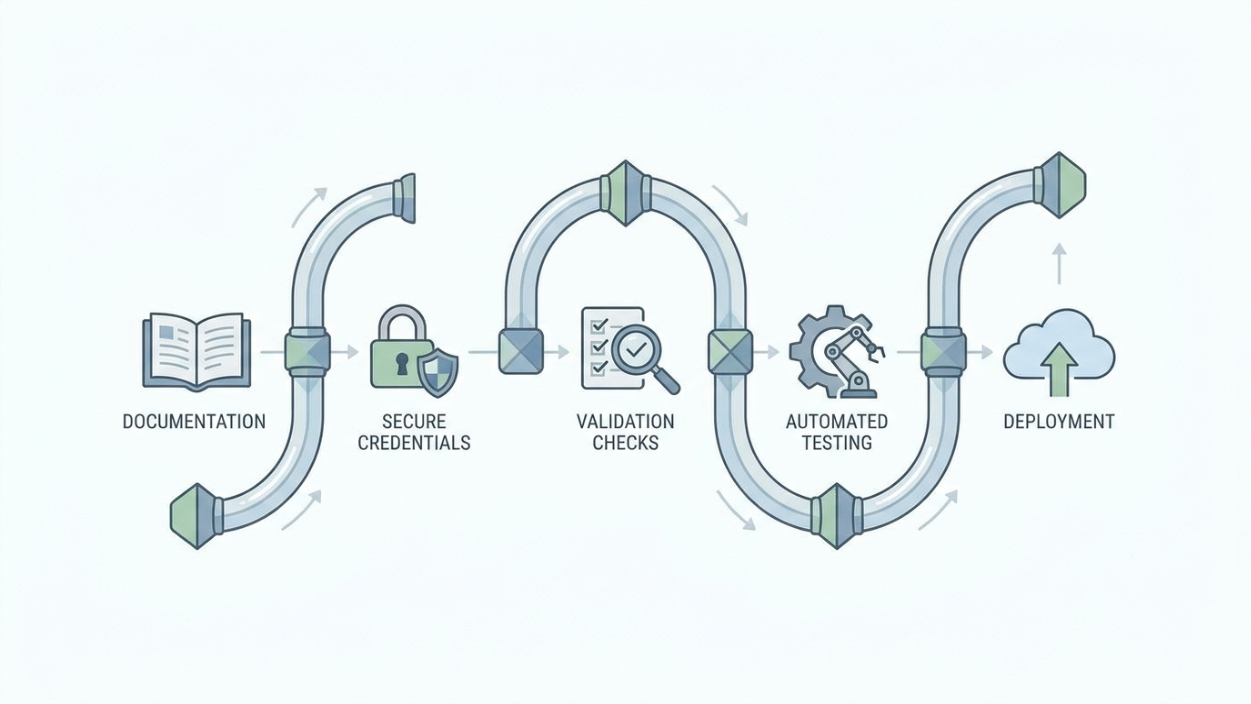
1. Understand API Documentation First
Before integrating an API, developers should understand:
- Available endpoints
- Authentication requirements
- Rate limits
- Response formats
2. Use Environment Variables
Sensitive information such as API keys should not be hardcoded.
Instead, use environment variables:
API_KEY=your_secret_key
This improves security and makes deployments easier.
3. Validate API Responses
Applications should not assume API responses will always be identical.
Response validation helps detect unexpected changes.
4. Automate API Testing
Automated testing helps teams catch problems earlier.
Instead of manually checking APIs after every change, developers can run tests automatically during development and deployment.
5. Keep API Documentation Updated
Documentation should evolve alongside API changes.
Outdated documentation creates confusion for developers consuming the API.
Using Apidog CLI for Web Data API Testing and Automation
As API workflows grow, developers often need more than a tool for sending requests.
Modern API development requires automation, validation, testing, and collaboration throughout the API lifecycle.
Apidog CLI brings Apidog's API development capabilities directly into the terminal and CI/CD pipelines.
It allows developers to manage API resources, run automated tests, validate data structures, manage environments, and automate API workflows without leaving the command line.
Key Capabilities of Apidog CLI
API Resource Management
Developers can manage API resources directly from the terminal, including:
- HTTP API endpoints
- Schemas
- Documentation resources
- API assets
This helps teams maintain API definitions as part of their development workflow.
Automated API Testing
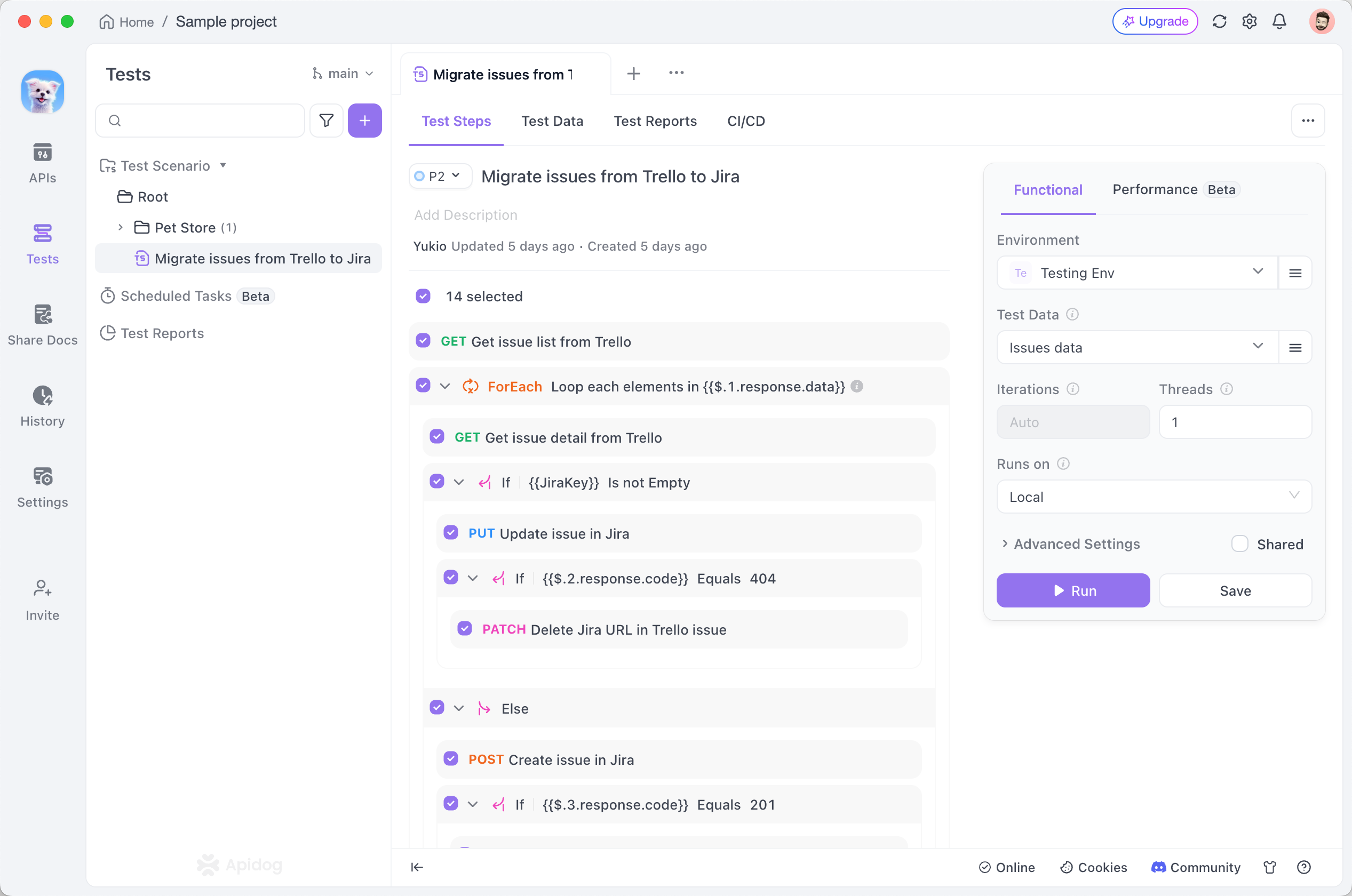
Apidog CLI supports:
- Test cases
- Test scenarios
- Test suites
- Automated execution
Developers can run API tests locally or integrate them into CI/CD pipelines.
Test Scenario Management
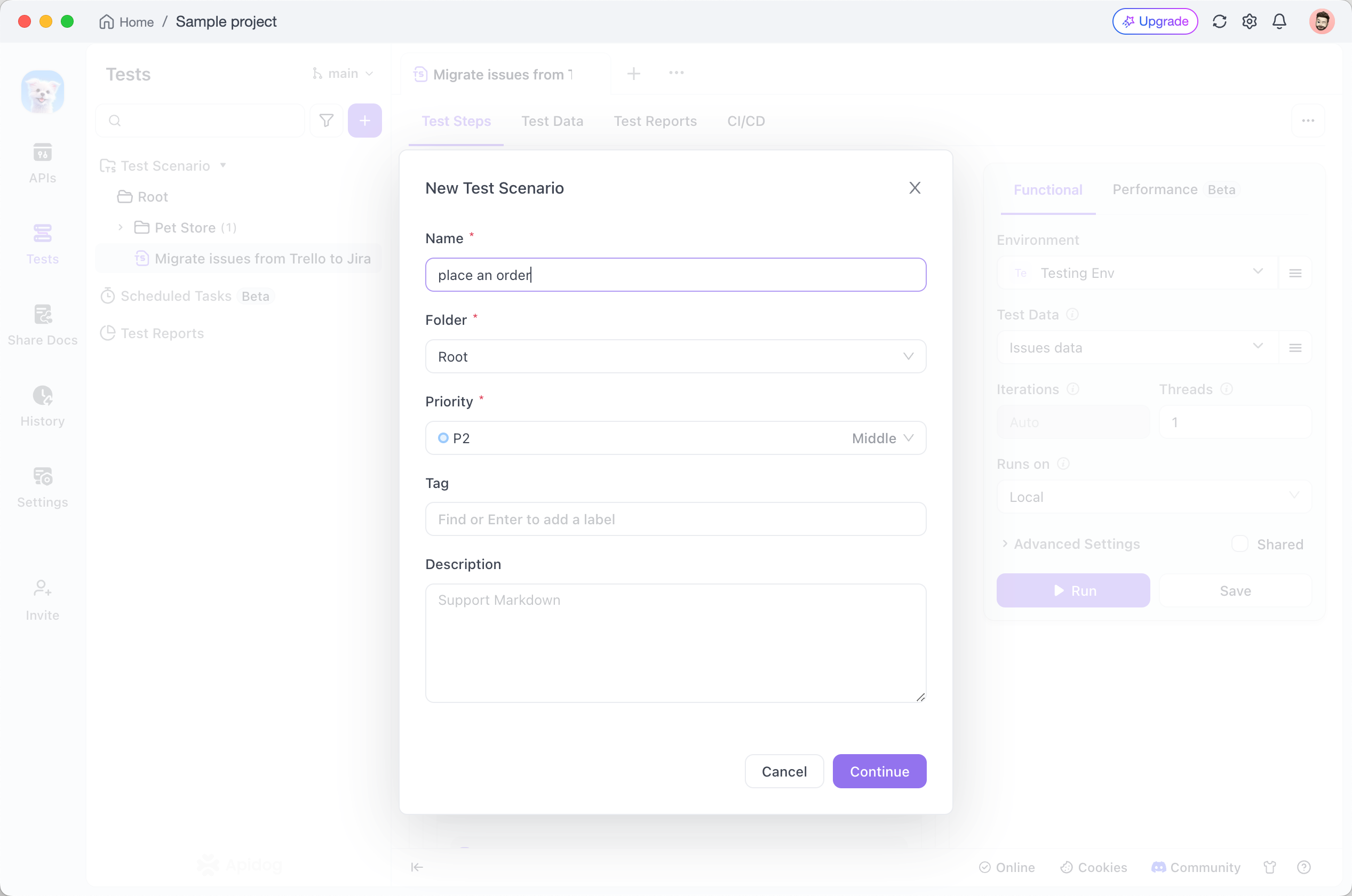
Complex API workflows often require multiple steps.
For example:
- Authenticate a user
- Create a resource
- Retrieve the resource
- Validate the response
Apidog CLI supports multi-step test scenarios with:
- Variable extraction
- Assertions
- Request chaining
- Flow control
Schema Validation
Before creating or updating API resources, developers can validate JSON files against predefined schemas.
Example:
apidog cli-schema validate endpoint-create --file ./endpoint.json
This helps detect:
- Missing fields
- Incorrect data types
- Invalid structures
before changes are submitted.
Environment and Variable Management
Different environments often require different configurations.
Examples:
- Development API URLs
- Testing environments
- Production endpoints
Apidog CLI allows developers to manage:
- Environments
- Variables
- Runtime settings
Import and Export Support
API projects often need to move between different tools.
Apidog CLI supports importing and exporting API data in multiple formats, including:
- OpenAPI
- Postman
- HAR
- JMeter
- WSDL
- Markdown
This makes it easier to integrate existing API assets into new workflows.
Installing Apidog CLI
Apidog CLI can be installed through npm:
npm install -g apidog-cli@latest
After installation, developers can access Apidog capabilities directly from their terminal.
Authenticating With Apidog CLI
Before accessing private projects, developers need to authenticate.
Example:
apidog login --with-token <token>
The CLI stores authentication information locally for future commands.
For CI/CD environments, access tokens can be stored securely using repository secrets.
Running API Tests From the Command Line
Developers can execute test scenarios directly from the terminal.
Example:
apidog run --access-token $APIDOG_ACCESS_TOKEN -t <testScenarioId>
This allows API testing to become part of automated development workflows.
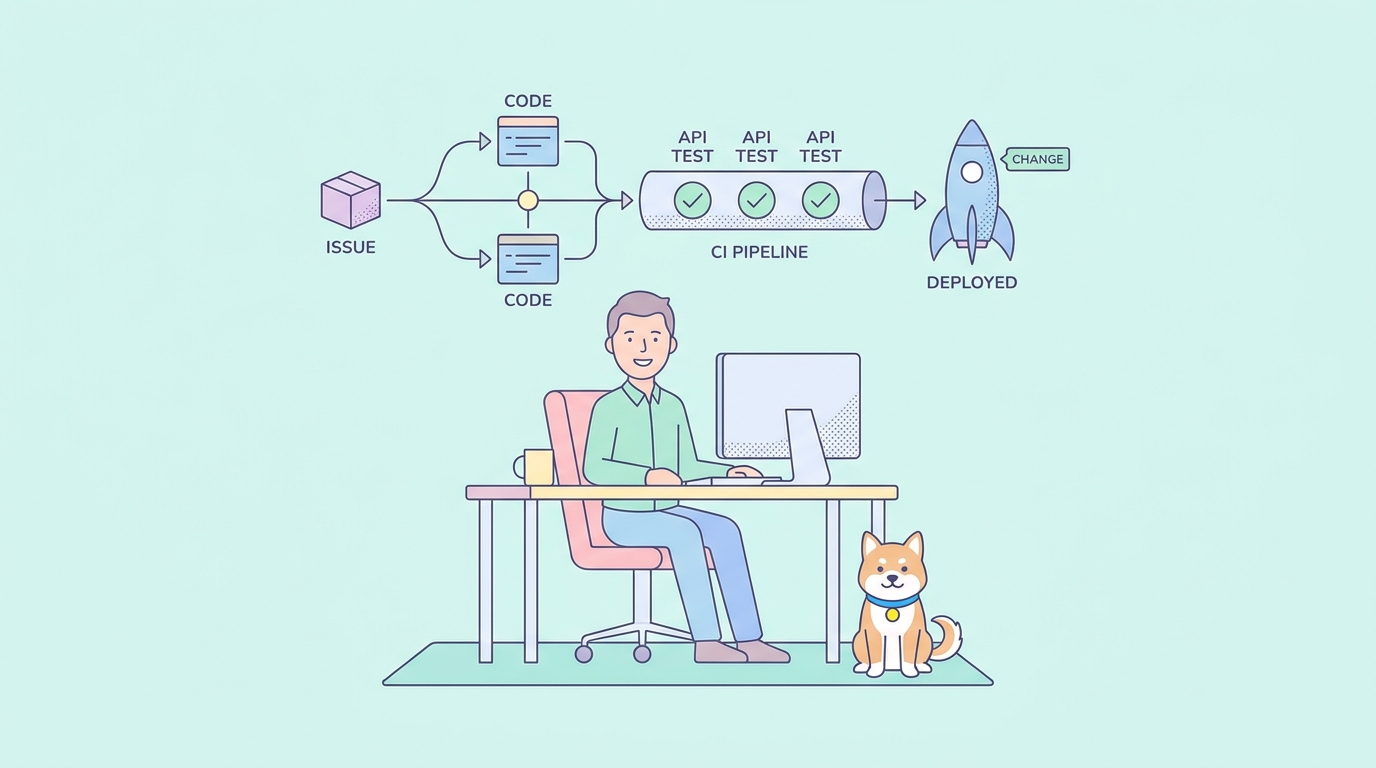
Integrating Web Data API Testing Into CI/CD
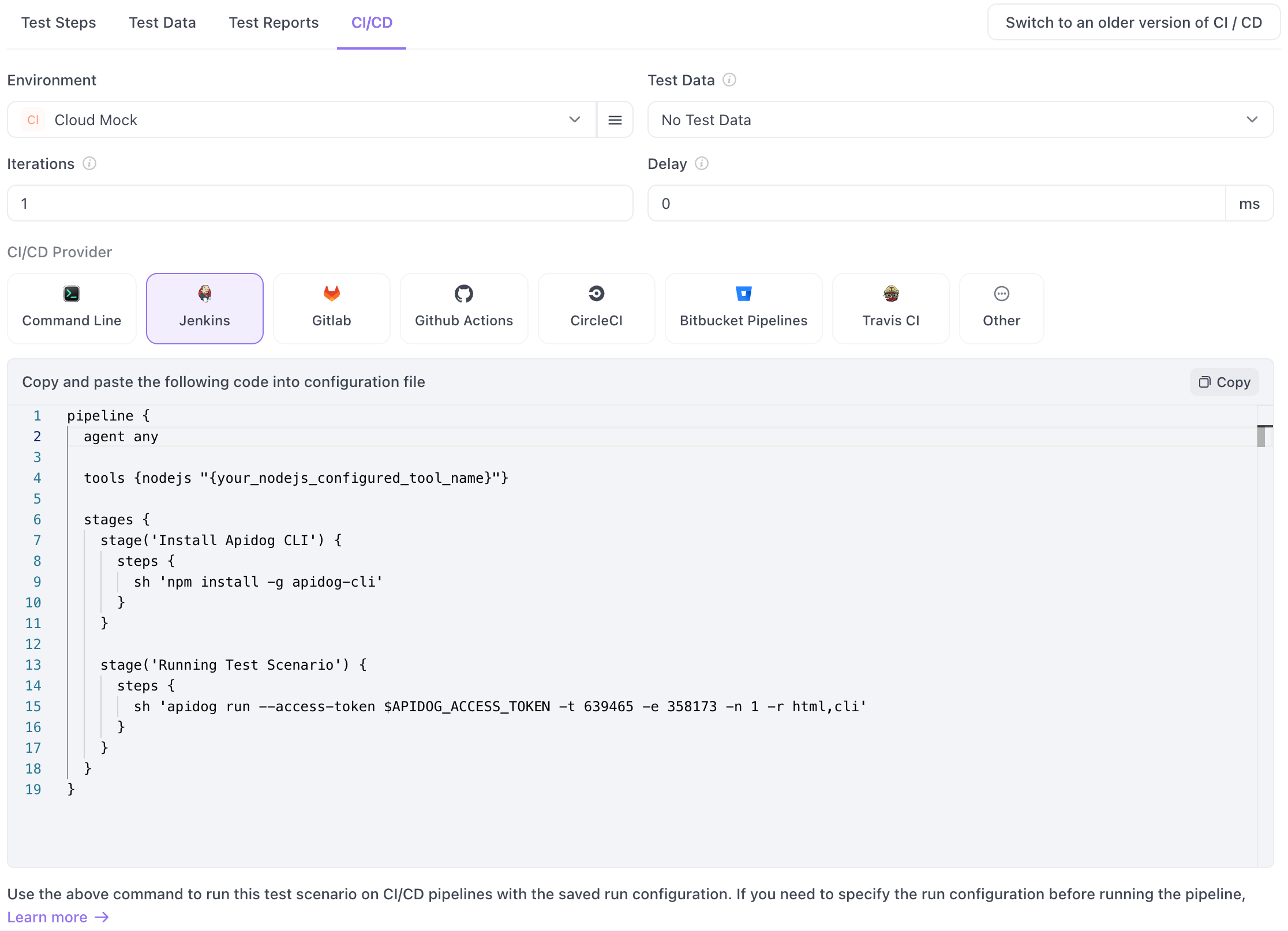
Modern development teams often run API tests automatically whenever code changes are introduced.
Apidog CLI can integrate with popular CI/CD platforms, including:
- GitHub Actions
- GitLab CI/CD
- Jenkins
- Azure Pipelines
- CircleCI
- Bitbucket Pipelines
This allows teams to detect API issues before they reach production.
Web Data APIs and the Future of Development
APIs continue to become more important as applications become more connected.
The growth of:
- AI applications
- Cloud services
- Microservices
- Mobile applications
- Data-driven platforms
means developers will continue relying on APIs to exchange information.
At the same time, API workflows are becoming more automated. Developers are moving beyond manually testing endpoints and adopting tools that support validation, automation, and integration into development pipelines.
Command-line tools are especially valuable because they fit naturally into modern workflows, including automation systems and AI-assisted development environments.
Final Thoughts
Web Data APIs are the foundation behind many modern applications, allowing developers to connect systems, retrieve information, and build richer user experiences.
However, creating reliable API integrations requires more than sending HTTP requests. Developers need proper testing, validation, documentation, and automation to maintain API quality as applications grow.
By combining strong API development practices with automation tools such as Apidog CLI, teams can build more reliable integrations, reduce manual testing effort, and create smoother API workflows.
As APIs continue to evolve, having the right tools and processes will become increasingly important for developers building the next generation of applications.