Together AI, Fireworks AI, and Groq all sell the same pitch: point your existing OpenAI client at a new base URL, swap the key, and get open-weight models at a fraction of the cost. That pitch is true. What’s not true is that comparing their free tiers is as simple as lining up three numbers side by side, because two of the three providers don’t publish a fixed number at all.
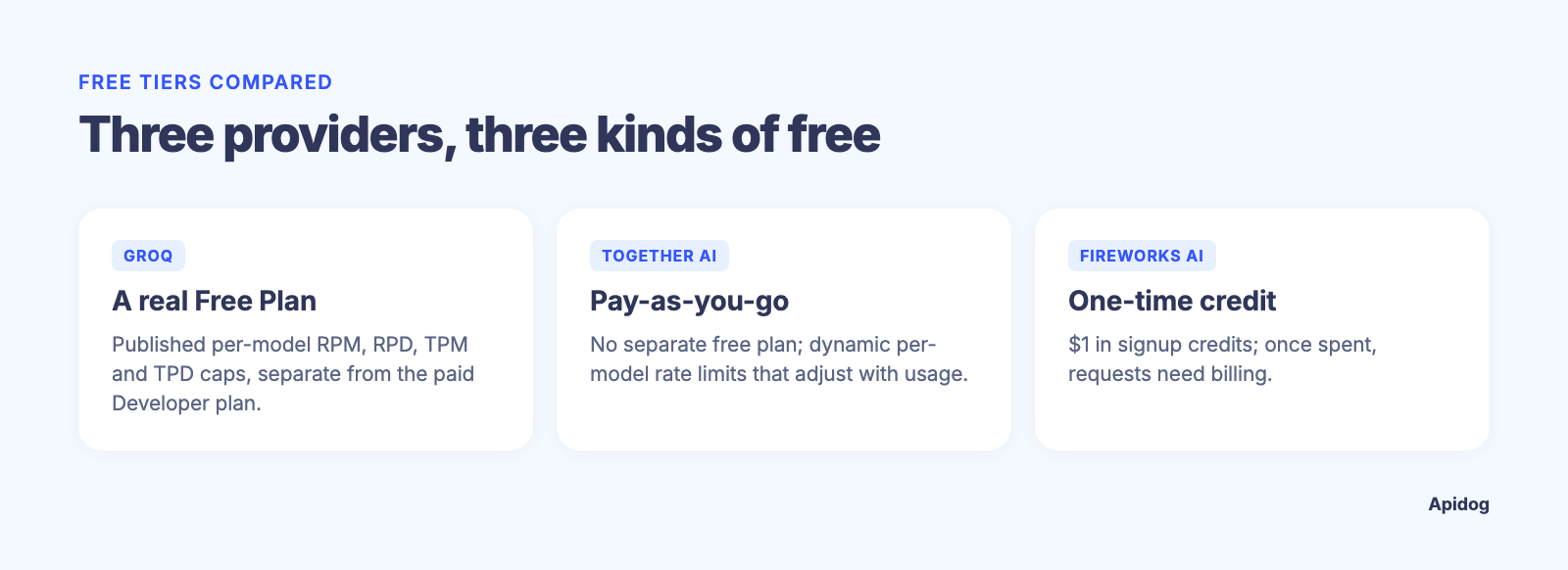
Groq is the exception: its rate-limits page actually publishes real Free Plan numbers, per model, in a tab most readers skim past on the way to the Developer Plan tab next to it. Together AI told us flat out, in its own docs, that it has no fixed per-model limits to publish; your ceiling moves with your usage. Fireworks AI ties its free access to a one-time credit balance rather than a plan tier. Three different designs, and a “which free tier is bigger” article still can’t reduce that to one number.
TL;DR
Groq, Together AI, and Fireworks AI all expose an OpenAI-compatible endpoint, so switching between them is a base URL and an API key, not a rewrite. Groq splits access into a Free Plan and a paid Developer Plan, and unlike the other two, it publishes real per-model Free Plan numbers, such as 30 RPM / 1K RPD / 8K TPM / 200K TPD on gpt-oss-120b and gpt-oss-20b. Together AI does not publish fixed free-tier numbers; its docs say limits move dynamically with your live capacity and recent successful usage. Fireworks AI gives new accounts a one-time credit balance ($1, per its pricing page) rather than a recurring free allowance. The decision that matters more than the headline number is which models you actually need and how each provider’s ceiling behaves once you hit it. Apidog lets you save one request and swap the base URL and key per environment, so you can measure all three yourself instead of trusting a table.
One API shape, three keys
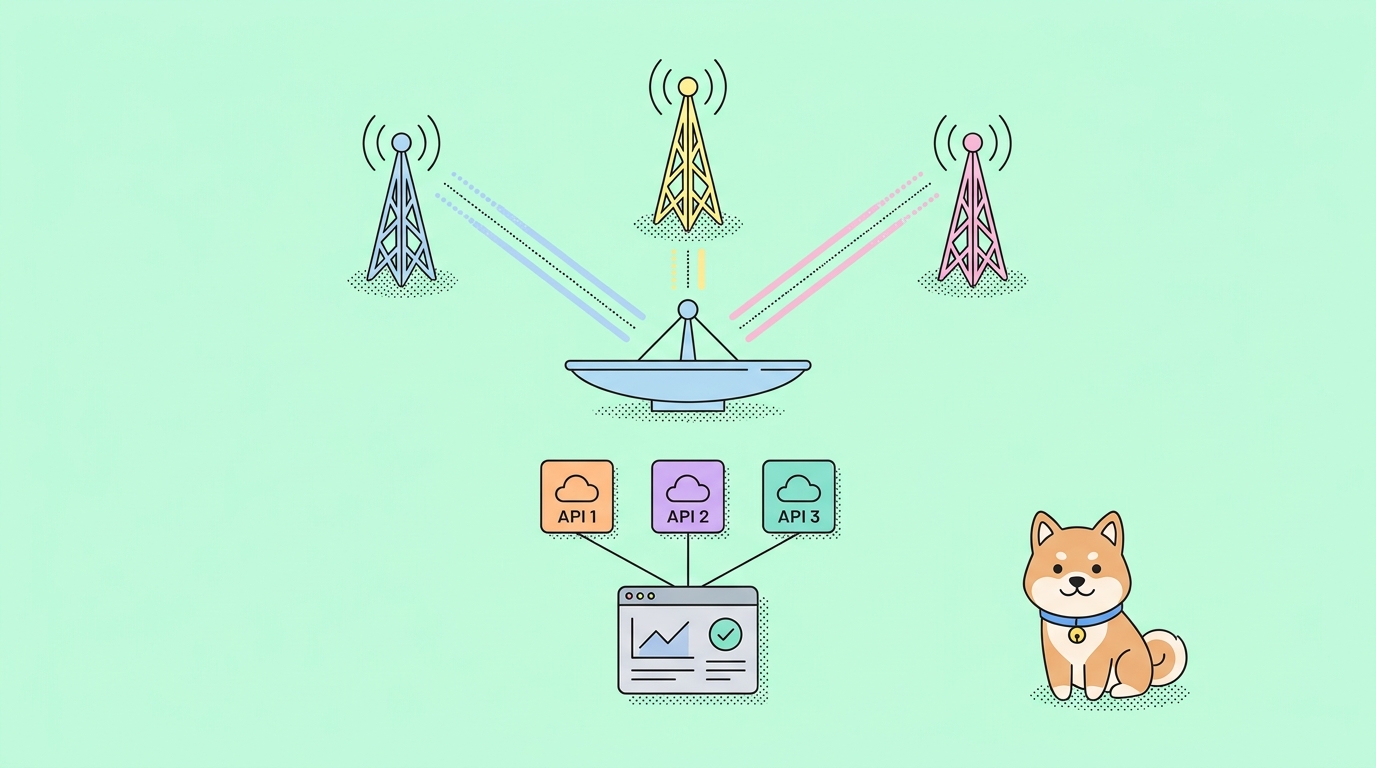
All three providers deliberately mirror the OpenAI Chat Completions schema. That’s why migration guides for these tools read the same way every time: change base_url, change the Authorization header, keep the rest of your code. Groq’s OpenAI-compatible base is https://api.groq.com/openai/v1/. Together AI’s is https://api.together.ai/v1, confirmed directly in its quickstart docs. Fireworks AI’s is https://api.fireworks.ai/inference/v1, per its OpenAI-compatibility guide.
That shared shape is why a head-to-head test is worth doing: dropping in a fourth or fifth provider costs minutes, not a redesign. We cover the mechanics of managing that kind of multi-provider setup in how to manage base URLs across environments in Apidog, and if you’re weighing routing options more broadly, our rundown of OpenRouter alternatives covers where each of these three fits into that picture.
What you can actually verify about each free tier
Here’s the comparison built only from what each provider states publicly as of September 2026. Where a provider doesn’t disclose a number, the table says so instead of guessing.
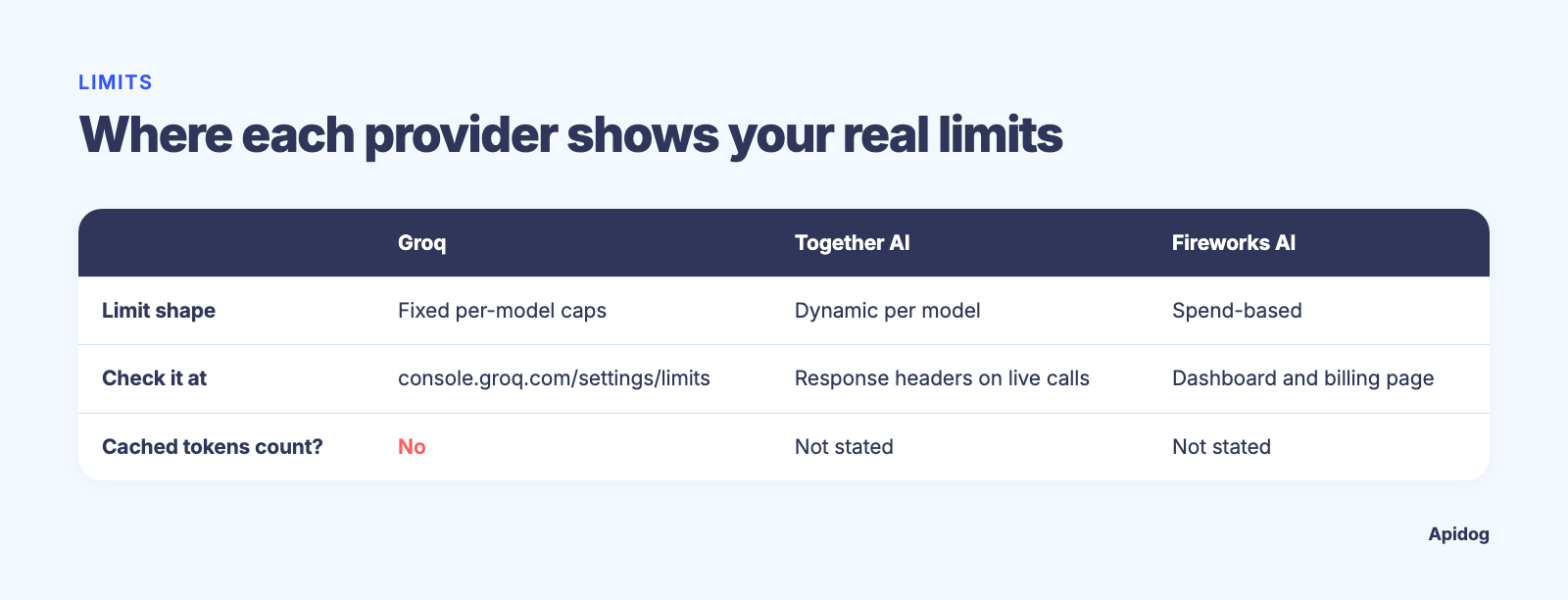
| Groq | Together AI | Fireworks AI | |
|---|---|---|---|
| Free access model | Free Plan (separate from paid Developer Plan) | Pay-as-you-go from signup; no separate “free plan” name | One-time signup credit |
| Documented free allowance | Published per model: gpt-oss-120b/gpt-oss-20b 30 RPM, 1K RPD, 8K TPM, 200K TPD; compound 30 RPM, 250 RPD, 70K TPM (per Groq rate limits, read 2026-09-15) |
Not published as fixed numbers; described as dynamic per organization | $1 in free credits per Fireworks pricing |
| How limits are shaped | Per-model RPM/RPD/TPM/TPD caps, enforced at the organization level | Dynamic rate per model, adjusts with your live capacity and recent successful usage | Spend-based; once the credit is used, requests need billing enabled |
| Where to check your own numbers | console.groq.com/settings/limits |
Response headers on live calls, e.g. x-ratelimit-reset |
Account dashboard and billing page |
| Cached tokens count against limits? | No, per Groq’s own docs | Not stated in the pages we checked | Not stated in the pages we checked |
Two things stand out once you actually read the source pages instead of a spec-sheet summary. First, Groq’s Free Plan numbers above are published defaults; the same page also carries a Developer Plan tab with higher ceilings, and console.groq.com/settings/limits is the authority if yours differ. Second, Together AI’s rate limiting isn’t a table at all. Its own rate-limits page states plainly that “there are no fixed per-model limits published,” and that your ceiling rises with “sustained, successful traffic.” That’s a meaningfully different model from a static free-tier row, and it means the honest answer to “what’s Together’s free RPM” is “check your response headers,” not a number pulled from a table.
If you want the single-provider deep dives with checkable numbers for one product at a time, see our companion pieces on the Groq API free tier and the Cerebras API free tier. This piece is the hub; those two do the per-provider digging in full.
Requests vs tokens, fixed vs dynamic
The real design difference between these three isn’t the size of the free allowance, it’s the shape of the ceiling.
Groq’s model is the one most developers already know from working with rate limits elsewhere: a fixed cap per time window, split by RPM, RPD, TPM, and TPD, and it applies at the organization level rather than per API key. That means if you spin up three keys for three services under one Groq account, they share one pool. Our general guide to GPT API rate limits covers this same RPM/TPM structure in more depth if you haven’t worked with token-based caps before.
Together AI’s model rewards steady, successful traffic instead of punishing burst traffic with a hard wall. A quiet account and a heavy, well-behaved account don’t get the same ceiling, because the ceiling adjusts to your account’s own recent history and to the model’s live capacity at that moment. That’s good news if your workload is dependable, and a genuine unknown if your traffic is bursty by nature.
Fireworks AI sidesteps rate-limit design almost entirely for new users by tying the free period to a dollar balance instead of a request-rate window. You’re not capped by how fast you call the API; you’re capped by how much your calls cost before the balance runs out. That flips the planning question from “how many requests per minute” to “how many tokens can $1 buy at this model’s per-token price,” which depends entirely on which model you pick.
They’re different bets on what kind of usage a “free” tier should protect against: sustained volume, burst spikes, or total spend. Whichever one you’re building against, you’ll eventually hit a 429, and how a provider signals that moment matters as much as the number that triggered it. Our rate limit exceeded troubleshooting guide walks through reading those response headers and building retry logic that doesn’t make the problem worse.
Prove it yourself in five minutes
Given how much of this data lives behind a login screen or a live response header, the fastest path to a real answer isn’t another spec-sheet article, it’s one test your coding agent runs against all three. With Apidog CLI that’s one prompt. Set it up once:
npm install -g apidog-cli@latest
apidog login --with-token <YOUR_TOKEN>
npx -y skills add https://apidog.com   # pick your agent when prompted
The token comes from Apidog under Account Settings, API Access Token. Then give the agent one prompt:
Use Apidog CLI on project <id>. Create Groq, Together and Fireworks environments
with the OpenAI-compatible base URLs from this article and a comparable model id
in a MODEL variable. Add POST /chat/completions with Bearer auth from {{API_KEY}}
and one test case with an identical prompt and max_tokens. Run it once per
environment with that provider's key, then compare status, latency and the
x-ratelimit headers.
The commands it runs, checked against Apidog CLI 2.2.7:
apidog environment create Groq --project <id> --base-url https://api.groq.com/openai/v1
apidog environment create Together --project <id> --base-url https://api.together.ai/v1
apidog environment create Fireworks --project <id> --base-url https://api.fireworks.ai/inference/v1
apidog cli-schema validate test-case-create --file chat-case.json
apidog test-case create --project <id> --file chat-case.json
apidog run --test-case <caseId> --project <id> -e <togetherEnvId> \
  --env-var "API_KEY=$TOGETHER_API_KEY" -r cli,json
Switching providers is now an environment ID, not a rewrite. The headers are where Together AI’s dynamic ceiling shows up in real time and where you can confirm your Groq org matches the published Free Plan table. Keep latency in the comparison too: a model that’s technically free but slow isn’t actually cheaper once you count the time spent working around it. This turns three marketing pages into one comparable dataset from your own account. Running the comparison continuously inside a larger agent build? Our guide to API testing tools for AI agents covers that, and Apidog CLI in Cursor shows the agent setup.
Which free tier fits your use case
Based only on what’s verifiable today, a few honest recommendations:
- Predictable per-model caps you can read without logging in: Groq publishes real Free Plan numbers (30 RPM / 1K RPD / 8K TPM / 200K TPD on the
gpt-ossmodels), and its 131,072-token context window acrossllama-3.1-8b-instant,llama-3.3-70b-versatile, and theopenai/gpt-ossmodels covers a wide range of open-weight workloads on one endpoint. - Steady, well-behaved traffic, no interest in tracking rate limits: Together AI’s dynamic model fits that pattern; sustained successful usage raises your own ceiling over time instead of capping you at a number set on day one.
- Zero setup friction, comfortable hitting a spend wall: Fireworks AI’s credit-based free access tests real per-token pricing from the first call, useful when the actual question is cost at scale rather than request count.
All three host different subsets of open-weight models, and a model that fits your task on one provider might not exist on another.
FAQ
Do Together AI, Fireworks AI, and Groq all use the OpenAI SDK? Yes. All three document OpenAI-compatible endpoints, so the standard openai client library works against any of them once you change the base URL and key.
Which provider has the biggest free tier? Not in a way you can compare directly. Groq publishes real Free Plan numbers per model (30 RPM / 1K RPD / 8K TPM / 200K TPD on gpt-oss-120b/gpt-oss-20b), Together AI doesn’t set a fixed number at all, and Fireworks AI ties free access to a one-time credit balance rather than an allowance. Check console.groq.com/settings/limits if yours differs.
Do rate limits apply per API key or per account? For Groq, limits apply at the organization level, so multiple keys under one account share the same pool, per its own rate-limits documentation. Together AI and Fireworks AI don’t state this explicitly in the pages we checked; verify in your own dashboard before assuming otherwise.
What happens when I hit a rate limit on any of these providers? You’ll get an HTTP 429 response. The details differ; see our rate limit exceeded guide for how to read the retry headers most OpenAI-compatible APIs return, and build backoff logic instead of guessing.
Is there a faster way to compare these than reading every doc page myself? Have your coding agent run one Apidog CLI test case against three environments, as described above. Twenty minutes with Apidog CLI will tell you more about your actual workload than any comparison table, including this one.