Your laptop can serve a 70B parameter model behind the same OpenAI-shaped endpoint you ship to production. Swap one base URL and your code keeps working. That single change unlocks offline development, zero per-token cost, and a private path for regulated data, which is why Hacker News pushed “Local AI needs to be the norm” from 633 to 1,760 points in a day. The piece below shows you how to pick a runtime, expose the endpoint, point your client at it, and test the whole flow with Apidog before promoting any change to a hosted model.
TL;DR
You can run a local LLM API on your laptop with Ollama, vLLM, or llama.cpp, and every one of them exposes an OpenAI-compatible REST endpoint. Change base_url to http://localhost:11434/v1 in your existing OpenAI client and the same code runs against Llama 3.3, DeepSeek V4, or Qwen 3.6 with no rewrite. Drive the whole flow from Apidog so your scenario tests stay identical across local and hosted environments.
Introduction
The local LLM API stack went from research toy to daily driver in eighteen months. Apple shipped 128 GB of unified memory on the M3 Max. Ollama hit one million weekly downloads. vLLM cleared the 30,000 GitHub star line. The biggest shift, though, was social. Every major runtime now speaks the OpenAI /v1/chat/completions shape. You no longer maintain two client paths. The same SDK call hits localhost or api.openai.com based on one environment variable.
That matters for API developers because your existing tooling keeps working. Your request templates in Apidog point at https://api.openai.com/v1/chat/completions. Switch the base URL variable, hit Send, and you get the same JSON back from a model running on your own GPU. No new schema. No new auth flow. If you already track API spend per feature, you can A/B a local model against a hosted one and watch the cost line drop while latency creeps up.
This guide walks through runtime choice, server setup, client wiring, scenario testing, quantization trade-offs, and a cost-vs-latency table for four current models. Code samples are tested against Ollama 0.6 and vLLM 0.7 on macOS 15.4 and Ubuntu 24.04. For the broader landscape of options, see Best local LLMs 2026. External references for every claim sit at the bottom.
Why local LLMs make sense for API developers
You ship code that calls an LLM. You also debug that code on the plane, at conferences with bad wifi, and inside customer networks that block egress to *.openai.com. A local LLM API gives you a development environment that mirrors production without the network dependency.
The privacy story is the loudest. HIPAA, GDPR, and the EU AI Act all treat prompts as user data the moment they include patient notes, contracts, or biometric identifiers. Sending that payload to a hosted endpoint creates a data-processor relationship you have to document, audit, and renew. A model that never leaves your hardware skips that paperwork entirely. The European Data Protection Board’s 2024 guidance on AI processing notes that on-device inference removes most cross-border transfer obligations under Article 44.
Cost compounds in the other direction. A team running 50 million prompt tokens a day through GPT-5.5 Instant pays roughly $250 per day at $5 per million tokens. The same volume on a $4,500 M3 Max studio amortizes to zero after eighteen days of full utilization, ignoring electricity. You can read a breakdown of those numbers in How to use GPT-5.5 Instant and apply the same arithmetic to your own workload.
The third reason is determinism. Hosted models change weights behind your back. OpenAI’s model deprecation page lists eleven snapshot retirements in the last twelve months. A local model is a file on disk. It produces the same logits today and in three years. That stability matters when your regression suite hangs off LLM output. The OpenAI-compatible endpoint changed the game because you no longer pay an integration tax for that stability. The SDK you already use works.
Three runtimes that ship OpenAI-compatible endpoints
Four runtimes dominate the local LLM API space in 2026. Three ship an OpenAI-compatible REST server out of the gate. The fourth, llama.cpp, ships one as part of its llama-server binary. Pick by workload, not popularity.
Ollama
Ollama is the easiest on-ramp. One binary, one CLI, one HTTP server on port 11434. It targets developers running a single model on a single machine and handles model downloads, GGUF quantization, and prompt templating for you.
## install on macOS
brew install ollama
ollama serve &
ollama pull llama3.3:70b-instruct-q4_K_M
ollama run llama3.3:70b-instruct-q4_K_M
Once ollama serve is up, the OpenAI-compatible endpoint lives at http://localhost:11434/v1. It supports chat, embeddings, and streaming. The throughput ceiling on an M3 Max with a 70B Q4_K_M model sits around 12 tokens per second. Smaller models hit 80 to 120 tokens per second. Ollama is the right pick for single-user development, demos, and CI runners.
vLLM
vLLM is the production-grade option. It uses PagedAttention and continuous batching to push throughput two to four times higher than naive runners. It serves on port 8000 by default and exposes an OpenAI-compatible API at /v1. You can read the architecture details in the vLLM paper at the Kwon et al. SOSP 2023 reference below.
pip install vllm
vllm serve meta-llama/Llama-3.3-70B-Instruct \
  --port 8000 \
  --gpu-memory-utilization 0.9 \
  --max-model-len 8192
On a single H100 vLLM serves Llama 3.3 70B at roughly 2,400 tokens per second across concurrent requests. It needs a CUDA GPU or recent AMD ROCm card and does not run on Apple Silicon, which makes it the wrong pick for laptops and the right pick for shared dev clusters.
llama.cpp
llama.cpp is the C++ runtime that started the GGUF ecosystem. It runs everywhere from Raspberry Pi 5 to dual-RTX-5090 rigs. Its llama-server binary speaks the OpenAI shape on /v1/chat/completions.

git clone https://github.com/ggerganov/llama.cpp
cd llama.cpp && make -j LLAMA_METAL=1
./llama-server -m models/llama-3.3-70b-q4_k_m.gguf \
  --port 8080 --host 0.0.0.0 -c 8192 -ngl 99
The -ngl 99 flag offloads all layers to GPU. llama.cpp gives you the most control over quantization, batching, and memory mapping. It is the right pick when you need to squeeze a model into 16 GB of VRAM or test exotic hardware.
LM Studio and Jan wrap llama.cpp in a GUI and also expose an OpenAI endpoint on a configurable port. They are useful for non-technical users on your team who need to test prompts without touching a terminal.
A simple Python check that the endpoint works:
from openai import OpenAI
client = OpenAI(base_url="http://localhost:11434/v1", api_key="ollama")
resp = client.chat.completions.create(
    model="llama3.3:70b-instruct-q4_K_M",
    messages=[{"role": "user", "content": "Reply with the word OK only."}],
)
print(resp.choices[0].message.content)
If you see OK, the runtime, port, and SDK contract all match. You are ready to wire the endpoint into your tooling.
Test your local LLM with Apidog
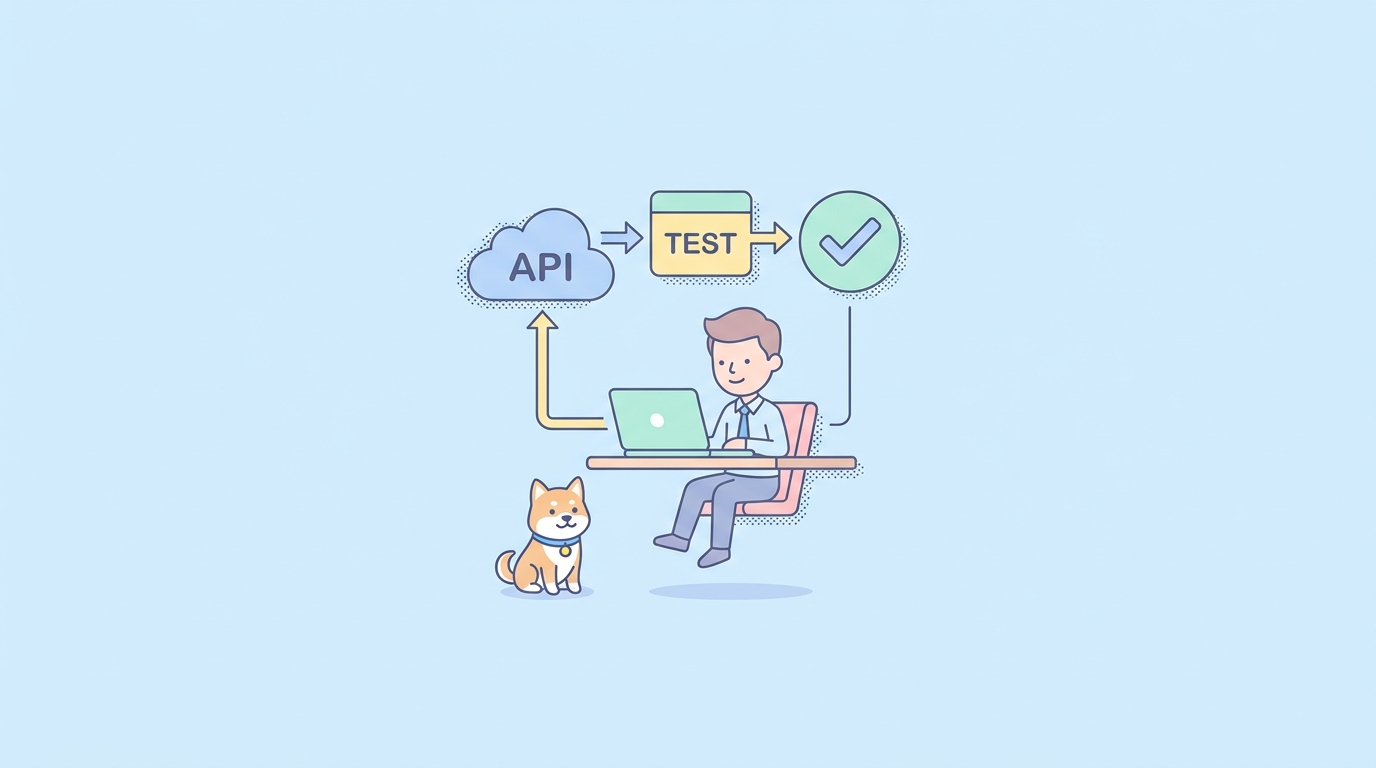
A local LLM API is only useful if your test suite can hit it the same way it hits production. Apidog handles this with environment variables on the request template, which means one project covers both targets.
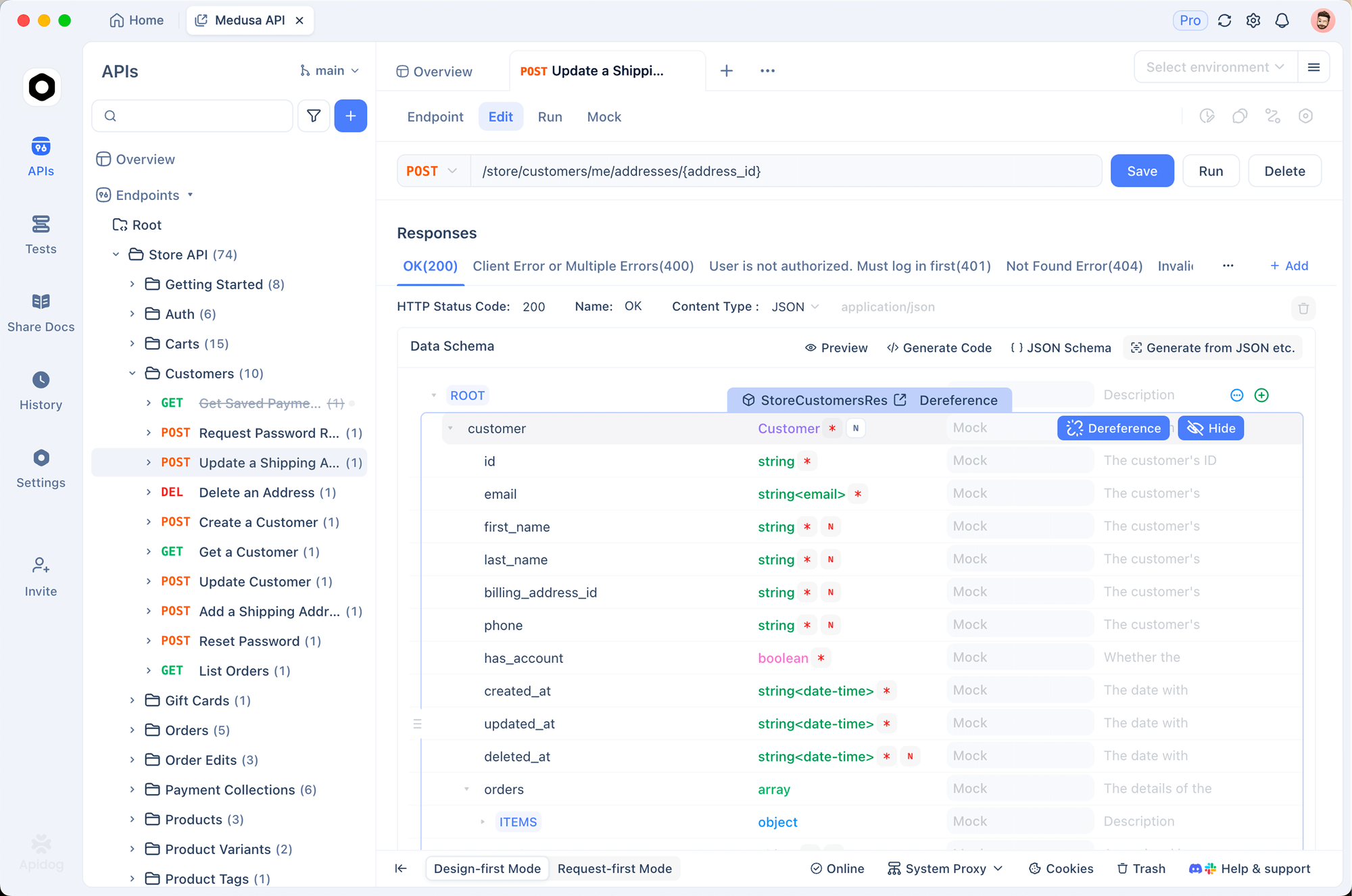
The flow has five steps.
- Open your Apidog project and create a new environment called
Local. Add a variableBASE_URLwith valuehttp://localhost:11434/v1. AddAPI_KEYwith valueollama. Save. - Clone your existing OpenAI environment, rename it to
Production, keepBASE_URLashttps://api.openai.com/v1andAPI_KEYas your hosted key. - In any request that calls a chat endpoint, replace the hardcoded host with
{{BASE_URL}}and the auth header withBearer {{API_KEY}}. The request URL becomes{{BASE_URL}}/chat/completions. - Build a scenario test that fires the request, asserts
choices[0].message.role == "assistant", assertschoices[0].message.contentis non-empty, and assertsusage.total_tokens > 0. Save the scenario. - Run the scenario against
Local. Switch the environment dropdown toProduction. Run again. The assertions should pass for both.
The same scenario doubles as a smoke test for runtime upgrades. After ollama pull on a new tag, rerun the Local scenario. If the response shape drifts, you catch it before any application code touches the new weights. The pattern extends to testing AI agents that call multi-step APIs.
For programmatic use, the OpenAI Python SDK switches targets with one keyword argument:
import os
from openai import OpenAI

def get_client():
    if os.getenv("ENV") == "local":
        return OpenAI(
            base_url="http://localhost:11434/v1",
            api_key="ollama",
        )
    return OpenAI(api_key=os.environ["OPENAI_API_KEY"])

client = get_client()
response = client.chat.completions.create(
    model=os.getenv("MODEL", "llama3.3:70b-instruct-q4_K_M"),
    messages=[
        {"role": "system", "content": "You are a JSON-only assistant."},
        {"role": "user", "content": "Return {\"status\": \"ok\"}."},
    ],
    response_format={"type": "json_object"},
)
print(response.choices[0].message.content)
The JavaScript shape mirrors this:
import OpenAI from "openai";

const client = new OpenAI({
  baseURL: process.env.ENV === "local"
    ? "http://localhost:11434/v1"
    : "https://api.openai.com/v1",
  apiKey: process.env.ENV === "local" ? "ollama" : process.env.OPENAI_API_KEY,
});

const resp = await client.chat.completions.create({
  model: process.env.MODEL || "llama3.3:70b-instruct-q4_K_M",
  messages: [{ role: "user", content: "Say hi." }],
});
console.log(resp.choices[0].message.content);
Hook Apidog’s scenario runner into your CI by exporting the project as a apidog-cli collection and calling apidog run in GitHub Actions. The runner returns a non-zero exit on assertion failure, which fails the build the moment a local or hosted contract drifts. QA engineers can wire the same flow into existing API testing pipelines.
Advanced techniques and pro tips
Quantization is the lever that decides whether a 70B model fits on your laptop. The GGUF format stores weights at 8, 6, 5, 4, 3, or 2 bits per parameter. Q4_K_M is the default for a reason. It loses 0.6 percentage points on the MMLU benchmark versus FP16 and shrinks a 70B model from 140 GB to 40 GB. Q8 keeps you within 0.1 points of FP16 but doubles the disk and RAM footprint. Q2_K saves space but the perplexity hit is visible in any task with long context. Pick Q4_K_M for chat, Q8 for code generation, and Q5_K_M when you have the RAM and want a safety margin.
GPU offload via the -ngl flag in llama.cpp or the num_gpu option in Ollama controls how many transformer layers live on the GPU. Set it as high as your VRAM allows. Each layer that falls back to CPU drops throughput by roughly 30 percent. On a 24 GB card a 70B Q4 model fits 40 of 80 layers. On 48 GB you can fit the whole stack.
Memory mapping (mmap) is on by default in llama.cpp and Ollama. It lets the OS page weights in on demand instead of allocating the full model at startup. Keep it on unless you are running in a container with strict memory limits. With mmap off the first token latency drops by about 200 ms but RAM usage doubles.
Batching is vLLM’s superpower. Send 32 concurrent requests and vLLM groups them into a single GPU pass. Throughput scales near-linearly to the GPU’s compute ceiling. Set --max-num-seqs 64 for laptops with shared CPU memory and --max-num-seqs 256 for H100-class hardware.
Streaming responses cuts perceived latency in half. Set stream=True in the OpenAI SDK and the server flushes tokens as they generate. The first byte arrives in 200 to 500 ms instead of waiting for the full completion. Every runtime in this guide supports it.
Ollama’s Modelfile lets you bake a system prompt, temperature, and stop sequences into a named model so your application code stays clean. Run ollama create my-assistant -f Modelfile once and your client points at my-assistant instead of repeating the system prompt on every request.
Common mistakes
- Hardcoding
http://localhost:11434in production code. Use an environment variable. - Forgetting that local models do not enforce
max_tokens. They will happily generate 4,096 tokens of slop. Set a stop sequence. - Running Ollama and another runtime on the same port. Both default to clean ports, but custom ports collide silently.
- Skipping the
Authorizationheader. Ollama ignores it, but vLLM with--api-keywill reject unauthenticated requests with a 401. - Loading a Q4 model and expecting GPT-5.5 quality on math. Quantization erodes reasoning fastest.
Local vs hosted: cost and latency math
Numbers below assume an M3 Max with 128 GB unified memory for local, and current public pricing for hosted endpoints. Time to first token (TTFT) is measured cold, with no batching, on a 1,024 token prompt.
| Model | Local TTFT | Local throughput | Hosted equivalent | Hosted price | Hosted TTFT |
|---|---|---|---|---|---|
| Llama 3.3 70B Q4_K_M | 1.2 s | 12 tok/s | GPT-5.5 Instant | $5 / $30 per 1M | 200 ms |
| DeepSeek V4 67B Q4_K_M | 1.4 s | 10 tok/s | DeepSeek-Chat hosted | $0.55 / $2.20 per 1M | 280 ms |
| Qwen 3.6 32B Q5_K_M | 0.7 s | 28 tok/s | Qwen-Max hosted | $1.60 / $6.40 per 1M | 240 ms |
| Gemma 4 27B Q4_K_M | 0.5 s | 35 tok/s | Gemini 3 Flash | $0.35 / $1.05 per 1M | 180 ms |
The hosted column wins on latency every time. The local column wins on cost the moment you cross roughly 10 million tokens a day, and it wins on privacy from request one. For development you almost always want local. For user-facing production you almost always want hosted, unless your data classification forbids it.
A practical pattern: run local during the inner dev loop, switch to hosted in staging, keep both targets green in CI. The Apidog scenario tests from the section above support that pattern with a single environment toggle. For deeper benchmarks on individual models, see How to run DeepSeek V4 locally and the original DeepSeek V4 usage guide.
Real-world use cases
A fintech compliance team in Singapore uses Ollama on engineer laptops to draft suspicious activity reports. The prompts contain account numbers and transaction patterns that cannot leave the country under MAS rules. The hosted endpoint they use in production gets a redacted version of the same prompt. Apidog scenarios assert that the redactor runs on every request before it leaves localhost.
A game studio in Stockholm trains design interns on prompt engineering with a local Qwen 3.6 instance. Free, offline, and impossible to leak the next game’s lore to a third party. The same project ships against Gemini 3 Flash in production with a single environment variable change. They reuse the Gemini 3 Flash API guide for the production wiring.
A healthcare startup runs vLLM on a leased A100 inside the customer’s hospital network. The endpoint never sees public DNS. Their integration tests run from a Jenkins agent in the same VLAN against the same OpenAI SDK they use locally. Same code, three deployment targets, one scenario suite.
Conclusion
The local LLM API stack matured fast. You can move your prompts off a hosted endpoint without rewriting your client, your tests, or your CI. The five steps that make that real:
- Pick Ollama for laptops, vLLM for shared dev clusters, llama.cpp for tight memory budgets.
- Expose the OpenAI-compatible endpoint and verify with a one-line curl.
- Move
base_urlandapi_keyinto environment variables so the same code hits local and hosted. - Build scenario tests in Apidog that run identically against both environments.
- Watch the cost-vs-latency table and pick the right target per workload.
The HN signal that pushed “Local AI needs to be the norm” past 1,700 points is downstream of this maturity. Once the API surface stabilized, every dev tool snapped to it. Download Apidog and point one environment at http://localhost:11434/v1 to see how fast the loop closes. If you have not picked a model yet, start with Best local LLMs 2026, and if you want a deeper dive on testing agentic flows on top of any of these endpoints, read How to test AI agents API.