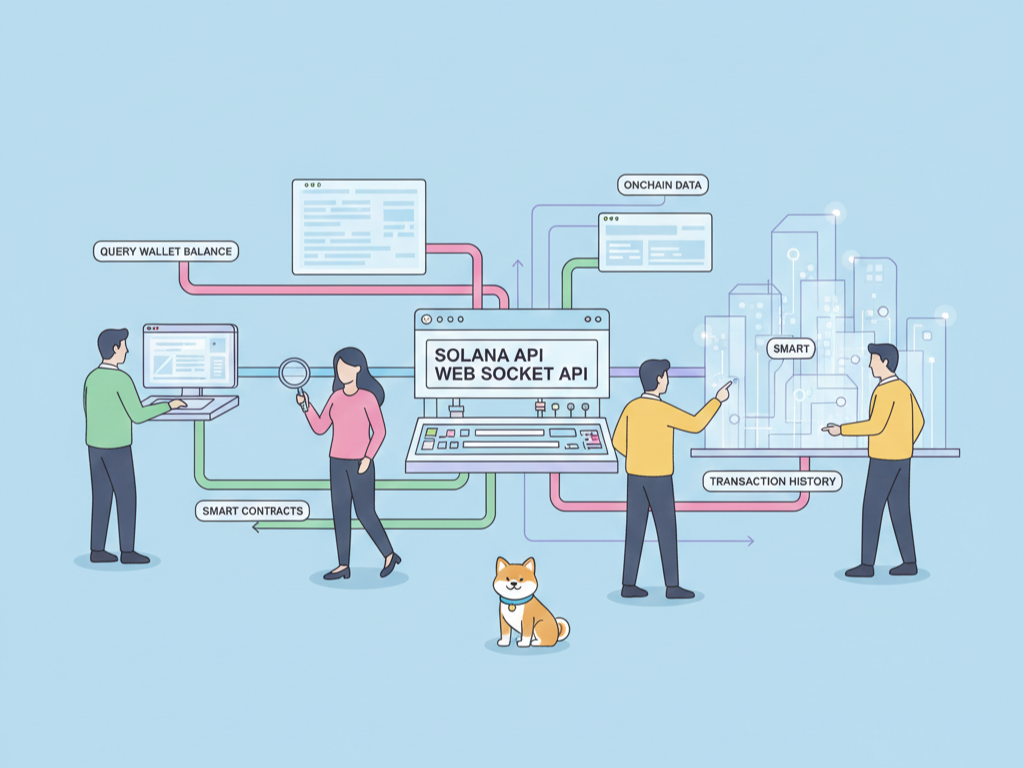
What if you could build blockchain applications that process 65,000 transactions per second with 400-millisecond finality? Solana's API makes this possible, offering a JSON-RPC interface that lets you query accounts, submit transactions, and subscribe to real-time updates without managing validator infrastructure yourself.
Traditional blockchain development forces you to choose between speed and decentralization. Ethereum's 15 TPS creates bottlenecks during network congestion. Layer 2 solutions add complexity. Solana eliminates this trade-off through its proof-of-history consensus combined with proof-of-stake, delivering Web2 performance with Web3 guarantees. You build applications that feel instantaneous while maintaining censorship resistance.
Table of Contents:
- Understanding Solana's Architecture
- Setting Up Your Development Environment
- Core RPC API Methods
- Building Transactions with Web3.js
- Best Security Practices
- Conclusion
Understanding Solana's Architecture
Solana uses a unique architecture centered on the Solana Program Library (SPL) and a high-throughput runtime. Understanding these fundamentals helps you write efficient API calls.
Proof of History (PoH)
PoH creates a cryptographic timestamp for every transaction before consensus. This eliminates the need for nodes to agree on time, reducing latency dramatically. When you submit a transaction via the API, it gets timestamped immediately and enters the leader's queue for processing.
Accounts and Programs
Unlike Ethereum's account-based model with code storage, Solana separates code (programs) from data (accounts). Programs are stateless—they only contain executable logic. Accounts store data and specify which program owns them. This architecture enables parallel transaction processing since non-overlapping accounts can execute simultaneously.
Every account has a unique 32-byte address derived from an Ed25519 public key. Accounts pay rent in lamports (1 SOL = 10^9 lamports) to remain on-chain. Rent-exempt accounts—those holding at least 2 years of rent—persist indefinitely without decay.
Commitment Levels
Solana provides three confirmation levels:
- Processed: Transaction processed by the current leader but not confirmed. Fastest response, lowest certainty.
- Confirmed: Transaction confirmed by the cluster. ~5-10 seconds on average.
- Finalized: Transaction rooted and cannot be rolled back. ~12-15 seconds.
Specify commitment levels in API calls to balance speed against finality guarantees.
Setting Up Your Development Environment
You need three components: the Solana CLI for key management and deployment, an RPC endpoint for blockchain access, and the JavaScript SDK for application integration.
Installing the Solana CLI
Install the official CLI tool:
sh -c "$(curl -sSfL https://release.solana.com/stable/install)"
Verify installation:
solana --version
Configure your environment for Devnet (testing) or Mainnet (production):
# For development
solana config set --url https://api.devnet.solana.com

# For production
solana config set --url https://api.mainnet-beta.solana.com
Creating a Wallet
Generate a new keypair for signing transactions:
solana-keygen new --outfile ~/.config/solana/id.json
The CLI outputs your public address and a 12-word seed phrase. Store the seed phrase securely—it recovers your wallet. The JSON file contains your private key; protect it with file permissions (chmod 600).
Check your balance:
solana balance
Fund your Devnet wallet with free SOL:
solana airdrop 2
Devnet airdrops provide 2 SOL per request, limited to one request per 10 seconds. Mainnet requires purchasing SOL through exchanges.
Choosing an RPC Provider
While Solana provides public RPC endpoints, production applications need dedicated infrastructure. Options include:
- Helius:
https://mainnet.helius-rpc.com/?api-key=YOUR_KEY - QuickNode:
https://solana-mainnet.g.alchemy.com/v2/YOUR_KEY - Chainstack: Enterprise-grade dedicated nodes
Free tiers typically allow 100,000 requests per month. Paid plans offer higher limits, staked connections for transaction landing, and priority fee APIs.
Installing Web3.js
Solana's JavaScript SDK has two major versions. Version 2.0 represents a complete rewrite with functional programming patterns, tree-shakability, and zero dependencies.
Install version 2.0:
npm install @solana/web3.js@2 @solana-program/system @solana-program/compute-budget
For version 1.x compatibility:
npm install @solana/web3.js
Tip: Use Apidog to organize your Solana RPC endpoints and automatically generate documentation from your API calls.
Reading Wallet and Portfolio Data
The RPC providers above give you raw node access. You submit transactions and query individual accounts directly. That works well for transaction flows, but reading a wallet's full state is harder than it looks.
To assemble a complete picture (SOL balance, every SPL token, transaction history, and any DeFi positions) you typically combine several RPC calls. You query getAccountInfo for the main account, getTokenAccountsByOwner for token holdings, then decode the returned account data yourself. DeFi positions add more work, since staking, lending, and LP balances live inside individual program accounts that each need their own parsing logic.
This is where a data API helps. Instead of raw account bytes, it returns parsed, ready-to-use objects from a single request. CoinStats Solana API is one example. It returns wallet balances, token holdings, and transaction history in one call, and detects staking, lending, and LP positions across 10,000+ DeFi protocols. It also covers Ethereum, EVM chains, and Bitcoin, which is useful if your app spans more than one network. Most providers in this category offer a free tier, so you can compare the response shape against raw RPC output before committing.
For AI agents, CoinStats MCP Server exposes the same wallet, DeFi, and portfolio data to language models, following the same pattern as other MCP integrations covered across developer tooling.
Core Solana RPC API Methods
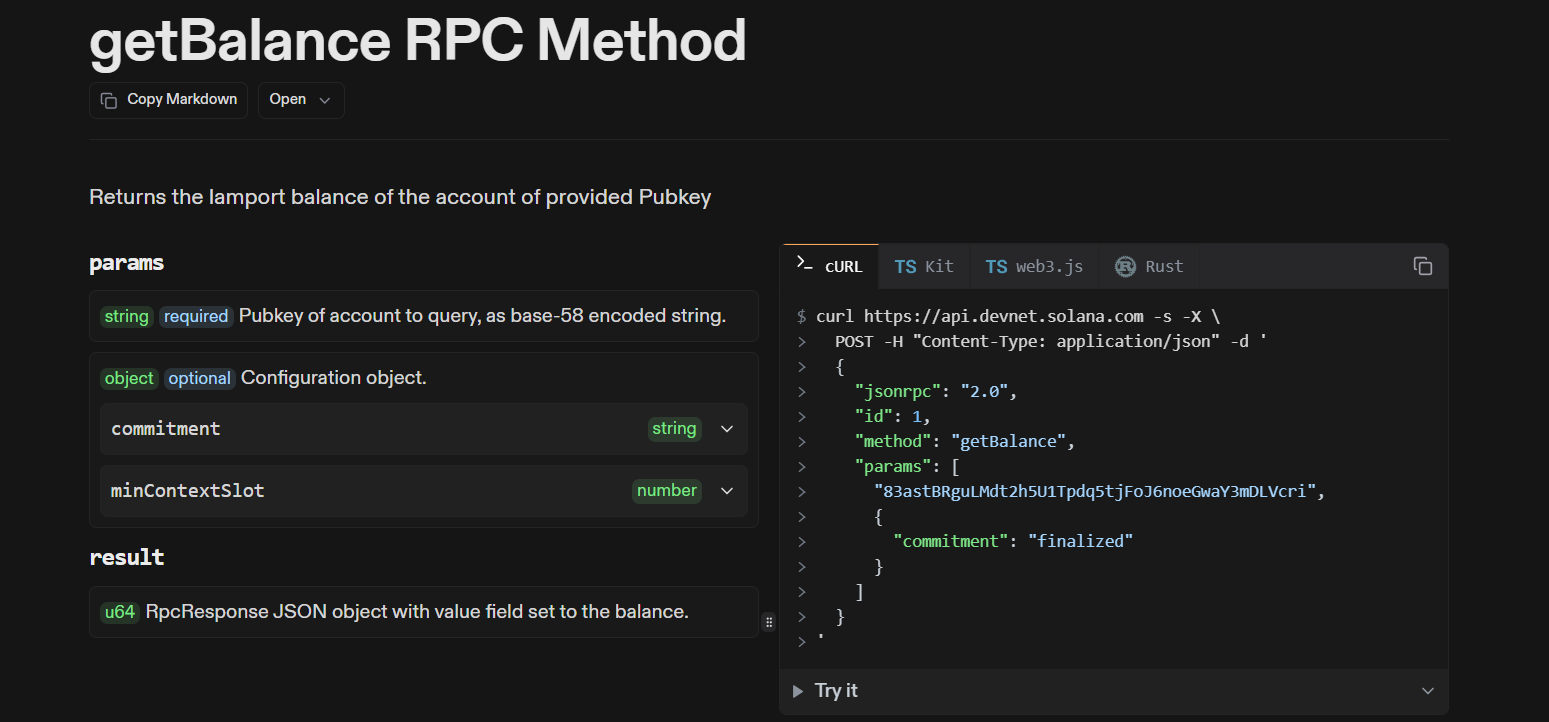
Solana's JSON-RPC API provides HTTP endpoints for queries and WebSocket endpoints for subscriptions. All requests follow the JSON-RPC 2.0 specification.
Account Operations
Get account information and balance:
curl https://api.devnet.solana.com \
  -X POST \
  -H "Content-Type: application/json" \
  -d '{
    "jsonrpc": "2.0",
    "id": 1,
    "method": "getAccountInfo",
    "params": [
      "vines1vzrYbzLMRdu58ou5XTby4qAqVRLmqo36zEGQp",
      {"encoding": "base58"}
    ]
  }'
Fetch multiple accounts efficiently:
curl https://api.devnet.solana.com \
  -X POST \
  -H "Content-Type: application/json" \
  -d '{
    "jsonrpc": "2.0",
    "id": 1,
    "method": "getMultipleAccounts",
    "params": [
      [
        "vines1vzrYbzLMRdu58ou5XTby4qAqVRLmqo36zEGQp",
        "4fYNw3dojWGPgVMtUU7ziPwq1r2VMGrhCrKZC9EQTbkV"
      ],
      {"encoding": "base64"}
    ]
  }'
Block and Transaction Queries
Get the latest blockhash for transaction construction:
curl https://api.devnet.solana.com \
  -X POST \
  -H "Content-Type: application/json" \
  -d '{
    "jsonrpc": "2.0",
    "id": 1,
    "method": "getLatestBlockhash",
    "params": [{"commitment": "confirmed"}]
  }'
Query transaction status:
curl https://api.devnet.solana.com \
  -X POST \
  -H "Content-Type: application/json" \
  -d '{
    "jsonrpc": "2.0",
    "id": 1,
    "method": "getSignatureStatuses",
    "params": [
      [
        "5VERv8NMvzbJMEkV8xnrLkEaWRtSz9CosKDYjCJjBRnbJLgp8uirBgmQpjKhoR4tjF3ZpEz7CmGVZxhEHppBrGK"
      ],
      {"searchTransactionHistory": true}
    ]
  }'
WebSocket Subscriptions
Monitor account changes in real-time:
import { createSolanaRpcSubscriptions } from "@solana/web3.js";

const rpcSubscriptions = createSolanaRpcSubscriptions(
  "wss://api.devnet.solana.com"
);

const abortController = new AbortController();

await rpcSubscriptions.accountNotifications(
  "vines1vzrYbzLMRdu58ou5XTby4qAqVRLmqo36zEGQp",
  { commitment: "confirmed" },
  (notification) => {
    console.log("Account changed:", notification);
  },
  { abortSignal: abortController.signal }
);

// Stop listening after 60 seconds
setTimeout(() => abortController.abort(), 60000);
WebSocket connections require periodic pings every 30-60 seconds to remain active. Implement reconnection logic for production applications.
Pro tip: Apidog's response viewer makes it easy to parse Solana account data and transaction results in a clean interface.
Building Transactions with Web3.js
Solana transactions consist of one or more instructions targeting specific programs. Each instruction specifies the program, accounts it interacts with, and serialized data.
Creating a Transfer Transaction
Transfer SOL between accounts using version 2.0 SDK:
import {
  airdropFactory,
  createKeyPairSignerFromBytes,
  createSolanaRpc,
  createSolanaRpcSubscriptions,
  generateKeyPairSigner,
  lamports,
  sendAndConfirmTransactionFactory,
  pipe,
  createTransactionMessage,
  setTransactionMessageFeePayer,
  setTransactionMessageLifetimeUsingBlockhash,
  appendTransactionMessageInstruction,
  signTransactionMessageWithSigners,
  getSignatureFromTransaction,
} from "@solana/web3.js";
import { getTransferSolInstruction } from "@solana-program/system";

const LAMPORTS_PER_SOL = BigInt(1_000_000_000);

// Setup RPC connections
const rpc = createSolanaRpc("https://api.devnet.solana.com");
const rpcSubscriptions = createSolanaRpcSubscriptions("wss://api.devnet.solana.com");
const sendAndConfirmTransaction = sendAndConfirmTransactionFactory({ rpc, rpcSubscriptions });

// Generate sender and recipient
const sender = await generateKeyPairSigner();
const recipient = await generateKeyPairSigner();

// Fund sender with airdrop
await airdropFactory({ rpc, rpcSubscriptions })({
  recipientAddress: sender.address,
  lamports: lamports(2n * LAMPORTS_PER_SOL),
  commitment: "confirmed",
});

// Get latest blockhash
const { value: latestBlockhash } = await rpc.getLatestBlockhash().send();

// Build transaction using pipe
const transactionMessage = pipe(
  createTransactionMessage({ version: 0 }),
  (msg) => setTransactionMessageFeePayer(sender.address, msg),
  (msg) => setTransactionMessageLifetimeUsingBlockhash(latestBlockhash, msg),
  (msg) => appendTransactionMessageInstruction(
    getTransferSolInstruction({
      amount: lamports(LAMPORTS_PER_SOL / BigInt(2)),
      destination: recipient.address,
      source: sender,
    }),
    msg
  )
);

// Sign and send
const signedTransaction = await signTransactionMessageWithSigners(transactionMessage);
console.log("Transaction signed");

await sendAndConfirmTransaction(signedTransaction, {
  commitment: "confirmed",
  maxRetries: 0n,
  skipPreflight: true,
});

console.log("Confirmed:", getSignatureFromTransaction(signedTransaction));
The pipe function creates a functional chain where each step transforms the transaction message. This pattern eliminates mutable state and makes transaction construction declarative.
Optimizing with Priority Fees
During network congestion, priority fees ensure transaction inclusion. Fetch recommended fees from Helius API:
import { getBase64EncodedWireTransaction } from "@solana/web3.js";

const base64Transaction = getBase64EncodedWireTransaction(signedTransaction);

const response = await fetch("https://mainnet.helius-rpc.com/?api-key=YOUR_KEY", {
  method: "POST",
  headers: { "Content-Type": "application/json" },
  body: JSON.stringify({
    jsonrpc: "2.0",
    id: "priority-fee-request",
    method: "getPriorityFeeEstimate",
    params: [{
      transaction: base64Transaction,
      options: { recommended: true }
    }]
  })
});

const { result } = await response.json();
const priorityFee = result.priorityFeeEstimate;

// Add priority fee instruction
import { getSetComputeUnitPriceInstruction } from "@solana-program/compute-budget";

const optimizedMessage = pipe(
  transactionMessage,
  (msg) => appendTransactionMessageInstruction(
    getSetComputeUnitPriceInstruction({ microLamports: priorityFee }),
    msg
  )
);
Priority fees are specified in micro-lamports per compute unit. Higher fees increase transaction priority during congestion.
Handling Errors
Solana returns specific error codes for common failures:
import { isSolanaError, SOLANA_ERROR__JSON_RPC__SERVER_ERROR_SEND_TRANSACTION_PREFLIGHT_FAILURE } from "@solana/web3.js";

try {
  await sendAndConfirmTransaction(signedTransaction);
} catch (error) {
  if (isSolanaError(error)) {
    switch (error.contextErrorCode) {
      case SOLANA_ERROR__JSON_RPC__SERVER_ERROR_SEND_TRANSACTION_PREFLIGHT_FAILURE:
        console.error("Preflight failed:", error.message);
        break;
      default:
        console.error("Solana error:", error);
    }
  }
}
Common errors include insufficient funds (0x1), invalid blockhash (expired), and account in use (transaction conflicts).
Best Security Practices
Solana's high throughput introduces unique security considerations. Implement these measures to protect your application and users.
Key Management
Never commit private keys to version control. Use environment variables:
# .env
SOLANA_PRIVATE_KEY="[1,2,3,...]"
Load keys securely in your application:
import { createKeyPairSignerFromBytes } from "@solana/web3.js";
import { getBase58Encoder } from "@solana/codecs";

const secretKey = JSON.parse(process.env.SOLANA_PRIVATE_KEY);
const signer = await createKeyPairSignerFromBytes(
  new Uint8Array(secretKey)
);
For browser applications, integrate wallet adapters (Phantom, Solflare) rather than handling private keys directly. Users sign transactions through their wallet extension, keeping keys secure.
Transaction Simulation
Always simulate transactions before submission to catch errors early:
const simulationResult = await rpc.simulateTransaction(signedTransaction).send();

if (simulationResult.value.err) {
  console.error("Simulation failed:", simulationResult.value.err);
  // Handle error without wasting fees
}
Simulation executes the transaction against current state without committing changes. It reveals logic errors, insufficient accounts, and compute budget violations.
Replaying Protection
Solana transactions include a recent blockhash that expires after ~90 seconds. This prevents replay attacks—submitting the same transaction multiple times. For idempotent operations, generate unique instruction data or accounts per transaction.
Rate Limiting
Public RPC endpoints implement strict rate limiting (typically 100 requests per 10 seconds). Implement exponential backoff:
async function withRetry(fn, maxRetries = 3) {
  for (let i = 0; i < maxRetries; i++) {
    try {
      return await fn();
    } catch (error) {
      if (error.status === 429) {
        await new Promise(r => setTimeout(r, 1000 * Math.pow(2, i)));
        continue;
      }
      throw error;
    }
  }
}
For production, use dedicated RPC nodes or paid provider tiers with higher limits.
Program Verification
Before interacting with third-party programs, verify their source code on explorers like SolanaFM or Solscan. Look for verified badges indicating the deployed bytecode matches open-source repositories. Unverified programs may contain malicious logic that drains user funds.
Conclusion
Solana's API delivers the performance modern applications demand—sub-second finality, high throughput, and predictable fees. You query account states through JSON-RPC, subscribe to real-time updates via WebSocket, and construct transactions using the functional Web3.js 2.0 SDK. The account-based architecture enables parallel execution while commitment levels let you choose your security-speed trade-off.
Start with Devnet to experiment without financial risk. Use priority fees during Mainnet congestion. Implement simulation and proper key management before deploying user-facing applications. Solana's ecosystem provides the tools; your application logic determines the value.
Get started with Apidog today—import your Solana API endpoints in seconds and start testing with zero configuration.