
By the end of this guide you’ll be able to call OpenAI structured outputs from your own code: hand the model a JSON Schema, set strict: true, and get back a response that is guaranteed to match the shape you asked for. You’ll send a first request, read the response, handle the edge cases, and generate API test collections in Apidog that assert the payload actually conforms.
What you need before you start
Structured outputs constrain the model’s generation so the output conforms to a JSON Schema you supply. When you pass a schema with strict: true, the model can’t emit a field that violates it. Every required key is present, every type matches, and every enum value is one you listed. You stop writing defensive parsing code and start trusting the payload.
That’s a real upgrade over the alternative. Free-text prompts like “respond with JSON only” work until they don’t. One reasoning detour and you get prose wrapped around your object, or a date where you expected an integer. Structured outputs move the contract from a hopeful instruction into an enforced constraint at decode time.
To follow along you need:
- An OpenAI API key set as
OPENAI_API_KEY. - A model that supports strict schema enforcement (more on which models below).
- A JSON Schema describing the shape you want back.
Pick the right model
Structured outputs are available on OpenAI’s recent models, starting with the GPT-4o family and continuing through the GPT-5 series. OpenAI’s docs currently recommend starting new projects on their latest flagship (gpt-5.5 at the time of writing). Older models, and gpt-3.5 era models, support JSON mode but not strict schema enforcement. If you depend on strict: true, confirm the specific model ID supports it before you ship, since support is tied to model versions and OpenAI rolls these forward.
It helps to know which feature you’re actually reaching for, because OpenAI ships two related ones that are easy to confuse.
JSON mode (response_format: { "type": "json_object" }) guarantees the output is syntactically valid JSON. That’s all. It doesn’t know your fields, your types, or your required keys. You still have to validate the shape yourself.
Structured outputs (response_format with type: "json_schema" and strict: true) guarantees the output is valid JSON and matches your schema. OpenAI describes structured outputs as the evolution of JSON mode: both produce valid JSON, but only structured outputs enforce schema adherence. For new work, structured outputs is the one you want.
| JSON mode | Structured outputs (strict) | |
|---|---|---|
| Parameter | response_format: {"type":"json_object"} |
response_format with type: "json_schema", strict: true |
| Valid JSON | Yes | Yes |
| Matches your schema | No | Yes |
| Required fields enforced | No | Yes |
| Types and enums enforced | No | Yes |
| You still validate downstream | Always | Recommended (see below) |
A note on APIs: the Chat Completions endpoint uses response_format as shown above. The newer Responses API expresses the same thing under text.format with type: "json_schema". The schema rules are identical; only the wrapper differs. Check the current docs for the exact field path on the endpoint you call.
Make your first request
Say you’re extracting a support ticket into a typed record. Here’s a Chat Completions request with a strict schema.
curl https://api.openai.com/v1/chat/completions \
  -H "Authorization: Bearer $OPENAI_API_KEY" \
  -H "Content-Type: application/json" \
  -d '{
    "model": "gpt-5.5",
    "messages": [
      { "role": "system", "content": "Extract the ticket into the schema." },
      { "role": "user", "content": "My checkout 500s every time I use a saved card. Started today. Account: acct_8842." }
    ],
    "response_format": {
      "type": "json_schema",
      "json_schema": {
        "name": "support_ticket",
        "strict": true,
        "schema": {
          "type": "object",
          "properties": {
            "summary":  { "type": "string" },
            "category": { "type": "string", "enum": ["billing", "bug", "account", "other"] },
            "severity": { "type": "integer" },
            "account_id": {
              "anyOf": [ { "type": "string" }, { "type": "null" } ]
            }
          },
          "required": ["summary", "category", "severity", "account_id"],
          "additionalProperties": false
        }
      }
    }
  }'
Read the response
The model returns a message whose content is a JSON string matching that schema, for example:
{
  "summary": "Checkout returns HTTP 500 when paying with a saved card",
  "category": "bug",
  "severity": 3,
  "account_id": "acct_8842"
}
Notice account_id uses anyOf with null. That’s how you model an optional field, which leads straight into the rules you have to follow when you write your own schemas.
Stay inside the schema subset
Structured outputs accept a subset of JSON Schema. The subset exists so OpenAI can enforce the constraints reliably and cache the compiled schema. The rules worth memorizing:
- The root must be an object. You can’t make the top level an array or a bare string. Wrap a list in an object property.
- Every property must be listed in
required. There’s no “optional” in the usual sense. To make a field nullable, give itanyOfwith anulltype, as in the example above. additionalPropertiesmust befalseon every object. This blocks the model from inventing extra keys.- Size limits apply. A schema can hold up to roughly 100 object properties with up to 5 levels of nesting. Deeply nested or sprawling schemas get rejected, so flatten where you can.
- Some keywords aren’t enforced. Validation-only keywords like
pattern,format,minLength, andminimumaren’t guaranteed by the model. If you need a regex or a numeric range honored, you still have to check it yourself after the response lands. - First-call latency. The first request with a new schema spends time compiling it (usually seconds, sometimes up to a minute for complex schemas). After that it’s cached and fast.
Because validation keywords aren’t enforced, “guaranteed JSON” doesn’t mean “guaranteed business-valid.” The structure is locked. The values inside still deserve a test. If you’ve ever modeled optional or union fields with oneOf/anyOf/allOf, the mental model is familiar: a schema constrains shape, but you assert real values separately.
Handle refusals and truncation
There’s one case where the output won’t match your schema on purpose. If the model refuses an unsafe request, it returns a refusal field on the message instead of schema-shaped content. Your code should branch on that before parsing:
msg = response.choices[0].message
if msg.refusal:
    handle_refusal(msg.refusal)
else:
    ticket = json.loads(msg.content)
Refusals are now programmatically detectable, which is cleaner than scanning the text for an apology. Two other ways a response can fall short of the schema: hitting max_tokens mid-object (the JSON gets truncated), or using parallel tool calls, which structured outputs don’t support. Set parallel_tool_calls to false when you combine the two.
How to test it in Apidog
Strict mode enforces the schema at generation time. It does not relieve you of testing. Models get swapped, schemas drift, a teammate edits the required array, or a refusal path changes. You want a test that fails loudly when the response stops matching the contract. That’s where Apidog fits.
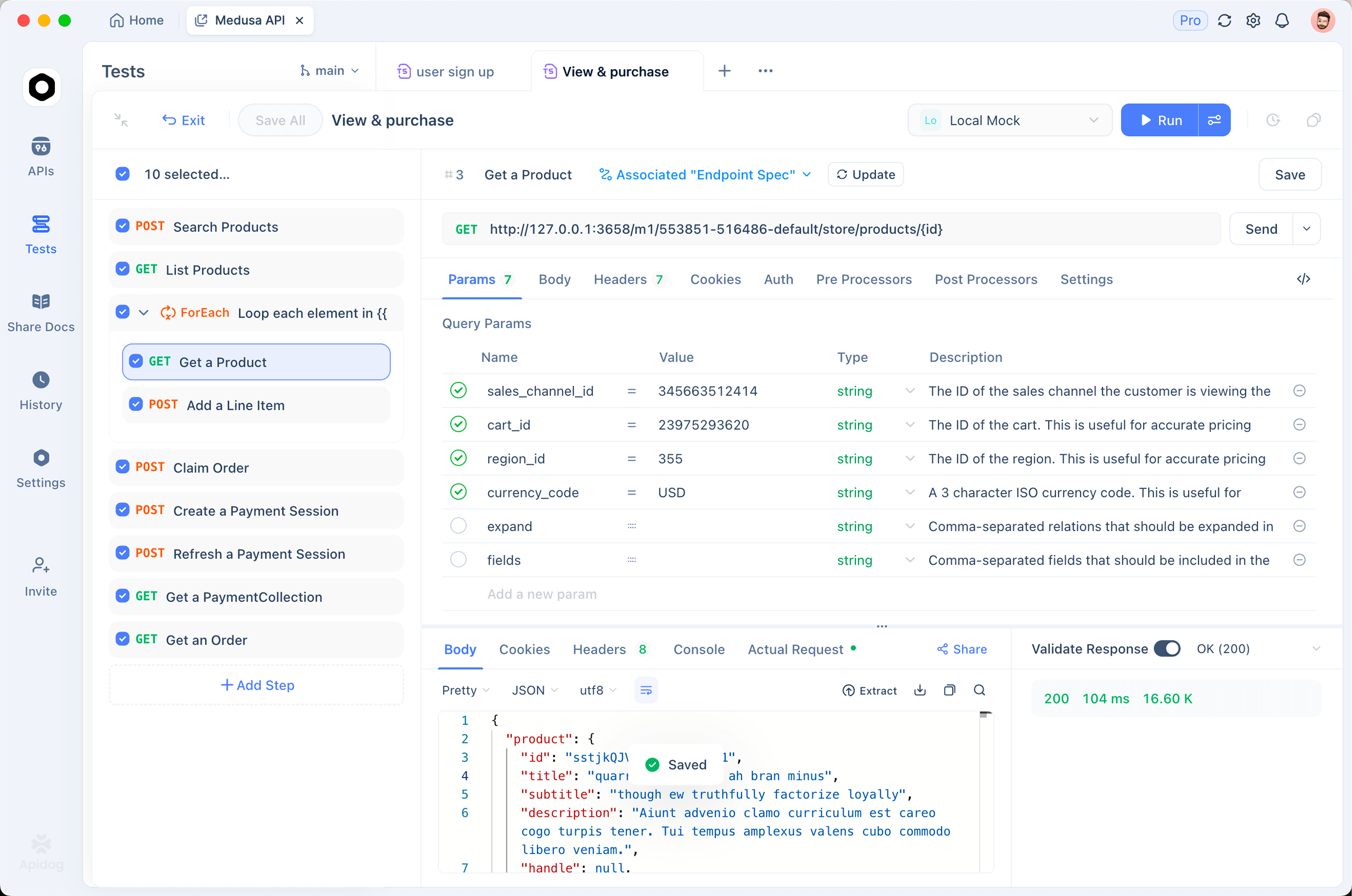
To be precise about the division of labor: OpenAI’s strict mode is what produces schema-valid JSON. Apidog doesn’t enforce the schema at the model. What Apidog does is validate the response you got back against the schema you expect, so you catch drift in CI instead of in production.
Here’s the workflow:
- Send the request. Build the Chat Completions call in Apidog with your
response_formatblock. Save it to a collection so it’s repeatable. - Assert the shape. Add response assertions in Apidog. Check that
categoryis one of your enum values, thatseverityis an integer, thataccount_idis a string or null. Apidog can validate the response against JSON Schema so you attach the exact schema and fail the run when the payload deviates. - Run it in CI. Put the collection in your pipeline so every model or prompt change re-checks conformance. A silent schema break becomes a red build.
- Mock the contract. Before the real call exists, or to test downstream consumers without spending tokens, stand up a mock API that returns schema-valid sample responses. Your frontend and your tests run against a stable shape while the integration firms up.
That last point is the underrated one. You can develop and test everything that consumes the structured output against a mock that honors the same schema, then swap in the live OpenAI call when you’re ready. Download Apidog and you can build the request, the assertions, and the mock in one place.
Frequently asked questions
Is JSON mode deprecated now that structured outputs exist? JSON mode still works and still guarantees valid JSON. It just doesn’t enforce a schema. For new code, structured outputs with strict: true is the stronger choice. Reach for plain JSON mode only on models that don’t support strict schemas, or when you genuinely don’t have a fixed shape.
Can the root of my schema be an array? No. The top level has to be an object. Wrap your list in a property, like { "items": [...] }, and put items in required. This trips up a lot of people on day one.
How do I make a field optional? Structured outputs require every property to be in required, so there’s no classic optional field. Model “missing” as nullable: use anyOf with a string (or whatever type) and a null. The key is always present; its value can be null.
Does strict mode mean I can skip validation entirely? The structure is guaranteed, so you can skip shape checks. But keywords like pattern, format, and numeric ranges aren’t enforced by the model, and refusals or truncation can still produce off-spec responses. A conformance test still earns its keep. If you’re new to the format, this JSON Schema primer covers the building blocks, and you can run the check on every deploy.
Which models should I use? Structured outputs work on GPT-4o and later, including the GPT-5 series. OpenAI’s docs point new projects at their current flagship. Confirm the exact model ID supports strict mode before relying on it, since support tracks model versions.
Wrapping up
You now have the full loop: pick a model that supports strict mode, send a Chat Completions request with json_schema and strict: true, keep your schema inside the supported subset, branch on refusal, and remember that value-level rules still need checking. Then prove it with a test: build the request in Apidog, assert the response against your schema, and mock it so the rest of your stack can move while the integration settles. The model promises the shape. Your tests prove it stayed that way.