Your API tests pass on every pull request. The build is green. You ship. Then at 9 a.m. someone in another timezone reports that checkout returns a 500, and nobody changed the checkout code. What changed was a third-party payment sandbox, a database migration that ran overnight, or a token that quietly expired. Your per-commit tests never caught it because nothing in your repo moved.
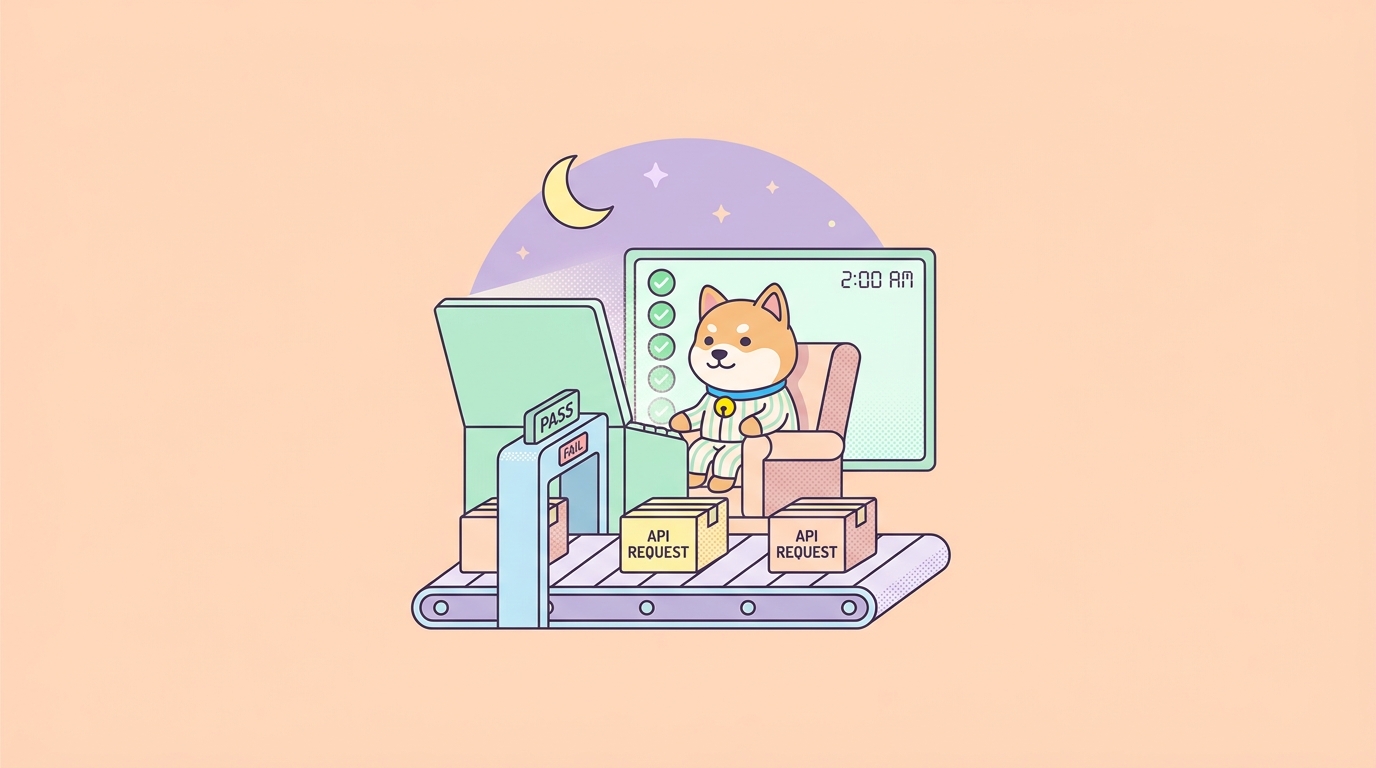
This is the gap a nightly build closes. A nightly build is a scheduled, full test run that fires once a day, usually in the small hours, against your real services and environments instead of only on code changes. It catches the failures that live between commits: data drift, flaky integrations, expired credentials, slow leaks in performance, and contract breaks introduced by services you don’t control. For APIs specifically, a nightly regression run is the cheapest early-warning system you can set up.
This guide walks through building that system end to end with Apidog. You’ll design a regression suite, generate a command-line run with the Apidog CLI, wire it into a scheduled CI job on GitHub Actions, GitLab, and Jenkins, and get a report waiting for you before standup. If you’ve ever debugged an outage that a nightly run would have flagged hours earlier, this is the workflow that buys back those hours.
Why per-commit tests aren’t enough
Continuous integration trained us to test on every push. That’s good, and you should keep doing it. But per-commit tests answer a narrow question: “did this change break something?” They run fast, they run often, and they’re scoped to keep developers unblocked. That scoping is exactly why they miss a whole class of problems.
A nightly build answers a wider question: “is the system still healthy right now, regardless of whether anyone touched it?” The difference matters because production has moving parts your commits never see.
- External dependencies drift. A payment provider rotates a sandbox key. A weather API deprecates a field. Your code is identical, but the contract changed under you.
- Data changes without code. Overnight ETL jobs, scheduled migrations, and content updates can put your database into a state your fast tests never exercise.
- Tokens and certificates expire. OAuth refresh tokens, TLS certs, and API keys have lifetimes. The day one lapses, your green build is a lie.
- Slow regressions hide in fast suites. A query that creeps from 200 ms to 1.2 s won’t fail a functional assertion, but a nightly run with a response-time threshold will.
- Full suites are too slow for every push. The comprehensive 400-case run that hits every endpoint, every edge case, and every environment is too heavy to gate a pull request on. Nightly is where it belongs.
So the pattern is two-tiered, not either/or. Fast smoke tests guard each commit. A deeper regression suite runs on a schedule. The nightly tier is where you put everything that’s too slow, too broad, or too dependent on the live world to belong in the inner loop.
What goes in a nightly API regression suite
Before you schedule anything, decide what the nightly run actually checks. A nightly suite is broader than your commit-gate smoke tests and more thorough than a quick health ping. Aim for coverage that would embarrass you if it broke silently.
A solid nightly API suite covers:
- Critical user journeys, end to end. Not single endpoints in isolation; the real chains. Sign up, log in, create a resource, read it back, update it, delete it. Each step passing tokens and IDs to the next.
- Authentication and authorization. Valid login, expired-token rejection, role-based access. Auth is the silent killer; test it every night.
- Contract conformance. Every response validated against your OpenAPI schema so a backend that quietly drops a field or changes a type gets caught. If your docs and your responses tend to drift apart, this is the check that catches it. (See why Swagger docs and collections keep drifting for the mechanics.)
- Boundary and error cases. 400s on bad input, 404s on missing resources, 429s under rate limits, 401s without credentials. The unhappy paths break more often than the happy ones.
- Data integrity across requests. Create something, then confirm a later request sees it. Catch eventual-consistency and caching bugs.
- Performance thresholds. Assert that key endpoints respond under a budget. A nightly trend line shows creep before it becomes an incident.
If you’ve never written structured cases like these, the API test case template and example is a good starting point, and API assertions covers how to validate the response body, status, headers, and timing precisely.
Step 1: Build the regression suite in Apidog
Apidog treats testing as a first-class part of the API lifecycle, not a bolt-on. You design endpoints, then chain them into test scenarios that mirror real workflows. A scenario is an ordered list of steps where each step is an API request with assertions, and where data flows from one step to the next.
Here’s the shape of a checkout regression scenario:
- POST /auth/login: send credentials, assert
200, extract theaccessTokenfrom the response into a variable. - POST /carts: create a cart using the token, assert
201, extractcartId. - POST /carts/{cartId}/items: add a product, assert
200, assert the response body’stotalequals the expected price. - POST /checkout: submit the cart, assert
200, assertorder.statusis"confirmed". - GET /orders/{orderId}: read the order back, assert it persisted with the right line items.
In Apidog you build this visually. Each step gets assertions without writing boilerplate: a visual assertion like “response status is 200” or “JSONPath $.order.status equals confirmed.” For schema conformance, Apidog can validate the response against the endpoint’s saved OpenAPI definition automatically, so you don’t hand-write a check for every field.
A few design rules keep a nightly suite maintainable:
- Use environments, not hardcoded URLs. Define a
stagingenvironment with its base URL, credentials, and variables. The same scenario runs against staging tonight and against a release candidate next week by swapping one flag. - Parameterize with variables. Pull the test username, base URL, and any IDs from environment variables so nothing secret or environment-specific lives in the scenario itself.
- Group scenarios into a test suite. A test suite bundles many scenarios so one command runs them all. That’s the unit you’ll schedule.
If you’re coming from another tool, this maps cleanly onto concepts you know. The broader picture of stringing scenarios together lives in the API test orchestration guide, and if you’ve never run a structured test in Apidog before, how to test an API with Apidog is the step-by-step starting point. Download Apidog and build one scenario before you read further; the rest of this guide assumes you have a suite to run.
Step 2: Run the suite from the command line
A nightly build runs unattended, so it needs a headless runner. That’s the Apidog CLI, an npm package that runs your saved test scenarios from any terminal, no GUI required. It’s built for exactly this: automated runs inside a CI/CD pipeline.
Install it globally. The CLI needs Node.js v16 or later.
npm install -g apidog-cli
To run an online scenario (one that lives in your Apidog project), you need two things: an access token and the scenario or suite ID. Generate the token in Apidog under the CI/CD settings, where there’s an “Add access token” button. Treat that token like a password; it goes in a secret, never in your repo.
The command to run a single test scenario looks like this:
apidog run \
  --access-token $APIDOG_ACCESS_TOKEN \
  -t 123456 \
  -e 789 \
  -r cli,html \
  --out-dir ./apidog-reports
Flag by flag, using the real Apidog CLI options:
--access-token <token>authenticates the run. Pass it from an environment variable.-t, --test-scenario <id>selects the scenario to run. To run a whole suite instead, use--test-suite <id>; to run a folder of scenarios, use-f, --test-scenario-folder <id>.-e, --environment <id>picks the environment (staging, production-readonly, etc.).-r, --reporters [reporters]sets output format.cliprints results to the console for your CI logs;htmlproduces a shareable report file.--out-dir <dir>is where the HTML report lands so CI can archive it as an artifact.
Other flags earn their place in a nightly run. -n, --iteration-count <n> repeats the run to surface flakiness. -d, --iteration-data <path> feeds a CSV or JSON file so one scenario runs across many data rows; perfect for boundary testing. --env-var "key=value" and --global-var "key=value" inject values at runtime, which is how you keep credentials out of the saved scenario.
You don’t have to memorize this. Apidog generates the exact command for you: open the CI/CD panel in the client, pick your scenario or suite, and copy the ready-made apidog run line straight into your pipeline config. Run it once locally first to confirm it’s green before you schedule it.
Step 3: Schedule it as a nightly build
A nightly build is this command on a timer. Every CI platform supports scheduled jobs through cron syntax. The pattern is identical across all of them: a daily trigger, the access token from a secret, the CLI run, and the report archived as an artifact.
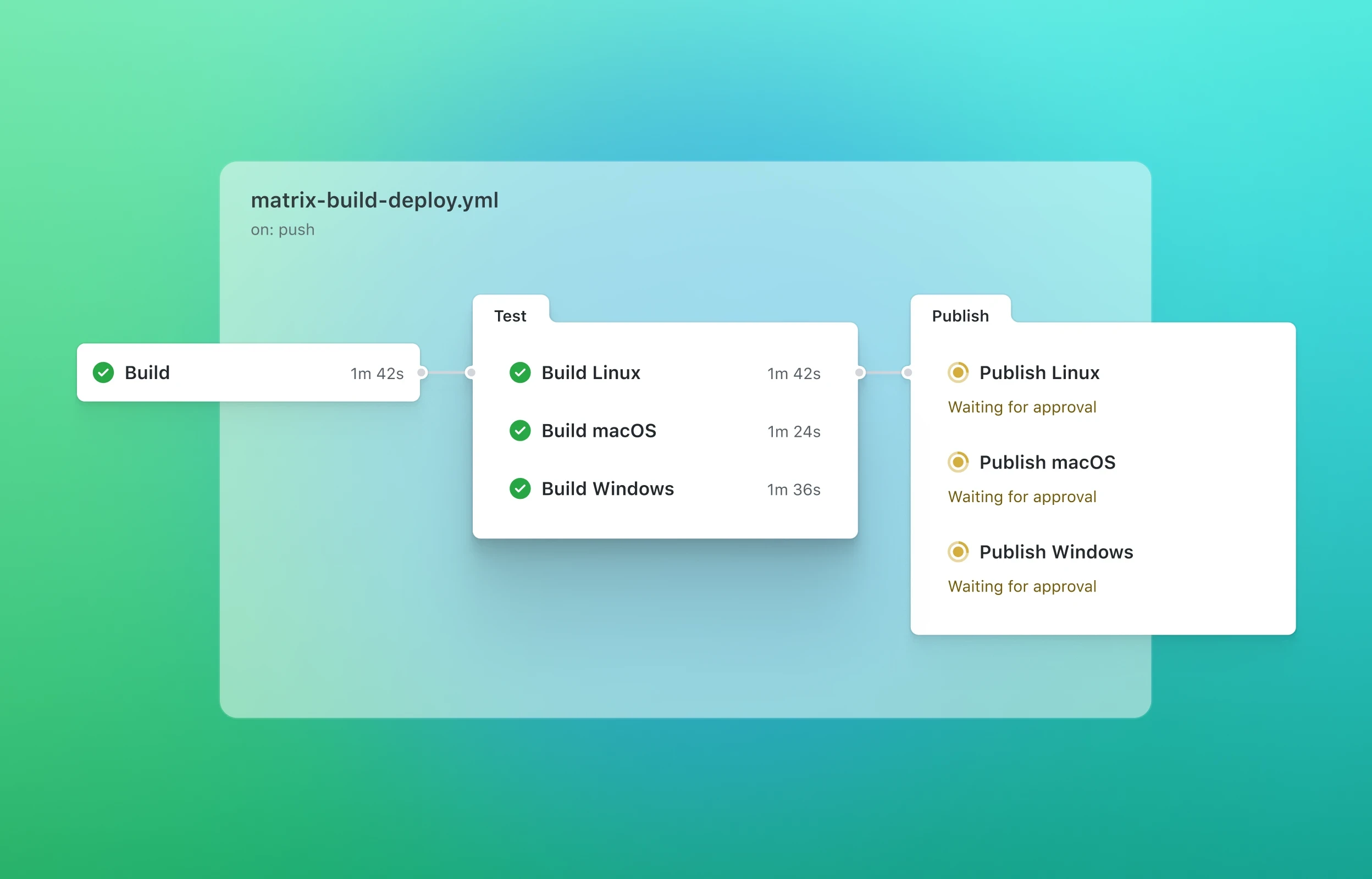
GitHub Actions
GitHub Actions supports a schedule trigger with standard cron. This workflow runs at 02:00 UTC every day and also exposes a manual button via workflow_dispatch.
name: Nightly API Regression

on:
  schedule:
    - cron: '0 2 * * *'   # 02:00 UTC daily
  workflow_dispatch:        # allow manual runs

jobs:
  regression:
    runs-on: ubuntu-latest
    steps:
      - name: Set up Node
        uses: actions/setup-node@v4
        with:
          node-version: '20'

      - name: Install Apidog CLI
        run: npm install -g apidog-cli

      - name: Run nightly regression suite
        run: |
          apidog run \
            --access-token $APIDOG_ACCESS_TOKEN \
            --test-suite ${{ vars.APIDOG_SUITE_ID }} \
            -e ${{ vars.APIDOG_ENV_ID }} \
            -r cli,html \
            --out-dir ./apidog-reports
        env:
          APIDOG_ACCESS_TOKEN: ${{ secrets.APIDOG_ACCESS_TOKEN }}

      - name: Upload HTML report
        if: always()
        uses: actions/upload-artifact@v4
        with:
          name: apidog-nightly-report
          path: ./apidog-reports
The if: always() on the upload step matters: you want the report archived even when the run fails, because a failure is exactly when you need to read it. Note that GitHub’s scheduled jobs run in UTC and can be delayed during peak load, so don’t schedule anything that needs to fire at an exact second.
GitLab CI/CD
GitLab schedules pipelines through the UI (CI/CD > Schedules) rather than in the YAML, then your job keys off a rules condition so it only runs on the schedule, not on every push.
nightly-regression:
  image: node:20
  rules:
    - if: '$CI_PIPELINE_SOURCE == "schedule"'
  before_script:
    - npm install -g apidog-cli
  script:
    - apidog run
        --access-token "$APIDOG_ACCESS_TOKEN"
        --test-suite "$APIDOG_SUITE_ID"
        -e "$APIDOG_ENV_ID"
        -r cli,html
        --out-dir ./apidog-reports
  artifacts:
    when: always
    paths:
      - apidog-reports/
    expire_in: 30 days
Set APIDOG_ACCESS_TOKEN as a masked, protected CI/CD variable, then create a pipeline schedule with a cron expression like 0 2 * * *. The rules block keeps this job from running on ordinary commits.
Jenkins
In Jenkins, a pipeline with a cron trigger does the same job. Store the token as a credential and pull it in with withCredentials.
pipeline {
    agent any
    triggers {
        cron('H 2 * * *')   // around 02:00, H spreads load
    }
    stages {
        stage('Install CLI') {
            steps { sh 'npm install -g apidog-cli' }
        }
        stage('Nightly regression') {
            steps {
                withCredentials([string(credentialsId: 'apidog-token',
                                        variable: 'APIDOG_ACCESS_TOKEN')]) {
                    sh '''
                        apidog run \
                          --access-token $APIDOG_ACCESS_TOKEN \
                          --test-suite $APIDOG_SUITE_ID \
                          -e $APIDOG_ENV_ID \
                          -r cli,html \
                          --out-dir ./apidog-reports
                    '''
                }
            }
        }
    }
    post {
        always {
            archiveArtifacts artifacts: 'apidog-reports/**', allowEmptyArchive: true
        }
    }
}
The H in H 2 * * * is a Jenkins nicety: it picks a stable minute within the hour so all your nightly jobs don’t stampede at exactly 02:00.

That cron field is the same across all three platforms. 0 2 * * * means minute 0, hour 2, every day. Want it twice a night to catch issues sooner? 0 2,14 * * *. Weekdays only? 0 2 * * 1-5. Pick a time when your staging environment is quiet and external sandboxes are awake.
Step 4: Make failures impossible to ignore
A nightly run that fails into a log nobody reads is worse than no nightly run; it builds false confidence. The whole point is the alert. Wire the outcome to wherever your team already looks.
The CLI’s exit code is your hook. apidog run exits non-zero when a scenario fails, so CI turns the job red automatically. From there:
- Let CI notify on its own. GitHub Actions, GitLab, and Jenkins all email or message the responsible team on a failed scheduled run. Turn it on.
- Post to chat. Add a step that fires a Slack or webhook message on failure with a link to the run and the archived HTML report. The report shows which scenario, which step, and which assertion broke, so the on-call engineer starts debugging instead of reproducing.
- Track the trend, not just the pass/fail. Apidog can upload the report so you keep a history. A single red night is noise; three reds in a row on the same endpoint is a signal.
One discipline keeps nightly builds trustworthy: treat a failure as a real bug until proven otherwise. The fastest way to kill a nightly suite is to let flaky tests train everyone to ignore the red. If a scenario fails intermittently, fix the test or the environment; don’t shrug it off. Running with -n to repeat a scenario, or stabilizing the data your scenario depends on, usually exposes the real flake.
Why Apidog fits the nightly pattern
You can assemble a nightly API pipeline from separate parts: one tool to design, another to write tests, a third to run them headless, and a schema validator bolted on. Plenty of teams live that way, and it works until the pieces drift out of sync. The friction shows up at 2 a.m. when the test the runner executes no longer matches the API you actually shipped.
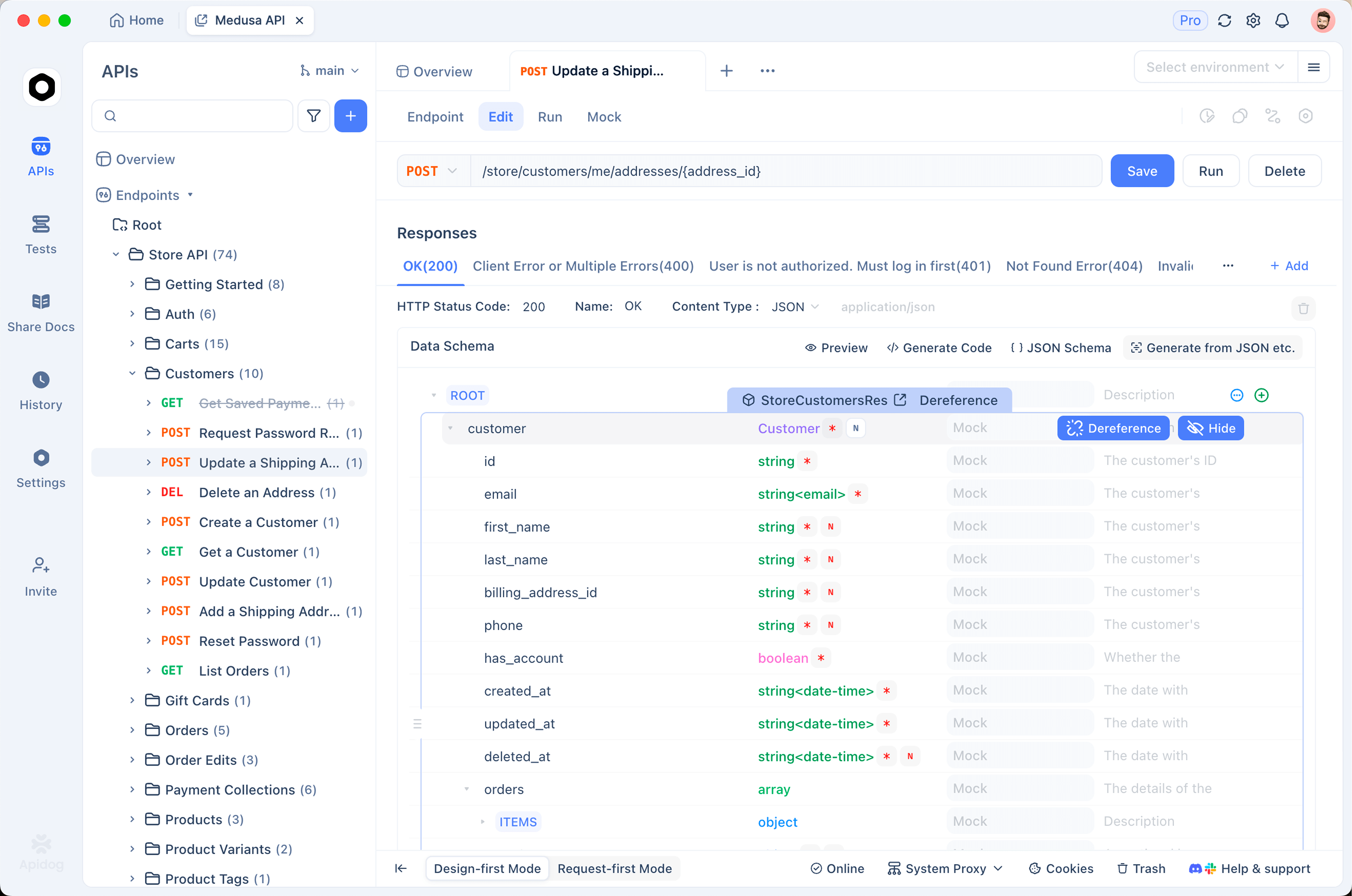
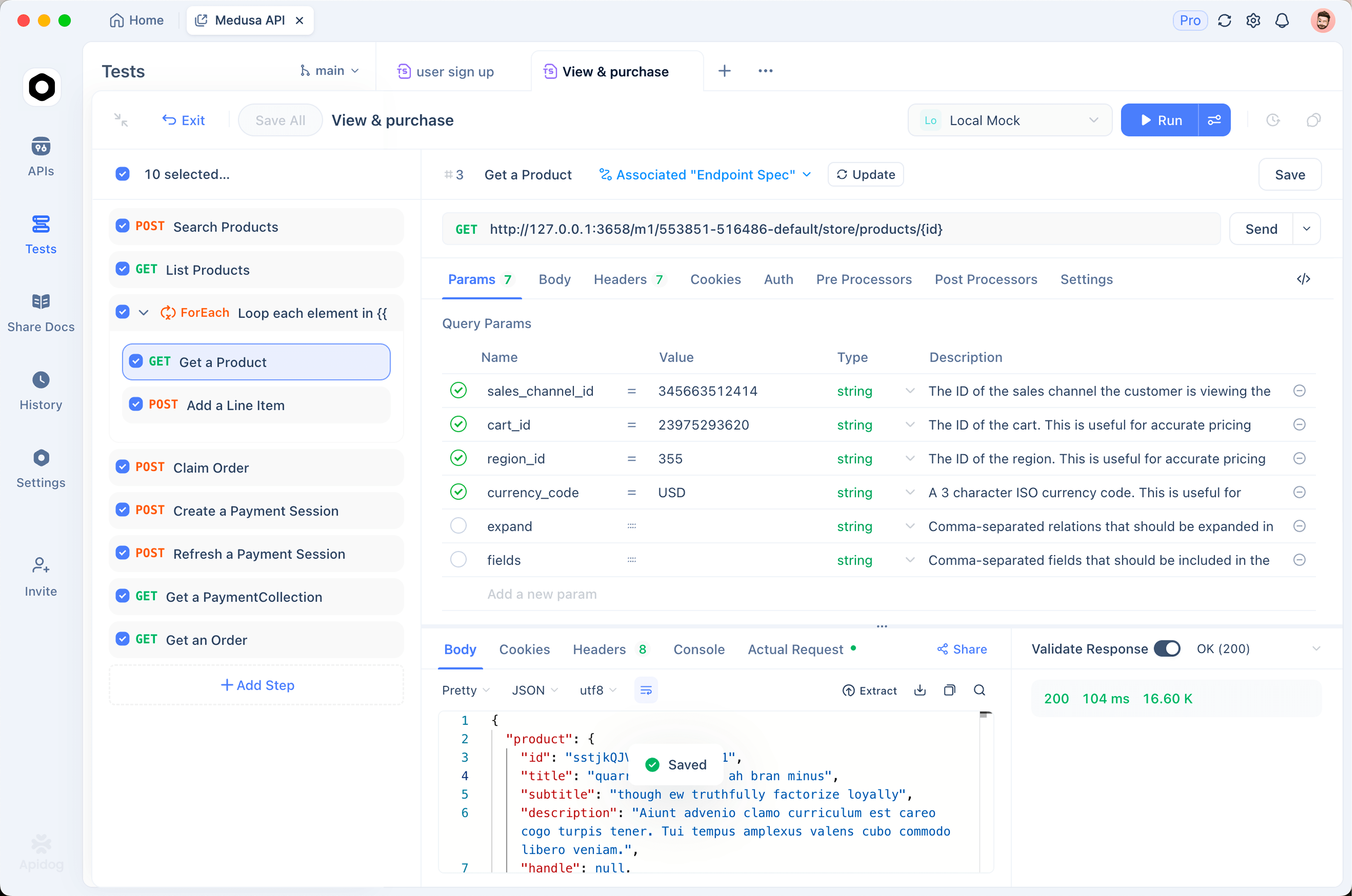
Apidog collapses that into one workflow. The endpoint you design, the scenario you test, the schema you validate against, and the command you schedule all reference the same source of truth. When you change an endpoint, the scenario and the schema check move with it. There’s no export step, no collection that quietly goes stale, no second copy of the contract to keep in sync. If you’ve felt the pain of Postman collections that aren’t a real source of truth, that single-source design is the difference.
The CLI is the same engine as the GUI, so a scenario you debug visually at your desk runs identically in CI at 2 a.m. You build and fix tests with full visibility, then run them headless with one command. That symmetry is what makes a nightly build something you trust instead of something you babysit.
Frequently asked questions
What’s the difference between a nightly build and continuous integration?
Continuous integration runs tests on every code change to catch regressions in new commits. A nightly build runs on a fixed schedule, usually overnight, regardless of whether anything changed. CI catches what your team breaks; the nightly run catches what the outside world breaks: expired tokens, drifted dependencies, data changes, and slow performance creep. Mature pipelines run both. Fast smoke tests gate each commit, and a broader regression suite runs nightly.
What time should a nightly build run?
Pick a window when your test environment is idle and the external services you depend on are reachable. For many teams that’s 1 a.m. to 4 a.m. local time. If your APIs call third-party sandboxes, confirm those are awake at that hour; some providers throttle or pause overnight. Avoid scheduling exactly on the hour on shared CI, where thousands of jobs trigger at once; offsetting by a few minutes (or using Jenkins’ H syntax) spreads the load.
Can I run a nightly suite against production?
Run read-only checks against production safely. For anything that writes data, point the nightly suite at a dedicated staging or pre-production environment with realistic data, or use idempotent operations and a cleanup step. A common pattern is a full read-write regression run against staging plus a small read-only smoke run against production to confirm the live system is reachable and responding correctly.
How is this different from monitoring?
Uptime monitoring answers “is the API up?” A nightly regression suite answers “is the API correct?” Monitoring pings an endpoint and checks for a 200. A regression run exercises full workflows, validates response bodies against your schema, checks auth boundaries, and asserts business rules. They’re complementary; monitoring is continuous and shallow, nightly testing is periodic and deep.
Do I need to write code to schedule API tests?
No. You build scenarios visually in Apidog with no scripting, then copy the generated apidog run command from the CI/CD panel. The only “code” is the few lines of YAML or pipeline config that tell your CI platform when to run, and those are the templates above. If you’d rather see how command-line runners compare in general, Postman CLI vs Newman and running collections in CI without Newman cover the alternatives.
Set up your first nightly run
Start small. Pick one critical workflow, your login flow or your checkout path, and build it as a single Apidog scenario with real assertions. Run it locally with the CLI until it’s green. Drop the generated command into a scheduled job using one of the templates above. Wire the failure to your team chat. That’s a working nightly build in an afternoon.
From there, grow the suite. Add scenarios for the next-most-important journeys, turn on schema validation across the board, and set performance budgets on your hot endpoints. Within a week you’ll have a regression net that catches the failures your per-commit tests were never designed to see, and you’ll hear about them from a chat message at 2 a.m. instead of from a customer at 9.