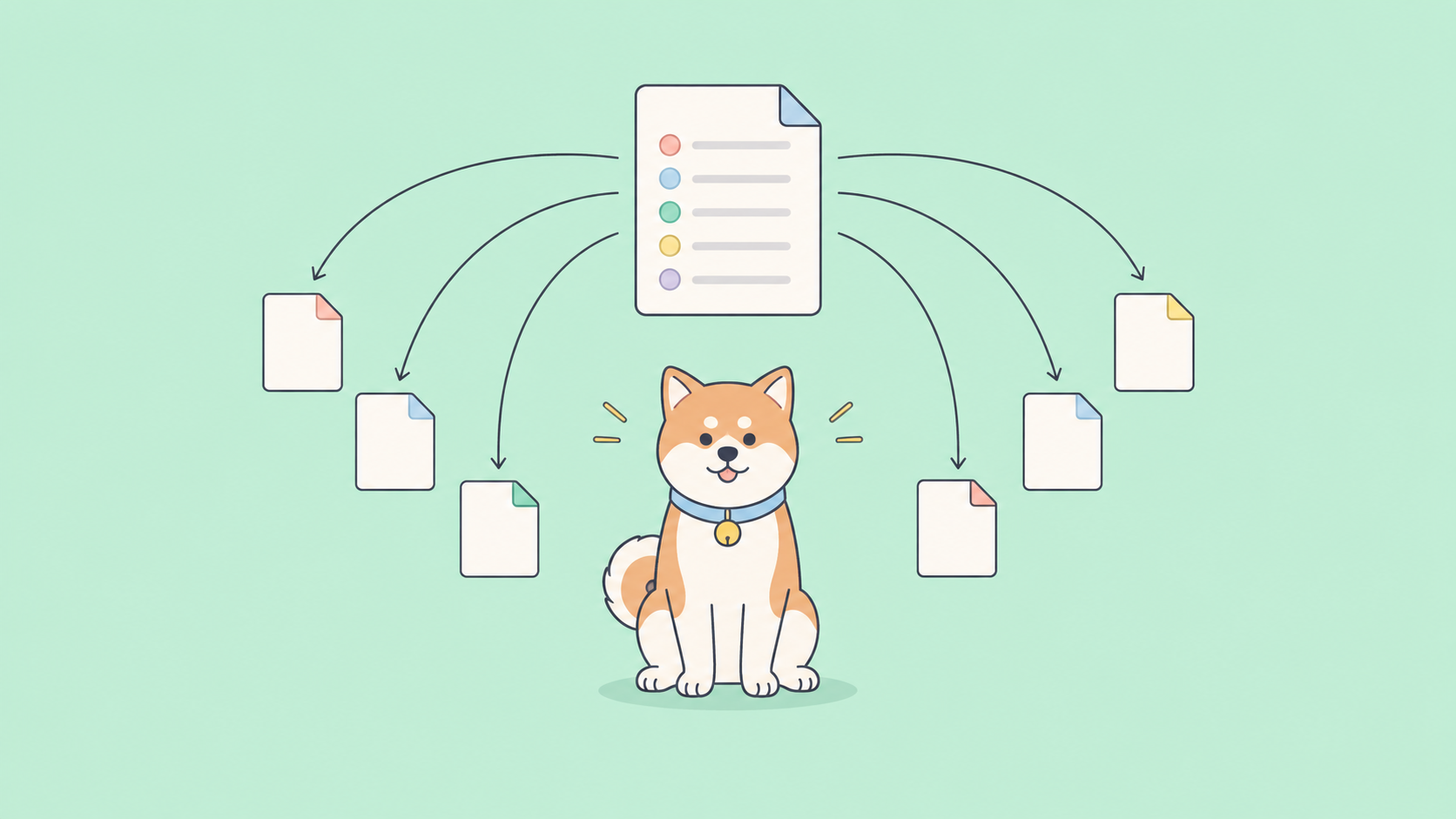
Most agent code starts simple and then collapses under its own retries. You wire up an LLM, give it some tools, and the moment the workflow needs to loop, branch, or pause for a human, the straight-line script falls apart. LangGraph is the framework built for exactly that mess: it models an agent as a graph with shared state, so loops and branches become first-class structure instead of tangled if statements. This guide explains what LangGraph is, the problem it solves, and where API testing fits when your agent calls real services.
What LangGraph is
LangGraph is a low-level orchestration framework and runtime for building long-running, stateful agents. It’s built by LangChain Inc, the team behind LangChain, but it’s a separate library with its own focus. You install it on its own with pip install -U langgraph, and you can use it without the rest of the LangChain ecosystem.
The core idea is small. You describe your agent as a graph. Nodes do work (call a model, run a tool, transform data). Edges decide what runs next. A shared state object flows through every node, and each node can read it and write back to it. Because edges can point backward, the graph can cycle. That’s the part a plain chain can’t do well.
If you’ve used LangChain’s older Chain abstraction, the difference is the shape of the control flow. A chain is a pipeline: step one, step two, step three, done. A graph lets a node inspect the current state, then jump to a different branch, loop back to retry, or fan out to several nodes that run in parallel and merge their results. Real agents need that, because “reason, act, observe, reason again” is a loop, not a line.
The problem LangGraph solves
Agentic workflows are cyclic by nature. An agent calls a tool, looks at the result, decides whether it’s done, and if not, tries again. Modeling that with nested conditionals gets unreadable fast, and it gets worse once you add the things production agents actually need:
- Loops with a stopping condition. Keep calling tools until the task is complete, without spinning forever.
- Branching on state. Route to a different node depending on what the model returned.
- Persistence. Survive a crash, a timeout, or a restart and resume from the last good point.
- Human-in-the-loop. Pause, let a person inspect or edit the state, then continue.
- Streaming. Emit tokens and intermediate steps as they happen, not just at the end.
LangGraph turns each of these into a built-in capability instead of something you hand-roll. You get a state machine with durable execution, so an agent can run for minutes or hours and pick up where it stopped.
Core concepts: graph, state, nodes, edges
Four primitives carry most of the framework. Here’s how they fit together.
State is a typed object shared across the whole run. You define its shape with a schema, often a TypedDict, and LangGraph merges each node’s updates into it. A common starting point is MessagesState, a prebuilt schema that holds a running list of chat messages.
Nodes are functions. Each one takes the current state and returns a partial update. You register them with add_node().
Edges connect nodes. A normal edge with add_edge() always goes from A to B. A conditional edge with add_conditional_edges() runs a routing function that reads the state and returns the name of the next node, which is how you express “if the model asked for a tool, go run it; otherwise finish.”
START and END are special markers for where execution begins and stops.
Here’s the shape of a minimal graph. It’s pseudo-code-level, but the API names are real.
from langgraph.graph import StateGraph, START, END, MessagesState

def call_model(state: MessagesState):
    response = model.invoke(state["messages"])
    return {"messages": [response]}

def should_continue(state: MessagesState) -> str:
    last = state["messages"][-1]
    return "tools" if last.tool_calls else END

builder = StateGraph(MessagesState)
builder.add_node("model", call_model)
builder.add_node("tools", tool_node)
builder.add_edge(START, "model")
builder.add_conditional_edges("model", should_continue)
builder.add_edge("tools", "model")   # loop back

graph = builder.compile()
The add_edge("tools", "model") line is the cycle. After tools run, control goes back to the model, which can call more tools or stop. That loop is the whole reason LangGraph exists.
Persistence and human-in-the-loop
Compile a graph with a checkpointer and it saves a snapshot of state after each step. Pass a thread_id in the config, and LangGraph restores the latest checkpoint for that thread on the next call. Your nodes don’t change; the runtime handles the save and restore.
from langgraph.checkpoint.memory import InMemorySaver

graph = builder.compile(checkpointer=InMemorySaver())
config = {"configurable": {"thread_id": "user-42"}}
graph.invoke({"messages": [user_message]}, config)
InMemorySaver is fine for development. For something that survives restarts, LangGraph ships database-backed savers (SQLite for a single server, Postgres for multi-instance scale). Because state is durable, you also get human-in-the-loop almost for free. You can interrupt the graph at a chosen point, surface the current state for a person to inspect or edit, then resume from that exact checkpoint. Approval gates, manual corrections, and “are you sure?” steps all build on this.
Streaming rounds it out. LangGraph can stream model tokens and node-level updates as the run progresses, so a UI can show the agent thinking instead of staring at a spinner.
How LangGraph relates to LangChain
This trips people up, so let’s be direct. LangChain is the broader toolkit: model wrappers, prompt templates, retrievers, document loaders, and integrations with hundreds of providers. LangGraph is the orchestration layer underneath the agent parts of that toolkit.
You don’t need LangChain to use LangGraph. You can define your state, nodes, and edges, and call any model client you like inside a node. Many teams do pair the two, because LangChain’s model and tool abstractions are convenient, and LangGraph’s prebuilt create_react_agent helper (in langgraph.prebuilt) gives you a working tool-calling agent in a few lines when you don’t need a custom graph.
| LangChain | LangGraph | |
|---|---|---|
| Role | Components and integrations | Orchestration and runtime |
| Control flow | Linear chains | Graphs with cycles and branches |
| Built-in state | Limited | Shared, typed, durable |
| Persistence / resume | Not the focus | Checkpointers + thread IDs |
| Best for | Composing model calls and tools | Stateful, multi-step agents |
One note for current users: the LangGraph v1.0 line (stable since late 2025) has been moving the prebuilt agent helper toward langchain.agents.create_agent, so check your installed version and the official reference for the exact import path before you copy older snippets. Building custom agents from scratch is a useful skill here too; see our walkthrough on building a custom AI agent for the broader picture.
LangGraph Platform and Studio
The open-source library is the core, but two adjacent products matter once you ship.
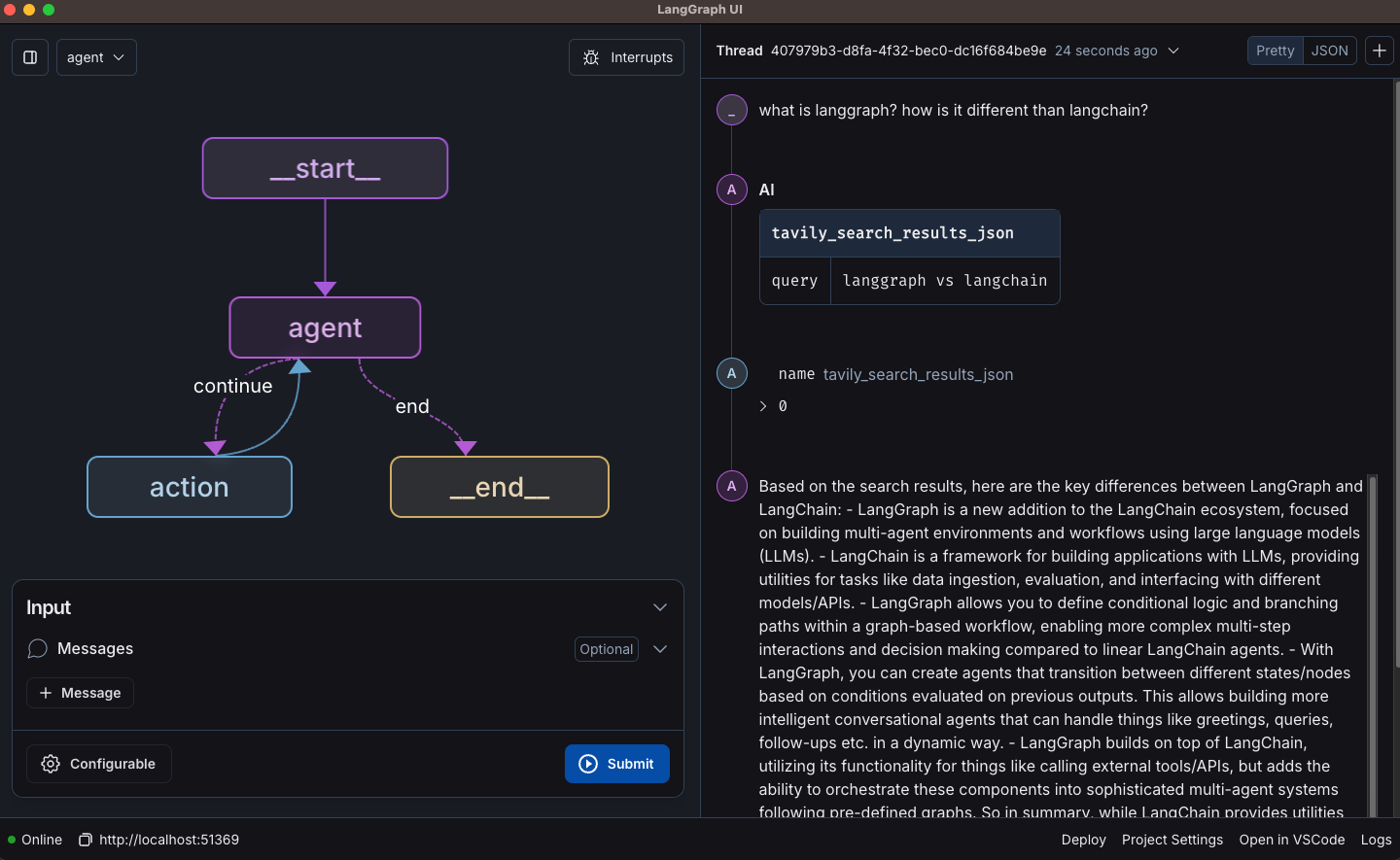
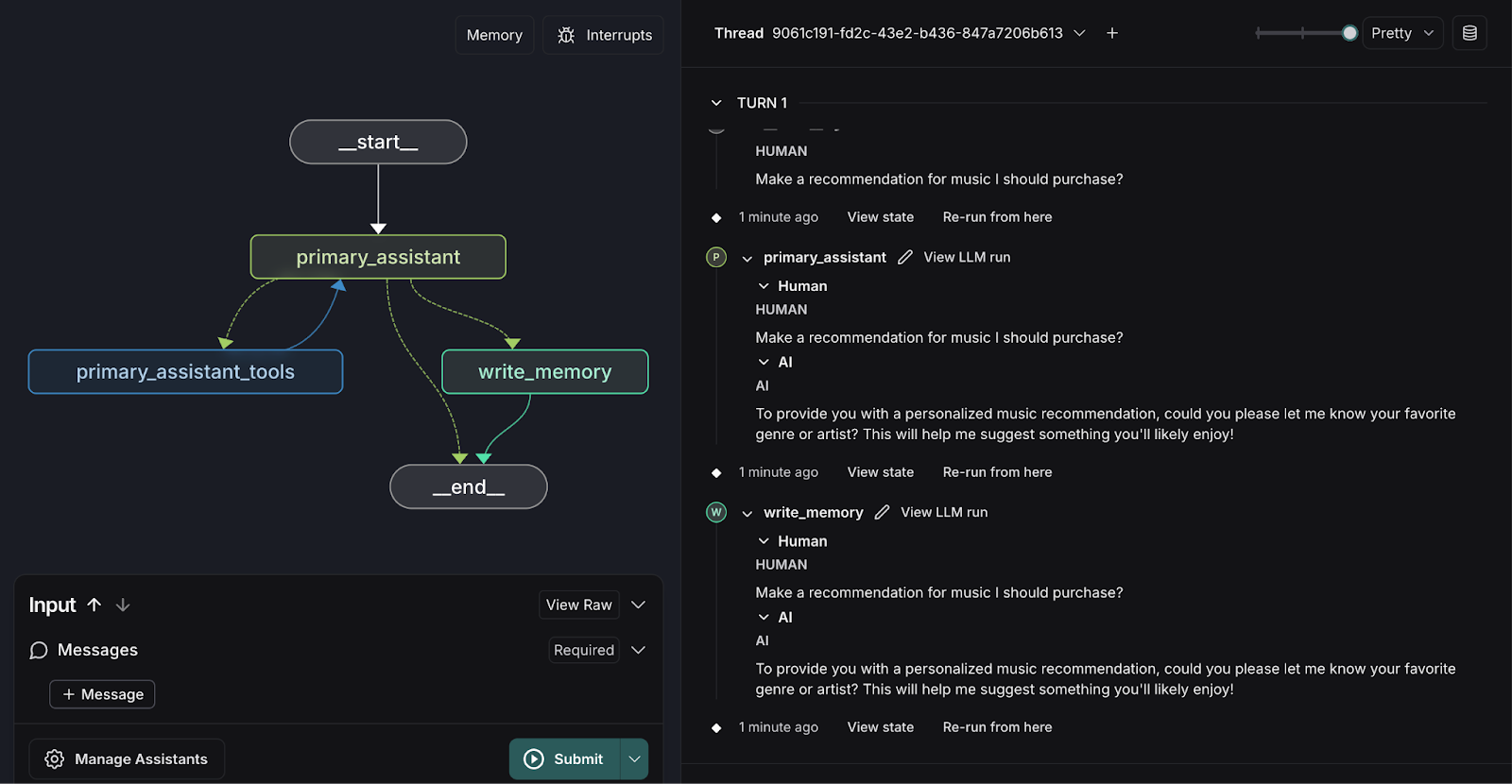
LangGraph Studio is a visual agent IDE. It renders your graph, lets you run it, and shows the state at every node so you can watch execution step through your nodes and edges. For anything with cycles and conditional routing, seeing the path the agent actually took beats reading log lines.
LangGraph Platform is the managed deployment side: API endpoints for your agents, built-in persistence for long-running runs, and hosting options that range from self-hosted to fully managed in the cloud. You don’t need it to use the library; it’s there when you want infrastructure for agents in production rather than running them yourself.
When to use LangGraph
Reach for LangGraph when your agent has real control flow. Good signals:
- The work is a loop, not a sequence (call tools, check, repeat).
- You need to branch on what the model decided.
- A run can be long, and you want it to survive a crash and resume.
- A human has to approve or edit something mid-run.
- You’re coordinating multiple actors or sub-agents that share state.
Skip it when a single model call or a short linear chain does the job. A graph is overhead you don’t need for “summarize this text.” Save the structure for workflows that genuinely branch and loop.
Where API testing and mocking fit
Here’s the part that bites teams in development. A LangGraph agent is only as reliable as the APIs it calls, and it calls a lot of them: the LLM endpoint, plus every tool API (search, a CRM, your own backend). LangGraph orchestrates those calls; it doesn’t test them. That’s a separate job, and it’s where Apidog comes in.
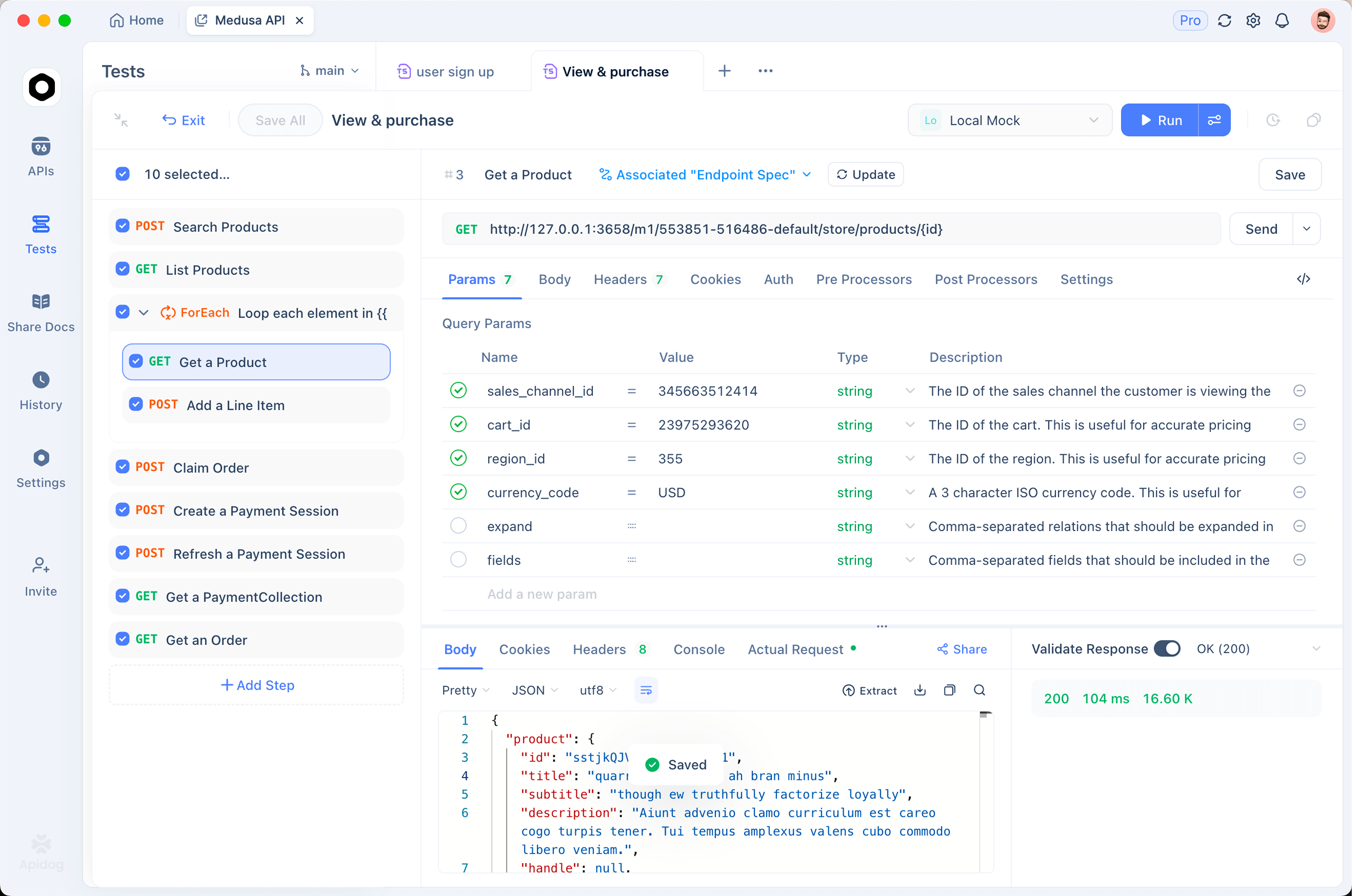
Two problems show up fast. First, hitting live APIs in every test run burns tokens and trips rate limits. You can mock the API an agent depends on so a tool endpoint returns a deterministic, instant response while you iterate on graph logic. Mock the LLM endpoint the same way and you stop paying for tokens just to test routing.
Second, your nodes assume a response shape. If a tool’s API quietly changes a field name, your conditional edge reads the wrong thing and the agent loops or stalls. Pinning down those contracts with API assertions catches the drift before it reaches your graph. And because agents juggle keys across staging and prod, managing them in environments keeps secrets out of your node code. If you want the full agent-focused workflow, the Apidog test harness for AI agents walks through it end to end. To be clear, none of this orchestrates the agent; Apidog tests and mocks the APIs underneath it.
Frequently asked questions
Is LangGraph a replacement for LangChain? No. LangGraph is the orchestration runtime; LangChain is the broader set of components and integrations. They’re separate libraries from the same team, and you can run LangGraph without LangChain or use them together. LangGraph handles the stateful, cyclic control flow that plain chains struggle with.
Do I need to know LangChain to start with LangGraph? No. You can define a StateGraph, add nodes and edges, and call any model client inside a node. LangChain’s model wrappers are convenient, but they’re optional. Start with the core graph primitives and add the rest only when you need it.
How does LangGraph remember things between calls? Through checkpointers. Compile your graph with a checkpointer and pass a thread_id, and LangGraph saves a state snapshot after each step, then restores it on the next call for that thread. That’s how you get conversation memory and crash recovery without changing your node logic.
How do I test the APIs my agent calls? Test and mock them separately from the graph. Mock the LLM and tool endpoints so runs are fast and free during development, and assert on response shapes so a changed field doesn’t break a node. Our guide on testing the ChatGPT API covers auth, streaming, and tool calls, which are the exact surfaces an agent depends on.
Wrapping up
LangGraph gives you the missing structure for agents that loop, branch, persist, and pause for a human. Model the workflow as a graph with shared state, lean on checkpointers for memory and recovery, and use Studio and the Platform when you’re ready to debug and deploy. The framework handles orchestration. The APIs your agent calls still need their own safety net, so mock and test them in Apidog to keep development cheap and your tool contracts honest. Download Apidog to mock an endpoint and assert its responses before your agent hits it for real.