Moonshot’s Kimi K2.7 Code is a coding-tuned, trillion-parameter model with open weights. That combination means you have real free paths to use it, not just a trial that expires. You can chat with it in the browser, run the agent on a starter quota, or download the weights and host them yourself with no per-token bill at all.
Here are the ways that actually work, from zero-setup to full self-host, with the honest trade-offs for each.
TL;DR
- Free chat: use the Kimi web app and mobile app at no cost.
- Free agent quota: the Kimi Code CLI ships with a starter plan you can run without paying.
- Free weights: download the model from Hugging Face and self-host; you only pay for hardware.
- Cheapest hosted: if you outgrow free tiers, the API is $0.95/$4.00 per million tokens.
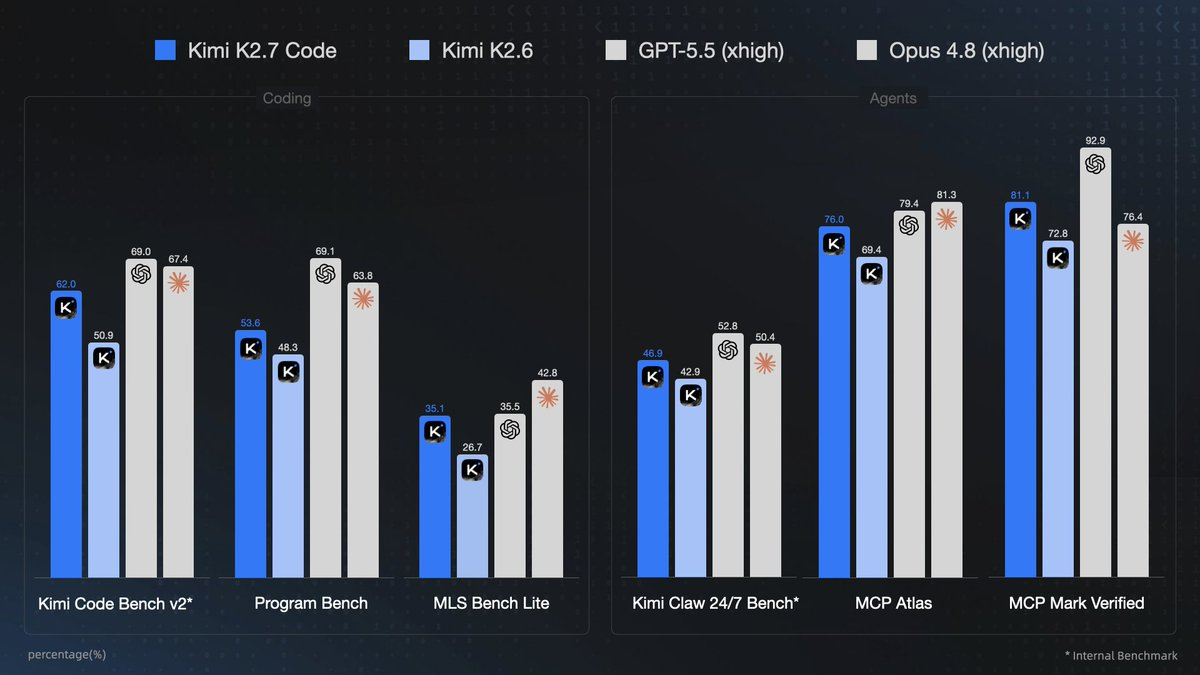
Method 1: Chat in the Kimi web app
The fastest way to use the model for free is the browser. Go to the Kimi web app, sign in, and start a conversation. You get the K2.7 Code model for coding questions, debugging help, and quick prototypes without any setup or key.
This is the right choice when you want to:
- Paste a stack trace and ask what’s wrong
- Get a function written or reviewed
- Compare two approaches before you commit to one
The limit is that it’s a chat box, not an agent. It won’t touch your files or run commands. For that, you need the CLI below.
Method 2: The Kimi app on mobile
Moonshot ships a mobile app with the same free chat access. It’s handy for reading code, asking questions away from your desk, or capturing an idea you want the agent to build later. Same model, same zero cost, smaller screen.
Method 3: Run the Kimi Code agent on its free quota
The Kimi Code CLI is Moonshot’s terminal coding agent. It installs in one line and includes a starter quota you can use without paying:
curl -fsSL https://code.kimi.com/kimi-code/install.sh | bash
Run kimi, log in with /login, and check what you have left with /usage. The free tier is enough to test the agent on a real task: let it explore a repo, write a function, or run your tests. Quota refreshes on a 7-day cycle, so even after you hit the limit, it comes back.
This is the free path that does actual work in your codebase, not just answers questions. Use /init first so the agent learns your project before you spend any quota on the real task.
Method 4: Download the weights and self-host
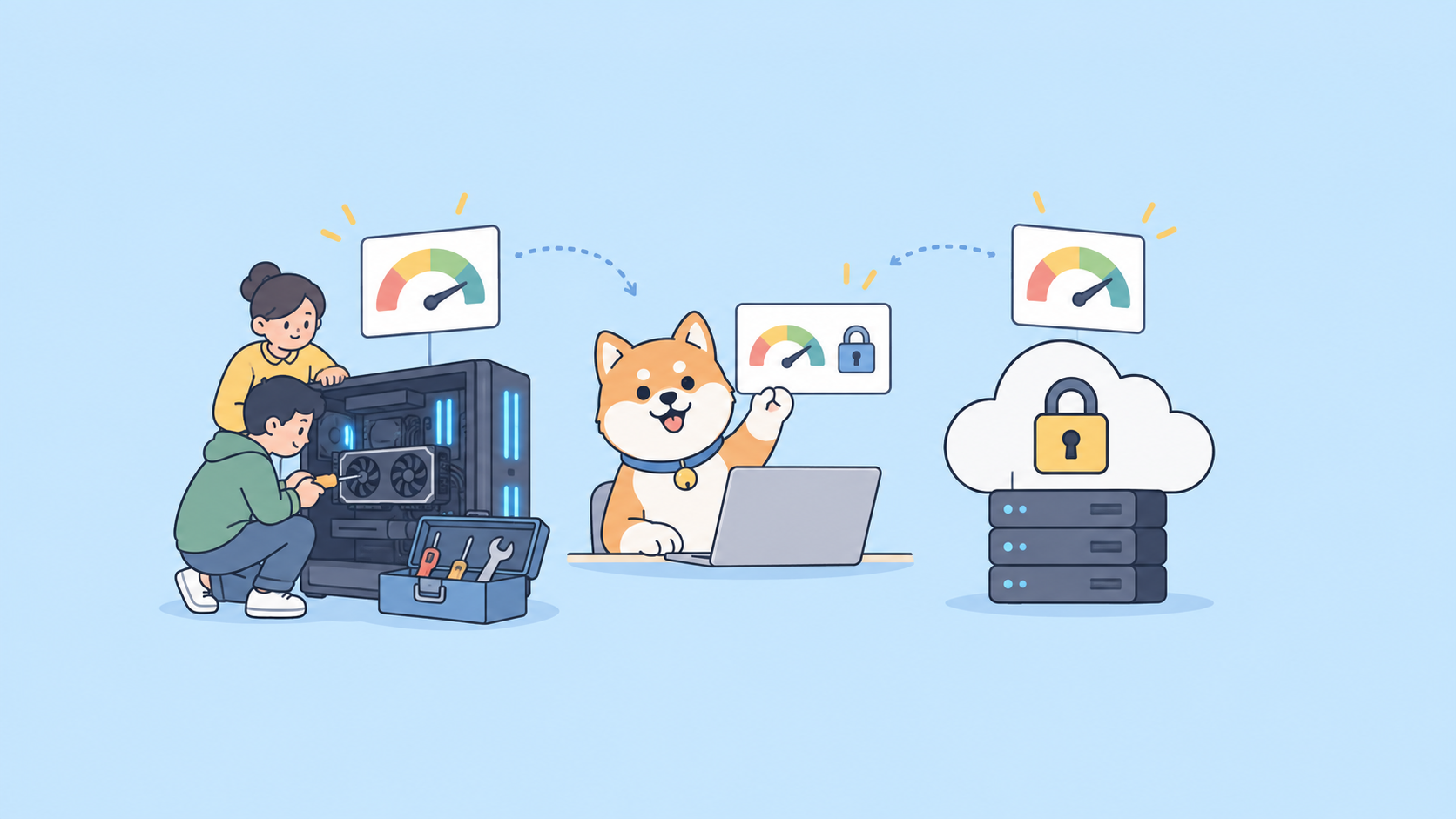
This is the path that’s free forever, because the model is open. K2.7 Code ships under a modified MIT license, so you can download it from Hugging Face and run it on your own hardware. There’s no per-token charge; your only cost is the machine.
The catch is size. It’s a trillion-parameter model, so the full weights need serious GPU memory. Two ways to make it practical:
- Serve it with vLLM, SGLang, or KTransformers if you have the hardware. Moonshot recommends these engines.
- Use a quantized build for smaller setups. Community quantizations (for example, the Unsloth releases) shrink the memory footprint so it runs on more modest GPUs, with some quality trade-off.
If you’ve self-hosted a Kimi model before, the process mirrors our run Kimi K2.5 locally guide; the engine commands are the same, only the model name changes. Self-hosting is the move when data has to stay on your hardware or you’re running enough volume that hosted tokens would add up.
Method 5: Cheap, not free, when you outgrow the tiers
When free quota runs out and you don’t want to self-host, the hosted API is the fallback. It isn’t free, but it’s cheap: $0.95 per million input tokens and $4.00 per million output, with cache hits at $0.19 per million. For most side projects that’s a few cents of real use. The full setup is in our Kimi K2.7 Code API guide.
Which free path should you pick?
| You want to… | Use |
|---|---|
| Ask coding questions, fast | Kimi web app |
| Let an agent edit files and run commands | Kimi Code CLI free quota |
| Avoid all per-token cost, keep data private | Self-host the open weights |
| Scale past free limits cheaply | Hosted API |
Most people start with the web app, move to the CLI when they want the agent, and only self-host if privacy or volume demands it.
A note on testing what you build
If you use the free quota to prototype something that calls the model’s API, validate the endpoint before you rely on it. Apidog lets you send a test request, read the response and token usage, and save it as a check you re-run later. It’s free to start and works with any OpenAI-compatible endpoint, including Moonshot’s. Download Apidog if you want to test as you go.
FAQ
Is Kimi K2.7 Code really free? The web and mobile chat are free, the CLI has a free quota, and the open weights are free to download. You only pay for hosted API tokens or your own hardware.
Do I need an API key for free chat? No. The web app and mobile app work with just an account login.
Can I run it on my own machine for free? Yes. Download the weights from Hugging Face and serve them with vLLM, SGLang, or KTransformers. Use a quantized build if your GPU is limited.
How much hardware do I need to self-host? It’s a trillion-parameter model, so the full weights need substantial GPU memory. Quantized community builds lower the bar but cost some quality.
What happens when my free CLI quota runs out? Quota refreshes on a 7-day cycle. If you need more before then, move to the pay-per-token API or self-host.
Is there a free tier on the API? New accounts may include starter credits, but ongoing API use is pay-per-token. It’s inexpensive at $0.95/$4.00 per million tokens.
Summary
Kimi K2.7 Code has more genuine free paths than most coding models because the weights are open. Start in the Kimi web app for instant chat, switch to the Kimi Code CLI free quota when you want an agent that touches your files, and self-host the downloaded weights when you need zero per-token cost or full privacy. If you scale past the free tiers, the hosted API stays cheap. Pick the path that matches your task and start building.