
Plug DeepSeek V4-Pro into Cursor with its default OpenAI-compatible settings and the first tool call returns a 400 error. The reason is small but stubborn: V4-Pro is a thinking model that returns a reasoning_content block, Cursor strips that field from its follow-up requests, and DeepSeek’s API rejects tool-call messages that drop the reasoning chain. An open-source proxy at yxlao/deepseek-cursor-proxy caches the reasoning content and re-injects it on outbound requests. Once the proxy is running, V4-Pro behaves like any other model in Cursor’s custom-model panel, with thinking tokens rendered as collapsible markdown. Below is the full setup, the cost math, and the troubleshooting list.
TL;DR
- Cursor plus DeepSeek V4-Pro returns 400 errors by default, because V4-Pro is a thinking model and Cursor strips
reasoning_contenton tool-call messages. deepseek-cursor-proxy(open source, Python) sits between Cursor and DeepSeek, caches each conversation’s reasoning_content, and re-injects it so tool calls don’t fail.- Setup: install via
uvorpip, rundeepseek-cursor-proxy, paste the ngrok URL plus your DeepSeek API key into Cursor’s custom-model settings. - V4-Pro inside Cursor now costs ~$0.87 per million output tokens, roughly 34x cheaper than GPT-5.5 on output. See DeepSeek V4-Pro 75% Price Cut Is Now Permanent for the full pricing context.
Why you need a proxy in the first place
V4-Pro returns two things in every response: a regular content field and a reasoning_content field that holds the chain of thought. For ordinary chat you can ignore reasoning_content. The problem starts with tool calls.
DeepSeek’s API contract for thinking models requires that when you continue a conversation that contained a reasoning_content block, you include that block in the next request alongside the tool_calls result. The reasoning chain is part of the conversation state. Cursor doesn’t know about this requirement. It ships an OpenAI-style chat client, and reasoning_content isn’t part of the OpenAI schema, so it drops the field. The next tool call comes back with HTTP 400 and a message about a missing reasoning_content.
This isn’t a Cursor bug exactly. It’s a contract mismatch between two providers that share most of their API surface. Until Cursor adds first-class V4-Pro support or DeepSeek relaxes the contract, the workaround is a proxy that remembers what Cursor forgot.
What the proxy does, in three lines
- Listens on a local port (default 9000) for Cursor’s outbound chat requests.
- Caches
reasoning_contentfrom every V4-Pro response, keyed by SHA-256 of the canonical conversation prefix. - On each new request, looks up the cached reasoning_content for the matching prefix and adds it to the message before forwarding to DeepSeek.
It also exposes the local port through an ngrok tunnel, because Cursor’s custom-model setting requires HTTPS and won’t accept a localhost URL.
The cache lives in ~/.deepseek-cursor-proxy/reasoning_content.sqlite3. The SHA-256 keying means two parallel conversations don’t collide. Reasoning content is stored exactly as DeepSeek returned it, so DeepSeek’s own prompt cache still hits, which matters for the new permanent pricing.
Prerequisites
You need four pieces in place before you start:
- Cursor 2.0 or newer. The custom-model UI is the same in 3.x; either works.
- A DeepSeek API key. Sign up at platform.deepseek.com if you don’t have one. A small balance is enough; pricing details are below.
- Python 3.11 or newer. The proxy is pure Python.
uvis recommended but pip works. - An ngrok account with an authtoken. The free tier is enough for solo developers. Static domains are optional but make life easier if you restart the proxy often.
If you’ve never installed uv, see the official uv installation docs. For ngrok, the ngrok quickstart walks you through the authtoken step.
Step 1: Install the proxy
The fastest path is uv. From any directory:
uv tool install deepseek-cursor-proxy
If you prefer pip, clone the repo and install it as an editable package:
git clone https://github.com/yxlao/deepseek-cursor-proxy.git
cd deepseek-cursor-proxy
pip install -e .
Either path puts a deepseek-cursor-proxy command on your PATH. Verify with deepseek-cursor-proxy --help.
Step 2: Configure ngrok
The proxy needs a public HTTPS URL because Cursor’s custom-model field won’t accept http://localhost. ngrok provides the tunnel.
ngrok config add-authtoken YOUR_NGROK_AUTHTOKEN
Grab your authtoken from the ngrok dashboard after signing up. The free tier gives you a random subdomain on every restart. If that’s a problem, claim a reserved domain in the dashboard and pass it to the proxy with --ngrok-url https://your-reserved.ngrok-free.app.
Step 3: Start the proxy
The defaults are fine for most setups:
deepseek-cursor-proxy
On first run the proxy creates ~/.deepseek-cursor-proxy/config.yaml, opens a tunnel, and prints the public URL. The output looks like this:
Starting deepseek-cursor-proxy
Tunnel: https://random-name.ngrok-free.app
Local:  http://127.0.0.1:9000
Cache:  /Users/you/.deepseek-cursor-proxy/reasoning_content.sqlite3
Useful flags:
--port 9000: change the local port if 9000 is taken.--verbose: print request and response bodies. Use this when debugging Cursor integration.--no-ngrok: skip the tunnel. Useful when testing from a tool that acceptshttp://localhost.--no-display-reasoning: strip the collapsible thinking blocks from Cursor’s view. The reasoning still flows through; only the rendering is suppressed.
Keep the proxy running in a separate terminal, or wrap it in a launchctl job on macOS. Cursor talks to it on every request.
Step 4: Configure Cursor
Open Cursor’s settings, navigate to Models, and add a custom model. The fields you need:
- Model name:
deepseek-v4-pro. The proxy forwards this string straight through to DeepSeek, so it must match a real DeepSeek model identifier. Usedeepseek-v4-flashfor the cheaper variant. - Base URL: the ngrok URL the proxy printed, plus
/v1. Example:https://random-name.ngrok-free.app/v1. - API key: your DeepSeek API key (starts with
sk-). The proxy has no auth layer of its own; it forwards the key as-is.
Cursor runs a “Verify model” check. The check sends a single chat completion. A green tick means you’re done. A connection error usually points to the ngrok URL: copy it again from the proxy output and confirm it ends with /v1.
Step 5: Pick the model and try a tool call
Open the model picker in the chat panel and select your new custom model. The first prompt to try is one that forces tool use, because tool calls are where the original 400 errors lived:
“Open the README in this repo, list every code block, and tell me which ones are missing language hints.”
Cursor will issue a read_file tool call. If the proxy is doing its job, the response chain looks like:
- Cursor sends the user message to the proxy.
- The proxy forwards to DeepSeek with no
reasoning_content(it’s the first turn). - DeepSeek returns text plus a
reasoning_contentblock plus atool_callsrequest. - The proxy caches the
reasoning_contentkeyed by the conversation prefix hash. - Cursor runs the tool, then sends a follow-up with the tool result. The follow-up has no
reasoning_contentbecause Cursor dropped it. - The proxy looks up the cached reasoning_content by prefix hash and re-injects it before forwarding.
- DeepSeek accepts the request, continues reasoning, and returns the final answer.
Run with --verbose and you’ll see the injection happen in the logs.
What the cost looks like in practice
V4-Pro inside Cursor pays DeepSeek’s standard API rates, not Cursor’s bundled-credit pricing. Those rates are permanent as of May 2026:
| Token type | Rate per 1M tokens |
|---|---|
| Input (cache miss) | $0.435 |
| Input (cache hit) | $0.003625 |
| Output | $0.87 |
A heavy Cursor day looks roughly like 50 chat turns plus 20 tool-call chains. Each turn averages maybe 8,000 prompt tokens (file context plus system prompt plus history) and 1,500 output tokens. That’s:
- 50 turns × 8,000 input × $0.435 / 1,000,000 = $1.74 worst case
- With cache hits on a 6,000-token system-and-context prefix at 60%: about $0.85
- 50 × 1,500 × $0.87 / 1,000,000 = $0.065 output
Total: about $1 per heavy day. Compared with running the same workload through Cursor Pro’s bundled GPT-5.5 quota, this is an order of magnitude cheaper before quota throttling kicks in. The full price-cut math is in DeepSeek V4-Pro 75% Price Cut Is Now Permanent.
For context on the rest of DeepSeek’s lineup, see What is DeepSeek V4 and How to use the DeepSeek V4 API.
How V4-Pro feels inside Cursor
Three differences show up vs your default Cursor model.
1. Thinking tokens are visible. By default the proxy renders DeepSeek’s reasoning as a collapsible markdown block above each response. Cursor’s chat panel displays it as a <details> element. Useful for debugging prompts; noisy for routine work. Toggle with --no-display-reasoning.
2. Latency on the first tool call is higher. V4-Pro is a thinking model, and the chain runs before any tool call. Expect 2 to 4 seconds before the first tool fires, then standard throughput on follow-ups.
3. Cursor’s “Apply” suggestions get better on complex refactors. This is the headline. V4-Pro’s reasoning chain catches multi-file dependencies that flat-completion models miss. Renames, signature changes, and config-driven refactors that used to need three rounds with GPT-5.5 often land in one pass with V4-Pro.
Other DeepSeek-with-Cursor walkthroughs exist for predecessor models. See How to use DeepSeek R1 locally with Cursor and DeepSeek V3 with Cursor: step-by-step for the older patterns. The proxy in this guide replaces the manual reasoning-injection hacks documented in those posts.
Testing your DeepSeek setup with Apidog
The Cursor integration only proves the path from inside Cursor. If you’re shipping V4-Pro to other surfaces (a CI bot, a backend agent, a custom IDE plugin), you want a deterministic test harness against the same endpoint your proxy is forwarding to.
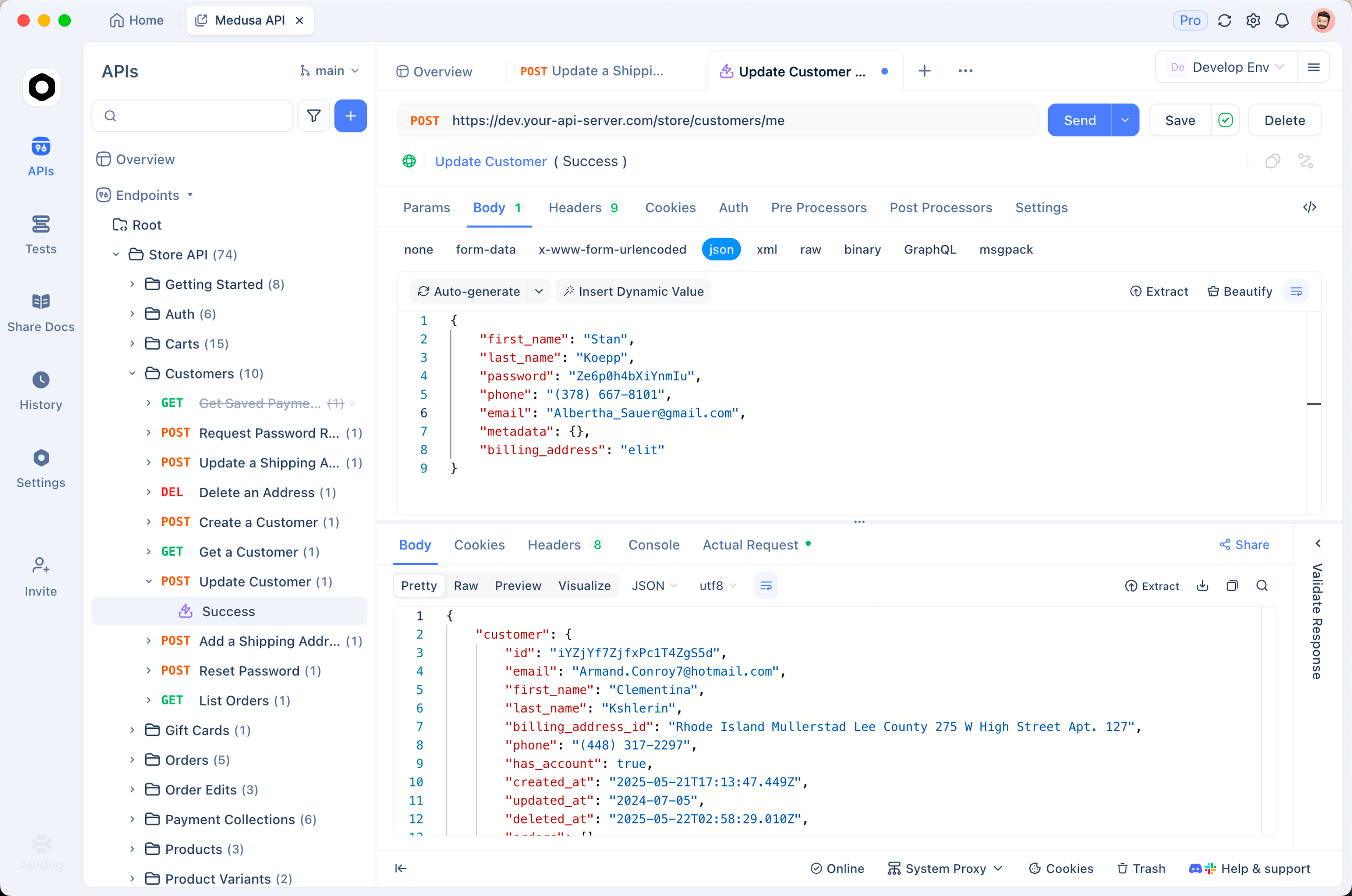
That’s where Apidog earns its place. Point an Apidog environment at https://api.deepseek.com/v1, drop in your API key, and import the OpenAI Chat Completion schema. You can:
- Record golden responses from V4-Pro and replay them on every prompt change to catch drift.
- Validate
tool_callsshapes with JSON Schema assertions so a bad system-prompt edit doesn’t break your production agent silently. - Compare V4-Pro and GPT-5.5 side by side on the same input batch using Apidog’s test scenarios.
Download Apidog, import the DeepSeek OpenAPI spec, and you have a working V4-Pro test bench in five minutes. The same workflow we walk through in How to use the DeepSeek V4 API.
Common pitfalls
400 errors after the first tool call. The classic failure mode this proxy was built to fix. If you still see it after setup, the proxy isn’t running or Cursor is pointed at the wrong base URL. Re-check that the URL ends with /v1 and that the proxy log shows incoming requests.
ngrok tunnel keeps reconnecting. Free-tier tunnels rotate on restart. If Cursor’s verification passes but then fails minutes later, your tunnel cycled. Move to a reserved domain (one-click in the ngrok dashboard) and pass it with --ngrok-url.
Reasoning content shows up duplicated. This happens when two proxy instances run with the same SQLite cache path. Stop both, delete ~/.deepseek-cursor-proxy/reasoning_content.sqlite3, and start one instance.
Cache hit ratio looks low. DeepSeek’s prompt cache requires byte-identical prefixes. Cursor injects timestamps and session IDs into some system prompts, which kill cache hits. The fix isn’t inside the proxy; either accept the cost or use Cursor’s “no-system-prompt” mode for V4-Pro sessions.
Cursor reports “model not found.” The model name in Cursor’s settings must match a real DeepSeek model. Valid values today are deepseek-v4-pro, deepseek-v4-flash, deepseek-v3-2-pro, and deepseek-r1-1. The proxy doesn’t translate names; it forwards them.
Alternatives if the proxy isn’t right for you
The proxy is the cleanest path today, but two alternatives exist:
- V4-Flash without the proxy. V4-Flash is not a thinking model and does not return
reasoning_content. Cursor talks to it directly with no workaround. You give up the chain-of-thought boost but keep the integration simple. Pricing is $0.14 / $0.28 per million tokens. - Cline, Continue, or other AI IDE plugins with native thinking-model support. These tools handle
reasoning_contenton tool-call messages natively. If you’re not committed to Cursor specifically, switching the editor is sometimes easier than running the proxy. See Best open source coding assistants in 2026: free Cursor alternatives for the field.
Other Cursor model integrations covered in detail: Claude Opus 4.6 with Cursor, Kimi K2.5 with Cursor, and Gemini 3.0 Pro with Cursor.
FAQ
Why doesn’t Cursor support DeepSeek V4-Pro natively? Cursor’s chat client follows the OpenAI Chat Completions schema. reasoning_content isn’t part of that schema; it’s a DeepSeek-specific extension that emerged with the R1 family and stayed in V4-Pro. Cursor would need to add provider-specific handling to pass the field through. They may; until then, the proxy is the workaround.
Does the proxy work with DeepSeek R1 or V3.2? Yes. Any DeepSeek thinking model that returns reasoning_content and requires it on tool-call follow-ups is supported. Set the model name in Cursor’s settings to the real DeepSeek model identifier.
Is the proxy safe to leave running? Yes, with one caveat: the SQLite cache contains raw reasoning content from your sessions. If you run multi-user setups or share machines, restrict the cache directory’s permissions or run with --no-cache (in-memory only, which means tool calls fail after a proxy restart).
Can I use the proxy without ngrok? Yes, with --no-ngrok. The proxy then exposes only http://127.0.0.1:9000. Cursor’s custom-model UI rejects http:// URLs in standard releases, but some sideloaded builds and patched configs accept localhost. Most users will want ngrok or an equivalent (Cloudflare Tunnel, Tailscale Funnel).
Does this work with Cursor Composer 2.5? Composer uses the same model-routing pipeline as the chat panel, so yes. The first tool call inside a Composer agent will trip the same reasoning_content requirement and the proxy fixes it the same way.
What’s the latency overhead of the proxy? Negligible. The proxy adds one local network hop, one SQLite lookup, and a few KB of JSON manipulation per request. Measured overhead is 5 to 15 ms per call. ngrok adds 30 to 80 ms depending on the closest edge. The proxy is not the bottleneck.
How does the proxy decide what to cache? It hashes the conversation prefix (everything before the latest user or tool message), keys the SHA-256 of that hash to the reasoning_content from the last DeepSeek response, and stores both in SQLite. On the next request, it computes the hash of the new prefix and looks up the matching entry. This is conservative. Partial-prefix matches don’t trigger a cache hit, so two near-identical conversations don’t pollute each other.
Will Anthropic, OpenAI, or Cursor break this? Anthropic and OpenAI are not involved. Cursor could either add native thinking-model support (in which case the proxy becomes unnecessary) or change the request format in a way that breaks the proxy. The repo is maintained; watch its issues for compatibility updates.
Where this leaves you
V4-Pro’s coding capability lands within a few benchmark points of GPT-5.5 (DataCamp comparison) at roughly 1/34 the output price. The only blocker for Cursor users has been an API-contract mismatch around reasoning_content. The deepseek-cursor-proxy repo solves that in under a hundred lines of meaningful code and a five-minute setup.
Three concrete next steps:
- Install the proxy and run a side-by-side test against your current Cursor default on five real pull requests from your repo.
- Audit your Cursor system prompt for variable content (timestamps, session IDs) that destroys cache hits. Move that content into the user message.
- Wire up an Apidog regression suite against
api.deepseek.comso you can catch contract drift without retesting through Cursor each time.
The thinking-token tax is paid. The price tag isn’t.