
CRUD operations are essential in any web application that involves data storage and retrieval. These operations allow users to create new records, retrieve existing records, update existing records, and delete records from a database.
FastAPI makes it easy to implement CRUD operations by providing a simple and intuitive way to define API endpoints and handle HTTP requests. It leverages Python's type hints to automatically generate interactive API documentation and perform data validation, making it a powerful tool for building robust and well-documented APIs.
 Jason Chan
In this post, we will explore how to quickly implement CRUD operations with FastAPI. We will start by setting up FastAPI and the database, then proceed to create the API endpoints for the CRUD operations. We will also cover the implementation of the create, read, update, and delete operations, as well as testing and validating these operations. So let's get started and dive into the world of FastAPI and CRUD operations!
What is CRUD in FastAPI?
In FastAPI, CRUD refers to the basic operations that can be performed on data in a database or data storage system. CRUD stands for Create, Read, Update, and Delete, and it represents the fundamental functionalities that are essential for managing data in most applications.

Here's a detailed explanation of CRUD operations in FastAPI:
- Create (C): This operation involves adding new data to the database. In FastAPI, you can create data by sending a POST request to the appropriate endpoint. For example, to add a new user to the system, you would send a POST request to the user creation endpoint with the relevant user details in the request body.
- Read (R): The Read operation is about retrieving existing data from the database. In FastAPI, you can perform Read operations using GET requests. For instance, if you want to retrieve all users or a specific user's details, you would send a GET request to the respective endpoint.
- Update (U): This operation allows you to modify existing data in the database. In FastAPI, you can update data using PUT or PATCH requests. PUT request is used to update the entire resource, while PATCH is used to modify specific fields of the resource. For instance, to update a user's information, you would send a PUT or PATCH request to the user endpoint with the updated details.
- Delete (D): The Delete operation involves removing data from the database. In FastAPI, you can delete data using DELETE requests. For example, to delete a user from the system, you would send a DELETE request to the user endpoint with the user's identifier or unique key.
How to Create CRUD Operations with FastAPI Quickly
To implement CRUD functionality with FastAPI, follow these steps:
Step 1: Install FastAPI: Ensure that Python is installed on your system, and execute the following command in the command line to install FastAPI:
pip install fastapi
Step 2: Create a FastAPI Application: Create a new Python file (e.g., main.py) and import the required modules and libraries:
from fastapi import FastAPI
from pydantic import BaseModel
from typing import List

app = FastAPI()
Step 3: Define Data Models: Use Pydantic to define data models. For example:
class Item(BaseModel):
    id: int
    name: str
    price: float
Step 4: Create CRUD Routes and Handlers: Use FastAPI to create routes and corresponding handling functions for CRUD operations. Here's an example:
items = []

@app.get("/items", response_model=List[Item])
async def read_items():
    return items

@app.post("/items", response_model=Item)
async def create_item(item: Item):
    items.append(item)
    return item

@app.put("/items/{item_id}", response_model=Item)
async def update_item(item_id: int, item: Item):
    items[item_id] = item
    return item

@app.delete("/items/{item_id}")
async def delete_item(item_id: int):
    del items[item_id]
    return {"message": "Item deleted"}
Step 5: Run the Application: To run the FastAPI application and test the APIRouter functionality, use an ASGI server like uvicorn. Make sure you have uvicorn installed:
pip install uvicorn
In your IDE editor, open the terminal, navigate to the directory where the main.py file is stored, and run the following command to start the application:
uvicorn main:app --reload
This will start the FastAPI application on the default port (usually 8000) with auto-reloading enabled, so the application will reload automatically when you make code changes.
Step 6: Test CRUD Operation
Use an HTTP client tool (e.g., cURL or Apidog) to send requests and test the Create, Read, Update, and Delete functionalities. Here are some example requests:
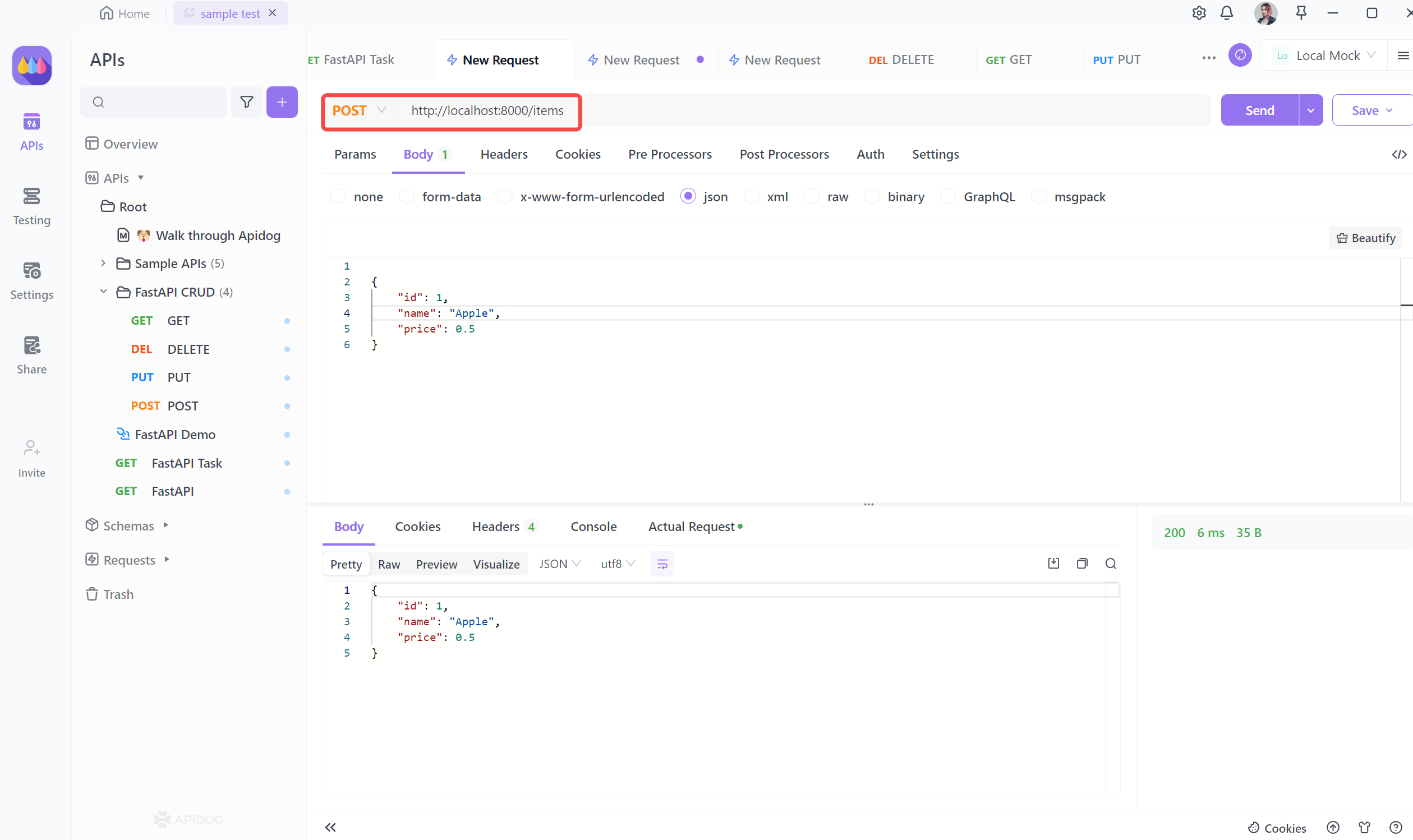
- Create a new item: Send a POST request with the request body to create a new item.
POST http://localhost:8000/items
{
    "id": 1,
    "name": "Apple",
    "price": 0.5
}
- Get all items: Send a GET request to retrieve all items.
GET http://localhost:8000/items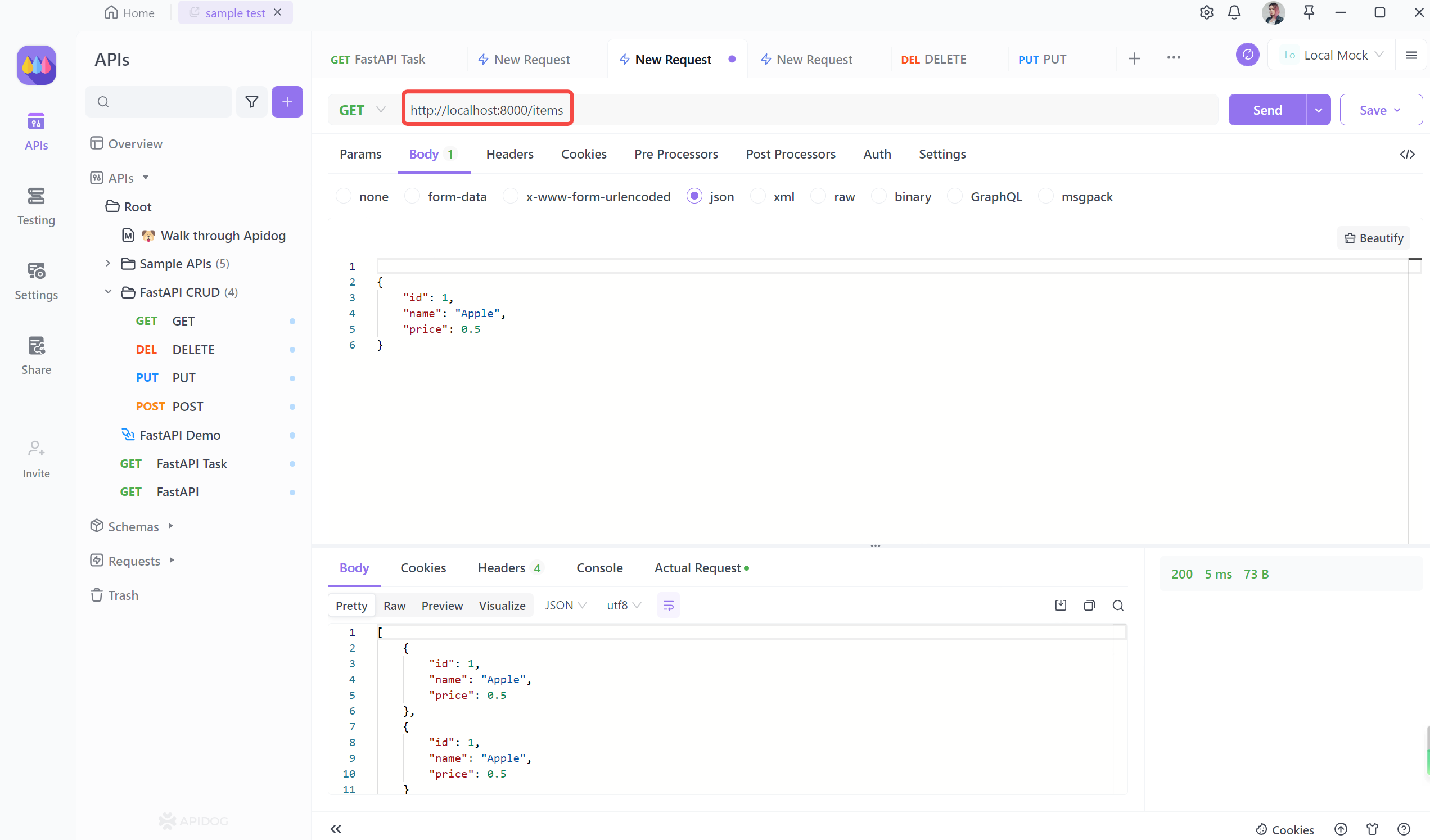
- Update an item: Send a PUT request with the request body to update an item.
GET http://localhost:8000/items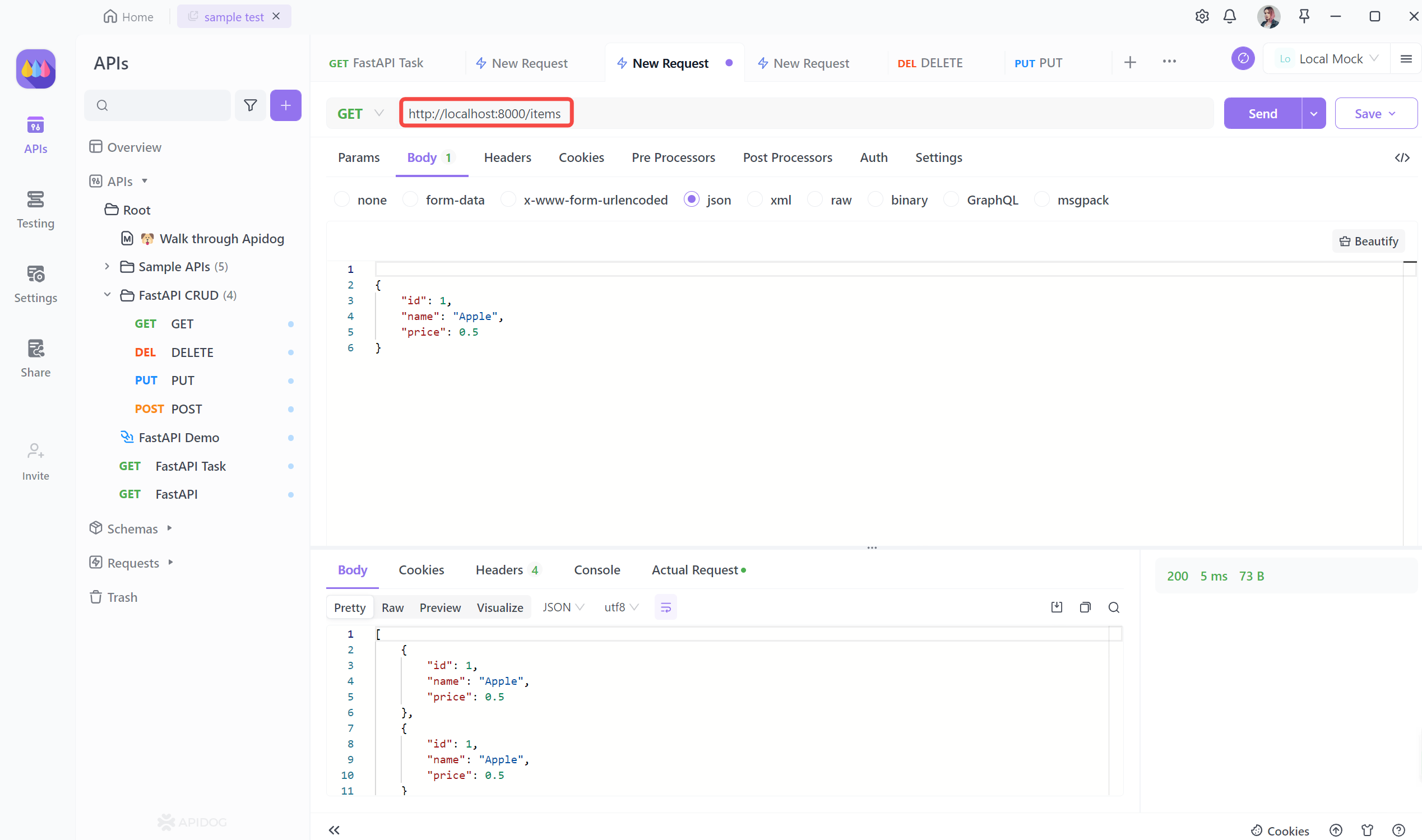
- Delete an item: Send a DELETE request to delete an item.
DELETE http://localhost:8000/items/1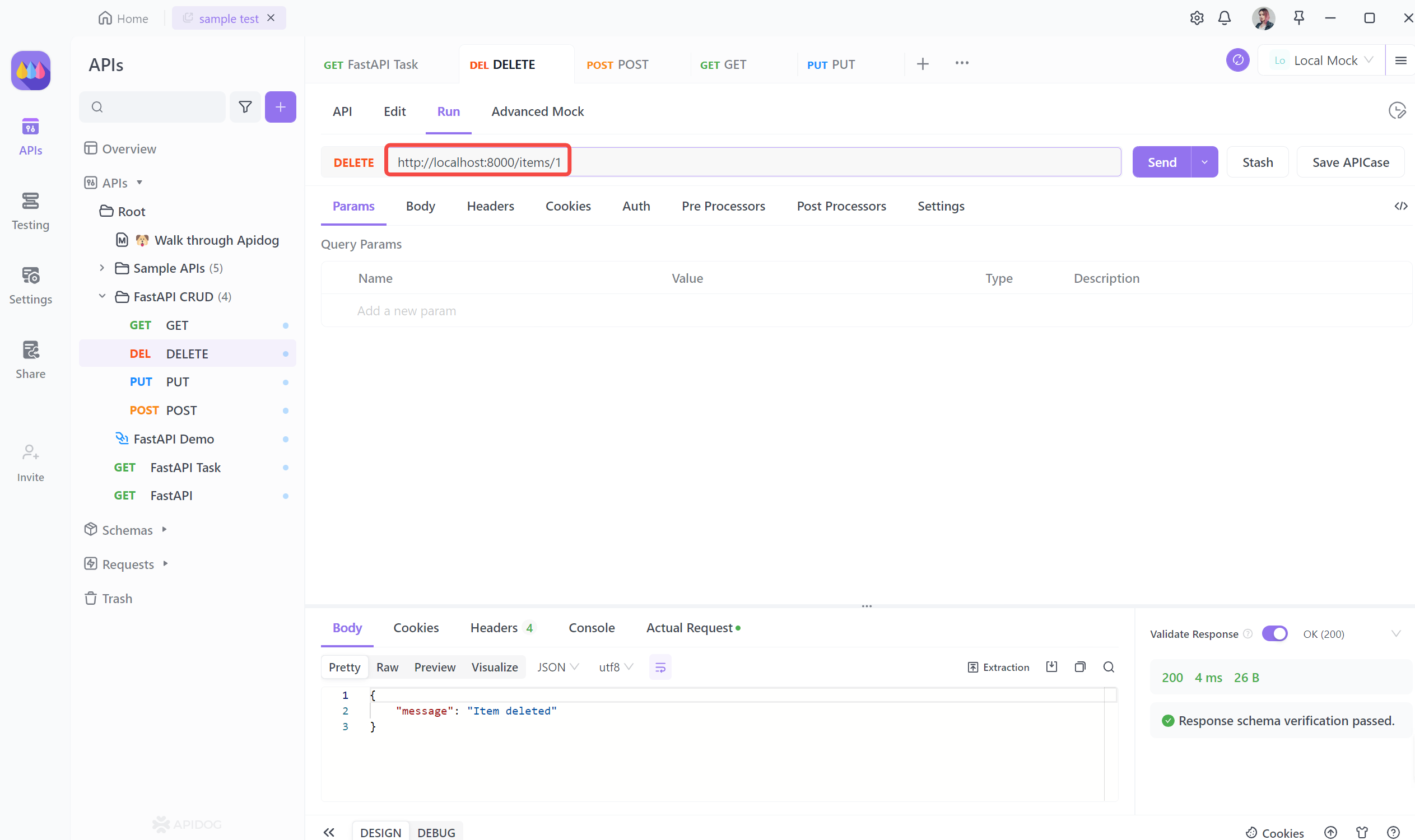
Lastly, we can write tests for the delete operation in Apidog. We can simulate a DELETE request to the delete endpoint and check if the response status code is 200 (indicating a successful deletion). We can then try to retrieve the deleted data from the database and ensure that it does not exist.
By writing these tests, we can ensure that our CRUD operations are working correctly and handle different scenarios, such as invalid input or non-existent data.
Bonus Tips
Use IDE support like Visual Studio Code for improved development efficiency with code autocompletion, error checking, and debugging features.
- When using FastAPI, leverage IDE support like Visual Studio Code for improved development efficiency with code autocompletion, error checking, and debugging features.
- Organize your codebase by separating routes and handling functions into different modules, promoting maintainability and scalability. Utilize FastAPI's async support for asynchronous operations to enhance performance and concurrency capabilities.
- Ensure API security with proper authentication and authorization mechanisms. Use Pydantic models for data validation and serialization to maintain data consistency and handle errors effectively. Implement CORS for cross-origin resource sharing when required.
- Create comprehensive unit and integration tests to ensure API reliability and functionality. Handle errors gracefully with FastAPI's exception handling and custom error responses. Monitor performance with logs and profilers, and keep FastAPI and its dependencies up to date for bug fixes and new features.
By following these practices, you can develop robust and efficient APIs with FastAPI, streamlining your development and deployment process.