Designing automated test scenarios is often an iterative process that evolves over time. As projects progress, different teams may need to borrow or share test scenarios with one another. In such cases, having the ability to conveniently import and export test scenarios can significantly improve work efficiency and avoid redundant labor. Additionally, when conducting project migrations or refactoring, preserving and transferring test scenario data becomes extremely important.
For example, in a large microservices architecture project, different teams might be responsible for different microservices, each with their own API interfaces and functional modules. As development progresses, teams often need to reference existing test scenarios from other teams, and in some cases, they may need to adjust and optimize test scenarios created by other teams. Furthermore, when a new project is launched, teams can leverage test scenarios from existing projects to avoid starting from scratch, and the accumulated experience throughout the lifecycle will undoubtedly significantly improve the startup efficiency of new projects.
To meet these needs, Apidog provides a simple and intuitive way to help users export entire project test scenarios in Apidog format files, which can then be imported into other projects. Besides this method, you can also directly import test scenarios from other teams or projects within test steps. The specific operation steps are as follows:
Test Scenario Import and Export Process
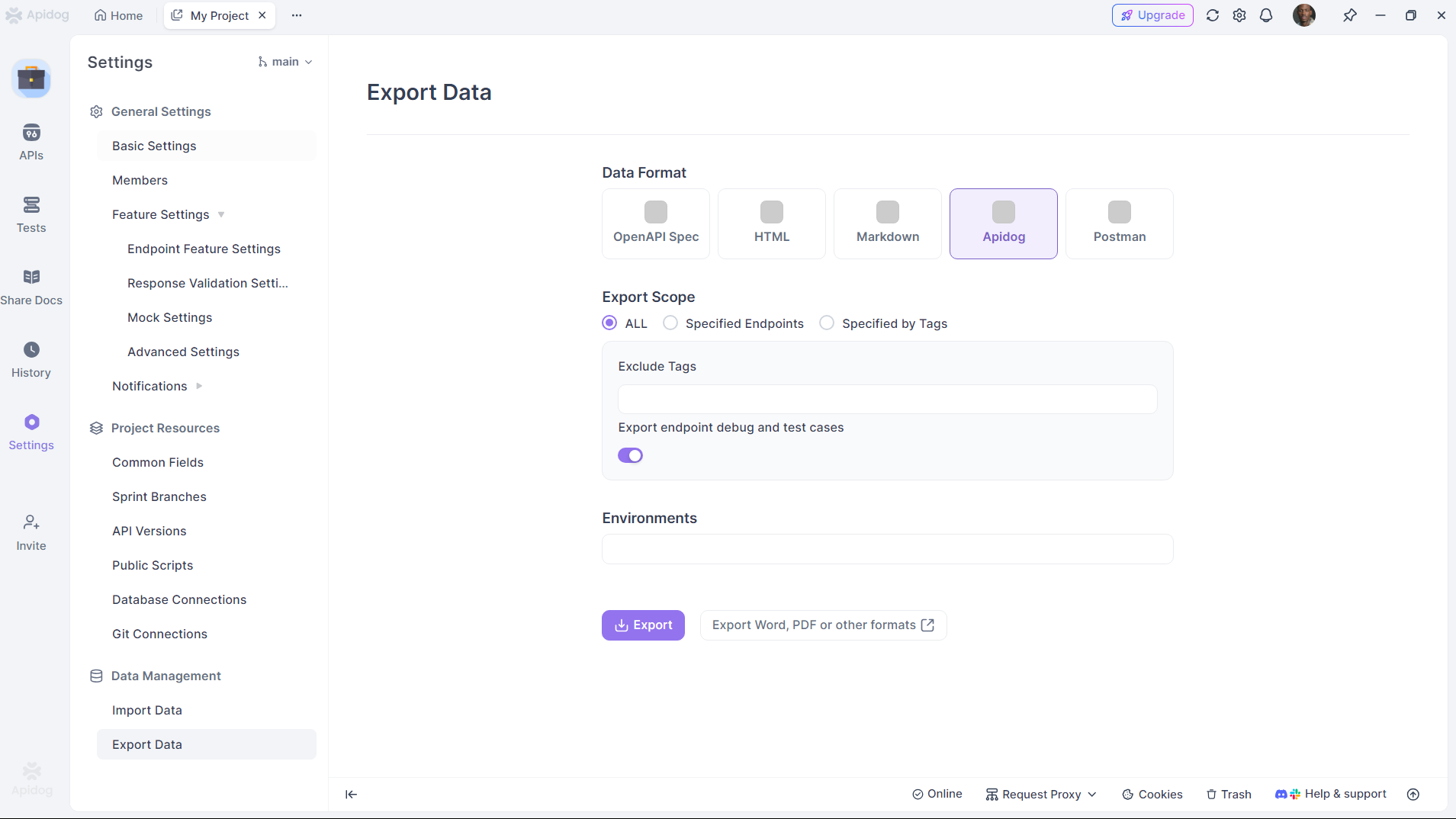
1. Export Project Data
In the "Project Settings -> Export Data" panel, select the data format as Apidog, choose the export scope as "All," and then export it.
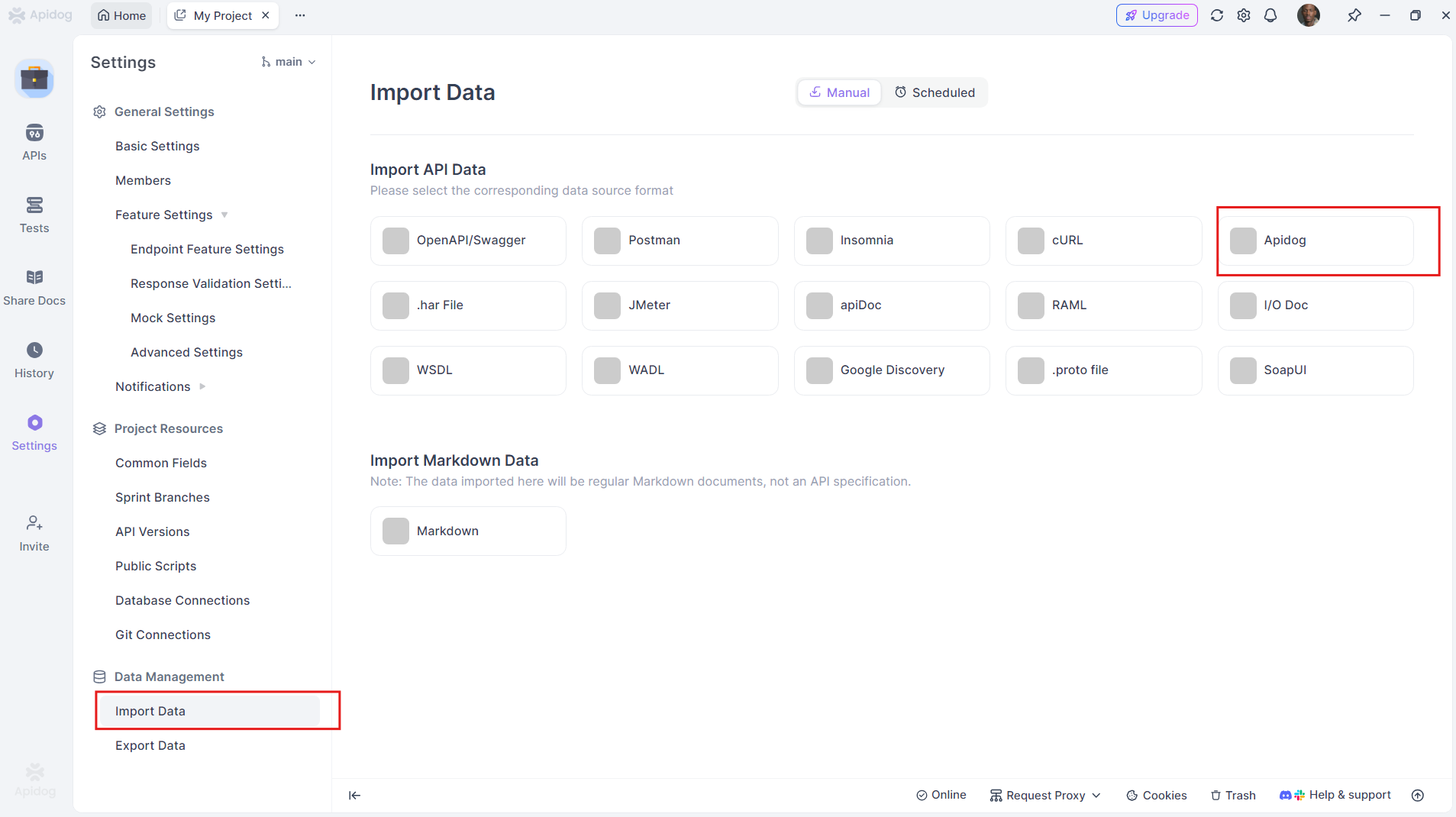
2. Import Data to New Project
After exporting the data, you can select any project, then in the "Project Settings -> Import Data" panel, select Apidog format data and upload to import.
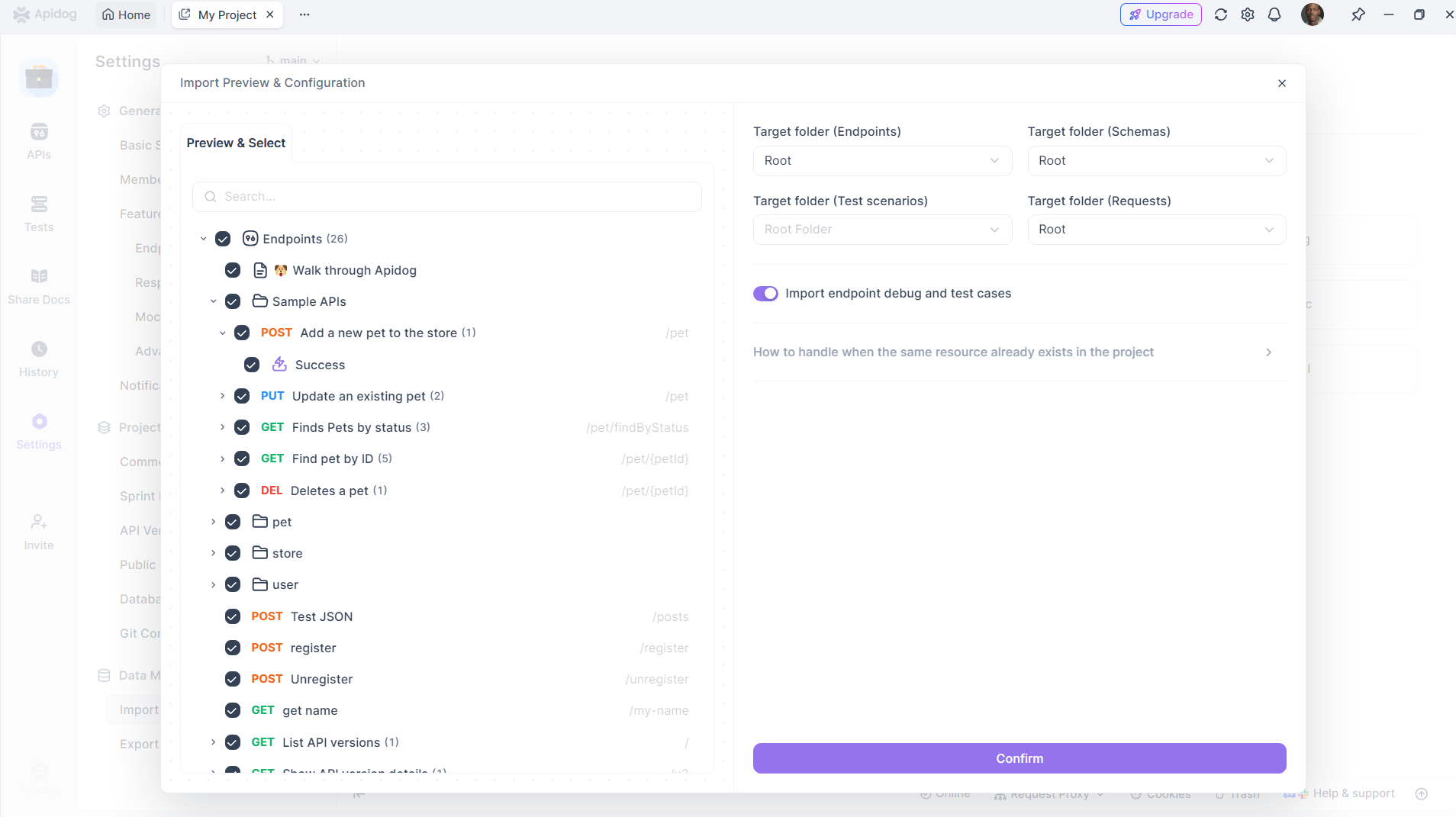
In the preview window, you can view all imported test scenarios and select specific scenarios to check according to your needs.
Simpler Method: Cross-Project and Cross-Team Import
Besides the method mentioned above, there's another approach where you can directly reference other test scenarios within test steps.
You can reference test scenarios from the current project, as well as test scenarios from other projects or other teams. However, the prerequisite is that you have the corresponding project administrator permissions.
Conclusion
Apidog's batch import and export functionality for test scenarios makes sharing test scenarios between projects simple and efficient. As project complexity continues to deepen, having flexible methods to manage and adjust test scenarios will greatly enhance team work efficiency. Through this series of operations, you can focus on core development tasks without worrying about test scenario management and migration issues.