The GPT-Live-1.1 API is OpenAI’s full-duplex voice model, served on v1/live/sessions. You open a session over WebRTC, WebSocket or SIP, send a session config with the model, instructions and voice, and let it hand reasoning and tool calls to a backend Responses model through delegation. It costs $0.05 per active minute and $0.02 per standby minute.
OpenAI made GPT-Live-1.1 available in the API on November 20, 2026, per its OpenAI Developers announcement. If you read our July coverage, Is there a GPT-Live API? answered “not yet”. That changed. This guide walks you through a working session, a delegation config, a function tool, and a test setup for the backend your voice agent calls.
What is the GPT-Live-1.1 API?
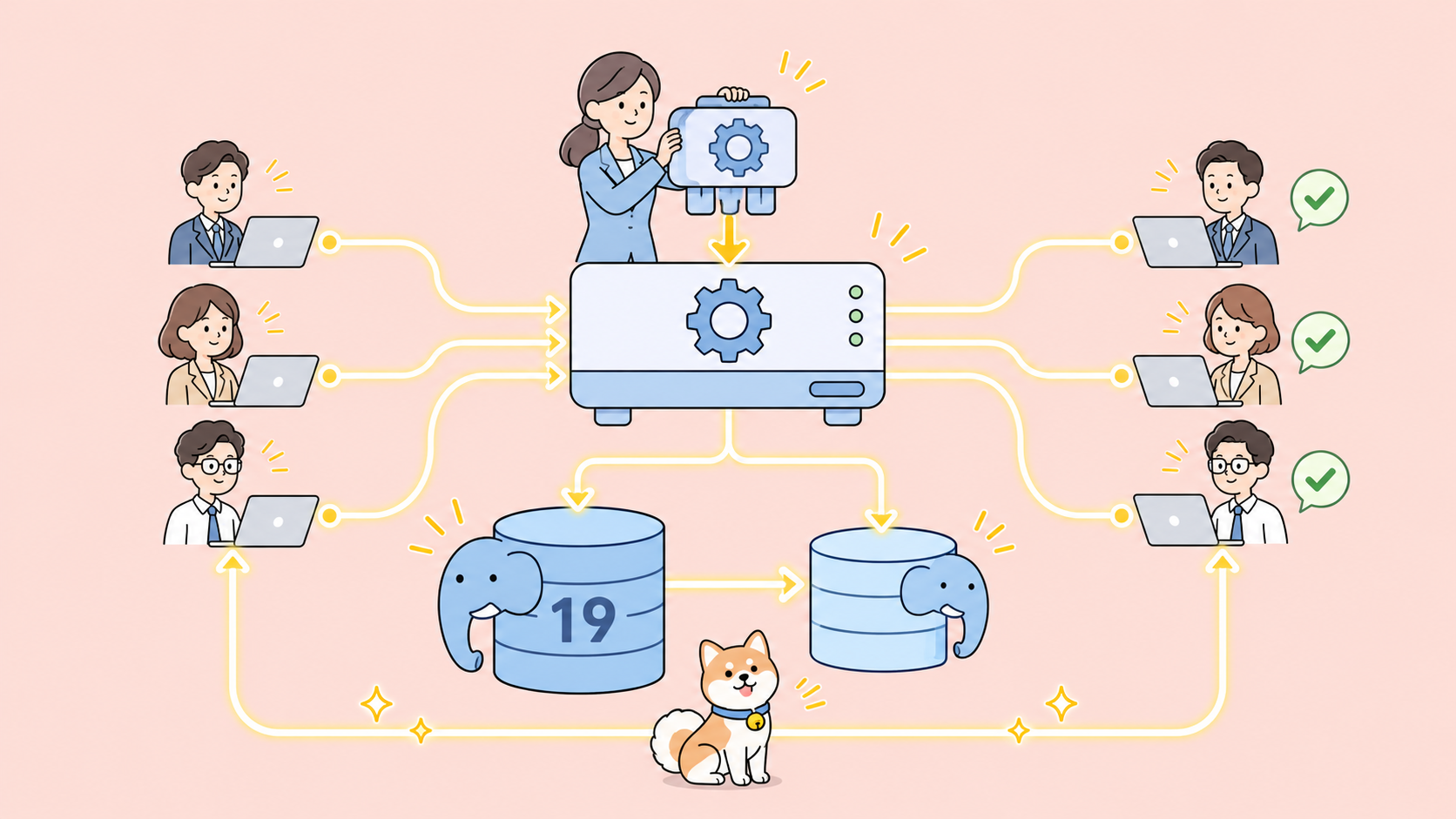
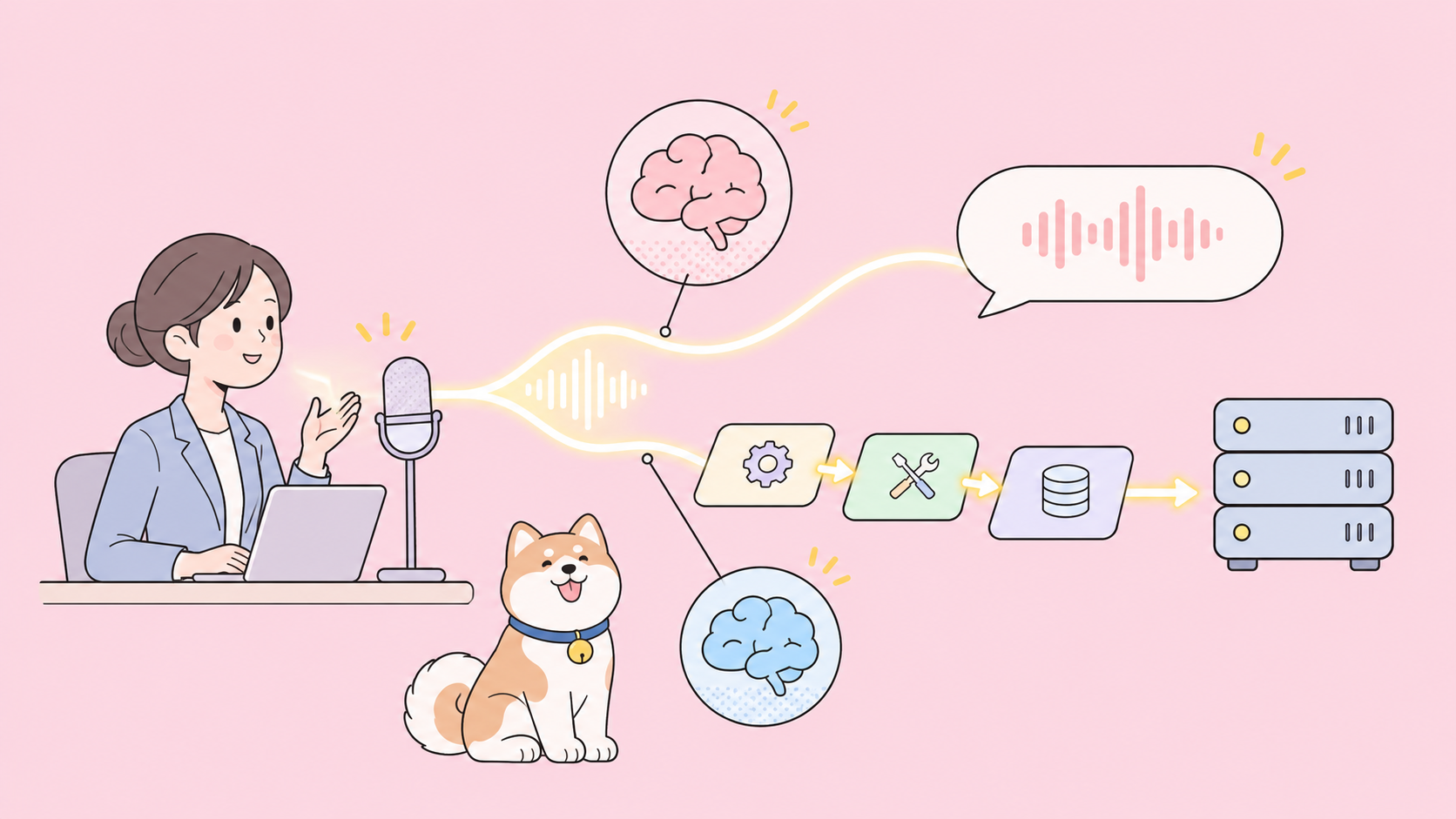
GPT-Live-1.1 is a speech-in, speech-out model that listens while it speaks. It runs on the v1/live/sessions endpoint, not v1/realtime or v1/responses. Its own job is the conversation. Heavier reasoning and tool use go to a backend model you configure, so the voice stays responsive while the work runs.
Here’s what the GPT-Live-1.1 model page lists today:
| Item | GPT-Live-1.1 |
|---|---|
| Model ID | gpt-live-1.1 (one snapshot) |
| Input / output | Audio and text in, audio and text out |
| Endpoint | v1/live/sessions only |
| Transports | WebRTC (recommended), WebSocket, SIP |
| Active price | $0.05 per minute |
| Standby price | $0.02 per minute (WebRTC, inference paused) |
| Backend model and tools | Billed separately at their normal rates |
| Concurrency | Separate limit from GPT-Live-1, per organization |
For the product background, see what GPT-Live is and how it differs from GPT Realtime.
GPT-Live-1.1 vs GPT-Live-1: what changed
The model page and the prompting guide list four practical differences:
- Transcription: 1.1 “transcribes speech more accurately”.
- Voice: 1.1 keeps “a more consistent accent and voice across languages”.
- Delegation prompts: 1.1 takes plain language (“Delegate to the backend when:”). GPT-Live-1 needs the
<|SpawnThinking|>marker in its policy. - Billing wording: GPT-Live-1 is billed per second and never rounds up to a whole minute. The 1.1 page says only “billed by duration”.
Both models share the same endpoint, prices and session shape, so moving to 1.1 is mostly a model string change plus a cleaner prompt.
How to open a GPT-Live-1.1 session
The GPT-Live getting started guide recommends WebRTC for browser, mobile and server audio. WebSocket is the simpler path for a server-side prototype, so start there:
- Open
wss://api.openai.com/v1/live/sessionswithAuthorization: Bearer $OPENAI_API_KEYand no query parameters. - Send
session.startas the first message, with yoursessionconfig. - Wait for
session.startedbefore you send audio. - Stream audio in the format you picked. The default is 24 kHz PCM.
import WebSocket from "ws";

const ws = new WebSocket("wss://api.openai.com/v1/live/sessions", {
  headers: { Authorization: `Bearer ${process.env.OPENAI_API_KEY}` },
});

ws.on("open", () => {
  ws.send(JSON.stringify({
    type: "session.start",
    event_id: "start_1",
    session: {
      model: "gpt-live-1.1",
      instructions: "You are the voice agent for Acme order support. Keep answers short.",
      audio: {
        format: { type: "audio/pcm", rate: 24000 },
        output: { voice: "marin" },
      },
    },
  }));
});

ws.on("message", (raw) => {
  const msg = JSON.parse(raw);
  if (msg.type === "session.started") console.log("Session ready");
});
A few config rules from the conversation guide:
instructionstakes up to 16,384 tokens. Add more mid-session withsession.instructions.append(500 tokens per append).audio.output.voicedefaults tomarin. Other API names includequartz,stone,meridianandwillow.- WebSocket formats are
audio/pcmat 24,000 or 16,000 Hz, andaudio/pcmuoraudio/pcmaat 8,000 Hz for telephony. storedefaults tofalse. Changingmodelneeds a new session.
For production in a browser, switch to WebRTC. Your server holds the API key and relays the browser’s SDP offer:
const res = await fetch("https://api.openai.com/v1/live/sessions", {
  method: "POST",
  headers: {
    Authorization: `Bearer ${process.env.OPENAI_API_KEY}`,
    "Content-Type": "application/json",
  },
  body: JSON.stringify({
    session: { model: "gpt-live-1.1", instructions: "..." },
    transport: { type: "webrtc", sdp: offerSdp },
  }),
});
const { session, transport } = await res.json(); // HTTP 201
// session.id looks like "live_123"; return transport.sdp to the browser
Leave audio.format out of WebRTC requests, and don’t send session.start on the data channel. Note one billing detail: creating a WebRTC session bills 15 seconds during initialization, credited once the session runs.
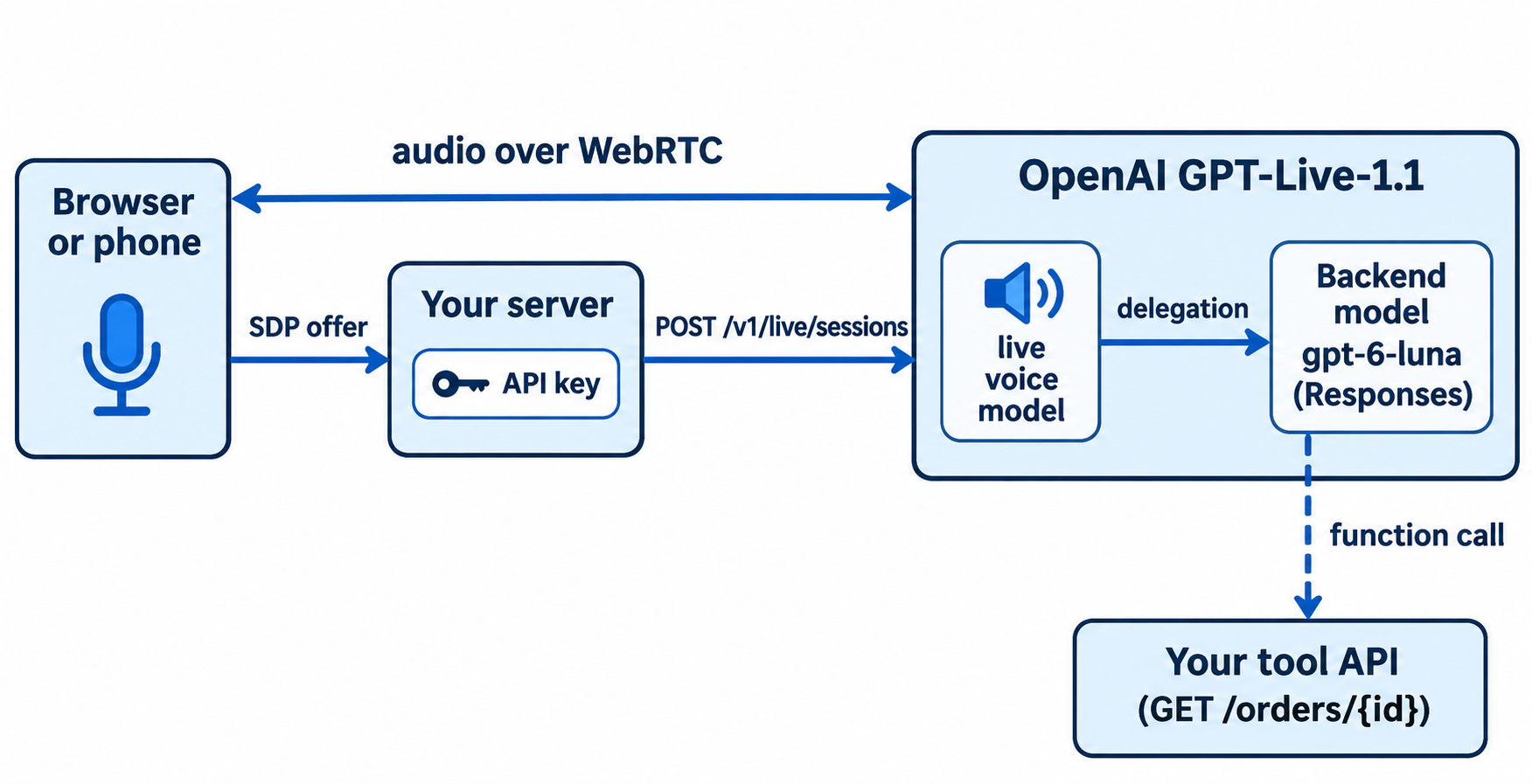
GPT-Live-1.1 delegation: let a backend model do the thinking
Delegation is the reason this API exists. The voice model keeps talking while a backend model reasons, searches or calls tools. You pick one of two modes at session creation, and you can’t switch modes mid-session.
| Mode | delegation.type |
Who runs the backend | Best for |
|---|---|---|---|
| Responses | "responses" |
OpenAI, using the model and tools you configure | Most apps; hosted tools, function calling |
| Client | "client" (also the default) |
Your app | Your own agent loop or a non-OpenAI backend |
The delegation guide suggests starting with gpt-6-luna and trying gpt-6-sol for harder backend tasks. If you haven’t picked one, our GPT-6 Luna overview covers the trade-off.
"delegation": {
  "type": "responses",
  "responses": {
    "model": "gpt-6-luna",
    "instructions": "Look up orders with get_order. Answer in one sentence.",
    "tools": [{ "type": "web_search" }],
    "tool_choice": "auto",
    "parallel_tool_calls": false
  }
}
The responses block also takes max_output_tokens (16 or more), service_tier (auto, default, flex or priority, where priority is fast mode) and the reasoning and text settings your backend model supports. You can change these fields mid-session with session.update. Validation is asynchronous: a bad config arrives as an error with code responses_validation_failed, and the session stays open.
Then tell the voice model when to delegate. With 1.1 that’s plain language in instructions:
Delegate to the backend when: the caller asks about an order, a refund or anything you must look up.
Do not delegate when: the caller greets you, asks you to repeat, or says goodbye.
While the backend works, briefly say what you are checking.
The prompting guide warns that a spoken “I’m checking that” doesn’t prove backend work started. Watch for session.delegation.created in your logs instead.
Add function calling to a GPT-Live-1.1 session
Hosted tools like web search run inside OpenAI. Your own functions run in your app. Put a standard Responses function tool in delegation.responses.tools:
{
  "type": "function",
  "name": "get_order",
  "description": "Get the shipping status of an order by its ID.",
  "parameters": {
    "type": "object",
    "properties": { "order_id": { "type": "string" } },
    "required": ["order_id"],
    "additionalProperties": false
  },
  "strict": true
}
The backend’s events reach you wrapped in a response.event envelope that carries a delegation_id and a nested event. A finished function call arrives as a nested response.output_item.done whose item has call_id, name and arguments. Run the function, send a response.item.create with the result, then send response.create:
ws.on("message", async (raw) => {
  const msg = JSON.parse(raw);
  if (msg.type !== "response.event") return;
  const ev = msg.event;
  if (ev.type !== "response.output_item.done" || ev.item?.type !== "function_call") return;

  const { order_id } = JSON.parse(ev.item.arguments);
  const order = await fetch(`${ORDERS_API}/orders/${order_id}`).then((r) => r.json());

  ws.send(JSON.stringify({
    type: "response.item.create",
    item: { type: "function_call_output", call_id: ev.item.call_id, output: JSON.stringify(order) },
  }));
  ws.send(JSON.stringify({ type: "response.create" }));
});
Three details trip people up:
- Appending the output alone doesn’t resume the backend. You need the
response.create. - Skip a pending result and you get
function_call_outputs_required. Duplicate or mismatchedcall_idvalues are rejected. - Forwarded
response.completedevents carry an emptyresponse.output. Read the individual output-item events.
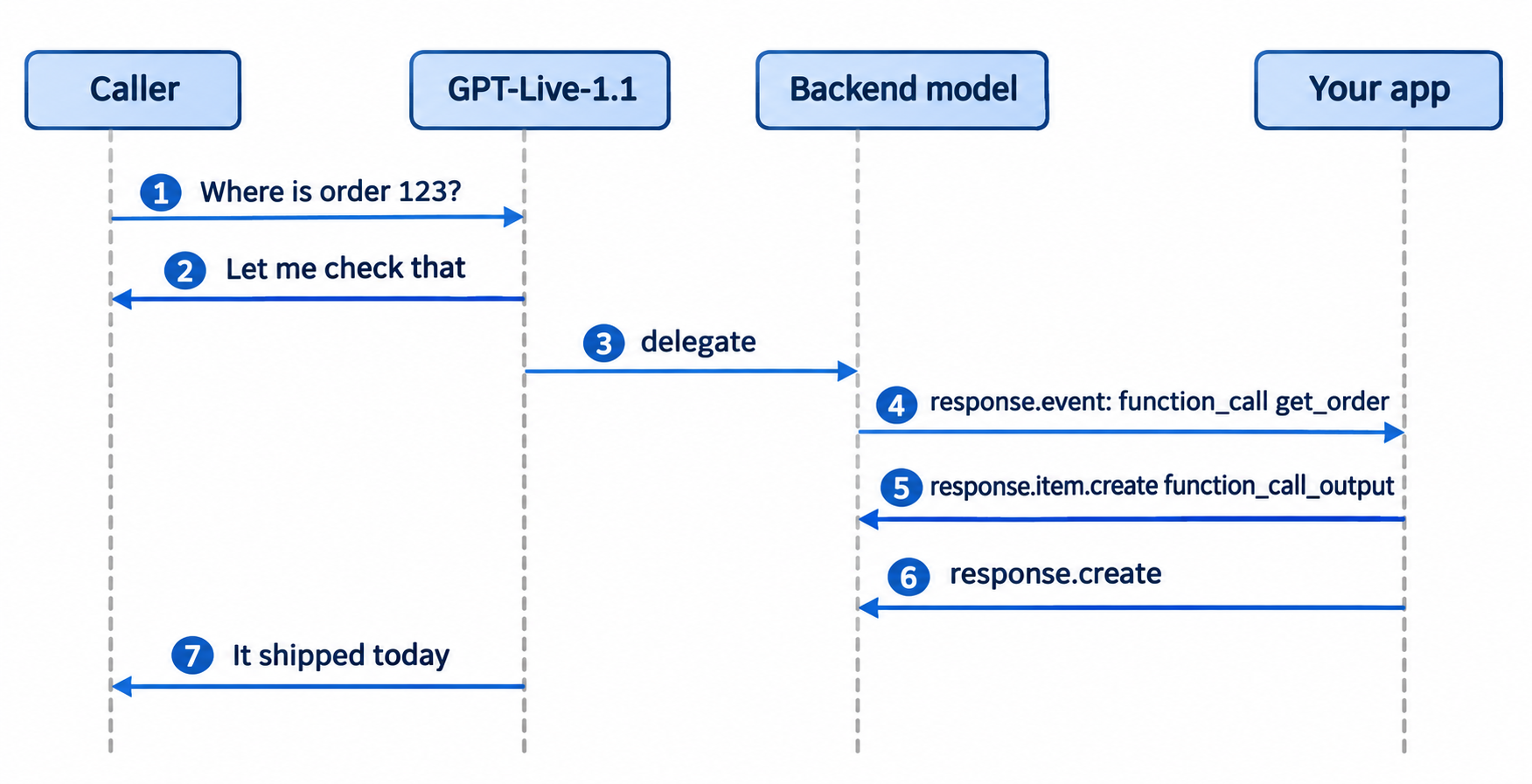
GPT-Live-1.1 pricing and limits
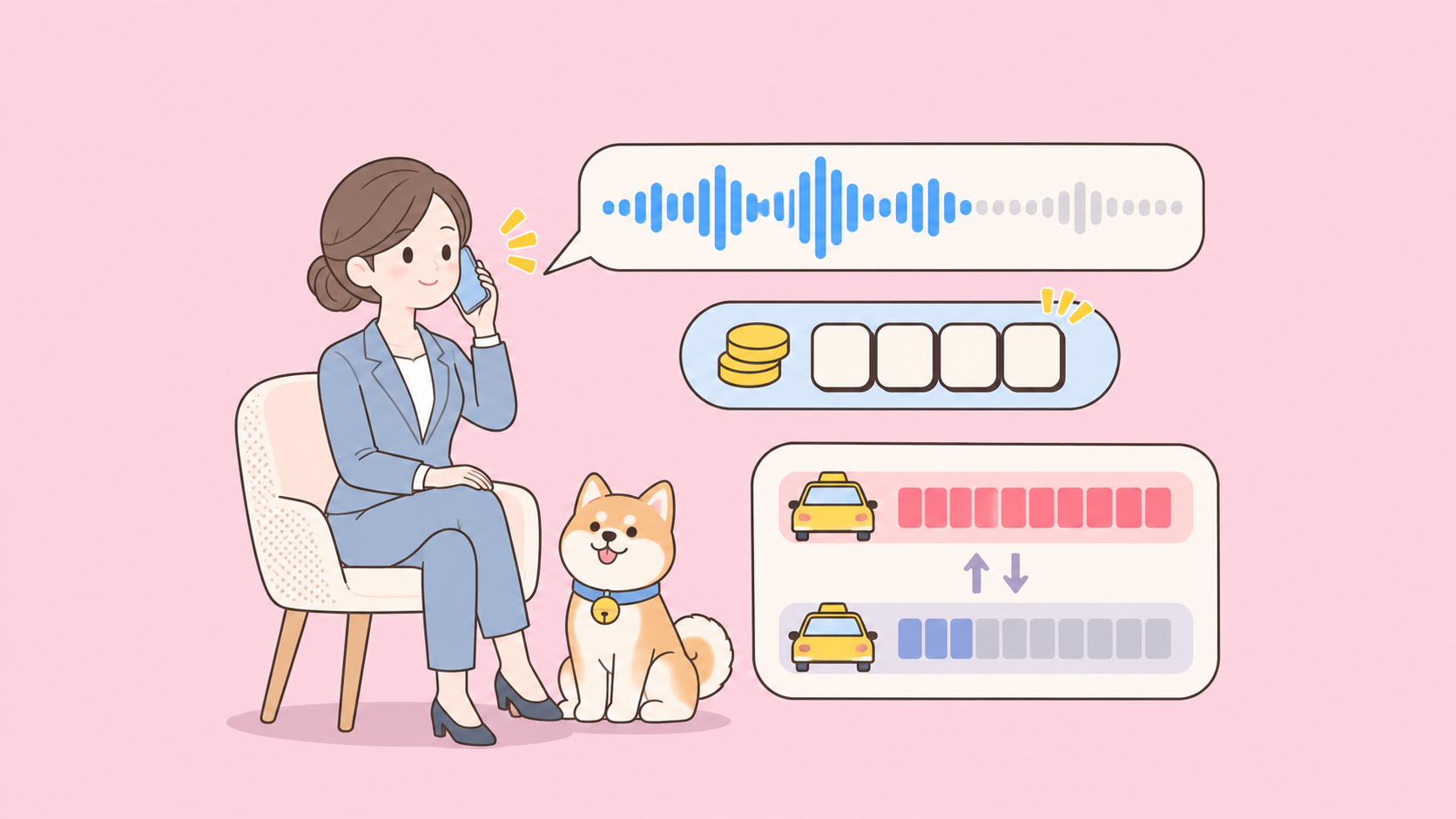
Voice time is cheap to reason about. A 5-minute support call that stays active the whole time costs 5 × $0.05 = $0.25 in voice time. A thousand of those is $250, plus whatever the backend model and tools bill at their normal rates.
| Cost line | Rate |
|---|---|
| Active voice | $0.05 per minute |
| Standby voice (WebRTC, inference paused) | $0.02 per minute |
| WebRTC initialization | 15 seconds, credited once the session runs |
| Backend model and tools | Normal pricing for that model and tool |
Rate limits count concurrent sessions, not tokens. GPT-Live-1.1 and GPT-Live-1 have separate limits that apply across inference regions. The GPT-Live-1 page lists 50, 300 and 500 concurrent sessions for the Build, Launch and Grow tiers, with no Free tier access. The 1.1 page gives no numbers, so check your organization’s limits page before a launch.
Let your coding agent test the tool backend with Apidog CLI
Your voice agent is only as reliable as the API behind get_order. A slow or malformed response turns into dead air or a wrong answer spoken out loud. So test that backend before any caller hears it, and let your coding agent do it with Apidog CLI.
Set it up once:
npm install -g apidog-cli@latest
apidog auth login --with-token <YOUR_TOKEN>
apidog skill install
Then give Claude Code, Codex or Cursor one prompt:
Import ./orders-openapi.yaml into Apidog project <projectId>. Create test cases for
GET /orders/{order_id}: a known ID returns 200 with a status field in under 800 ms,
and an unknown ID returns 404 with a JSON error. Run them against the staging
environment and tell me what failed.
The agent reads the schema, validates its payload, creates the cases and runs them:
apidog import --project <projectId> --format openapi --file ./orders-openapi.yaml
apidog cli-schema get test-case-create
apidog cli-schema validate test-case-create --file case.json
apidog test-case create --project <projectId> --file case.json
apidog run --test-case <caseId> --project <projectId> -e <envId> -r cli,json
The 800 ms budget matters for voice: the caller hears every millisecond your tool takes. Put the same apidog run with -r junit in CI so a regression fails the build, as shown in our Apidog CLI CI/CD guide. New to the agent workflow? Start with Apidog CLI in Claude Code. Apidog’s Free plan covers up to 4 users.
FAQ
Is GPT-Live-1.1 available in the API? Yes. Since November 20, 2026, you can call gpt-live-1.1 on v1/live/sessions over WebRTC, WebSocket or SIP. It isn’t served on v1/realtime, v1/responses or Chat Completions.
How much does the GPT-Live-1.1 API cost? $0.05 per active minute and $0.02 per standby minute. Backend model calls and tools are billed separately at their own rates.
What’s the difference between GPT-Live-1.1 and GPT Realtime? GPT-Live runs on its own endpoint, bills by voice duration, and hands reasoning to a backend model through delegation. GPT Realtime runs on v1/realtime. See our GPT-Live vs GPT Realtime comparison.
Which backend model should I use for delegation? OpenAI’s guide suggests gpt-6-luna to start and gpt-6-sol for more complex backend tasks. Set service_tier to priority if latency matters more than cost.
Can I use my own agent instead of a Responses model? Yes. Set delegation.type to client. Your app runs the backend work and sends results back with session.commentary.append. You also track transcripts yourself.
Does GPT-Live-1.1 support function calling? Yes, through Responses delegation. Define functions in delegation.responses.tools, read calls from response.event, and return results with response.item.create plus response.create.