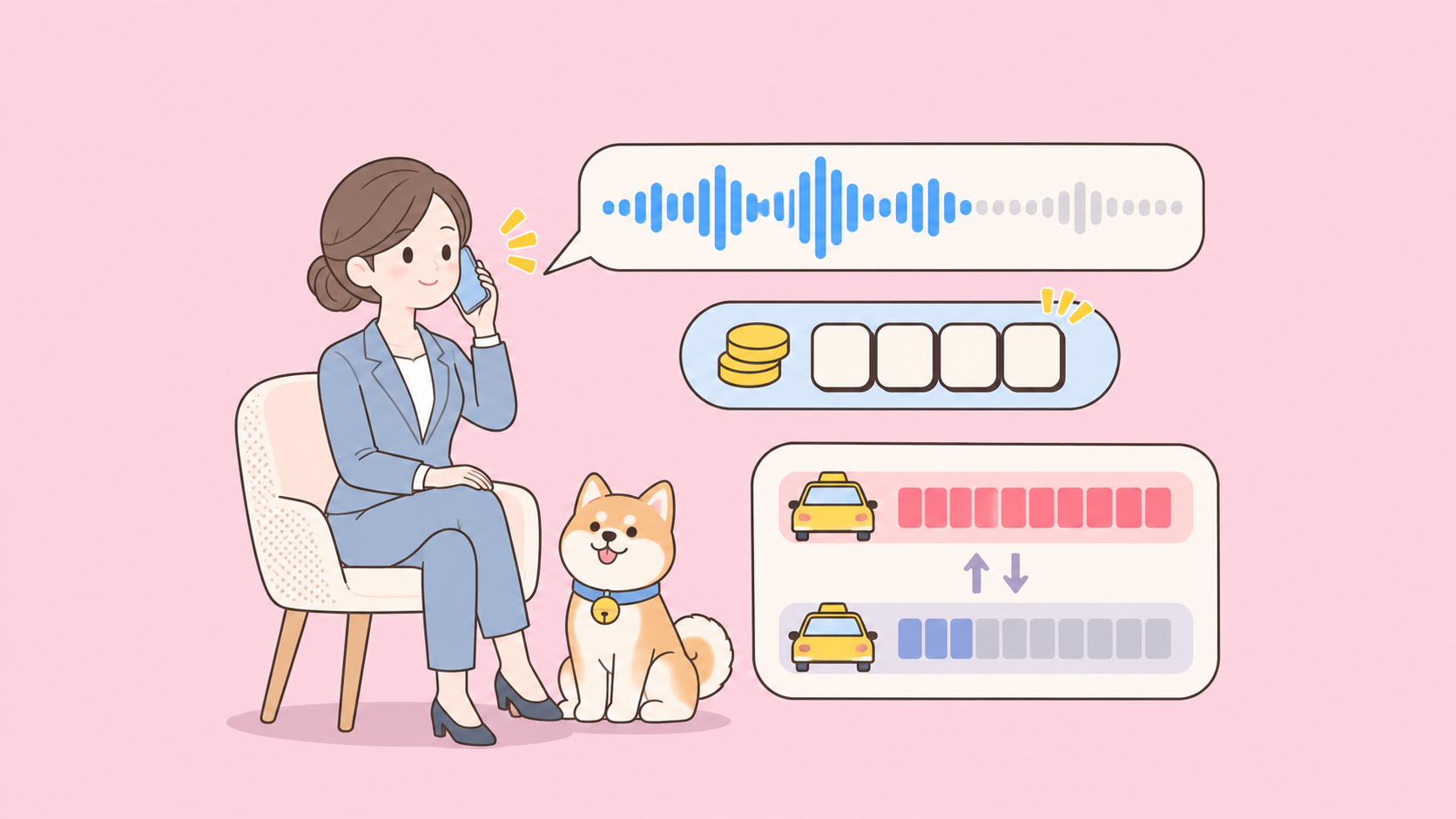
GPT-Live-1.1 pricing is time-based, not token-based. OpenAI bills the voice session at $0.05 per active minute and $0.02 per standby minute, charged per second with no rounding up to the next minute. Backend model and tool calls are billed separately at their normal rates. An hour of nonstop conversation costs $3.00 in voice charges; an hour parked on standby costs $1.20.
The rate card is short. What matters is how it behaves in a real app, where callers pause, backends think and sessions stay open too long. Below are three worked examples and the settings that keep the bill predictable.
GPT-Live-1.1 pricing at a glance
GPT-Live-1.1 has two voice rates and one separate bill for the backend. Here is what the GPT-Live-1.1 model page and the OpenAI pricing page list as of November 20, 2026:
| Charge | Rate | Per hour | Notes |
|---|---|---|---|
| Active session time | $0.05 per minute | $3.00 | Speech, silence before the idle timeout, waiting on backend work |
| Standby session time | $0.02 per minute | $1.20 | WebRTC only, while inference is paused |
| Backend Responses model | Normal token rates | Varies | Whatever model you pick for delegation |
| Hosted tools | Normal tool rates | Varies | Web search, file search, Code Interpreter and others |
Three details matter more than the headline rates:
- Per-second billing. A 90-second call costs $0.075, not $0.10; duration isn’t rounded up to a whole minute.
- Same price as GPT-Live-1. Both models share identical rates, so upgrading doesn’t change the voice bill.
- A 15-second startup charge. Creating a WebRTC session bills 15 seconds while it initializes, credited once the session runs. It only costs extra for sessions you create and abandon.
For background on the voice stacks, see GPT-Live vs GPT-Realtime.
What counts as active vs standby minutes
Active minutes are any time inference is running. Standby minutes are time a WebRTC session stays connected with inference paused, waiting for speech. The $0.03 per minute gap between them decides most of your voice bill.
OpenAI’s cost guide spells out what lands in the active bucket:
- Time the user or the model is speaking.
- Silence before your idle timeout expires.
- Time spent waiting for backend work while inference is running.
Muting the microphone does not trigger standby; the session keeps billing at $0.05 per minute.
Standby needs two settings at session creation, documented in the live conversations guide:
{
  "session": {
    "model": "gpt-live-1.1",
    "wake_policy": { "type": "speech", "vad_threshold": 0.5 },
    "idle_timeout_s": 15
  }
}
wake_policy.type: "speech" tells the session to wait for speech before starting inference. idle_timeout_s takes a whole number from 5 to 60 and sends the session back to standby after that many seconds without an input or output transcript. Omit the timeout and inference stays active until the session ends, so you never get the standby rate.
Two caveats: standby is WebRTC-only, so WebSocket and SIP sessions bill every connected second at the active rate, and the first reply after standby can take longer.
Worked cost examples
Voice rates are the published ones; backend token counts are illustrative assumptions. Backend prices come from the OpenAI pricing page: gpt-6-luna at $0.10 input and $0.50 output per 1M tokens, gpt-6-sol at $2.00 input and $10.00 output per 1M tokens (standard tier, short context). OpenAI’s delegation guide suggests starting with gpt-6-luna and trying gpt-6-sol for harder backend tasks.
Example 1: a customer support line
A phone or WebSocket support call runs 6 minutes. Standby doesn’t apply, so all 6 minutes bill as active. GPT-Live delegates 4 lookups to gpt-6-luna, each using about 6,000 input tokens and 400 output tokens.
| Line item | Math | Cost |
|---|---|---|
| Voice | 6 min x $0.05 | $0.30 |
| Backend input | 24,000 tokens x $0.10 / 1M | $0.0024 |
| Backend output | 1,600 tokens x $0.50 / 1M | $0.0008 |
| Per call | $0.3032 |
At 10,000 calls a month, that’s about $3,032, and $3,000 of it is voice time. Shaving 30 seconds off the average call saves more than the whole backend bill.
Example 2: a language tutor in the browser
A 30-minute WebRTC tutoring session with idle_timeout_s set to 15. The student spends long stretches reading and thinking, so the session runs 18 minutes active and 12 minutes on standby. The tutor delegates 10 explanations to gpt-6-sol at about 8,000 input and 600 output tokens each.
| Line item | Math | Cost |
|---|---|---|
| Active voice | 18 min x $0.05 | $0.90 |
| Standby voice | 12 min x $0.02 | $0.24 |
| Backend input | 80,000 tokens x $2.00 / 1M | $0.16 |
| Backend output | 6,000 tokens x $10.00 / 1M | $0.06 |
| Per session | $1.36 |
Without standby, the same 30 minutes of voice would cost $1.50 instead of $1.14, so standby trims the voice bill by 24%.
Example 3: an always-on desktop assistant
An assistant stays open for an 8-hour workday, but the user only talks to it for 40 minutes in short bursts. Here the strategy you pick changes the bill by more than 10x:
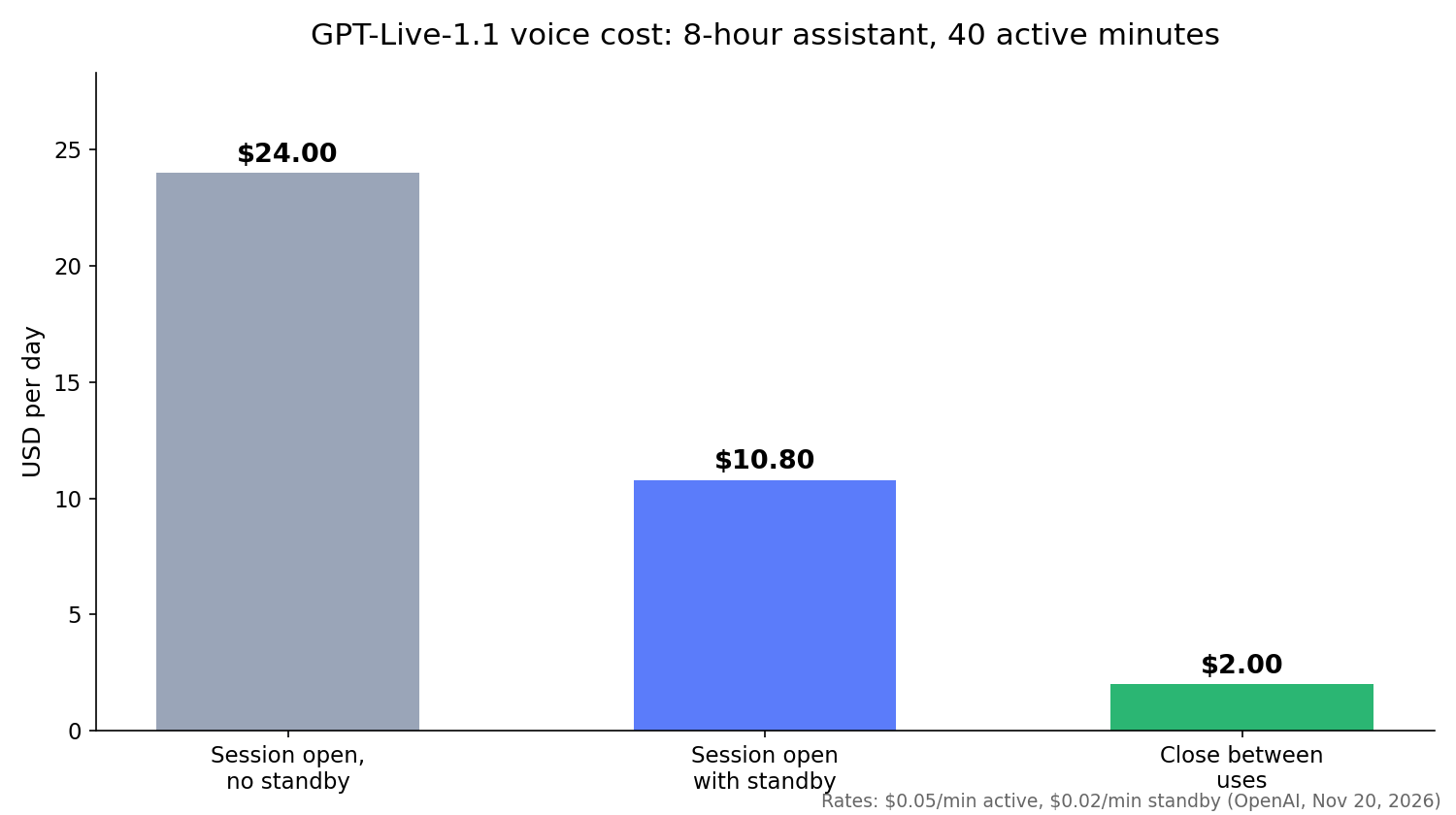
| Strategy | Math | Per day | Per 22-day month |
|---|---|---|---|
| Session open, no standby | 480 min x $0.05 | $24.00 | $528.00 |
| Session open with standby | 40 x $0.05 + 440 x $0.02 | $10.80 | $237.60 |
| Close between uses | 40 min x $0.05 | $2.00 | $44.00 |
Standby still costs $1.20 per idle hour. OpenAI’s guide recommends closing the session during long gaps and starting a new one, seeded with saved history, when the user returns. The 15-second startup charge is credited once the new session runs, so on voice charges alone closing wins. You give up instant wake: a closed session can’t hear the user, so you need push-to-talk or your own wake trigger.
How the idle timeout changes your bill
Every pause costs active time until the idle timeout fires. A shorter timeout reaches the cheaper standby rate sooner, at the price of more pause-and-resume cycles and a slower first reply after each one.
The premium per pause is the timeout length billed at the $0.03 gap between the two rates. Across 100 pauses in a session or a day:
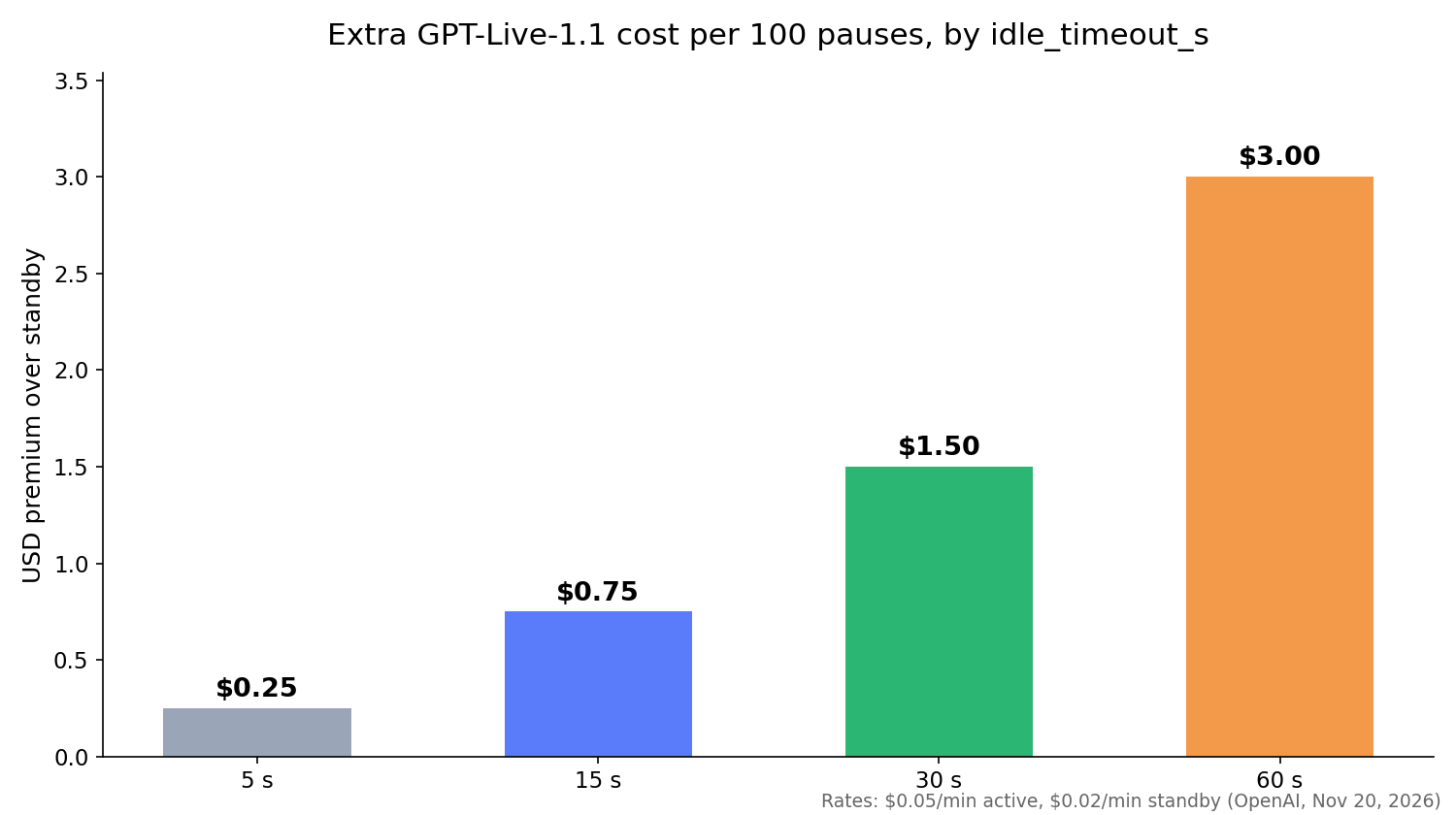
idle_timeout_s |
Active seconds per pause | Premium over standby, per 100 pauses |
|---|---|---|
| 5 | 5 | $0.25 |
| 15 | 15 | $0.75 |
| 30 | 30 | $1.50 |
| 60 | 60 | $3.00 |
Small numbers, which is the point: the timeout is mostly a user experience setting. Pick a value that doesn’t cut users off mid-thought, then let standby cover long gaps and session closing cover very long ones.
How GPT-Live-1.1 pricing compares to GPT-Realtime
GPT-Live-1.1 bills by the minute; the GPT-Realtime models bill by the token. The OpenAI pricing page lists gpt-realtime-2.1 audio at $32.00 per 1M input tokens and $64.00 per 1M output tokens, and gpt-realtime-2.1-mini audio at $10.00 and $20.00.
| GPT-Live-1.1 | GPT-Realtime-2.1 | |
|---|---|---|
| Billing unit | Session seconds | Input and output tokens |
| Voice rate | $0.05/min active, $0.02/min standby | $32 / $64 per 1M audio tokens |
| Reasoning and tools | Separate backend model | Inside the same model |
| Cost curve | Flat per minute | Rises per turn as context grows |
OpenAI’s cost guide notes that a Realtime session sends the entire conversation to the model on every response, so later turns cost more. A GPT-Live minute costs the same at minute 2 and minute 40, which makes forecasting simple. Our GPT-Realtime-2 API guide covers the token-based setup.
Track usage and avoid surprise bills
GPT-Live reports cumulative voice usage in seconds through session.usage.updated events:
{
  "type": "session.usage.updated",
  "usage": { "seconds": 12 },
  "context_window": { "usage_ratio": 0.42 }
}
Each update replaces the previous total, so never sum them. Send session.close, wait for session.closed, and record the final usage.seconds. To split active from standby, time the gaps between session.paused and session.resumed events.
Habits that keep costs flat:
- Close finished sessions. An abandoned open session keeps billing.
- Speed up the backend. Waiting on a delegated task is active time; finishing a minute sooner saves $0.05.
- Close during long jobs. Close voice while the backend works and reopen when the result is ready.
- Plan for concurrency. Limits count concurrent sessions, and GPT-Live-1.1 has a limit separate from GPT-Live-1, whose published limits are 50 (Build), 300 (Launch) and 500 (Grow). The Free tier isn’t supported.
Let Codex test your cost ledger with Apidog CLI
Your usage ledger is code you own, and a bug there misprices every call. Test it on every commit without opening a voice session, at $0 in voice time, and let your coding agent run the tests with Apidog CLI.
Install the CLI, log in, and add the Apidog skill to your agent:
npm install -g apidog-cli@latest
apidog login --with-token <YOUR_TOKEN>
npx -y skills add https://apidog.com   # pick your agent when prompted
Then give Codex one prompt:
In Apidog project <projectId>, create a test case for POST /api/voice-usage.
Send {"session_id":"test-1","active_seconds":90,"standby_seconds":30} and assert
the response cost is 0.085 (90 s at $0.05/min plus 30 s at $0.02/min).
Add a second case with standby_seconds 0 that expects 0.075. Run both against
the local environment and summarize any failures.
The agent reads the schema, validates its payload, creates the cases and runs them:
apidog cli-schema get test-case-create
apidog cli-schema validate test-case-create --file ./case.json
apidog test-case create --project <projectId> --file ./case.json
apidog run --test-case <caseId> --project <projectId> -e <envId> -r cli,json
Swap -r cli,json for -r junit and the same run drops into CI; see running Apidog CLI in a CI/CD pipeline. The Apidog CLI in Codex guide covers the agent setup. Apidog’s Free plan covers teams of up to 4 users.
FAQ
How much does GPT-Live-1.1 cost per minute? $0.05 per active minute and $0.02 per standby minute, billed per second. Backend usage is extra.
Is GPT-Live-1.1 more expensive than GPT-Live-1? No. OpenAI lists both at the same active and standby rates.
Does standby work on phone calls? No. The lower standby rate applies only to WebRTC sessions while inference is paused. WebSocket and SIP sessions bill connected time at the active rate.
Are backend model calls included in the per-minute price? No. Delegated Responses calls bill at the chosen model’s token rates, plus tool charges.
What happened to the GPT-Live API question from July? Back then GPT-Live was a ChatGPT voice feature with no API, as our GPT-Live API explainer noted at the time. GPT-Live-1.1 is the API model, served on v1/live/sessions.