Google ADK is an open-source framework for building, evaluating, and deploying AI agents, and it powers real agents inside Google products like Agentspace. If you’ve already looked at other agent stacks, like the OpenAI Agents SDK, ADK covers the same ground while staying close to Gemini and Vertex AI. This guide explains what ADK is, how its core pieces fit together, and where a tool like Apidog helps you test the APIs your agent ends up calling.
What Google ADK is
ADK stands for Agent Development Kit. Google introduced it at Google Cloud Next in April 2025 as an open-source toolkit for the full agent lifecycle: define an agent, give it tools, compose multiple agents, evaluate behavior, and deploy to production.

It started Python-first, and Google has since added Java, with Go and TypeScript support following. The framework is the same one Google uses internally for agents in Agentspace and its Customer Engagement Suite, so it isn’t a toy SDK. It’s built for production workloads.
ADK is model-agnostic but Google-optimized. It works best with Gemini and any model available through Vertex AI Model Garden, and it plugs into LiteLLM so you can point an agent at Anthropic, Meta, Mistral, and other providers. You get the tight Gemini integration without locking yourself to a single model.
Where ADK sits in the Gemini and Vertex AI ecosystem
It helps to separate three layers:
- The model. Gemini (or another provider via Vertex AI Model Garden or LiteLLM) does the reasoning.
- The framework. ADK is the code layer where you define agents, wire up tools, and orchestrate multi-agent flows.
- The runtime. Vertex AI Agent Engine is the managed, scalable host where your agent runs in production. You can also deploy to Cloud Run or any container runtime.
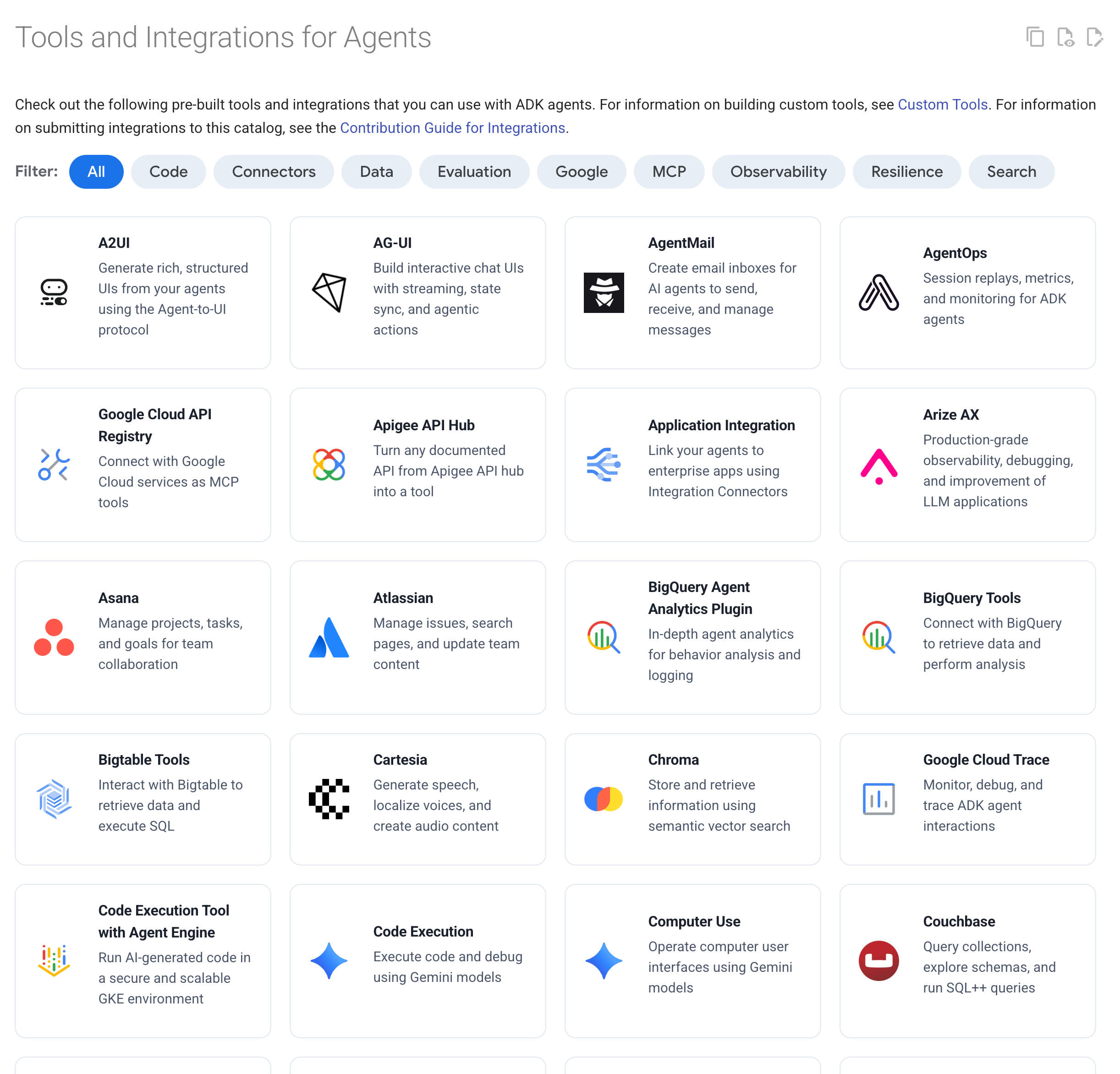
So ADK is the developer-facing layer. Gemini supplies intelligence underneath it, and Vertex AI Agent Engine supplies a managed home above it. You can use all three together, or run ADK locally and deploy somewhere else. Nothing forces you onto a single path.
Core concepts
A few building blocks cover most of what you’ll write.
Agents
The basic unit is an LLM-backed agent. In Python you import it from google.adk.agents. The class is LlmAgent, and Agent is a convenient alias for it. You give it a model, a name, an instruction that shapes its behavior, and a list of tools.
from google.adk.agents import Agent

def get_exchange_rate(base: str, target: str) -> dict:
    """Return the exchange rate between two currencies."""
    # call your real FX API here
    return {"base": base, "target": target, "rate": 1.08}

currency_agent = Agent(
    name="currency_exchange_agent",
    model="gemini-2.0-flash",
    instruction="You help users convert between currencies. Stick to the facts.",
    tools=[get_exchange_rate],
)
That’s a working single agent. The instruction tells it what to do, and the tool list tells it what it can call.
Tools
Tools are how an agent does something beyond generating text. In ADK, a plain Python function is a tool. The function’s name, type hints, and docstring tell the model when and how to call it, so a clear docstring matters more than you’d expect.
Beyond your own functions, ADK ships built-in tools like google_search and code execution, and it supports the Model Context Protocol (MCP) for connecting external tool servers. You can also wrap third-party libraries such as LangChain or LlamaIndex, or use another agent as a tool. Most agents end up calling external REST APIs through these tools, which is exactly where testing and mocking come in later.
Multi-agent systems
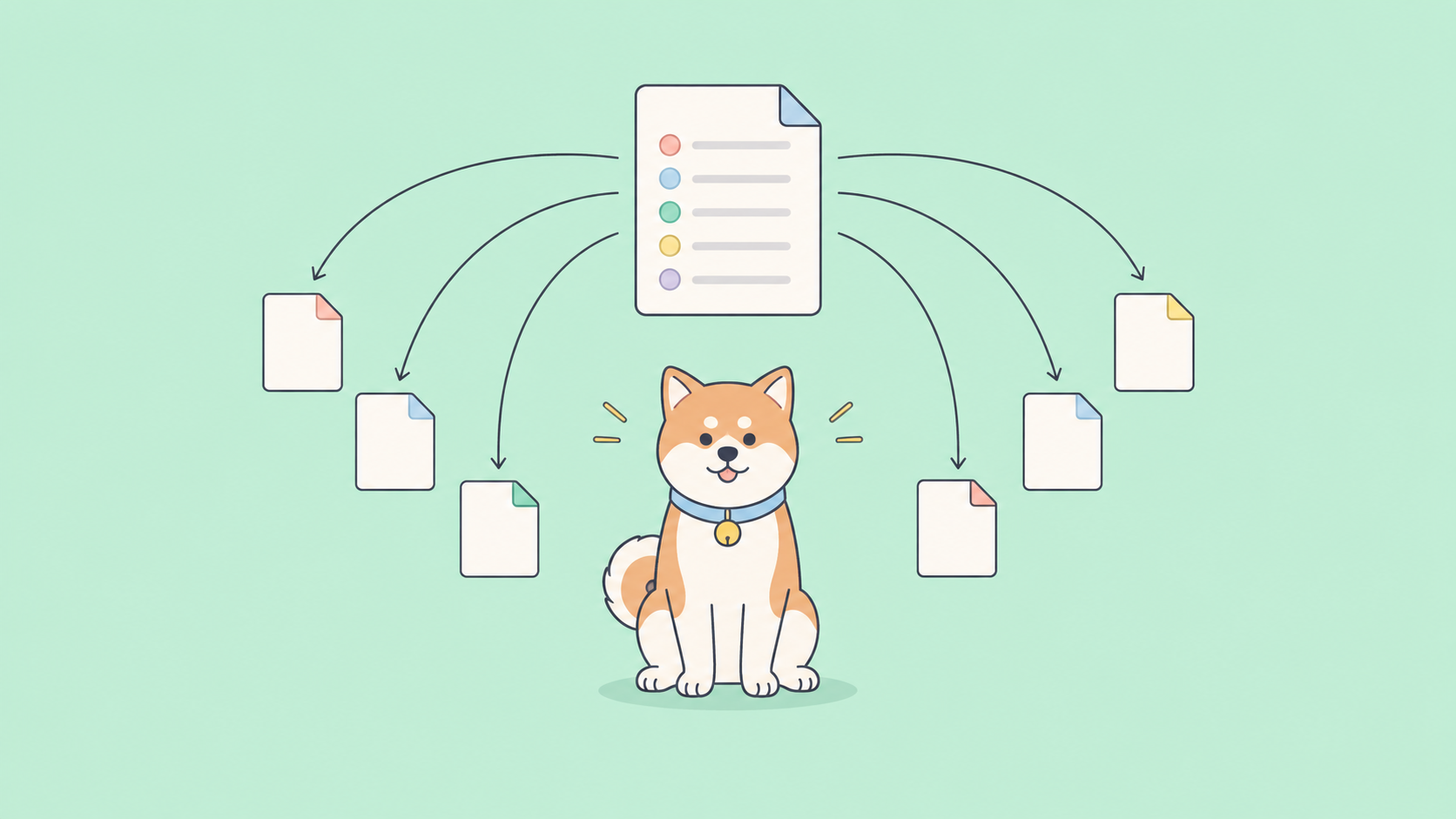
A single agent gets you far, but ADK is built for hierarchies. You compose specialized agents into a larger system and let a coordinator route work between them.
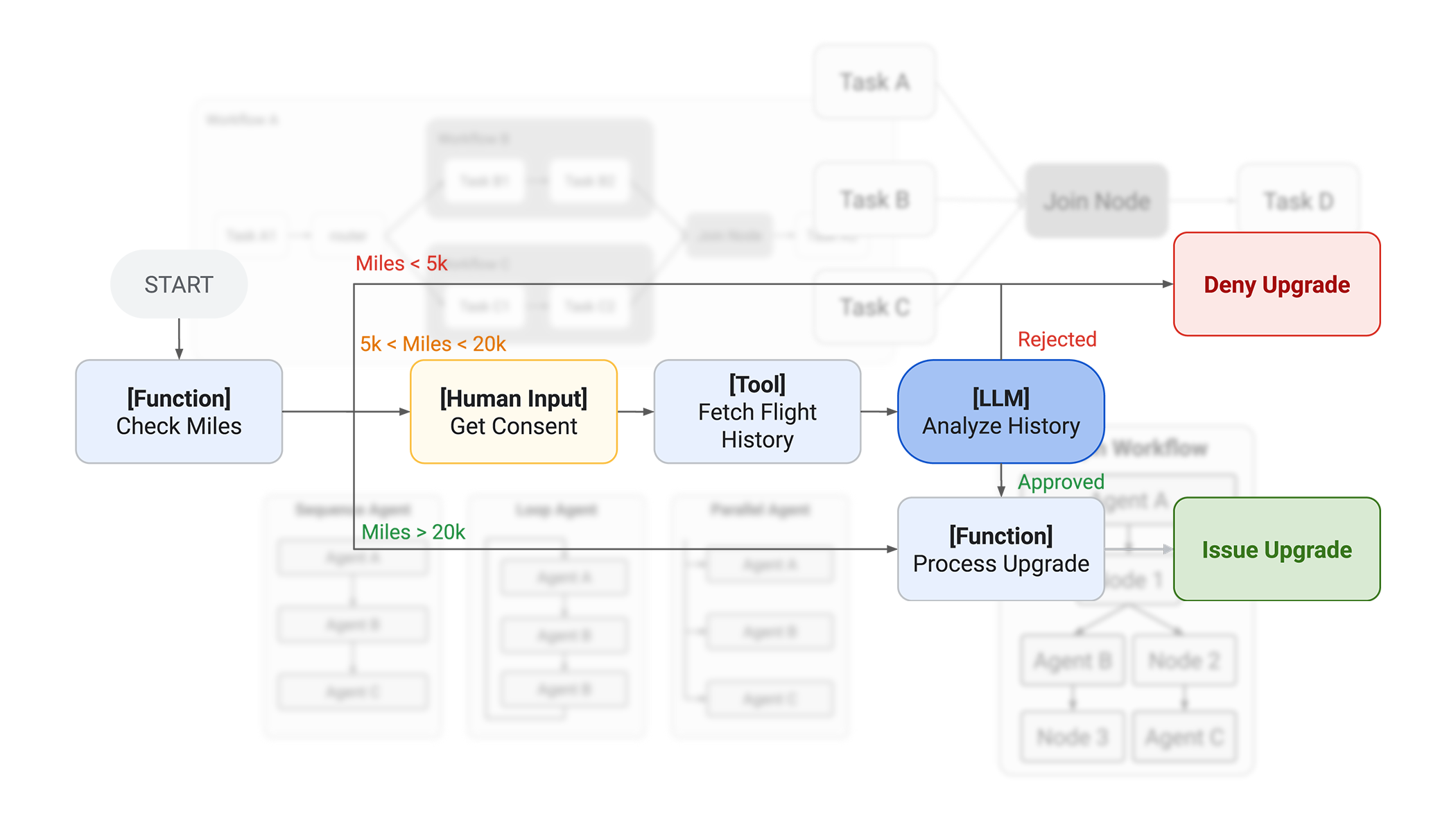
The framework provides workflow agents for deterministic control: a SequentialAgent runs sub-agents in order, a ParallelAgent runs them at the same time, and a LoopAgent repeats until a condition is met. Mix these with LLM-driven routing and you can build a research agent that fans out to several sub-agents and merges their results.
Runners
You don’t call an agent directly in production. A Runner is ADK’s execution engine. It manages the session, drives the flow of events, updates state, invokes the model, and coordinates tool calls. During development you can skip the boilerplate with the CLI: adk run launches an interactive terminal session, and adk web opens a local browser UI for chatting with your agent and inspecting each step.
Evaluation and deployment
ADK includes an evaluation harness so you can score an agent against expected trajectories and responses, not just eyeball the output. That matters because agent behavior drifts as you change prompts, tools, or models.
For deployment, you have a managed path and a portable one. Vertex AI Agent Engine gives you a fully managed, scalable runtime with infrastructure handled for you. If you’d rather stay portable, package the agent into a container and ship it to Cloud Run or any container platform.
A high-level example
Here’s the shape of a small multi-agent setup. A coordinator delegates to two specialists.
from google.adk.agents import Agent

flights = Agent(
    name="flight_agent",
    model="gemini-2.0-flash",
    instruction="Find flight options for the user's route and dates.",
    tools=[search_flights],   # your function wrapping a flights API
)

hotels = Agent(
    name="hotel_agent",
    model="gemini-2.0-flash",
    instruction="Find hotel options near the destination.",
    tools=[search_hotels],    # your function wrapping a hotels API
)

trip_planner = Agent(
    name="trip_planner",
    model="gemini-2.0-flash",
    instruction="Plan a trip. Delegate flight and hotel lookups to your sub-agents.",
    sub_agents=[flights, hotels],
)
The coordinator reasons about the request and hands off to the right sub-agent. Each sub-agent calls a real API through its tool function. You run the whole thing through a Runner, or test it interactively with adk web.
ADK vs the OpenAI Agents SDK
Both are code-first agent frameworks with tools, handoffs, and tracing. The difference is ecosystem gravity.
| Google ADK | OpenAI Agents SDK | |
|---|---|---|
| Default model | Gemini (Vertex AI) | OpenAI models |
| Other models | Vertex AI Model Garden, LiteLLM | LiteLLM and others |
| Languages | Python, Java, Go, TypeScript | Python, JavaScript/TypeScript |
| Multi-agent | Sub-agents plus Sequential, Parallel, Loop workflow agents | Agents-as-tools and handoffs |
| Managed runtime | Vertex AI Agent Engine | Bring your own |
| Tool protocol | MCP, built-in tools, function tools | MCP, function tools |
If your stack already lives on Google Cloud, ADK plus Vertex AI is the natural fit. If you’re OpenAI-first, the OpenAI Agents SDK keeps you in that lane. Both speak MCP, so tool servers can be shared.
When to use ADK
Reach for ADK when:
- You’re building on Google Cloud and want Gemini plus a managed runtime in Vertex AI Agent Engine.
- You need multi-agent orchestration with explicit sequential, parallel, or looping control.
- You want evaluation built into the framework rather than bolted on later.
- You expect to swap models, and you want LiteLLM and Vertex AI Model Garden as escape hatches.
You might skip it if you’re firmly in another model ecosystem, or if a single prompt with one or two function calls covers your whole use case. An agent framework adds structure, and structure has a cost when the job is small.
Where Apidog fits: testing and mocking the APIs your agent calls
ADK orchestrates your agent. It doesn’t test the external APIs that agent depends on, and that’s the gap worth closing early.
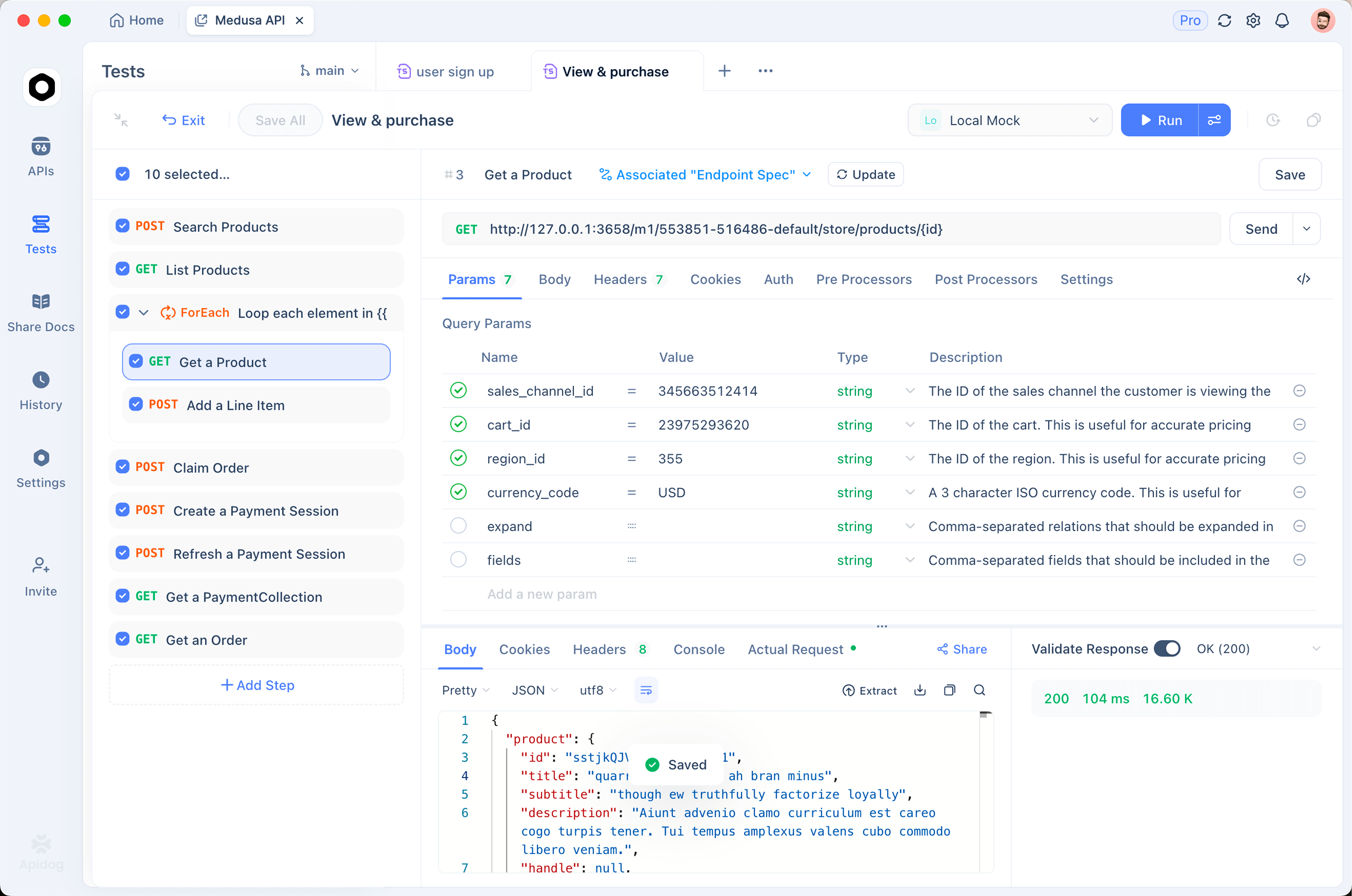
Every meaningful tool in your agent calls something: an LLM endpoint, a payments API, an internal microservice, a third-party data source. When one of those returns an unexpected shape, your agent reasons over bad input and the failure is hard to trace. Apidog is where you pin down that contract before it bites you. To note plainly: Apidog is not an agent framework and doesn’t replace ADK. It sits one layer below, on the APIs your tools hit.
A few concrete uses during ADK development:
- Mock the endpoints your tools call. Stand up a mock API for an LLM or a tool’s REST endpoint so you can develop and run your agent without burning tokens or hitting rate limits. You control the responses, including the error cases your agent needs to handle.
- Assert the tool’s response shape. Use API assertions to confirm a tool endpoint returns exactly the fields your agent expects. If the contract drifts, you catch it in a test, not in a confused agent transcript.
- Manage keys per environment. Keep dev, staging, and production keys in Apidog environments so the same tool calls run cleanly across stages.
If you want a deeper walkthrough aimed at agents specifically, see how to test an AI agent’s tool calls before they break in production. You can download Apidog and mock a single endpoint in a few minutes.
Frequently asked questions
Is Google ADK free and open source?
Yes. ADK is open source under an Apache-licensed repository on GitHub, and you can run it locally at no cost. You pay for the models you call and for any managed runtime you deploy to, such as Vertex AI Agent Engine. The framework itself is free.
Does ADK only work with Gemini?
No. ADK is optimized for Gemini and Vertex AI, but it’s model-agnostic. Through Vertex AI Model Garden and LiteLLM you can run agents on Anthropic, Meta, Mistral, and other providers. Gemini is the default, not a requirement.
What languages does ADK support?
Python was first and remains the most complete. Google has since added Java, with Go and TypeScript support following. If you want the broadest feature coverage today, Python is the safest choice.
How do I test the APIs my ADK agent depends on?
Test them separately from the agent. Mock the LLM or tool endpoints so your agent runs without live calls, and assert that each response matches what your agent expects. Apidog covers both, and the guide on how to test the ChatGPT API shows the same pattern for an LLM endpoint your tools might call.
Wrapping up
Google ADK gives you a clean, production-minded way to build agents and multi-agent systems, with Gemini and Vertex AI close at hand but other models a config change away. Start with one agent and a couple of tools, lean on adk web to watch it think, then grow into sub-agents and a managed runtime as the work demands. As your agent leans harder on external APIs, treat those APIs as something you mock and assert against. That’s the layer Apidog handles, and it’s where flaky agent behavior usually starts.