TL;DR
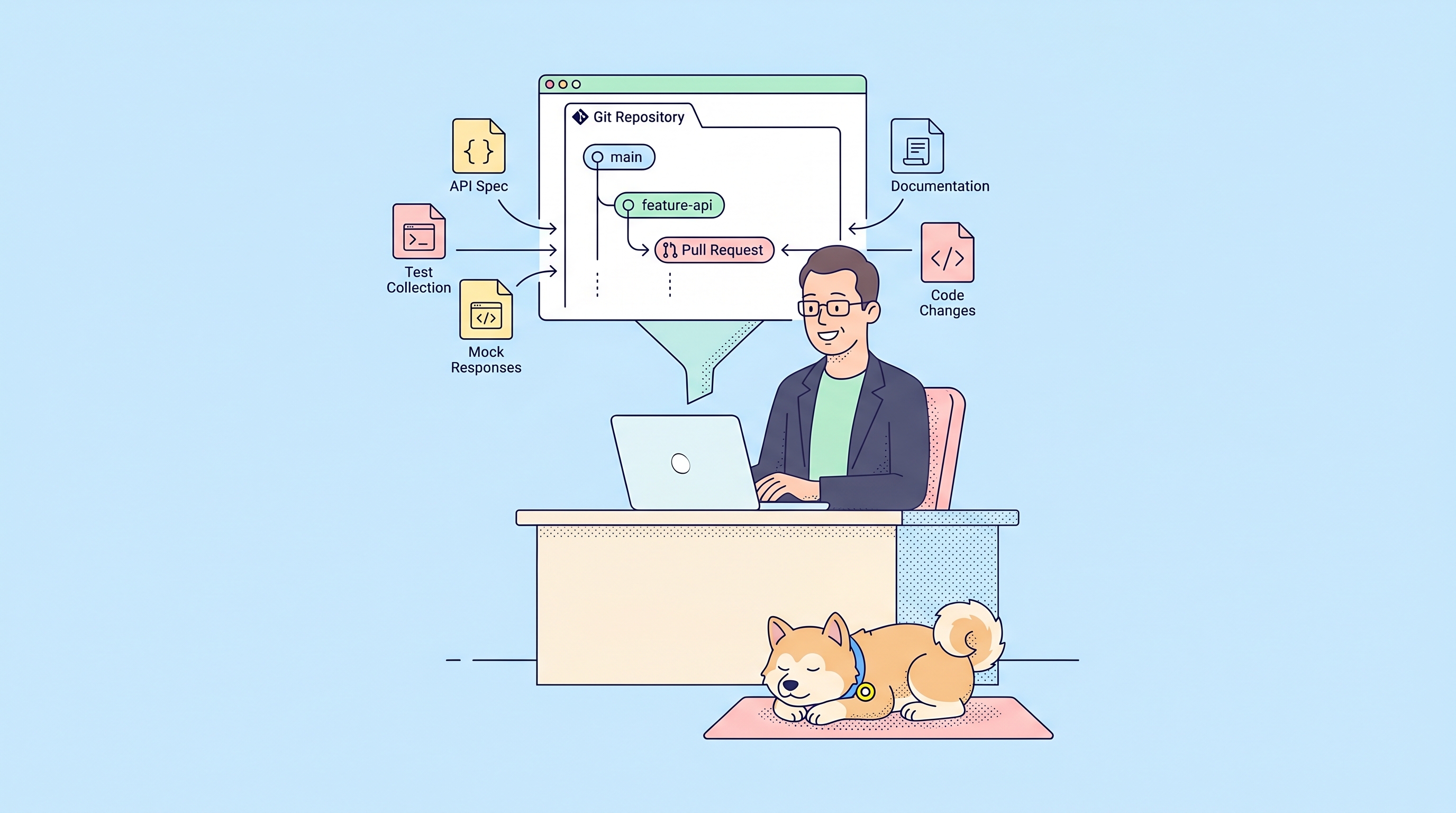
A Git-native API workplace means your API specifications live in Git as the source of truth, with full version control, branching, and merge request workflows built directly into your API development platform. Teams work in isolated sprint branches, review changes through merge requests, and sync automatically with their repositories. Apidog's Spec-first Mode delivers this workflow with a built-in IDE for editing OpenAPI specs, real-time validation, and seamless GitHub/GitLab/Azure DevOps integration.
Why API Teams Need Git-Native Workflows
Let me be honest with you. After leading API development for a few years, I've seen the same collaboration headaches repeat across every team:
- "Which version of the spec is current?" — Five people editing the same Postman collection, no one knows whose version is authoritative
- "Why did this endpoint change?" — No changelog, no history, no way to trace why a parameter was renamed three months ago
- "Can I work on the new feature without breaking the main spec?" — Either everyone edits the live spec together (chaos) or you duplicate files and manually merge later (error-prone)
- "How do we review this API change?" — Sending JSON snippets in Slack, pasting screenshots in Jira, no structured review process
Sound familiar?
These aren't tool problems. They're workflow problems. And the workflow that solves all of them? It's the same one your code team already uses: Git.
Your backend engineers live in Git. Your frontend engineers live in Git. Your DevOps team lives in Git. But somehow, API design often sits outside that world — locked in proprietary tools, siloed from the version control system that powers everything else.
That's the gap Apidog's Git-native approach fills. It brings your API specs into the same Git workflow your entire engineering organization already trusts.
What Does "Git-Native" Actually Mean for APIs?
Git-native API development isn't just "storing your OpenAPI file in a repository." That's been possible for years, and teams still hit the same collaboration walls.
True Git-native means:
| Traditional Git Storage | Git-Native Workplace |
|---|---|
| Specs live in Git, but you edit them in external tools | Edit specs inside the platform with Git as source of truth |
| Manual commits after editing elsewhere | Commit and push directly from the API workspace |
| No concept of API branching | Sprint branches for isolated feature development |
| Code review tools awkwardly applied to YAML diffs | Built-in merge requests designed for API changes |
| Sync breaks when someone edits the tool's internal copy | Two-way sync that respects Git as primary |
The difference is integration depth. A Git-native API workplace treats your repository as the authoritative source, not a backup destination. Everything — editing, branching, reviewing, testing — happens with Git underneath.
The Core Components
- Spec-first Mode — Your OpenAPI YAML/JSON files are the primary artifact, not internal database records
- Sprint Branches — API feature branches that work like Git branches for code
- Protected Main Branch — Production stability through enforced review workflows
- Merge Requests — Structured API change reviews with before/after comparisons
- Webhook Sync — Automatic sync when your repository receives pushes
This isn't a new concept. It's applying proven Git workflows to a domain that needed them years ago.
The Problem with Traditional API Tools
Most API development platforms operate on an internal database model:
- You create endpoints through visual forms
- The platform stores everything in its own database
- Export to OpenAPI when needed (often incomplete or outdated)
- If you want Git history, you export manually and commit yourself
This model works fine for individuals. But for teams? It creates fundamental friction:
No True Version History
The platform might have "history," but it's not Git history. You can't:
- See who changed what and when in a unified changelog
- Branch and merge cleanly
- Roll back to a known state using standard Git commands
- Use CI/CD pipelines that expect Git-triggered workflows
Collaboration Conflicts
When multiple developers edit the same project:
- Changes can overwrite each other without warning
- No merge conflict resolution mechanisms
- "Live" editing means no isolation for new features
Review Gaps
How do you review an API change? In traditional tools:
- Screenshots of the UI
- Exported JSON snippets pasted into documents
- No structured diff view
- No approval workflow with audit trail
The Disconnect
Your API spec describes the contract between systems. It's as critical as your application code. Yet it lives outside the version control system that protects everything else. That disconnect is the root cause of most API collaboration pain.
Apidog's Git-Native Approach: Spec-first Mode
Apidog's Spec-first Mode flips the model: Git becomes the source of truth, and the platform becomes your interface to it.
How It Works
When you create a Spec-first project, Apidog connects directly to your repository:
- Connect your Git provider — GitHub, GitLab, Azure DevOps, or Bitbucket
- Select your repository and main branch — Apidog reads your existing specs or starts fresh
- Edit in the Specs workspace — Code view with syntax highlighting, or form view for structured editing
- Commit & Push from Apidog — Changes go directly to your repository
- Webhook sync keeps both sides aligned — Pushes to Git automatically sync back to Apidog
The Specs Workspace
This is where the Git-native experience shines. Instead of filling forms that update an internal database, you work with files:
- File explorer — Browse your repository structure directly
- API structure tree — Parsed OpenAPI content: endpoints, schemas, definitions
- Code editor — Full IDE experience with validation, autocomplete, syntax highlighting
- Form editor — For supported nodes, edit through structured controls while the file remains source
You can work entirely in YAML/JSON if that's your preference. Or switch to form view for complex endpoint definitions. Either way, the underlying file in Git is what matters.
Real-Time Validation and Preview
The editor includes:
- Validation panel — Syntax errors, missing required fields, OpenAPI rule violations caught immediately
- Preview panel — See how your spec renders as documentation before committing
- Try it out — Test endpoints directly from the spec definition
No more committing broken specs and discovering errors in CI.
Sprint Branches: Your API Feature Branches
In code development, feature branches are non-negotiable. You wouldn't edit production code directly. Why edit production API specs directly?
Apidog's sprint branches bring that same isolation to API work.

What Sprint Branches Enable
| Scenario | Without Sprint Branches | With Sprint Branches |
|---|---|---|
| Developing a new endpoint | Edit the main spec, risk breaking documentation and tests for everyone | Work in isolation, merge when stable |
| Testing API changes | All testers see incomplete work-in-progress | Testers can switch to the sprint branch for focused testing |
| Parallel feature development | Multiple features collide in one spec | Each feature has its own branch |
| Rolling back changes | No clean rollback mechanism | Delete or merge selective changes |
Creating a Sprint Branch
- Click the branch switch next to APIs
- Select New Sprint Branch
- Name it for your feature (e.g.,
user-authentication-v2) - Work isolated from the main branch
Two Ways to Populate a Sprint Branch
Manual approach (API-first):
Use Fork from main to copy endpoints, schemas, or components you need to modify. Apidog tracks the association, so merging later knows which resources changed.

OAS import approach (code-first):
Import an updated OpenAPI spec from your backend. Apidog compares it against the main branch and only pulls in changed resources. This keeps your sprint branch focused on actual differences.
Automatic Test Matching
Here's something most teams miss: when you change an endpoint in a sprint branch, your existing tests still target the main branch version.
Apidog solves this by:
- Flagging modified endpoints in your test scenarios
- Letting testers duplicate and adjust tests for sprint branch versions
- Ensuring tests match the branch you're working in
This prevents the common failure: merging new endpoints without updating tests, then discovering broken CI pipelines days later.
Protected Branches and Merge Requests
Protected branches are the backbone of production stability. In Apidog, a protected main branch means:
- No direct edits — Changes must come through merge requests
- Mandatory review — Administrators approve before merge
- Audit trail — Every change has a review record
The Merge Request Workflow
When your sprint branch work is ready:
- Click Merge in the branch switch
- Review all changes with color-coded status:
- Gray — unchanged (no need to merge)
- Orange — modified (compare with main branch)
- Green — new (created in sprint branch)

- For modified resources, see the exact diff between sprint and main versions
- Select what to merge
- Create Merge Request (for protected branches) or Merge directly (unprotected)
Review Process
Reviewers see:
- The full change list
- Before/after comparisons for each modified resource
- Context from the sprint branch
They can approve, reject, or request modifications. If the developer updates the sprint branch, the merge request automatically reflects new changes — no need to create a new request.
This is the review workflow API teams have needed for years. No more screenshot-based reviews, no more Slack threads trying to explain endpoint changes.
Seamless Git Integration: Commit, Push, Pull
Git operations happen directly within Apidog. No external Git client required.
Commit & Push
After editing:
- Click Changes to review modified, added, deleted files
- Select files to include
- Write a commit message
- Click Push — changes sync to your repository immediately
Git Pull
When teammates push changes to your connected repository:
- Click the branch name in the Specs sidebar
- Select Git Pull — latest files sync into Apidog
Webhook Sync (Recommended)
If you have repository admin access, install a webhook during setup:
- Pushes to your repository trigger automatic Apidog sync
- No manual pull needed
- Team stays aligned without effort
Without webhook sync, manual pulls work fine. But webhook sync eliminates the "who has the latest spec?" question entirely.
What Changed vs. Traditional Workflow
| Before | After |
|---|---|
| Developer edits main spec directly | Isolated sprint branch |
| Tester can't test incomplete changes | Dedicated branch for testing |
| Review via screenshots and Slack threads | Structured merge request with diffs |
| No visibility into parallel work | Branch switch shows all active work |
| Merge overwrites silently | Selective merge with preview |
This isn't adding complexity. It's adding structure that eliminates chaos.
FAQ
What's the difference between Spec-first Mode and regular Apidog projects?
Spec-first Mode uses your Git repository as the source of truth. Regular Apidog projects use Apidog's internal database as primary, with Git export as secondary. In Spec-first Mode, you edit files directly, commit to Git from Apidog, and sync automatically. In regular mode, you edit through forms, and Git export is manual or scheduled.
Can I switch an existing Apidog project to Spec-first Mode?
Currently, Spec-first Mode requires creating a new project connected to a Git repository. You can import your existing project's OpenAPI spec into the new Spec-first project to migrate content.
Which Git providers are supported?
Apidog supports GitHub, GitLab, Azure DevOps, and Bitbucket for Spec-first projects. You can connect repositories from any of these providers during project creation.
Do I need admin permissions on my repository?
Admin permissions are required for webhook installation, which enables automatic sync when your repository receives pushes. Without webhook sync, you can still use manual Git Pull to sync changes. Write permission is sufficient for pushing changes from Apidog.
Can I use Spec-first Mode with an empty repository?
Yes. If your repository has no existing OpenAPI files, Apidog starts fresh. You create specs in the Specs workspace and push them to your repository. The first commit establishes your spec foundation.
How do sprint branches differ from Git branches?
Sprint branches in Apidog correspond to Git branches in your repository. When you create a sprint branch in Apidog, it creates a corresponding branch in Git. Changes in the sprint branch sync to that Git branch. Merging a sprint branch merges the corresponding Git branch.
What happens if someone edits the Git repository directly?
If webhook sync is installed, pushes to Git trigger automatic sync to Apidog. If you're working in Apidog and someone pushes to Git, you'll see sync status indicating pending updates. Use Git Pull to bring those changes into Apidog.
Can I edit specs in both code view and form view?
Yes. The Specs workspace includes a code editor for direct YAML/JSON editing, and a form view for supported OpenAPI nodes (endpoints, schemas, definitions). You can switch between views as needed. Both update the underlying file in Git.
How do merge requests work for test scenarios?
Test scenarios merge separately from endpoints and schemas. After merging API resources to the main branch, hover over a test scenario in the sprint branch and select Merge to Main. Only project administrators can merge test scenarios into protected main branches currently.