
Open most API clients and your requests live in a cloud workspace you don’t control. You can’t diff them, you can’t review them in a pull request, and you can’t branch a set of requests for a feature the way you branch code. When two teammates edit the same collection, the last save wins and nobody sees the change. Git-native API clients fix that by storing your requests as plain files in your repository, where version control already works.
A Git-native (or Git-friendly) client treats a request collection the way Git treats source: text files you can commit, diff, branch, merge, and review. That turns an API collection from a shared mutable blob into a reviewable artifact with history. It also means your requests run in CI straight from the repo, no export step required.
This guide ranks the best Git-native and Git-friendly API clients for 2026, starting with the all-in-one option, Apidog, then the focused file-based clients. We judge each on storage format, offline use, branch and merge support, and whether it locks you into a vendor cloud. For the wider workflow around these tools, see our Git-native API workflow guide.
TL;DR: the best Git-native API clients
- Apidog is the best all-in-one. Requests, specs, tests, and docs sync to Git from one project, so a whole API change reviews as a single diff.
- Bruno is the purest Git-native client. Collections are plain
.brutext files with no required cloud. - Insomnia adds Git Sync to a polished, familiar client.
- Hoppscotch is the open-source, self-hostable option.
- Step CI and Hurl are text-first clients built for running in pipelines.
The rule of thumb: if the collection isn’t a file in your repo, it isn’t version-controlled, no matter what the marketing says.
What makes an API client “Git-native”?
Plenty of clients mention GitHub. Few are genuinely built for version control. A real Git-native client checks these boxes:
- File-based collections. Requests save as readable text (a documented format, YAML, or JSON), so Git can diff and merge them.
- No cloud lock-in. The files are the collection. You don’t need a vendor account to open or share them.
- Branch and merge. You can branch a collection per feature and resolve conflicts like any other file.
- CI-runnable. A command-line runner executes the same files in a pipeline.
- Offline-first. The client works without phoning home, because everything it needs is on disk.
Hold each client below against that list.
The best Git-native and Git-friendly API clients
1. Apidog: the all-in-one that lives in your repo
Apidog tops the list because it brings the whole API toolkit, not only requests, under version control. Requests, the OpenAPI spec, test cases, mock definitions, and docs all belong to one project that syncs with Git. When you change an endpoint, the request, its tests, and its documentation move together and review as a single pull request.
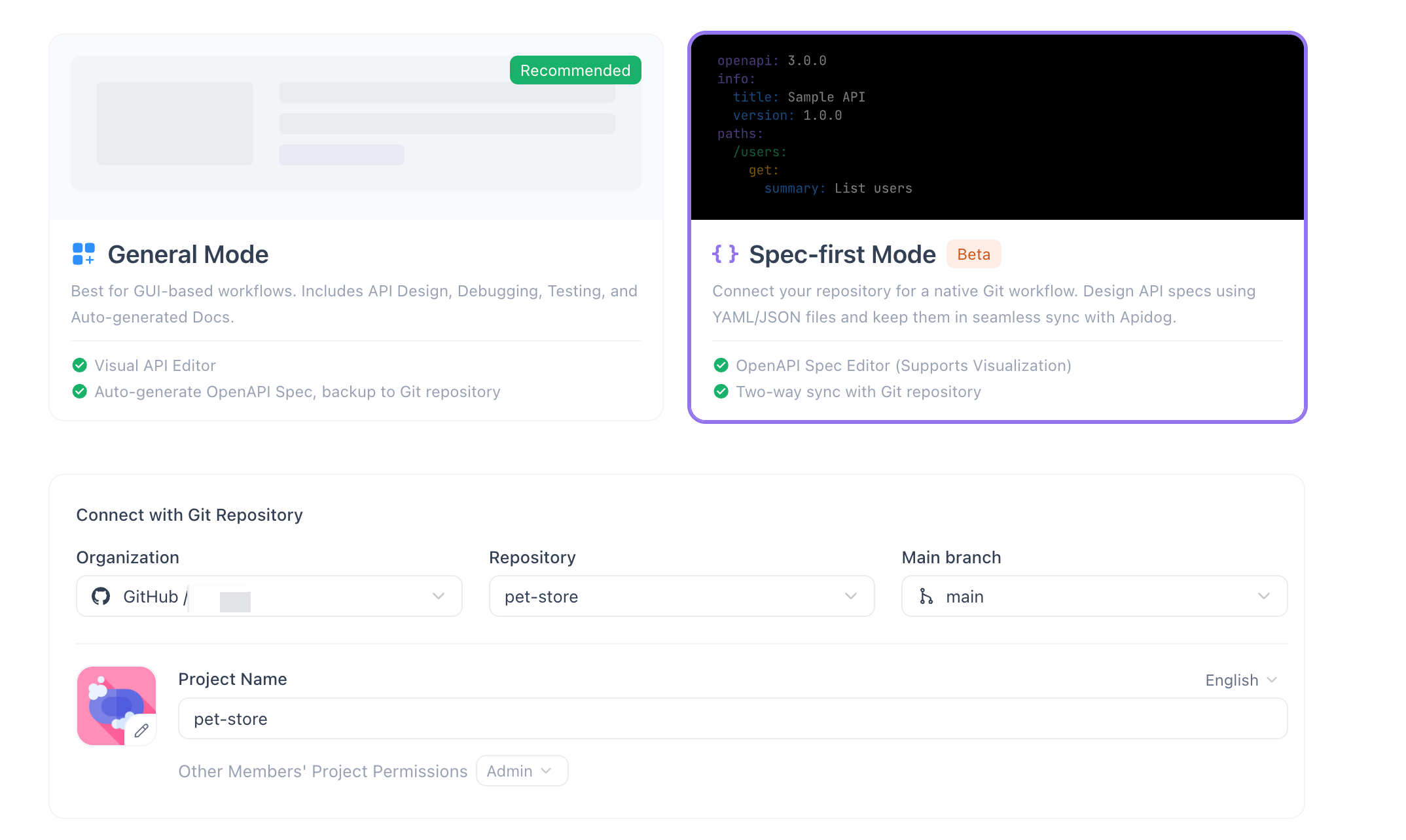
That’s the difference between a Git-friendly client and a Git-native workflow. A request-only client versions your requests; Apidog versions the contract behind them. Its Git integration and sync connects to GitHub, GitLab, and self-hosted servers, and its branch support lets a team develop an API version in isolation before merging. If you prefer the request-first style that file-based clients use, Apidog supports that too; the comparison in Bruno request-first vs design-first lays out both paths.
Best for: teams that want requests and the spec, tests, and docs behind them all version-controlled together. See how it stacks up in Bruno vs Apidog for enterprise governance.
2. Bruno: the purest Git-native client
Bruno is the client that put Git-native API work on the map. Every request is a plain-text .bru file in a folder you own, and there’s no required cloud account or sync server. Because the files are the collection, they diff and merge with standard Git tooling, and a teammate reviews an API change in a pull request like any code change. It’s offline-first by design and ships a CLI for CI runs.
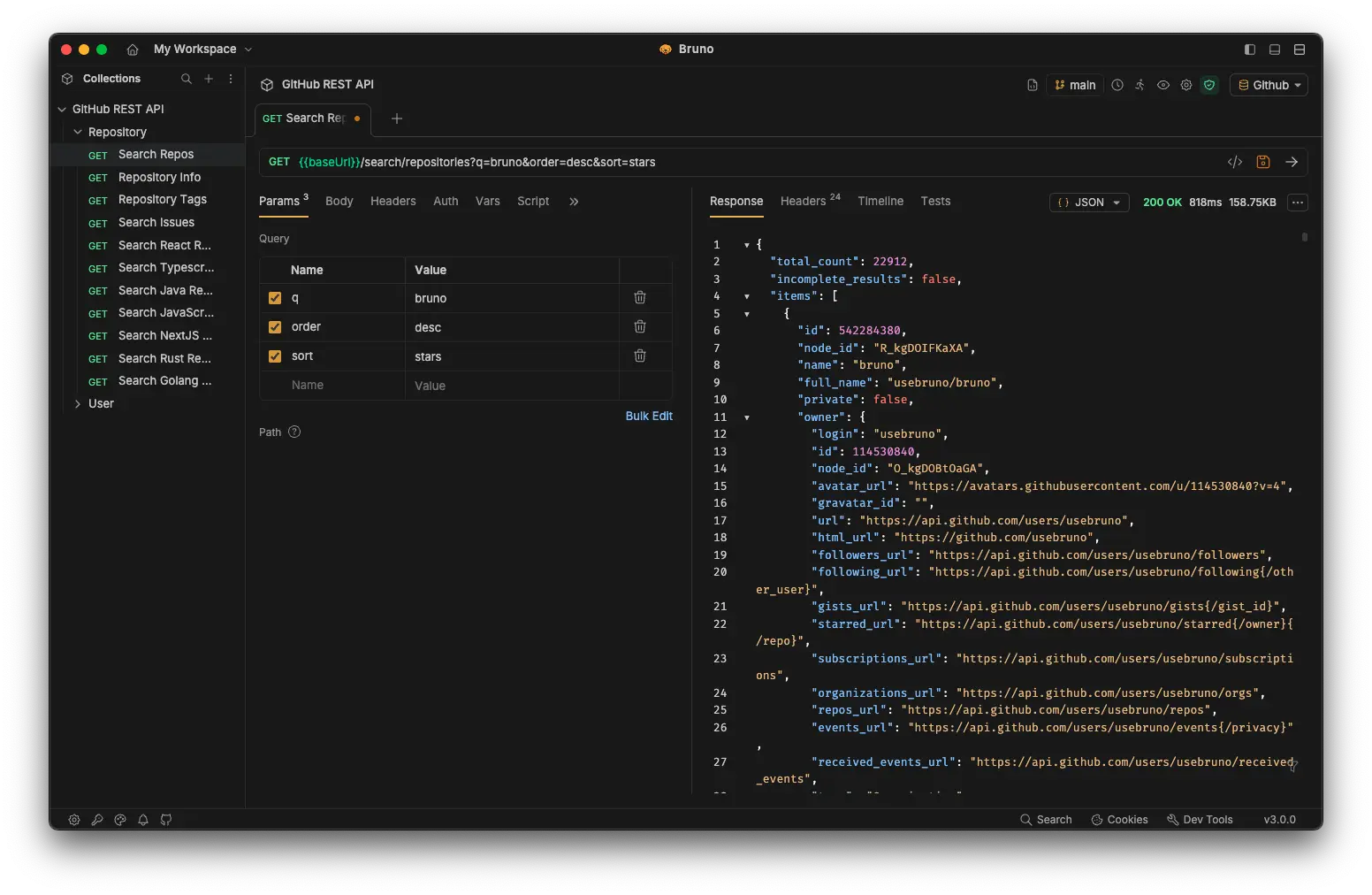
If your only requirement is “my requests should be files in my repo,” Bruno is the cleanest answer. The trade-off is scope: it’s a focused client, so docs, mocks, and design live elsewhere. Our all-in-one Bruno alternative piece covers when teams outgrow that.
Best for: developers who want a no-cloud, file-first client and don’t need a full lifecycle platform.
3. Insomnia: a familiar client with Git Sync
Insomnia added Git Sync so teams can store collections and environments in a repository and branch them, while keeping the polished client many developers already know. It’s a comfortable middle ground: a mature request experience with version control available when you want it. Our Insomnia API testing walkthrough covers the workflow.
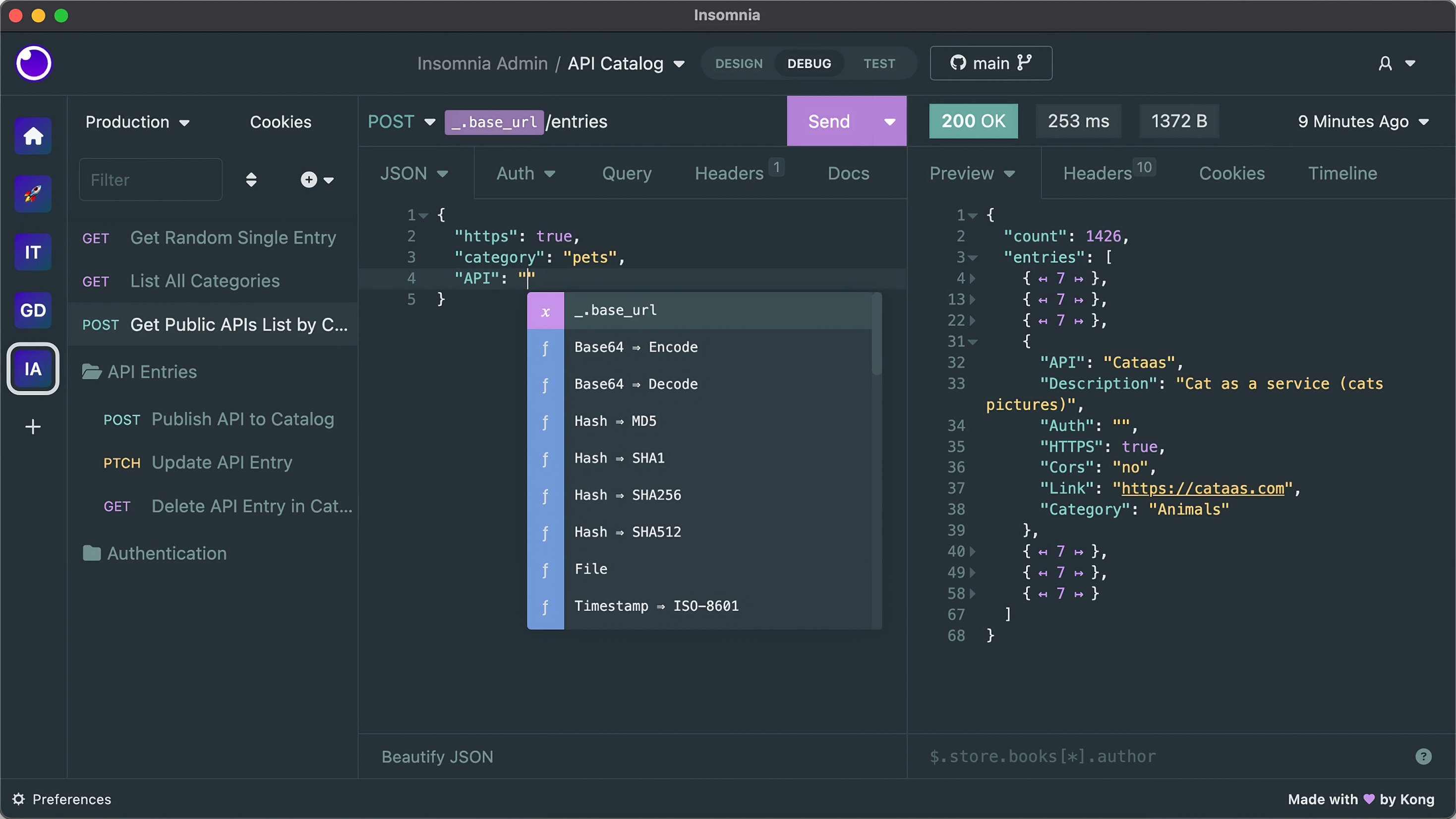
Best for: teams that like Insomnia’s interface and want repository-backed collections without switching clients.
4. Hoppscotch: open-source and self-hostable
Hoppscotch is a lightweight, open-source client you can self-host, which appeals to teams that want to keep everything inside their own infrastructure. Collections export to files, and the CLI runs them in CI, so it fits a version-controlled workflow while staying free and transparent. Self-hosting also sidesteps the third-party-cloud concerns we covered in self-hosted API tools after the GitHub breach.
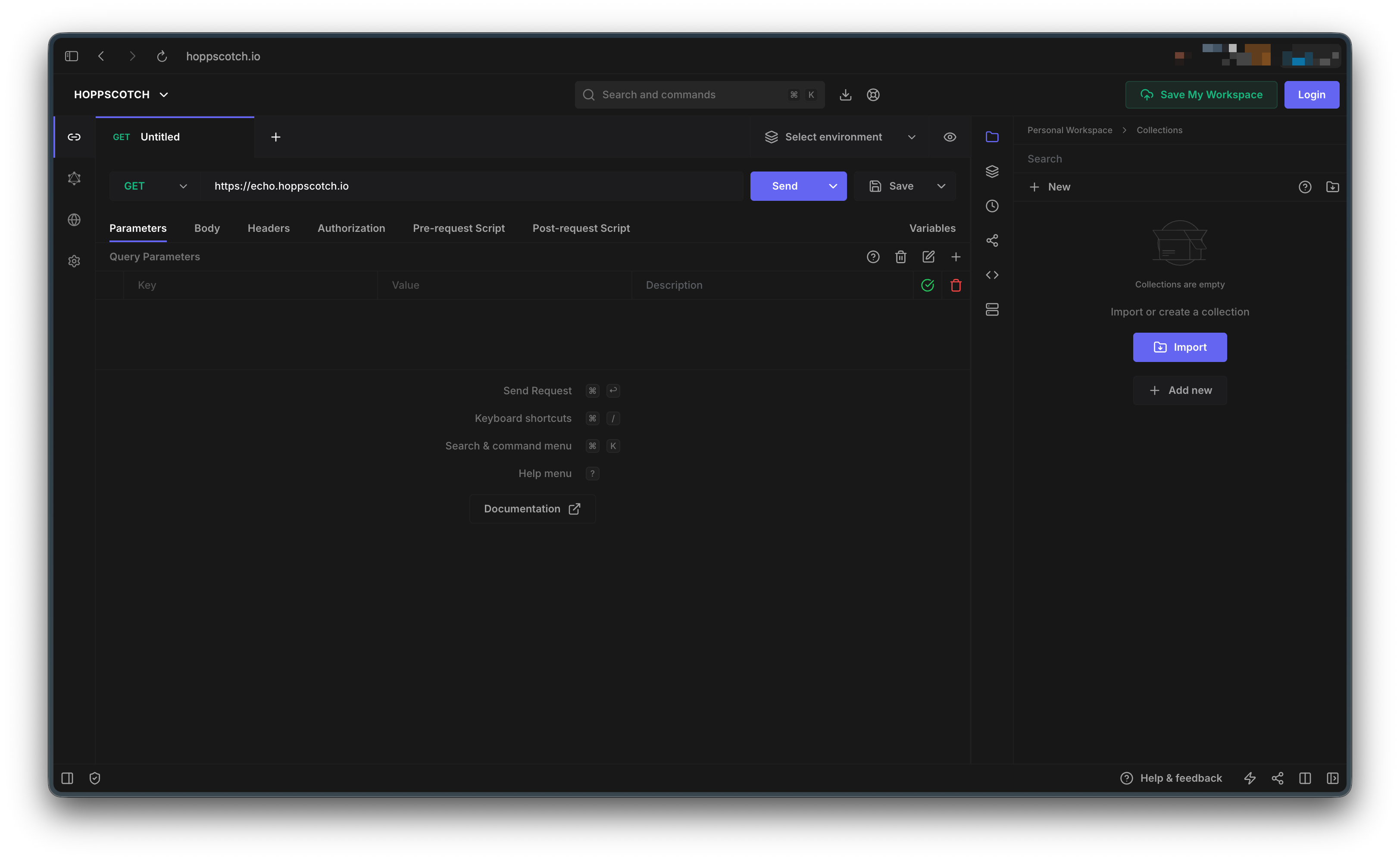
Best for: open-source-minded teams that want a self-hosted, no-cost client.
5. Step CI and Hurl: text-first clients for pipelines
These two flip the model: the test file is the primary artifact, and there’s barely a GUI at all.
Step CI uses YAML workflow files that live beside your code and run on every push, validating endpoints and contracts. Hurl defines requests and assertions in a plain-text format you run from the command line. Both are Git-native by default because the file is the whole thing, and both shine in CI rather than in interactive exploration.

Best for: teams that want API checks defined as code and run automatically in pipelines.
6. Postman: capable, but cloud-first (the contrast)
Postman earns a mention as the tool most teams are leaving for Git reasons. It’s capable, but collections live in its cloud workspace, and Git access comes through limited integrations rather than native file storage. You can export a collection to JSON, yet that’s a snapshot, not a living file in your repo. For teams that want true version control, it’s usually the starting point, not the destination. The full set of options is in our best Postman alternatives guide.
Best for: teams that prioritize Postman’s ecosystem over file-based version control.
Git-native API clients compared
| Client | Stores collections as | Cloud required | Branch/merge | CLI for CI | All-in-one |
|---|---|---|---|---|---|
| Apidog | Project files + OpenAPI | No (Git sync) | Yes | Yes | Yes |
| Bruno | .bru text files |
No | Yes | Yes | No |
| Insomnia | Collection files (Git Sync) | Optional | Yes | Yes | No |
| Hoppscotch | Exported files | No (self-host) | Via files | Yes | No |
| Step CI | YAML workflows | No | Yes | Yes | No |
| Hurl | Plain-text files | No | Yes | Yes | No |
| Postman | Cloud workspace | Yes | Limited | Yes | Partial |
Why file-based collections beat cloud workspaces
The practical wins show up the moment a second person touches the API.
- You can review a request change. A diff on a
.bruor project file shows exactly which header, body, or assertion changed, so a reviewer approves it in a pull request instead of discovering it later. - You can branch per feature. A new endpoint’s requests live on a branch until the feature merges, matching the spec-as-code approach the rest of your team uses.
- History is free. Git already records who changed what and when, so there’s no separate audit log to maintain.
- CI runs the real thing. The files the team edits are the files the pipeline runs, so there’s no export-and-drift gap.
That’s the core reason teams move off cloud-first clients: a collection you can’t review is a collection you can’t trust.
Migrating from a cloud client to a Git-native one
Moving off a cloud-first client like Postman is less work than teams expect, because most clients import standard formats. A practical path:
- Export what you have. Export your existing collections and environments to JSON. This is your starting snapshot, not your final home.
- Import into the new client. Bruno, Apidog, Insomnia, and Hoppscotch all read common collection and OpenAPI formats, so your requests land intact. Apidog imports Postman collections directly, which shortens the move.
- Commit the files to a repo. Put the imported collection in your repository, ideally next to the service it tests. From here, every change has history.
- Sort out secrets. Don’t commit API keys. Use environment variables or a secrets manager, and keep only variable names in the files. Our notes on API key security apply directly here.
- Add a CI step. Wire the client’s CLI runner into your pipeline so the committed requests run on every push. Now the collection is tested, not only stored.
- Adopt branch-per-change. Treat a request change like a code change. Branch, edit, open a pull request, review the diff, merge.
After the move, the collection your team edits is the collection your pipeline runs, and every change is reviewable. That’s the gap a cloud workspace can’t close.
Common mistakes when going Git-native
A few habits undercut the benefit if you carry them over:
- Committing secrets to the repo. The fastest way to regret version control is to push a live key. Keep credentials out of the files from day one.
- Treating a JSON export as version control. A one-time export is a backup. If you keep editing in the cloud and re-exporting, you’ve added a manual sync step and gained nothing.
- One enormous collection file. A single giant file causes merge conflicts and unreadable diffs. Split requests into folders that mirror your services.
- Skipping the CLI. If the files never run in CI, you lose the biggest payoff. Add the runner early so the contract is checked on every push.
- No naming convention. Without a shared structure for folders and request names, the repo gets messy fast. Agree on a layout before the team scales.
Avoid these and a Git-native client gives you review, history, and CI for free, the same wins you already get from Git on your source code.
Put your requests in Git with Apidog
If you want file-based requests without giving up tests, mocks, and docs, an all-in-one keeps everything in one versioned project. Apidog does this end to end:
- Sync the project to GitHub, GitLab, or self-hosted Git, so requests and the spec behind them are versioned together.
- Branch per feature and develop an API change in isolation before merging.
- Run the CLI in CI so the requests the team edits also gate every pull request.
- Generate docs and mocks from the same spec, so nothing downstream drifts from your requests.
Because one project holds the request, the contract, the test, and the doc, a reviewer sees the whole change in a single diff, which a request-only client can’t offer. Download Apidog to move your collections into the repo alongside your code.
Frequently asked questions
What is a Git-native API client? It’s an API client that stores collections as plain files in your repository, so you can commit, diff, branch, merge, and review requests with standard Git tooling. The files are the source of truth, not a record in a vendor cloud.
Is Postman a Git-native client? No. Postman is cloud-first; collections live in its workspace and Git access comes through limited integrations. You can export JSON snapshots, but that isn’t the same as a living, version-controlled file in your repo. Teams wanting version control usually choose Bruno or an all-in-one like Apidog.
What’s the best Git-native alternative to Bruno? If you want Bruno’s file-based model plus tests, mocks, and documentation in one versioned project, Apidog is the strongest all-in-one alternative. If you want to stay minimal and request-only, Bruno is already close to ideal. The deciding factor is whether you need the full API lifecycle or only requests.
Can Git-native clients run in CI/CD? Yes. Bruno, Hoppscotch, Step CI, Hurl, and Apidog all ship command-line runners, so the same files your team edits execute in a pipeline on every push. That removes the export-and-drift gap that cloud-first clients create.
Do these clients work offline? The file-based ones do. Bruno, Hurl, and Step CI work entirely from local files, and Hoppscotch can be self-hosted. Apidog syncs with Git while keeping your project usable locally. Cloud-first clients depend on their service being reachable.
Why store API requests in Git at all? Because an API contract is as important as code, and code belongs in version control. Storing requests as files gives you review, history, branching, and CI for the same reasons you use Git for source, which is the foundation of a Git-native API development practice.
Which API client is the most Git-native? Bruno is the purest, since every request is a plain-text file with no required cloud. Apidog is the most complete, because it versions the spec, tests, and docs alongside the requests. The right pick depends on whether you want requests only or the full API lifecycle in Git.
Do file-based collections cause merge conflicts? They can, like any file, but they’re far easier to resolve than a cloud workspace where conflicting edits silently overwrite each other. Splitting requests into folders that mirror your services keeps diffs small and conflicts rare. When one happens, you resolve it in plain text like any code merge.
Can I use a Git-native client with a self-hosted Git server? Yes. File-based clients work with any Git host because the collection is text in your repo. Apidog connects to GitHub, GitLab, and self-hosted instances, and self-hostable clients like Hoppscotch keep everything inside your own infrastructure.
Where should I store my API collection in the repo? Put it next to the service it tests, so a change to the API and its requests travels in the same pull request. A top-level api/ or tests/ folder works for shared collections. Agree on the layout before the team grows.
The bottom line
A request collection you can’t diff or review is a liability the moment your team grows past one person. Git-native clients turn that collection into a reviewable, branchable, CI-runnable artifact. Bruno is the cleanest pure client, Insomnia and Hoppscotch are strong file-friendly options, and Step CI and Hurl fit pipeline-first teams.
For teams that want requests plus the spec, tests, and docs behind them all under one version-controlled roof, an all-in-one wins. Point Apidog at your repository and your collections join your code in Git, where they can finally be reviewed. Download Apidog to get started.