
Self-hosted API tools moved from a niche compliance checkbox to a board-level question the week GitHub admitted attackers stole data from roughly 3,800 of its own internal repositories. The cloud platform that hosts code for tens of millions of developers got breached through a poisoned VS Code extension running on a single employee’s laptop. If the company that defines how the industry stores code can be compromised, it is fair to ask a harder question about your own stack: where do your API specs, your shared collections, your test data, and your environment secrets actually live?
For a lot of teams, the honest answer is “in someone else’s cloud, and I’m not sure exactly which servers.” That is not automatically wrong. Cloud-synced API tooling is convenient, fast to adopt, and genuinely good at collaboration. But the GitHub incident is a useful prompt to look at your API source-of-truth with clear eyes and decide, deliberately, whether it belongs inside your perimeter or outside it.
TL;DR
Self-hosted API tools, also called on-premise API platforms, keep your OpenAPI specs, request collections, test data, and credentials inside infrastructure you control instead of a vendor’s multi-tenant cloud. After the May 2026 GitHub breach, where attackers exfiltrated data from about 3,800 internal repositories through a trojanized VS Code extension, more teams are weighing data residency against cloud convenience. Self-hosted or offline tooling makes sense for regulated industries, sensitive credential storage, and air-gapped networks; cloud sync still wins for distributed teams that need real-time collaboration with low operational overhead. Apidog gives you both options: a cloud product and a self-hosted, on-premise deployment plus an offline mode, so the choice stays yours.
What actually happened at GitHub, and why API teams should care
On May 20, 2026, GitHub confirmed that attackers had stolen data from approximately 3,800 of its internal code repositories. The entry point was not a zero-day in GitHub’s core platform. It was a poisoned VS Code extension installed on a GitHub employee’s device. Once that extension ran with the employee’s permissions, the attackers had a foothold inside GitHub’s own network. The threat group, tracked as TeamPCP, is known for supply-chain attacks across npm, PyPI, and PHP package ecosystems, and security reporting indicates the group put the stolen dataset up for sale on underground forums for more than $50,000. GitHub has said it found no evidence that customer data stored outside its internal repositories was affected, and the investigation is ongoing.
This was not GitHub’s only rough month. In April 2026, cloud security firm Wiz disclosed CVE-2026-3854, a critical remote code execution flaw in GitHub’s internal Git infrastructure that, before it was patched, exposed millions of repositories. SecurityWeek documented the vulnerability and its scope. Two incidents in two months at the same vendor is a pattern worth noticing.
Here is the part API teams should sit with. GitHub is, for most engineering organizations, far more than a code host. It is the home of your API source-of-truth. Your OpenAPI and Swagger specs live in repos. Your request collections, if you commit them, live in repos. Your .env.example files, your Terraform that provisions API gateways, your CI workflows that hold deploy tokens, your integration test fixtures, your mock-server definitions: all of it tends to accumulate in the same place. When that place is a cloud platform, the platform’s breach is, potentially, your breach.
To be precise about the GitHub incident: the stolen data was GitHub’s own internal code, not customer repositories. That distinction matters and we should not blur it. But the lesson generalizes cleanly. The malicious VS Code extension vector, the supply-chain attack pattern, the single compromised laptop turning into network access; none of that is unique to GitHub. The same attack chain works against any vendor whose product you connect to your development environment. We covered the developer-side angle of this in our piece on VS Code extension API key security, and the repository-side risks in how to keep API documentation secure in a Git repo. This article zooms out to the platform layer: not “is this one extension safe,” but “should my API design and data live in a vendor cloud at all.”
What an API client actually syncs to a vendor cloud
Before you can decide where your API source-of-truth belongs, you need an honest inventory of what your API client is shipping off your machine. Most developers underestimate this. When you sign in to a cloud-synced API tool and join a team workspace, the following categories of data typically leave your device and land in the vendor’s infrastructure.
API specifications. Your OpenAPI documents define every endpoint, every parameter, every schema, every auth flow your service exposes. To an attacker, a complete spec is a map. It tells them which endpoints exist, which ones take IDs they can enumerate, which ones are undocumented, and where the auth boundaries sit. A spec is not a secret in the password sense, but a full API blueprint in the wrong hands shortens the recon phase of an attack dramatically.
Request collections and saved examples. Saved requests frequently contain real payloads. Real payloads contain real data: customer email addresses used during testing, account IDs, internal hostnames, sample records copied from staging. Saved response examples are worse, because a captured response can include an entire user object or a list of records that someone pasted in once and forgot.
Environment variables and secrets. This is the sharp edge. Many teams store API keys, bearer tokens, OAuth client secrets, and database connection strings as environment variables inside their API client, then sync those environments to the cloud so teammates can run the same requests. Now your production credentials are sitting in a third-party multi-tenant database. If you have ever debugged a teammate’s “it works on my machine” sync problem, you know how opaque this layer is; we wrote a full diagnostic on Postman environment sync issues precisely because this surface is hard to reason about.
Test data and mock definitions. Mock servers are seeded with example data. Test scenarios encode the shape of your real data and sometimes the data itself. Automated test suites carry assertions that reveal business rules.
Workspace metadata and activity. Comments, the names of your services, your team member list, your folder structure, and your change history. Individually minor. Collectively, a detailed org chart and product roadmap.
None of this means cloud sync is reckless. It means the data is real, it is sensitive in aggregate, and you should know exactly what category of information you have delegated to a vendor before an incident forces the question. For a deeper read on this specific surface, our analysis asking is Postman secure breaks down the cloud-sync data model in detail.
The real attack surface of cloud sync and shared workspaces
Cloud-synced API tooling adds attack surface that simply does not exist when data stays local. This is not a knock on any specific vendor’s security team, which is often stronger than yours. It is a structural observation: more places data can be reached means more places it can be reached from.
The vendor itself is a target. A multi-tenant SaaS that holds API specs and credentials for thousands of companies is a high-value target. A single breach there is a breach affecting every tenant at once. You inherit the vendor’s security posture, their patch cadence, their incident response quality, and their employees’ laptop hygiene. The GitHub incident is the textbook case: the weak link was one employee’s device, and the blast radius was thousands of repositories.
Account takeover scales badly. Cloud tools authenticate with credentials, and credentials get phished, reused, and leaked. If a teammate reuses a password and it appears in a breach dump, an attacker who logs in as that teammate inherits access to every shared workspace, every synced environment, every secret. Multi-factor authentication helps a lot and you should enforce it, but session hijacking and OAuth-token theft route around it.
Over-broad workspace sharing. Shared workspaces are the feature people adopt the tool for, and the feature that leaks. The contractor added for a two-week engagement who never got removed. The “Engineering” workspace every new hire is dropped into that still contains the production environment from three reorganizations ago. Default-open sharing means sensitive environments reach people who never needed them.
The integration and extension layer. This is the exact vector that hit GitHub. API clients and IDEs support extensions, plugins, and integrations. Each one is third-party code running with your permissions. A poisoned extension can read your synced data, your local files, your tokens. The supply-chain pattern, where attackers compromise a popular package or extension to reach everyone downstream, is now one of the most reliable ways into developer environments. TeamPCP built a track record on exactly this across npm and PyPI before the GitHub incident.
Telemetry, logs, and sub-processors. Cloud tools emit telemetry. Crash reports can capture request bodies. Server logs can capture headers, and headers carry Authorization tokens. Your data also flows to the vendor’s sub-processors, their cloud host, their analytics provider, their support tooling, each one its own surface you do not control and rarely audit.
A useful comparison is the Vercel breach and what it taught API teams: when a platform that sits in your delivery path is compromised, the lesson is rarely “that one vendor was bad.” It is “map which third parties can touch your sensitive data, and shrink that map where the data is sensitive enough to justify it.”
To keep this balanced, the counterweight is real. Reputable cloud vendors encrypt data at rest and in transit, run formal security programs, hold SOC 2 and ISO 27001 certifications, staff dedicated security teams, and patch faster than most in-house ops groups. A small startup’s data is often safer in a mature vendor’s cloud than on an unpatched server in a closet. The point is not that cloud is unsafe. The point is that cloud sync is a deliberate trade, and you should make it deliberately rather than by default.
Compliance and data residency: when self-hosted stops being optional
For regulated industries, the cloud-versus-self-hosted question is frequently not a preference. It is a requirement with a paper trail and an auditor attached.
Data residency and sovereignty. Regulations like the EU’s GDPR, and a growing list of national data-localization laws, constrain where data about people can physically sit. If your API test data or saved request payloads contain personal data of EU residents, that data living in a US-region multi-tenant database can be a compliance problem. A self-hosted API platform running in your own data center, or in a cloud region you explicitly pin, puts data residency back under your control. The European Data Protection Board’s guidance is the reference point for cross-border transfer rules.
Industry-specific frameworks. Healthcare teams handling protected health information under HIPAA, payment teams under PCI DSS, US federal vendors under FedRAMP, and defense contractors under CMMC all face explicit controls on where regulated data lives and who can reach it. Some of these frameworks effectively require an air-gapped or on-premise environment for the most sensitive workloads. We go deep on that scenario in our guide to air-gapped API testing tools for secure environments. A tool that only works by syncing to a vendor cloud is a non-starter in those settings, no matter how good it is.
Contractual data-handling obligations. Even outside formal regulation, enterprise customers increasingly write data-handling terms into vendor contracts. If your customer’s contract says their data may not be processed by unapproved sub-processors, and your API client quietly ships test payloads containing that data to its own cloud, you may be in breach of a commitment you did not realize you made.
Audit and the chain of custody. Auditors ask a blunt question: who can access this data, and how do you know? With a self-hosted deployment, the answer is concrete. The data is on servers you own, behind your network controls, in your logs, under your access policies. With a multi-tenant cloud, part of the answer is always “and we trust the vendor,” which is harder to evidence and harder to defend in an audit.
A clean rule of thumb: the more your API data overlaps with regulated, contractual, or genuinely sensitive information, the more the operational cost of self-hosting is just the cost of doing business correctly. For a hobby project or an internal tool with no sensitive data, that same cost is hard to justify.
When self-hosted wins, and when cloud convenience legitimately wins
Self-hosting is not a moral high ground. It is an engineering trade with real costs, and pretending otherwise leads teams to the wrong choice. Here is an honest split.
| Factor | Cloud-synced API tooling | Self-hosted / on-premise / offline |
|---|---|---|
| Setup and maintenance | Minutes; vendor runs everything | You provision, patch, back up, monitor |
| Real-time collaboration | Strong; built for distributed teams | Works, but inside your network or VPN |
| Data residency control | Limited to vendor regions and policy | Full; you choose the exact location |
| Attack surface | Vendor cloud, account auth, sub-processors | Your perimeter only |
| Compliance fit (HIPAA, PCI, FedRAMP) | Depends on vendor certifications | Strong; data never leaves your control |
| Cost model | Per-seat subscription | License plus your infrastructure and ops time |
| Works air-gapped or offline | No | Yes |
| Disaster recovery | Vendor’s responsibility | Yours to design and test |
Self-hosted or offline is worth the operational cost when: you are in a regulated industry; you store production credentials or customer data inside your API tooling; you operate in air-gapped or restricted networks; your security or legal team needs a defensible chain of custody; or a single vendor already concentrates too much of your critical data and you want to reduce that concentration. In those cases the ops overhead is not waste. It is the price of control you actually need.
Cloud convenience legitimately wins when: your team is distributed across time zones and real-time collaboration is the core workflow; you are a small team without the ops capacity to run and secure infrastructure well, since a half-maintained self-hosted server is worse than a well-run cloud; your API data carries no regulated or sensitive information; or you are moving fast in early-stage product work where adoption speed beats data-residency control. Choosing cloud here is not laziness. It is a correct read of the trade.
The mistake is treating this as a one-time, all-or-nothing decision. Many mature teams run a split: a self-hosted or offline setup for anything touching production secrets and customer data, and a cloud workspace for low-sensitivity collaboration and public API documentation. The decision is per-data-class, not per-company. And it deserves a periodic revisit, because your data sensitivity, team size, and regulatory exposure all change over time.
Keeping your API source-of-truth inside your perimeter with Apidog
If the GitHub breach has you reviewing where your API data lives, the practical move is to use tooling that lets you decide, rather than tooling that decides for you. Apidog is an all-in-one API platform covering design, debugging, testing, mocking, and documentation, and it is built so teams can keep that entire workflow inside their own perimeter when they need to.
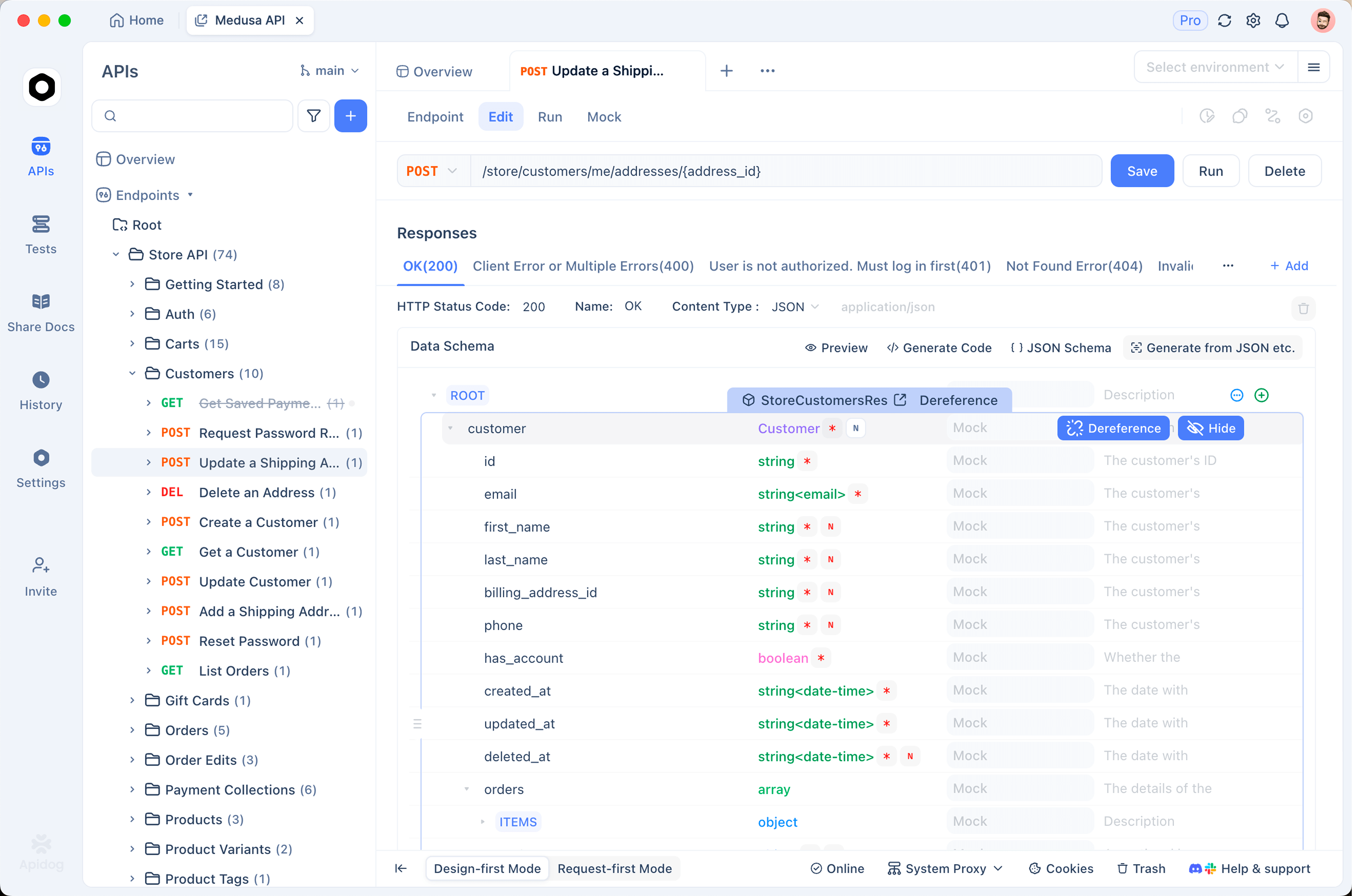
To be straight about it: Apidog also offers a cloud product, and for many teams that is the right pick. This is not an anti-cloud pitch. The point is that you have the option to keep your API design, specs, test data, and credentials inside infrastructure you control. Here is how that works.
On-premise and self-hosted deployment. Apidog offers a fully self-hosted, on-premise deployment for enterprises. You run the complete platform inside your own infrastructure: a private data center, your own cloud VPC, or a hybrid setup. According to the Apidog self-hosting documentation, deployment options include a standalone Docker setup where the application, MySQL database, and Redis cache all run on hosts you own, a hybrid model where the application runs in your environment while the database and cache use managed cloud services you control, and Kubernetes for enterprise-scale rollouts. Your OpenAPI specs, collections, test data, and environment variables sit on your servers, behind your network controls, in your logs, under your access policies. For an auditor’s “who can access this data” question, the answer becomes concrete.
The self-hosted edition also supports self-hosted test runners, so automated API tests execute inside your network instead of routing through a third party. That keeps both your specs and your test traffic within your boundary, which matters when the requests carry real tokens or hit internal-only services. Self-hosted Apidog also includes enterprise user and access management, so you can scope who reaches which projects rather than relying on default-open sharing.
Offline mode with local-first storage. You do not need a full on-premise rollout to keep sensitive work local. Apidog’s Offline Space lets a single developer or a small team work entirely on-device. Per the Apidog Offline Space documentation, all data stays on your local machine and is never uploaded to the cloud. There are no background syncs. Unlike a temporary “cache until you reconnect” offline mode, Apidog’s Offline Space is permanent and self-contained: you design, debug, and test endpoints fully offline, and the data lives only where you put it.
Offline Space is especially relevant for the secrets problem. Environment and global variables in Offline Space are stored locally, are not synced to the cloud, and are not shared with team members. That means you can keep bearer tokens, account credentials, and connection strings in your API client without those values ever leaving your laptop. For air-gapped or restricted networks, this is the difference between a tool you can use and one you cannot.
Local data storage as the default posture. The thread connecting both options is local-first control. With on-premise deployment your team’s shared API source-of-truth lives on your infrastructure. With Offline Space an individual’s sensitive work lives on their device. Either way, your API specs, test data, and credentials are not delegated to a multi-tenant cloud by default. They are somewhere you can point to, audit, and defend.
To follow along, Download Apidog and turn on Offline Space from the desktop app, or review the self-hosting documentation if you are evaluating an enterprise on-premise deployment. The honest summary: Apidog would not have stopped GitHub’s breach, and no API tool would have. What it does is let you make a deliberate decision about where your API data lives, instead of discovering the answer during someone else’s incident.
Conclusion
The GitHub breach is not a reason to panic, and it is not proof that the cloud is broken. It is a prompt. Here is what to take away.
- GitHub, a cloud platform trusted by millions, was breached through a poisoned VS Code extension on one employee’s device; about 3,800 internal repositories had data stolen.
- For most teams, the platform that hosts code also holds the API source-of-truth: OpenAPI specs, collections, test data, and environment secrets.
- Cloud-synced API tooling adds real attack surface: the vendor as a target, account takeover, over-broad workspace sharing, the extension and integration layer, and sub-processors.
- Cloud sync also has genuine benefits, and mature vendors often out-secure in-house ops; the goal is a deliberate trade, not blanket distrust.
- Regulated industries, sensitive credential storage, and air-gapped networks are where self-hosted or offline tooling stops being optional.
- Cloud convenience legitimately wins for distributed teams, small teams without ops capacity, and low-sensitivity work.
- The smart pattern is per-data-class: self-hosted or offline for secrets and customer data, cloud for low-risk collaboration, revisited as you grow.
The next step is small and worth doing this week: inventory what your API client syncs, classify each data type by sensitivity, and decide deliberately where each class belongs. If part of the answer is “inside our perimeter,” Apidog gives you on-premise self-hosted deployment and an offline mode to make that real. Download Apidog to start, and read the self-hosting documentation if an enterprise rollout is on the table.