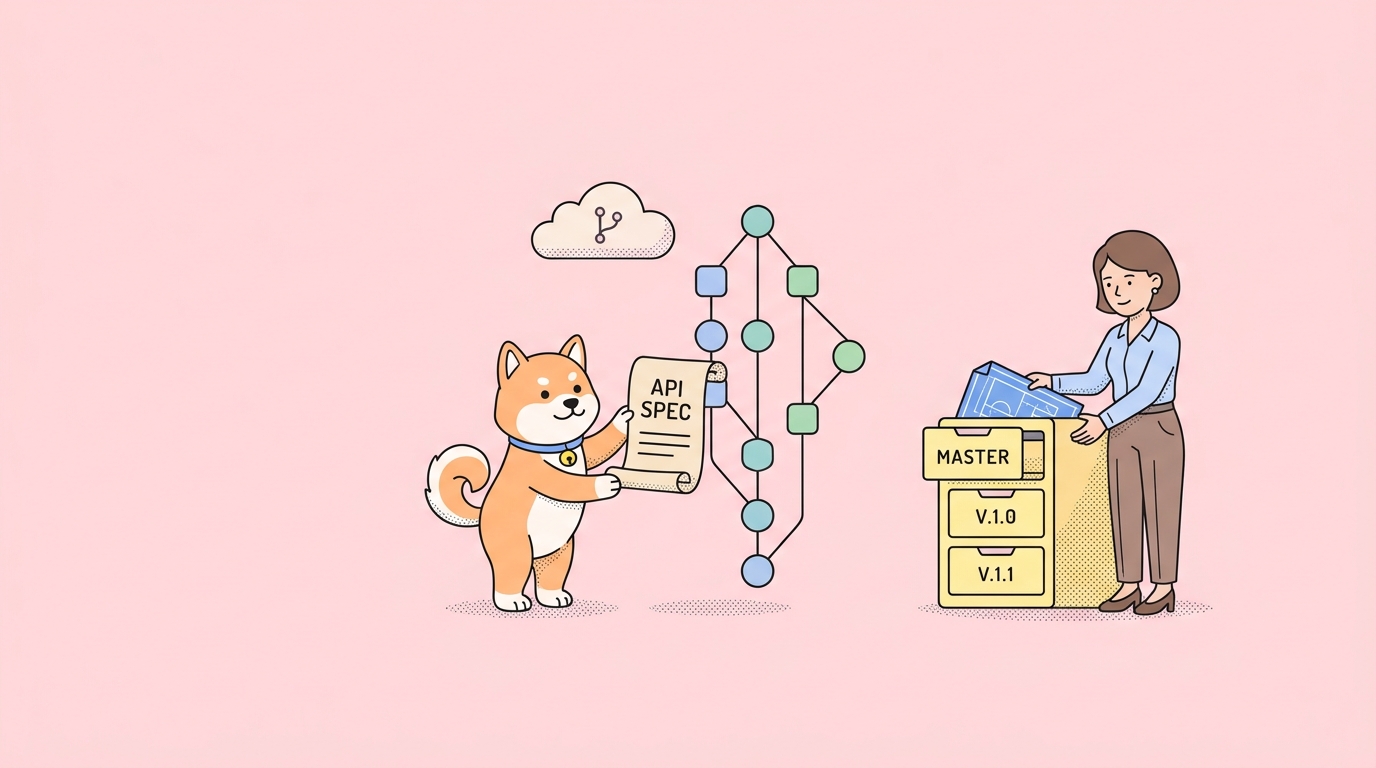
Your code lives in Git. Your CI pipelines, reviews, and release history live in Git. So why does your API spec live somewhere else?
A Git-native API workflow keeps your OpenAPI definition in the same place as your code. You edit the spec as a plain YAML or JSON file, commit it, and push it through the same review process you use for everything else. No separate cloud database. No export-import dance. The spec is just another file in your repo.
What a Git-native API workflow means
A Git-native API workflow treats your API spec as code. The OpenAPI file sits in a repository alongside your services. Every change is a commit. Every commit has an author, a message, and a diff.
This gives you three things you already expect from source code:
- Version history. You can see who changed an endpoint and when.
git blameworks on your spec. - Branching and review. Spec changes go through pull requests. Reviewers see the exact diff before anything merges.
- One source of truth. The file in
mainis the contract. Tools, docs, and mocks all read from it.
This is the core idea behind a spec-first API workflow: the specification leads, and the implementation follows. For a deeper look at that practice, see our guide on spec-first API development.
The opposite approach stores your spec inside a proprietary cloud app. That works until your team grows or your process matures. Then the cracks show.
The problem with cloud-locked API specs
Most API design tools keep the spec in their own database. You edit through their UI. The “file” you think you own is really a row in someone else’s system.
This breaks down in predictable ways.
Review happens in two places. Code changes go through GitHub. Spec changes go through a separate tool with its own comments and history. Reviewers context-switch. Approvals drift out of sync.
The diff is hidden. When the spec lives in a cloud database, you can’t see a clean line-by-line diff in your pull request. You approve a “v3 of the design” with no idea what actually changed.
Export becomes a chore. To get the spec into CI, you export it, commit the export, and hope nobody edited the cloud copy in the meantime. Two sources of truth, one inevitable conflict.
Automation fights you. Linters, contract tests, and code generators want a file on disk. A cloud-locked spec forces a fetch step before any of that runs.
Treating your API spec as code removes all of this. The file is the spec. Git is the history. Your existing pipeline does the rest. We cover the principle in detail in API spec as code.
How Apidog Spec-First Mode works
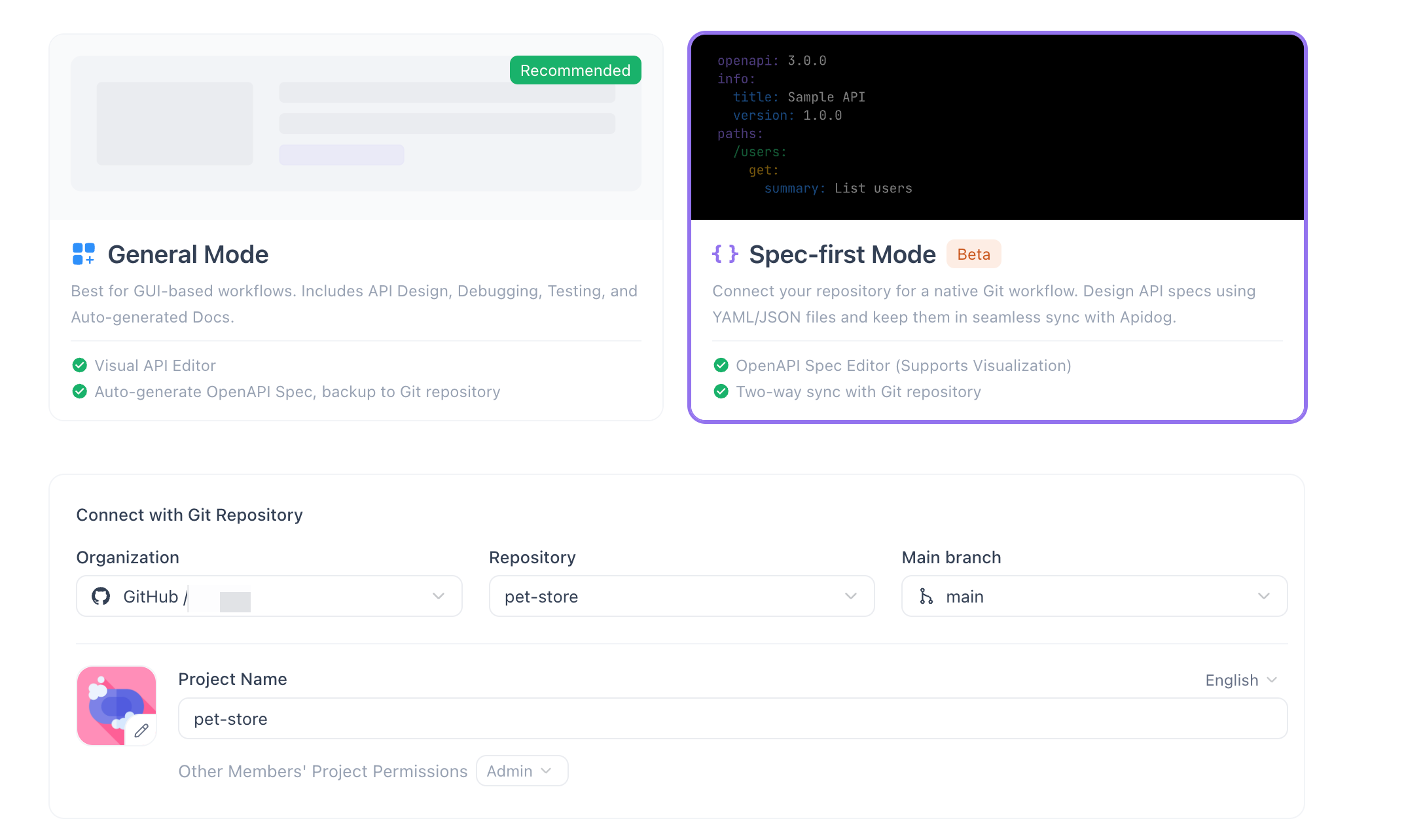
Spec-First Mode is built for teams who already think in commits and branches. You design the API as raw YAML or JSON files, and Apidog keeps those files in sync with your Git repo both ways.
Here’s what you get.
An IDE-style OpenAPI editor
You write the spec in a code editor, not a form. The editor brings the conveniences you’d expect from an IDE:
- Syntax highlighting for YAML and JSON.
- Validation against the OpenAPI and Swagger schemas, so mistakes surface as you type.
- Auto-completion for OpenAPI keywords, types, and references.
You stay in control of the exact file. No hidden fields, no UI-only metadata.
Raw YAML/JSON files
The spec is a real file. small slice of one:
openapi: 3.1.0
info:
 title: Orders API
 version: 1.2.0
paths:
 /orders/{orderId}:
 get:
 summary: Get an order by ID
 operationId: getOrder
 parameters:
 - name: orderId
 in: path
 required: true
 schema:
 type: string
 responses:
 "200":
 description: Order found
 content:
 application/json:
 schema:
 $ref: "#/components/schemas/Order"
 "404":
 description: Order not found
components:
 schemas:
 Order:
 type: object
 properties:
 id:
 type: string
 status:
 type: string
 enum: [pending, shipped, delivered]
This is the file that lands in your repo. What you edit is what gets committed.
An auto-parsed navigable outline
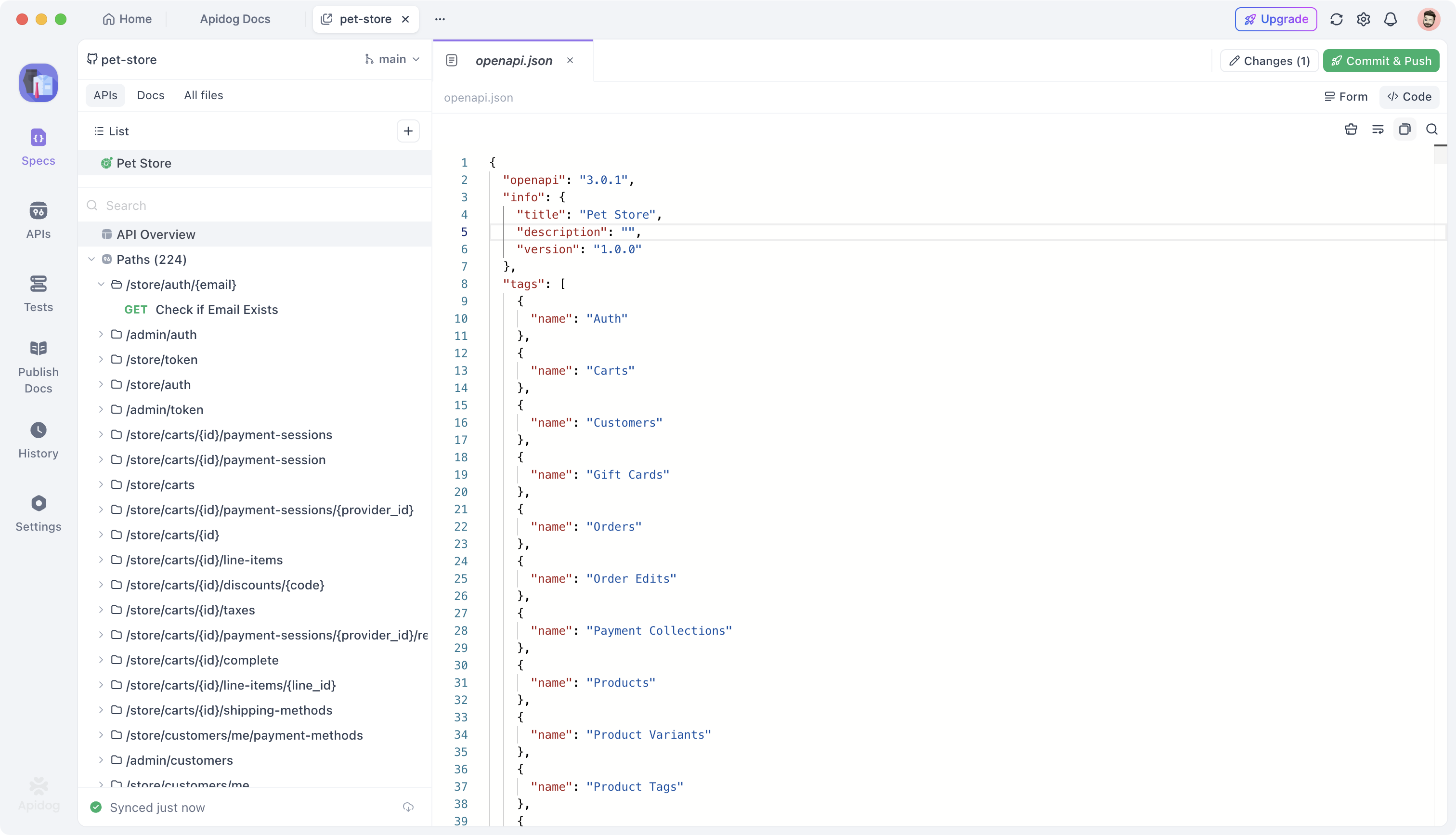
As you type, Apidog parses the file and builds a visual outline in the left sidebar. Paths, operations, and schemas appear as a tree you can click through. You get the readability of a design tool and the precision of raw files at the same time.
Long specs stay navigable. Jump to an endpoint without scrolling through hundreds of lines.
Two-way Git sync
Spec-First Mode connects to your Git provider and syncs changes in both directions. It supports GitHub and GitLab directly, and Azure DevOps through a Git Connection.
Pull in changes your teammates pushed. Edit locally in the Apidog editor. Then commit and push back to the same branch. The repo and your workspace stay aligned.
Commit, push, and a sync status indicator
You don’t leave Apidog to manage Git. Stage your changes, write a commit message, and push. A sync status indicator tells you where you stand. After a successful push, it reads something like “Synced just now.” If you change your mind before pushing, you can discard unpushed edits and return to the last synced state.
This two-way sync is the heart of the Git-native API workflow. For a focused walkthrough of the GitHub side, see sync OpenAPI spec to GitHub.
Setup walkthrough
Here’s how to go from an empty repo to a synced spec. The full reference lives in the Spec-First Mode docs.
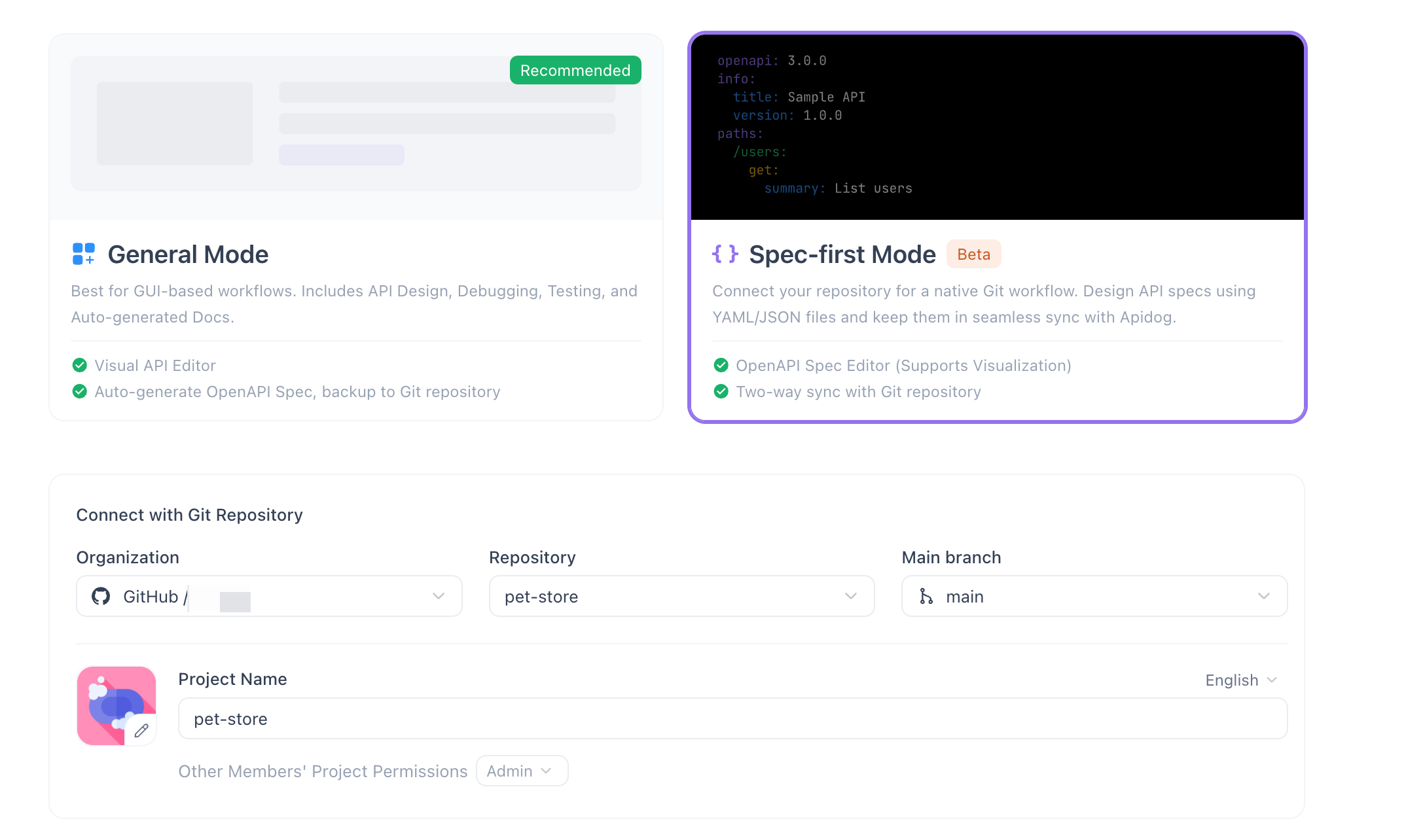
- Create a project from a repo. In Apidog, start a new Spec-First project and connect your Git provider. Choose the repository that holds your API spec and select the branch to track, usually
main. Apidog pulls the existing spec files into the editor.
- Edit the spec. Open the OpenAPI file in the editor. Add an endpoint, adjust a schema, or fix a response. Syntax highlighting, validation, and auto-complete guide you as you write. The left sidebar outline updates as the file changes.
- Track modified, added, and deleted files. Apidog shows which files you’ve changed since the last sync. Modified, added, and deleted files are flagged so you know exactly what’s about to go into the commit.
- Write a commit message. Describe the change in plain language, the same way you would in any Git client. “Add 404 response to getOrder” beats “update spec.”
- Push. Send the commit to the tracked branch. Your teammates and your CI pipeline now see the new version.
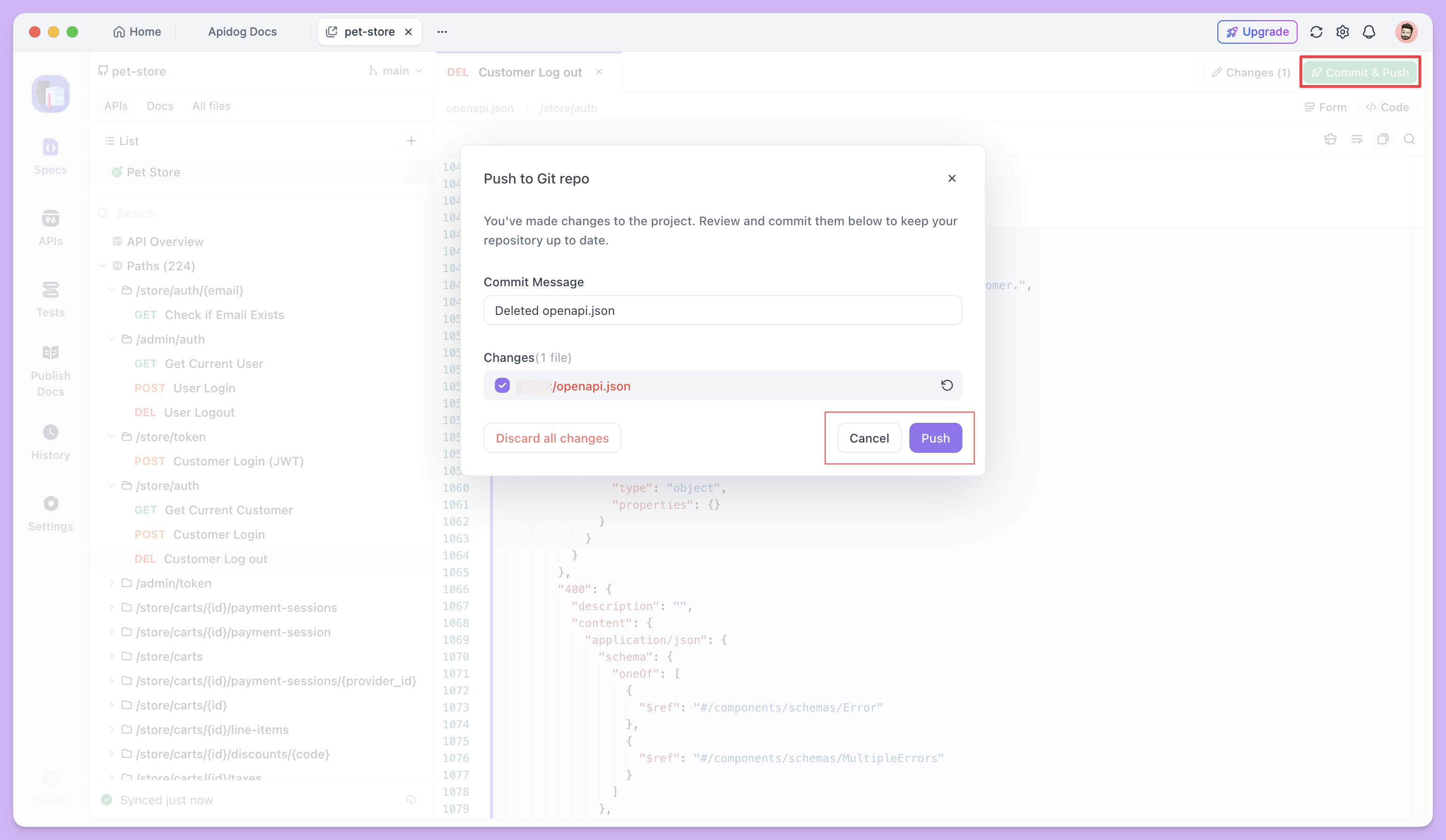
- Check “Synced just now.” Watch the sync status indicator confirm the push. When it reads “Synced just now,” your local edits and the remote branch match. From here, the change flows through your normal pull request and review process.
That’s the full loop: pull, edit, commit, push, verify. No export step. No second source of truth.
Spec-first vs design-first mode
Apidog supports two ways to work. The difference is where the spec lives and how you edit it.
| Spec-First Mode (beta) | Design-First Mode | |
|---|---|---|
| Spec storage | Raw YAML/JSON files in Git | Apidog cloud project |
| Primary editor | IDE-style code editor | Visual form-based UI |
| Version control | Native Git (commits, branches, diffs) | Apidog history and branches |
| Two-way Git sync | Yes (GitHub, GitLab, Azure DevOps) | Via export/import |
| Best for | Teams who live in Git | Teams who prefer a visual workflow |
Neither mode is “better.” They serve different habits. If your review and release process already runs on Git, Spec-First Mode removes the seam. If your team designs visually and rarely touches raw OpenAPI, Design-First Mode may fit better.
When to use it
Reach for Spec-First Mode when:
- Your spec should go through pull requests and code review.
- You want
git blameand a real commit history on your API contract. - Your CI runs spec linting, contract tests, or code generation that need a file on disk.
- Multiple engineers edit the spec and you want clean, mergeable diffs.
- You’re tired of exporting from one tool to feed another.
Stick with a visual, cloud-first approach when your team designs APIs without writing raw OpenAPI, or when non-engineers own the spec and prefer a form-based editor.
FAQ
What is a Git-native API workflow?
A Git-native API workflow stores your OpenAPI spec as a file in a Git repository and manages every change through commits, branches, and pull requests. The spec follows the same review and version-control process as your application code, so there’s one source of truth.
Does Apidog Spec-First Mode support GitHub and GitLab?
Yes. Spec-First Mode syncs two ways with GitHub and GitLab directly. Azure DevOps is supported through a Git Connection. You connect the repo, pick a branch, and Apidog keeps your edits and the remote in sync.
Can I edit OpenAPI files as raw YAML or JSON?
Yes. Spec-First Mode gives you an IDE-style editor for raw YAML and JSON, with syntax highlighting, schema validation, and auto-completion for OpenAPI and Swagger. A left-sidebar outline auto-parses the file so you can navigate large specs quickly.
What’s the difference between Spec-First and Design-First mode?
Spec-First Mode keeps your spec as files in Git and edits them in a code editor with two-way sync. Design-First Mode keeps the spec in an Apidog cloud project with a visual, form-based editor. Choose Spec-First if your workflow already runs on Git.
Conclusion
A Git-native API workflow ends the split between your code and your API contract. The spec becomes a file, the file becomes a commit, and the commit flows through the review process you already trust.
Apidog Spec-First Mode gives you the IDE-style editor, the navigable outline, and the two-way Git sync to make that real. You edit raw YAML or JSON, commit a clear message, push, and watch the status read “Synced just now.”
Try Spec-First Mode and bring your API spec home to Git.