
If your OpenAPI document lives in a Git repository but you edit it inside an API client, you already know the friction: copy the YAML out, paste it back, hope nobody else touched the file, and pray the import didn’t quietly drop a field. Keeping a spec and a repo in agreement by hand is the kind of chore that breaks exactly when you’re in a hurry.
This guide shows you how to sync your OpenAPI spec to GitHub with Apidog’s Spec-First Mode, so the spec in your repo and the spec in your editor stay the same thing instead of two copies you constantly reconcile. We’ll connect a provider, open a project straight from a repo, edit the YAML, and push the change back to GitHub in one pass. The same steps work for GitLab.
Let’s get into it.
What two-way sync actually means
Two-way sync means edits flow in both directions, automatically, with no export step in the middle.
- Apidog to Git: When you edit the OpenAPI document in Apidog and commit, the change is pushed to your repository as a normal Git commit on the branch you chose.
- Git to Apidog: When a teammate (or you, from your IDE) pushes a change to that branch, Apidog pulls it back in so your editor reflects what’s actually in the repo.
The repository is the single source of truth. Apidog is a rich editor on top of it. That’s the whole idea behind a Git-native API workflow: the spec is versioned, reviewed, and history-tracked like any other file in your codebase, instead of sitting in a tool that periodically exports a snapshot.
Prerequisites
Before you start, make sure you have:
- Apidog installed (desktop app or web), signed in.
- A GitHub or GitLab repository that already contains an OpenAPI document, or one you have write access to. Azure DevOps is also supported through Git Connection.
- Spec-First Mode (beta) enabled. This is the mode that turns your project into a thin layer over a Git repo rather than Apidog’s own storage.
You’ll want write permission on the branch you plan to sync to. Read-only access lets you pull but not push.
Step 1: Connect your Git provider
First, authorize Apidog to talk to your provider.
- Open Apidog and create a new project, choosing Spec-First Mode.
- When prompted to pick a source, select your provider, GitHub or GitLab.
- Click Authorize. Your browser opens the provider’s OAuth screen.
- Grant Apidog access to the repositories you want to sync. On GitHub you can scope this to specific repos rather than your whole account.
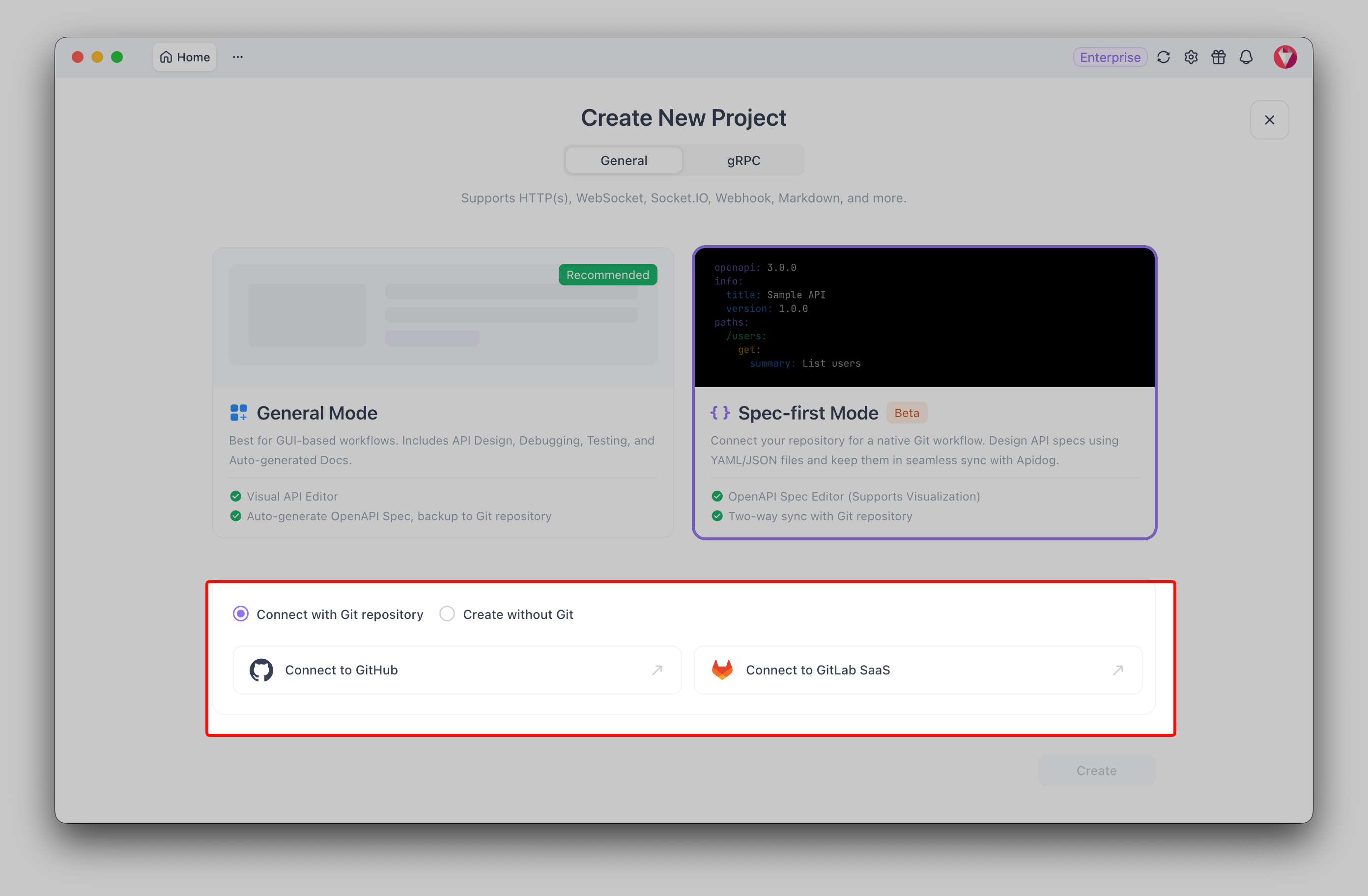
Once authorization completes, you’re handed back to Apidog with the provider connected. You only do this once per provider, future projects reuse the connection.
For the full reference on this flow, including Azure DevOps via Git Connection, see the Spec-First Mode documentation.
Step 2: Create a project from a repo and branch
Now point Apidog at the actual spec.
- With the provider connected, pick the repository that holds your OpenAPI file.
- Choose the branch to sync against, usually
main. This is the branch your commits will land on and the branch Apidog watches for incoming changes. - Confirm the path to the OpenAPI document if Apidog asks (for example
openapi.yamlat the repo root, or underdocs/). - Create the project.
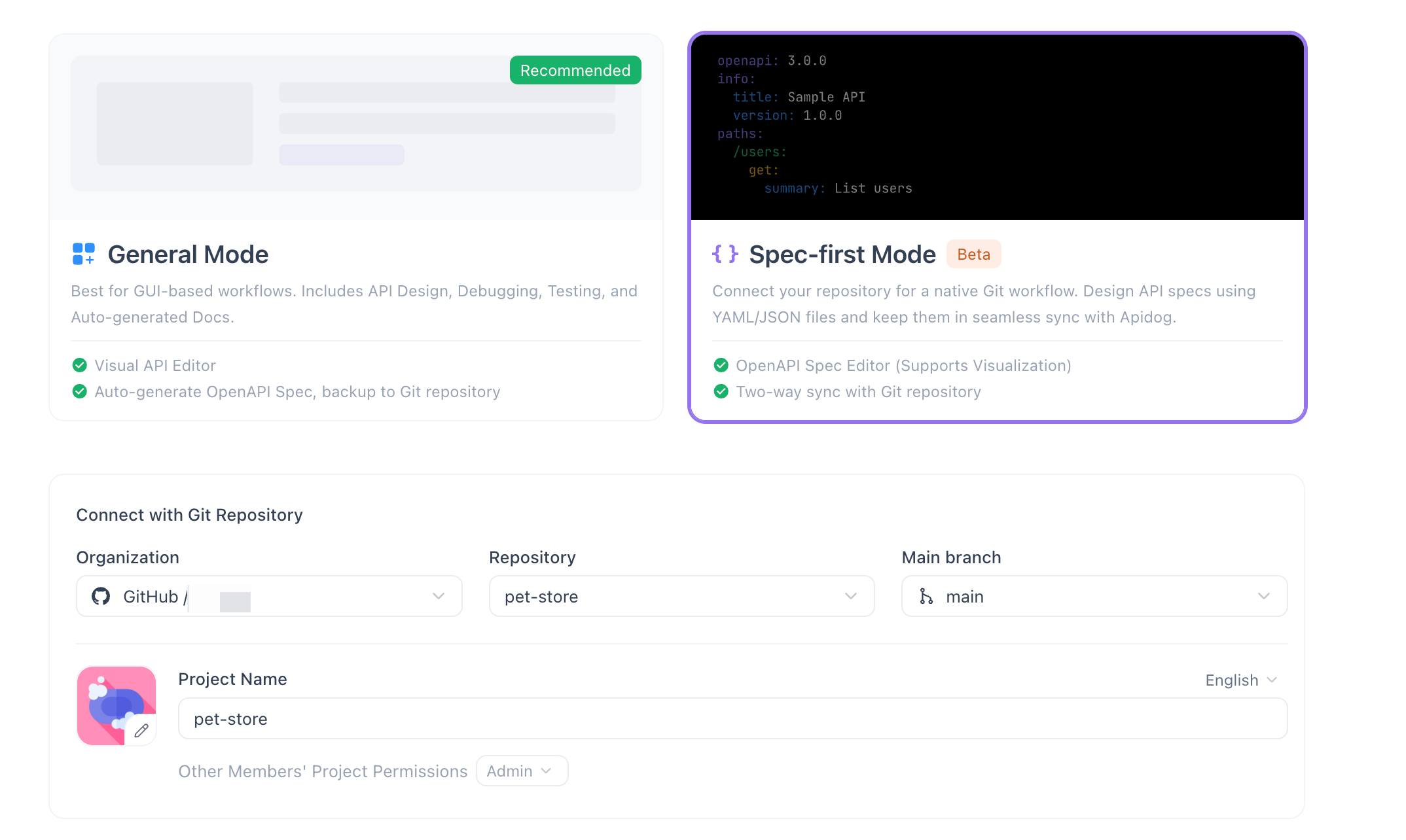
Apidog clones the spec from that branch and opens it. The left sidebar fills in with your endpoints and schemas, because Apidog parsed the document into a navigable outline. You’re now looking at the repo’s spec, live.
Step 3: Edit your OpenAPI YAML in the code editor
Spec-First Mode gives you an IDE-style editor for the raw OpenAPI YAML, with syntax highlighting, inline validation, and auto-completion. You write OpenAPI directly; Apidog keeps the visual outline in step as you type.
Let’s add a small endpoint. Suppose you want a health check:
paths:
 /health:
 get:
 summary: Service health check
 operationId: getHealth
 responses:
 '200':
 description: Service is up
 content:
 application/json:
 schema:
 type: object
 properties:
 status:
 type: string
 example: ok
As you type, two things happen. The left sidebar auto-parses the outline, so your new /health operation appears in the tree immediately. And the validator flags problems inline, a missing responses block, a bad $ref, an indentation slip, before you ever commit. If the YAML is malformed, you’ll see it underlined rather than discovering it in a failed pipeline later.
This is also where version control earns its keep. If you want a deeper look at how diffs and history play out on a spec, the guide on OpenAPI version control with Git walks through it.
Step 4: Commit and push
When the edit looks right, send it to GitHub.
- Open the commit panel (the Git/source-control area of the project).
- Review the change. Apidog shows what’s modified against the synced version.
- Write a commit message, treat it like any commit:
Add /health endpoint. - Click Commit & Push.
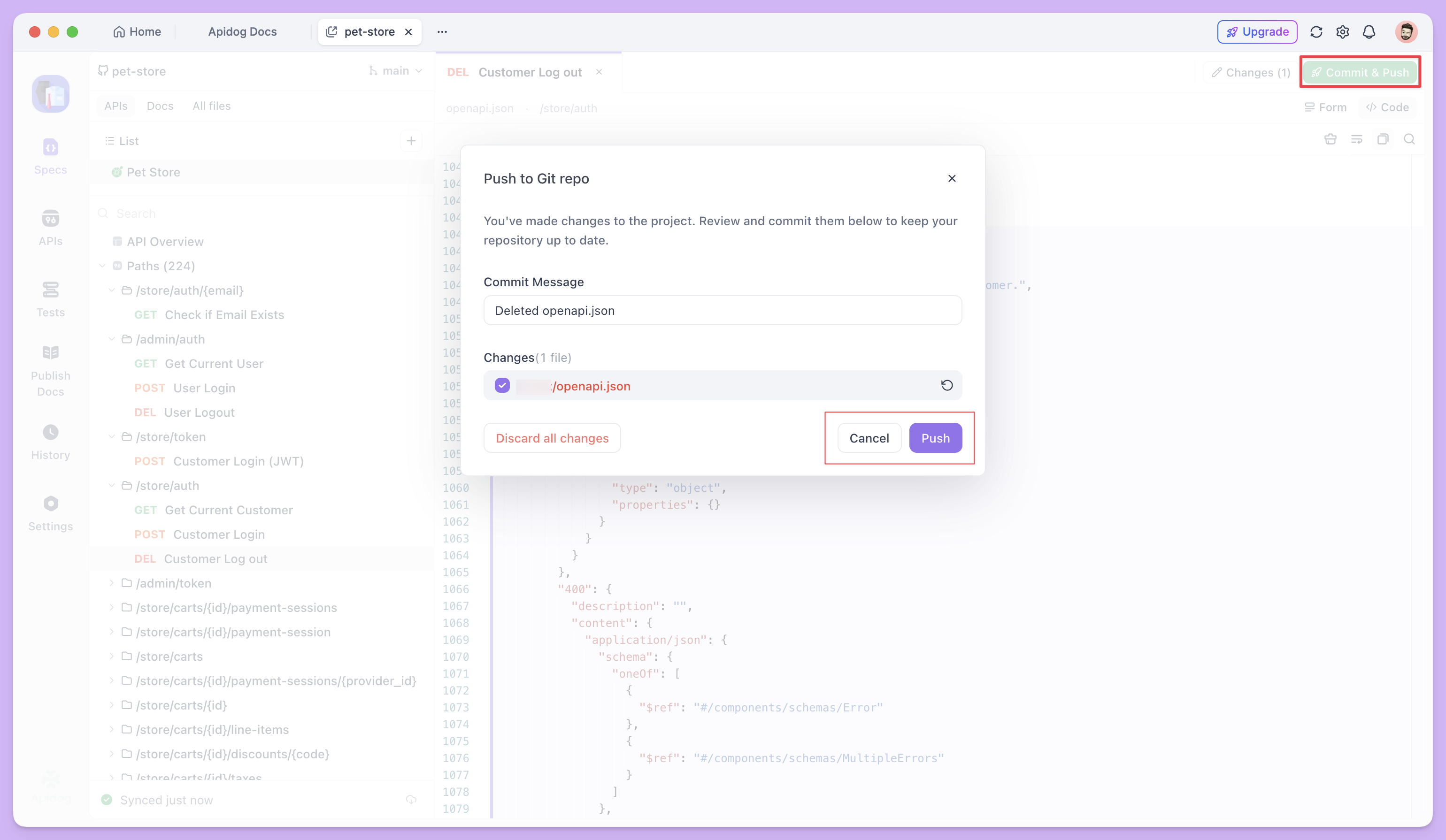
Apidog commits to your chosen branch and pushes to the remote. Open your repository on GitHub and you’ll see the commit in the branch history, authored as expected, touching exactly the OpenAPI file.
Changed your mind before pushing? You can discard unpushed edits to roll the document back to the last synced state. Nothing leaves Apidog until you commit, so local experiments stay local.
Step 5: Verify the sync status
Apidog shows a sync indicator so you always know where you stand.
After a successful push, the indicator reads “Synced just now.” That’s your confirmation that the editor and the remote branch hold the same document. As time passes it updates (“Synced 5 minutes ago”) and, when someone else pushes, Apidog pulls the change and resets the indicator after it reconciles.
If the indicator shows a pending or out-of-date state, it’s telling you the local copy and the remote have diverged, your cue to pull or resolve before continuing.
Troubleshooting
A few things tend to trip people up the first time.
- Authorization expired or revoked. If pushes start failing with a permission error, re-run the authorization from Step 1. Tokens can be revoked on the provider side or simply time out.
- Wrong branch. Pushing to a protected
mainthat requires pull requests will be rejected. Either sync against a has branch or adjust the branch’s protection rules. Double-check the branch chosen in Step 2 matches where you expect commits to land. - Merge conflicts. If a teammate pushed to the same branch while you were editing, the remote moved ahead of your local copy. Pull the latest, reconcile the overlapping YAML, and commit again. Because the spec is plain text, conflicts resolve the same way any code conflict does.
- Validation errors block your flow. Apidog won’t stop you from committing invalid YAML, but you should fix what the inline validator flags first. A clean spec keeps your generated docs, mocks, and tests honest.
FAQ
Does syncing to GitHub also work with GitLab and Azure DevOps?
Yes. Spec-First Mode supports GitHub and GitLab directly, and Azure DevOps through Git Connection. The connect-edit-commit-push flow is the same across all three; only the authorization screen differs by provider.
What happens if a teammate edits the spec in the repo while I’m working in Apidog?
Apidog pulls their change back into your editor as part of two-way sync. If your edits and theirs touch different parts of the file, they merge cleanly. If they overlap, you’ll resolve a standard Git conflict, just like you would in any text file.
Can I undo a change before it reaches GitHub?
Yes. Until you click Commit & Push, your edits are local. Use discard unpushed edits to revert the document to the last synced state, and nothing reaches the remote.