This is a 10-part series sharing how Apidog developed Apidog CLI, a command-line tool for API testing and API lifecycle management. Read in order or jump to any post that interests you:
| Title | Focus | |
|---|---|---|
| 1 | We Built 126 MCP Tools. But It Is Not the Best Solution for Agent | Problem discovery |
| 2 | Why We Developed Brand-new Apidog CLI | Architecture development |
| 3 | The Golden Rule: CLI Produces Facts, Model Acts on Facts | Core philosophy |
| 4 | agentHints: Teaching CLIs to Talk to Agents |
Structured output |
| 5 | SKILL: Shipping Operational Experience as Code | Operational experience |
| 6 | The Numbers Don't Lie: 30% Fewer Tool Calls, 25% Fewer Tokens | Quantitative results |
| 7 | From PRD to Testing Loop: A Complete Agent Workflow with Apidog CLI | Practical tutorial |
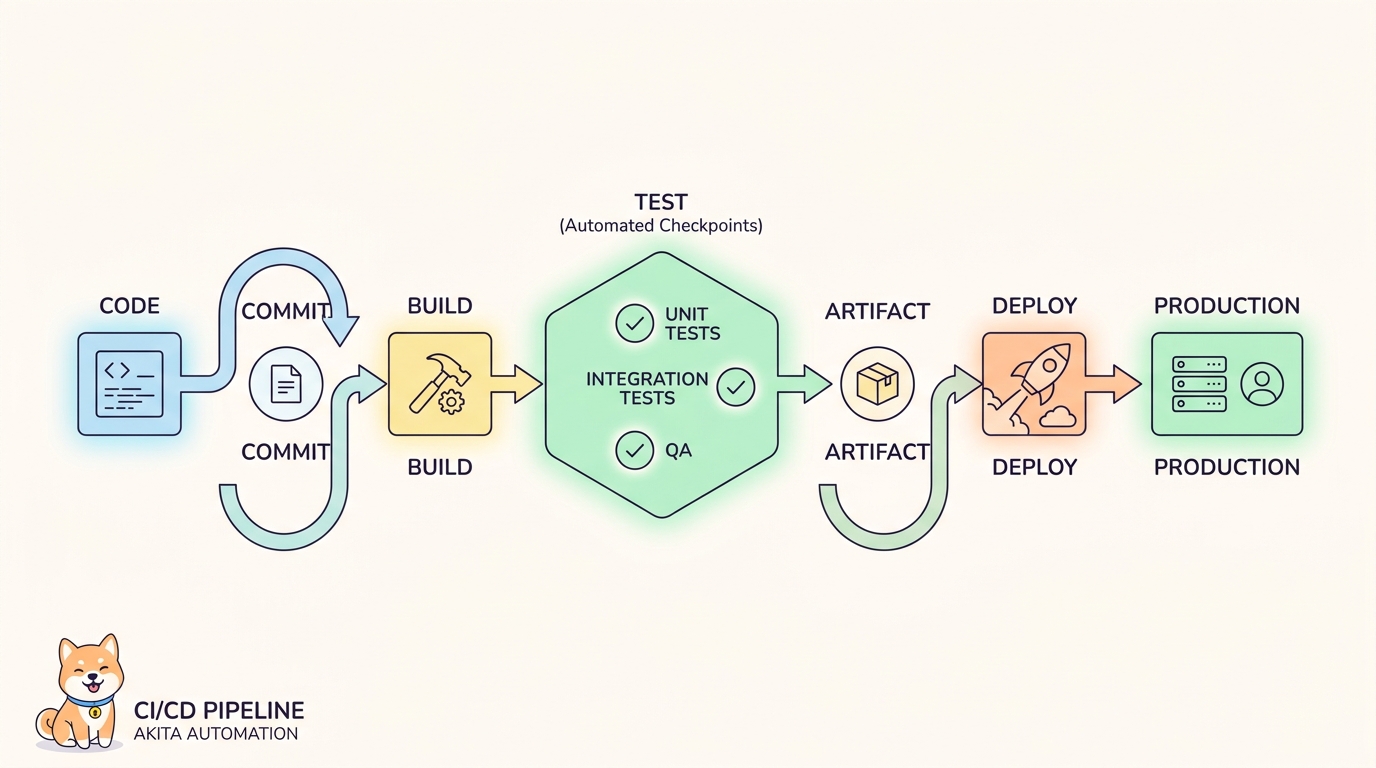
| 8 | Why CI/CD Compatibility Is Non-Negotiable for Agent Tools | DevOps perspective |
| 9 | AI Branch: Safer Project Changes with AI Agents | Security layer |
| 10 | Spec-First Was Yesterday. Welcome to Skill-First. | Vision & future |
Agent-friendliness must be built on CI/CD-friendliness. Learn why apidog run serves both CI pipelines and AI Agents—and why that dual purpose matters
The Dual Audience
When building Agent tools, it's easy to focus only on conversational experience.
Apidog CLI has an important service target that must not be forgotten: CI/CD.
| Original Audience | New Audience |
|---|---|
| CI/CD pipelines | AI Agents |
| External scheduling systems | Conversational workflows |
| Scripts and automation | User-driven tasks |
Many teams are already using Apidog in pipelines to:
- Run API automated tests
- Generate reports
- Maintain quality gates
This scenario requires:
| Requirement | Why |
|---|---|
| Stable output | Scripts parse predictable results |
| Scriptable commands | Automated execution |
| Clear exit codes | Pipeline pass/fail decisions |
| Configurable parameters | Environment-specific runs |
Automation cannot be broken just to accommodate Agents.
The Main Principle
Agent-friendliness must be built on top of CI/CD-friendliness.
We didn't reinvent a protocol that can only be used by AI. We added structured output, Schema validation, and next-step guidance that Agents need on top of a form already validated by engineering systems.
Good CLI engineering tools in the Agent era should be able to serve:
| Consumer | Their Needs |
|---|---|
| Humans | Readable output, help text, interactive features |
| Scripts | Stable output, scriptable commands |
| CI pipelines | Exit codes, report files, configurable runs |
| AI Agents | Structured results, validation, guidance |
apidog run: The Core Command
The foundation remains:
apidog run --project <projectId> \
  --test-scenario <scenarioId> \
  --environment <environmentId> \
  -r "cli,html,junit" \
  --out-dir ./apidog-reports
This command serves all four consumers.
What CI Cares About
| CI Requirement | CLI Feature |
|---|---|
| Exit codes | 0 for pass, 1 for fail—pipeline decision |
| Report files | HTML, JUnit, JSON formats in --out-dir |
| Stable parameters | Consistent options across versions |
| Configurable runs | Iterations (-n), delays (--delay-request), environments (-e) |
Example CI usage:
# GitHub Actions
- name: Run API Tests
  run: |
    apidog run --project $PROJECT_ID \
      --test-scenario $SCENARIO_ID \
      --environment $ENV_ID \
      -r "junit" \
      --out-dir ./reports
  env:
    PROJECT_ID: ${{ secrets.APIDOG_PROJECT_ID }}
    SCENARIO_ID: ${{ secrets.APIDOG_SCENARIO_ID }}
    ENV_ID: production

- name: Publish Test Report
  uses: mikepenz/action-junit-report@v3
  with:
    report_paths: './reports/junit.xml'
Pipeline reads exit code → passes or fails → publishes report.
What Agents Care About
| Agent Requirement | CLI Feature |
|---|---|
| Structured results | JSON output format with data object |
| Failure reasons | Specific error details in error object |
| Next-step suggestions | agentHints with nextSteps array |
| Validation | cli-schema validate before writes |
Example Agent usage:
{
  "success": true,
  "stats": {
    "total": 10,
    "passed": 8,
    "failed": 2
  },
  "failures": [
    {
      "step": "Payment processing",
      "error": "Assertion failed: status != 'success'",
      "response": {...}
    }
  ],
  "agentHints": {
    "summary": "2 tests failed. Review failure details.",
    "nextSteps": [
      "Debug the Payment processing step failure.",
      "Check assertion: expected status 'success'.",
      "Update test case or endpoint after fixing."
    ]
  }
}
Agent parses JSON → understands failures → follows next steps.
Same Command, Different Consumers
apidog run --project <projectId> --out-dir ./apidog-reports| Consumer | What They Extract |
|---|---|
| CI pipeline | Exit code (0/1), report file location |
| Agent | JSON output, agentHints, failure details |
| Human | Console output, HTML report link |
| Script | Stdout/stderr, configurable format |
One command serves all.
Integration Points
Apidog CLI supports integration with:
| CI Tool | Integration |
|---|---|
| Jenkins | Pipeline steps, report publishing |
| GitLab CI | YAML configuration, artifacts |
| GitHub Actions | Workflow steps, secret management |
| CircleCI | Orbs, workflow configuration |
| Azure DevOps | Pipeline tasks, test results |
All integrations use the same apidog run foundation.
Quality Gate vs. Verification
| Use Case | Meaning |
|---|---|
| CI quality gate | Pass/fail determines pipeline progression |
| Agent verification | Run after changes to confirm correctness |
Same command, different context:
| Context | When Used | Purpose |
|---|---|---|
| CI | After code push | Prevent bad code from deploying |
| Agent | After test creation | Confirm Agent's work is correct |
The Foundation Principle
Everything we've described in this series—cli-schema, agentHints, SKILL—builds on this foundation:
┌─────────────────────────────────────────┐
│          Agent Features                  │
│  (cli-schema, agentHints, SKILL)        │
├─────────────────────────────────────────┤
│          CI/CD Foundation                │
│  (apidog run, exit codes, reports)       │
├─────────────────────────────────────────┤
│          Core CLI                        │
│  (commands, parameters, execution)       │
└─────────────────────────────────────────┘
Agent features don't replace CI features. They extend them.
What's Next
We've covered the full picture—from problem discovery through practical workflows to foundational principles.
Now there's one more critical piece: security.
When Agents modify project resources, how do you prevent them from directly affecting the main branch?
In Part 9, AI Branch: Safer Project Changes with AI Agents, we'll explore how AI Branch provides an isolated editing environment—changes stay in a separate branch until human review, creating a safety layer for Agent-driven modifications.
Key Takeaways
- CI/CD compatibility is the foundation, not optional
- Agent-friendliness built on top of CI-friendliness
- Same command (
apidog run) serves CI, Agents, humans, scripts - CI needs: exit codes, reports, stable parameters
- Agents need: structured output, failure details, next steps
- Quality gate (CI) + verification (Agent) = dual purpose
Download Apidog to design, mock, test, and document APIs in one workspace. Learn more about Apidog CLI for command-line API testing, CI automation, and AI Agent workflows.