
OpenAI shipped ChatGPT Images 2.0 on April 21, 2026, and the best part for most people is a line buried in the announcement: the new gpt-image-2 model is available on the free tier. No credit card. No API key. No subscription.
This guide walks through how to use ChatGPT Image 2.0 for free in practice, what you get versus what’s gated behind Plus, and how to stretch the free tier when you hit its rolling cap. It also covers the free path developers take: trying the gpt-image-2 API with OpenAI’s starter credit and testing it inside Apidog without writing throwaway scripts.
If you want the fastest route to your first image, scroll to “Step-by-step.”
TL;DR
- You can use ChatGPT Image 2.0 for free at chat.openai.com or on the official mobile apps; sign up with an email and start generating.
- The free tier runs standard gpt-image-2: sharp multilingual text, up to 2,000 px on the long edge, batch of up to 10 images per prompt.
- Thinking mode, extended reasoning, and web search during generation stay locked to Plus, Pro, and Business.
- The rate limit is roughly 3 to 10 images per rolling 3-hour window; it flexes with load.
- Developers get a free path too: new OpenAI accounts start with a small trial credit, and you can call
gpt-image-2from Apidog without installing an SDK.
What is ChatGPT Image 2.0?
ChatGPT Image 2.0 is OpenAI’s second-generation image generator, released April 21, 2026. It runs on a new model, gpt-image-2, which renders legible multilingual text, returns up to ten consistent variations per prompt, and supports aspect ratios from square to 3:1 wide and 1:3 tall.
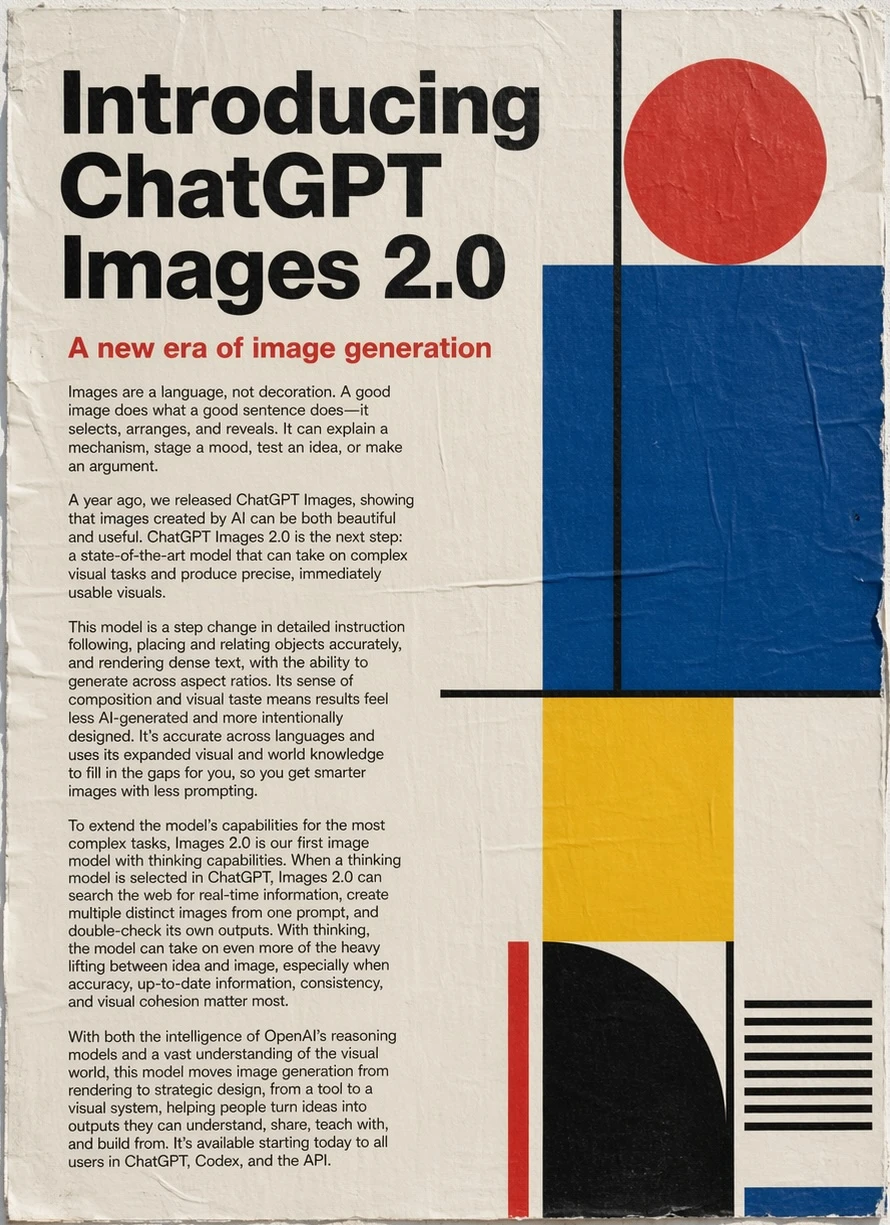
For a deeper model breakdown and a side-by-side with the old gpt-image-1, see our ChatGPT Images 2.0 developer guide. The short version: it’s the first OpenAI image model where small UI labels, CJK characters, and infographic captions come out readable on the first try. The official OpenAI announcement has the full spec.
Step-by-step: how to use it on the free tier
Here’s the fastest route from zero to generated image on the free plan.
- Open ChatGPT. Go to chat.openai.com or open the official ChatGPT app on iOS or Android.
- Sign up or log in. A free account needs only an email. You do not need a payment method on file.
- Start a new chat. The free tier uses GPT-5.1 as the default text model. Image generation is built in; you do not need a separate app.
- Ask for an image. Type a clear brief, for example: “Generate a minimalist poster of a red fox in a snowy pine forest, vertical orientation, Japanese caption that reads 冬の静けさ.” ChatGPT calls
gpt-image-2for you. - Wait for the render. Standard mode finishes in 10 to 25 seconds per image on the free tier. The result shows up inline in the chat.
- Download or iterate. Right-click on desktop or long-press on mobile to save. To refine, reply in the same thread: “same composition, swap the fox for an Akita, make the caption larger.” In-thread edits preserve style and cost one generation.
That’s the whole flow. You’re calling the same gpt-image-2 model that powers the paid tier; rendering quality, text accuracy, and aspect-ratio support are identical.
What you get on free versus Plus
The model is the same, but access differs. Here’s the honest diff.
| Capability | ChatGPT Free | ChatGPT Plus / Pro / Business |
|---|---|---|
| Model | gpt-image-2 standard | gpt-image-2 standard + thinking |
| Thinking mode (reasoning before render) | No | Yes (low / medium / high) |
| Web search during generation | No | Yes |
| Generation cap | ~3–10 per rolling 3-hour window | Much higher, soft cap |
| Batch (n = 1 to 10) | Available | Available |
| Resolution up to 2,000 px | Yes | Yes |
| Commercial use of outputs | Allowed per OpenAI terms | Same |
| Priority during peak load | No | Yes |
The gap most people notice first is rate-limit related: hit your cap and ChatGPT pauses image generation for a few hours, but keeps letting you chat. The second-biggest gap is thinking mode. For infographics that need exact counts or diagrams with labeled arrows, the paid tier makes a clear difference. For everyday posters, social headers, and illustrative images, the free tier ships the same output the paid one does.
Prompt tips that stretch the free tier
When every generation counts, better prompts waste fewer.
- Describe composition, not adjectives. “Red fox sitting on a snow-covered log, left third of frame, pine forest bokeh” outperforms “beautiful fox in winter.” The model has more to anchor on.
- Name the aspect ratio explicitly. Say “vertical 9:16” or “wide 3:1 banner.” Leaving it implicit wastes a render on the wrong shape.
- Batch your variants. Ask for four in one request instead of four separate prompts. One request is one tick against your rate limit.
- Pin the text. If your image needs text, quote it exactly: “caption reads ‘冬の静けさ’ in handwritten brush script.”
- Reference a style. “Editorial infographic, pastel palette, sans-serif labels, flat vector illustration” is far more useful than “clean and modernish.”
- Iterate in-thread. ChatGPT uses the thread as context; replying “same scene, warmer lighting” costs one generation and keeps the composition locked.
Limits to know before you start
A few things are easy to miss on the free plan.
- You cannot enable thinking mode. Prompts that rely on precise object counts or strict layout rules may need two or three retries. The Decoder’s review has a longer write-up on why reasoning matters for layout tasks.
- Long text blocks still break. Captions and headings render cleanly. Full paragraphs do not. VentureBeat flagged the same limit in their hands-on test.
- Named-person and branded-asset prompts get refused. Photorealistic public figures, trademarked logos, and protected characters are blocked by the content policy.
- Rate limits tighten during peak hours. US evenings and Asian afternoons both spike load. Off-peak renders finish faster and you’re less likely to be deprioritized.
- No guaranteed session continuity across days. The batch feature holds style inside one call; a new chat tomorrow will drift even with a near-identical prompt.
The developer free path: trial credit plus Apidog
If you want to call gpt-image-2 programmatically without paying on day one, there’s a second free path.
- Create an OpenAI developer account at platform.openai.com. New accounts get a small starter credit. At the current $0.21-per-image ballpark, that covers a few dozen test renders.
- Generate an API key from the dashboard.
- Test without writing a script. Point Apidog at the OpenAI images endpoint, paste your key into an environment variable, and fire the request. Image responses render inline; you can fork prompts and compare aspect ratios side by side without touching curl.
A minimal gpt-image-2 request looks like this:
curl https://api.openai.com/v1/images/generations \
  -H "Authorization: Bearer $OPENAI_API_KEY" \
  -H "Content-Type: application/json" \
  -d '{
    "model": "gpt-image-2",
    "prompt": "A minimalist editorial illustration of an Akita dog studying API docs on a laptop, pastel palette",
    "size": "1536x1024",
    "n": 2,
    "quality": "high"
  }'
For the end-to-end walkthrough with auth, retries, and Python plus Node SDK examples, see our full gpt-image-2 API guide. If you’re moving off a CLI-heavy workflow, our API testing without Postman guide covers the jump to a real API client.
Teams that live in VS Code can skip the context switch entirely. Apidog inside VS Code runs the same requests in a sidebar next to your code, which keeps prompt iteration and API wiring in one window.
FAQ
Is ChatGPT Image 2.0 really free?Yes. Standard gpt-image-2 is on the ChatGPT free tier with no payment method required. Thinking mode, extended reasoning, and in-generation web search are Plus-only. OpenAI confirmed the tiering in the official launch post.
How many images can I generate per day on the free plan?Roughly 3 to 10 per rolling 3-hour window, depending on load. OpenAI does not publish a strict daily number because it flexes with demand. A batch request (up to 10 images in one prompt) generally counts as one generation against the limit.
Can I use images generated on the free tier commercially?Yes, subject to OpenAI’s terms of use. Free and paid tiers share the same commercial usage rights on outputs. Named-person and trademarked-asset restrictions still apply.
Does the free tier support all aspect ratios and resolutions?Yes. Free users get the full set: 1:1, 3:2, 2:3, 16:9, 9:16, 3:1, and 1:3, up to 2,000 px on the long edge. That is identical to the paid tiers.
Can I call the gpt-image-2 API for free?New OpenAI developer accounts get a small starter credit that covers initial testing. After that, the API is pay-as-you-go; there is no perpetual free API tier. Pair the trial with Apidog to test prompts without installing an SDK.
What’s the fastest way to improve free-tier output quality?Write composition-focused prompts, quote exact text, and batch variants into a single request. The “Prompt tips” section above has the full checklist.


