Cerebras sells one number: speed. The pitch is that its wafer-scale chips push tokens out faster than a GPU cluster ever could, and the free tier is how the company gets you to notice. But “fast” is not something you should take on a vendor’s word. It is something you measure, on your own connection, with your own prompt, and then keep as a record you can re-run every time Cerebras ships a new model or changes a limit.
This guide does that measurement with you. You will get a Cerebras API key, make a real chat completion call against the OpenAI-compatible endpoint, time the first token and the full response, and have your coding agent turn the whole request into an Apidog CLI test so it survives the next model swap.
TL;DR
Cerebras gives new accounts a Free Trial tier: $5 in credits that expire 30 days after they’re granted, scoped to two models (gpt-oss-120b and qwen-3.8-27b) at 5 requests per minute and 30K uncached tokens per minute each, per Cerebras’s published rate limits. The API is OpenAI-compatible at https://api.cerebras.ai/v1, so you can point an existing OpenAI client at it and change three lines. Below, you’ll build a request that measures time-to-first-token and tokens per second yourself, instead of trusting a marketing page.
What the free tier documents, and what it doesn’t
Cerebras’s pricing page renders its numbers client-side, which means the exact dollar-per-million-token rate for paid usage isn’t something you can pull from a static fetch of the page. Don’t guess at that figure. When you need it, open the Cerebras Cloud console billing tab yourself, because that’s the only place the current rate is guaranteed accurate.
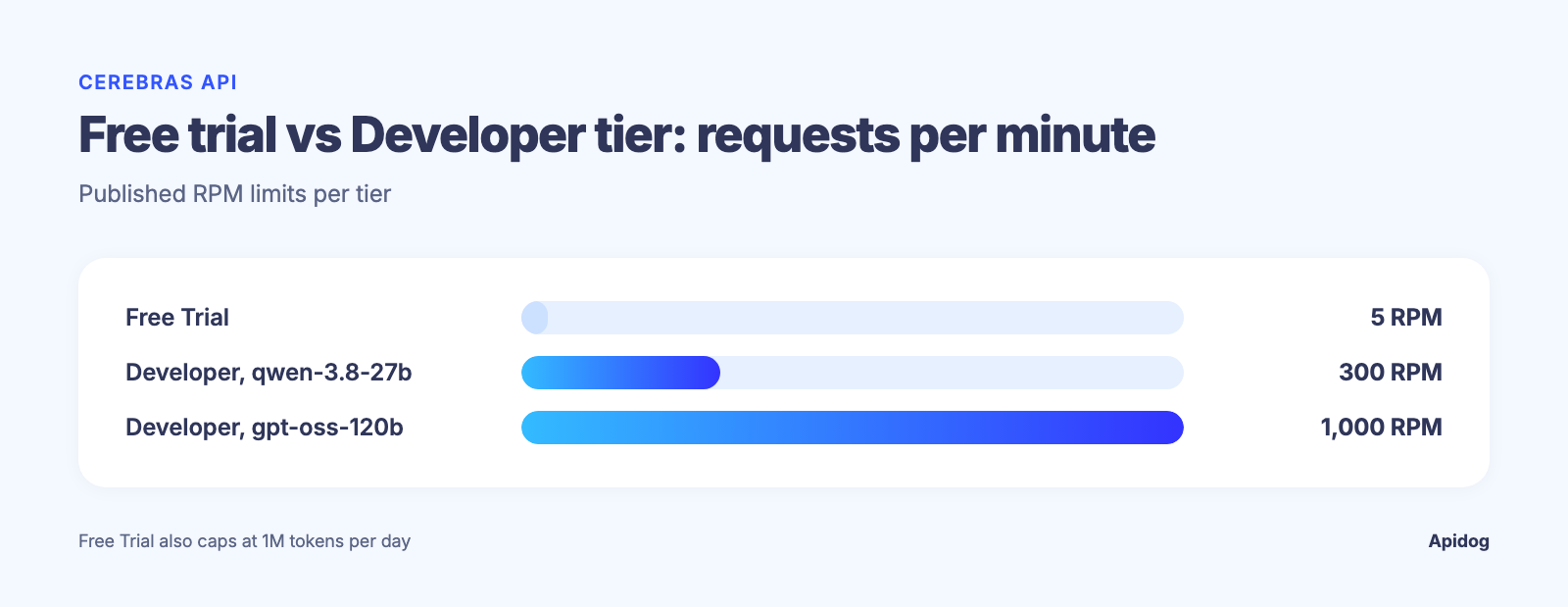
What the docs do state plainly, in the support rate-limits page, is the shape of the Free Trial tier:
| Tier | Models | RPM | Uncached TPM | Total TPM | TPH | TPD |
|---|---|---|---|---|---|---|
| Free Trial | gpt-oss-120b, qwen-3.8-27b |
5 | 30K | 90K | 1M | 1M |
Developer (gpt-oss-120b) |
pay-as-you-go | 1,000 | 1M | 3M | none | none |
Developer (qwen-3.8-27b) |
pay-as-you-go | 300 | 150K | 450K | none | none |
Two things matter here. First, “uncached TPM” is the real ceiling: it’s tokens that need full compute, and your total TPM allowance is roughly three times that once cache hits are counted. Second, the Free Trial account is credit- and time-bounded, not request-bounded forever: once the $5 runs out or 30 days pass, you drop to whatever the account tier allows until you add a payment method. Everything past this table (per-token pricing, seat pricing, enterprise terms) lives behind the JavaScript-rendered pricing page and the console, not the static docs, so check it there before you budget against it.
If you’ve hit a wall like this on another provider, the pattern is the same one covered in our guide to what to do when you get a 429 rate-limit-exceeded response: read the error body, back off, and check the dashboard before you assume the API is broken.
Get a key and make one real call
Sign up at cloud.cerebras.ai, open API Keys, and generate one. Cerebras’s own quickstart tells you to set it as an environment variable so it never lands in a request body by hand:
export CEREBRAS_API_KEY="your-key-here"
The base URL is https://api.cerebras.ai/v1, and the chat completions endpoint is a direct match for OpenAI’s shape: POST /v1/chat/completions with a model and a messages array. That compatibility is documented in the API reference, and it’s the reason you can drop Cerebras into code written for OpenAI’s client library by changing the base URL and the key. A raw curl call looks like this:
curl https://api.cerebras.ai/v1/chat/completions \
  -H "Content-Type: application/json" \
  -H "Authorization: Bearer ${CEREBRAS_API_KEY}" \
  -d '{
    "model": "qwen-3.8-27b",
    "messages": [
      {"role": "user", "content": "Explain time-to-first-token in two sentences."}
    ]
  }'
Run it, and the response carries more than the completion text. It includes a usage block (prompt_tokens, completion_tokens, total_tokens) and a time_info block (queue_time, total_time) that Cerebras returns on every call.
If your team is testing more than one model or provider, this is a good moment to stop relying on one-off curl commands. The Apidog CLI section below has your coding agent turn this call into a test it re-runs whenever Cerebras adds a model or changes a limit.
Measure the speed claim: time-to-first-token and tokens per second
Two numbers tell you whether “fast” is real for your workload: time-to-first-token (TTFT) and tokens generated per second. Neither shows up as a headline metric in the API response, so you compute them from what the call gives you.
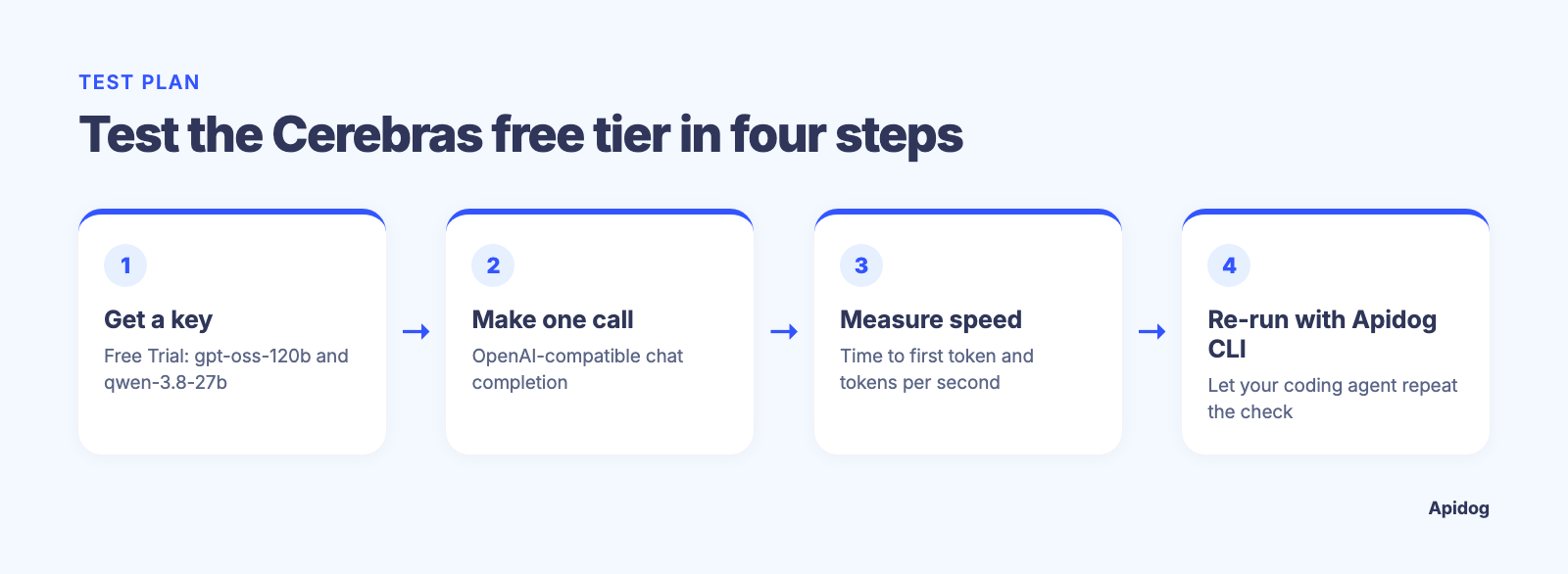
For TTFT, stream the response and record the wall-clock gap between sending the request and receiving the first chunk:
import time
from cerebras.cloud.sdk import Cerebras

client = Cerebras()
start = time.perf_counter()
first_token_at = None

stream = client.chat.completions.create(
    model="qwen-3.8-27b",
    messages=[{"role": "user", "content": "Write a haiku about wafer-scale chips."}],
    stream=True,
)

for chunk in stream:
    if first_token_at is None and chunk.choices[0].delta.content:
        first_token_at = time.perf_counter() - start
        print(f"Time to first token: {first_token_at:.3f}s")
For tokens per second, use a non-streaming call and divide the completion tokens by the total_time Cerebras reports in time_info:
response = client.chat.completions.create(
    model="qwen-3.8-27b",
    messages=[{"role": "user", "content": "Explain the CS-3 wafer-scale engine in 100 words."}],
)

tokens = response.usage.completion_tokens
seconds = response.time_info.total_time
print(f"{tokens / seconds:.1f} tokens/sec")
Run this a handful of times, at different hours, with a prompt close to what your product sends. Keep both scripts around and re-run them whenever Cerebras adds a model to the free tier, because the tokens-per-second figure changes per model, not only per provider.
Read the limits before they read you
Cerebras’s rate-limit design has one subtlety worth knowing before you script anything: it tracks two separate token buckets per organization, uncached TPM and total TPM, and enforces both at once. A burst of short, repetitive prompts can hit the request-per-minute ceiling before it comes close to the token ceiling, exactly the trap described in our broader piece on how API rate limiting works.
One honest gap in the documentation: Cerebras does not publish a set of x-ratelimit-* response headers the way some providers do. The API reference doesn’t list any, and the rate-limits page doesn’t either. That’s different from OpenAI’s own chat completions API, which does return remaining-quota headers on every call, a pattern our OpenAI rate-limits guide covers in more detail. With Cerebras, the two places to check your real standing are the Limits section of the Cloud console and the body of a 429 response, which states whether you exceeded the uncached or the total token ceiling. Build your retry logic around that error body instead of assuming a header will tell you first.
Let your coding agent re-run it with Apidog CLI
A measurement in a scratch file proves nothing next month. Have your coding agent turn the call into a test it can re-run through Apidog CLI. Set it up once:
npm install -g apidog-cli@latest
apidog login --with-token <YOUR_TOKEN>
npx -y skills add https://apidog.com   # pick your agent when prompted
The token comes from Apidog under Account Settings, API Access Token. Then give the agent one prompt:
Use Apidog CLI on project <id>. Create a Cerebras environment with base URL
https://api.cerebras.ai/v1 and add POST /chat/completions with Bearer auth from
{{CEREBRAS_API_KEY}} and model set to {{MODEL}}. Create a test case asserting
status 200 and time_info.total_time under {{MAX_TOTAL_TIME}}, run it for
gpt-oss-120b and qwen-3.8-27b, and report completion tokens per second for each.
The commands it runs, checked against Apidog CLI 2.2.7:
apidog environment create Cerebras --project <id> --base-url https://api.cerebras.ai/v1
apidog endpoint create --project <id> --file cerebras-chat.json
apidog cli-schema validate test-case-create --file speed-case.json
apidog test-case create --project <id> --file speed-case.json
apidog run --test-case <caseId> --project <id> -e <envId> -d models.csv \
  --delay-request 12000 --env-var "CEREBRAS_API_KEY=$CEREBRAS_API_KEY" -r cli,json
models.csv holds one MODEL column, so a single run covers both models, and whatever Cerebras ships next is one more row. --delay-request 12000 spaces the calls 12 seconds apart to stay under the Free Trial’s 5 requests per minute. For the 429 path, ask for a second case that deliberately bursts past that limit and asserts on the error body, so it’s captured and versioned instead of rediscovered in production. That’s a workflow, not a one-time benchmark; see our roundup of API testing tools built for agent and LLM workloads if you’re comparing options, and Apidog CLI in Claude Code for the agent side.
Free tier or Developer tier: when to move
The Free Trial tier is built for exactly what this guide walks through: confirming the speed claim and the request shape before you commit a card. Once you’re building against Cerebras for real, the Developer tier’s jump, from 5 RPM to 1,000 RPM on gpt-oss-120b, is the number that usually forces the decision, not the per-token price. If your prompt volume is bursty instead of steady, compare Cerebras’s numbers against alternatives before you commit; our list of OpenRouter alternatives and our walkthrough of Groq’s free API tier are both worth reading side by side with the table above, since inference speed and free-tier ceilings vary more between providers than most comparison posts admit. One difference worth knowing before you pick: Groq documents per-model Free Plan limits directly, for example openai/gpt-oss-120b at 30 RPM, 1,000 RPD, 8K TPM, and 200K TPD, and returns x-ratelimit-* response headers on every call, so you always know your remaining budget from the response itself. Cerebras gives you neither; you read your standing from the Cloud console or infer it from a 429 body, as covered above.
FAQ
Does Cerebras’s free tier require a credit card? The Free Trial tier is credit-based ($5, expiring after 30 days) instead of a recurring free plan, and Cerebras’s own docs direct you to the Cloud console for the current sign-up requirements, since that detail can change independently of the static documentation.
Which models are available on the free tier? As of the current rate-limits documentation, two: gpt-oss-120b and qwen-3.8-27b. Both share the same Free Trial limits (5 RPM, 30K uncached TPM).
Can I use my existing OpenAI SDK code with Cerebras? Yes. Point the client’s base URL at https://api.cerebras.ai/v1 and swap in your Cerebras key; the /v1/chat/completions shape matches, per the API reference.
Why did I get a 429 even though I’m under my token budget? Cerebras enforces uncached TPM, total TPM, and RPM as separate ceilings. A flurry of small requests can trip the RPM limit well before any token bucket fills, which is the same failure mode covered in our rate-limit-exceeded troubleshooting guide.
How do I check my current usage without hitting a wall first? Cerebras doesn’t return remaining-quota response headers, so check the Limits section in the Cloud console directly instead of inferring it from API responses. Groq’s free plan takes the opposite approach and returns x-ratelimit-* headers on every call, so weigh that difference if header-based monitoring matters to your setup.
Cerebras’s real advantage shows up in the time_info block on your own calls, not in a marketing headline.