A Claude artifact desktop app is an artifact you install from Claude for Mac or Windows with “Install as app”: it gets its own icon and window, and it can ask for permission to send notifications, sit in your menu bar, or run programs. In this guide you’ll use one to build API Pulse, a menu bar monitor that runs an Apidog test scenario every five minutes and pings you the moment a step fails.
You’ll need Claude for Mac or Windows, a coding agent such as Claude Code with Apidog CLI, and an API to watch. One warning up front: running a CLI from an installed app needs Full computer access, the highest permission level, so you’ll also see a safer variant that never asks for it.
What is a Claude artifact desktop app?
A Claude artifact desktop app is an artifact installed as a standalone Mac or Windows app through the Share menu. The app opens in its own window, can use Claude and your connectors, and updates whenever you edit the artifact. There’s no packaging, signing, API key or separate login: it runs on your Claude account.
Three facts from the announcement shape this build:
- It’s on all plans, in beta. Team has it on by default with full access off. Enterprise has it off until an owner turns it on. HIPAA-ready organizations and hybrid deployments can’t use it.
- It needs you online and signed in. You can’t open an installed app offline.
- Its Claude calls count. Requests the app makes to Claude count toward your plan’s usage limits. API Pulse makes none on a normal run.
Anthropic staff built Vitals, a menu bar performance monitor, this way. API Pulse points the same idea at your API.
What you’ll build
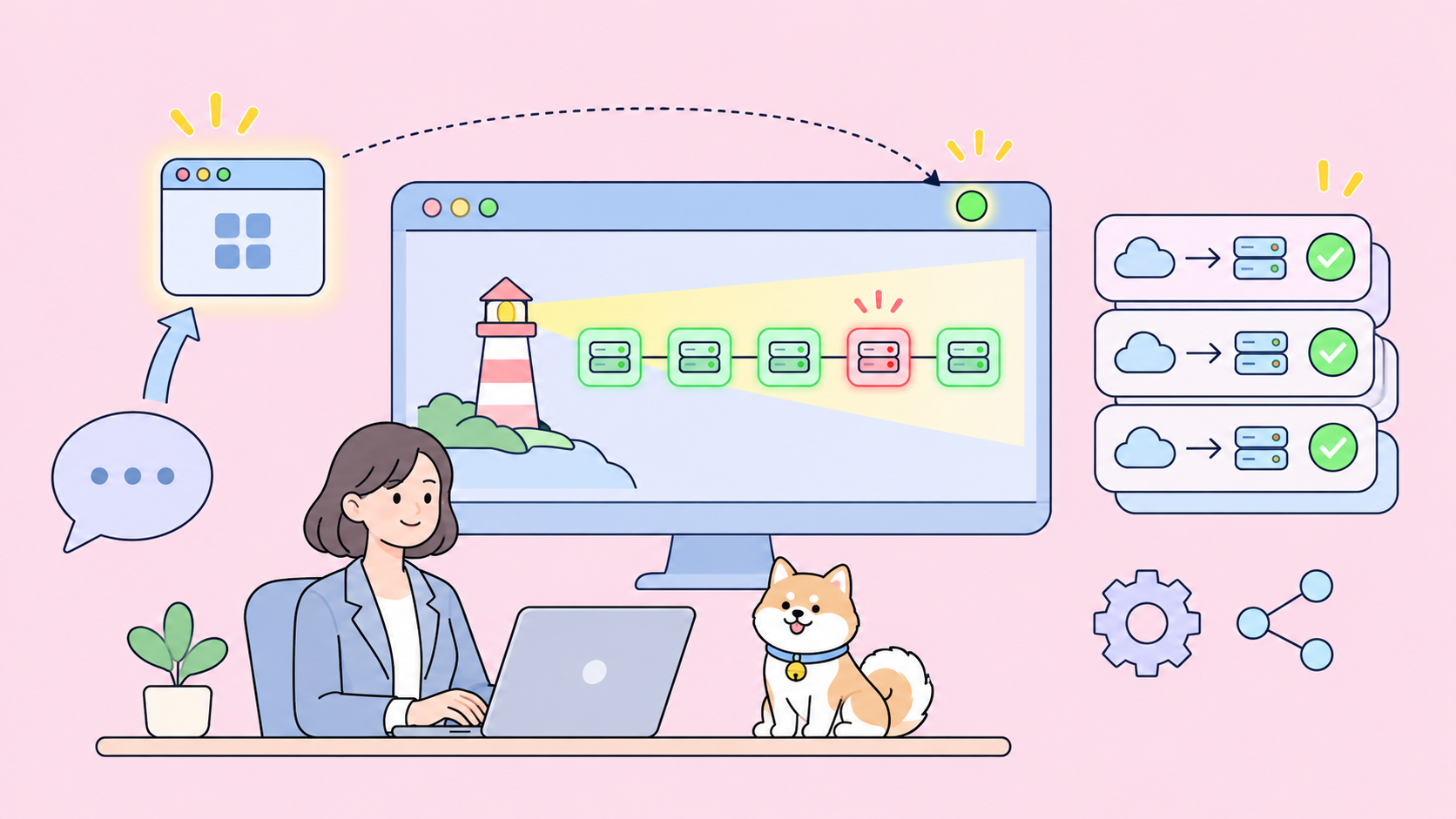
API Pulse does four jobs:
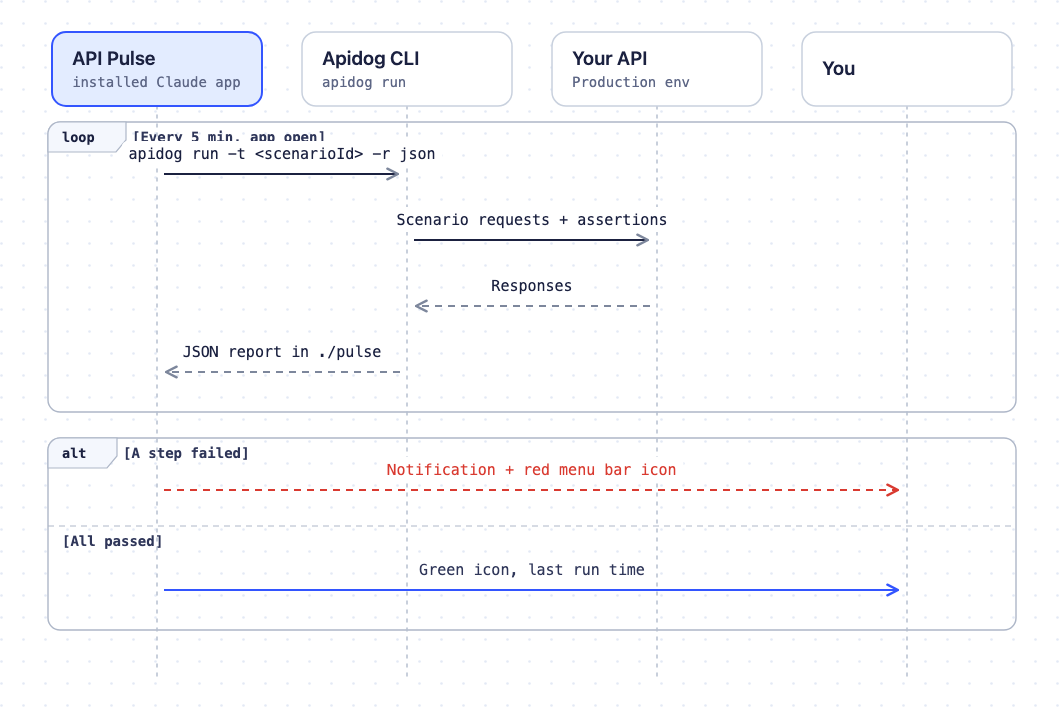
- Runs one Apidog test scenario on a timer (every 5 minutes by default).
- Reads the JSON report that
apidog runwrites. - Shows a green or red menu bar icon with the last run time.
- Sends a desktop notification when any step fails, naming the step.
The scenario holds the requests and assertions, so the app only knows one command and where the report lands.
Step 1: Let Claude Code build the scenario with Apidog CLI
Your coding agent builds the scenario faster than you can click it together, and leaves a command you can reuse. Install the CLI, log in, and add the Apidog skill so your agent knows the commands:
npm install -g apidog-cli@latest
apidog login --with-token <YOUR_TOKEN>
npx -y skills add https://apidog.com   # pick your agent when prompted
A shortcut: tell your agent “Read https://apidog.com/apidog-cli-installation-guide.md and set up Apidog CLI”. That guide is written for agents. If you use Claude Code, the Apidog CLI in Claude Code guide covers the setup in more depth.
Then give your agent one prompt:
In Apidog project <projectId>, create a test scenario called "API uptime check"
from my GET /objects and GET /objects/{id} endpoints, run it against the
Production environment with a JSON report, and give me the scenario ID and
the exact apidog run command you used.
The agent finds the environment and endpoint IDs, creates the scenario, imports the endpoints as steps, and runs it:
apidog environment list --project <projectId>
apidog endpoint list --project <projectId>
apidog test-scenario create --project <projectId> --name "API uptime check" --folder-id 0 --priority 0
apidog test-scenario import-steps <scenarioId> --project <projectId> --source endpoint --ids <endpointIds> --sync manual
apidog run -t <scenarioId> --project <projectId> -e <envId> -r json --out-dir ./pulse
Here’s the discovery half on a sandbox project, with the run command the app will call:
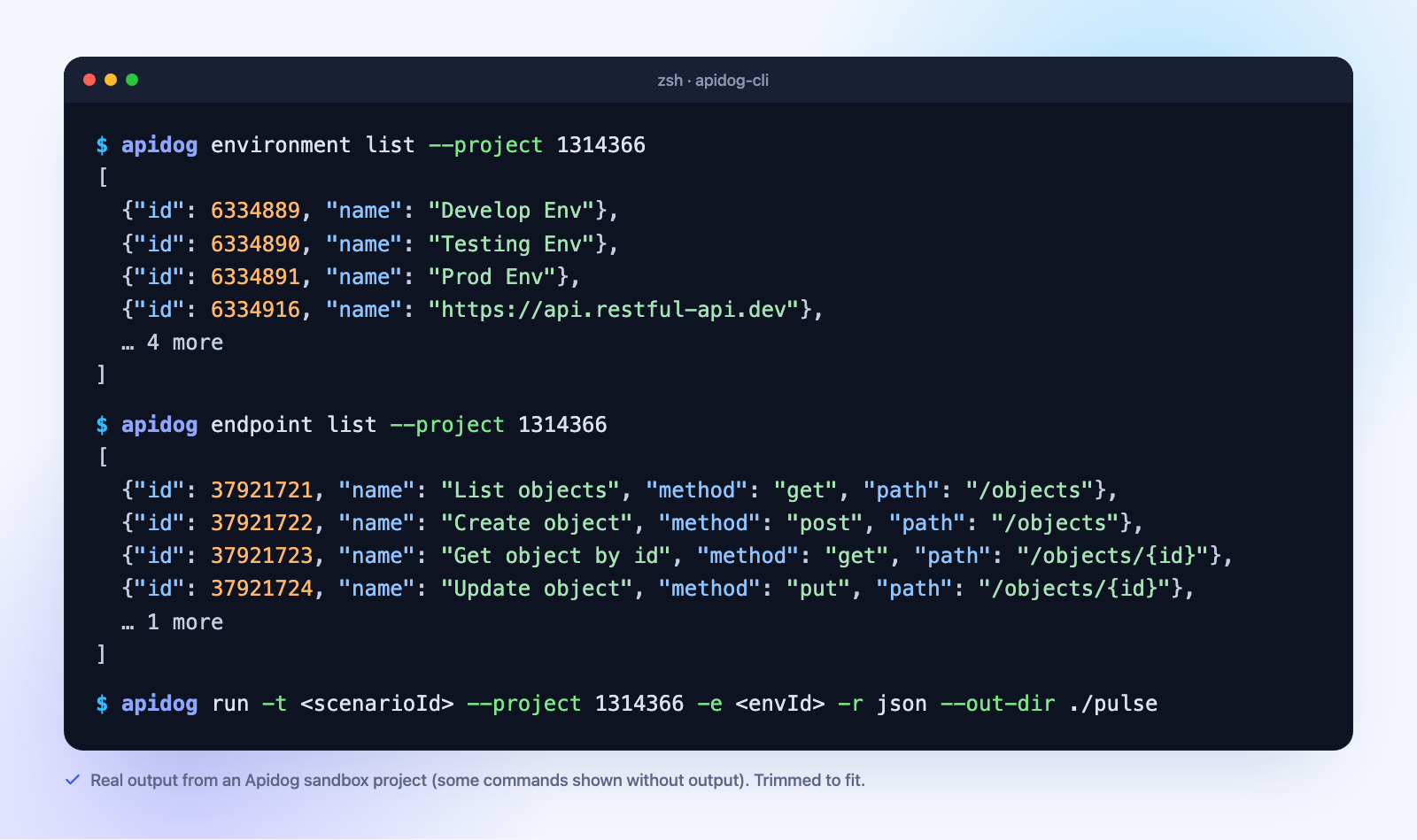
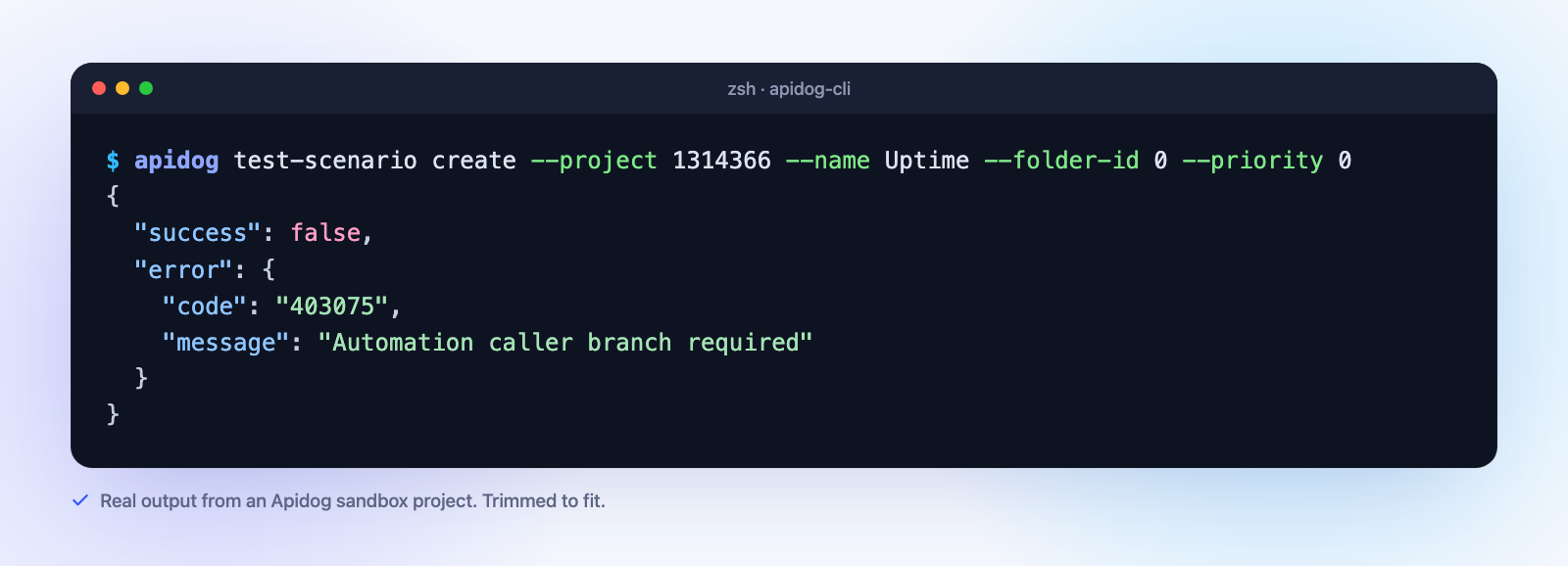
Don’t be surprised if the create step stops on the first try. Apidog guards projects against AI writes: when an agent writes without direct edit permission, the CLI refuses with error 403075 and its hints tell the agent to ask you first. You choose between allowing direct edits for that branch type or letting the agent work on an AI branch.
Once the scenario exists, copy the apidog run line the agent printed. It’s the only command API Pulse runs, and the apidog run command reference lists every flag it accepts.
Step 2: Describe API Pulse to Claude
Open Claude for Mac or Windows and describe the app. Name the command, the report folder and the permissions, so Claude builds exactly what you’ll approve:
Build a menu bar app called API Pulse. Every 5 minutes, run this command:

apidog run -t <scenarioId> --project <projectId> -e <envId> -r json --out-dir ./pulse

Then read the newest JSON report in ./pulse. Show a green icon if every step
passed and a red one if any failed, with the last run time in the menu.
On failure, send one notification naming the failed steps. Add a "Run now"
item and a "Pause" item. Don't call Claude during normal runs.
Ask only for the permissions this needs.
Try it as an artifact first: force a failure (point -e at an environment with a wrong base URL) and check the notification names the step. Let Claude read a real report from your first run rather than guess its format.
Also ask Claude to notify once per failure streak, not every 5 minutes while the API is down, and to delete reports older than a day.
Step 3: Install it and grant permissions
Installing takes four steps:
- Update Claude for Mac or Windows from the download page if “Install as app” isn’t in your Share menu yet.
- Open the API Pulse artifact and choose Install as app from the Share menu.
- Grant the permissions when the app asks: notifications and a menu bar item come under App permissions, and running
apidogcomes under Full computer access. - Pin it, then click Run now once to confirm the icon turns green.
Here’s what each level allows, from the announcement:
| Permission level | What the app can do | Does API Pulse need it? |
|---|---|---|
| Default | Only what a page in a browser can do | Yes, always on |
| App permissions | Always-on-top windows, global shortcuts, notifications, menu bar and system tray items | Yes, for the icon and alerts |
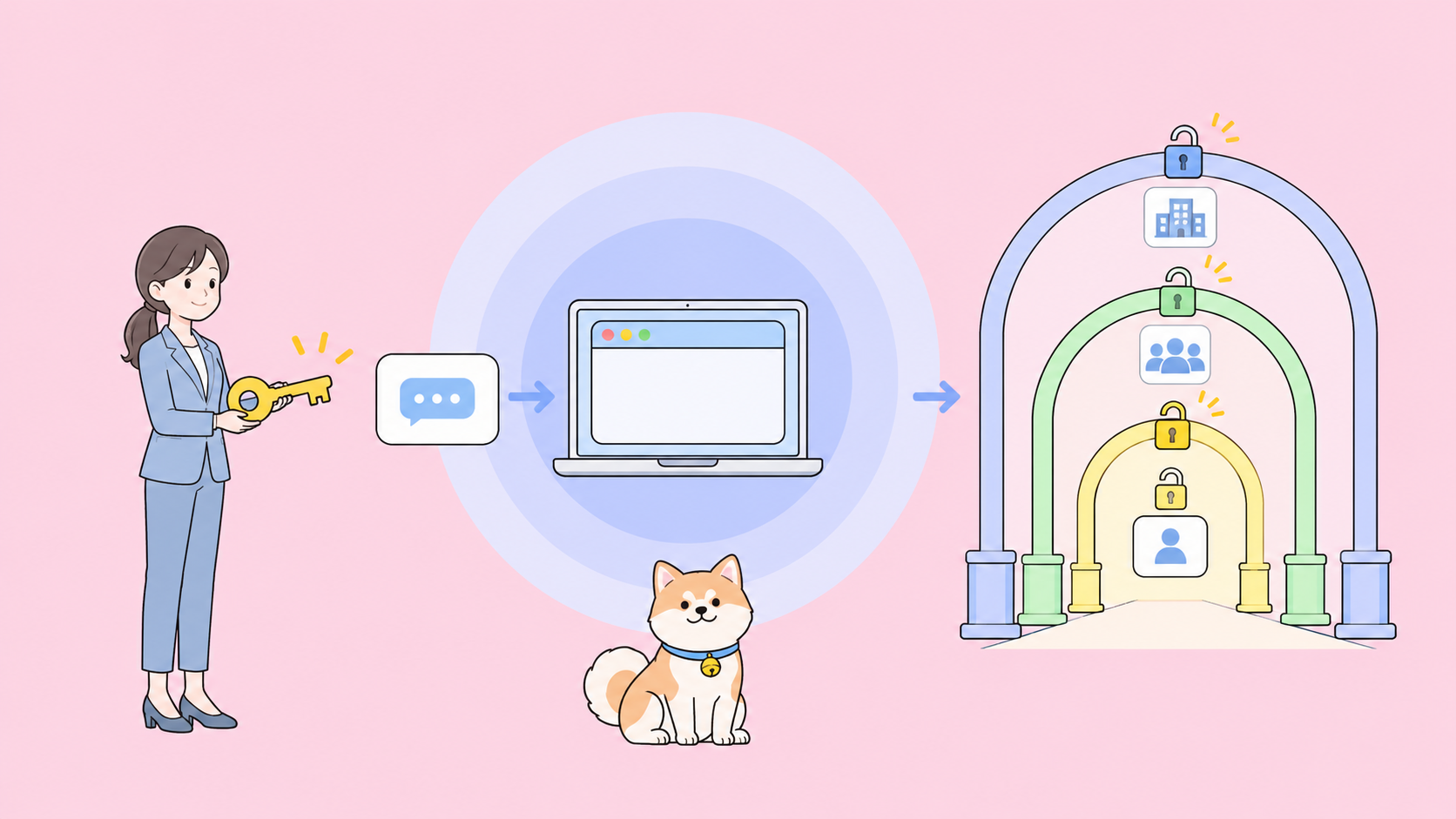
| Full computer access | Run programs and read, change or delete your files without asking each time | Yes, to run apidog and read reports |
Three rules come with full access. You can only grant it to apps you made or, on Team and Enterprise, apps made by people in your organization. Anthropic doesn’t review apps before you install them. And your permission covers the current version only: Claude asks again after every update, including your own edits.
One gap: if part of an app loads from another website, that part can change without a new prompt. Keep API Pulse self-contained, with no remote scripts.
The safer variant: no full computer access
Full computer access is a lot to hand a polling script. It can read, change or delete files, not just run one command. If that bothers you, or your Team admin keeps full access off, split the job in two.
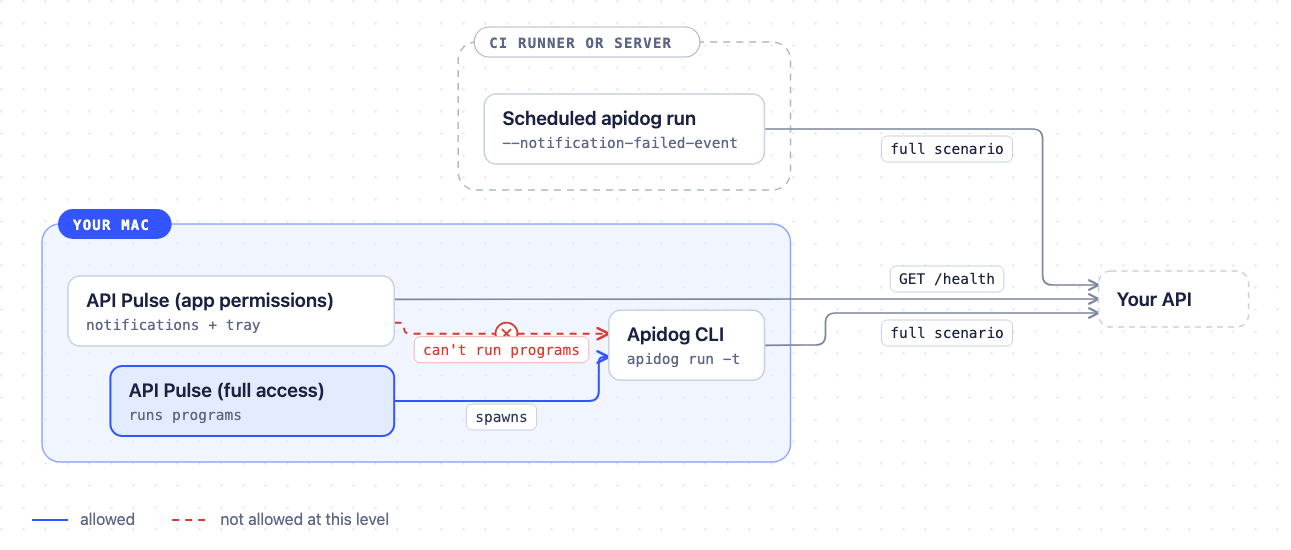
On your Mac: keep API Pulse at App permissions. It can’t run programs, so it can’t call apidog. Ask Claude to change it to request a lightweight health URL on your API every few minutes and notify on a non-200 answer. That only works if your API allows the request from the app, so test it as an artifact first.
On a server or CI runner: run the full scenario on a schedule with the same command, plus Apidog’s own failure notifications:
apidog run -t <scenarioId> --project <projectId> -e <envId> -r cli,junit --notification-failed-event <targetIds>
--notification-failed-event notifies the targets you’ve set up in Apidog only when a run fails. The Apidog CLI CI/CD pipeline guide shows the scheduling side. Nothing on your Mac holds full access.
Limits to know before you rely on it
API Pulse is a personal early-warning light, not a monitoring system. Keep these limits in mind:
- It only runs while the app is open. The announcement says nothing about installed apps running in the background with their window closed, so don’t count on it.
- It needs you signed in. You must be online and signed in to Claude to open the app, so a laptop at home in a bag watches nothing.
- It’s one machine. For shared, always-on checks, read our API monitoring guide and keep the CI half from the safer variant.
Wrapping up
A Claude artifact desktop app is a fast way to put your API’s health in your menu bar. Let your coding agent build the Apidog scenario with the CLI, describe API Pulse to Claude, and grant Full computer access only if you’re comfortable with it; the split build gets you most of the value without it. If your team already has coding agents running apidog commands like these, Sharkly lets you hand those runs out as tasks on a shared board, with each agent working on your own computers under your existing Claude Code or Codex plan, and review what they ship before it merges. It’s free to start.
Your next step: run the agent prompt from Step 1 against one critical endpoint today, then wrap the command in API Pulse.
FAQ
Is the Claude install as app feature free?
It’s in beta on all Claude plans, per Anthropic’s announcement. Any requests the app makes to Claude count toward your plan’s usage limits. API Pulse makes none during normal runs, so it costs you nothing beyond Apidog.
Does a Claude artifact desktop app run in the background?
Anthropic hasn’t said that installed apps keep running with their window closed, and you must be online and signed in to open one. Plan for API Pulse to check only while it’s open, and move always-on checks to CI.
Why does my app ask for permission again?
Your approval covers only the current version. Claude asks again after every update, even your own edits to the artifact. Approve the new version after you’ve checked what changed.
What does Apidog error 403075 mean?
It means Apidog’s AI permission protection blocked an agent’s write to your project. The agent should ask you to choose: allow direct edits for that branch type, or have it work on an AI branch. Nothing changes until you decide.
Can I monitor more than one API?
Yes. Put several endpoints in one scenario, or run a scenario folder with -f <folderId> instead of -t <scenarioId>. The app reads one report either way.