This is a 10-part series sharing how Apidog developed Apidog CLI, a command-line tool for API testing and API lifecycle management. Read in order or jump to any post that interests you:
| Title | Focus | |
|---|---|---|
| 1 | We Built 126 MCP Tools. But It Is Not the Best Solution for Agent | Problem discovery |
| 2 | Why We Developed Brand-new Apidog CLI | Architecture development |
| 3 | The Golden Rule: CLI Produces Facts, Model Acts on Facts | Core philosophy |
| 4 | agentHints: Teaching CLIs to Talk to Agents |
Structured output |
| 5 | SKILL: Shipping Operational Experience as Code | Operational experience |
| 6 | The Numbers Don't Lie: 30% Fewer Tool Calls, 25% Fewer Tokens | Quantitative results |
| 7 | From PRD to Testing Loop: A Complete Agent Workflow with Apidog CLI | Practical tutorial |
| 8 | Why CI/CD Compatibility Is Non-Negotiable for Agent Tools | DevOps perspective |
| 9 | AI Branch: Safer Project Changes with AI Agents | Security layer |
| 10 | Spec-First Was Yesterday. Welcome to Skill-First. | Vision & future |
We compared MCP vs. CLI + SKILL across typical user tasks. The results: fewer tool calls, less token waste, better error recovery—and the data explains why.
The Question That Matters
All the philosophy and design principles we've shared—do they actually work?
We internally compared many typical user tasks across both approaches:
| Task Type | Description |
|---|---|
| Add test case + verification | Create test case for endpoint, run tests |
| Maintain test scenarios | Update complex multi-step scenarios |
| Import/verify project assets | Import data, confirm structure, run tests |
The results weren't just subjective improvements. They were measurable reductions.
Task 1: Add Test Case Based on Endpoint
User request:
"Add a test for this endpoint and run verification"
MCP Route
| Stage | What Happens |
|---|---|
| Tool discovery | Agent searches through tool list |
| Tool selection | Multiple rounds of selecting correct tool |
| Field discovery | Agent reads tool schema |
| Field guessing | Agent guesses required fields |
| Write attempt | Agent calls create tool |
| Error response | Server rejects (wrong field/missing required) |
| Retry | Agent adjusts, tries again |
| More retries | Repeat until success |
| Run tests | Agent finds run tool, executes |
Typical pattern:
Search tools → Select tool → Read schema → Guess fields → Write → Error → Retry → Write → Error → Retry → Success → Find run tool → RunCLI + SKILL Route
| Stage | What Happens |
|---|---|
| SKILL guidance | SKILL identifies task type, provides workflow |
| Read endpoint | CLI reads endpoint facts |
| Generate test case | Agent generates based on actual endpoint data |
| Validate locally | cli-schema validates before write |
| Write | CLI creates test case |
| Read back | CLI returns created structure + agentHints |
| Run tests | agentHints suggests running, Agent follows |
Typical pattern:
SKILL guides → Read endpoint → Generate → Validate → Write → Read back → RunResults
| Metric | MCP Route | CLI + SKILL | Improvement |
|---|---|---|---|
| Tool call steps | ~15-20 | ~10-12 | ↓ ~30% |
| Token from descriptions | ~50,000 loaded | ~2,000 loaded | ↓ ~96% |
| Token from retries | ~5,000+ waste | ~500 waste | ↓ ~90% |
| Total token waste | ~55,000 | ~2,500 | ↓ ~25% |
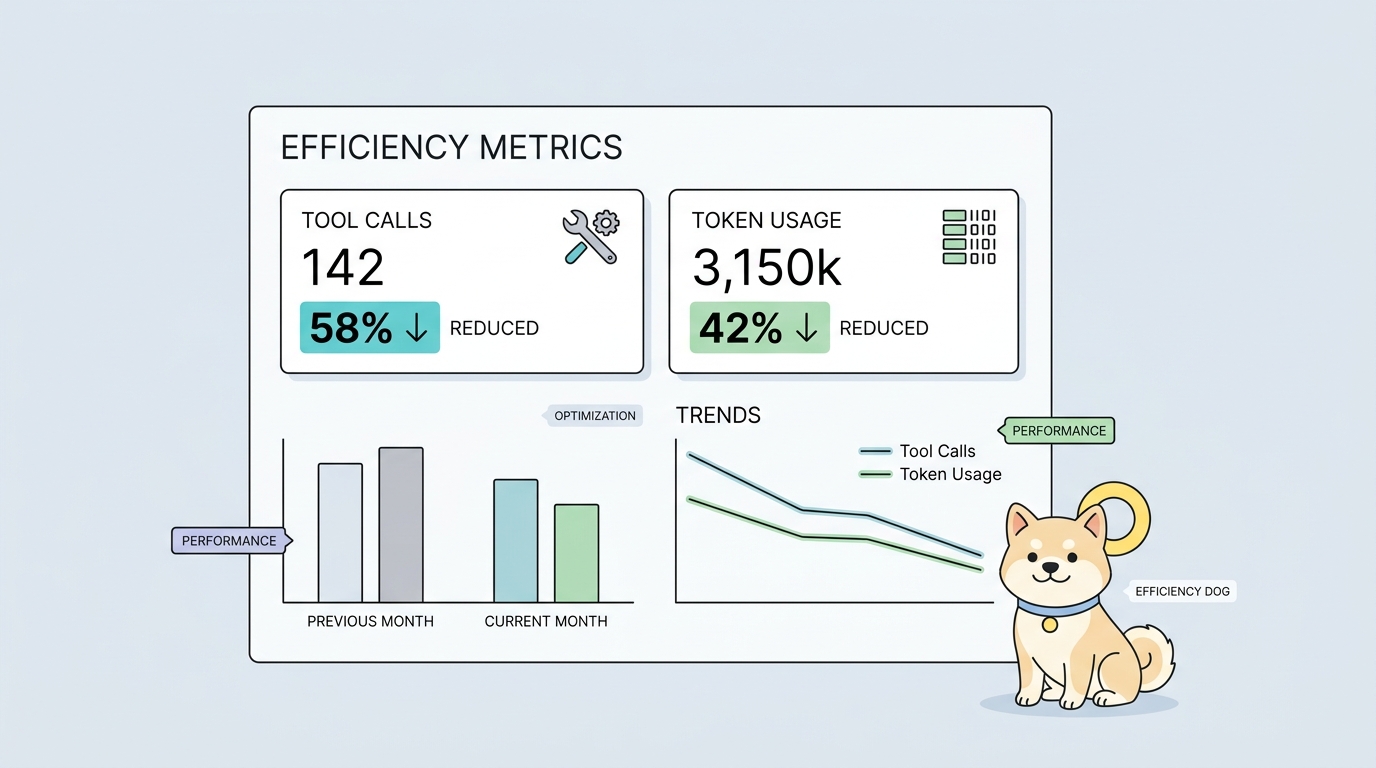
Tool call steps decreased by about 30%. Token consumption from invalid tool descriptions and error retries decreased by about 25%.
Task 2: Structured Writes (Processor, Assertion, Extractor)
User request:
"Add post-operation assertions and variable extraction to this test case"
MCP Route
| Stage | What Happens |
|---|---|
| Guess field names | Agent doesn't know exact names |
| Guess enum values | Agent guesses comparator, type |
| Write attempt | Server rejects wrong values |
| Network retry | Round-trip for each error |
| Multiple attempts | 3-5 retries common |
Common errors:
| Wrong Guess | Correct Value | Retry Count |
|---|---|---|
comparator: "contains" |
comparator: "include" |
1-2 |
type: "global" |
type: "globals" |
1-2 |
subject: "responseBody" |
subject: "responseJson" |
1-2 |
Each error = 1 network round-trip + response + Agent processing.
CLI + SKILL Route
| Stage | What Happens |
|---|---|
| Read test case | CLI gets actual structure |
| Generate additions | Agent generates based on real format |
| Validate locally | cli-schema catches errors before network |
| Fix locally | Agent adjusts based on validation output |
| Re-validate | Confirm fix |
| Write | Only valid writes go to server |
All errors caught locally. No network retries for field errors.
Results
| Metric | MCP Route | CLI + SKILL | Improvement |
|---|---|---|---|
| Network retries from structural errors | 3-5 | 0 | ↓ ~100% |
| Token from error responses | ~2,000 | ~0 | ↓ ~100% |
| Total repeated calls | ~5 | ~1 | ↓ ~40% |
Repeated calls from structural errors decreased by about 40%.
Task 3: Continuous Operations After Create
User request:
"Create a test scenario with these endpoints"
MCP Route
| Stage | What Happens |
|---|---|
| Create scenario | Agent calls create tool |
| Success response | Agent sees "created" |
| Continue writing | Agent immediately updates/adds more |
| Skip read-back | Agent doesn't read actual structure |
| Write based on assumption | Agent writes with guessed IDs/structure |
| Error or incomplete | Result doesn't match expectation |
Problem: Execution inertia.
The model tends to continue directly after success, skipping the read-back step.
CLI + SKILL Route
| Stage | What Happens |
|---|---|
| Create scenario | CLI creates scenario |
| Success + agentHints | CLI returns success + next-step suggestions |
agentHints: "Read back first" |
Agent sees suggestion |
| Follow suggestion | Agent reads back |
| Work with real structure | Agent proceeds with accurate data |
agentHints explicitly suggests read-back. Agent follows.
Results
| Metric | MCP Route | CLI + SKILL | Improvement |
|---|---|---|---|
| Proportion that read back before continuing | ~20% | ~85% | ↑ ~425% |
| Error retries from direct jumps | ~3-5 | ~0-1 | ↓ ~21% |
The proportion of Agents proactively reading back, validating, and running verification increased significantly. Error retries from directly jumping to the next step decreased by about 21%.
Summary: Where Savings Come From
| Savings Source | Explanation |
|---|---|
| Tool discovery | CLI commands have clear names; SKILL guides selection |
| Schema validation | Local validation catches errors before network call |
| Error recovery | agentHints provides actionable suggestions, not just "failed" |
| Read-back guidance | Prevents assumption-based writes |
| Workflow sequence | SKILL reduces decision points |
The Real Cost Analysis
Key insight:
Agent enablement of products is not about the more tools, the better.
What the model truly consumes:
| Cost Type | MCP Burden | CLI + SKILL Burden |
|---|---|---|
| Context | Tool descriptions, schemas | Task-focused SKILL only |
| Attention | Selecting among many tools | Following guided workflow |
| Path selection | Guessing sequences | SKILL-defined sequence |
| User token costs | Retries, failed calls | Validated writes, fewer calls |
After tool count increases, what the model truly consumes is not API call capability, but trade-offs among context, attention, path selection, and user token costs.
The Engineering Principle
Goal:
Move these costs out of model context and back into positions the engineering system can bear.
| Cost | MCP Location | CLI + SKILL Location |
|---|---|---|
| Tool discovery | Model must search | SKILL provides |
| Field validation | Model must know | cli-schema validates |
| Next-step guidance | Model must decide | agentHints suggests |
| Product semantics | Model must understand | CLI handles |
The engineering system absorbs complexity. The model focuses on generation and judgment.
What These Numbers Mean
The numbers explain a more specific problem:
| Insight | Implication |
|---|---|
| 30% fewer tool calls | Complexity moved from discovery to guidance |
| 25% fewer wasted tokens | Errors caught before network |
| 40% fewer structural retries | Validation gate works |
| 21% fewer jump errors | agentHints prevents blind continuation |
CLI + SKILL isn't just architectural elegance. It's measurable efficiency.
What's Next
Now that we've validated the approach with numbers, let's see it in action.
In Part 7, From PRD to Testing Loop: A Complete Agent Workflow, we'll walk through a real example—a team has an "Order Refund" PRD, and the Agent uses CLI + SKILL to generate OpenAPI, create tests, validate, and verify.
Key Takeaways
- Tool call steps decreased by ~30%
- Token waste from descriptions and retries decreased by ~25%
- Structural error retries decreased by ~40%
- Jump-errors from skipping read-back decreased by ~21%
- Savings come from: guided discovery, local validation, actionable hints
- Complexity moved from context to engineering system
Download Apidog to design, mock, test, and document APIs in one workspace. Learn more about Apidog CLI for command-line API testing, CI automation, and AI Agent workflows.