This is a 10-part series sharing how Apidog developed Apidog CLI, a command-line tool for API testing and API lifecycle management. Read in order or jump to any post that interests you:
| Title | Focus | |
|---|---|---|
| 1 | We Built 126 MCP Tools. But It Is Not the Best Solution for Agent | Problem discovery |
| 2 | Why We Developed Brand-new Apidog CLI | Architecture development |
| 3 | The Golden Rule: CLI Produces Facts, Model Acts on Facts | Core philosophy |
| 4 | agentHints: Teaching CLIs to Talk to Agents |
Structured output |
| 5 | SKILL: Shipping Operational Experience as Code | Operational experience |
| 6 | The Numbers Don't Lie: 30% Fewer Tool Calls, 25% Fewer Tokens | Quantitative results |
| 7 | From PRD to Testing Loop: A Complete Agent Workflow with Apidog CLI | Practical tutorial |
| 8 | Why CI/CD Compatibility Is Non-Negotiable for Agent Tools | DevOps perspective |
| 9 | AI Branch: Safer Project Changes with AI Agents | Security layer |
| 10 | Spec-First Was Yesterday. Welcome to Skill-First. | Vision & future |
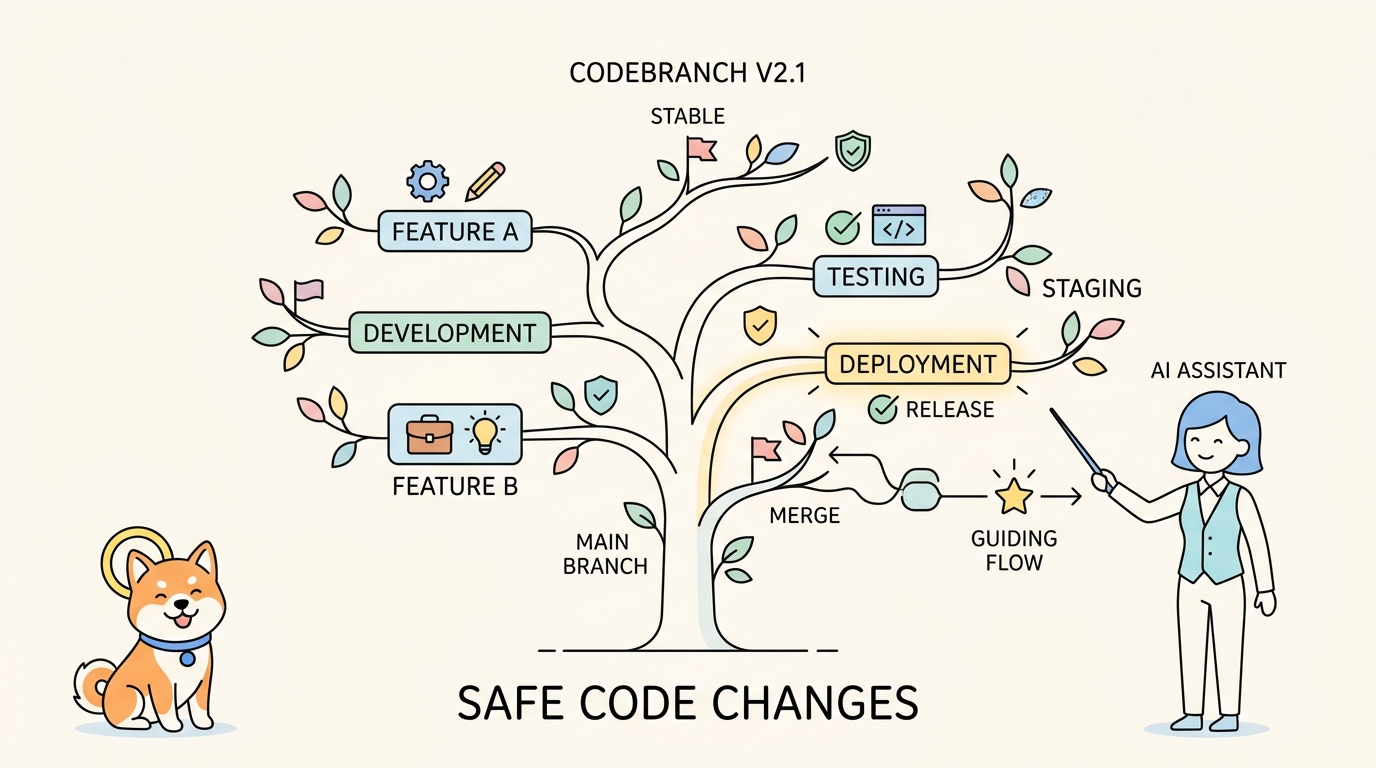
When an Agent modifies project resources, safety and reviewability matter. AI Branch provides an isolated editing environment—changes enter the target branch only after human confirmation.
The Security Challenge
When AI Agents participate in API development and testing, they can create, update, and delete project resources through CLI commands.
This power comes with risk.
| Risk | What Could Happen |
|---|---|
| Unpredictable outputs | Agent writes unexpected content |
| Field errors | Wrong assertions, missing parameters |
| Scope creep | Agent modifies resources beyond the task |
| No review trail | Changes appear directly in main branch |
| Team disruption | Shared collaboration branch suddenly changed |
How do you let Agents work on real projects without risking the main branch?
AI Branch: The Safety Layer
AI Branch is a special type of Sprint Branch designed specifically for external AI and CLI operations.
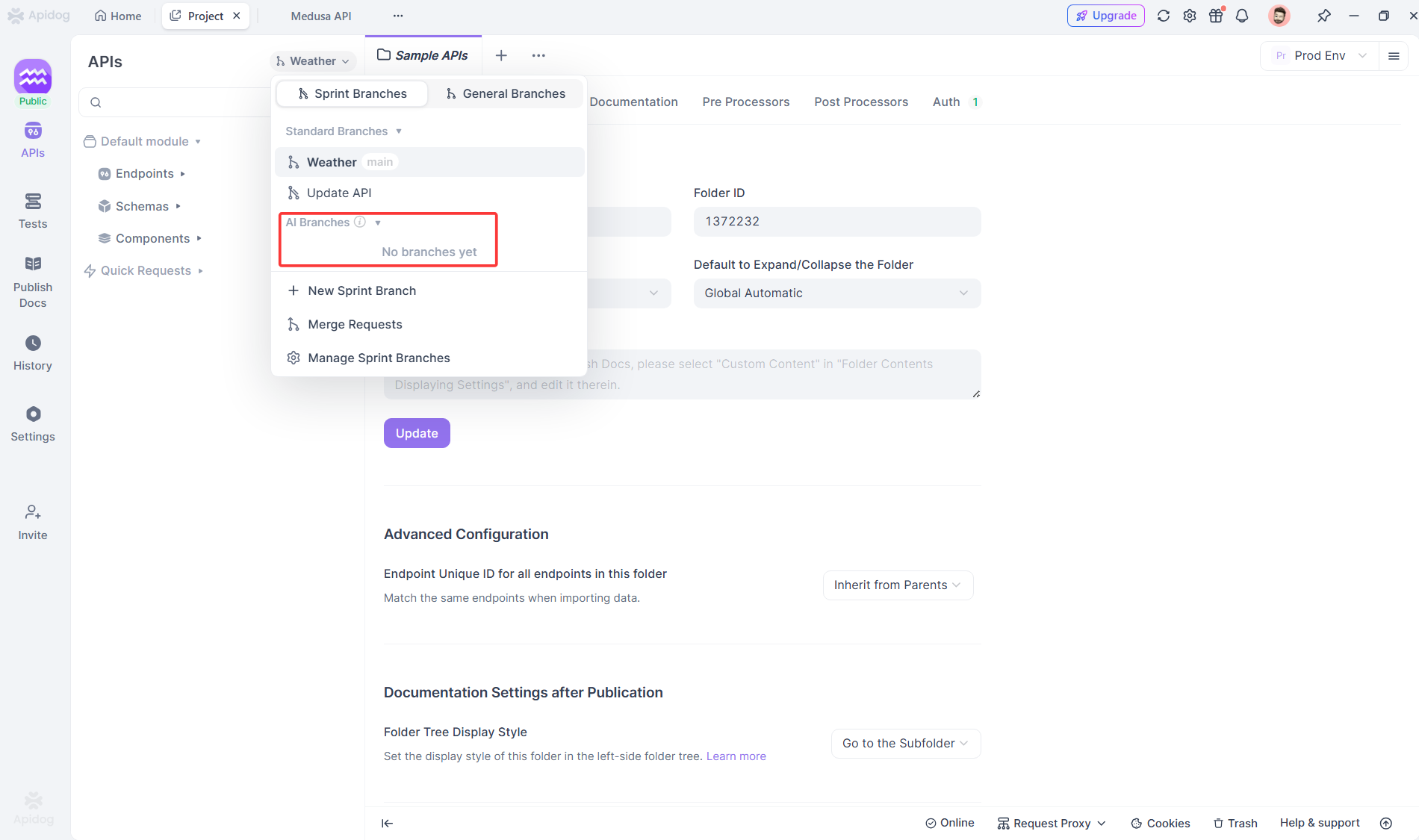
Key concept:
All edit operations initiated from Apidog CLI are treated as initiated by AI / AI Agents by default.
AI Branch provides AI Agents with an isolated editing branch. Changes stay in the AI Branch until a human reviews and merges them.
Agent makes changes via CLI
        ↓
Changes stored in AI Branch (isolated)
        ↓
User reviews differences
        ↓
User confirms resource scope
        ↓
Merge to target branch (direct or merge request)
The main branch stays untouched until you approve.
Why AI Branch Is Needed
AI-initiated edits can be unpredictable. Apidog CLI provides a wide range of editing capabilities—endpoints, schemas, test scenarios, test suites, and more.
AI Branch is designed for these higher-risk AI-initiated editing operations.
It allows AI Agents to edit project resources within a controlled scope:
| Without AI Branch | With AI Branch |
|---|---|
| Agent writes directly to main | Agent writes to isolated branch |
| Changes appear immediately | Changes wait for review |
| No safety net | Human confirmation required |
| Risk of unintended modifications | Scope limited to specific resources |
What Is AI Branch?
AI Branch is a special sprint branch with specific characteristics:
Key Characteristics
| Characteristic | Description |
|---|---|
| Isolated editing | Changes stored in AI Branch, don't affect main or source branch |
| Clear source | Cannot be created in client—must come from CLI/MCP; records source branch |
| Human confirmation | Changes must be confirmed before merging |
| No quantity limit | Create as many AI Branches as needed for different tasks |
| Automatic archiving | Branches with no differences are archived every 24 hours |
How It Works
| Operation | Where It Happens |
|---|---|
| AI creates endpoint | In AI Branch |
| AI updates test scenario | In AI Branch |
| Team reviews changes | In client or CLI preview |
| User approves merge | User action, not AI |
| Changes enter target branch | After confirmation |
Normal in-client editing by users still follows project member permissions and branch protection rules.
Use Cases
AI Branch is suitable when AI needs to participate in project maintenance while preserving branch isolation and human confirmation.
| Scenario | How AI Branch Helps |
|---|---|
| Generate API drafts from code | AI creates endpoints in AI Branch; users confirm before merging |
| Organize API resources in bulk | AI adjusts folders, descriptions, models without affecting collaboration branch |
| Generate automated test drafts | AI creates test scenarios/cases in AI Branch for tester review |
| Fill gaps in API documentation | AI supplements missing fields based on bug reports or implementation |
| Batch write in CI/CD | Automated workflows write to AI Branch, wait for user merge |
Basic Workflow
A typical AI Branch workflow:
┌─────────────────────────────────────────────────────────────────┐
│                     AI BRANCH WORKFLOW                           │
├─────────────────────────────────────────────────────────────────┤
│                                                                  │
│  Step 1: Create AI Branch                                        │
│  ┌───────────────────────────────────────────┐                  │
│  │ apidog branch create --type ai             │                  │
│  │ --name "ai/20260312-from-main-feature"     │                  │
│  │ --from main                                │                  │
│  └───────────────────────────────────────────┘                  │
│                    ↓                                             │
│  Step 2: Import or Create Resources                              │
│  ┌───────────────────────────────────────────┐                  │
│  │ apidog branch pick-to (import existing)    │                  │
│  │ OR                                         │                  │
│  │ apidog endpoint create (create new)        │                  │
│  └───────────────────────────────────────────┘                  │
│                    ↓                                             │
│  Step 3: AI Modifies Resources                                   │
│  ┌───────────────────────────────────────────┐                  │
│  │ Agent uses CLI to update endpoints,       │                  │
│  │ schemas, test scenarios, etc.             │                  │
│  │ (--branch parameter specifies AI Branch)  │                  │
│  └───────────────────────────────────────────┘                  │
│                    ↓                                             │
│  Step 4: User Reviews Differences                                │
│  ┌───────────────────────────────────────────┐                  │
│  │ apidog merge-request preview              │                  │
│  │ OR                                         │                  │
│  │ View in Apidog client                     │                  │
│  └───────────────────────────────────────────┘                  │
│                    ↓                                             │
│  Step 5: Merge to Target Branch                                  │
│  ┌───────────────────────────────────────────┐                  │
│  │ Direct merge (unprotected branch)         │                  │
│  │ OR                                         │                  │
│  │ Merge request (protected branch)          │                  │
│  └───────────────────────────────────────────┘                  │
│                                                                  │
└─────────────────────────────────────────────────────────────────┘
Create an AI Branch
Use branch create --type ai:
apidog branch create \
  --project 123456 \
  --type ai \
  --name "ai/20260312-from-main-userRegister" \
  --from main
Naming recommendation: ai/YYYYMMDD-from-sourceBranch-featureOrModule
| Command | Purpose |
|---|---|
branch create --type ai |
Create AI Branch |
branch list --type ai |
View AI Branches in project |
branch list --type all |
View all branch types |
branch get --type ai |
View AI Branch details |
Edit Resources in an AI Branch
When CLI writes project resources, use --branch parameter to write into AI Branch:
| Resource | Command Example |
|---|---|
| HTTP endpoint | apidog endpoint create --project <id> --branch <aiBranchName> --file ./endpoint.json |
| Data model | apidog schema update <schemaId> --project <id> --branch <aiBranchName> --file ./schema.json |
| Test scenario | apidog test-scenario update <scenarioId> --project <id> --branch <aiBranchName> --file ./scenario.json |
| Test suite | apidog test-suite create --project <id> --branch <aiBranchName> --file ./suite.json |
Recommended workflow:
# 1. Get schema
apidog cli-schema get endpoint-create

# 2. Validate before writing
apidog cli-schema validate endpoint-create --file ./endpoint.json

# 3. Write to AI Branch (not main)
apidog endpoint create \
  --project 123456 \
  --branch "ai/20260312-from-main-userRegister" \
  --file ./endpoint.json
Import Existing Resources
To modify existing resources, import them from source branch first:
apidog branch pick-to \
  --project 123456 \
  --from main \
  --to "ai/20260312-from-main-userRegister" \
  --endpoint-ids 1001,1002
This ensures AI works with the correct base version.
Review Changes Before Merge
Before merging, preview differences:
apidog merge-request preview \
  --project 123456 \
  --from "ai/20260312-from-main-userRegister" \
  --to main
Or view complete diff in Apidog client.
| Command | Purpose |
|---|---|
merge-request preview |
Scan candidate changes |
branch get --type ai |
View AI Branch info |
Merge an AI Branch
After review, merge changes:
Direct Merge (Unprotected Branch)
apidog branch merge \
  --project 123456 \
  --from "ai/20260312-from-main-userRegister" \
  --to main \
  --endpoint-ids 1001,1002
Merge Request (Protected Branch)
apidog merge-request create \
  --project 123456 \
  --from "ai/20260312-from-main-userRegister" \
  --to main \
  --reviewer-ids 20001,20002 \
--endpoint-ids 1001,1002| Command | Purpose |
|---|---|
branch merge |
Direct merge to unprotected branch |
merge-request create |
Create merge request for review |
merge-request approve |
Approve merge request |
merge-request reject |
Reject merge request |
Important: Merge commands process only explicitly provided resource list. Confirm dependencies (directories, models, response components, tests) before merging.
Archive and Delete
After changes are merged or no longer needed:
# Archive
apidog branch archive "ai/20260312-from-main-userRegister" \
  --project 123456 --type ai

# Delete (after archiving)
apidog branch delete "ai/20260312-from-main-userRegister" \
  --project 123456 --type ai
External AI Edit Permissions
By default, CLI writes to AI Branch. This keeps AI-generated changes isolated until user confirmation.
To enable direct editing of main branch:
Project Settings → Feature Settings → AI Feature Settings → External AI Edit Permissions| Permission | What It Allows |
|---|---|
| Main branch direct edit | CLI directly writes to main (bypass AI Branch) |
| Standard sprint branch direct edit | CLI directly writes to sprint branches |
| General branch direct edit | CLI directly writes to general branches |
| AI Branch direct edit | CLI writes to AI Branches (usually kept enabled) |
Recommendation: Keep AI Branch isolation enabled. Enable direct edit only when automation workflows clearly need it.
Best Practices
| Practice | Why |
|---|---|
| One AI Branch per task | Clear scope: user registration API, order module docs, payment tests |
| Import before editing | Use pick-to for existing resources—avoid source confusion |
| Validate before write | Use cli-schema validate to catch errors before AI Branch |
| Preview before merge | Use merge-request preview or client diff view |
| Explicit merge scope | Confirm endpoints, models, directories, tests together |
| Keep human review | API definitions, test scripts should be reviewed before merge |
| Archive promptly | Keep branch list clear after merge or abandonment |
AI Branch in the CLI + SKILL Workflow
AI Branch integrates naturally with CLI + SKILL:
| Stage | CLI + SKILL + AI Branch |
|---|---|
| Read | endpoint get from any branch |
| Generate | Agent creates JSON |
| Validate | cli-schema validate locally |
| Write | endpoint create --branch <aiBranchName> to AI Branch |
| Review | merge-request preview |
| Merge | User confirms, then branch merge |
| Verify | apidog run on merged resources |
Every write goes through AI Branch → human review → merge.
Security Summary
| Layer | Protection |
|---|---|
cli-schema validate |
Catches structural errors before write |
agentHints |
Guides Agent to safe next steps |
| AI Branch | Isolates changes from main branch |
| Human review | Confirms content before merge |
| Merge scope | User selects which resources to merge |
Together, these layers create a safer loop for Agent-driven project changes.
What's Next
With AI Branch providing the safety layer, all the pieces are in place:
- MCP for tool connection (Part 1)
- CLI + SKILL for workflow execution (Parts 2-5)
- Validation results (Part 6)
- Practical workflows (Part 7)
- CI/CD foundation (Part 8)
- AI Branch for safety (Part 9)
Now it's time for the vision.
In Part 10, Spec-First Was Yesterday. Welcome to Skill-First., we'll outline how API development evolves with AI Agents—and what teams should do next.
Key Takeaways
- AI Branch provides isolated editing for AI/CLI operations
- Changes don't affect main branch until human confirmation
- Create with
branch create --type ai, write with--branchparameter - Import existing resources with
branch pick-tobefore editing - Preview with
merge-request preview, then merge or create merge request - Direct edit permissions can bypass AI Branch—use carefully
- Best practice: one AI Branch per task, validate before write, review before merge
Download Apidog to design, mock, test, and document APIs in one workspace. Learn more about Apidog CLI for command-line API testing, CI automation, and AI Agent workflows.