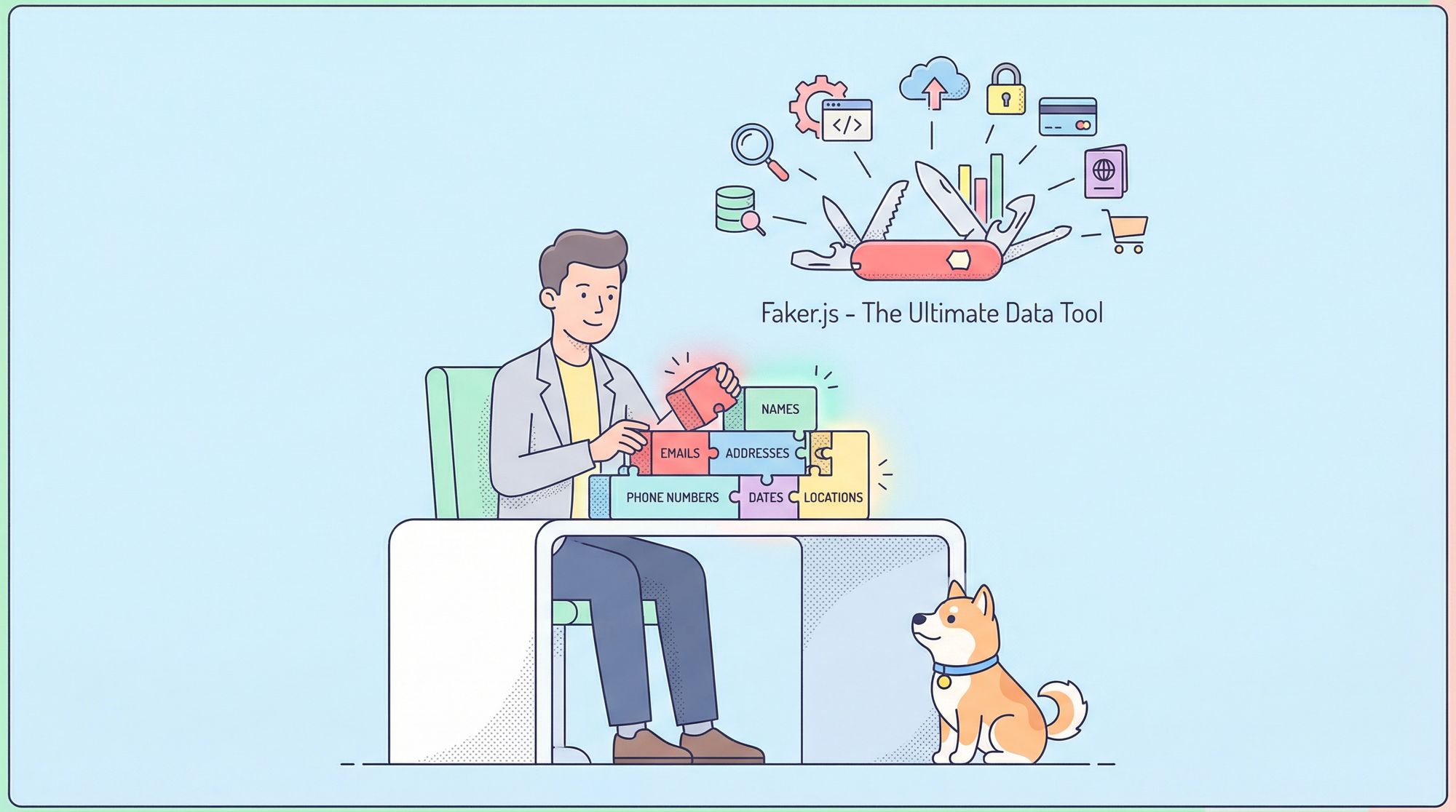
Testing and development often call for realistic yet fake data. That’s where Faker.js steps in, providing developers with a seamless way to generate mock data. Coupled with Apidog, an all-in-one API collaboration tool, you can take your API testing to the next level. Ready to streamline your process? Stick around, and by the end of this guide, you’ll know exactly how to use Faker.js in Apidog to create mock data with minimal effort.
What is Faker.js?
If you’re building or testing an API, you’ve likely faced the challenge of generating fake yet plausible data. That’s where Faker.js shines. It’s a JavaScript library designed specifically to create fake data, whether it’s names, addresses, phone numbers, or even random text.
Key Features of Faker.js
- Diverse Data Generation: Generate realistic data across categories like names, emails, addresses, and more.
- Customizability: Tailor the generated data to suit your specific needs.
- Lightweight and Easy to Use: Integrate it seamlessly into your projects with just a few lines of code.
- Language Support: Faker.js supports multiple languages, making it ideal for internationalized applications.
Think of Faker.js as a Swiss Army knife for mock data—it’s versatile, efficient, and perfect for API developers.
Why Use Faker.js for API Testing?
When working on APIs, having access to realistic data can make a world of difference. Hardcoding fake data is not only time-consuming but also lacks the variability needed for robust testing.
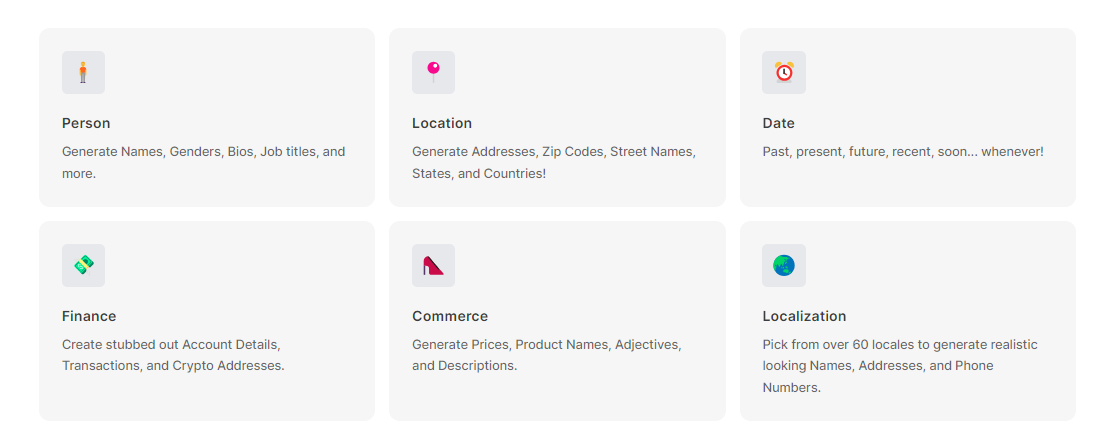
Here’s why Faker.js is invaluable for API testing:
- Saves Time: Instead of manually creating dummy data, Faker.js automates the process in seconds.
- Improves Test Quality: Diverse datasets can uncover edge cases that static data might miss.
- Enhances Collaboration: Mock data can be shared among team members, ensuring consistent testing environments.
- Supports Automation: Integrate Faker.js into your CI/CD pipelines for automated API testing.
What is Apidog?
If Faker.js is the generator, Apidog is your playground. Apidog is a comprehensive API design, testing, and collaboration platform. It simplifies API development by allowing teams to:
- Design APIs visually.
- Mock APIs without coding.
- Test APIs with precision.
- Document APIs dynamically.
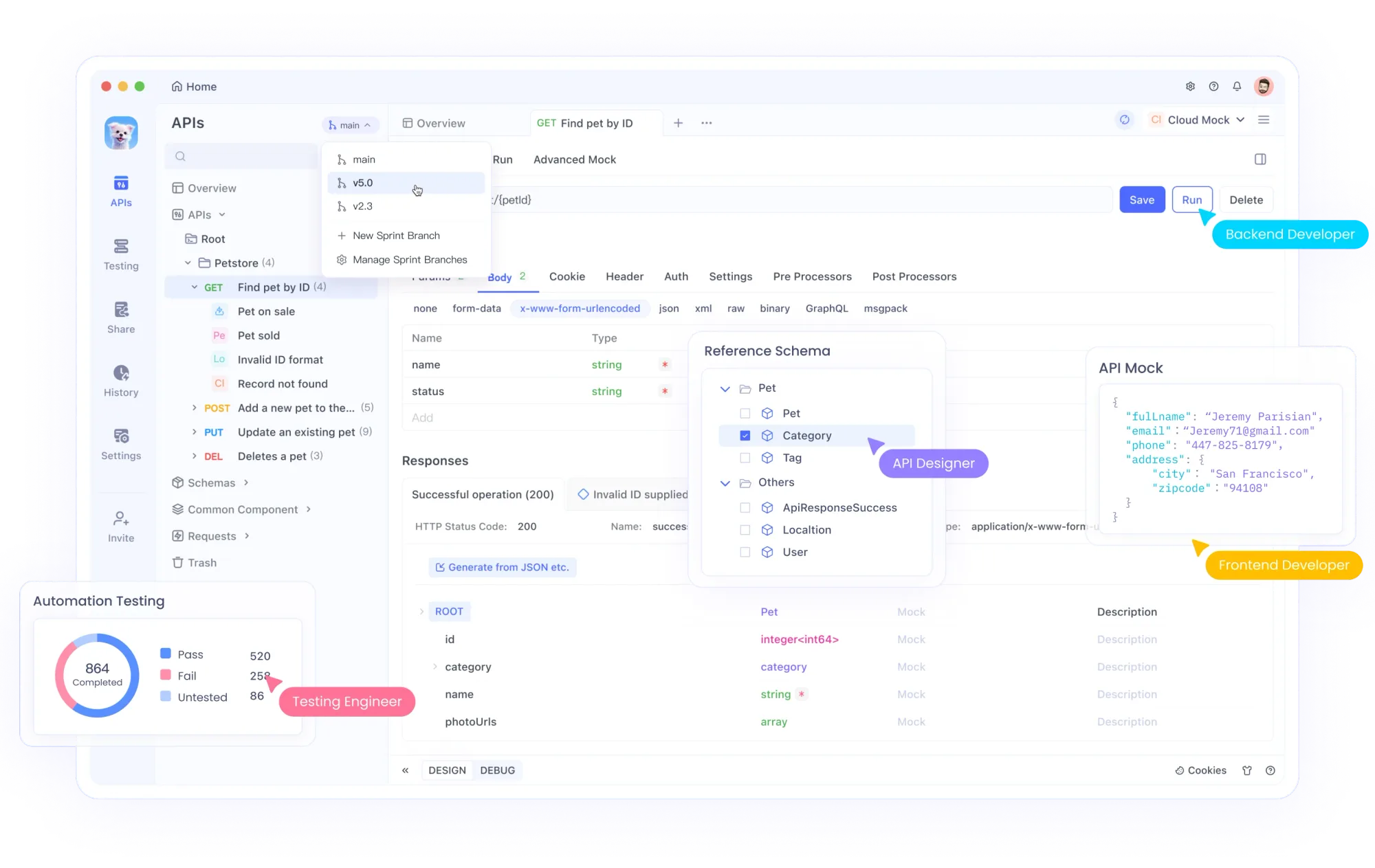
Using Faker.js within Apidog lets you create powerful mock APIs filled with realistic data, making development faster and testing more effective.
Setting Up Faker.js
Before diving into Apidog, let’s get familiar with setting up Faker.js.
Installation
To use Faker.js, you first need to install it. If you’re using Node.js, run:
npm install faker --save
For browser-based projects, you can include Faker.js directly via a CDN:
<script src="https://cdn.jsdelivr.net/npm/faker"></script>
Integrating Faker.js with Apidog
Now comes the exciting part—leveraging Faker.js within Apidog to mock data for your APIs.
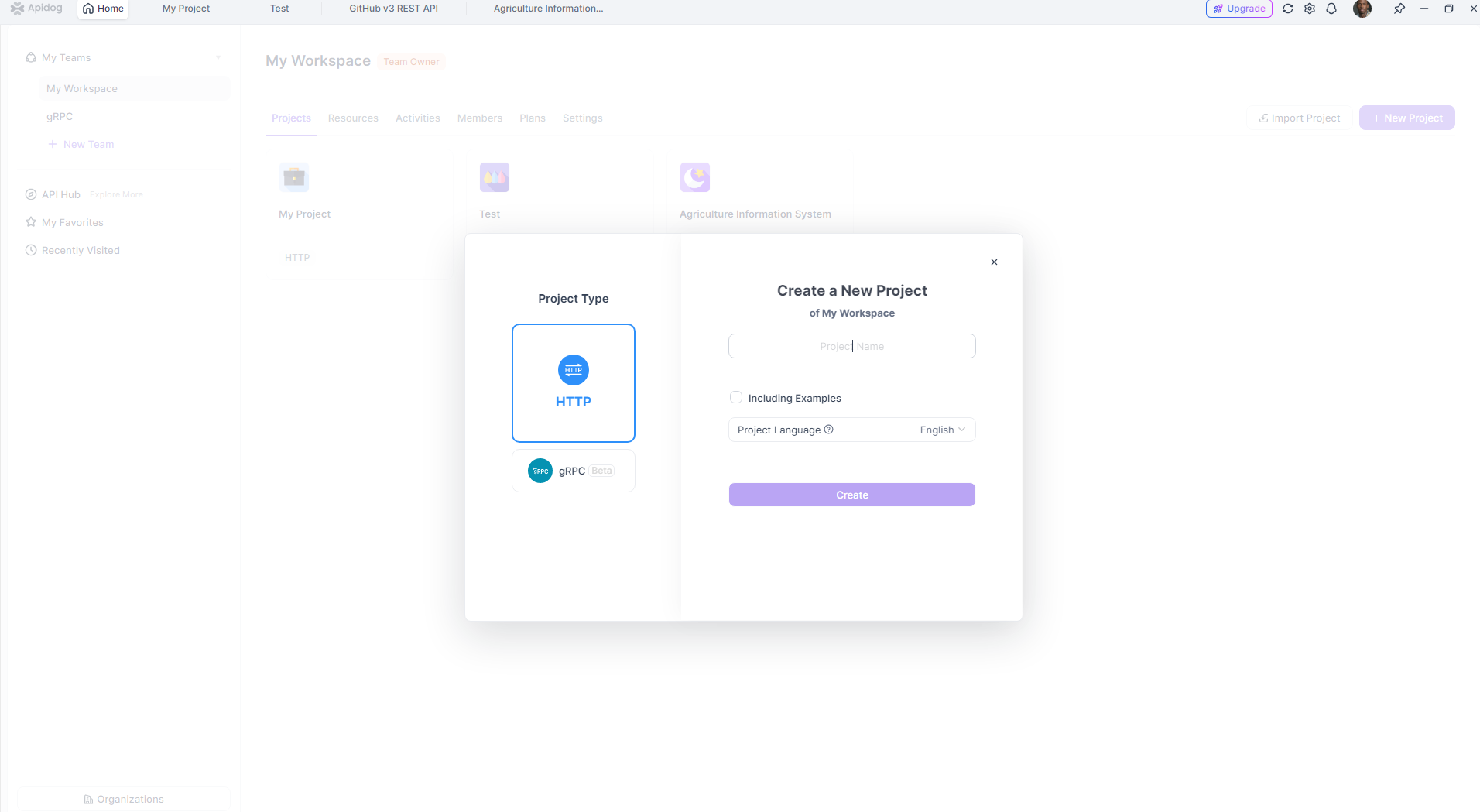
Create a New API in Apidog
- Open Apidog and navigate to your project.
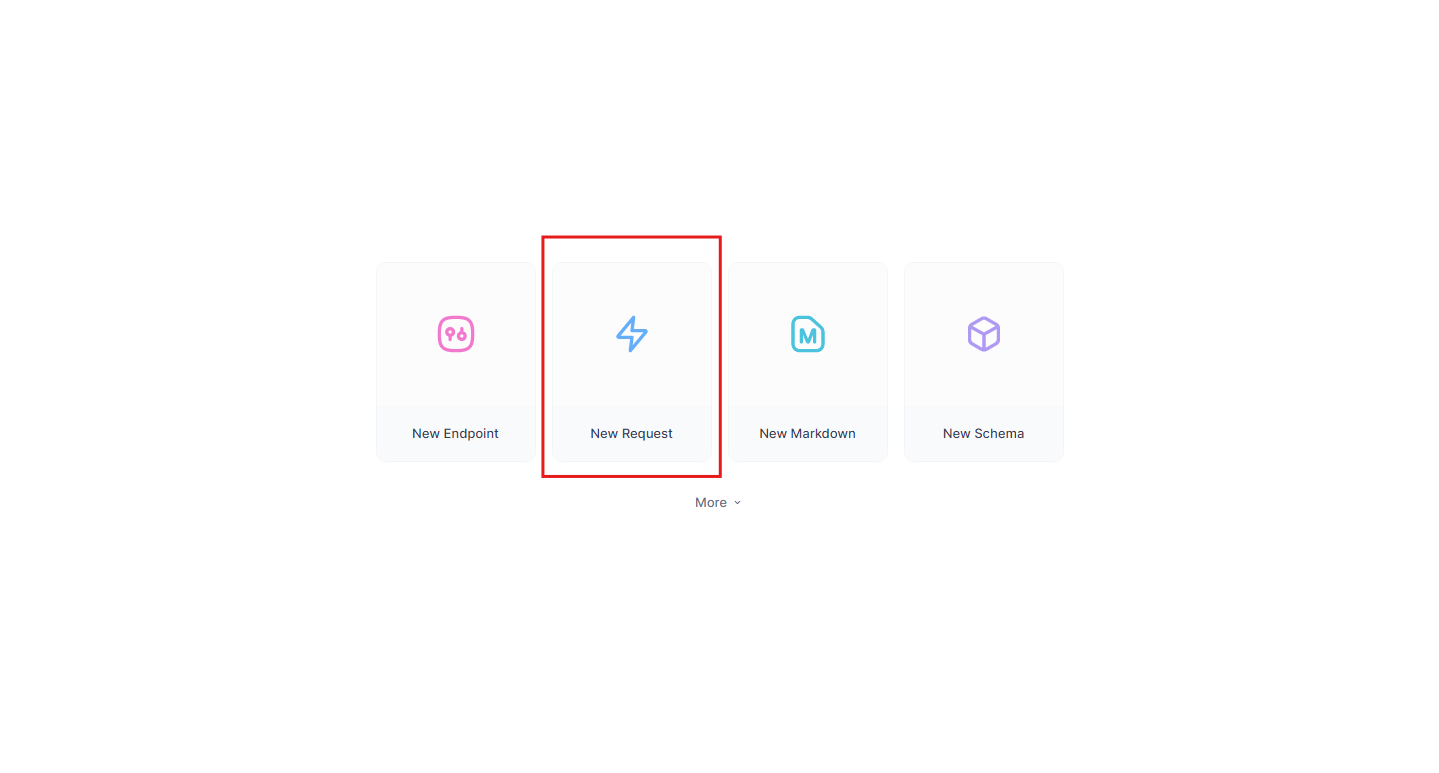
2. Select “New request” to define your new endpoint.
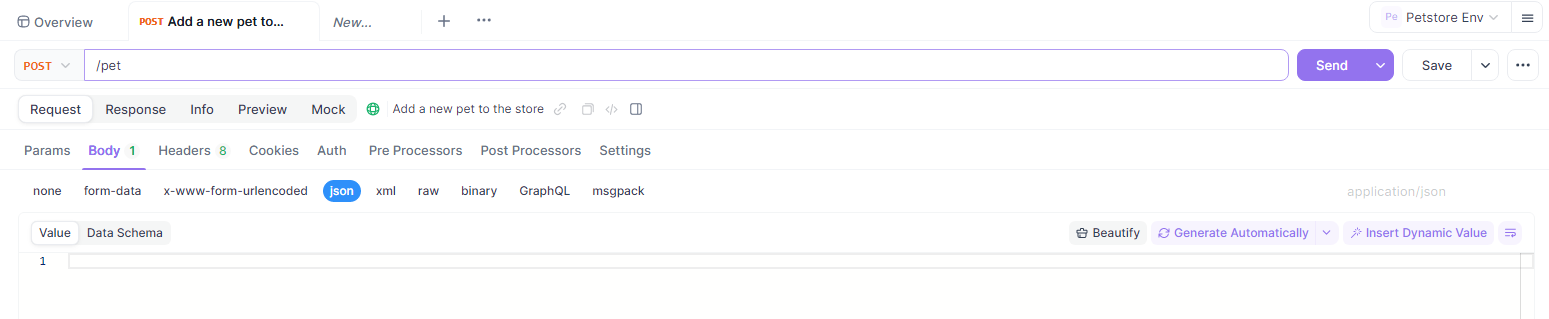
3. Specify the method (GET, POST, etc.) and endpoint URL (e.g., /users).
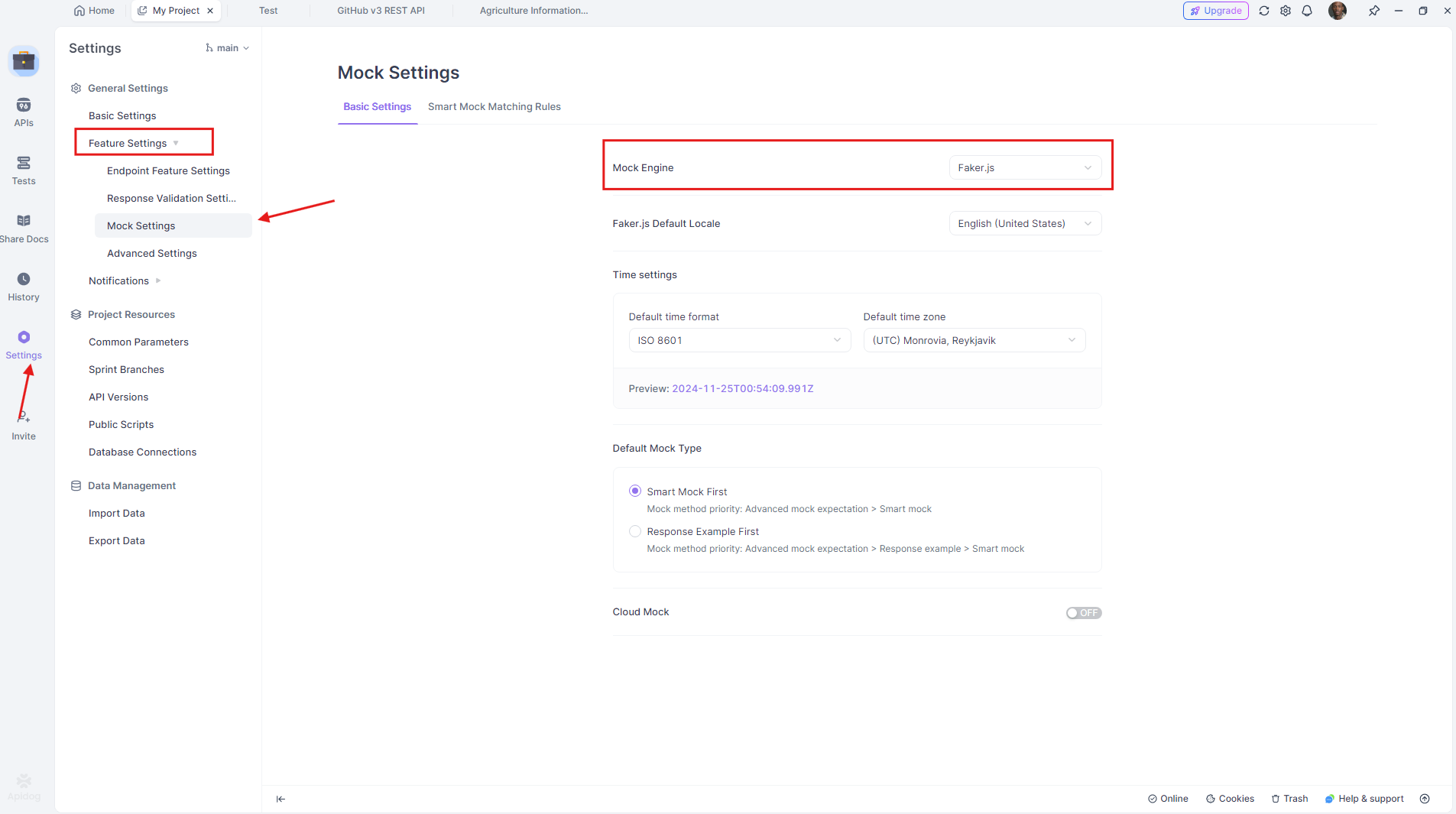
Enable Mock Data
Once your endpoint is set up: Go to the Mock Settings tab. And make sure the Faker.Js is enable as mock engine option.
Use Faker.js for Dynamic Data
Apidog supports custom scripts for mock data generation.
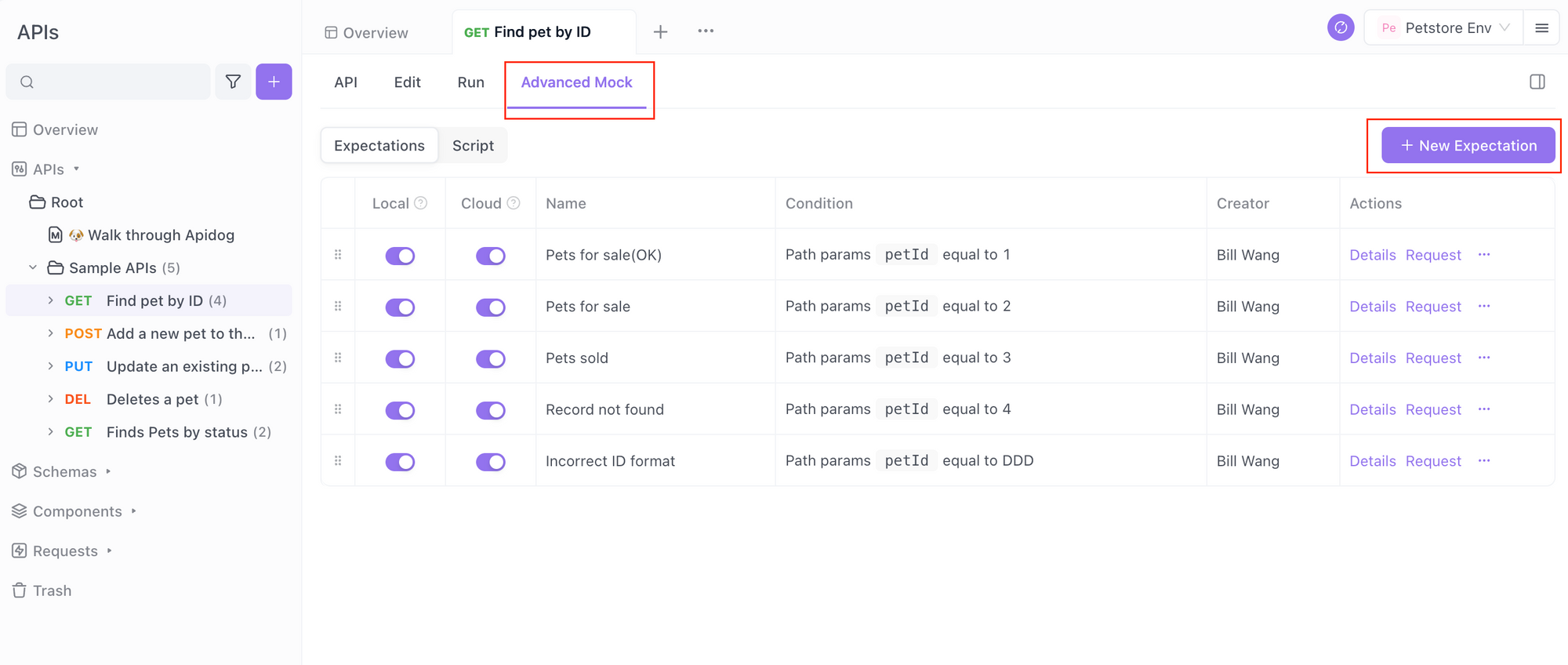
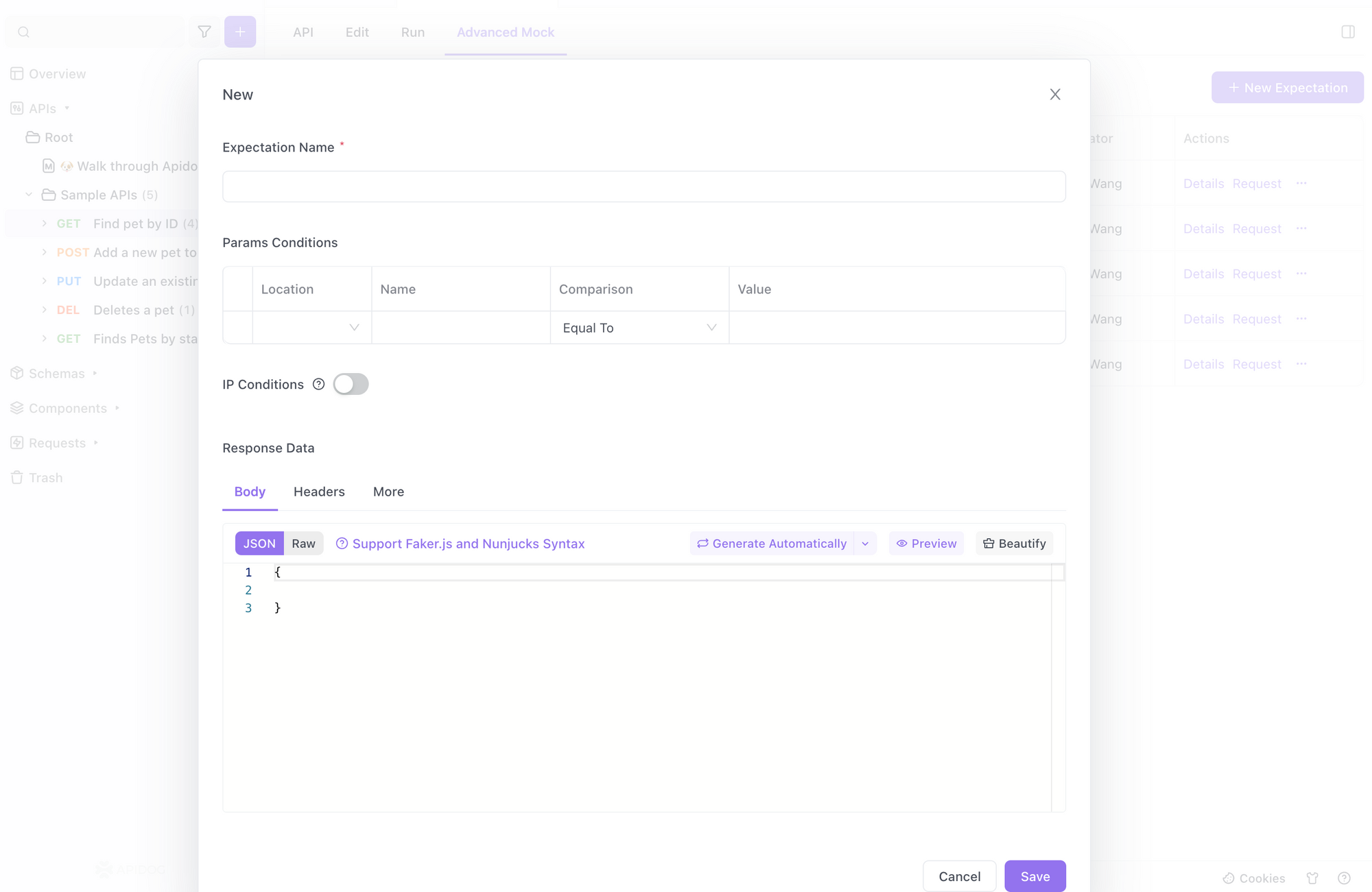
In the Response Body, add dynamic placeholders that Faker.js can populate. For example:
{
  "name": "{{faker.name.findName()}}",
  "email": "{{faker.internet.email()}}",
  "address": "{{faker.address.streetAddress()}}"
}
Apidog automatically processes these placeholders using Faker.js, generating unique data every time you test the API.
Benefits of Using Faker.js with Apidog
Here’s why this duo is a game-changer:
- Speed and Efficiency: Set up mock APIs in minutes with realistic data.
- Real-Time Variability: No more static mocks—every test run provides fresh data.
- Enhanced Collaboration: Share your mock APIs with team members directly in Apidog .
- Error Detection: Test edge cases by generating diverse datasets.
Best Practices for Using Faker.js in Apidog
- Define Clear Scenarios: Decide the kind of data your API needs upfront.
- Test Edge Cases: Use Faker.js to generate extreme or unusual values for better coverage.
- Document Mock Data: Use Apidog 's built-in documentation tools to make your mock API accessible to the team.
Conclusion
Combining Faker.js and Apidog empowers developers to build and test APIs with ease. Faker.js generates realistic mock data, while Apidog provides a robust platform to manage and test your APIs efficiently. Whether you’re a seasoned developer or just starting, this duo simplifies your workflow and saves valuable time.