

TL;DR
Ollama provides the easiest way to run Qwen 3.5 small models (0.8B, 2B, 4B, and 9B) locally on your Mac, Linux, or Windows machine. With a simple ollama run command, you can access capable AI features without cloud API costs. Download Ollama, pull a model, and start chatting in under 5 minutes.
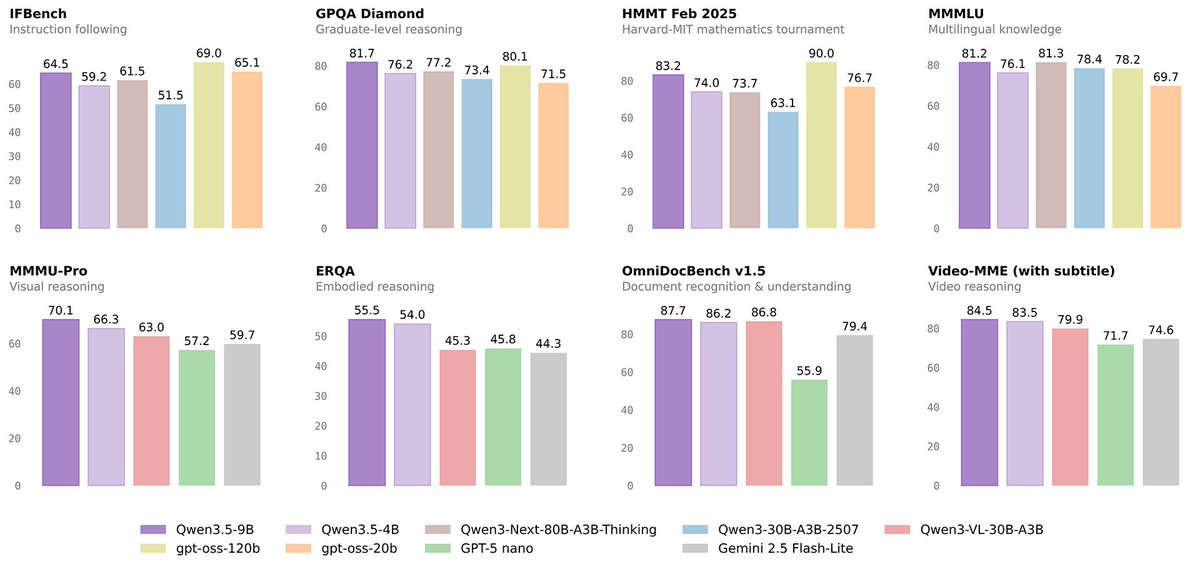
Introduction
Running large language models locally has become very popular, and Ollama makes it straightforward. If you want to use Alibaba's Qwen 3.5 models without sending data to the cloud or paying per-token fees, Ollama is the answer.
This guide walks you through everything you need to know about running Qwen 3.5 small models with Ollama. Whether you need the compact 0.8B model for quick tasks or the larger 9B model for complex reasoning, we'll cover installation, usage, and integration.
Why Use Ollama for Qwen 3.5
Ollama has become the go-to solution for local LLM deployment:
Simple Setup
No complex Docker or Python setups. Download one app and you're ready.
Privacy First
Your data stays on your machine. This matters for business data or anything sensitive.
No API Costs
After downloading models, running them is free. No per-token fees or subscriptions.
Offline Capability
Use AI anywhere, even without internet.
Hardware Acceleration
Ollama automatically uses GPU acceleration when available, making local inference fast.
Installing Ollama
Mac Installation
If you have a Mac, installation takes seconds:
# Download from ollama.com or use Homebrew
brew install ollama
That's it. Ollama will automatically detect Apple Silicon (M1/M2/M3) and use Metal for GPU acceleration.
Linux Installation
For Linux servers or WSL:
# Quick install
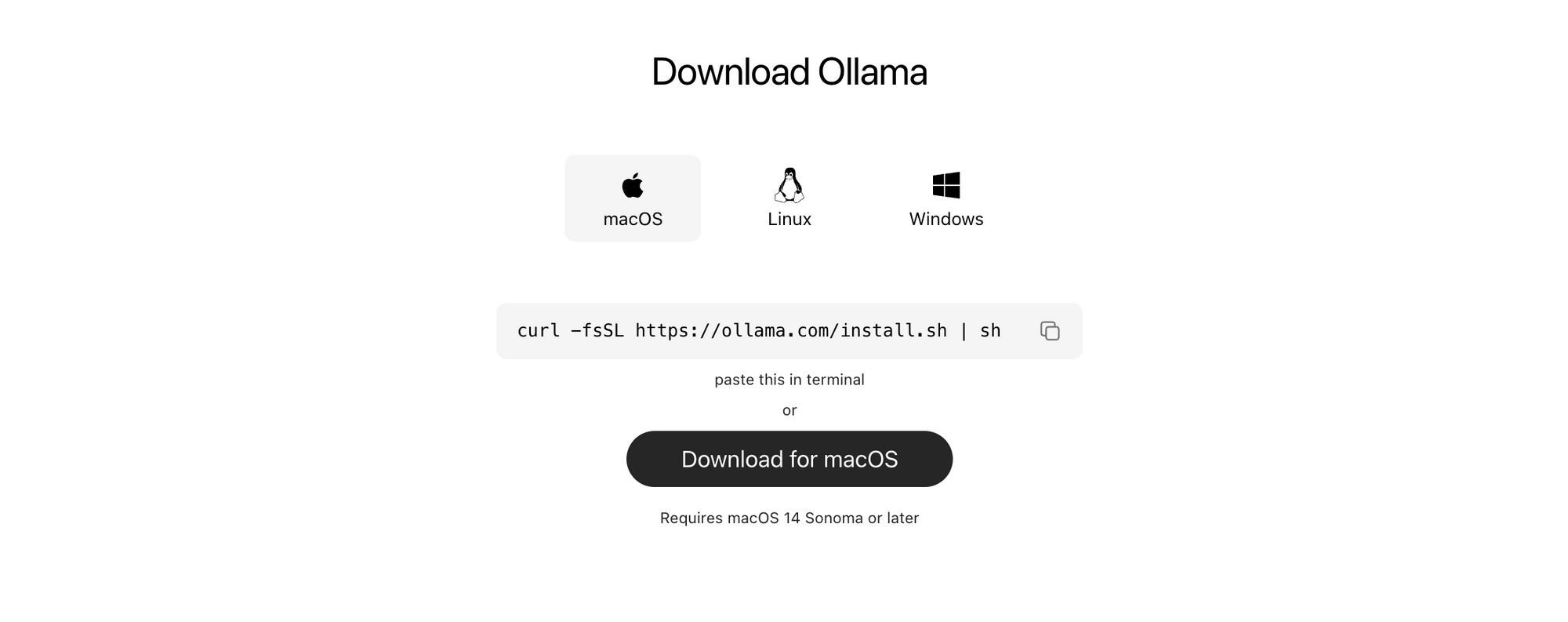
curl -fsSL https://ollama.com/install.sh | sh
Windows Installation
Windows users can download the installer. The Windows version supports GPU acceleration via DirectML.
Verification
After installation, verify everything works:
ollama --version
You should see the version number. Now let's pull some Qwen models.
Running Qwen 3.5 Models
Pulling Your First Model
Ollama makes downloading models simple:
9B:
ollama run qwen3.5:9b

4B:
ollama run qwen3.5:4b

2B:
ollama run qwen3.5:2b

0.8B
ollama run qwen3.5:0.8b
Each model download takes a few minutes depending on your internet speed. The 2B model is around 1.5GB, while the 9B model is about 5GB.
Starting a Chat Session
Once pulled, start chatting immediately:
ollama run qwen3.5:9b
You'll see a prompt where you can type directly:
>>> What is quantum computing in simple terms?
Quantum computing is a type of computation where...
Type your questions and press Enter. Press Ctrl+D to exit.
Listing Available Models
See what you have installed:
ollama list
Output shows each model, its size, and when you last used it.
Removing Models
Free up disk space by removing models you don't need:
ollama remove qwen3.5:9b
Model Comparison and Selection
Choosing the right model depends on your hardware and use case:
| Model | Parameters | Approx. Model Size (BF16, full precision) | RAM Needed (BF16, Unsloth guide) | Best for |
|---|---|---|---|---|
| Qwen3.5-0.8B | 0.8B | ~1.6 GB | ~9 GB | Ultra‑light edge & mobile: quick autocomplete, simple chatbots, small tools, basic vision/OCR on very low-end devices. |
| Qwen3.5-2B | 2B | ~4 GB | ~9 GB | Lightweight assistants, small agents, basic coding help, decent multimodal on laptops with modest RAM. |
| Qwen3.5-4B | 4B | ~8 GB | ~14 GB | “Smart autocomplete” dev helper, lightweight agents, better reasoning and multimodal than 2B while still easy to run locally. |
| Qwen3.5-9B | 9B | ~18 GB | ~19 GB | Strong general assistant, good multilingual + vision, usable as main local AI on a 16–24 GB RAM/VRAM machine. |
Recommendation for most users: Start with qwen2.5:2b. It offers the best balance of capability and speed. Upgrade to 4B or 9B only if you need more reasoning power.
Ollama API for Developers
Ollama runs a local API server that your applications can call. This is perfect for integrating Qwen 3.5 into your projects.
Starting the API Server
Ollama runs as a background service by default. The API is available at:
http://localhost:11434
Basic Chat Completion
Send requests to the chat endpoint:
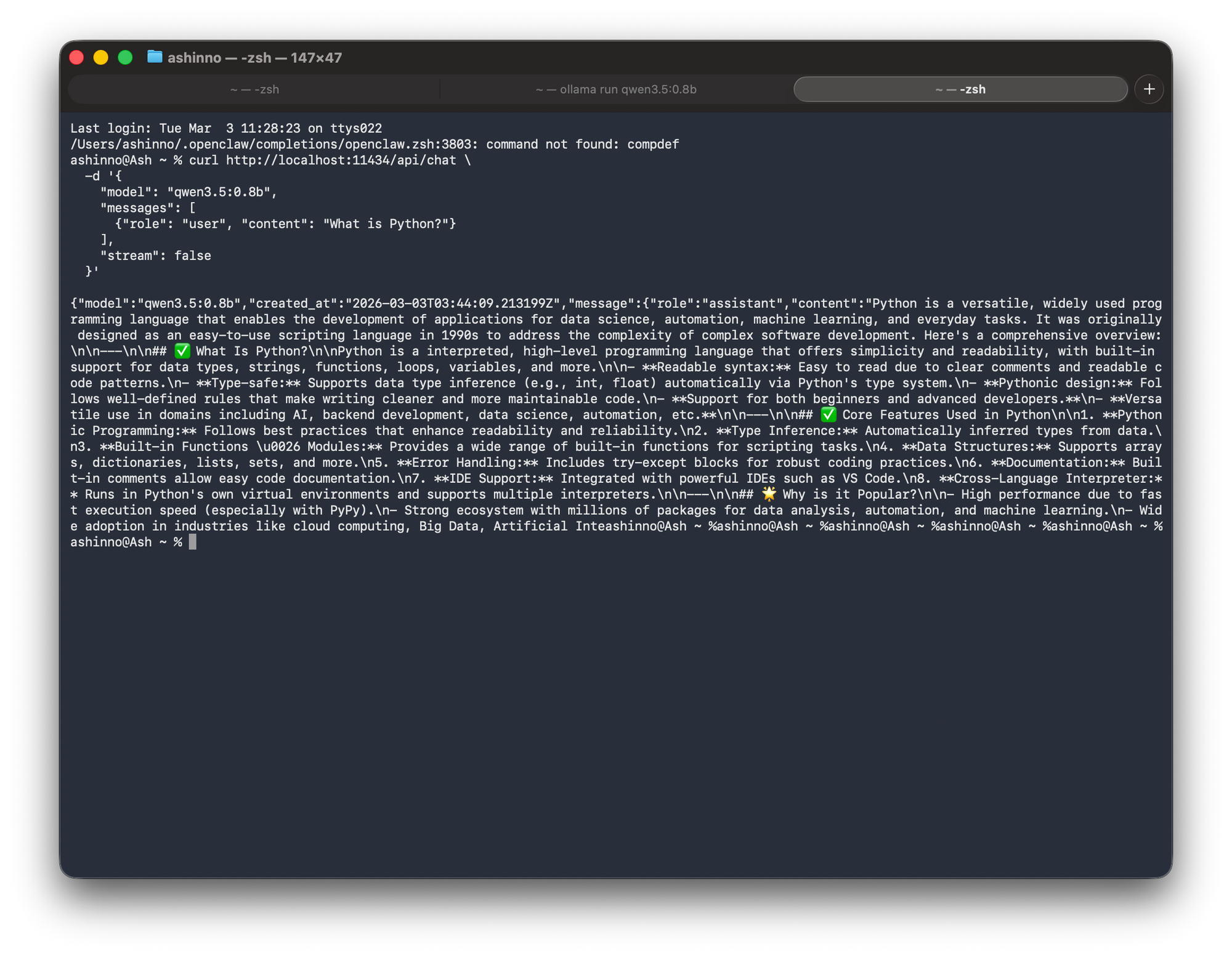
curl http://localhost:11434/api/chat \
  -d '{
    "model": "qwen3.5:0.8b",
    "messages": [
      {"role": "user", "content": "What is Python?"}
    ],
    "stream": false
  }'
Response:
Streaming Responses
For real-time output, enable streaming:
curl http://localhost:11434/api/chat \
  -d '{
    "model": "Qwen3.5-9B",
    "messages": [{"role": "user", "content": "Count to 5"}],
    "stream": true
  }'
This streams tokens as they're generated.
Generation Endpoint
For non-chat prompts:
curl http://localhost:11434/api/generate \
  -d '{
    "model": "qwen3.5:0.8b",
    "prompt": "Write a haiku about coding",
    "stream": false
  }'
Integrating with Your Applications
Python Integration
import requests

url = "http://localhost:11434/api/chat"
payload = {
    "model": "qwen3.5:0.8b",
    "messages": [
        {"role": "user", "content": "Explain recursion"}
    ],
    "stream": False
}

response = requests.post(url, json=payload)
result = response.json()
print(result["message"]["content"])
JavaScript/Node.js Integration
const response = await fetch('http://localhost:11434/api/chat', {
  method: 'POST',
  headers: {'Content-Type': 'application/json'},
  body: JSON.stringify({
    model: "qwen3.5:0.8b",
    messages: [{role: 'user', content: 'What is an API?'}]
  })
});

const data = await response.json();
console.log(data.message.content);
Testing Your Integration with Apidog
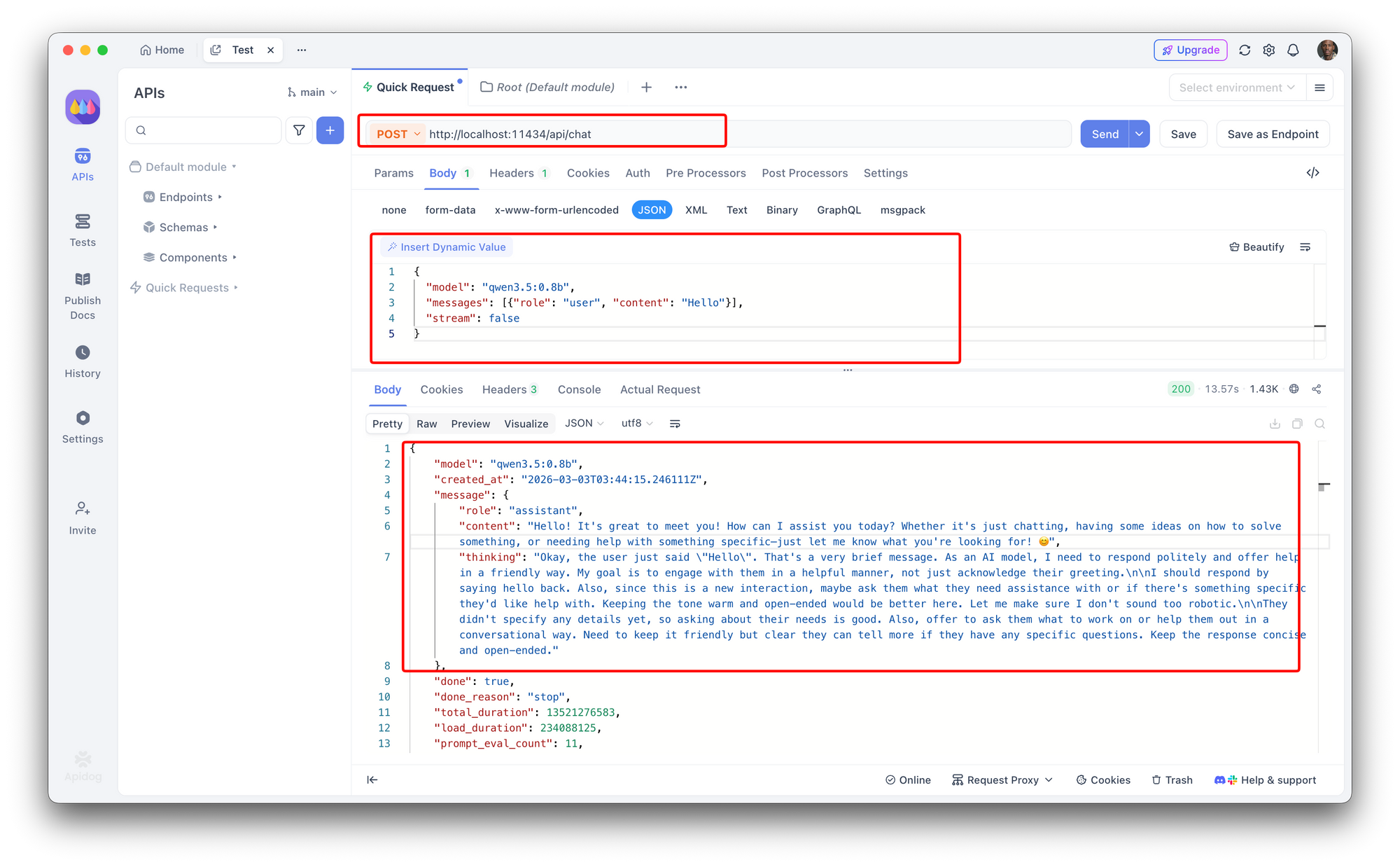
When building applications that call Ollama, use API testing tools to validate responses. Here's how to test your Ollama API with Apidog:
- Create a new POST request to
http://localhost:11434/api/chat - Set Content-Type to
application/json - Add the request body:
{
  "model": "qwen3.5:0.8b",
  "messages": [{"role": "user", "content": "Hello"}],
  "stream": false
}
Apidog lets you create automated test cases that validate response quality, test different prompts, and monitor your local LLM endpoints. This ensures your integration works reliably in production.
Performance and Hardware Requirements
GPU Acceleration
Ollama automatically uses GPU when available:
- Apple Silicon (M1/M2/M3): Uses Metal, very efficient
- NVIDIA GPUs: Uses CUDA, excellent performance
- AMD GPUs: Uses ROCm on Linux
- CPU only: Works but slower
Expected Performance
| Model | GPU | Tokens/sec (approx) |
|---|---|---|
| 0.8B | M1/M2 | 40-50 |
| 2B | M1/M2 | 20-30 |
| 4B | M1/M2 | 10-15 |
| 9B | M3 Max | 15-20 |
CPU-only inference will be significantly slower (5-10x).
Memory Requirements
Minimum RAM by model:
- 0.8B: 2GB available RAM
- 2B: 4GB available RAM
- 4B: 8GB available RAM
- 9B: 16GB available RAM
Having more RAM than minimum helps with responsiveness.
Troubleshooting Common Issues
"Ollama not found"
Ensure Ollama is in your PATH. On Mac/Linux, restart your terminal after installation.
Slow Performance
- Check if GPU is being used:
ollama listshows model info - For CPU-only: expect slower speeds
- Close other GPU applications
Model Download Fails
Try again with faster internet. If using a VPN, try without it.
API Connection Refused
Make sure Ollama is running: ollama serve (usually runs automatically)
Out of Memory
Use a smaller model. The 9B model needs significant RAM. Close other applications.
Qwen 3.5 is a strong text model, but when your local setup also needs to understand screenshots and diagrams, running Qwen 3 VL with Ollama brings vision capability to the same workflow.
The same Ollama workflow extends to Google's model family—running Gemma 3 locallyrequires only a single pull command and gives you a capable open-weight model with no cloud dependency.
Conclusion
Ollama makes running Qwen 3.5 models locally straightforward. Whether you're a developer building AI applications or just want to experiment with local LLMs, the process takes minutes rather than hours.
The combination of Qwen 3.5's strong multilingual capabilities and Ollama's simple interface makes this one of the easiest ways to get started with local AI.
Next steps: Once you've set up your Ollama API, use Apidog to create automated test cases that validate response quality, test different prompts, and monitor your local LLM endpoints. Get started with Apidog free.
FAQ
What's the difference between Ollama and other deployment methods?
Ollama is designed for simplicity. Unlike Docker or manual model deployment, it handles everything (model downloading, GPU acceleration, API serving) with simple commands.
Can I use Ollama with other Qwen models?
Yes, Ollama supports many models. Check ollama.com/library for the full list.
How do I update Qwen models in Ollama?
Pull the latest version: ollama pull qwen2.5:2b. This downloads updates if available.
Can I run multiple models at once?
Yes, but each model uses memory. Most systems can run 1-2 models simultaneously.
Is my data secure with Ollama?
Yes. Everything runs locally. No data is sent to external servers.
Can I fine-tune Qwen models using Ollama?
Ollama is for inference only. For fine-tuning, you'll need other tools like LoRA adapters.
How do I change the port Ollama uses?
Set the OLLAMA_HOST environment variable before running: export OLLAMA_HOST=0.0.0.0:8080


